


Quick answer: For AI application developers, NetApp has launched two free advanced courses on building AI search: Optimizing OpenSearch Vector Storage and Search for Faster AI Applications and Advanced RAG with OpenSearch. Each course pairs video lessons that explain the technical concepts with self-paced labs that let builders deploy and iterate in a live OpenSearch cluster of their own with no credit card required.
Most AI search courses end in one of two places. Either you’ve watched theoretical courses that never touch a real cluster, or you’ve followed an open-ended tutorial that leaves you guessing whether your setup even worked. Neither is useful when you’re trying to size an index, pick between index types, tune retrieval, or debug a RAG pipeline that returns confident-sounding wrong answers.
That gap is the problem these courses were built to close.
Think of it as free hands-on generative AI search training you can start today. The first two courses focus on AI search: “Optimizing OpenSearch Vector Storage and Search for Faster AI Applications” and “Advanced RAG with OpenSearch.” Neither requires the other as a prerequisite. And both run on a live NetApp ® Instaclustr managed OpenSearch cluster that costs you nothing. No credit card. No cloud bill. No third-party API key required.
If you want to extend your expertise in OpenSearch online free, this is where you start.
What makes this free OpenSearch training course different?
The answer is straightforward: real clusters, real data, real output.
Every video lesson pairs with a hands-on lab. Not a sandbox someone else configured. Not a demo environment with canned responses. Your own free NetApp Instaclustr OpenSearch cluster, loaded with real data so builders can check their work against expected results instead of guessing whether they got it right.
The labs also go beyond the basics. They cover engineering retrieval architectures for compliance-sensitive environments and effectively using agent memory, both live user context and episodic memory, designed to improve accuracy over time. Builders leave able to apply these skills to address complex enterprise data requirements directly in their own AI pipelines.
“We’ve heard from both the community and our customers that there’s a gap between learning about vector search and applying it in real-world scenarios,” said Sayan Saha, Sr. Director of Product Management at NetApp Instaclustr. “With these courses, we’re giving practitioners hands-on experience with real clusters at no additional cost, to help ensure that their skills translate seamlessly to production environments.”
Vector search: an OpenSearch vector engine overview
The vector search course builds a system one working piece at a time. Every step explains the decision behind it. Someone encountering vector search for the first time can follow the full arc. Someone with experience can move straight to the tuning sections. If you’ve been searching for an OpenSearch tutorial for beginners that still respects your time, this fits.
What you’ll learn, in order
- Size an index for memory and cost.
- Choose between index types and defend the reasoning.
- Apply quantization with a clear understanding of what it saves and what it costs.
- Deploy an embedding model inside the cluster.
- Compare keyword, sparse, dense, and fused search on the same query.
The course focuses on building understanding, not just reaching an end state through copying commands. You’ll learn to measure the output of different settings to improve performance and retrieval from OpenSearch.
Semantic search: comparing the ways OpenSearch retrieves
Semantic search is where the payoff shows up. Instead of matching exact words, you match meaning. The vector search course puts keyword, sparse, dense, and fused search side by side on the same query, so you can see how each behaves. That’s the difference between reading about semantic search and knowing when to use it.
RAG pipelines: the free RAG pipeline course
Most RAG material puts nearly all of its attention on retrieval and treats the prompt as an afterthought. That’s backwards. The prompt determines whether the model answers from the evidence it was given, or quietly fills the gaps itself.
“Advanced RAG with OpenSearch” starts there. Builders create one assistant across the entire course: an internal support tool for a fictional company, using that company’s product documentation, integration guides, support ticket history, known issues, and API reference. The course opens by building a simple RAG deployment, including its shortcomings, then adds three additional chapters that build on each other. The final deployment keeps context in memory and handles the kinds of edge cases that trip up simpler pipelines.
How does this OpenSearch course work, step by step?
Getting started takes a few minutes. Create a free account at instaclustr.com/account/signup. Choose one of the two courses. Start the guided video lessons that walks through creating a free OpenSearch cluster, adding a firewall rule, and collecting connection details. You should have your own cluster answering real queries within the first hour.
From there, each chapter follows the same structure. Watch the video. Run the lab. See exactly what your cluster does with the concepts just explained.
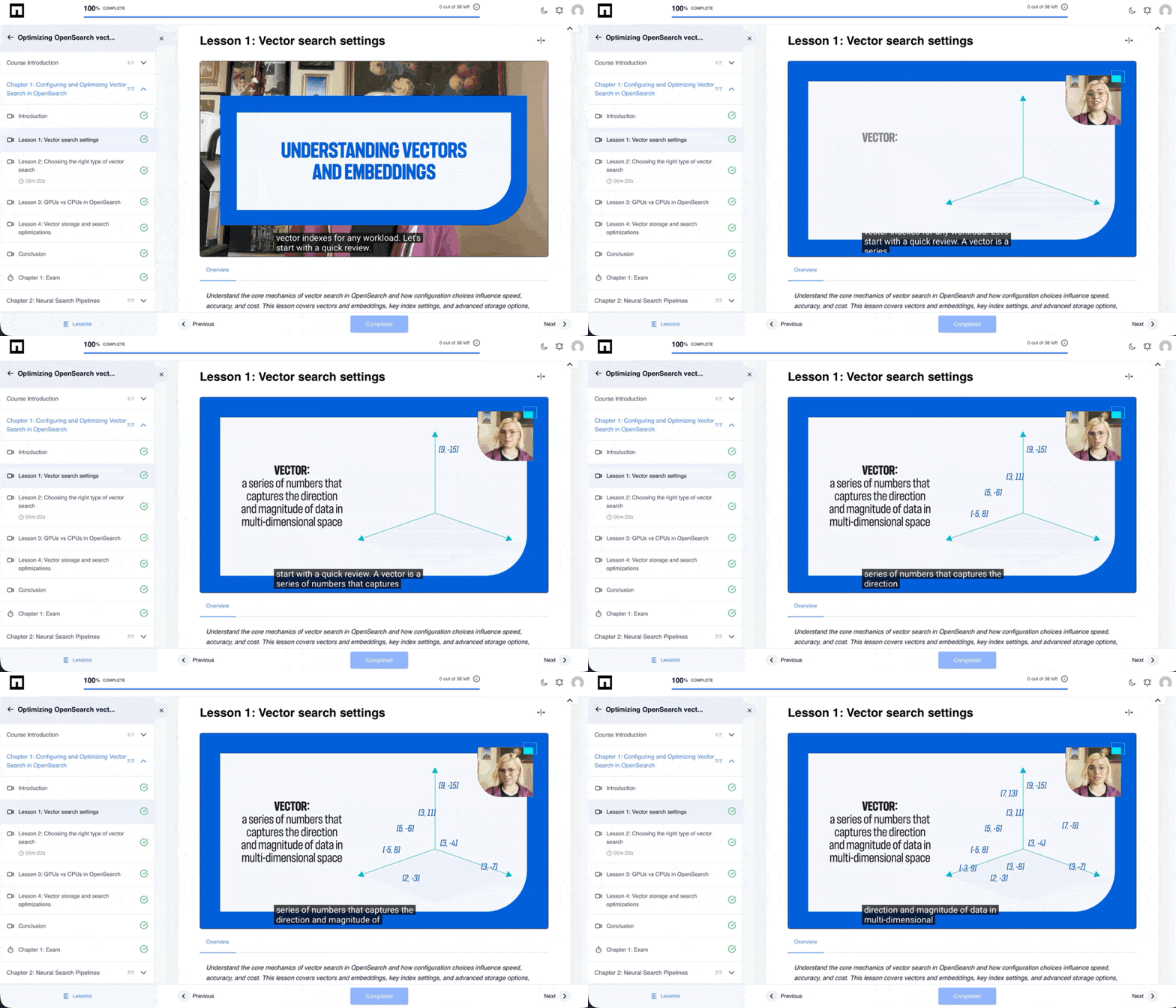
The entire lab environment runs on a 30-day free trial. Any time left over after completing a course is yours to use: push the same technology harder, or spin up another open source technology that NetApp Instaclustr supports and start something new.
“My experience with InstAcademy has been amazing; from the moment I spun up the first Instaclustr cluster, I’m not just reading about OpenSearch, I’m building with it,” said Neel Shah, OpenSearch Ambassador. “By the end, anyone will have hands-on skills in vector search and RAG pipelines which they can actually use in their job.”
What do you get when you finish?
Completing a course earns a verifiable Credly badge that can be shared on LinkedIn and other social platforms. It’s a concrete credential that reflects work you actually did on a real cluster, not a multiple-choice certificate.
The confidence, though, comes from the labs themselves. You built it. You ran it. You saw it work.
Who should take these courses?
Both courses are designed for builders and machine learning engineers who are past the introductory stage. If you know what RAG is but haven’t tuned a retrieval pipeline under real constraints, “Advanced RAG with OpenSearch” is the right starting point. If you need to design and optimize a vector search system for production workloads, start with “Optimizing OpenSearch Vector Storage and Search for Faster AI Applications.”
Start building on a real OpenSearch cluster today
Theory doesn’t ship. Watching someone else’s demo doesn’t prepare you for a production deployment. What transfers are the skills you build by doing the work yourself, on a cluster that’s yours, with data that behaves the way real data does.
Both courses are available now. Choose your course, sign up, and have a live OpenSearch cluster answering real queries before the end of your first session.
Frequently asked questions
-
Is OpenSearch free to use? +
Yes. OpenSearch is open source and free to use, and both InstAcademy courses run on a NetApp Instaclustr free-trial cluster with no credit card required.
-
Can OpenSearch be used for RAG? +
Yes. OpenSearch supports retrieval-augmented generation, and the “Advanced RAG with OpenSearch” course walks you through building a full RAG pipeline on a live cluster.
-
How do I build a RAG pipeline with OpenSearch? +
You build one across the “Advanced RAG with OpenSearch” course: start with a simple deployment, then add chapters that improve retrieval, prompting, and memory. By the end you have a working assistant that keeps context in memory and handles real edge cases.
-
Do I need coding experience for OpenSearch vector search? +
Both courses are designed for developers and machine learning engineers, so some coding comfort helps. Each lab provides the exact commands to run alongside the expected output, so you’re never guessing.
-
How much does the course cost? +
Both courses are free. The included labs run on a NetApp Instaclustr free-trial OpenSearch cluster with no credit card required or separate cloud account required to complete the course.
-
Do I need to complete one course before the other? +
No. Neither course is a prerequisite for the other. You can start with whichever topic is most relevant to the problem you’re working on.
-
How long does it take to set up a cluster and start learning? +
The lab setup guide walks through creating a free OpenSearch cluster, adding a firewall rule, and collecting connection details. Most learners have their cluster answering real queries within the first hour.
-
What will I be able to do during the vector search course? +
In the “Optimizing OpenSearch Vector Storage and Search for Faster AI Applications” course, you’ll practice sizing an index for memory and cost, choose and defend a choice between index types, apply quantization, deploy an embedding model inside the cluster, and compare keyword, sparse, dense, and fused search on the same query.
-
What will I be able to do after completing the RAG course? +
After completing “Advanced RAG with OpenSearch,” you’ll be able to build and debug a full RAG pipeline, engineer retrieval architectures for compliance-sensitive environments, and use agent memory, including live user context and episodic memory, to improve accuracy over time.
-
Do I earn a credential for completing a course? +
Yes. Completing a course earns a verifiable Credly badge that you can share on LinkedIn and other social platforms.
-
Who are these courses designed for? +
Both courses are advanced and designed for developers and machine learning engineers who already understand the basics of AI search. They’re suited for anyone who needs to build, tune, or deploy vector search or RAG systems in production environments.
-
+

