About open source AI
TL;DR: Open source AI tools let teams build, run, and scale AI while keeping control of their data. Best for managed AI data infrastructure: Instaclustr; large-scale data processing: Apache Spark; deep learning: TensorFlow; local model serving: Ollama.
Open source AI tools let developers and businesses build, run, and scale AI applications, from large language models to intelligent agents, while keeping full control over their data and infrastructure. Open-weight models, model runtimes, and application frameworks lead the open source ecosystem.
Open source AI technology benefits from collective innovation and the expertise of a global community. Many advancements in AI, such as new machine learning frameworks, architectures and algorithms, as well as advancements in large language models (LLMs), originate from open source projects.
AI technologies are characterized by their ability to adapt and evolve rapidly due to collaborative contributions. Open source AI provides a platform for innovation, granting everyone from smaller organizations and individual developers to large enterprises access to powerful, low-cost technology platforms.
Open source AI tools span several main categories:
- Model runtimes and local inference: tools such as Ollama and vLLM that download, run, and serve open models on local or server hardware.
- Chat interfaces and RAG platforms: self-hostable interfaces such as Open WebUI and application builders such as Dify that add retrieval-augmented generation.
- Agent and workflow automation: platforms such as n8n and frameworks such as Langroid for building agent-style automations.
- Foundational frameworks and model hubs: frameworks such as PyTorch and TensorFlow and hubs such as Hugging Face that host and distribute models.
Momentum has also shifted toward open-weight and reasoning models that organizations can download and run on their own infrastructure, and toward agentic tools that let models take actions across other systems. These developments are expanding how teams adopt open source AI while keeping data in their own environment.
Editor’s note: Updated the article to reflect current open source AI ecosystem trends as of 2026, add sections on model runtimes, chat and RAG platforms, agent automation, and open-weight and reasoning models, and expand the tools list with current projects.
This is part of an extensive series of guides about AI technology.
Open source AI tools at a glance
The table below summarizes the key differences between these open source AI tools. We explore each of them in more detail below.
| Solution | Category | Best for | Key strengths | Things to consider |
|---|---|---|---|---|
| 1. Instaclustr | Data infrastructure and machine learning platforms | Managed open source data infrastructure for AI and RAG workloads | Fully managed, 100% open source, multi-cloud, enterprise security | Scope limited to the supported open source data technologies |
| 2. Apache Spark | Data infrastructure and machine learning platforms | Large-scale batch and streaming data processing and ML | Unified multi-language engine, in-memory speed, MLlib | High memory use and overhead handling many small files |
| 3. H2O.ai | Data infrastructure and machine learning platforms | Automated machine learning and enterprise GenAI on private data | AutoML, explainability, air-gapped on-prem deployment | Advanced customization limited; cost high for small teams |
| 4. TensorFlow | Deep learning frameworks | Production-grade deep learning and cross-platform deployment | Mature ecosystem, deployment tooling, scalability | Steep learning curve and verbose lower-level APIs |
| 5. PyTorch | Deep learning frameworks | Research and experimentation with dynamic neural networks | Pythonic design, dynamic graphs, strong GPU support | Production serving needs extra tooling and setup |
| 6. Keras | Deep learning frameworks | Fast prototyping of deep learning models across backends | Simple high-level API, multi-backend, pre-built layers | Abstraction limits low-level control for novel research |
| 7. Meta Llama | Open source LLMs and inference engines | Self-hosted, open-weight LLMs for private deployments | Multimodal, efficient MoE models, large context windows | Custom license with a 700M-user commercial threshold |
| 8. Mistral AI | Open source LLMs and inference engines | Efficient open-weight models with European data residency | Apache-2.0 flagship models, self-hosting, OpenAI-style API | Some specialist models use non-commercial licenses |
| 9. Ollama | Open source LLMs and inference engines | Running open models locally with a simple workflow | Easy local setup, privacy-first, model management | Sequential queue limits multi-user concurrency |
| 10. vLLM | Open source LLMs and inference engines | High-throughput LLM serving in production | PagedAttention, continuous batching, OpenAI-compatible API | GPU-centric with a more complex setup |
| 11. Hugging Face Transformers | Specialized machine learning libraries | Accessing and running pretrained models across modalities | Huge model hub, unified API, framework interoperability | Frequent breaking changes across major versions |
| 12. Scikit-learn | Specialized machine learning libraries | Classical machine learning on tabular data in Python | Broad algorithms, consistent API, strong documentation | No native GPU support or deep learning |
| 13. OpenCV | Specialized machine learning libraries | Real-time image and video processing and computer vision | 2,500+ algorithms, cross-platform, real-time optimized | DNN module runs inference only, not model training |
The open source AI ecosystem
The open source ecosystem has seen rapid growth and evolution, particularly in AI. A recent report from GitHub highlights several key trends reshaping the developer experience and the broader impact of open source technologies:
- Rise of generative AI: Generative AI projects have surged recently, with many developers experimenting with foundation models from major AI players like OpenAI, as well as new open source models like Meta LLaMA and Mistral. Open source generative Multiple AI projects have entered the top 10 most popular open source projects by contributor count.
- Cloud-native applications: The adoption of cloud-native technologies has increased, with more developers using Git-based infrastructure as code (IaC) workflows, Dockerfiles, containers, and other cloud-native tools. This trend underscores the importance of open source in supporting scalable and standardized cloud deployments.
- New contributors and growing communities: GitHub continues to add developers at a record pace, with a new developer joining roughly every second and generative AI projects attracting a large share of first-time contributors. Commercially-backed open source projects capture the largest share of contributions, while individual developers also drive innovation.
- Private projects: The number of private projects on GitHub increased by 38% year over year, demonstrating the growing use of open source AI tools in proprietary settings, for example fine-tuning and customization of LLMs.
- AI infrastructure leads growth: Model runtimes, orchestration frameworks, and inference engines are now among the fastest-growing open source projects by contributor count, reflecting heavy use of open source AI tools in proprietary settings such as fine-tuning and customizing LLMs.
Pros and cons of open source AI technology
Open source AI offers several benefits for developers and organizations:
- Adaptation to specific use cases: Open source AI tools typically allow more customization, allowing organizations to develop solutions tailored to their specific needs. Many open source developers share their specific customizations, allowing others in the community to benefit from their work.
- Community engagement: An active and engaged community is a key driver in open source development. Community involvement means continuous improvement, regular updates, and the swift resolution of issues. Contributors from around the world collaborate on coding, debugging, and optimizing AI technologies, creating a support network for both novice and experienced users.
- Transparency: Open source AI promotes transparency by allowing users to inspect and modify the source code. This level of access ensures that AI systems are accountable and can be scrutinized for issues such as bias or ethical concerns. Transparent AI models build trust among users and stakeholders, as they can understand how decisions are made and ensure that the algorithms adhere to ethical standards.
- Iterative improvement: As multiple contributors review and enhance the codebase, the software evolves continuously. This is especially important given the breakneck pace of innovation in AI in recent years. Open source projects benefit from a diverse pool of contributors who bring different perspectives and expertise, driving rapid evolution and refinement.
- Vendor neutrality: Open source AI provides freedom from vendor lock-in, offering organizations the flexibility to choose and switch between tools and platforms without incurring significant costs or disruptions. This allows organizations to maintain control over their technology stack and avoid dependency on a single vendor’s ecosystem or pricing models.
Open source AI tools also have some important limitations:
- Lack of control: Since projects are developed by a broad community, there is often no single entity responsible for guiding the direction of the project. This can result in fragmented development, where updates or critical bug fixes might be delayed, or where changes are implemented that don’t align with specific user needs.
- Intellectual property risks: Open source licenses vary in their terms, and some impose requirements such as making derivative works open to the public. Organizations that incorporate open source AI into proprietary solutions need to carefully review the license terms to avoid inadvertently violating them. Additionally, because the code is publicly available, there is a risk that competitors may use it to replicate or undercut proprietary solutions.
- Resource demands: Open source AI systems often require significant internal expertise and resources to deploy, manage, and maintain. Unlike commercial AI products that come with professional support and infrastructure, open source projects typically rely on community-based support, which may not always be timely or adequate for mission-critical applications. Organizations must have skilled personnel to implement and adapt these tools, as well as the infrastructure to support them.
Tips from the expert

Justin George
Solution Architect
Justin George is a seasoned tech leader who delivers high-impact technical strategies to help optimize data pipelines and data architectures.
In my experience, here are tips that can help you better leverage open source AI:
- Evaluate community health and activity: Before adopting an open source AI tool, assess the health of its community. A vibrant community ensures timely updates, bug fixes, and the availability of help. Look for active forums, regular commits, and frequent releases.
- Stay updated on licensing changes: Open source licenses can change, impacting how you can use the software. Regularly review the licensing terms of the tools you use to ensure compliance and avoid unexpected legal issues.
- Establish a robust security process: Open source software can be vulnerable if not properly secured. Establish a dedicated security protocol, including regular audits, vulnerability scanning, and code reviews, to safeguard against potential threats.
Common types of open source AI solutions
Open source AI includes several types of solutions. Here are some of the most common ones.
Data platforms
Open source data platforms provide the foundation for data storage, management, and processing. Solutions like Apache Hadoop® and Apache Spark™ enable large-scale data operations, supporting the efficient handling of vast datasets required for training AI models. These platforms offer scalability, making them suitable for various AI applications across industries.
These data platforms usually integrate with other open source tools, creating an ecosystem that supports end-to-end AI workflows. Their modular architecture allows organizations to tailor solutions to their needs.
Related content: Read our guide to managed open source
Databases
Databases provide repositories for structured and unstructured data. Tools like PostgreSQL® offer reliable and scalable database solutions that support the data management needs of AI applications. In addition, there are several open source vector databases available (including Apache Cassandra® 5.0), which support new AI technologies like LLM and RAG.
The open source nature of these databases ensures that they are continuously updated and improved by a global community of contributors. This collective effort results in stable and secure database solutions, which are typically compatible with popular data processing and analysis tools.
Data processing and analysis tools
Data processing and analysis tools are vital for transforming raw data into actionable insights. Open source solutions like Apache Kafka®, Apache Flink®, and ELK Stack provide capabilities for real-time data processing, simplifying the preparation of data for AI model training. These tools support a range of data types and sources, allowing organizations to use diverse datasets.
With open source data processing tools, organizations can perform complex data operations such as filtering, aggregation, and enrichment. These tools enable the rapid handling of large volumes of data, ensuring that AI models are trained on high-quality, relevant information.
Learn more in our detailed guide to managed open source databases
Data catalog tools
Data catalog tools are useful for organizing and managing data assets within an organization. These tools enable easy data discovery, lineage tracking, and governance, ensuring that data is accessible, reliable, and well-documented.
With data catalog tools, organizations can improve their data management practices, ensuring data quality and compliance. These tools support collaboration across teams, as users can quickly locate and understand the data they need.
Data visualization tools
Data visualization tools are useful for interpreting and presenting complex datasets in an understandable manner. Open source solutions like Grafana, D3.js, and Plotly offer visualization capabilities, allowing users to create interactive and insightful visual representations of their data.
These tools support a range of visualization types, from simple charts and graphs to intricate, multi-dimensional displays. Open source visualization tools are typically customizable, enabling users to tailor visualizations to their needs and preferences.
Related content: Read our guide to open source monitoring
Workflow and orchestration tools
Workflow and orchestration tools simplify the management and automation of data workflows, enabling the efficient coordination of various tasks in an AI pipeline. Open source solutions like Apache Airflow®, MLFlow, Luigi, and Prefect offer frameworks for defining, scheduling, and monitoring machine learning workflows. For Kubernetes environments, Kubeflow can be used to manage ML workflows.
These tools support complex task dependencies and ensure that data processing steps occur in the correct sequence, which is crucial for maintaining data integrity and consistency. They also provide capabilities for error handling, retry mechanisms, and alerting, which are essential for operational reliability.
Machine learning frameworks
Machine learning frameworks provide tools and libraries necessary for building and training AI models. Open source frameworks like TensorFlow, PyTorch, and Keras are widely used due to their flexibility, scalability, and community support. These frameworks offer a range of pre-built models, optimization algorithms, and utilities that simplify the AI development process. Model hubs like Hugging Face complement these frameworks by hosting and distributing pretrained models built on top of them.
The ecosystems surrounding these frameworks encourage innovation and improvement. Developers can access a wealth of resources, including documentation, tutorials, and open source contributions, to improve their machine learning projects.
Learn more in our detailed guide to open source software statistics
Computer vision libraries
Computer vision libraries are specialized tools for processing and analyzing visual data. Open source libraries like OpenCV, Dlib, and SimpleCV provide a rich set of functions for tasks such as image recognition, object detection, and facial recognition. These libraries are optimized for performance and can handle complex image processing tasks.
By using open source computer vision libraries, developers can access pre-trained models and algorithms, accelerating the development of their projects. These libraries integrate with other AI tools and frameworks, enabling the creation of end-to-end computer vision solutions. The contributions from the open source community ensure that these libraries remain current.
Large Language Models (LLMs)
LLMs are advanced AI systems based on transformer neural networks, optimized for processing and generating human language. Powerful open source LLMs are now available, including Meta Llama, Mistral, DeepSeek, and Qwen, many of which now use mixture-of-experts and multimodal designs and increasingly include reasoning-focused models pre-trained on extensive datasets to perform complex language tasks.
Proprietary LLMs offer state of the art capabilities, but come with limitations such as restricted transparency, potential data security concerns, costly licensing fees, and limited ability to deploy them on-premises. Open-source LLMs provide a transparent and cost-effective alternative. They allow organizations to retain full control over their data, mitigating security risks associated with third-party providers.
Learn more in our detailed guide to open source databases
Open-weight and reasoning models
A major recent shift is the rise of open-weight models that publish their trained parameters for download and self-hosting, alongside a new generation of reasoning models that work through problems in explicit steps before answering. Model families such as Llama, Mistral, DeepSeek, and Qwen now offer competitive open-weight options, many using mixture-of-experts architectures that activate only part of the model per request to improve efficiency.
Running these models in-house lets organizations fine-tune them on private data and control cost and data residency. This is one reason model runtimes and inference engines have become some of the most active open source AI projects.
Model runtimes and local inference
Model runtimes handle downloading, running, and serving open models on local or server hardware. Tools like Ollama make it simple to run models locally across operating systems, while serving engines like vLLM and LM Studio focus on efficient inference. These runtimes let organizations run models in their own environment, keeping data private and under their control.
Chat interfaces and RAG platforms
Chat interfaces and retrieval-augmented generation platforms add a layer on top of models for interaction and knowledge grounding. Self-hostable interfaces like Open WebUI act as local alternatives to hosted chat products, and application builders like Dify combine model access, RAG support, and plugin ecosystems to build AI applications on private data.
Agent and workflow automation
Agent and workflow automation tools coordinate models with external services to complete multi-step tasks. Workflow platforms like n8n add AI nodes that connect to other systems, and frameworks like Langroid support single or multi-agent application designs. These tools turn models into automations that take actions rather than only generating text.
Top open source AI projects
How we selected these tools: We shortlisted open source AI tools based on their adoption, active development, and coverage of the core needs in building and running AI, from data infrastructure and model training to serving and inference.
Data infrastructure and machine learning platforms
1. Instaclustr

Best for: Managed open source data infrastructure for AI and RAG workloads
Strengths: Fully managed, 100% open source, multi-cloud, enterprise security
Things to consider: Scope limited to the supported open source data technologies
NetApp Instaclustr is a fully managed platform for open source data infrastructure. It provisions, operates, and scales technologies including Apache Cassandra, PostgreSQL, Apache Kafka, Kafka Connect, OpenSearch, ClickHouse, and Cadence across major cloud providers and on-premises environments.
The platform handles provisioning, monitoring, scaling, backups, and security so teams run production clusters without managing the underlying operations. For AI workloads, it manages vector-capable databases (PostgreSQL, Cassandra, and OpenSearch) and hybrid search that support retrieval-augmented generation and other GenAI data pipelines.
Key features include:
- Managed multi-technology data layer: Deploys and operates Cassandra, PostgreSQL, Kafka, Kafka Connect, OpenSearch, ClickHouse, and Cadence as managed services, so a single provider covers storage, streaming, search, analytics, and orchestration.
- Vector search and RAG support: Manages vector databases across PostgreSQL, Cassandra, and OpenSearch and supports hybrid search, providing the data layer for retrieval-augmented generation and other GenAI applications.
- Automated provisioning and scaling: Spins up production-ready clusters in minutes and scales cluster capacity up or down within a similar timeframe rather than over days, allowing throughput changes without manually adding nodes.
- Monitoring, backup, and recovery: Collects over 1,000 performance metrics per cluster through an application console, schedules daily off-node backups, and provides continuous maintenance across every node.
- Multi-region and multi-cloud replication: Automates adding regions and data centers for geographic redundancy and supports hybrid and multi-cloud clusters across AWS, Azure, and Google Cloud as well as on-premises.
- Security and compliance: Applies default encryption, authentication, and access controls with TLS and client-certificate authentication, and is certified against SOC 2 Type 2, ISO 27001, ISO 27018, GDPR, and PCI DSS.
- NetApp storage integration: Integrates with NetApp storage to increase performance and resiliency for open source database and AI workloads.
Limitations (based on publicly available sources):
- Coverage tied to supported technologies: The service covers the specific open source data technologies and versions it supports, so teams relying on niche or unsupported tools need separate tooling.
- Managed-service guardrails: As a managed service, some operational decisions such as maintenance windows and configuration options follow provider policies, which teams needing very deep customization should review.
- Node-based pricing planning: Pricing is based on nodes and clusters and varies by cloud provider and node size, so sizing decisions affect cost predictability.
2. Apache Spark

Best for: Large-scale batch and streaming data processing and ML
Strengths: Unified multi-language engine, in-memory speed, MLlib
Things to consider: High memory use and overhead handling many small files
Apache Spark is an open source unified analytics engine for large-scale data processing across single machines or clusters. It runs data engineering, data science, and machine learning workloads and provides APIs in Python, SQL, Scala, Java, and R.
Spark unifies batch and real-time streaming processing and executes distributed ANSI SQL queries for reporting and analytics. Its built-in MLlib library supports scalable machine learning algorithms, and the same code can move from a laptop to clusters of thousands of machines.
Key features include:
- Unified batch and streaming: Processes data in batches and real-time streams through one engine, letting teams use a single programming model for both workloads.
- Distributed SQL analytics: Executes fast, distributed ANSI SQL queries on an engine with Adaptive Query Execution that adjusts the plan at runtime, including reducer counts and join strategies.
- MLlib machine learning: Includes a built-in library of scalable machine learning algorithms for training models that scale from a single node to large clusters.
- Multi-language APIs: Provides APIs in Python, SQL, Scala, Java, and R so data engineers and scientists can work in a preferred language against the same datasets.
- Data science at scale: Runs exploratory data analysis on petabyte-scale data without downsampling and handles structured tables alongside unstructured data such as JSON or images.
- Broad ecosystem integration: Reads from sources including HDFS, S3, and Cassandra and integrates with data science, SQL, BI, storage, and infrastructure frameworks.
Limitations (based on publicly available sources):
- High memory consumption: In-memory processing requires large amounts of RAM, which raises infrastructure cost and can become a bottleneck for cost-sensitive big-data workloads.
- Small-files overhead: Handling many small files creates metadata and task-scheduling overhead that degrades performance and can cause out-of-memory errors, often requiring compaction.
- No built-in file management: Spark relies on external systems such as HDFS or cloud object stores for file management rather than providing its own.
- Manual tuning and micro-batch streaming: Jobs frequently need manual optimization for specific datasets, and streaming uses micro-batches rather than true record-by-record real-time processing.
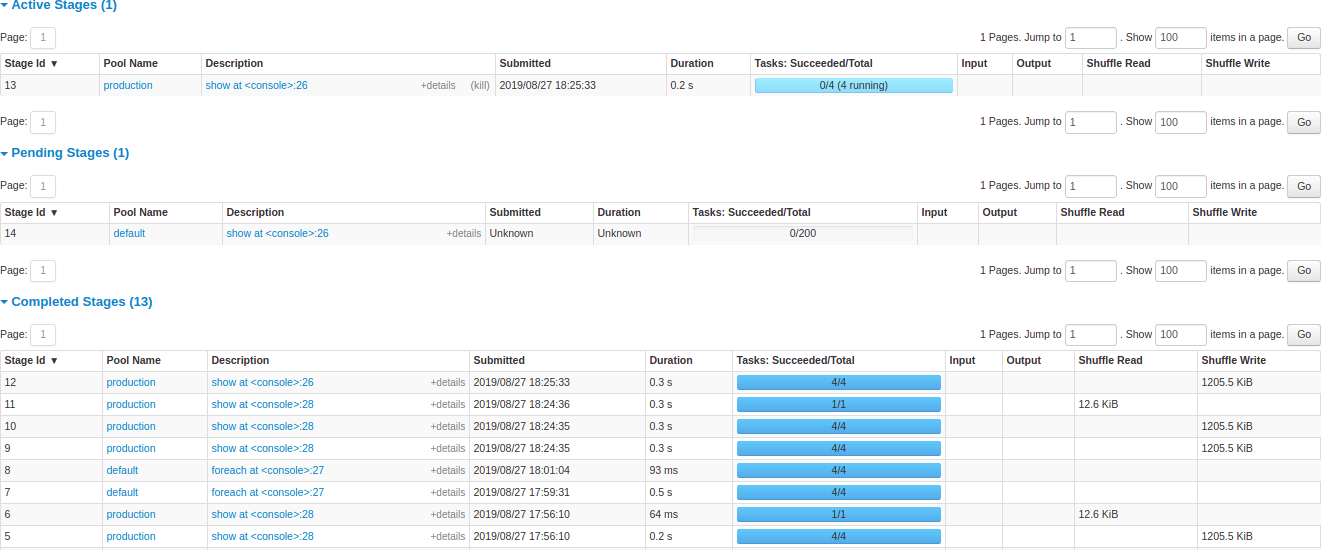
Source: Apache Spark
3. H2O.ai

Best for: Automated machine learning and enterprise GenAI on private data
Strengths: AutoML, explainability, air-gapped on-prem deployment
Things to consider: Advanced customization limited; cost high for small teams
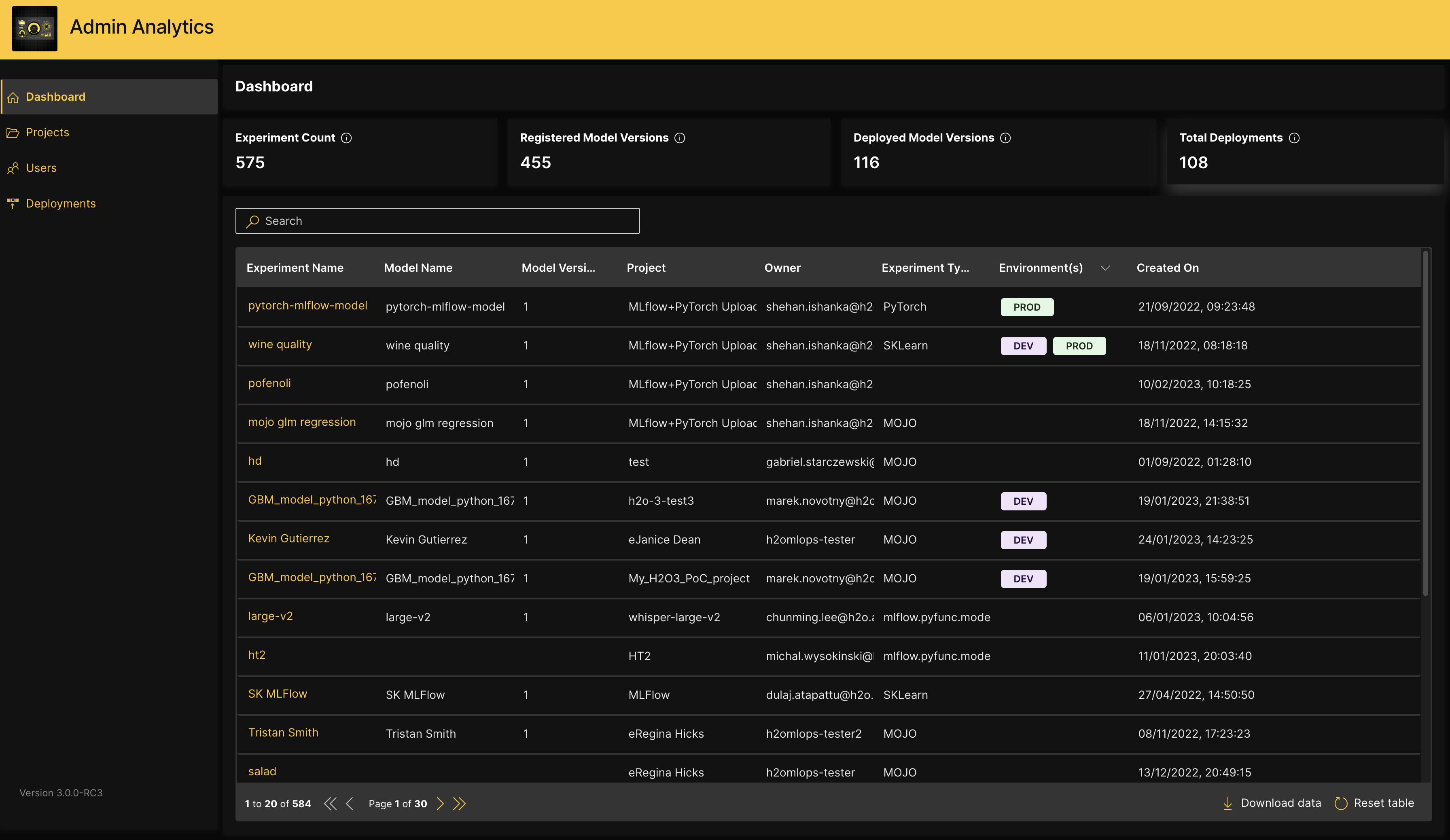
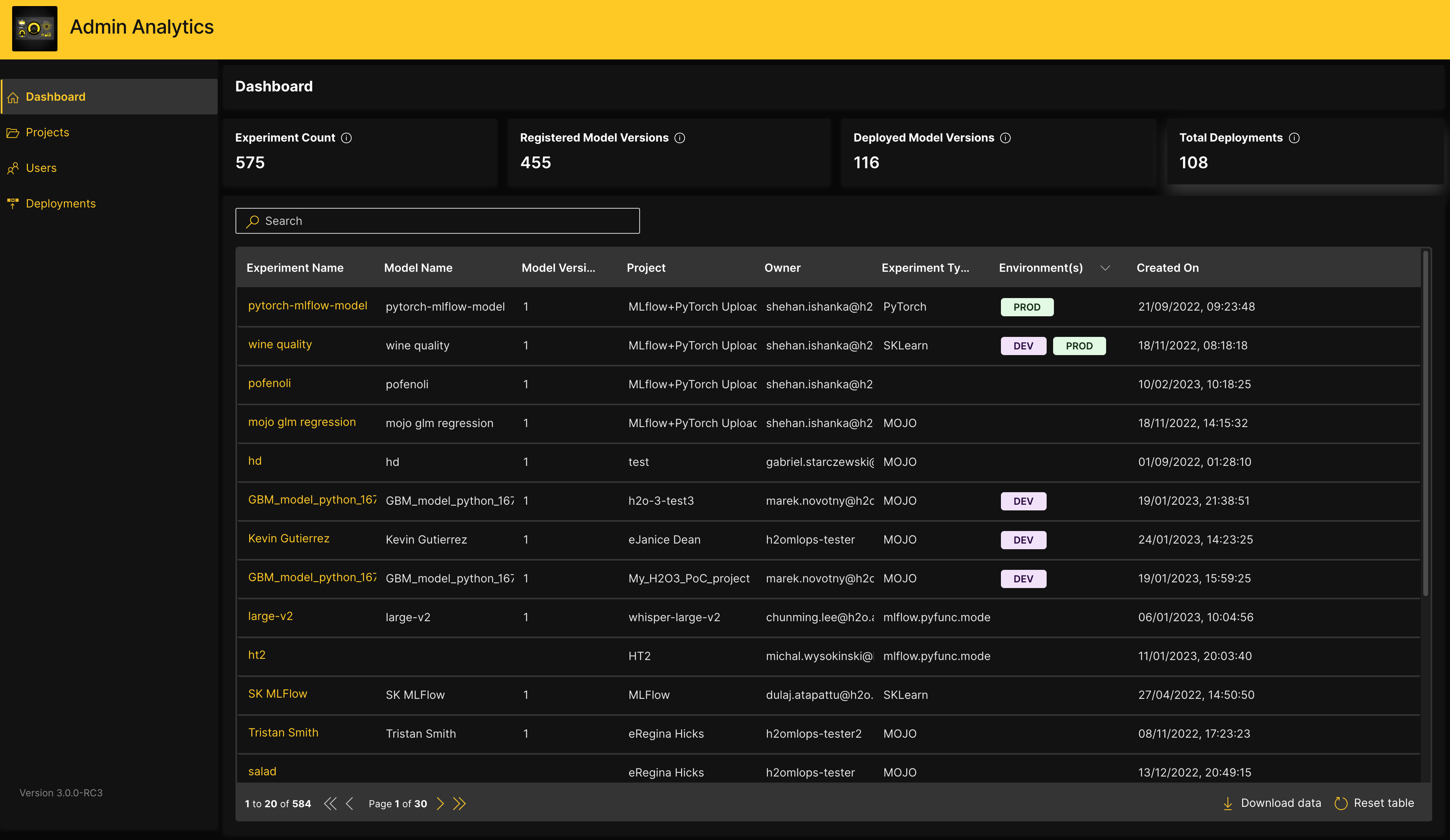
H2O.ai provides an AI platform that spans predictive and generative AI for private data. Its open source H2O-3 offers distributed machine learning for Python, R, and Spark, while H2O Driverless AI automates feature engineering, model tuning, selection, and validation.
The platform also includes h2oGPTe for enterprise generative AI, H2O LLM Studio for no-code fine-tuning, and MLOps tooling for deployment and monitoring. H2O.ai supports air-gapped, on-premises, and cloud VPC deployments for regulated environments.
Key features include:
- Automated machine learning: H2O Driverless AI automates feature engineering, model tuning, selection, validation, and deployment pipeline generation, with GPU acceleration for faster model building.
- Open source distributed ML: H2O-3 provides distributed implementations of algorithms including gradient boosting machines, generalized linear models, deep learning, and XGBoost across Python, R, and Spark.
- Model interpretability: Includes explainability tooling such as SHAP and LIME to describe model predictions, plus MRM and Eval Studio for automated testing and risk monitoring.
- Enterprise generative AI: h2oGPTe delivers generative AI with multi-model support, cost controls, and application integrations, deployable inside air-gapped or on-premises environments.
- No-code fine-tuning: H2O LLM Studio allows training and tuning of custom LLMs and small language models without code, and Danube3 provides lightweight open-weight small language models.
- Agent and app tooling: Provides vertical agents, digital assistants, a feature store, and the H2O Wave low-code framework for building AI applications.
Limitations (as reported by users on G2):
- Limited advanced customization: Users seeking fine-grained control over data manipulation and configuration report the platform can feel constraining.
- Cost for smaller teams: Reviewers note Driverless AI can be expensive and less accessible for small organizations.
- Debugging clarity: Some users describe debugging as cryptic when issues arise.
- Resource and expertise requirements: Large-scale models and advanced configurations require significant compute and data science expertise.
Source: H2O.ai
Deep learning frameworks
4. TensorFlow

Best for: Production-grade deep learning and cross-platform deployment
Strengths: Mature ecosystem, deployment tooling, scalability
Things to consider: Steep learning curve and verbose lower-level APIs
TensorFlow is an open source machine learning framework developed by Google for building, training, and deploying models. It supports neural network training, data preprocessing, and model optimization across a broad ecosystem.
TensorFlow provides libraries for different targets, including TensorFlow.js for web applications and TensorFlow Lite for mobile, microcontrollers, and edge devices, plus TFX for production ML pipelines. It ships pre-trained models and datasets and integrates the Keras API for higher-level model building.
Key features include:
- End-to-end ML workflow: Covers model building, training, preprocessing, and optimization within one framework and integrates the Keras high-level API for faster development.
- Cross-platform deployment: TensorFlow Lite deploys models to mobile, microcontrollers, and edge devices, while TensorFlow.js runs models in the browser and Node.js.
- Production pipelines with TFX: TFX builds production machine learning pipelines, and TensorFlow Serving handles model deployment and serving.
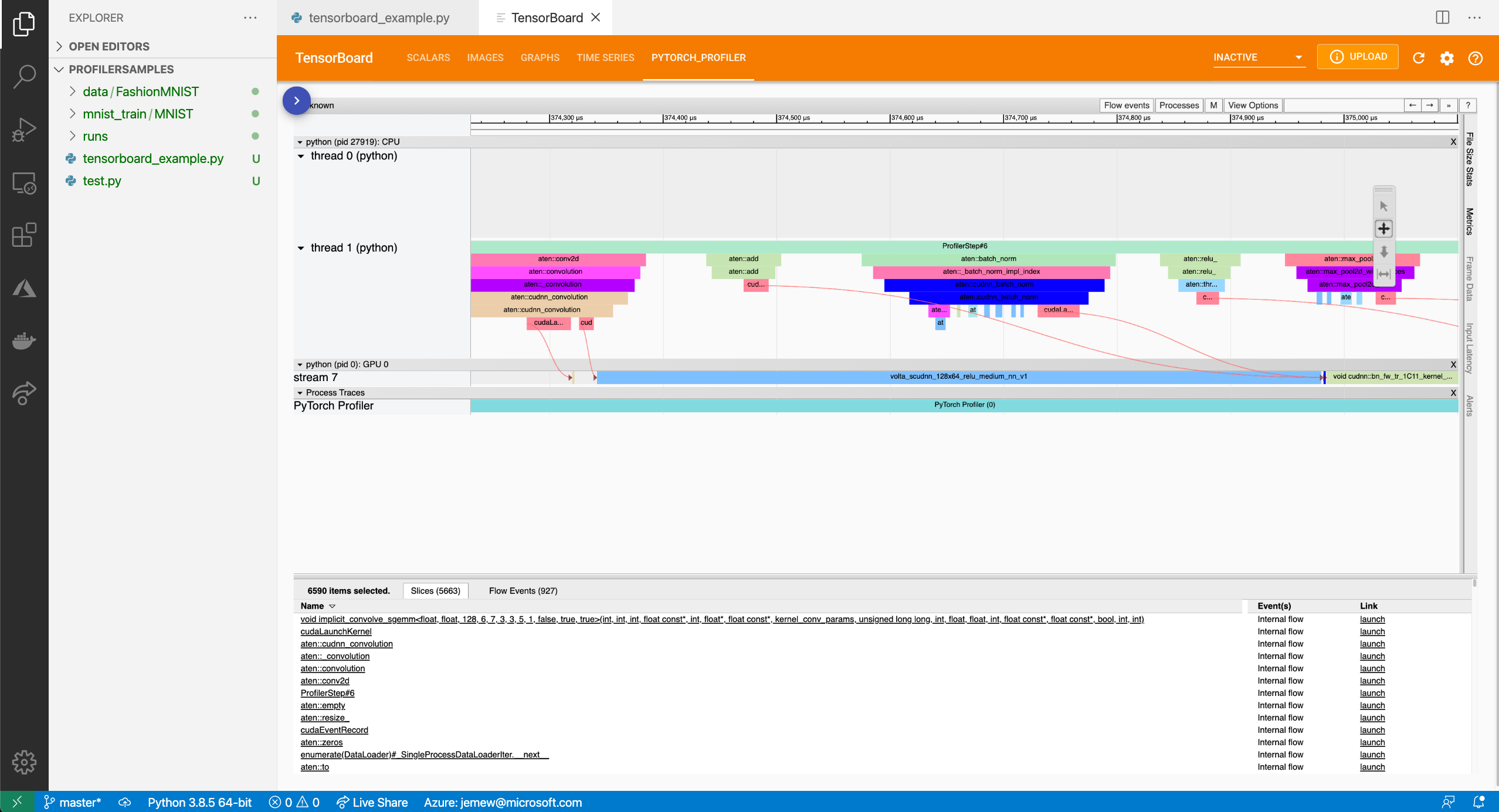
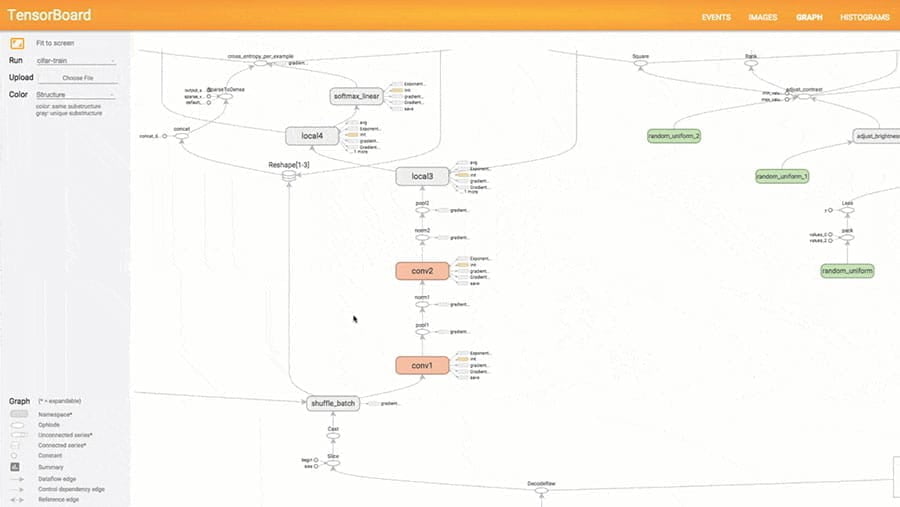
- Visualization and debugging: TensorBoard provides visualization of training metrics and model graphs for monitoring and debugging.
- Pre-trained models and datasets: Offers a library of pre-trained models and datasets built by Google and the community that teams can adapt to their own tasks.
- Hardware acceleration: Runs on CPUs, GPUs, and TPUs and integrates with major cloud platforms for scaling training and inference.
Limitations (as reported by users on G2):
- Steep learning curve: New users report TensorFlow takes significant time to learn, partly because neural network concepts and the framework’s breadth are complex.
- Verbose lower-level APIs: Some tasks require dropping to lower-level APIs that reviewers find confusing to use.
- API changes across versions: Users report that API changes between versions can force rework and create confusion.
- Resource intensity: Training larger models demands substantial compute resources.
Source: TensorFlow
5. PyTorch

Best for: Research and experimentation with dynamic neural networks
Strengths: Pythonic design, dynamic graphs, strong GPU support
Things to consider: Production serving needs extra tooling and setup
PyTorch, developed by Meta’s AI Research lab and now under the PyTorch Foundation, is an open source machine learning framework known for its dynamic computation graph and Pythonic design. It supports deep learning model development with flexible, runtime-modifiable graphs that ease experimentation and debugging.
The ecosystem includes torchvision for computer vision and torchaudio for audio, along with many community pre-trained models. PyTorch integrates GPU acceleration and serves as the backbone for many inference engines and model libraries.
Key features include:
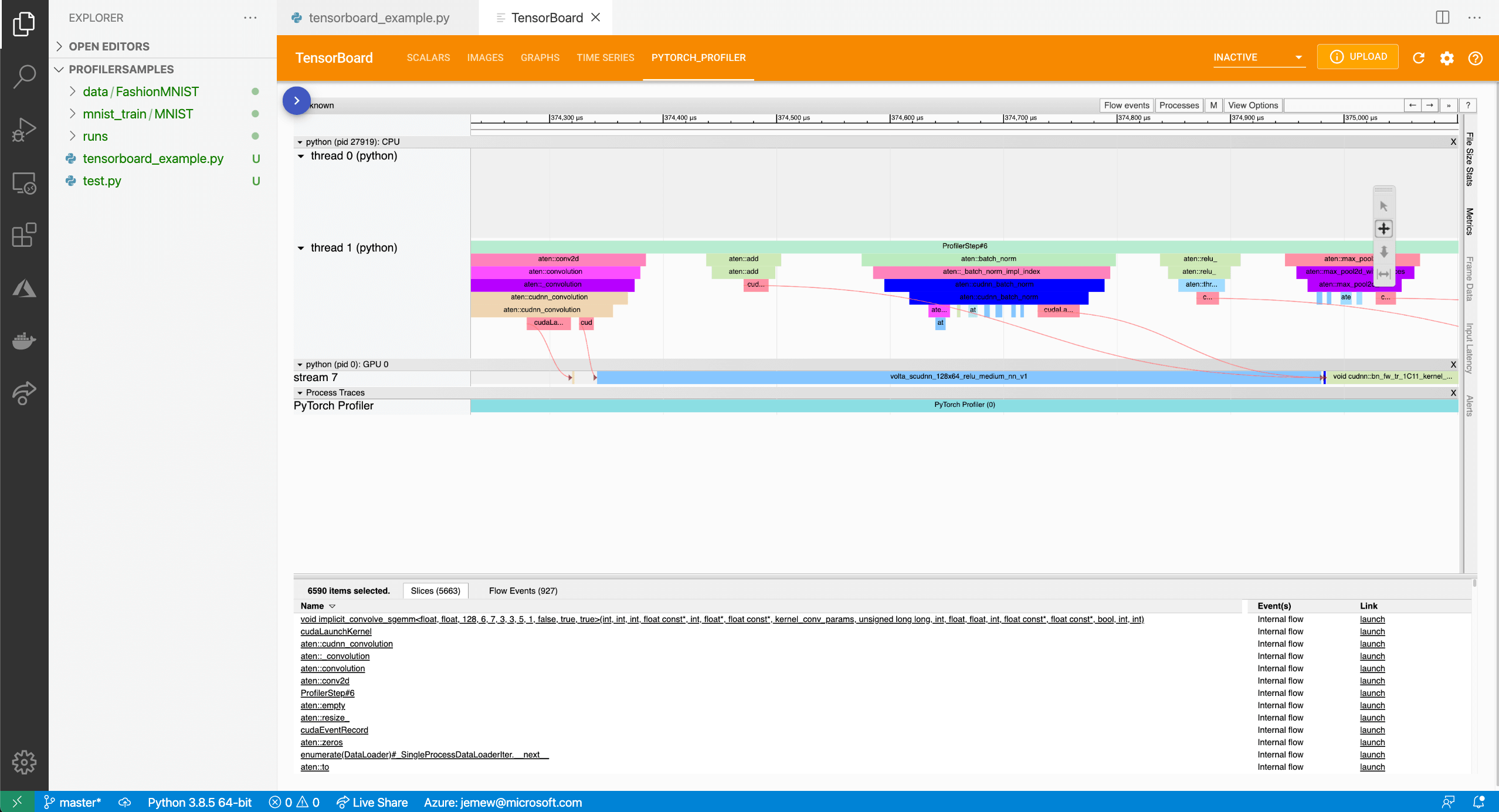
- Dynamic computation graph: Builds and modifies computation graphs at runtime, which simplifies debugging and iterative experimentation compared with static-graph frameworks.
- GPU acceleration: Integrates with GPU hardware for efficient training and inference of deep learning models.
- Domain libraries: Includes torchvision, torchaudio, and related libraries that provide datasets, models, and transforms for specific data types.
- Ecosystem interoperability: Acts as the underlying framework for many inference engines and model libraries and exports to ONNX for portability.
- Distributed training: Supports distributed and mixed-precision training for scaling model development across multiple GPUs and nodes.
- Community and pre-trained models: Backed by an active community that publishes documentation, tutorials, and numerous pre-trained models and extensions.
Limitations (as reported by users on G2):
- Production deployment overhead: Serving models at scale requires additional setup with tools like TorchServe or ONNX, which reviewers find less integrated than some alternatives.
- Steeper curve for advanced features: Capabilities such as distributed training add complexity for newer users.
- Python performance constraints: Reliance on Python and the global interpreter lock can limit throughput and latency in high-performance production scenarios.
- Uneven documentation: Core documentation is strong, but some auxiliary libraries and newer features are less thoroughly documented.
Source: PyTorch
6. Keras

Best for: Fast prototyping of deep learning models across backends
Strengths: Simple high-level API, multi-backend, pre-built layers
Things to consider: Abstraction limits low-level control for novel research
Keras is an open source deep learning API written in Python that focuses on readable, concise code and fast prototyping. Keras 3 runs on multiple backends, letting developers build models on JAX, TensorFlow, or PyTorch and move them across these ecosystems.
It provides a high-level interface with pre-built layers, optimizers, and loss functions for rapid model development. The KerasHub library adds implementations of popular architectures with pretrained checkpoints, and KerasTuner supports hyperparameter tuning.
Key features include:
- Multi-backend support: Keras 3 runs the same model code on JAX, TensorFlow, and PyTorch, letting teams choose a backend and reuse models across frameworks.
- High-level model building: Provides pre-built layers, optimizers, and loss functions with a functional API and subclassing for building and training models with minimal code.
- Pretrained architectures via KerasHub: KerasHub supplies implementations of common architectures with pretrained checkpoints usable for training and inference on any supported backend.
- Hyperparameter tuning: KerasTuner searches hyperparameter spaces to help optimize model configurations.
- Broad task coverage: Includes examples and utilities for computer vision, natural language processing, and generative deep learning workflows.
- Deployment focus: Produces smaller, more readable codebases and targets debugging speed and deployability across environments.
Limitations (based on publicly available sources):
- Limited low-level control: The high-level abstraction can restrict fine-grained control needed for novel research or complex custom experimentation.
- Backend-dependent behavior: Because it runs on multiple backends, some behavior and performance depend on the underlying framework.
- Debugging abstraction: The abstraction that speeds prototyping can make debugging deep issues harder to trace.
- Performance overhead: For highly customized or performance-critical work, teams may need to drop down to the underlying framework.
Open source LLMs and inference engines
7. Meta LLaMA 3

Best for: Self-hosted, open-weight LLMs for private deployments
Strengths: Multimodal, efficient MoE models, large context windows
Things to consider: Custom license with a 700M-user commercial threshold
Meta Llama is a family of open-weight language models from Meta, with the Llama 4 herd introducing natively multimodal models built on a mixture-of-experts architecture. Llama 4 Scout uses 17 billion active parameters with 16 experts and fits on a single high-end GPU, while Llama 4 Maverick uses 17 billion active parameters with 128 experts.
The models handle text and image inputs and offer large context windows. Weights are downloadable for self-hosting and fine-tuning, supported by tools such as llama.cpp and Ollama.
Key features include:
- Multimodal mixture-of-experts models: The Llama 4 models accept text and image inputs and use a mixture-of-experts design that activates a subset of parameters per token for efficiency.
- Range of model sizes: The family spans smaller models that fit on a single GPU up to larger models, letting teams match model size to available hardware.
- Large context windows: Llama 4 Scout offers a very large context window, supporting long-document and long-conversation use cases.
- Open weights for self-hosting: Model weights are downloadable, enabling on-premises deployment, fine-tuning, and on-device privacy.
- Safety tooling: Meta provides a Responsible Use Guide and trust-and-safety tools such as Llama Guard and Code Shield for filtering inputs and outputs.
- Ecosystem support: Runs through common runtimes and libraries including llama.cpp, Ollama, and major inference engines.
Limitations (based on publicly available sources):
- Not an OSI-approved license: Llama uses a custom community license and is open-weight rather than open-source by the Open Source Initiative definition.
- Large-platform threshold: Products exceeding 700 million monthly active users must request a separate license from Meta.
- Usage restrictions: The license includes an acceptable-use policy, EU limitations on multimodal models, and a prohibition on using outputs to train competing models.
- Compute demands: Running the larger models requires substantial GPU resources.
8. Mistral AI

Best for: Efficient open-weight models with European data residency
Strengths: Apache-2.0 flagship models, self-hosting, OpenAI-style API
Things to consider: Some specialist models use non-commercial licenses
Mistral AI is a French provider of open and commercial language models along with a platform for building and deploying AI systems. Many of its flagship models ship with open weights under the Apache 2.0 license, allowing self-hosting, fine-tuning, and modification without per-token fees.
The company also offers products for building agents and applications, training custom models, and running inference infrastructure. Deployments can run self-hosted on-premises or at the edge, on Mistral’s EU-hosted cloud, or through major cloud providers.
Key features include:
- Open-weight models: Ships general-purpose models with open weights under Apache 2.0 for download, modification, and self-hosting without licensing fees.
- Flexible deployment: Supports self-hosted deployment on cloud, edge, or on-premises, a Mistral-hosted EU cloud, and access through cloud partners such as AWS, Azure, and Google Cloud.
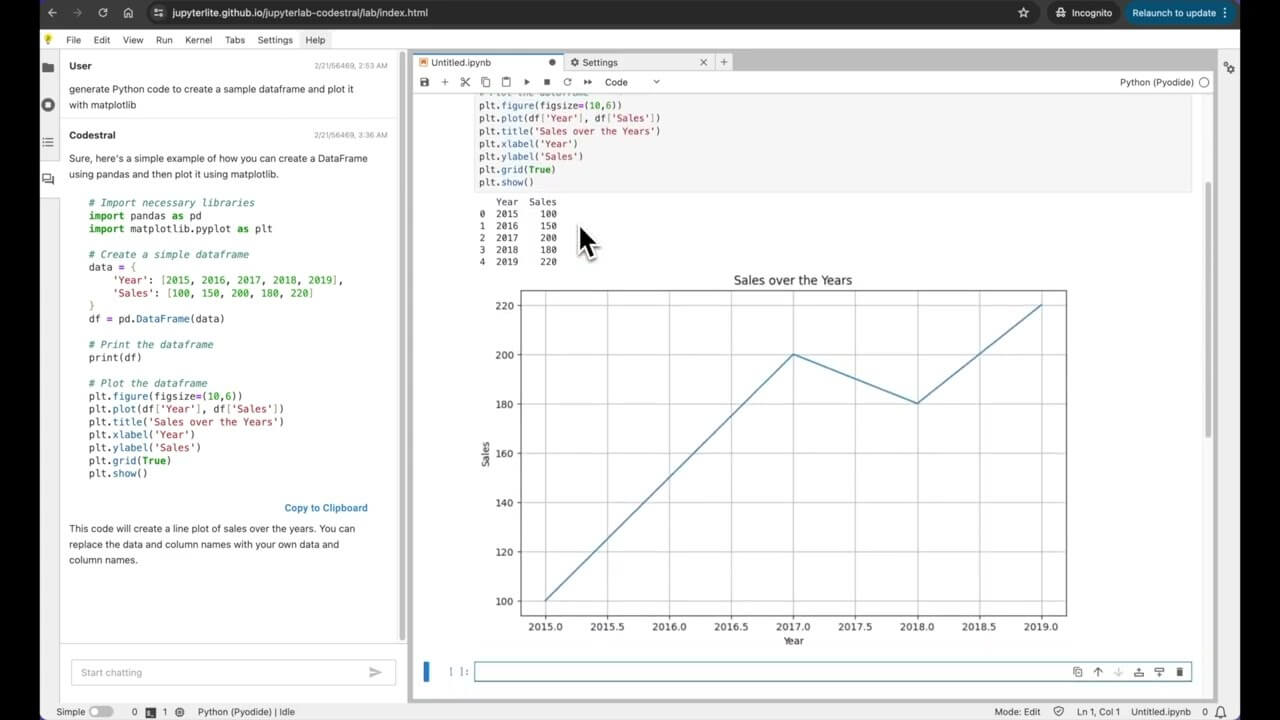
- Application and agent building: Provides a studio for building, testing, and running AI agents and applications with orchestration, observability, and guardrails.
- Custom model training: Offers tooling to train, align, and evaluate custom models, including domain adaptation, distillation, and synthetic data generation.
- Inference infrastructure: Provides the infrastructure and orchestration platform used for its own models, for teams that need dedicated GPU clusters.
- OpenAI-compatible API: Exposes an API that mirrors the OpenAI format closely, easing migration with minimal code changes.
Limitations (based on publicly available sources):
- Mixed licensing: Some specialist and research models use non-commercial licenses such as the Mistral Research License or CC BY-NC, restricting commercial use without a separate agreement.
- Smaller ecosystem: Third-party integrations, connectors, and community resources are less extensive than more established providers.
- Support and documentation: Users report slower support responses and documentation that is still maturing.
- Performance ceiling: Models perform strongly for their size but may not match the largest proprietary models on every task.
Source: Mistral AI
9. Ollama

Best for: Running open models locally with a simple workflow
Strengths: Easy local setup, privacy-first, model management
Things to consider: Sequential queue limits multi-user concurrency
Ollama is a tool for downloading and running open models locally on macOS, Windows, and Linux with a simple command-line workflow. It streamlines model management and provides a local API, and it can run entirely offline so data stays on the user’s machine.
Ollama integrates with local chat interfaces and coding tools and also offers a cloud option for access to larger models on datacenter hardware. It centers on local, private inference for development and single-user use.
Key features include:
- Local model management: Downloads, stores, and runs open models with a single command and manages loading and unloading based on available memory.
- Cross-platform local inference: Runs on macOS, Windows, and Linux and can operate fully offline for private, on-device use.
- Local API and integrations: Exposes a local API and integrates with chat interfaces and coding tools for building local AI workflows.
- Parallel requests and multiple models: Supports configurable parallel requests and loading multiple models at once, including embedding and completion models for retrieval-augmented generation.
- Optional cloud models: Provides an optional cloud tier for access to larger models and higher throughput while keeping a local-first workflow.
- Hardware flexibility: Runs on CPU or GPU, with speed depending on whether the model fits in available memory.
Limitations (based on publicly available sources):
- Limited concurrency: The default sequential queue means each request waits for the previous one, so it is not suited to serving many concurrent users.
- No built-in authentication: There is no per-user authentication or rate limiting, so shared deployments need a proxy or gateway in front, and exposed servers have been found running unauthenticated.
- Format constraints: It relies on GGUF models and does not support formats such as GPTQ or AWQ.
- Datacenter scaling: Multi-GPU support is not optimized for datacenter hardware, where dedicated serving engines perform better.
10. vLLM

Best for: High-throughput LLM serving in production
Strengths: PagedAttention, continuous batching, OpenAI-compatible API
Things to consider: GPU-centric with a more complex setup
vLLM is an open source inference and serving engine for large language models focused on high throughput and memory efficiency. It uses PagedAttention for efficient key-value cache management and continuous batching to maximize GPU utilization.
vLLM provides a drop-in OpenAI-compatible API and runs a wide range of open models across many hardware backends. It is a PyTorch Foundation project widely used for production-scale serving and supports features such as LoRA, speculative decoding, and structured outputs.
Key features include:
- PagedAttention memory management: Manages the attention key-value cache in pages to reduce memory waste and support larger batches and longer contexts.
- Continuous batching: Uses advanced scheduling and continuous batching to keep GPUs highly utilized and increase serving throughput.
- OpenAI-compatible API: Exposes a drop-in OpenAI-compatible API server for integrating existing applications with minimal changes.
- Broad hardware support: Runs across NVIDIA and AMD GPUs, Intel and Google accelerators, AWS Neuron, Apple silicon, and CPUs through a unified interface.
- Advanced serving features: Supports LoRA adapters, speculative decoding, structured outputs, quantization, and distributed tensor and pipeline parallelism.
- Wide model coverage: Serves current open models and integrates with deployment tooling such as Kubernetes, RAG stacks, and chat interfaces.
Limitations (based on publicly available sources):
- GPU requirement: Practical serving needs NVIDIA GPUs with substantial VRAM, and CPU or CPU-offload paths are limited.
- Setup complexity: Deployment involves a Python environment, CUDA drivers, and Hugging Face model formats, which is heavier than single-user local tools.
- Overhead for single users: For single-prompt or single-user inference, lighter runtimes can be faster with less complexity.
- Version and quantization gaps: Default engine behavior can change between minor versions, and some quantization formats have limited or evolving support, with AMD support less mature than NVIDIA.
Specialized machine learning libraries
11. Hugging Face Transformers

Best for: Accessing and running pretrained models across modalities
Strengths: Huge model hub, unified API, framework interoperability
Things to consider: Frequent breaking changes across major versions
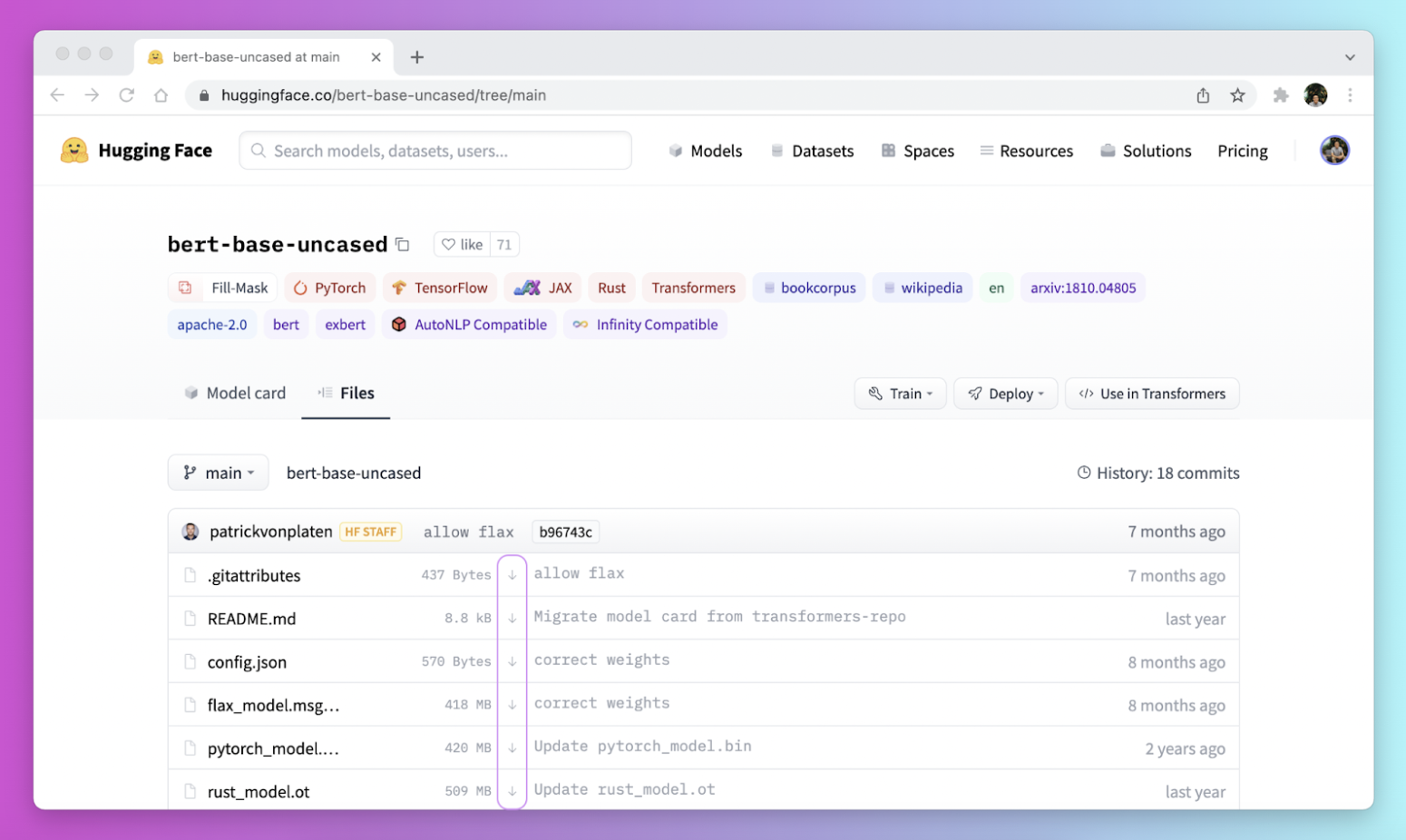
Hugging Face Transformers is an open source library that acts as a model-definition framework for models across text, vision, audio, video, and multimodal tasks, for both inference and training. It centralizes model definitions so a supported model works across training frameworks, inference engines, and adjacent libraries.
Transformers provides a simple pipeline interface for inference and a comprehensive trainer for training. It connects to the Hugging Face Hub, where over a million pretrained model checkpoints are available.
Key features include:
- Unified model definitions: Defines models with a small set of classes so a definition is compatible across training frameworks, inference engines, and modeling libraries.
- Pipeline inference API: The pipeline class provides simple, optimized inference for tasks such as text generation, speech recognition, and document question answering.
- Comprehensive trainer: The trainer supports mixed precision, torch.compile, FlashAttention, and distributed training for fine-tuning models.
- Text generation utilities: The generate API provides fast text generation for language and vision-language models with streaming and multiple decoding strategies.
- Access to the model hub: Connects to over a million pretrained checkpoints on the Hugging Face Hub across many architectures and modalities.
- Broad ecosystem integration: Works with inference engines such as vLLM and TGI and training frameworks such as DeepSpeed and FSDP.
Limitations (based on publicly available sources):
- Frequent breaking changes: Major version transitions and dependency updates introduce breaking changes that can require code migration.
- Resource demands: Running larger models requires significant memory and GPU resources, and large downloads can fail in firewalled environments.
- Custom-code fragility: Models that rely on remote or custom code can break across library updates.
- Complexity for beginners: The breadth of features and options can be difficult for newcomers to navigate.
Source: Hugging Face
12. Scikit-learn
Best for: Classical machine learning on tabular data in Python
Strengths: Broad algorithms, consistent API, strong documentation
Things to consider: No native GPU support or deep learning
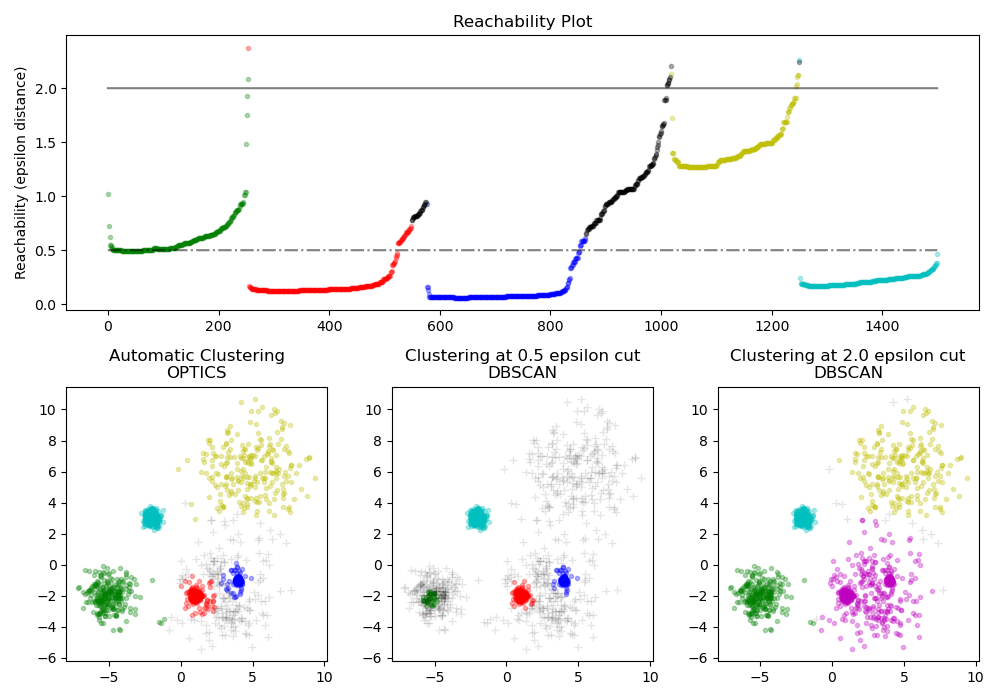
Scikit-learn is an open source machine learning library for Python built on NumPy, SciPy, and matplotlib. It provides tools for classification, regression, clustering, dimensionality reduction, model selection, and preprocessing with a consistent API.
The library covers algorithms such as gradient boosting, random forests, nearest neighbors, k-means, and PCA. Scikit-learn is accessible for beginners while offering functionality for advanced users, and it is released under the BSD license for commercial use.
Key features include:
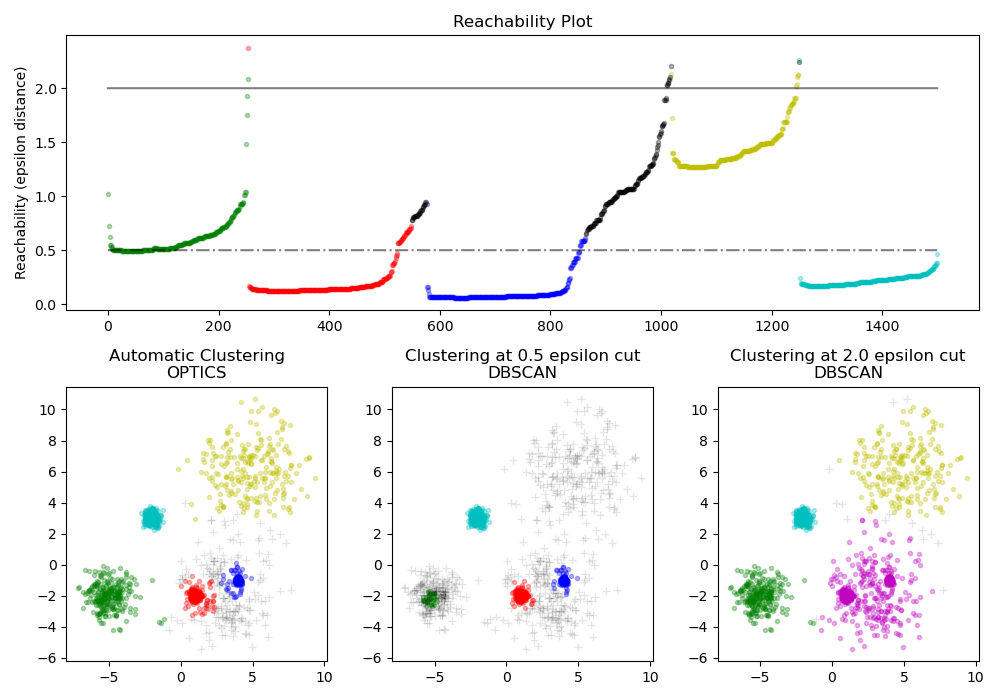
- Broad algorithm coverage: Implements classification, regression, and clustering algorithms including gradient boosting, random forests, nearest neighbors, k-means, and HDBSCAN.
- Model selection tools: Provides grid search, cross-validation, and metrics for comparing, validating, and tuning models.
- Preprocessing and feature extraction: Includes utilities for normalization, feature extraction, and transforming input data such as text for use in models.
- Dimensionality reduction: Offers PCA, feature selection, and matrix factorization for reducing variables and improving efficiency.
- Consistent API and integration: Uses a uniform estimator API and integrates with the Python scientific stack and other data science tools.
- Documentation and community: Ships extensive documentation and examples maintained by an active contributor community.
Limitations (based on publicly available sources):
- No native GPU support: Scikit-learn runs on CPU by default, so it is not suited to GPU-accelerated workloads without experimental array support.
- No deep learning: Deep learning and reinforcement learning are out of scope by design; these require dedicated frameworks.
- In-memory scale limits: It targets datasets that fit in a single machine’s memory and does not scale natively to distributed big data.
- Concurrency constraints: Python’s global interpreter lock limits native multi-core processing for some operations.
Source: Scikit-learn
13. OpenCV

Best for: Real-time image and video processing and computer vision
Strengths: 2,500+ algorithms, cross-platform, real-time optimized
Things to consider: DNN module runs inference only, not model training
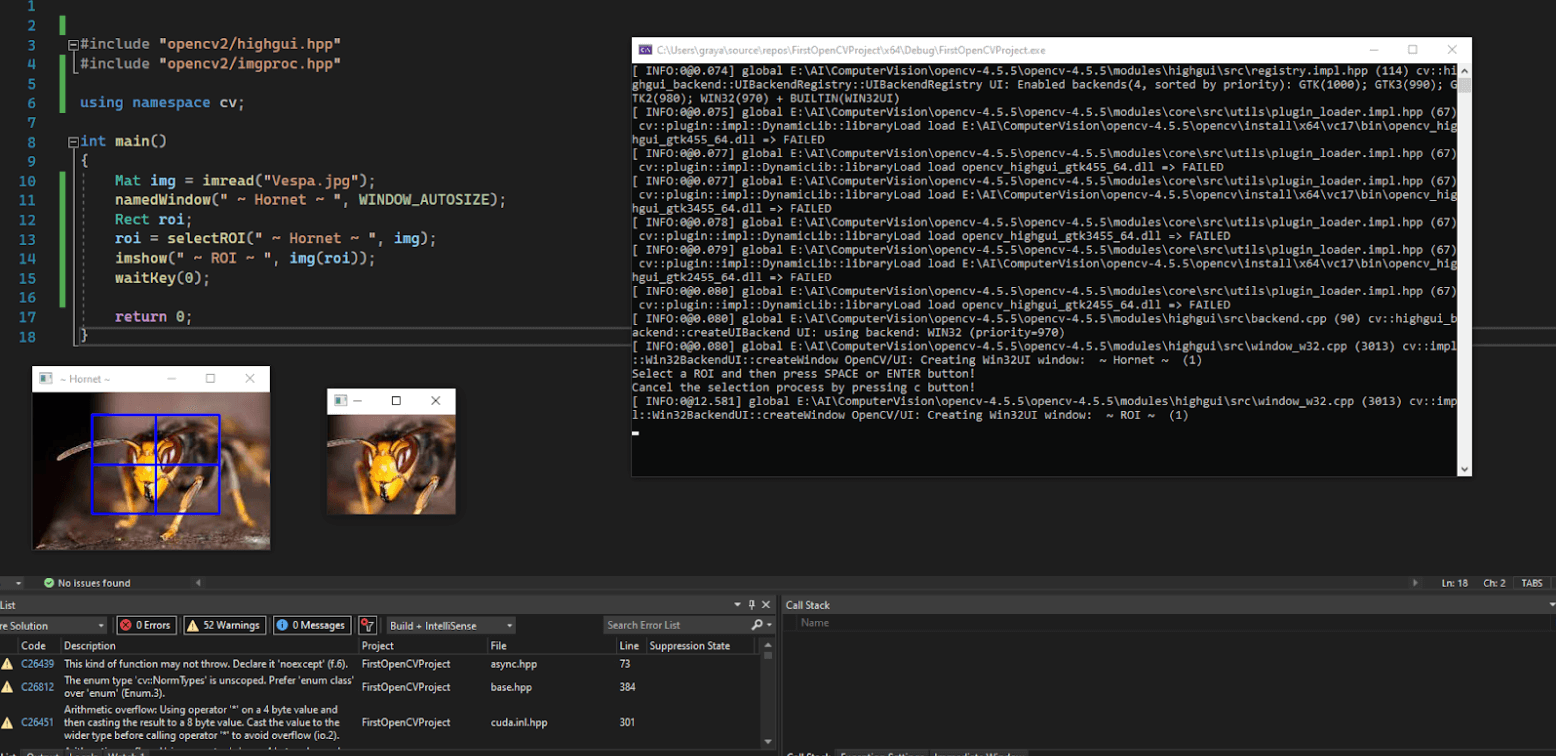
OpenCV (Open Source Computer Vision Library) is an open source library that provides functions for image and video processing, including object detection, face recognition, and 3D modeling. It contains over 2,500 algorithms and is optimized for real-time applications.
OpenCV supports C++, Python, and Java and runs on Linux, macOS, Windows, iOS, and Android. Released under the Apache 2 license and maintained by a non-profit foundation, it is used across research and industry, and its DNN module runs inference for models trained in other frameworks.
Key features include:
- Extensive algorithm library: Provides over 2,500 algorithms for image and video processing tasks such as filtering, transformation, and feature detection.
- Real-time optimization: Optimized for real-time applications, making it suitable for performance-critical uses such as robotics and surveillance.
- Cross-platform and multi-language: Offers C++, Python, and Java interfaces and runs on Linux, macOS, Windows, iOS, and Android.
- Computer vision tasks: Supports object detection, face recognition, image recognition, and 3D modeling.
- DNN inference module: Runs inference for deep learning models trained in frameworks such as TensorFlow and PyTorch, integrating vision pipelines with pretrained networks.
- Hardware acceleration: Provides optimized builds and GPU acceleration for faster processing on supported hardware.
Limitations (based on publicly available sources):
- No model training: The DNN module runs inference only; training must be done in dedicated deep learning frameworks.
- Steep learning curve: The breadth of functionality and low-level nature can be difficult for beginners.
- Documentation gaps: Documentation can be incomplete or outdated, pushing users to community forums.
- Version compatibility: Frequent updates can introduce backward-compatibility issues and result differences between versions.
Source: OpenCV
Easily integrate AI tools with Instalclustr
With Instaclustr’s suite of open source technologies and managed platforms, organizations can easily and seamlessly integrate numerous AI tools and frameworks into their data pipelines. Instaclustr empowers organizations to leverage the incredible power of AI to enable advanced analytics, predictive modeling and automation, and more.
One key advantage of Instaclustr’s easy integration with the most popular AI tools is the ability to process and analyze large volumes of data in real-time. As AI models often require significant computational resources and benefit from parallel processing capabilities, Instaclustr is designed specifically for scalability and performance. This enables organizations to process massive datasets and train complex AI models efficiently–and allow them to derive insights and make predictions in near real-time.
Instaclustr’s integration with AI tools also facilitates the deployment and operationalization of AI models. Once an AI model is trained, it needs to be deployed and integrated into existing systems to make predictions or automate processes. Instaclustr provides the necessary support for deploying AI models, ensuring high availability, scalability, and security. This enables organizations to seamlessly integrate AI capabilities into their applications, workflows, or data processing pipelines.
For more information:
- OpenSearch® Sink Connector for Apache Kafka® is now Available on the Instaclustr Managed Platform
- Powering AI Workloads with Intelligent Data Infrastructure and Open Source
See Additional Guides on Key AI Technology Topics
Together with our content partners, we have authored in-depth guides on several other topics that can also be useful as you explore the world of AI technology.
Authored by Exabeam
- [Guide] AI Cyber Security: Securing AI Systems Against Cyber Threats
- [Guide] AI Regulations and LLM Regulations: Past, Present, and Future
- [Blog] Cybersecurity Threats: Everything you Need to Know
- [Product] Exabeam | AI-Driven Security Operations
Authored by Swimm
- [Guide] Large Language Models (LLMs): Technology, use cases, and challenges
- [Guide] Zero Shot Learning: Use Cases, Techniques & Impact on LLMs
- [Webinar] Automatically document legacy code
- [Product] Swimm | Document your codebase
Authored by Acorn