Turn complex metrics into clear, insights with AI-powered health indicators—now available in the NetApp Instaclustr console.
Interpreting your cluster metrics shouldn’t require deep technical expertise. The new Instaclustr AI Cluster Health page makes it easy for anyone to understand the state of their cluster at a glance, turning complex data into clear, actionable insights.
Until now, customers relied on raw metrics to gauge cluster health. While powerful, these metrics can be overwhelming if you’re not familiar with the underlying technology and often leaves teams wondering: Is my cluster performing well—or is something wrong? While Instaclustr support strives to alert you if we find any metrics that may cause a problem, it can be reassuring to review them yourself.
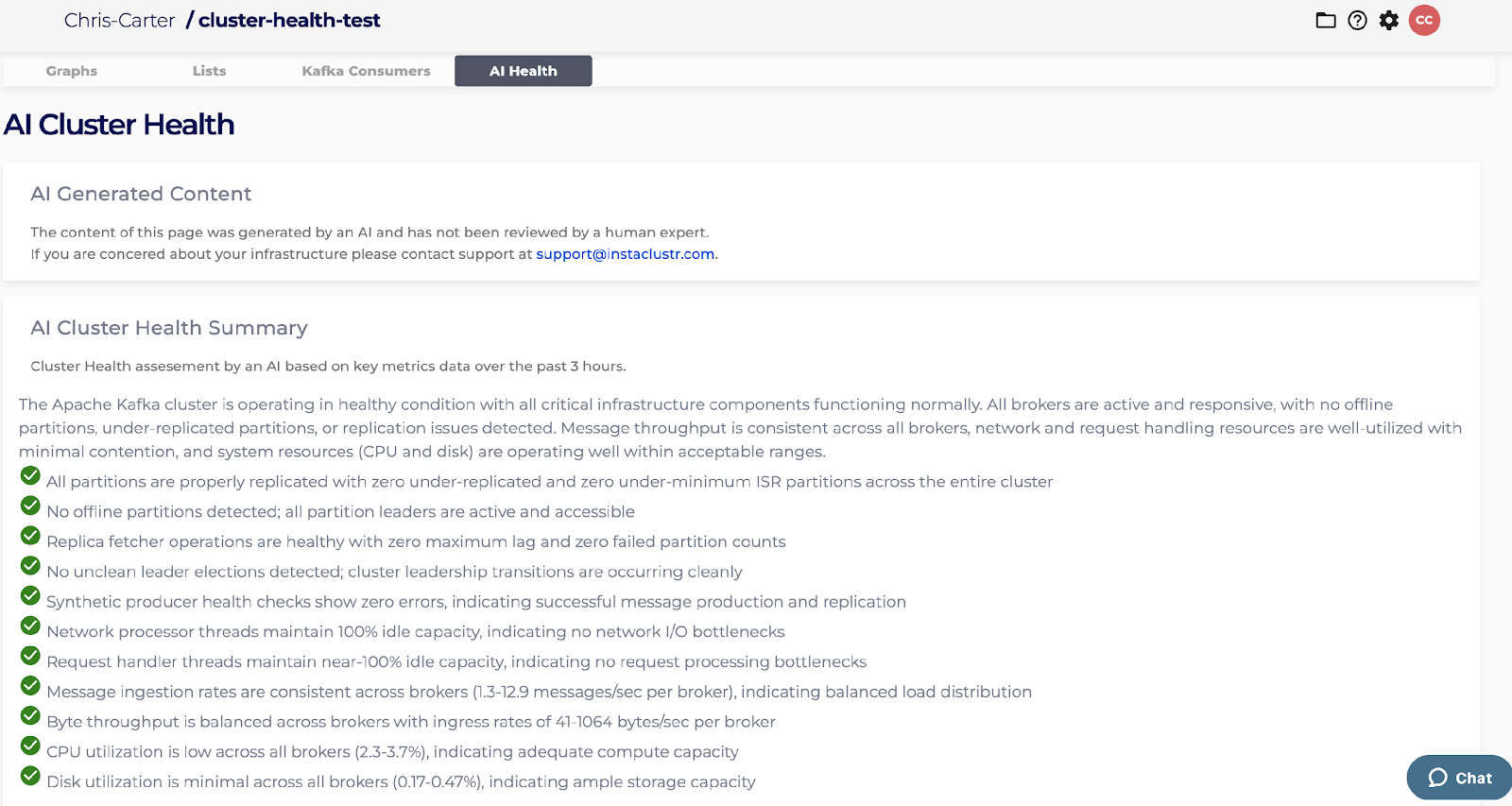
The AI Cluster Health Summary solves this by integrating the Instaclustr monitoring API with Amazon Bedrock running Claude Haiku 4.5 to review recent metrics and summarize your cluster’s status. It highlights key indicators, explains what they mean, and assigns a simple green/yellow/red health score so you can quickly assess performance without digging through dozens of charts.
“Our goal is to make cluster monitoring accessible to everyone. AI Cluster Health gives customers confidence by translating complex data into clear insights—complementing the proactive monitoring our SREs already do.”
Ben Slater, VP and GM, NetApp Instaclustr
This feature provides AI-driven analysis that reviews metrics from the past three hours, highlights key health indicators, explains what each metric means for your cluster’s performance, and uses an easy-to-understand traffic light health score to give you a quick status overview. As this augments, not replaces, our SRE monitoring, you can rest assured your clusters remain proactively monitored by our experts.
Get started with AI-powered Cluster Health monitoring
Ready to transform how you view your cluster metrics? This new feature is designed to give you confidence and clarity. By simplifying complex data, we empower your entire team to understand and act on your cluster’s performance insights.
Look out for our upcoming “how we built it” blog, where we’ll dive into the technical details of how this innovative feature works!
Try it now in your console and experience smarter Cluster Health monitoring today.

