What Is a NoSQL database?
TL;DR: NoSQL databases store data in flexible, non-tabular formats built for scale and speed. Best for managed open source data: NetApp Instaclustr; serverless cloud apps: Amazon DynamoDB; document workloads: MongoDB; connected/graph data: Neo4j.
A NoSQL (non-relational) database stores data in flexible, non-tabular formats such as key-value pairs, documents, or graphs. It is built for horizontal scalability, high-speed performance, and handling massive, unstructured datasets that frequently change shape.
NoSQL databases are a category of database management systems that handle various forms of data more flexibly than traditional SQL databases. Unlike SQL databases, which organize data in structured tables, NoSQL systems provide schema-less, distributed data storage solutions suitable for a range of applications.
These databases manage large datasets, allowing for swift scalability and performance without the constraints of predefined schemas. NoSQL databases emerged as a response to the increasing complexity and volume of digital data, which traditional databases could not efficiently support.
NoSQL databases follow various models—key-value, document, wide-column, and graph—to suit different use cases. The shift from rigid SQL structures to NoSQL’s flexibility is useful for addressing challenges such as managing dynamic web applications and leveraging real-time analytics.
NoSQL platforms have also become foundational for AI workloads, with many systems adding vector search to support semantic retrieval and retrieval-augmented generation, and the category continues to expand rapidly as unstructured data grows across the enterprise.
The four main types of NoSQL databases:
- Document databases: Store data in JSON or BSON-like documents with flexible fields. Examples include MongoDB and Couchbase.
- Key-value stores: Store data as unique keys paired with values, ideal for caching and sessions. Examples include Redis and Amazon DynamoDB.
- Wide-column stores: Store data in flexible rows and dynamic columns for large distributed workloads. One example is Apache Cassandra.
- Graph databases: Store data as nodes and edges to map highly connected relationships. One example is Neo4j.
Why choose NoSQL?
- High scalability: Scale out horizontally by adding servers to a cluster instead of buying larger hardware.
- Flexible schema: Iterate quickly without migrating rigid schemas when data requirements change.
- Massive throughput: Process high volumes of unstructured or semi-structured data such as logs and content feeds.
Editor’s note: Updated the article with recent market research and new information on NoSQL support for AI and vector workloads as of 2026, and refreshed the list of notable NoSQL databases.
This is part of an extensive series of guides about data security
NoSQL databases at a glance
The table below summarizes the key differences between these NoSQL databases. We explore each of them in more detail below.
| Category | Solution | Best for | Key strengths | Things to consider |
|---|---|---|---|---|
| Managed and cloud NoSQL platforms | NetApp Instaclustr | Managed open source NoSQL across cloud, hybrid, and on-prem | Unified management of Cassandra, OpenSearch, and more | Focused on data infrastructure, not app delivery pipelines |
| Managed and cloud NoSQL platforms | Amazon DynamoDB | Serverless key-value and document workloads on AWS | Single-digit millisecond performance with auto scaling | Query model is limited and tied to the AWS ecosystem |
| Managed and cloud NoSQL platforms | Azure Cosmos DB | Globally distributed, AI-ready apps needing low latency | Built-in vector and hybrid search with multi-region scale | Request Unit pricing model can be complex and costly |
| Document and multi-model databases | MongoDB | Document-oriented apps needing a flexible JSON-like model | Schema-less documents with native search and vector search | Complex queries and scaling can raise cost and effort |
| Document and multi-model databases | Couchbase | Multipurpose JSON apps needing caching and SQL-style queries | Memory-first architecture with SQL++ and vector search | High memory and CPU use, and complex cluster setup |
| Document and multi-model databases | ArangoDB | Multi-model workloads combining graph, document, and search | One query language (AQL) across graph, document, key-value | Documentation and onboarding can be challenging |
| Open source distributed databases | Apache Cassandra | Write-heavy, distributed workloads needing high availability | Linear scalability and no single point of failure | Limited query and join support; steep learning curve |
| Open source distributed databases | Redis | Caching, sessions, and real-time data at sub-ms speed | In-memory data structures with vector search support | No joins or rich query language; memory-bound sizing |
| Open source distributed databases | Neo4j | Highly connected data such as fraud, networks, and graphs | Native property graph with fast multi-hop queries | Managed tier cost and scaling of very large graphs |
| Open source distributed databases | OpenSearch | Search, log analytics, and observability at scale | Open source search with a vector engine for AI workloads | Operational complexity and resource use at scale |
SQL vs NoSQL: What is the difference?
SQL databases use a fixed schema, organizing data into well-defined tables, and are suitable for maintaining consistent and transactional data integrity. They rely on structured query language (SQL) for data manipulation, providing ACID compliance to ensure data reliability.
NoSQL databases prioritize flexibility and scalability over rigid data structures. They support various data models and can handle semi-structured or unstructured data, often sacrificing strict ACID compliance in favor of speed and distribution. This adaptability makes NoSQL better suited for applications requiring high-speed data access and horizontal scaling across distributed systems or cloud infrastructure. Compared to relational systems, NoSQL databases drop rigid rules and complex table joins to prioritize speed and scale, which usually means settling for eventual consistency rather than strict, immediate consistency.
Learn more in our detailed guide to NoSQL vs SQL
Relational databases vs NoSQL databases
Relational databases, characterized by their structured format and table-based organization, are suitable for workloads needing transactional integrity and a clear, consistent data schema. They are deeply rooted in SQL’s structured query language, making them reliable for applications like finance and inventory management, with precise data relationships.
NoSQL databases are more appropriate in environments demanding rapid scaling and agile data handling. They offer a more dynamic approach, accommodating complex or irregular datasets that do not fit neatly into tables. This makes them suitable for big data applications, real-time web applications, and scenarios with varying data structures.
Tips from the expert

Justin George
Solution Architect
Justin George is a seasoned tech leader who delivers high-impact technical strategies to help optimize data pipelines and data architectures.
In my experience, here are tips that can help you better utilize and optimize NoSQL databases:
- Design with eventual consistency in mind: NoSQL databases often prioritize availability and partition tolerance over consistency (CAP theorem). Ensure your application can tolerate eventual consistency by designing mechanisms to handle temporary inconsistencies or conflicts in distributed environments.
- Leverage polyglot persistence: Don’t be afraid to use multiple NoSQL databases in conjunction with traditional SQL databases. Combining key-value stores for caching with document stores for unstructured data and relational databases for transactions can optimize performance across different parts of your application.
- Optimize data models based on access patterns: Unlike SQL, where normalization is a standard practice, NoSQL favors denormalization to reduce query complexity. Design your data model based on how data will be accessed, allowing you to minimize costly joins and improve retrieval performance.
- Use sharding and replication smartly: While NoSQL databases offer automatic sharding and replication, excessive sharding or poorly planned replication can introduce overhead and latency. Plan shard keys carefully, ensuring they evenly distribute the load while minimizing cross-shard communication.
- Monitor and tune compaction processes: Many NoSQL databases, such as Apache Cassandra, rely on background compaction processes to manage data storage. These operations can affect performance, so monitoring and tuning compaction strategies (frequency, threshold) is essential to avoid performance degradation.
How do NoSQL databases work?
NoSQL databases handle large volumes of unstructured data by distributing it across multiple servers. This distribution aids in scalability, allowing the system to grow by adding more nodes as data volumes increase. Unlike relational databases, which follow a fixed schema, NoSQL databases are typically schema-less, meaning they can store various types of data without any formatting constraints.
Data retrieval in NoSQL databases is optimized for speed, often utilizing key-based systems for quick access. Queries are executed without the overhead of complex joins, common in SQL systems, since NoSQL databases store data in a way that is inherently optimized for retrieval. This model improves performance and provides faster response times. Many NoSQL systems now also index vector embeddings, allowing similarity search over high-dimensional data alongside traditional key-based lookups, which supports semantic search and AI retrieval.
Learn more in our detailed NoSQL tutorial
Types of NoSQL databases
NoSQL databases can store data in several formats. Here are some of the main ones:
- Key-value databases: Each piece of data is stored as a pair consisting of a unique key and its corresponding value. This enables rapid access and retrieval in scenarios requiring high-speed transactions, such as caching, user session storage, and real-time recommendations. Due to their simplicity, key-value databases sacrifice complex querying for performance, providing only basic data interaction capabilities through key-based lookups.
- Document-oriented databases: Store data in a format akin to JSON or XML documents, enabling them to handle complex, nested data structures. Suitable for managing semi-structured data or objects with varying attributes, offering flexibility in how data can be stored and retrieved. They support complex queries on individual documents, allowing developers to quickly iterate and evolve their applications without worrying about schema changes, since each document can store different fields.
- Wide-column stores: Handle large datasets across distributed environments. By organizing data in columns rather than rows, they enable efficient data storage and retrieval, especially for analytical processing. One example is Apache Cassandra. These are suitable for high-performance queries, with optimized data storage supporting horizontal scalability, where additional nodes can join the cluster.
- Graph databases: Specialize in managing data connections rather than individual data points, making them suitable for applications where relationships are central, such as social networks, fraud detection, and recommendation systems. They represent data as nodes, edges, and properties, allowing complex relationship queries and analyses to be executed efficiently.
- Multi-model databases: Integrate multiple NoSQL database types into a single system to handle diverse data models and queries. This enables developers to use the same database to manage different types of data and workloads, from key-value pairs to graph structures, within unified management and operational contexts.
Learn more in our detailed guide to NoSQL DB examples (coming soon)
Key NoSQL use cases
Here are some of the main reasons to use a NoSQL database:
- Real-time data management: NoSQL databases can handle rapid, continuous data updates and queries without performance degradation. Their distributed nature allows them to ingest and process high-velocity streams of data, useful for applications in fields like telecommunications, finance, and online gaming.
- Managing data relationships: Graph databases can handle and analyze complex data relationships, offering node-edge property representation. This is useful in scenarios where connections between data points are equally or more important than the data itself. This is seen in social media platforms, recommendation engines, and fraud detection systems.
- Scaling and large data volumes: Unlike traditional databases, which may struggle with vertical scaling and performance bottlenecks, NoSQL databases support horizontal scaling, allowing them to handle increasing data volumes by distributing storage and processing across numerous servers. They can partition and replicate data across clusters, ensuring load balancing and eliminating single points of failure. This is useful for applications like eCommerce platforms and IoT systems.
- High-availability applications: Online retail, banking systems, and streaming services rely on databases that offer maximum uptime and data redundancy to ensure uninterrupted service. NoSQL databases provide this through strategies like data replication and automated failover mechanisms, helping minimize downtime and prevent data loss during system failures. Their decentralized, distributed architecture ensures reliability by providing multiple data copies across different locations.
- AI and semantic search: NoSQL databases store vector embeddings and unstructured data to power retrieval-augmented generation, recommendation, and semantic search in AI applications.
Learn more in our detailed guide to NoSQL use cases (coming soon)
Advantages of NoSQL databases
These databases offer the following useful characteristics:
- Flexibility: Can adapt to various business requirements and data formats, including semi-structured and unstructured data, without extensive reconfiguration. While traditional SQL systems require fixed schemas, NoSQL supports dynamic data handling, making it easier to incorporate new fields or data types as applications evolve.
- Replication: Ensure data availability and reliability by duplicating data across multiple nodes or servers. This redundancy mitigates the risk of data loss due to hardware failures, providing a layer of data protection for maintaining high availability. In distributed systems, replication supports load balancing and disaster recovery, ensuring continuous operation when individual components fail.
- Performance: Provide low-latency data retrieval and high throughput, which are essential in applications requiring real-time data processing. This performance efficiency supports use cases like social media analytics and online transaction processing. Their schema-less nature reduces the overhead associated with complex joins and transactions typical of traditional SQL systems.
- Cost-effectiveness: Support horizontal scaling, allowing organizations to use lower-cost hardware for scaling out rather than investing in expensive, high-end servers required for vertical scaling in SQL databases. This reduces capital expenditure and offers a more predictable cost structure as data needs grow.
- AI readiness: Flexible schemas and vector support let NoSQL systems store embeddings and unstructured inputs for machine learning and generative AI pipelines.
NoSQL databases and AI workloads
NoSQL databases have become central to AI and machine learning workloads. Their schema-less design stores evolving and unstructured inputs such as text, images, and sensor data, which suits the rapid iteration that AI development requires. Recent market research shows that a large share of new NoSQL products now add AI integration, and roughly half support vector search.
Vector search has become a key point of differentiation. Many NoSQL systems now store and query vector embeddings to power semantic similarity search and retrieval-augmented generation, so the same database can serve both application data and AI context. Industry research places the NoSQL market well into the tens of billions of dollars, growing at close to a 29% compound annual rate, with AI and vector workloads among the fastest-expanding segments.
When not to choose a NoSQL database
NoSQL databases are not suitable for all applications. They typically do not provide the strict ACID compliance found in SQL systems, which can be a disadvantage for applications where transactional integrity is critical. Use cases relying on complex queries and consistent data schemas might suffer performance issues or data anomalies when adapting to NoSQL systems.
For applications with structured data requiring high relational integrity, traditional SQL databases often provide more reliable solutions. Scenarios like financial transactions and inventory management, where data accuracy and consistency are the priority , benefit from the strong ACID transactions and established industry practices that SQL databases offer.
Another factor to consider is the existing expertise and infrastructure within an organization. Transitioning to NoSQL may involve significant retraining and resource allocation. If an organization is heavily dependent on SQL systems and lacks the infrastructure for distributed database management, maintaining current relational database systems might be more practical.
Notable NoSQL databases
How we selected these tools: We shortlisted NoSQL databases based on data model coverage, scalability, query and search capabilities, deployment options, and support for AI and vector workloads.
Managed and cloud NoSQL platforms
1. NetApp Instaclustr

Best for: Managed open source NoSQL across cloud, hybrid, and on-prem
Strengths: Unified management of Cassandra, OpenSearch, and more
Things to consider: Focused on data infrastructure, not app delivery pipelines
NetApp Instaclustr is a managed platform for open source data infrastructure. It deploys, manages, and monitors databases and related components, including Apache Cassandra, PostgreSQL, OpenSearch, Apache Kafka, Kafka Connect, ClickHouse, and Cadence, from a single platform across public cloud, hybrid, and on-premises environments.
The platform handles provisioning, configuration, monitoring, scaling, backups, and security, and it is fully open source. It supports vector stores built on PostgreSQL, Cassandra, and OpenSearch for GenAI and hybrid search workloads.
Key features include:
- Multi-technology managed service: Provisions and operates Cassandra, PostgreSQL, OpenSearch, Kafka, Kafka Connect, ClickHouse, and Cadence within one platform, so a single provider manages the full open source data layer instead of separate services.
- Dynamic scaling: Adjusts cluster processing capacity within minutes rather than adding or removing nodes over days, and can reverse scaling in the same timeframe to reduce infrastructure costs.
- Advanced monitoring and console: Collects thousands of metrics from every managed node and exposes over 1,000 performance metrics through an application console for visibility into availability and performance.
- Multi-region and multi-cloud replication: Automates adding regions and data centers for geographic redundancy and supports hybrid and multi-cloud clusters across AWS, Azure, and Google Cloud.
- Backup, restore, and built-in security: Schedules daily off-node backups for disaster recovery and applies default security configuration with TLS encryption, client certificate authentication, and access controls.
- Vector stores for GenAI: Builds and manages vector stores using PostgreSQL, Cassandra, and OpenSearch to support hybrid search and retrieval-augmented generation pipelines.
Limitations (as reported by users on G2):
- Documentation depth: Some users would like more comprehensive documentation and tutorials to support onboarding.
- Scaling automation: Users note that scaling could be more automated based on workload patterns, such as auto-scaling during peak periods.
- Platform scope: The platform centers on managed data infrastructure, so teams still use separate tooling for application build and deployment pipelines.
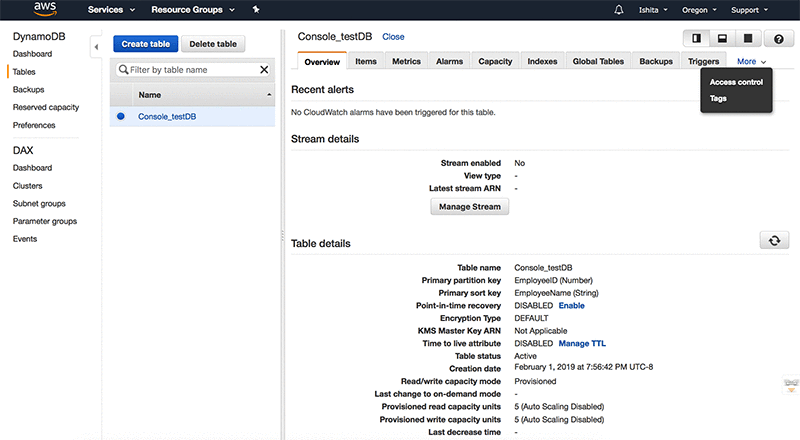
2. Amazon DynamoDB
Best for: Serverless key-value and document workloads on AWS
Strengths: Single-digit millisecond performance with auto scaling
Things to consider: Query model is limited and tied to the AWS ecosystem
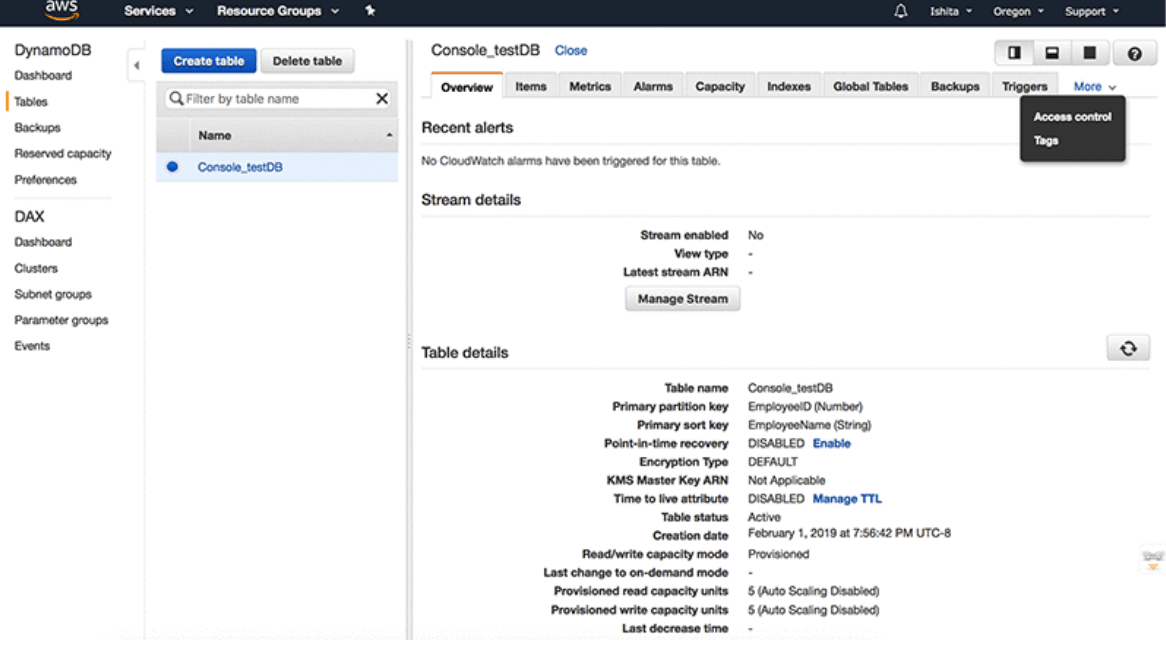
Amazon DynamoDB is a serverless, fully managed, distributed NoSQL database from AWS. It provides single-digit millisecond performance at scale, automatic scaling to match application demand, and pay-per-request billing with no servers to manage, no version upgrades, and no maintenance windows.
It removes routine tasks such as backups, patching, and monitoring. For globally distributed applications, DynamoDB global tables provide a multi-Region, multi-active database with up to 99.999% availability and support multi-Region strong consistency.
Key features include:
- Serverless scaling: Instantly scales to application demand with no infrastructure management and no maintenance windows, and warm throughput keeps resources available to avoid cold starts.
- Global tables: Provide multi-Region, active-active replication with up to 99.999% availability and multi-Region strong consistency so applications read the latest data from any Region.
- Performance at scale: Delivers consistent single-digit millisecond response times whether serving tens of thousands or hundreds of millions of concurrent users.
- AWS integrations: Connects with AWS Lambda for event-driven computing, AWS IAM for granular permissions, and built-in tools for analytics and AI/ML on stored data.
- Security and compliance: Includes a broad set of security controls and compliance standards suited to regulated organizations such as banks and government bodies.
- Pay-per-request billing: Charges for actual usage, which suits workloads with variable or unpredictable demand.
Limitations (as reported by users on G2):
- Limited query capabilities: Users report the absence of joins and complex filtering makes advanced querying and reporting difficult.
- Cost predictability: Users find cost and performance optimization challenging, and costs can be hard to predict for variable workloads.
- Item size limit: Users note the 400 KB item size cap requires offloading larger objects to services such as Amazon S3.
- Ecosystem lock-in: Users describe a learning curve tied to AWS knowledge and difficulty moving off the AWS ecosystem.
Source: Amazon
2. Azure Cosmos DB

Best for: Globally distributed, AI-ready apps needing low latency
Strengths: Built-in vector and hybrid search with multi-region scale
Things to consider: Request Unit pricing model can be complex and costly
Azure Cosmos DB is a fully managed, serverless NoSQL database from Microsoft Azure. It uses a schema-less JSON document model with SQL-like querying and provides built-in vector search and hybrid search that combines vector search, full-text search, and semantic ranking within the same document model.
It supports automatic partitioning, dynamic autoscale, and multi-region distribution with a sub-10ms latency SLA and up to 99.999% availability. It integrates with Microsoft Fabric and Microsoft Foundry for analytics and AI agent scenarios.
Key features include:
- Built-in vector and hybrid search: Stores and queries vectors alongside JSON data using a DiskANN-powered engine and combines vector, full-text, and semantic ranking for AI applications such as RAG and agents.
- Global distribution: Replicates data across multiple regions with a sub-10ms latency SLA and per-partition automatic failover for high availability.
- Automatic partitioning and autoscale: Scales throughput and storage automatically as demand grows, with a serverless option that bills only for operations used.
- Flexible JSON model: Uses schema-less JSON documents with automatic indexing and SDKs for Python, Node.js, Java, .NET, and Go.
- Change feed and event processing: Emits change feed events consumed by Azure Functions, AKS, and Container Apps to trigger workflows and microservices without polling or ETL.
- Fabric and Foundry integration: Mirrors data into Microsoft Fabric for near-real-time analytics and stores agent interactions for Microsoft Foundry.
Limitations (as reported by users on G2):
- Complex pricing: Users describe the Request Unit pricing model as complicated and note costs can accumulate quickly without careful partitioning.
- Query constraints: Users report the lack of cross-container joins complicates some data retrieval.
- Documentation gaps: Users find documentation around indexing and Request Unit consumption insufficient for cost optimization.
- Latency variability: Some users report slower query execution and higher latency in certain configurations.
Document and multi-model databases
4. MongoDB

Best for: Document-oriented apps needing a flexible JSON-like model
Strengths: Schema-less documents with native search and vector search
Things to consider: Complex queries and scaling can raise cost and effort
MongoDB is a document database that stores data in JSON-like BSON documents, allowing dynamic, schema-less data models that adapt as applications change. Its Community Edition is source-available and free to use in self-managed environments across Windows, macOS, and Linux, on-premises, in containers, or in the cloud.
Starting with version 8.2, Community Edition includes native full-text and vector search, supporting autocomplete, semantic retrieval, hybrid search, and retrieval-augmented generation without an external search engine or vector database.
Key features include:
- Document data model: Consolidates data into JSON-like BSON documents, letting developers adapt data models without predefined schemas.
- Native full-text and vector search: Provides $search, $searchMeta, and $vectorSearch aggregation stages in the database for semantic retrieval, hybrid search, and RAG in self-managed environments.
- Horizontal scaling: Supports auto-sharding and replica sets for high availability and distribution across nodes for large datasets and high-throughput applications.
- Aggregation pipeline: Builds complex queries and transformations in stages, with indexing to support retrieval across large collections.
- Cross-platform deployment: Runs on Windows, macOS, and Linux, in containers, and with the MongoDB Kubernetes Operator.
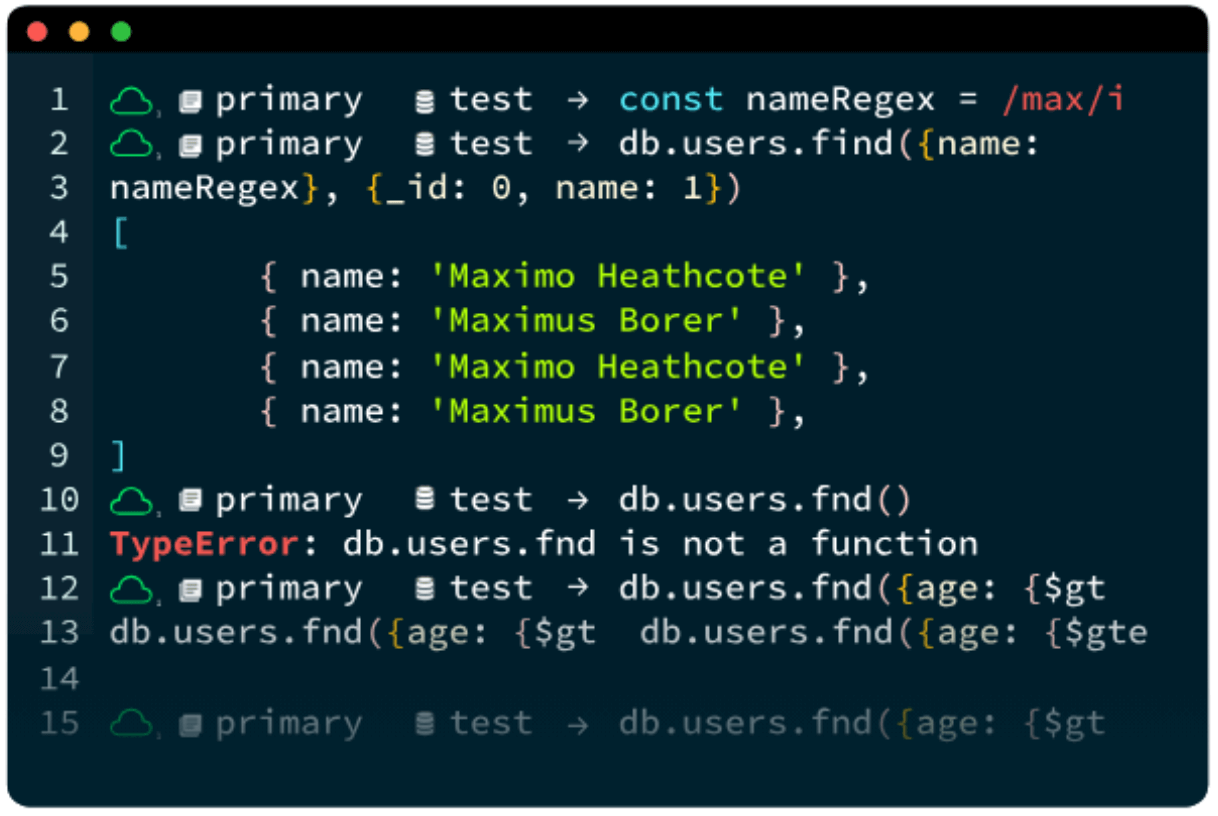
- Tooling: Includes MongoDB Shell for CRUD and scripting and Compass for visual data exploration.
Limitations (as reported by users on G2):
- Query learning curve: Users report aggregation pipelines and map-reduce queries take time to learn.
- Memory and performance: Users note performance can degrade and memory use can climb with large datasets.
- Cost at scale: Users find managed deployments can become expensive as usage grows.
- Setup complexity: Some users describe configuration and management as complex for larger deployments.
Source: MongoDB
5. Couchbase
Best for: Multipurpose JSON apps needing caching and SQL-style queries
Strengths: Memory-first architecture with SQL++ and vector search
Things to consider: High memory and CPU use, and complex cluster setup
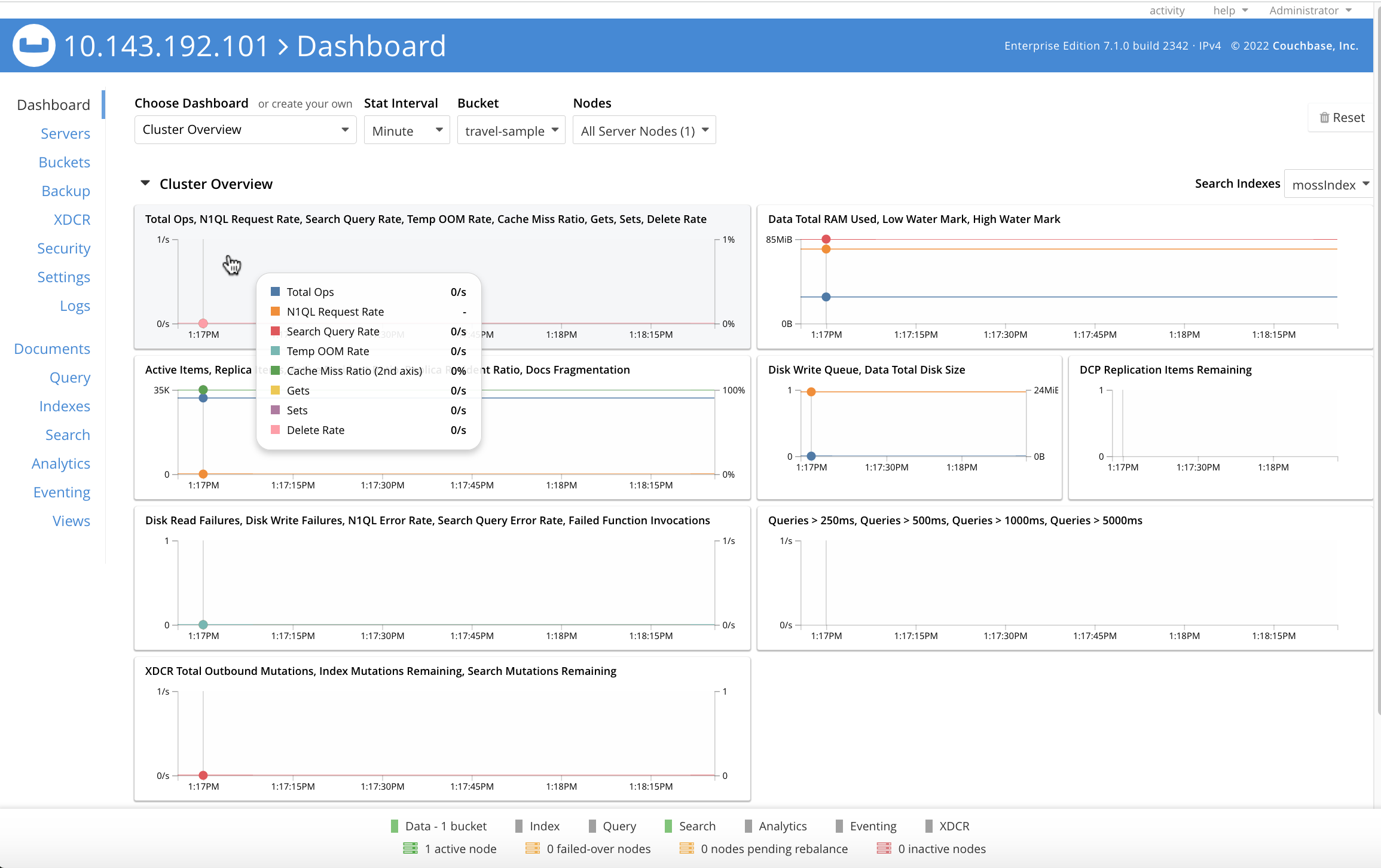
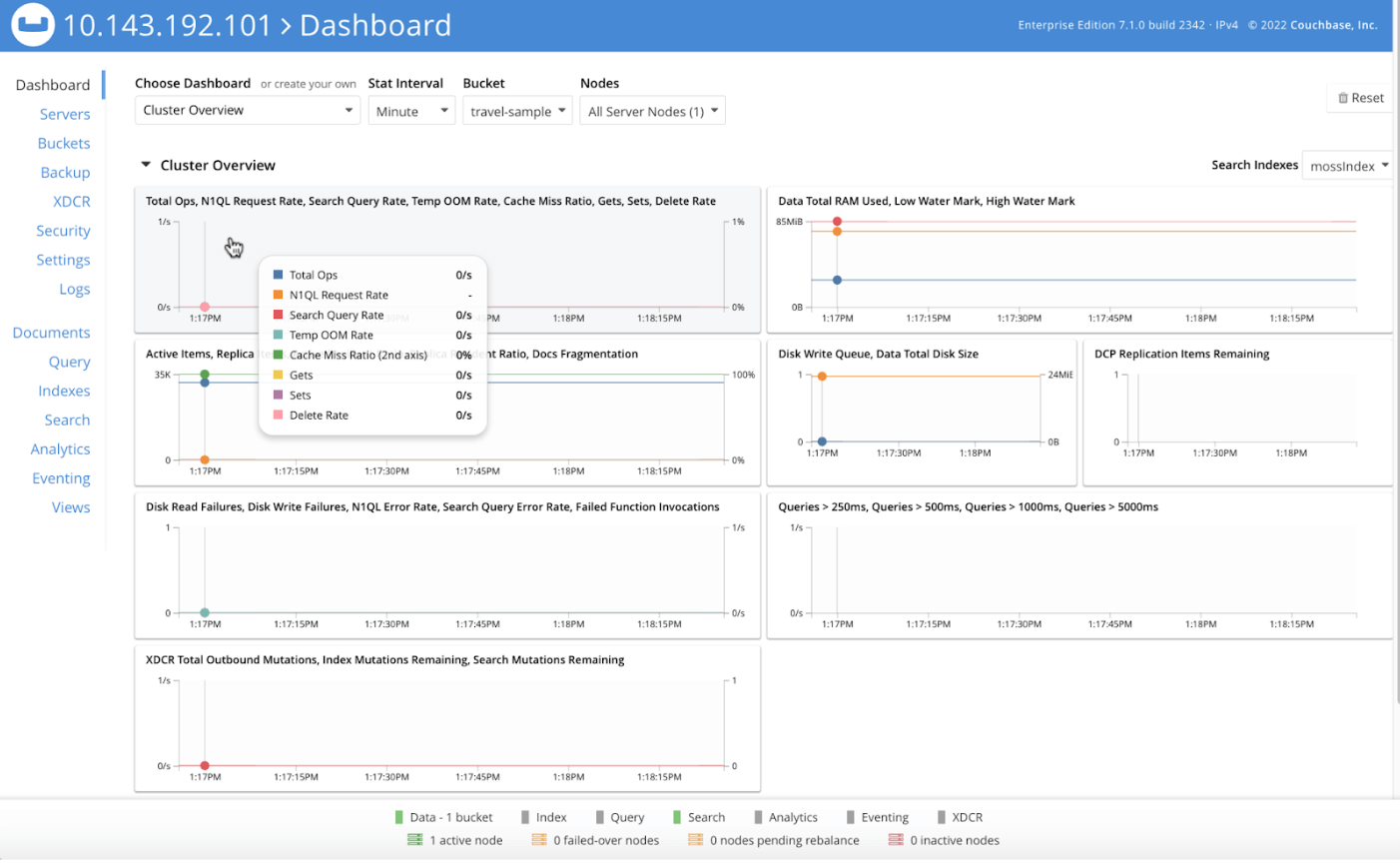
Couchbase Server is a distributed, multipurpose NoSQL database that combines key-value and JSON document models. It uses a memory-first, active-active architecture for low-latency data access and supports SQL++ (SQL for JSON) with joins and distributed, multi-document ACID transactions.
It provides built-in vector and text search with multiple indexing options for GenAI and RAG workflows, and can run on-premises, in the cloud, or as the fully managed Couchbase Capella service.
Key features include:
- Memory-first architecture: Uses caching and an in-memory design for high-speed data access, with high-density key-value storage holding terabytes per node.
- SQL++ query language: Provides SQL for JSON with joins, ACID transactions, and user-defined functions, plus a natural-language assistant for query generation.
- Vector and text search: Offers similarity search with multiple vector indexing options and full-text search for GenAI and RAG applications.
- Distributed ACID transactions: Supports multi-document ACID transactions for JSON when transactional guarantees are required.
- Multi-dimensional scaling: Isolates and scales database services independently within a cluster.
- Cross-datacenter replication: Provides active-active global replication across clouds, on-premises, and to edge and mobile devices.
Limitations (as reported by users on G2):
- Resource consumption: Users report high memory and CPU use, in cloud and on-premises, even at idle.
- Setup and cluster management: Users find initial configuration and cluster management complex.
- Query language constraints: Some users report limited query support for complex operations and slow index builds.
- Learning curve: Users note the platform can be challenging for newcomers.
Source: Couchbase
6. ArangoDB
Best for: Multi-model workloads combining graph, document, and search
Strengths: One query language (AQL) across graph, document, key-value
Things to consider: Documentation and onboarding can be challenging
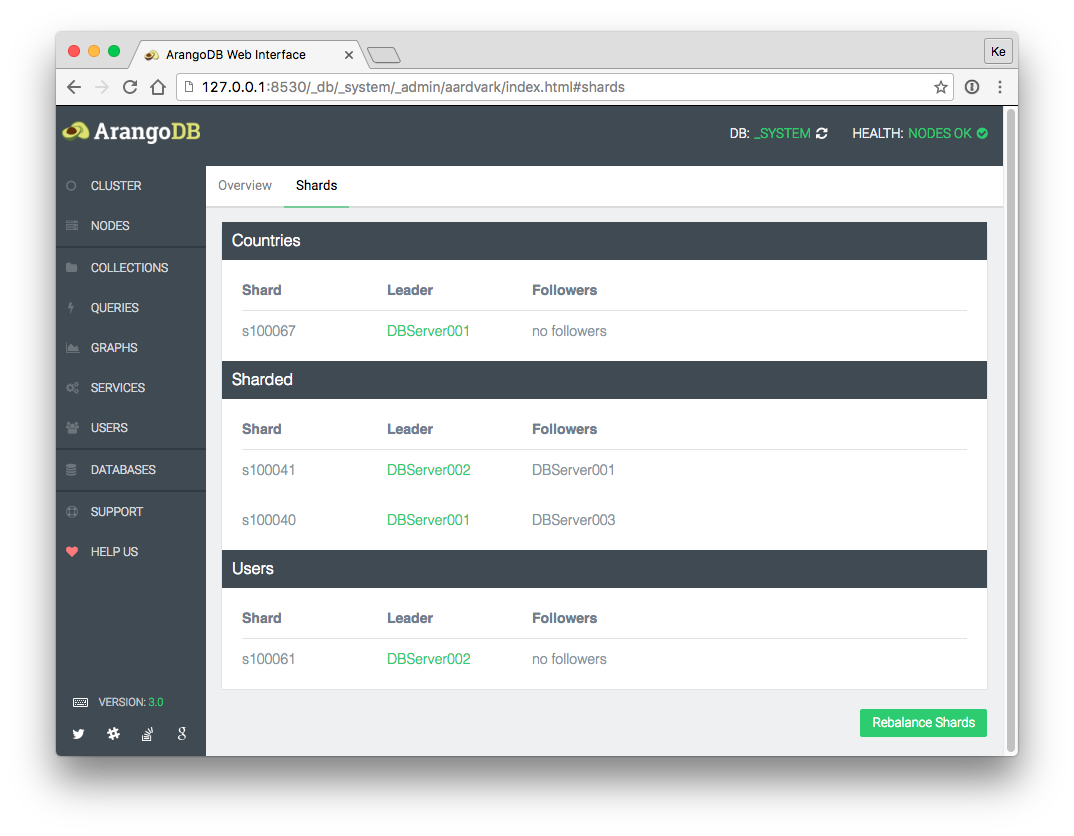
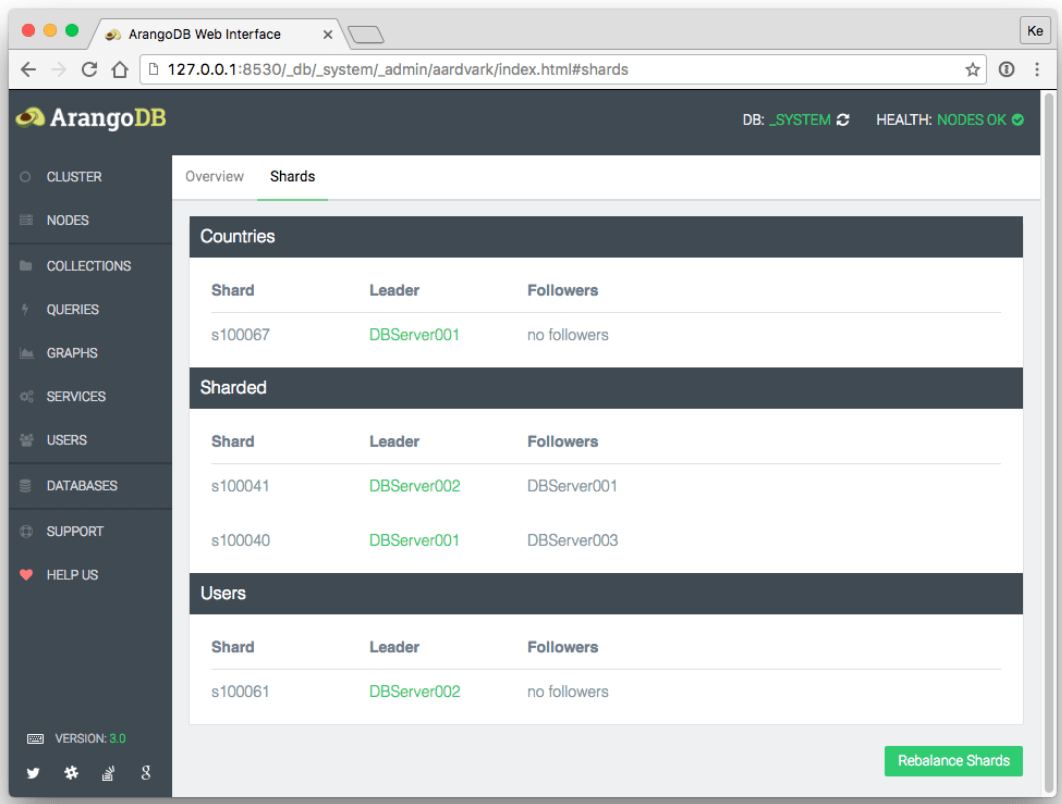
ArangoDB is a multi-model database that unifies graph, document, key-value, and search in a single system. Its AQL query language works across all supported data models, so developers manage diverse data workloads without switching between systems.
It provides a graph-native foundation for AI applications, including GraphRAG and vector retrieval, and supports horizontal scaling across data models with high availability and role-based access control built in.
Key features include:
- Multi-model storage: Handles graph, document, key-value, and search data in one database, reducing the need to combine separate systems.
- AQL query language: Provides one query language across all data models, including graph traversals, vector search, and document lookups.
- Graph-native retrieval: Supports GraphRAG for multi-hop reasoning and vector retrieval for semantic search across a knowledge graph.
- Horizontal scaling: Scales across graph, vector, document, key-value, and search without rebuilds.
- Automated knowledge graph building: AutoGraph ingests structured and unstructured data and extracts entities and relationships to build a governed graph.
- Enterprise features: Includes high availability and disaster recovery, role-based access control, and elastic scaling.
Limitations (as reported by users on G2):
- Documentation gaps: Users report documentation is limited for advanced features.
- Cost for simple use cases: Users find it expensive for simple CRUD applications.
- Onboarding effort: Users note a learning curve to understand internal workings and schema.
- Support for complex issues: Some users report customer support falls short on complex problems.
Source: ArangoDB
Open source distributed databases
7. Apache Cassandra

Best for: Write-heavy, distributed workloads needing high availability
Strengths: Linear scalability and no single point of failure
Things to consider: Limited query and join support; steep learning curve
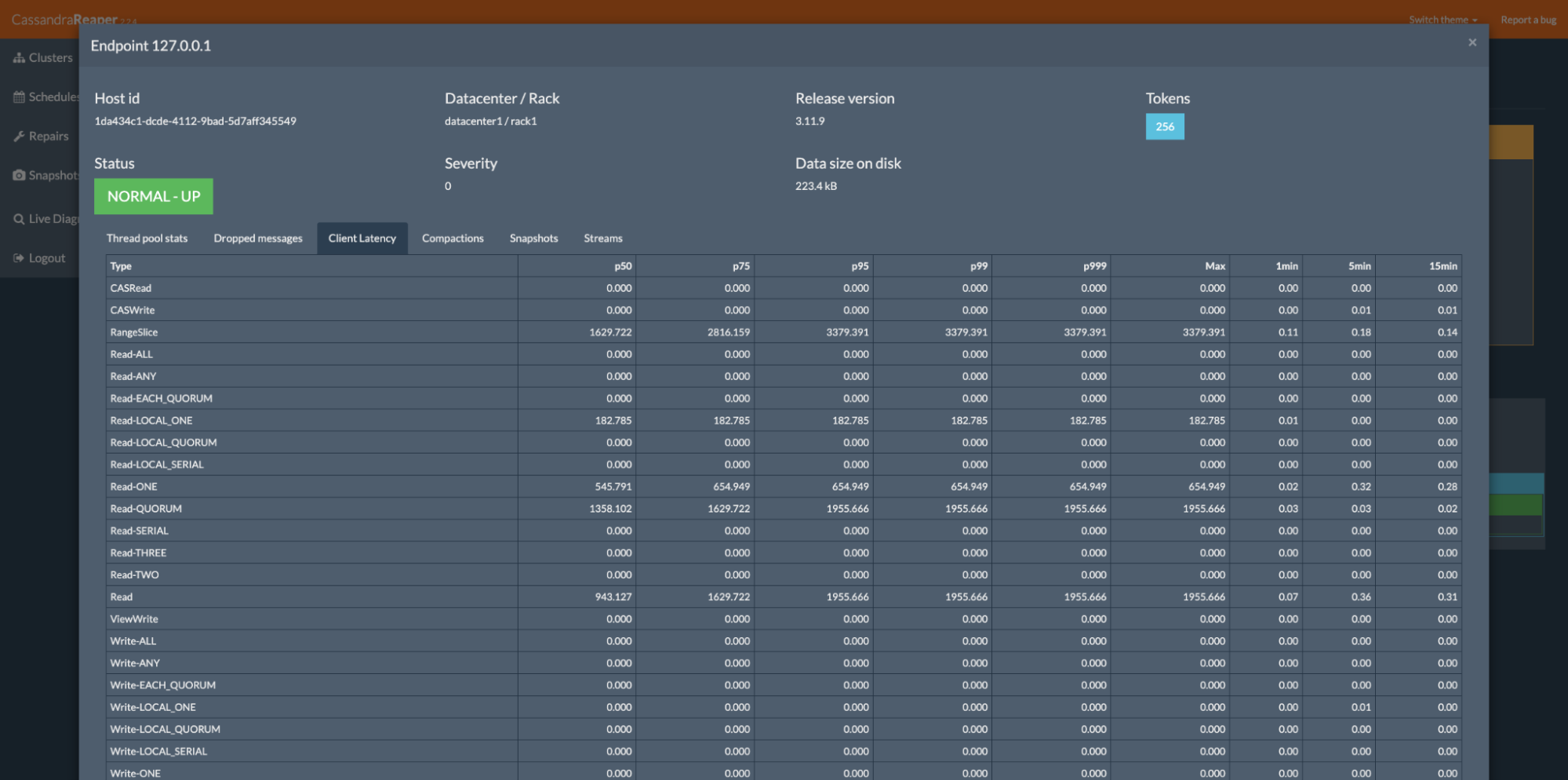
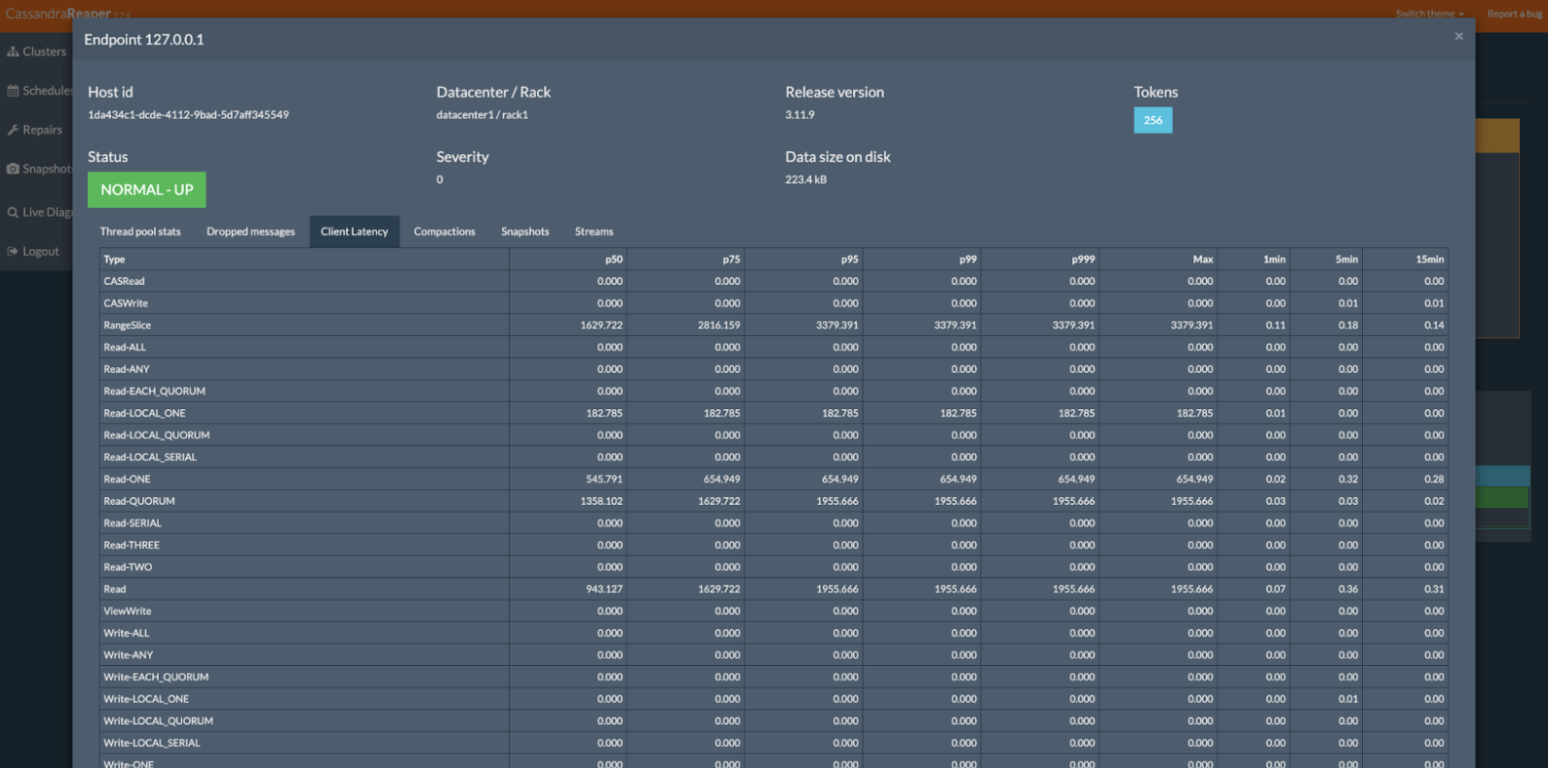
Apache Cassandra is an open source, distributed NoSQL database designed for scalability and high availability across commodity hardware or cloud infrastructure. Its masterless, peer-to-peer architecture has no single point of failure and can survive data center outages, replicating data across multiple data centers for lower latency and regional resilience.
Read and write throughput scale linearly as nodes are added with no downtime, and tunable consistency lets each update use synchronous or asynchronous replication.
Key features include:
- Masterless architecture: Uses a peer-to-peer design where every node is identical, eliminating single points of failure and network bottlenecks.
- Linear scalability: Increases read and write throughput linearly as machines are added, with no downtime or interruption.
- Multi-datacenter replication: Replicates across data centers for lower user latency and survival of regional outages, with failed nodes replaced without downtime.
- Tunable consistency: Lets operators choose synchronous or asynchronous replication per update, with options such as One, Quorum, and All.
- Elastic streaming: Uses Zero Copy Streaming to move data between nodes during scaling operations faster in cloud and Kubernetes environments.
- Security and observability: Provides audit logging of DML, DDL, and DCL activity and a full query logging tool to capture and replay workloads.
Limitations (as reported by users on G2):
- Limited query support: Users report no joins or aggregations and constrained querying compared with relational databases.
- Steep learning curve: Users note complexity around compaction, data modeling, and eventual consistency.
- Resource requirements: Users report high storage and resource use to handle heavy workloads.
- Secondary index constraints: Users note secondary indexes can degrade performance and are discouraged in production.
Source: Apache
8. Redis
Best for: Caching, sessions, and real-time data at sub-ms speed
Strengths: In-memory data structures with vector search support
Things to consider: No joins or rich query language; memory-bound sizing
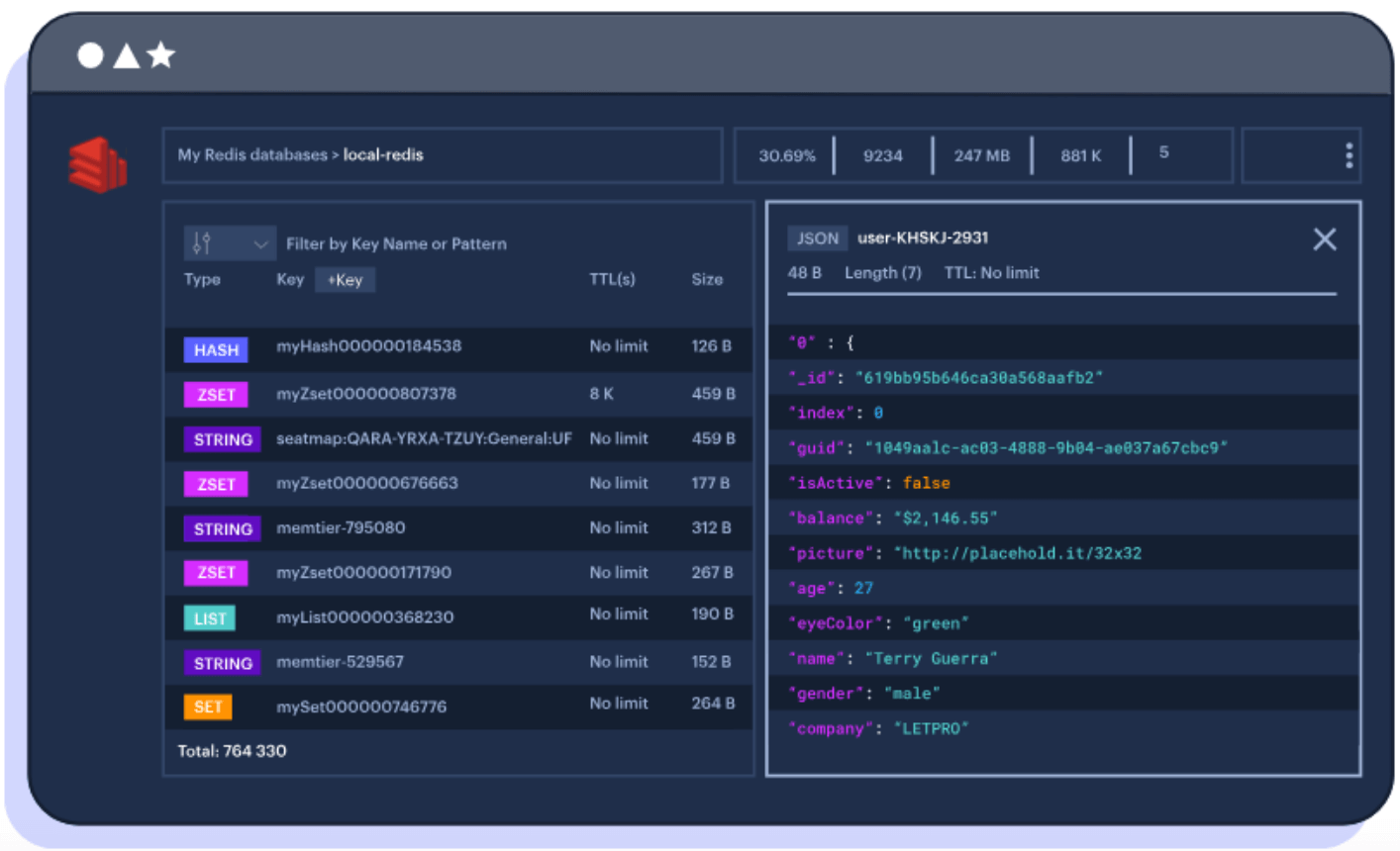
Redis is an in-memory data store that provides data structures such as strings, lists, sets, and sorted sets, suited to caching, real-time analytics, session management, and messaging. Its in-memory design delivers sub-millisecond read and write performance, and persistence options provide data durability across restarts.
Redis supports replication with failover and a cluster mode for horizontal scaling across nodes, and it provides vector search for retrieval and semantic search in AI and RAG applications.
Key features include:
- In-memory data structures: Stores strings, lists, sets, and sorted sets in memory for fast operations in caching, analytics, and queue workloads.
- Sub-millisecond performance: Delivers very fast read and write access for latency-sensitive applications.
- Vector search: Retrieves relevant data from structured and unstructured sources for semantic search and RAG context.
- Replication and cluster mode: Supports replication with failover and cluster mode for horizontal scaling and higher availability.
- Persistence: Provides durability across power cycles while retaining in-memory speed.
- Agent and context tooling: Offers components for real-time context retrieval, agent memory, and token optimization for AI applications.
Limitations (as reported by users on G2):
- No joins or rich queries: Users report the absence of joins and a rich query language limits complex operations.
- Memory-bound sizing: Users note data size is constrained by available memory and can raise cost at scale.
- Memory fragmentation: Users report fragmentation can degrade performance when writing large volumes without careful management.
- Backup and tooling: Some users note backup limitations for large-scale applications and reliance on the command line.
Source: Redis
9. Neo4j
Best for: Highly connected data such as fraud, networks, and graphs
Strengths: Native property graph with fast multi-hop queries
Things to consider: Managed tier cost and scaling of very large graphs
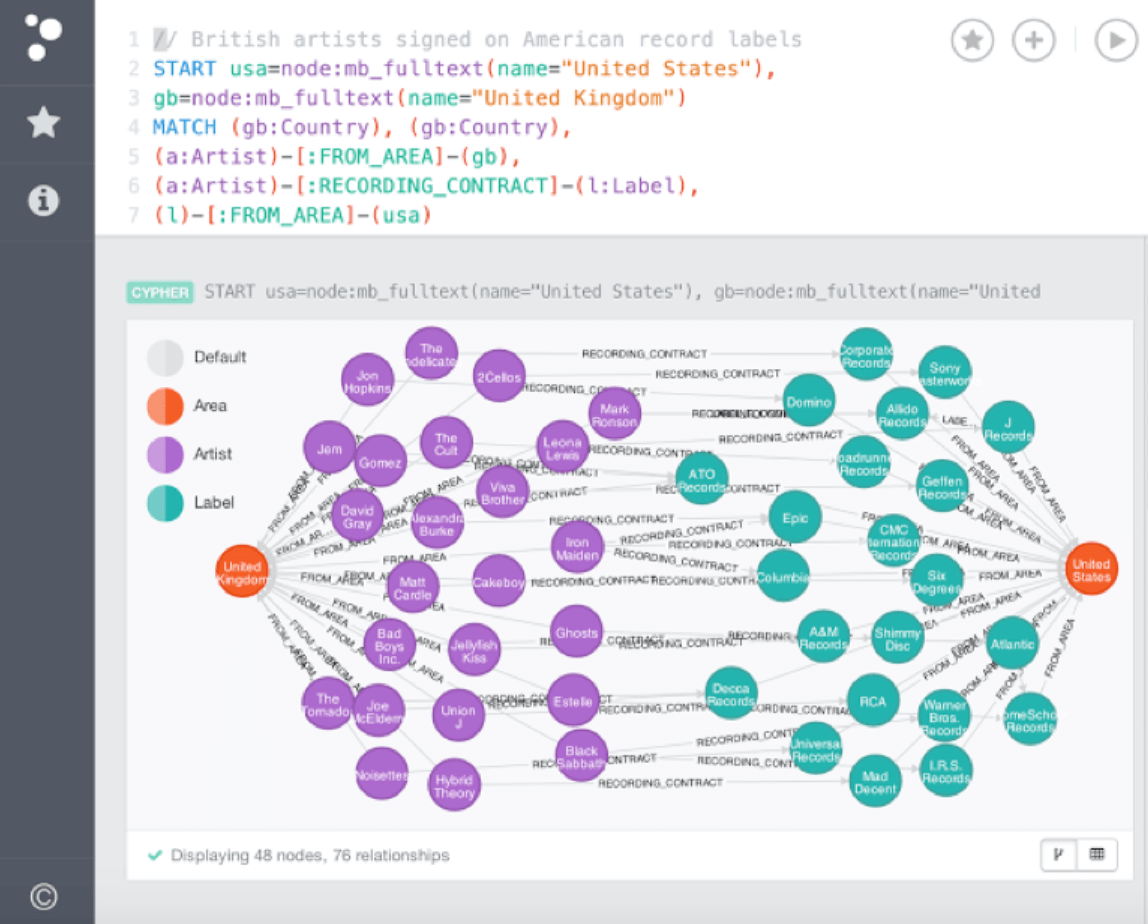
Neo4j is a native graph database that stores connected data as nodes, relationships, and properties, enabling efficient traversal and analysis of interconnected data. Its property graph model runs multi-hop queries far faster than relational joins, using the Cypher query language for graph manipulation.
It offers self-managed deployment and the fully managed AuraDB service, runs on-premises and on major clouds, and supports horizontal scaling with the Infinigraph distributed architecture for large connected datasets.
Key features include:
- Native property graph: Stores nodes, relationships, and properties for efficient traversal of highly connected data such as fraud detection and recommendations.
- Cypher query language: Provides expressive graph querying, with a parallel runtime for analytical queries across large portions of the graph.
- Horizontal scaling: Uses the Infinigraph distributed architecture to scale to large connected datasets and query across multiple databases.
- Granular security: Offers schema-based security and role-based access control down to individual objects and properties.
- Cloud and deployment options: Runs self-hosted, hybrid, or multi-cloud, with AuraDB as a fully managed service.
- Data ecosystem integration: Provides log-based change data capture and connectors for Apache Kafka, data warehouses, and BI tools.
Limitations (as reported by users on G2):
- Managed tier cost: Users report the managed AuraDB service can be costly and has RAM and storage limits.
- Scaling very large graphs: Some users raise concerns about performance and scaling for very large graphs.
- Ecosystem gaps: Users note limited libraries for some languages and the absence of an ORM tool.
- Learning curve: Users find initial installation and graph concepts challenging for new users.
Source: Neo4j
10. OpenSearch

Best for: Search, log analytics, and observability at scale
Strengths: Open source search with a vector engine for AI workloads
Things to consider: Operational complexity and resource use at scale
OpenSearch is an open source, Apache 2.0-licensed search and analytics suite built on Apache Lucene and governed by the OpenSearch Software Foundation under the Linux Foundation. It provides full-text search, structured querying, and log analysis, and its OpenSearch Dashboards toolset visualizes and explores data.
The OpenSearch Vector Engine powers machine learning and generative AI applications with vector search, and the suite is common in observability, security analytics, and enterprise search workflows.
Key features include:
- Search engine: Provides full-text search, structured data querying, and search relevance features built on Apache Lucene.
- Vector engine: Powers vector search for machine learning and generative AI applications, including semantic search.
- Observability and log analytics: Supports an observability stack, performance monitoring, and log analysis for infrastructure and applications.
- Security analytics: Detects and responds to threats with threat intelligence and event correlation.
- Dashboards: Visualizes and queries data through OpenSearch Dashboards, an integrated visualization toolset.
- Extensible and distributed: Uses a plugin-based architecture and distributed design for horizontal scaling, with Data Prepper for ingestion.
Limitations (as reported by users on G2):
- Operational complexity: Users report setup and configuration are complex for newcomers.
- Resource use at scale: Users note query latency and resource demands can grow with large workloads.
- Node and cluster limits: Some users cite per-node data limits and difficulty replacing nodes in managed variants.
- Community support: Users find community and support resources more limited than some alternatives.
Source: OpenSearch
Streamlining NoSQL database management with Instaclustr: Benefits and advantages
Instaclustr is a managed service provider that offers a range of benefits for NoSQL databases, such as Apache Cassandra and OpenSearch, which have become increasingly popular due to their ability to handle large volumes of unstructured and semi-structured data. However, managing and scaling these databases can be complex and time-consuming. This is where Instaclustr comes in, providing a comprehensive platform that simplifies the deployment, management, and scaling of NoSQL databases.
One of the key benefits of Instaclustr is its managed service approach. Instaclustr takes care of the infrastructure and operational tasks associated with running NoSQL databases, allowing developers and businesses to focus on their core applications and data. This includes tasks such as provisioning, configuration, monitoring, backups, and security. By offloading these responsibilities to Instaclustr, organizations can save valuable time and resources that can be better utilized for developing their applications and delivering value to their customers.
Scalability is another area where Instaclustr shines. NoSQL databases are designed to scale horizontally, meaning they can handle increasing workloads by adding more servers to the cluster. Instaclustr provides automated scaling capabilities, allowing databases to seamlessly grow or shrink based on demand. This ensures that applications running on NoSQL databases can handle spikes in traffic and accommodate future growth without the need for manual intervention. Instaclustr’s scaling features also help optimize costs by dynamically adjusting the resources allocated to the database, ensuring efficient resource utilization.
Instaclustr also offers high availability and fault tolerance for NoSQL databases. It employs replication and data distribution techniques to ensure that data is stored redundantly across multiple nodes in the cluster. This provides resilience against hardware failures and enables continuous availability of data, even in the event of node failures. Instaclustr’s platform actively monitors the health of the database cluster and automatically handles failover and recovery processes, minimizing downtime and maximizing data availability.
In addition to these core benefits, Instaclustr provides comprehensive support and expertise for NoSQL databases. Their team of experts has deep knowledge and experience in managing and optimizing NoSQL deployments, and they offer 24/7 support to assist customers with any issues or challenges they may encounter. Instaclustr also keeps up with the latest advancements in NoSQL technologies and ensures that their platform is updated and compatible with the latest versions, providing customers with access to the latest features and improvements.
For more information see: