


What Are Managed ClickHouse Solutions?
Evaluating managed ClickHouse solutions requires a structured evaluation of performance and scalability, cost efficiency, infrastructure ownership, and security requirements. Assessing these platforms properly ensures high-throughput ingestion and sub-second analytical latencies under production load.
Key evaluation criteria:
- Deployment model: Compare hosted SaaS, bring-your-own-cloud (BYOC), and self-managed options based on operational responsibility, network control, and data residency requirements.
- Ingest and query latency: Measure sustained ingestion throughput and query response times under realistic production workloads and peak concurrency.
- Compute and storage economics: Evaluate pricing models, autoscaling behavior, storage tiering, and overall cost efficiency as data volumes grow.
- Engine capabilities: Assess ClickHouse feature completeness, SQL compatibility, performance optimizations, and support for advanced analytical workloads.
- Operational overhead and extensibility: Compare the level of automation, management effort, APIs, infrastructure-as-code support, and integration flexibility.
- Backup, restore, and disaster recovery: Review backup automation, recovery objectives (RPO/RTO), cross-region replication, and failover capabilities.
- Security and compliance: Verify encryption, identity and access controls, network isolation, audit logging, and compliance certifications relevant to your organization.
- Observability and troubleshooting: Evaluate monitoring, logging, alerting, diagnostics, and integrations with standard observability platforms.
- Open source compatibility and lock-in: Determine how closely the service follows upstream ClickHouse and how easily workloads and data can be migrated to another platform.
Solutions compared in this guide:
- Independent providers:
- Instaclustr for ClickHouse
- ClickHouse Cloud
- Altinity.Cloud
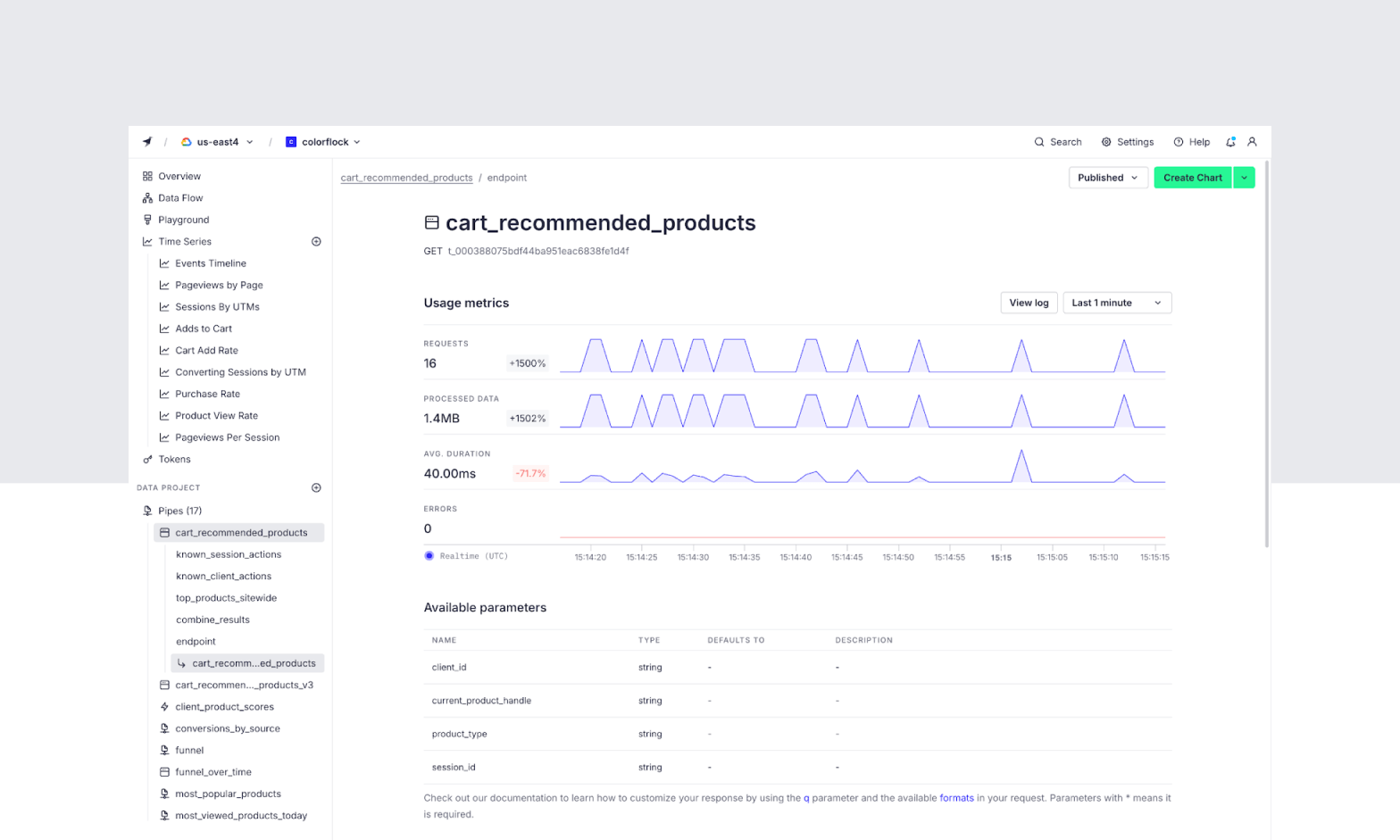
- Tinybird
- Cloud platform services:
- OVHcloud Managed ClickHouse
- Tencent Cloud TCHouse-C
- Alibaba Cloud ApsaraDB for ClickHouse
Managed ClickHouse Solutions at a Glance
The table below summarizes the key differences between the managed ClickHouse solutions covered in this article. We explore each one in more detail in the sections that follow.
Instaclustr for ClickHouse is a fully managed version of the Apache 2.0-licensed open source ClickHouse.
| Category | Solution | Best For | Key Strengths | Things to Consider |
|---|---|---|---|---|
| Independent providers | Instaclustr for ClickHouse | Running ClickHouse alongside Kafka and Postgres on one platform | BYOC or hosted, 24/7 support, broad compliance coverage | Fully managed, version of the Apache 2.0-licensed open source ClickHouse. No lock in. |
| Independent providers | ClickHouse Cloud | The official managed ClickHouse from its creators | Sub-second queries, autoscaling, ClickPipes ingestion, BYOC | Usage-based costs need monitoring; data modeling learning curve |
| Independent providers | Altinity.Cloud | Open source ClickHouse with no lock-in and hands-on support | Run any ClickHouse version, BYOC option, 24/7 expert support | Limited built-in integrations; guided, not self-serve, onboarding |
| Independent providers | Tinybird | Developers building real-time analytics APIs on managed ClickHouse | SQL-to-REST endpoints, Git workflows, ingestion, AI tooling | A managed platform, not a raw cluster; fewer low-level controls |
| Cloud platform services | OVHcloud Managed ClickHouse | Usage-billed managed ClickHouse with EU data sovereignty options | Up to 99.99% HA in 3-AZ regions, Terraform, many BI connectors | Full HA only in 3-AZ regions; entry plan has no SLA |
| Cloud platform services | Tencent Cloud TCHouse-C | High-concurrency real-time analytics in Asia-Pacific regions | MPP performance, hot/cold tiering, broad data integration | Region is fixed after purchase; ecosystem tied to Tencent Cloud |
| Cloud platform services | Alibaba Cloud ApsaraDB for ClickHouse | Enterprise real-time analytics on Alibaba Cloud and in China | Storage-compute separation, hot/cold tiering, data integration | Some open source engines and syntax are restricted |
How to Evaluate Managed ClickHouse Solutions
1. Deployment Model
When evaluating managed ClickHouse solutions, consider the deployment model and its alignment with your infrastructure preferences and regulatory needs. Some providers offer fully hosted options, while others support deployment in your own cloud account via managed Kubernetes or infrastructure-as-code tools:
- A hosted service minimizes user responsibility for infrastructure but may limit network control or data residency options.
- A bring-your-own-cloud deployment allows for greater customization and compliance but requires more involvement in network configuration and cost management.
Assessing the deployment model also involves reviewing how upgrades, scaling, and maintenance are handled. Some managed solutions provide automated scaling and zero-downtime upgrades, which are essential for business continuity. Others may require manual intervention or scheduled downtime for significant changes.
Evaluate whether the solution supports multi-region or hybrid deployments if global availability or integration with on-premises systems is needed. The right deployment model should match your technical requirements, security posture, and long-term scalability goals.
2. Ingest and Query Latency
Ingest latency refers to the time taken for new data to become available for querying, while query latency reflects the time required to return results from analytical workloads. Managed ClickHouse solutions vary in how they optimize these latencies, influenced by choices in storage architecture, resource allocation, and internal data pipelines. Providers may offer tiered ingestion options, adjustable buffer sizes, or dedicated ingestion nodes to reduce lag between data arrival and analysis readiness.
Evaluating query latency involves:
- Examining how the service allocates CPU, memory, and storage resources.
- Considering its support for parallel query execution and indexing strategies.
- Benchmarking latency under representative workloads, considering peak and off-peak periods.
- Ensuring the solution can maintain consistent performance as data volumes grow.
Some managed platforms offer customizable query optimization settings or caching layers to accelerate complex analytical queries. Low and predictable latency is critical for real-time analytics and interactive dashboards.
3. Compute and Storage Economics
Managed ClickHouse solutions charge based on compute and storage usage, but pricing models differ significantly. Some providers use per-node or per-hour billing for compute resources, while others offer serverless or usage-based models that scale dynamically with workload demands. Understanding these models is crucial for budgeting and avoiding unexpected costs, particularly for organizations with fluctuating or unpredictable usage patterns.
Storage costs depend on factors such as:
- Data retention policies
- Compression
- The use of high-performance versus archival storage tiers
Some managed solutions automatically tier data to optimize cost and performance, while others require manual configuration.
Evaluate the transparency of billing, the granularity of resource scaling, and the provider’s support for cost controls such as usage caps or alerts. An effective solution should provide visibility into cost drivers and flexibility to optimize spending as your data and query needs evolve.
4. Engine Capabilities
The underlying ClickHouse engine can differ between managed providers, impacting available features and performance. Some services run open-source ClickHouse with minimal modifications, while others introduce proprietary enhancements such as improved query optimizers, additional table engines, or integrations with external storage systems. These differences can affect compatibility, extensibility, and the ability to leverage advanced analytical functions.
When evaluating engine capabilities:
- Assess support for features like materialized views, user-defined functions, and distributed joins, which are essential for complex analytics.
- Consider the availability of integrations with external data sources, connectors for BI tools, and APIs for programmatic access.
- Ensure the chosen engine aligns with your technical requirements and long-term architectural plans.
Some managed solutions accelerate innovation by contributing enhancements back to the open-source community, while others may lock advanced capabilities behind proprietary extensions.
5. Operational Overhead and Extensibility
Managed ClickHouse solutions aim to reduce operational overhead by automating routine tasks such as backups, monitoring, and scaling. However, the degree of automation and transparency varies. Some platforms offer “set-and-forget” experiences with minimal configuration, while others require deeper user involvement for advanced tuning, troubleshooting, or integration with external services.
Extensibility is equally important, especially if you need to integrate ClickHouse with custom applications, workflow engines, or third-party tools. When comparing solutions:
- Evaluate the provider’s documentation, support channels, and availability of automation hooks such as APIs or Terraform modules.
- Consider whether the managed service supports custom plugins, advanced SQL extensions, or integration with event streaming platforms like Kafka.
The ability to extend and customize the environment is critical for adapting to changing business needs and supporting unique data pipelines or analytics scenarios. A well-designed solution should balance operational simplicity with robust extensibility options.
6. Backup, Restore, and Disaster Recovery
Robust backup and restore capabilities are essential for a managed ClickHouse solution, as they protect against data loss and support regulatory compliance. Some services offer automated, incremental backups with configurable schedules, while others require manual intervention or only support full backups. The ability to restore data quickly and selectively is important for minimizing downtime and operational disruption.
Managed solutions may offer integrated disaster recovery options or require users to configure their own backup destinations and replication topologies. When comparing solutions:
- Evaluate the provider’s backup frequency, retention policies, and support for point-in-time recovery.
- Assess disaster recovery features, including cross-region replication, failover automation, and documented recovery procedures.
- Consider the provider’s service level agreements (SLAs) for recovery time objectives (RTO) and recovery point objectives (RPO).
A comprehensive backup and disaster recovery strategy ensures business continuity and aligns with organizational risk management policies.
7. Security and Compliance
Security is a critical factor in managed ClickHouse solutions, encompassing data encryption, access controls, and compliance with industry regulations. Regular security audits, vulnerability scanning, and patch management are also important indicators of a provider’s security posture. Compliance requirements vary by industry and geography:
- Evaluate whether the provider supports encryption at rest and in transit, fine-grained access management through role-based access control (RBAC), or integration with identity providers like LDAP, SAML, or cloud-native IAM services.
- Assess certifications such as SOC 2, HIPAA, GDPR, or ISO 27001. Managed solutions may offer compliance documentation, audit logs, and support for data locality or residency controls.
- Review the transparency of incident response processes and the availability of security features like network isolation, IP allowlisting, and private endpoints.
A secure and compliant managed ClickHouse solution should provide clear controls and documentation to support both internal and external audits.
8. Observability and Troubleshooting
Effective observability tools are necessary for monitoring the health and performance of managed ClickHouse clusters. Providers may offer dashboards for tracking key metrics such as CPU, memory, disk usage, query latency, and ingestion rates. Troubleshooting support varies, with some managed services providing automated diagnostics, root cause analysis, and guided remediation steps. Others offer access to logs and system metrics for manual investigation:
- Check if the solution integrates with external observability platforms like Prometheus, Grafana, or cloud-native monitoring services, enabling centralized monitoring and alerting.
- Look for detailed logging and real-time metric collection for diagnosing issues before they impact production workloads.
- Consider the availability of support channels, response times, and escalation procedures for critical incidents.
A comprehensive observability and troubleshooting framework reduces mean time to resolution (MTTR) and empowers teams to maintain service reliability as workloads scale.
9. Open Source Compatibility and Lock-In
Open source compatibility determines how easily you can migrate workloads, adopt new features, or switch providers. Some managed ClickHouse solutions closely track upstream releases, ensuring compatibility with open-source tools, drivers, and extensions. Others may introduce proprietary changes that hinder portability or require application modifications for migration. Vendor lock-in risks arise when managed services rely on proprietary APIs, data formats, or management interfaces. To check compatibility and avoid lock-in:
- Assess the provider’s commitment to open standards and their track record of contributing to the ClickHouse ecosystem.
- Evaluate the ease of exporting data, the availability of migration tools, and the transparency of billing and resource management.
- Prefer solutions that support open APIs, standard interfaces, and clear exit strategies.
Maintaining open source compatibility and minimizing lock-in ensures long-term flexibility, reduces switching costs, and fosters innovation by leveraging the broader ClickHouse community.
Notable Managed ClickHouse Solutions
How we selected these solutions: We shortlisted managed ClickHouse services based on deployment flexibility, ingestion and query performance, pricing model, security and compliance coverage, and the breadth of operational features such as scaling, backups, monitoring, and integrations. We included only reputable, full-featured services that are currently available on the market.
Independent Managed ClickHouse Providers
1. Instaclustr for ClickHouse

Best for: Running ClickHouse alongside Kafka and Postgres on one platform
Strengths: Bring-your-own-cloud or hosted deployment, 24/7 support, broad compliance coverage
Things to consider: Fully managed, version of the Apache 2.0-licensed open source ClickHouse. No lock in.
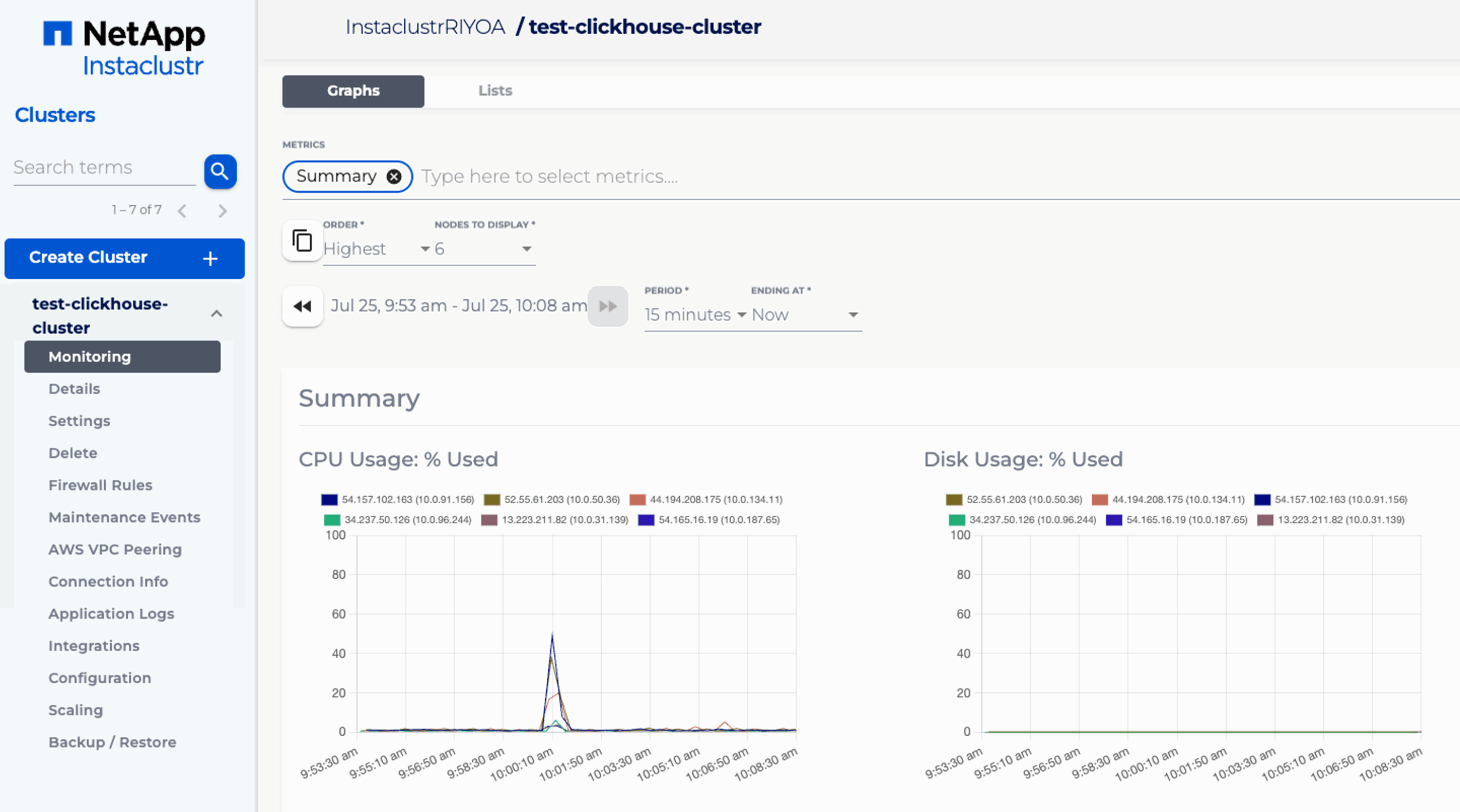
Instaclustr for ClickHouse is a fully managed and hosted service on the NetApp Instaclustr Managed Platform. It runs production-ready ClickHouse clusters that you can provision through a console, an API, or a Terraform provider. You can run clusters in Instaclustr’s cloud account or your own, across cloud, on-premises, or hybrid environments.
The service handles provisioning, monitoring, upgrades, patching, and maintenance, and it runs 100% open source ClickHouse. It is available on AWS and Azure, with horizontal scaling, built-in redundancy, and an availability SLA of up to 99.99% on enterprise deployments.
Key features include:
- Open source deployment model: Runs 100% open source ClickHouse and can be deployed in Instaclustr’s cloud account or your own, across cloud, on-premises, and hybrid environments.
- Provisioning interfaces: Clusters can be created and managed through a console, a REST API, or a Terraform provider for repeatable, automated setup.
- Zero downtime scaling: Clusters scale horizontally by adding or removing nodes to match workload changes without interrupting service.
- Tiered storage via NetApp ONTAP: Integration with AWS FSx for NetApp ONTAP tiers data automatically, keeping active data on high-performance storage and moving colder data to lower-cost tiers.
- Monitoring and managed operations: Built-in monitoring runs continuous health checks and alerts a support team to investigate issues, while upgrades, patches, and backups are handled by the service.
- Security and compliance: Provides SOC 2, ISO 27001, and ISO 27018 certification, PCI-DSS and HIPAA compliance, and an availability SLA of up to 99.99%.
Limitations (as reported by users on G2): (ClickHouse is a recent addition, so these reflect users of the broader Instaclustr Managed Platform.)
- Support coverage across time zones: Some users note that response coverage can vary across global time zones, which can affect turnaround for teams outside the support team’s main hours.
- Learning and test resources: Reviewers have asked for more self-service training material and a dedicated test or playground environment.
2. ClickHouse Cloud

Best for: Teams wanting the official managed ClickHouse from its creators
Strengths: Sub-second queries, autoscaling, ClickPipes ingestion, BYOC option
Things to consider: Usage-based cloud costs need monitoring; data modeling learning curve
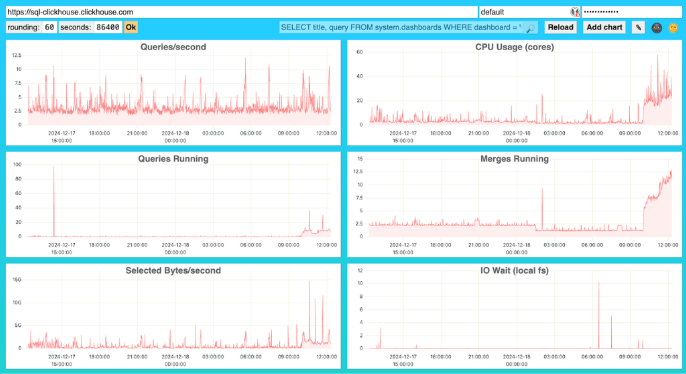
ClickHouse Cloud is the managed service built by the company that develops the open source ClickHouse database. It runs on AWS, GCP, and Azure, and uses a cloud-native architecture that separates storage and compute so each scales independently. Compute scales up during load and down during idle periods under a pay-for-use model.
The platform handles provisioning, replication, upgrades, and backups, and offers a Bring Your Own Cloud option that deploys the service inside your own AWS or GCP account. It includes a managed ingestion layer, an interactive SQL console, and a Terraform provider for automation.
Key features include:
- Storage and compute separation: Object-backed parallel replicas and independent compute layers let read and write workloads run on separate services without manual sharding.
- Autoscaling: Compute scales up and down based on demand, removing manual resharding and node rebalancing.
- ClickPipes ingestion: A managed ingestion engine loads data from sources including Apache Kafka, Amazon S3, PostgreSQL, MongoDB, GCS, and MySQL through a guided setup.
- High availability and recovery: Services replicate across multiple availability zones, with automated scheduled backups and guided restore workflows.
- Security controls: Includes encryption in transit and at rest, role-based access control, query-time data masking, activity logging, and SOC 2 Type II compliance.
- Tooling and automation: Provides an interactive SQL console, built-in monitoring with Prometheus endpoints, a Terraform provider, infrastructure APIs, and a Bring Your Own Cloud deployment option.
Limitations (as reported by users on G2):
- Cost management: Reviewers note the cloud option can become expensive and that usage needs monitoring to keep spend predictable.
- Learning curve: Users report that data modeling and complex query optimization require deeper expertise, with a learning curve for newcomers.
- Documentation gaps for advanced cases: Some users say documentation for advanced use cases could be more detailed.
- Updates and mutations: Reviewers mention that editing values already stored in the database can be cumbersome.
3. Altinity.Cloud
Best for: 100% open source ClickHouse with no lock-in and hands-on support
Strengths: Run any ClickHouse version, BYOC option, 24/7 expert support
Things to consider: Limited built-in integrations; onboarding is guided, not self-serve
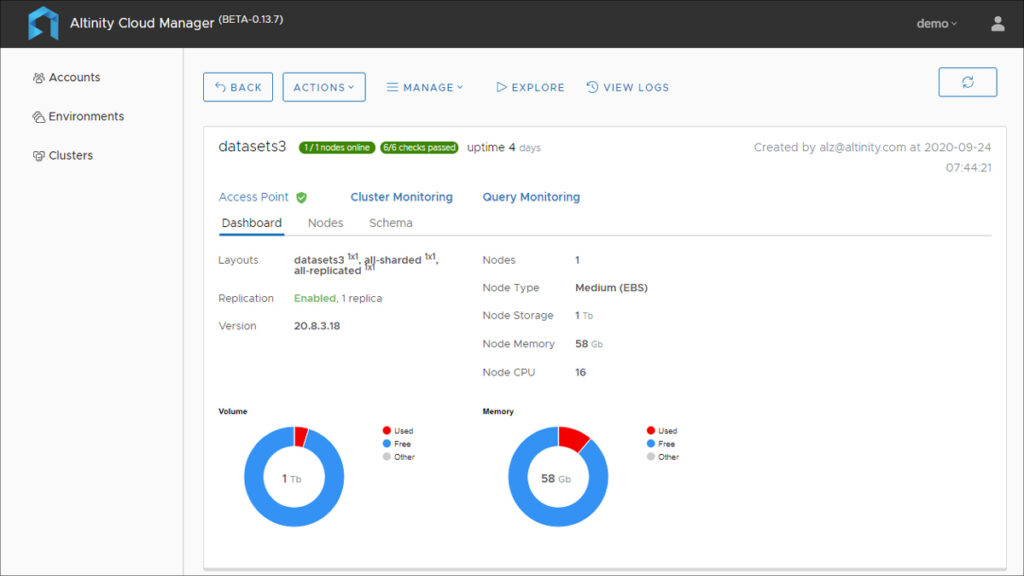
Altinity.Cloud is a managed service for ClickHouse with 24/7 support, run by a team that contributes to the ClickHouse open source project. You can run it in Altinity’s cloud on AWS, GCP, Azure, or Hetzner in any region, or in your own cloud account through a bring-your-own-cloud model on managed or self-provided Kubernetes.
The platform runs 100% open source ClickHouse and supports any ClickHouse version, so you are not tied to proprietary features. You can scale compute and extend storage without downtime, add shards and replicas to running clusters, and disconnect a VPC deployment in a short time if you move off the service.
Key features include:
- Flexible deployment: Runs in Altinity’s cloud across AWS, GCP, Azure, and Hetzner, or in your own cloud through a BYOC model on managed or self-managed Kubernetes.
- Open source and version choice: Runs 100% open source ClickHouse and supports any ClickHouse version, avoiding proprietary feature lock-in.
- Online scaling: Compute scales up and down and storage extends without downtime, and shards and replicas can be added to running clusters.
- Data lake querying (Project Antalya): Extends ClickHouse queries to data lakes to lower storage costs for large datasets.
- Expert support operations: Provides 24/7 engineering support including schema and query optimization, a shared Slack channel, and ClickHouse bug and CVE fixes.
- Security and billing: Runs a dedicated Kubernetes environment per user, is SOC 2 Type 2 certified, and uses resource-based billing.
Limitations (as reported by users on G2): (The product has few third-party reviews, so this combines available G2 feedback with publicly documented limitations.)
- Training cost: A reviewer notes that ClickHouse training is an added cost and would prefer free introductory courses.
- Abstraction tradeoffs: A reviewer points out that relying on a managed layer can limit some functionality available in a fully self-managed setup.
- Limited built-in integrations: The service offers fewer built-in integrations than some alternatives, and onboarding is guided rather than instant self-service.
4. Tinybird

Best for: Developers building real-time analytics APIs on managed ClickHouse
Strengths: SQL-to-REST endpoints, Git workflows, Kafka and S3 ingestion, AI tooling
Things to consider: A managed platform, not a raw cluster; fewer low-level controls
Tinybird is a managed ClickHouse platform aimed at software developers and AI product teams who want to build real-time analytics features without operating the database. It provides a hosted ingestion layer, a query layer that publishes SQL queries as REST API endpoints, and developer tooling such as a CLI, SDKs, and Git integration.
Rather than exposing a raw cluster, Tinybird manages provisioning, scaling, and upgrades and adds an API and ingestion layer on top of ClickHouse. It supports local development, branching with production data, and an AI-focused developer experience built for coding agents.
Key features include:
- SQL-to-API endpoints: Any SQL query can be published as a documented REST endpoint with sub-second response times and built-in observability logs.
- Managed ingestion: Native connectors for Kafka, S3, and GCS, plus an HTTP Events API for streaming, handle ingestion load balancing and throughput.
- Development workflow: Schema iteration with zero-downtime migrations, zero-copy branches with production data, Git integration, a CLI, and Python and TypeScript SDKs.
- AI-focused tooling: Includes a CLI agent with ClickHouse knowledge and an MCP server for integrating analytics into LLM applications and coding agents.
- Enterprise controls: Provides SOC 2 Type II, HIPAA, and GDPR compliance, SSO/SAML, role-based access control, dedicated clusters, and SLAs.
- Architecture options: Offers compute-compute separation, zero-copy replication, high availability with automatic failover, and a free self-managed deployment option.
Limitations (as reported by users on G2):
- Learning curve and interface: Some users find the platform less intuitive for newcomers, with ClickHouse concepts like materialized views needing experienced engineers.
- Integrations and customization: Reviewers note limited connectors and customization options for some use cases.
- Documentation: Users report documentation is not always comprehensive, with fewer instructions and examples for new users.
- Pricing transparency: Some users find the pricing structure unclear and difficult to predict.
Cloud Platform Managed ClickHouse Services
5. OVHcloud Managed ClickHouse
Best for: Usage-billed managed ClickHouse with EU data sovereignty options
Strengths: Up to 99.99% HA in 3-AZ regions, Terraform, many BI connectors
Things to consider: Full HA only in 3-AZ regions; the entry plan has no SLA
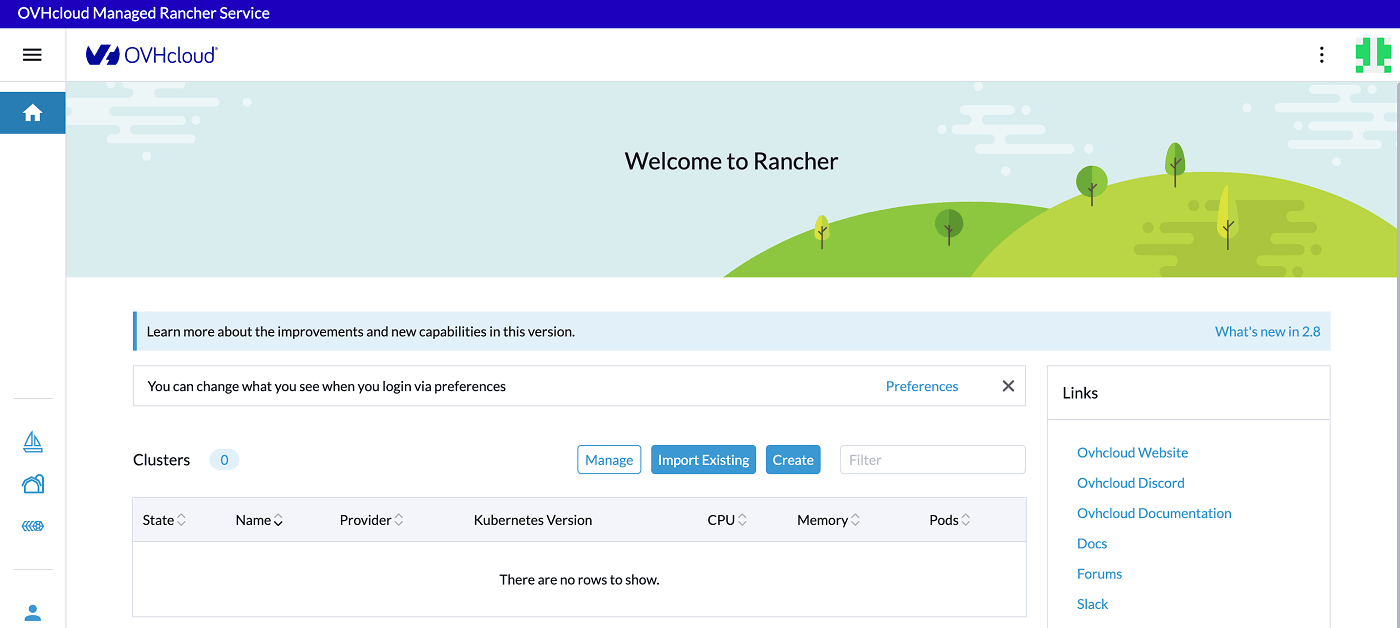
OVHcloud Managed ClickHouse is a fully managed service that runs the official open source ClickHouse engine on OVHcloud’s public cloud. OVHcloud handles deployment, management, maintenance, patching, and scaling, and bills by usage with IOPS, backups, and traffic included. The service is available in Europe, Asia-Pacific, and North America.
Clusters integrate with more than 60 other OVHcloud public cloud services and connect to common BI tools and file formats. High availability of up to 99.99% is available through three-availability-zone deployments, and the service includes automatic backups, tiered storage, and Terraform support.
Key features include:
- Managed open source engine: Runs the official open source ClickHouse with deployment, maintenance, patching, and scaling handled by OVHcloud.
- High availability: Three-availability-zone deployments provide triple replication and automatic failover, with availability of up to 99.99% in supported regions.
- BI and format support: Connects to tools such as Apache Superset, Grafana, Looker, and Tableau, and reads formats including Parquet, JSON, Iceberg, Delta Lake, and Hudi.
- Backups and tiered storage: Includes automatic backups with 14-day retention and tiered storage for cost optimization.
- Networking and automation: Provides private networking through vRack, Prometheus metric collection, and Terraform support.
- Plan tiers: A Discovery plan for development without an SLA and a Production plan with multi-AZ failover and a 99.95% SLA.
Limitations (as reported by users on G2): (Feedback reflects the broader OVHcloud platform.)
- Customer support responsiveness: Users frequently report slow support response times, which can delay issue resolution.
- Console complexity: Reviewers note the control panel can be complex to navigate, especially for new users.
- Region-dependent high availability: Full three-AZ high availability is only available in select regions, and the entry-level Discovery plan ships without an SLA.
6. Tencent Cloud TCHouse-C
Best for: High-concurrency real-time analytics in Asia-Pacific regions
Strengths: MPP performance, hot and cold tiering, broad data-source integration
Things to consider: Region is fixed after purchase; ecosystem tied to Tencent Cloud
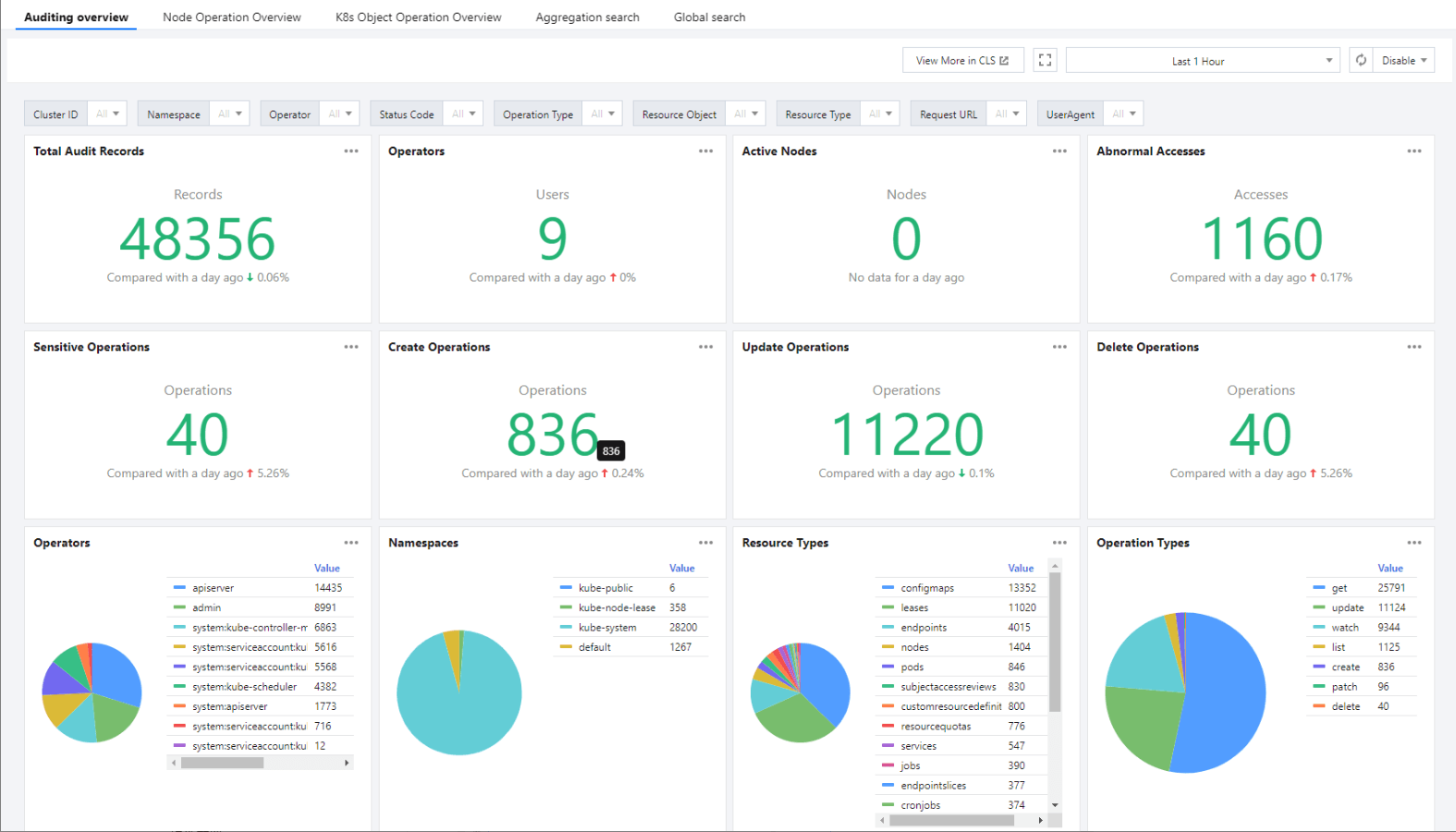
Tencent Cloud TCHouse-C is a managed ClickHouse service built for high-concurrency, sub-second real-time analytics. It uses a massively parallel processing architecture and lets you deploy a production-ready cluster in minutes from the console. Built-in operations management, monitoring, and alerting remove most infrastructure maintenance.
The service runs clusters inside isolated virtual private clouds and supports high-availability configurations with automatic failover. It connects to a range of data sources and Tencent Cloud services, and offers one-click scaling and node configuration changes. Billing is available as subscription or pay-as-you-go.
Key features include:
- MPP query engine: A distributed massively parallel processing architecture targets terabyte-per-query analytics with sub-second response on high-concurrency workloads.
- One-click scaling: The console supports cluster scaling and node configuration adjustment, with both horizontal and vertical scaling.
- Hot and cold data tiering: Cold data can move to COS object storage with configurable tiering coefficients and TTL-based swapping.
- Operations tooling: Includes table-level permission management, backup and restore, query and slow-query analysis, dictionary management, and a DW Studio SQL workspace.
- Data integration: Ingests from sources such as ClickHouse, MySQL, Oracle, DB2, PostgreSQL, CKafka, Hive, and HBase, with Oceanus real-time linkage and cross-cloud migration from self-built clusters.
- Security and availability: Deploys clusters in isolated VPCs with high-availability configurations and automatic failover.
Limitations (based on publicly available sources):
- Region selection is permanent: Documentation states the region cannot be changed after purchase, so placement decisions are locked in early.
- Limited international regions: International availability is concentrated in a few regions such as Hong Kong, Singapore, Jakarta, Tokyo, and Frankfurt.
- Ecosystem coupling: Several integration and real-time features rely on other Tencent Cloud services such as COS, CKafka, and Oceanus, and independent English-language reviews are limited.
7. Alibaba Cloud ApsaraDB for ClickHouse

Best for: Enterprise real-time analytics on Alibaba Cloud and in China
Strengths: Storage-compute separation, hot and cold tiering, deep data integration
Things to consider: Some open source engines and syntax are restricted
ApsaraDB for ClickHouse is Alibaba Cloud’s managed, distributed column-oriented database service for real-time analysis. It is offered in Single-Replica and High-Availability editions, plus an Enterprise Edition built in partnership with ClickHouse that separates storage and compute for serverless elastic scaling. It is used for traffic, marketing, and behavior analysis.
The service handles cluster configuration, replicas, parameters, network security, and operations, with monitoring and diagnosis across disks, CPU, memory, IOPS, connections, and slow SQL. It supports tiered hot and cold storage and integrates with the Alibaba Cloud data ecosystem for ingestion and analysis.
Key features include:
- Distributed query engine: Uses SIMD instruction sets and a vectorized execution engine with an MPP architecture for high-throughput analytical queries.
- Storage and compute separation (Enterprise Edition): Separates storage and compute for automatic scaling and uses object storage with multi-level caching.
- Tiered hot and cold storage: Moves data to lower-cost storage based on usage and TTL policies to reduce storage costs.
- Data ecosystem integration: Imports from OSS and MaxCompute external tables, supports real-time writes from Flink, Spark, and Kafka, and synchronizes through DataWorks, MaterializeMySQL, and Data Transmission Service.
- Resource management: Supports resource queues with user binding and query priorities, multi-tenant resource isolation, and auto scaling.
- Monitoring and operations: Provides monitoring and diagnosis for disks, CPU, memory, IOPS, connections, TPS, ZooKeeper, and slow SQL queries, with online database management.
Limitations (based on publicly available sources):
- Restricted engines and functions: Documentation notes the Community-Compatible Edition does not support the File and URL table engines and functions, custom user Profiles, or remote_servers configuration.
- Syntax differences from open source: The Enterprise Edition does not support CREATE AS SELECT or the ON CLUSTER parameter, disables some functions for security, and does not support certain experimental syntax or federated queries with engines such as ODBC and JDBC.
- ZooKeeper-related write pauses: During ZooKeeper leader switching, tables can enter a read-only state and writes may be suspended if high-frequency writes occur.
- Ecosystem and market focus: Many features are oriented to the Alibaba Cloud data stack and the markets it primarily serves.
Conclusion
Choosing a managed ClickHouse solution requires balancing performance, operational simplicity, cost, security, and long-term flexibility. Beyond raw query speed, organizations should evaluate how well a service supports production operations through automated scaling, resilient backup and recovery, observability, compliance, and integration with existing data pipelines. A thorough assessment of total cost of ownership, deployment model, and open source compatibility helps ensure the platform can meet both current analytical requirements and future growth without creating unnecessary operational complexity or vendor lock-in.
