What are open source databases?
TL;DR: Open source databases deliver production-grade data management without license fees. Best for relational apps: PostgreSQL; general-purpose web: MySQL; massive scale: Apache Cassandra; distributed SQL: YugabyteDB.
Open source databases are systems whose source code is publicly available, allowing developers to freely use, modify, and distribute them. They eliminate expensive licensing fees while providing robust, community-driven features.
Significantly, open source databases are available free of charge, compared to the high cost of traditional database solutions from vendors like Oracle and Microsoft. Over the years, open source databases have matured and now provide capabilities comparable to the best proprietary solutions, leading to their massive adoption. According to the DB-Engines ranking, 6 of the world’s top 10 databases are open source.
Relational (SQL) databases store structured data in related tables:
- PostgreSQL: An extensible, standards-compliant relational system for complex workloads.
- MySQL: A widely deployed engine tuned for fast transactional applications.
- MariaDB: A MySQL-compatible fork with extra storage engines.
- SQLite: A lightweight, file-based engine for embedded and local storage.
- YugabyteDB: A PostgreSQL-compatible distributed SQL database for scale.
NoSQL databases handle unstructured data and horizontal scaling:
- Apache Cassandra: A masterless, linearly scalable wide-column store.
- Redis: An in-memory key-value store for caching and real-time data.
- Valkey: An open source, Redis-compatible key-value datastore.
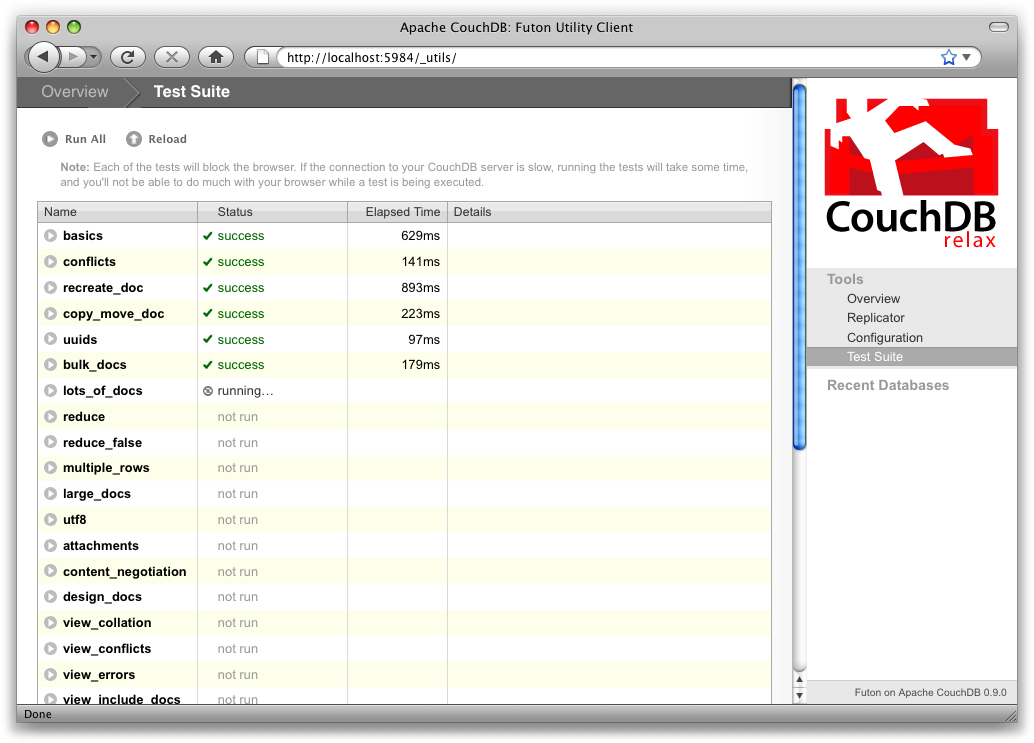
- CouchDB: A document database with offline-first replication.
- Neo4j: A native graph database for highly connected data.
Open source databases have also become central to AI-driven applications, with leading systems adding native vector search and vector data types for similarity search and retrieval-augmented generation. At the same time, licensing has become a key evaluation factor, as several projects have recently moved between open source and source-available terms.
Editor’s note: Updated the article to reflect recent open source database licensing changes and the rise of forks, added AI and vector readiness context, refreshed the database lineup, and reorganized the comparison for 2026.
This is part of a series of articles about open source AI
Open source databases at a glance
The table below summarizes the key differences between the databases covered in this guide. We explore each option in more detail in the sections that follow.
| Category | Solution | Best For | Key Strengths | Things to Consider |
|---|---|---|---|---|
| Relational / SQL | PostgreSQL | Extensible relational workloads | Advanced indexing, JSON, geospatial | Tuning needs expertise |
| Relational / SQL | MySQL | Transactional web backends | Mature ecosystem, replication | Weaker for analytics |
| Relational / SQL | MariaDB | MySQL-compatible drop-in | Extra engines, permissive GPLv2 | Advanced features in enterprise tier |
| Relational / SQL | SQLite | Embedded and local storage | Zero config, single file, tiny | Not for high concurrency |
| Relational / SQL | YugabyteDB | Geo-distributed SQL apps | Auto-sharding, PostgreSQL API | Aggregations, multi-region cost |
| NoSQL | Apache Cassandra | Massive always-on scale | Masterless scaling, fault tolerance | Limited ad-hoc queries |
| NoSQL | Redis | Caching and real-time data | In-memory speed, rich structures | Memory-bound cost |
| NoSQL | Valkey | Open source key-value caching | BSD license, Redis compatibility | Younger ecosystem |
| NoSQL | CouchDB | Offline-first sync | Multi-primary replication, HTTP/JSON | JavaScript-only views |
| NoSQL | Neo4j | Highly connected data | Native graph, Cypher, fast traversal | Learning curve, licensing tiers |
Closed source database vs open source database
There are several important differences between closed source and open source databases.
Licensing and Cost
Closed source databases typically require expensive licensing fees, which can be a significant financial burden for organizations. These fees may include costs for the software itself, per-user or per-core licensing, and additional costs for support and updates.
Open source databases are usually available for free, eliminating licensing costs and making them an economical choice for startups and organizations with limited budgets. In recent years, however, several formerly open source databases have adopted source-available licenses that limit competing commercial use, which has prompted community-driven forks and made license type an important evaluation criterion.
Customization and Flexibility
Closed source databases offer limited flexibility in terms of customization, as the source code is not accessible to users. Customizations often depend on the vendor’s willingness to accommodate organization-specific needs, which may involve additional costs and delays.
Open source databases provide complete access to the source code. This allows developers to modify and optimize the database to meet their requirements, resulting in enhanced functionality and performance.
Community and Support
Closed source databases rely primarily on vendor-provided support, which may involve substantial costs. The support quality can vary and is dependent on the vendor’s priorities and resources.
Open source databases often benefit from a large and active community of users and developers. This community-driven support includes extensive documentation, forums, user-contributed modules, and patches. While professional support services for open source databases are available, the free community resources often provide sufficient assistance.
Innovation and Development
Closed source databases can be updated frequently or infrequently depending on the provider. Innovation is typically driven by the vendor’s internal development team, which may limit the scope and speed of new features and improvements.
Open source databases depend on contributions from a global pool of developers. This collaborative environment fosters rapid innovation, with new features, performance enhancements, and bug fixes being incorporated quickly. This model has accelerated the rollout of AI-oriented capabilities, with many open source databases now adding native vector search and vector data types for semantic search and retrieval-augmented generation.
Security and Transparency
Closed source databases are proprietary in nature, which means that users cannot inspect the source code to understand how the database operates or to verify its security measures. This lack of transparency can raise concerns about hidden vulnerabilities and backdoors.
Open source databases offer complete transparency, allowing users to audit the code, identify potential security issues, and contribute to their resolution. This builds trust and ensures that security can be independently verified.
Recent shifts in open source database licensing
Licensing has become one of the most closely watched aspects of the open source database landscape. Several widely used projects have moved away from permissive open source licenses toward source-available terms that restrict competing commercial use, and those moves have reshaped how teams evaluate long-term risk.
The most prominent example is Redis, which shifted from the permissive BSD license to a dual source-available model in 2024, then added the OSI-approved AGPLv3 as an option starting with Redis 8, returning the core to genuinely open source terms. The 2024 change prompted contributors to launch Valkey, a BSD-licensed fork now stewarded by the Linux Foundation.
Other vendors have moved further from open source. CockroachDB retired its free, source-available Core edition and consolidated on a single proprietary enterprise license, keeping the code viewable but no longer open source. As a result, the distinction between OSI-approved open source and source-available licensing, and the governance model behind a project, is now a core selection criterion alongside features and performance.
Benefits of using open source databases
Open source databases offer a range of advantages that make them appealing to companies and developers. Here are some of the key benefits of using open source databases:
- Cost savings: Open source databases eliminate the need for expensive licensing fees, making them an attractive option for startups and organizations with limited budgets.
- Flexibility and customization: The availability of source code allows developers to customize the database to meet specific requirements, enhancing functionality and performance.
- Community support: A large and active community often surrounds open source databases. This community provides extensive documentation, forums, and user-contributed modules.
- Transparency: Users can inspect the code to understand how the database works and verify security measures. This transparency builds trust and enables security audits.
- Innovation: Open source projects benefit from the contributions of developers worldwide, leading to rapid innovation and the inclusion of cutting-edge features.
- No vendor lock-in: With open source databases, organizations are not tied to a single vendor. This independence allows for greater freedom in choosing service providers and migrating between different systems.
- AI and vector readiness: Leading open source databases now ship native vector search and vector data types, providing a foundation for semantic search and retrieval-augmented generation without a separate vector store.
Related content: Read our guide to managed open source
Tips from the expert

Justin George
Solution Architect
Justin George is a seasoned tech leader who delivers high-impact technical strategies to help optimize key applications such as Apache Kafka, Apache Cassandra, and Redis.
In my experience, here are tips that can help you make better use of open source databases:
- Understand the licensing: Different open source databases have different licensing terms (e.g., GPL, MIT, Apache). Ensure you understand the implications for commercial use, especially concerning derivative works and redistribution.
- Contribute to the community: Contributing code, documentation, or even just feedback can help improve the database and gain insights into its internals, leading to better optimization and troubleshooting for your specific use cases.
- Use advanced indexing techniques: Implement advanced indexing techniques like full-text search, B-tree, and GiST indexes to improve query performance. PostgreSQL, for example, supports several sophisticated indexing methods.
- Implement sharding for scalability: For databases like MongoDB or Cassandra, implement sharding to distribute data across multiple nodes. This ensures the database can handle large datasets and high-throughput applications efficiently.
- Monitor performance metrics: Use monitoring tools like Prometheus, Grafana, or database-specific solutions to keep an eye on performance metrics. Understanding I/O performance, query execution times, and memory usage is crucial for optimization.
Top 10 open source databases to consider
How we selected these databases: We shortlisted open source databases based on data model coverage, licensing, scalability, ecosystem maturity, and real-world adoption, organizing them into relational and NoSQL categories.
Relational and distributed SQL databases
1. PostgreSQL

Best for: Extensible, standards-compliant relational workloads
Strengths: ACID compliance, advanced indexing, JSON and geospatial data
Things to consider: Tuning and configuration require deeper expertise
PostgreSQL is an object-relational database system that uses and extends SQL alongside features for storing and scaling complex data workloads. It has been in active development for nearly 40 years and has been ACID compliant since 2001. As of the version 18 release, it conforms to at least 170 of the 177 mandatory features for SQL:2023 Core conformance.
It is highly extensible: you can define custom data types, write functions in languages such as PL/pgSQL, Perl, Python, and Tcl, and add functionality through extensions such as the PostGIS geospatial extender. PostgreSQL runs on all major operating systems and manages datasets ranging from single-machine applications to clusters holding many terabytes.
Key features include:
- Broad data type support: Handles primitive, structured, document, and geometry types, including JSON and JSONB, XML, arrays, ranges, UUID, and key-value hstore, plus user-defined composite and custom types.
- Advanced indexing: Provides B-tree, multicolumn, expression, and partial indexes, plus GiST, SP-GiST, GIN, BRIN, covering indexes, and Bloom filters, with a sophisticated query planner and index-only scans.
- MVCC and transactions: Uses Multi-Version Concurrency Control to allow concurrent transactions without locking, and supports nested transactions through savepoints and all SQL-standard isolation levels including Serializable.
- Reliability and replication: Includes write-ahead logging, asynchronous, synchronous, and logical replication, point-in-time recovery, active standbys, and tablespaces for disaster recovery.
- Extensibility and foreign data: Supports stored functions and procedures, foreign data wrappers that expose other databases through a SQL interface, a customizable table storage interface, and SQL/JSON constructors and path expressions.
- Security and access control: Offers authentication through GSSAPI, SSPI, LDAP, SCRAM-SHA-256, certificates, and OAuth 2.0, plus a role-based access-control system with column and row-level security.
Limitations (as reported by users on G2):
- Configuration and tuning effort: Reviewers report that initial configuration, indexing, and query planning need careful design, and performance can degrade if the schema is not designed correctly from the start.
- Operational expertise required: Managing replication, optimizing queries, and handling large-scale data are described as tasks that require deeper technical knowledge.
- Limited built-in tooling: Users note that built-in monitoring and GUI tools are limited compared with some commercial databases, so additional tools are often added.
2. MySQL

Best for: High-speed transactional web and application backends
Strengths: Mature ecosystem, replication, pluggable storage engines
Things to consider: Weaker fit for advanced analytics and data warehousing
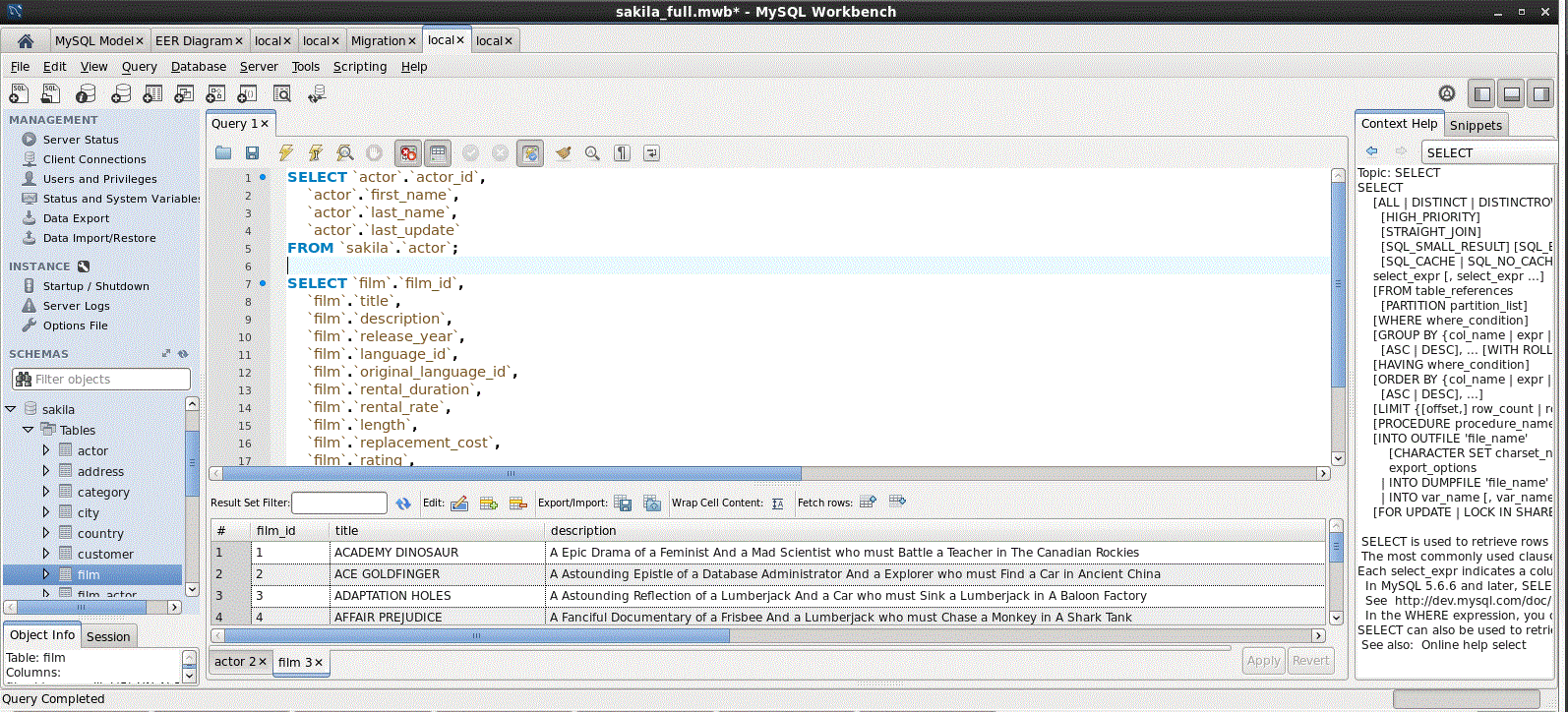
MySQL Community Edition is the freely downloadable, GPL-licensed version of the MySQL relational database, supported by a large community of developers. It supports both SQL and NoSQL access through the MySQL Document Store, X Protocol, and MySQL Shell, and uses a transactional data dictionary with atomic DDL statements.
It runs on more than 20 platforms and operating systems, including Linux, Unix, macOS, and Windows, and ships with connectors for ODBC, JDBC, .NET, and other interfaces along with MySQL Workbench for modeling and administration.
Key features include:
- Pluggable storage engines: Supports multiple storage engines such as InnoDB for transactional workloads, NDB, and MyISAM, so tables can be matched to different access patterns within one database.
- Replication options: Provides MySQL Replication for scaling reads, Group Replication for fault tolerance, automated failover, and elasticity, and InnoDB Cluster as an integrated high-availability solution.
- Routing and partitioning: Includes MySQL Router for transparent routing between applications and backend servers, and partitioning to manage and query large tables more efficiently.
- Procedural database objects: Supports stored procedures, triggers to enforce business rules at the database level, and views to restrict access to sensitive columns.
- Document store: Offers a document store with the X DevAPI so developers can build both relational and JSON document applications against the same engine.
- Monitoring and metadata: Exposes a Performance Schema for user and application level monitoring of resource consumption and an Information Schema for access to metadata.
Limitations (as reported by users on G2):
- Analytics and warehousing gaps: Reviewers note MySQL is a weaker choice for advanced analytics or complex data warehousing and lacks a strong memory-focused search engine.
- Tooling connection issues: Some users report intermittent connection errors in MySQL Workbench, such as server-stopped messages, that are hard to diagnose.
- Feature tiering: Several capabilities sit in separate Oracle editions, so teams sometimes look beyond Community Edition for advanced high-availability and management features.

Source: MySQL
3. MariaDB

Best for: A MySQL-compatible drop-in with added storage engines
Strengths: MySQL compatibility, extra engines, permissive GPLv2
Things to consider: Advanced HA and analytics sit in the enterprise platform
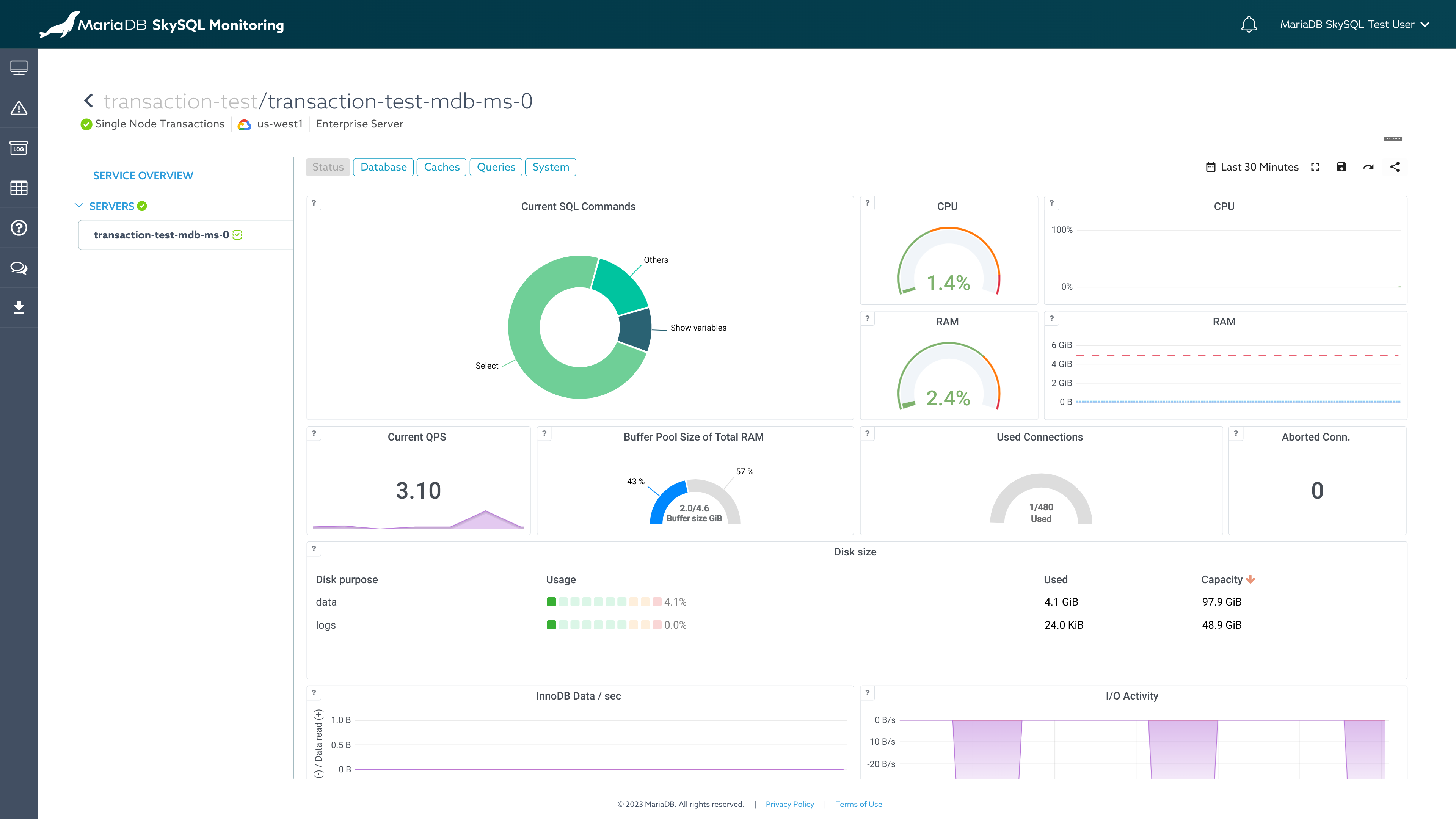
MariaDB Community Server is a relational database created by the original developers of MySQL and released under the GNU General Public License v2. It is compatible with MySQL and Oracle and has been downloaded more than a billion times, shipping as the default database in the majority of Linux distributions.
Because it shares the MySQL ecosystem, teams can adopt MariaDB without retooling or reskilling, and it powers large deployments including Wikipedia and WordPress environments. MariaDB Community Server is positioned as guaranteed open source, with the MariaDB Foundation stewarding community engagement.
Key features include:
- MySQL compatibility: Maintains drop-in compatibility with MySQL, so applications, drivers, and tools built for MySQL work with minimal changes and migrations are straightforward.
- Additional storage engines: Adds storage engines beyond the MySQL set, including Aria for transactional workloads and ColumnStore for analytical queries, letting one server cover mixed workloads.
- Query optimization: Includes query optimizer enhancements aimed at improving performance for complex queries and larger datasets.
- Replication features: Provides advanced replication options such as multi-source replication, which consolidates data from several primaries, and parallel replication.
- Vector and AI support: Adds vector search capabilities so teams can build retrieval-augmented generation and other AI features against relational data.
- High availability and caching: Offers high-availability configurations and an in-memory cache and data grid layer for high-velocity data requirements.
Limitations (as reported by users on G2):
- Enterprise-tier features: Advanced high availability, analytics, and management capabilities are positioned in the separate MariaDB Enterprise Platform rather than Community Server.
- Compatibility drift: As MariaDB and MySQL evolve independently, some newer MySQL features and syntax do not map one to one, which can complicate mixed environments.
- Support model: Direct vendor support for Community Server is a paid add-on, so community users rely largely on forums and documentation.
Source: MariaDB
4. SQLite

Best for: Embedded, on-device, and local application storage
Strengths: Zero configuration, single-file, tiny footprint, reliable
Things to consider: Not built for high-concurrency, networked, or large workloads
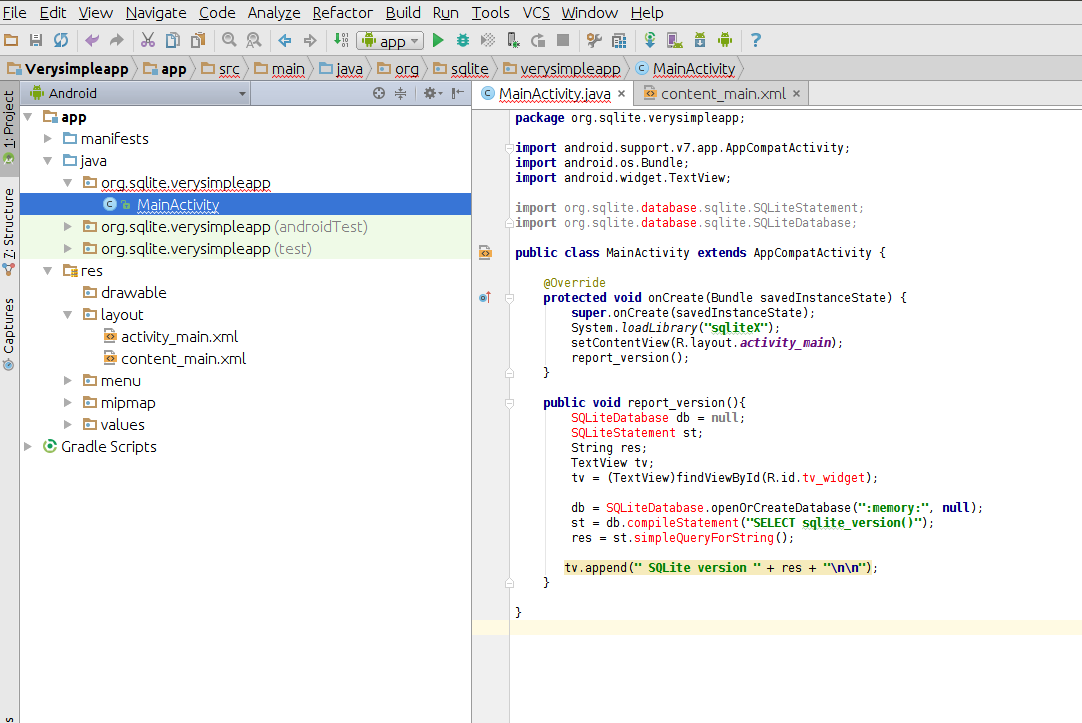
SQLite is an in-process library that implements a self-contained, serverless, zero-configuration, transactional SQL database engine. Unlike most SQL databases it has no separate server process and reads and writes directly to ordinary disk files, storing a complete database with tables, indices, triggers, and views in a single cross-platform file.
Its source code is in the public domain and free for any use. With all features enabled the library can be under 900KiB, and the project reports 100% branch test coverage with ACID transactions that hold even after crashes or power loss. SQLite is described as the most widely deployed database in the world and is a recommended storage format of the US Library of Congress.
Key features include:
- Serverless architecture: Runs inside the host application with no separate server or setup, which removes administration and makes it simple to embed and distribute.
- Single-file database: Stores an entire database in one disk file that can be copied freely between 32-bit and 64-bit or big-endian and little-endian systems.
- Small footprint: Ships as a compact library suitable for embedded systems and mobile devices, and can run well even in low-memory environments.
- ACID transactions: Provides transactions that remain atomic, consistent, isolated, and durable even if interrupted by system crashes or power failures.
- Full SQL implementation: Supports most of the SQL92 standard, giving applications a full-featured query engine rather than a limited key-value interface.
- Stable file format: Uses a stable, long-supported file format that the developers intend to maintain through the year 2050, which suits long-lived application data.
Limitations (as reported by users on G2):
- Not for high traffic: Reviewers note SQLite is not suited to large-scale applications or high-traffic request volumes because it has no networked server process.
- Concurrency and size limits: Users report it is a poor fit where many clients write concurrently or where datasets grow very large.
- Missing server features: It lacks built-in user accounts and access control found in server databases such as MySQL, so those must be handled by the application.
Source: SQLite
5. YugabyteDB
Best for: Geo-distributed, PostgreSQL-compatible transactional apps
Strengths: Distributed SQL, auto-sharding, resilience, Apache 2.0
Things to consider: Aggregations and multi-region setup add operational cost
YugabyteDB is a distributed SQL database that reuses the upper half of PostgreSQL for its query layer and adds a distributed transactional storage layer that automatically shards, replicates, and balances data across cluster nodes. It exposes a PostgreSQL-compatible API (YSQL) and a Cassandra-inspired API (YCQL) and is fully open source under the Apache 2.0 license.
It is built for business-critical applications that need horizontal scaling, built-in resilience, and geo-distribution across public, private, and hybrid clouds. Teams typically adopt it when scalability or availability requirements exceed what a single-node PostgreSQL or other monolithic database can meet.
Key features include:
- Automatic sharding and scaling: Distributes data across nodes automatically for on-demand horizontal scaling, removing the need for manual sharding layers as capacity grows.
- Multi-API access: Provides a PostgreSQL-compatible YSQL API and a Cassandra-inspired YCQL API, so relational and wide-column style workloads run on one engine.
- Built-in resilience: Handles individual node failures with native replication and automatic failover, maintaining availability without external high-availability tooling.
- Geo-distribution: Distributes data globally using flexible design patterns with synchronous or asynchronous replication to support data residency and low-latency access.
- Built-in connection management: Includes a connection manager and topology-aware smart drivers that scale connections and route traffic without a separate connection pool or load balancer.
- Vector indexing: Provides vector indexing for similarity search using SQL, supporting retrieval-augmented generation and other AI workloads at scale.
Limitations (as reported by users on G2):
- Slow aggregations: Reviewers report that aggregate functions such as COUNT, SUM, and GROUP BY can perform poorly on large tables.
- Operational complexity: Users describe setup and management, especially multi-region deployments, as complex, with a maturing ecosystem and some tooling gaps.
- Tuning learning curve: Teams migrating from legacy relational databases note that tuning the distributed query optimizer requires deeper expertise, and self-managed cost can be high for smaller organizations.
Note: CockroachDB was removed because it retired its open source Core edition and is now offered under a proprietary source-available license.
NoSQL databases
6. Apache Cassandra

Best for: Massive-scale, always-on distributed workloads
Strengths: Masterless scaling, fault tolerance, tunable consistency
Things to consider: Limited ad-hoc querying and a steep learning curve
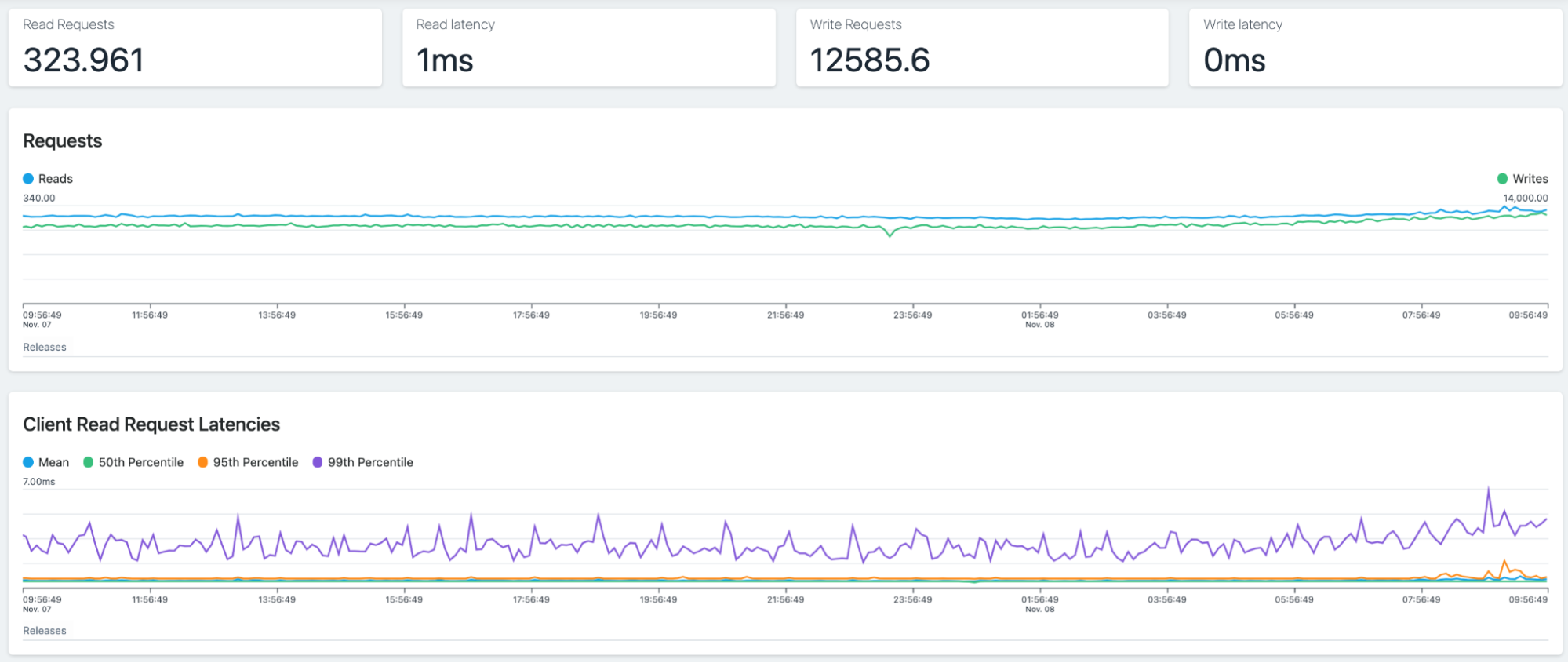
Apache Cassandra is a distributed NoSQL database that runs across many commodity servers with no single point of failure, presenting multiple nodes to users as one system. Nodes communicate through a gossip protocol in a masterless architecture where any node can serve the same functions as any other, which contributes to its resilience.
Cassandra scales horizontally by adding nodes with no downtime, and it distributes data automatically using partitions and a configurable replication factor. It is an AP database under CAP terms by default and lets you set consistency per query, so you can balance availability, performance, and data integrity. The 5.0 release adds AI-oriented capabilities including native vector search and a vector data type.
Key features include:
- Masterless distribution: Uses a decentralized, masterless design where each node is equal, so there is no coordinator single point of failure and the cluster keeps serving requests if nodes go down.
- Linear scalability: Adds capacity and throughput by adding nodes on commodity hardware, scaling out or back with no downtime and roughly linear gains.
- Automatic replication: Replicates each piece of data to a configurable number of nodes and across data centers, self-healing missed writes automatically when a downed node returns.
- Tunable consistency: Lets you choose a consistency level per query, from quorum to lighter settings, to control the trade-off between availability, latency, and integrity.
- Storage-attached indexing: The 5.0 release adds Storage Attached Indexes and native vector search, enabling similarity search for AI and machine learning workloads directly in the database.
- CQL and security controls: Provides the SQL-like Cassandra Query Language, and 5.0 adds dynamic data masking and mutual TLS authentication for tighter access control.
Limitations (as reported by users on G2):
- Limited query flexibility: Reviewers note that aggregations such as SUM, MIN, MAX, and AVG are resource intensive or impractical, and ad-hoc query options for retrieving data are limited.
- Steep learning curve: Users describe a significant learning curve and challenges with performance tuning.
- Resource cost: Some reviewers report high resource requirements to manage load, limited training material, and scarce experienced practitioners.
Source: Cassandra
7. Redis
Best for: Low-latency caching, messaging, and real-time data
Strengths: In-memory speed, rich data structures, vector search
Things to consider: Memory-bound cost and cluster management overhead
Redis is an in-memory database used for caching, vector search, and NoSQL workloads that fit into most technology stacks. It keeps its working dataset in memory to achieve very fast reads and writes, and provides data structures including strings, hashes, lists, sets, sorted sets with range queries, bitmaps, hyperloglogs, geospatial indexes, and streams.
Redis includes replication, Lua scripting, LRU eviction, transactions, and configurable on-disk persistence, and provides high availability through Redis Sentinel and automatic partitioning through Redis Cluster. Starting with Redis 8 the source is available under the OSI-approved AGPLv3 license in addition to the source-available RSALv2 and SSPLv1 options.
Key features include:
- In-memory data storage: Stores the dataset in memory for extremely fast read and write operations, with the option to disable persistence when used purely as a cache.
- Rich data structures: Provides atomic operations over strings, hashes, lists, sets, sorted sets, bitmaps, hyperloglogs, geospatial indexes, and streams for varied workloads.
- Configurable persistence: Supports point-in-time RDB snapshots and append-only file logging so data can survive restarts, with tunable durability trade-offs.
- Replication and high availability: Offers asynchronous replication with partial resynchronization and automatic failover through Redis Sentinel.
- Automatic partitioning: Distributes data across nodes with Redis Cluster to scale beyond a single server, and supports pub/sub messaging and Lua scripting for server-side logic.
- Vector and search capabilities: Integrates data types and query capabilities including vector sets and search, supporting semantic search and AI workloads on the same engine.
Limitations (as reported by users on G2):
- Memory-bound cost: Reviewers note that keeping data in memory can be expensive for large datasets and that very large real-time datasets can introduce latency.
- Cluster management effort: Users describe cluster management as harder to build and operate than single-instance deployments.
- Licensing and edition cost: Some reviewers report that enterprise editions and managed offerings are expensive, which can be a barrier for smaller teams.
8. Valkey

Best for: Open source caching and key-value workloads at scale
Strengths: BSD license, Linux Foundation backing, Redis compatibility
Things to consider: Younger ecosystem with fewer advanced data modules
Valkey is an open source, BSD-licensed high-performance key-value datastore created as a fork of Redis by original Redis contributors after the 2024 Redis license change. It supports caching, message queues, and use as a primary database, and is backed by the Linux Foundation, which is intended to keep it open source over the long term.
Valkey can run as a standalone daemon or in a cluster, with replication and high-availability options, and it natively supports data types including strings, numbers, hashes, lists, sets, sorted sets, bitmaps, and hyperloglogs. It maintains compatibility with the Redis protocol and commands, so many existing clients work with minimal changes. NetApp Instaclustr offers Valkey among its managed platform participants.
Key features include:
- Key-value datastore: Serves as an in-memory key-value store for caching, queues, and primary-database use, operating on data structures in place with an expressive command set.
- Standalone or cluster: Runs as a single daemon or as a cluster with replication and high availability, and recent releases scale cluster mode to large node counts.
- Native data types: Supports strings, numbers, hashes, lists, sets, sorted sets, bitmaps, and hyperloglogs so applications can model varied workloads without extra services.
- Scripting and modules: Includes built-in Lua scripting and module plugin support for adding new commands and data types.
- Multi-threaded I/O: Recent versions add asynchronous I/O threading to make better use of multi-core processors than the traditional single-threaded model.
- Broad client support: Ships official client libraries for Python, Java, Go, Node.js, PHP, and C#, and is offered as a managed service by multiple cloud providers.
Limitations (based on publicly available sources):
- Younger project: As a newer fork, publicly available comparisons note Valkey lacks the long track record of Redis and has a smaller ecosystem of tools and integrations.
- Fewer advanced modules: Public sources report that Valkey does not yet match Redis features such as native JSON, time series, vector capabilities, and the broader query engine.
- Documentation depth: Being newer, it offers less official and community learning material than Redis, and CPU-bound commands still run on a single thread.
9. CouchDB

Best for: Offline-first sync across servers, mobile, and browsers
Strengths: Multi-primary replication, HTTP/JSON API, reliability
Things to consider: JavaScript views limit ad-hoc querying flexibility
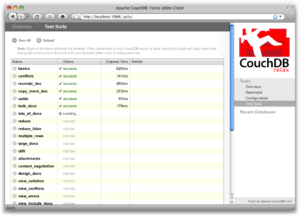
Apache CouchDB is a document-oriented NoSQL database that speaks JSON natively and exposes an HTTP/JSON API, so it works with any software and tooling that understands those protocols. Its Couch Replication Protocol synchronizes data across globally distributed server clusters, mobile phones, and web browsers, which supports an offline-first user experience.
CouchDB can run as a single-node database behind an application server or as a clustered database spread across many servers or VMs without changing its APIs. It stores data using a crash-resistant append-only structure and, in a multi-node cluster, saves data redundantly for high availability. It is released under the Apache 2.0 license.
Key features include:
- Multi-primary replication: Supports multi-primary replication that lets nodes clone, continuously back up, and listen for changes, even across unreliable wide-area links.
- HTTP/JSON API: Exposes a RESTful HTTP interface using the JSON data format, so applications and tools that support HTTP and JSON can read and write directly.
- Offline-first sync: Its replication protocol pairs with PouchDB in browsers and on mobile devices, enabling applications that keep working offline and sync when connectivity returns.
- MapReduce querying: Provides MapReduce views for indexing and querying, along with a developer-friendly query language for data retrieval.
- Clustering and scaling: Starts as a single node and scales to a cluster that presents one logical database with higher capacity and high availability without API changes.
- Crash-resistant storage: Uses an append-only on-disk data structure on each node and stores data redundantly across a cluster for durability.
Limitations (as reported by users on G2):
- Query flexibility: Reviewers note that data access relies on views written in JavaScript, so querying power is limited to the views you define rather than ad-hoc SQL-style queries.
- Learning curve and docs: Users report that new users need practice to learn the concepts and interface and that documentation could be improved.
- Operational gaps: Publicly reported issues include limited monitoring integrations and an older embedded JavaScript engine for view processing.
Source: CouchDB
10. Neo4j

Best for: Highly connected data and relationship-heavy queries
Strengths: Native graph storage, Cypher, fast multi-hop traversal
Things to consider: Learning curve and convoluted licensing tiers
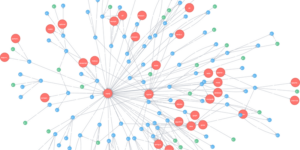
Neo4j is a native graph database that stores data as a property graph of nodes, relationships, and properties, which suits highly connected data and queries that traverse many relationships. It is used for workloads such as fraud detection, recommendations, identity and access management, and knowledge graphs, and it underpins GraphRAG patterns for AI systems.
Neo4j provides transactional guarantees across large graphs and uses the Cypher query language for pattern matching. Its Infinigraph distributed architecture scales horizontally to more than 100 TB of data, and it runs self-hosted, hybrid, or as the fully managed AuraDB service. A Community Edition is available under an open source license.
Key features include:
- Native graph storage: Stores and processes data as a property graph, so multi-hop queries traverse relationships directly instead of relying on join operations.
- Cypher query language: Uses Cypher, an expressive pattern-matching query language, with a parallel runtime that executes analytical queries across large portions of the graph.
- Horizontal scaling: The Infinigraph distributed architecture scales to more than 100 TB and allows querying across multiple databases while keeping query simplicity.
- Granular security: Provides schema-based security and role-based access control down to individual objects and properties, with data privacy measures built into the database.
- Change data capture: Uses log-based change data capture to detect changes and replicate them to other systems, with connectors for Confluent and Apache Kafka.
- Cloud and tooling: Runs on major public clouds and self-hosted, offers the managed AuraDB service, and provides native drivers and a GraphQL library for application development.
Limitations (as reported by users on G2):
- Learning curve: Reviewers from a relational background report that Cypher syntax and graph modeling take time to learn, and installation can be complex for new users.
- Scale and tuning: Users note performance can slow on very large datasets and that cluster and fabric configuration can be tricky, with some documentation out of date.
- Licensing clarity: Reviewers describe the licensing and feature tiers as convoluted, and note gaps such as limited RDF support outside certain deployments.
Source: Neo4j
Related content: Read our guide to managed open source databases
Instaclustr: Empowering open source databases with unparalleled support
In today’s data-driven world, open source databases have become the backbone of numerous applications and systems. Their flexibility, scalability, and cost-effectiveness have made them a popular choice among developers and businesses alike. However, managing and maintaining open source databases can be a complex task that requires expertise and dedicated resources.
If you are looking for a go-to solution for open source database management, consider the following:
- Comprehensive Support: Our experienced database administrators and engineers provide end-to-end support for your databases, ensuring optimized performance, top-notch security, and unparalleled reliability.
- Advanced Features: Beyond basic support, Instaclustr offers automated backups, disaster recovery, and scaling capabilities, freeing you to focus on your core business.
- Secure and Robust: By adhering to the best industry practices, we ensure your data is safe and secure with us. Our services meet stringent compliance requirements, including GDPR, HIPAA, and SOC 2.
With Instaclustr, you don’t just get a service provider; you get a partner committed to your success, one that acknowledges the criticality of data availability and scalability. Embrace the power of open source databases without the worry of complexities, with us beside you to manage it all.
For more information on the Instaclustr Managed Platform check out the following pages: