


What Are Managed ClickHouse Services?
TL;DR: Managed ClickHouse services run, scale, and maintain ClickHouse clusters so teams can focus on fast analytical queries. Best for enterprises: Instaclustr; official cloud service: ClickHouse Cloud; developer-built APIs: Tinybird.
Managed ClickHouse services are specialized, fully hosted database platforms optimized for sub-second, petabyte-scale Online Analytical Processing (OLAP). They replace complex self-hosting with automated scaling, ingestion, and maintenance. They provide cost-effective, real-time analytics compared to traditional data warehouses.
These services are typically accessed via a web portal or API, allowing users to spin up new clusters, adjust resources, and monitor performance with minimal effort. The provider ensures high availability, security, and best practices, freeing teams to focus on data modeling and analytics rather than cluster administration. This approach reduces the barrier to entry for using ClickHouse, especially for teams without deep database operations expertise.
Key analytical features of managed ClickHouse services include:
- Columnar Storage: Data is stored by column instead of row, drastically reducing disk I/O and increasing throughput for aggregation-heavy queries.
- Vectorized Query Execution: Processes data in batches using SIMD (Single Instruction, Multiple Data) instructions, maximizing CPU efficiency.
- Standard SQL Compatibility: Employs ANSI SQL support, with specialized domain-specific functions that drastically simplify complex aggregations.
- Intelligent Data Tiering: Automatically moves infrequently accessed, historical data to lower-cost object storage (e.g., Amazon S3) while maintaining fast analytics performance on “hot” data.
Managed ClickHouse Services at a Glance
The table below summarizes the key differences between the managed ClickHouse services covered in this article. We explore each of them in more detail in the sections that follow.
| Category | Solution | Best For | Key Strengths | Things to Consider |
|---|---|---|---|---|
| Managed ClickHouse Platforms and Data Services | Instaclustr for ClickHouse | Enterprises running real-time analytics on fully managed ClickHouse | 99.99% SLA, multi-cloud or on-prem, 24/7 ClickHouse expert support | Instaclustr for ClickHouse is a fully managed version of the Apache 2.0-licensed open source ClickHouse |
| Managed ClickHouse Platforms and Data Services | ClickHouse Cloud | Teams wanting the official, serverless managed ClickHouse | Storage/compute separation, autoscaling, ClickPipes ingestion | Costs can climb at scale; query tuning needs expertise |
| Managed ClickHouse Platforms and Data Services | Tinybird | Developers shipping real-time analytics APIs on ClickHouse | SQL-to-API, streaming ingestion, autoscaling, dev tooling | Managed-only; egress costs; fewer low-level controls |
| Cloud Provider Managed ClickHouse Services | Yandex Managed Service for ClickHouse | OLAP and event or log analytics on managed ClickHouse | One-click sharding and scaling, hybrid storage, auto failover | Data-residency considerations; some settings SQL-only |
| Cloud Provider Managed ClickHouse Services | OVHcloud Managed ClickHouse | Real-time analytics on European-based managed ClickHouse | 3-AZ HA, BI connectors, data-lake formats, usage billing | ClickHouse only in 3-AZ regions; no plan downgrade |
| Cloud Provider Managed ClickHouse Services | Alibaba Cloud ApsaraDB for ClickHouse | Real-time analytics and BI at scale across APAC | Vectorized engine, tiered storage, resource queues, lakehouse | Mainland-China focus; some open source engines disabled |
| Cloud Provider Managed ClickHouse Services | Elestio Managed ClickHouse | Quick, low-cost managed ClickHouse on your chosen cloud | Dedicated VMs, any-cloud deploy, predictable flat pricing | Smaller provider; costs less predictable for complex setups |
Why Use Managed ClickHouse for Analytical Queries?
Faster Time to Production
Managed ClickHouse services let teams deploy analytics infrastructure quickly. With preconfigured environments and automated cluster provisioning, users can launch production-ready ClickHouse instances in minutes instead of days or weeks. This shortens the project timeline and reduces delays caused by infrastructure setup.
This speed matters for businesses that need to respond to changing data requirements. Instead of waiting for manual installations, hardware provisioning, or configuration fixes, teams can focus on loading data, building queries, and delivering insights. The result is a shorter path from raw data to analytics.
Reduced Operational Overhead
Operating ClickHouse clusters requires expertise in distributed systems, storage, networking, and security. Managed services reduce this burden by automating tasks such as backups, upgrades, and scaling. Organizations spend less time on infrastructure management and can allocate engineering resources elsewhere.
Managed services also include built-in monitoring, alerting, and troubleshooting tools, which reduce the need for specialized operational skills. Teams rely on provider support and automation to handle maintenance, helping the database remain healthy with minimal intervention.
Better Support for Real-Time Analytics
Many organizations require real-time or near-real-time analytics to make timely decisions. Managed ClickHouse services are optimized for high-throughput ingestion and low-latency query execution, supporting use cases such as operational analytics, monitoring, and dashboards. The managed environment keeps system resources tuned for fast data processing and quick query results.
Providers often include autoscaling and streaming connectors to handle real-time data flows. Organizations can ingest and analyze large volumes of data continuously without manual scaling or tuning, keeping analytics up to date.
Scalability for High-Volume Query Workloads
ClickHouse supports massive parallel processing and horizontal scalability, but managing this at scale can be complex. Managed ClickHouse services abstract much of this complexity by scaling resources based on workload demands. When user queries spike or data volume increases, the service allocates compute and storage to maintain performance.
This elasticity allows organizations to support demanding workloads without overprovisioning infrastructure or extensive capacity planning. As data grows, the service expands, maintaining consistent query performance and availability.
Key Analytical Capabilities to Look for in a Managed ClickHouse Service
Columnar Storage
Columnar storage underpins ClickHouse performance. Instead of storing complete rows together, ClickHouse stores values from the same column consecutively. Analytical queries often read only a subset of columns, so the database scans less data, reducing disk I/O and improving query speed.
Column-oriented data also compresses efficiently because adjacent values are often similar. Higher compression reduces storage costs and allows more data to be read into memory during execution. When evaluating a managed service, look for support for compression codecs and storage settings suited to analytical workloads.
Vectorized Query Execution
Vectorized query execution processes batches of values at a time instead of one row per operation. This approach makes better use of modern CPU architectures, improving cache efficiency and reducing instruction overhead. The result is faster execution for aggregations, filtering, joins, and other analytical operations.
A managed ClickHouse service should preserve these benefits while tuning the underlying infrastructure. With sufficient CPU and optimized memory allocation, vectorized execution supports low-latency performance even when processing billions of rows.
Standard SQL Compatibility
Support for standard SQL makes ClickHouse easier to integrate into existing analytics workflows. Analysts, data engineers, and BI tools can use familiar SQL syntax to build reports, dashboards, and ad hoc queries without learning a new language.
When choosing a managed service, verify compatibility with common SQL features and client libraries used in your organization. Broad SQL support simplifies migration from other analytical databases and improves interoperability with reporting tools, data pipelines, and orchestration platforms.
Intelligent Data Tiering
Analytical datasets often contain both frequently accessed and historical data. Intelligent data tiering places hot data on faster storage while moving older or less frequently accessed data to lower-cost tiers. This balances performance and infrastructure costs without manual work.
A managed ClickHouse service should provide configurable data lifecycle policies that move data between storage tiers based on age, usage patterns, or retention requirements. Automated tiering helps control storage costs while keeping recent data available for interactive queries.
Notable Managed ClickHouse Services
How we selected these tools: We shortlisted managed ClickHouse services based on query performance for analytical workloads, ingestion and streaming integrations, scalability and deployment flexibility, high availability and disaster recovery, and monitoring and observability.
Managed ClickHouse Platforms and Data Services
1. Instaclustr for ClickHouse

Best for: Enterprises running real-time analytics on fully managed ClickHouse
Strengths: 99.99% SLA, multi-cloud or on-prem, 24/7 ClickHouse expert support
Things to consider: Instaclustr for ClickHouse is a fully managed version of the Apache 2.0-licensed open source ClickHouse
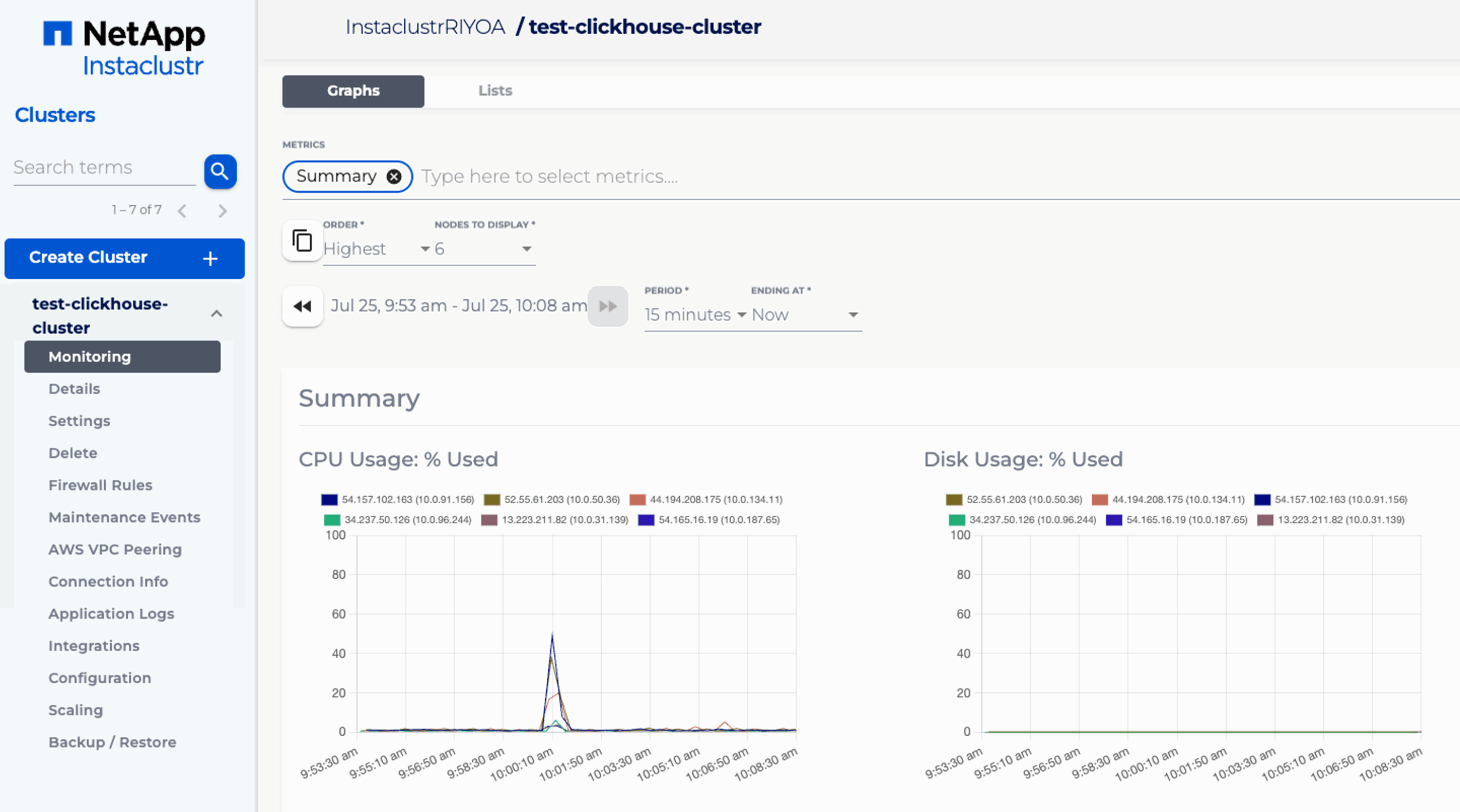
Instaclustr for ClickHouse, part of the NetApp Instaclustr Managed Platform, is a fully managed and hosted ClickHouse service for online analytical processing (OLAP) and real-time analytical workloads. The service runs 100% open source ClickHouse and can be deployed in your own cloud provider account, in Instaclustr’s account, on-premises, or in hybrid environments.
Clusters are provisioned through a console, API, or Terraform provider, and the platform handles configuration, upgrades, patching, scaling, and maintenance. Instaclustr provides 24/7 access to a team of ClickHouse experts and backs enterprise deployments with availability SLAs of up to 99.99%.
Key features include:
- Column-oriented OLAP engine: ClickHouse processes billions of rows and terabytes of data in seconds, tuned for generating real-time analytical reports and dashboards from large datasets.
- Optimized scaling and configuration for OLAP: Clusters arrive pre-optimized for analytical workloads, so queries run at speed without requiring deep in-house tuning.
- Zero downtime horizontal scaling: Add or remove nodes to match analytical query and ingestion load without interrupting service.
- Tiered storage via AWS FSx for NetApp ONTAP: Automatically moves colder data to lower-cost storage while keeping active analytical data on high-performance tiers.
- High availability and resilience: Built-in redundancy, replication, and failover keep analytical data accessible during hardware or network failures.
- Built-in monitoring and automated health checks: Continuous cluster monitoring with around-the-clock expert intervention to keep query performance steady.
- Flexible deployment: Run in your own cloud account, Instaclustr’s account, on-premises, or hybrid, across AWS and Azure.
- Provisioning via console, API, or Terraform: Spin up production-ready analytical clusters in minutes.
Limitations (based on publicly available sources):
- Recent ClickHouse addition: ClickHouse reached general availability on the platform in 2025, and a fully streamlined experience between ClickHouse and adjacent services such as Kafka and PostgreSQL is still being rolled out.
- Cloud-specific storage tiering: The tiered storage cost optimization relies on AWS FSx for NetApp ONTAP, so the deepest storage integrations are tied to AWS environments.
- Third-party monitoring setup: Connecting certain external monitoring tools can require some additional configuration.
2. ClickHouse Cloud

Best for: Teams wanting the official, serverless managed ClickHouse
Strengths: Storage/compute separation, autoscaling, ClickPipes ingestion
Things to consider: Costs can climb at scale; query tuning needs expertise
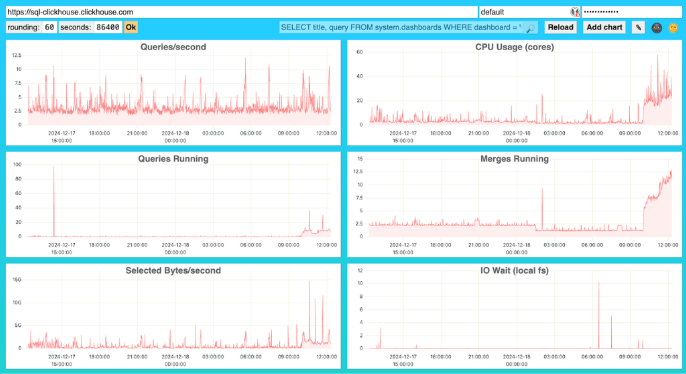
ClickHouse Cloud is the official managed service from ClickHouse, Inc., the maintainers of the open source ClickHouse project. It runs as a serverless service on AWS, GCP, and Azure, and removes the operational work of managing shards, replicas, and infrastructure.
Its cloud-native architecture separates storage and compute, with object-backed storage and parallel replicas. Compute autoscales up during query spikes and down when idle, and a Bring Your Own Cloud option lets organizations deploy into their own AWS or GCP account.
Key features include:
- Serverless autoscaling compute: CPU and memory scale up during analytical query spikes and down when idle, avoiding constant overprovisioning.
- Separation of storage and compute: Object-backed storage with parallel replicas lets analytical compute scale independently of storage and reduces duplication.
- Compute-compute separation: Independent compute layers isolate read and write workloads so heavy analytical queries don’t interfere with ingestion.
- ClickPipes managed ingestion: Continuously loads data from Apache Kafka, AWS S3, GCS, Postgres CDC, MySQL, and MongoDB for analytics without running your own pipelines.
- Interactive SQL console: Explore, query, and visualize datasets directly, with a table explorer and data import wizard for analytical work.
- Multi-AZ high availability and automated backups: Services replicate across availability zones, with automated backups and guided restore workflows.
- Built-in monitoring and Prometheus endpoints: Surfaces query and resource metrics in the console for spotting slow analytical queries.
- Query-time data masking and access controls: Enforces fine-grained masking of sensitive fields during analytical queries.
Limitations (as reported by users on G2):
- Learning curve for query optimization: Getting the best analytical performance requires understanding data modeling and ClickHouse-specific tuning.
- Cost at scale: Users report cloud costs can grow, and heavier workloads may need larger, more expensive configurations.
- Handling updates and deletes: Editing or deleting data that is already stored is more involved than in row-oriented databases.
- Stability and predictability: Some users report occasional behavior that needs care for production-grade reliability.
3. Tinybird

Best for: Developers shipping real-time analytics APIs on ClickHouse
Strengths: SQL-to-API, streaming ingestion, autoscaling, dev tooling
Things to consider: Managed-only; egress costs; fewer low-level controls
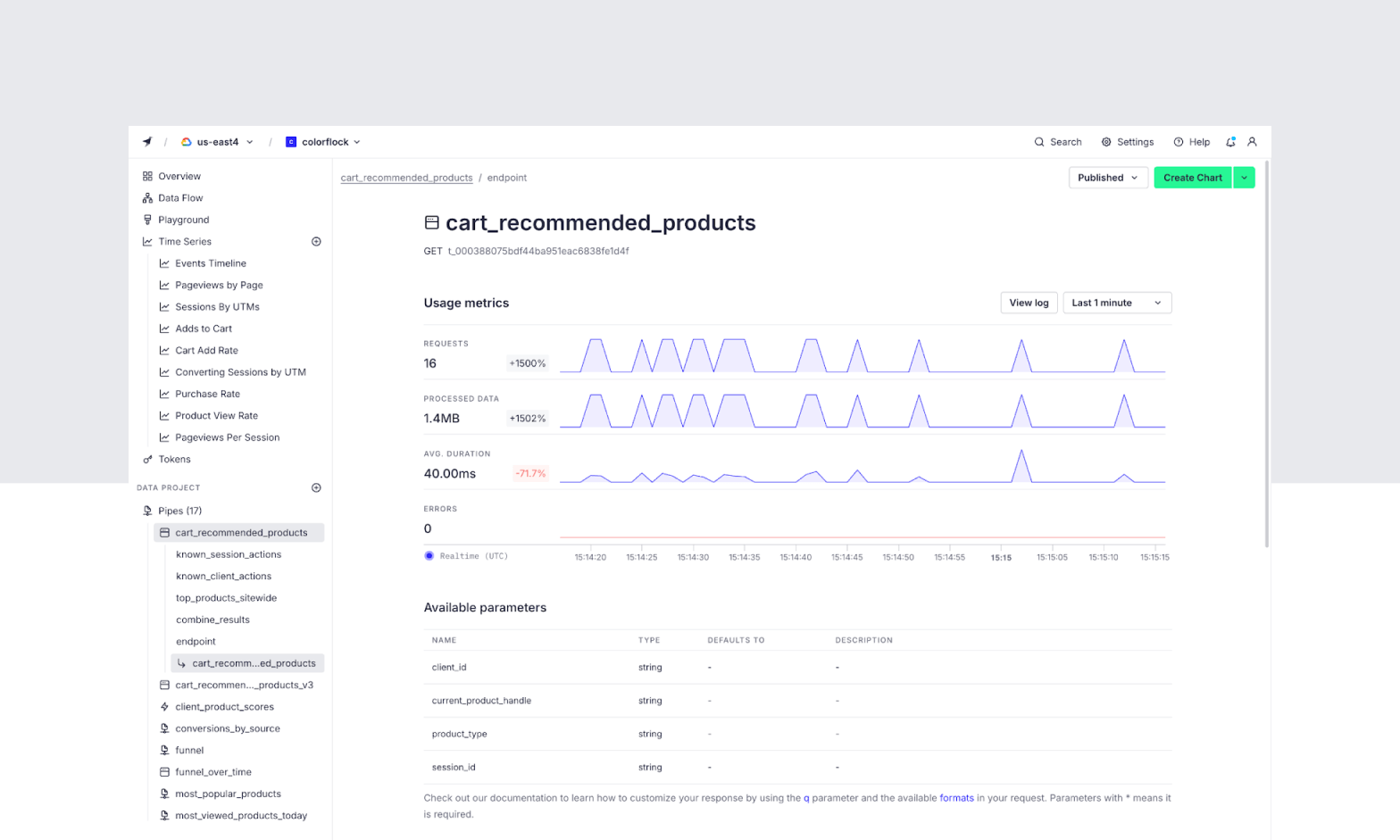
Tinybird is a managed ClickHouse service that adds a developer experience layer on top of the database. It runs native ClickHouse under the hood and lets developers turn analytical SQL queries into hosted APIs, with managed ingestion and a workflow built around local development, branches, and CI/CD.
The platform handles cluster management, sharding, replication, and version upgrades, and scales vertically and horizontally with compute and storage scaling independently. It targets software and AI-native teams building real-time analytics features into applications.
Key features include:
- Managed ClickHouse cluster: Vertically and horizontally scalable with automatic version upgrades, running native ClickHouse for analytical queries.
- SQL-to-API publishing: Turn analytical SQL queries into secure, serverless REST endpoints instantly, with the native ClickHouse HTTP interface also available.
- Streaming ingestion: The Events API and an enterprise-grade Kafka connector ingest high-throughput event streams for real-time analytics, plus native object storage ingestion.
- Schema iteration and auto-migrations: Change analytical schemas with zero-downtime migrations.
- Branches with production data and CI/CD: Zero-copy environments and Git integration to test analytical pipelines safely before deploying.
- Local development and CLI: Run the full stack locally to build and test analytical projects before shipping.
- Observability logs: Automatically generated tables log every read, write, and job for analyzing query usage and performance.
- High availability and compliance: Fault tolerance with automatic failover, SOC 2 and HIPAA compliance, and private infrastructure and networking.
Limitations (as reported by users on G2):
- Customer support responsiveness: Some users report slow support response times.
- Documentation gaps: Users note documentation is not always comprehensive for advanced use cases.
- Limited customization and feature maturity: Some users find customization options restrictive and certain features still maturing.
- Managed-only with egress costs: It is offered only as a managed service, so moving data from your own cloud provider can incur egress charges.
Cloud Provider Managed ClickHouse Services
4. Yandex

Best for: OLAP and event or log analytics on managed ClickHouse
Strengths: One-click sharding and scaling, hybrid storage, auto failover
Things to consider: Data-residency considerations; some settings SQL-only
Yandex Managed Service for ClickHouse deploys and maintains ClickHouse clusters in Yandex Cloud, with ClickHouse originating from Yandex’s own engineering work. It is designed primarily for OLAP and for analyzing streams of structured events and logs, with use cases spanning web and mobile app analytics, advertising, e-commerce, finance, and IoT.
The service handles resource allocation, DBMS installation, database creation, backups, and updates. Interaction is available through the management console, CLI, API, and HTTP interface, including a built-in SQL editor for running queries.
Key features include:
- OLAP query processing: Built for online analytical processing, with parallel query execution across multiple processor cores for fast analytics.
- One-click scaling and sharding: Add hosts, upgrade host class, and enable sharding to grow analytical query performance.
- Hybrid storage: Combine network drives with Object Storage so older analytical data automatically moves to cheaper storage after a set period.
- Automatic replication and failover: Data replicates across hosts and availability zones, switching to a backup replica if the current master fails.
- Built-in SQL editor and data visualization: Run analytical SQL queries and visualize cluster data structure from the management console.
- Automated backups and updates: Scheduled backups with configurable retention, plus automatic fixes and version updates.
- Latest stable ClickHouse versions: Run the current stable release, with the option to choose a specific version.
- Monitoring and real-time reports: Track cluster incidents and metrics in real time.
Limitations (based on publicly available sources):
- Limited settings via native interfaces: Only a subset of settings is manageable through the console, CLI, or API; deeper ClickHouse settings must be applied via SQL.
- Irreversible configuration choices: Enabling SQL-based user and database management, or ClickHouse Keeper, cannot be undone later.
- Data residency considerations: The underlying infrastructure complies with Russian data-protection law, which may affect organizations with specific residency or compliance needs.
5. OVHcloud Managed ClickHouse

Best for: Real-time analytics on European-based managed ClickHouse
Strengths: 3-AZ HA, BI connectors, data-lake formats, usage billing
Things to consider: ClickHouse only in 3-AZ regions; no plan downgrade
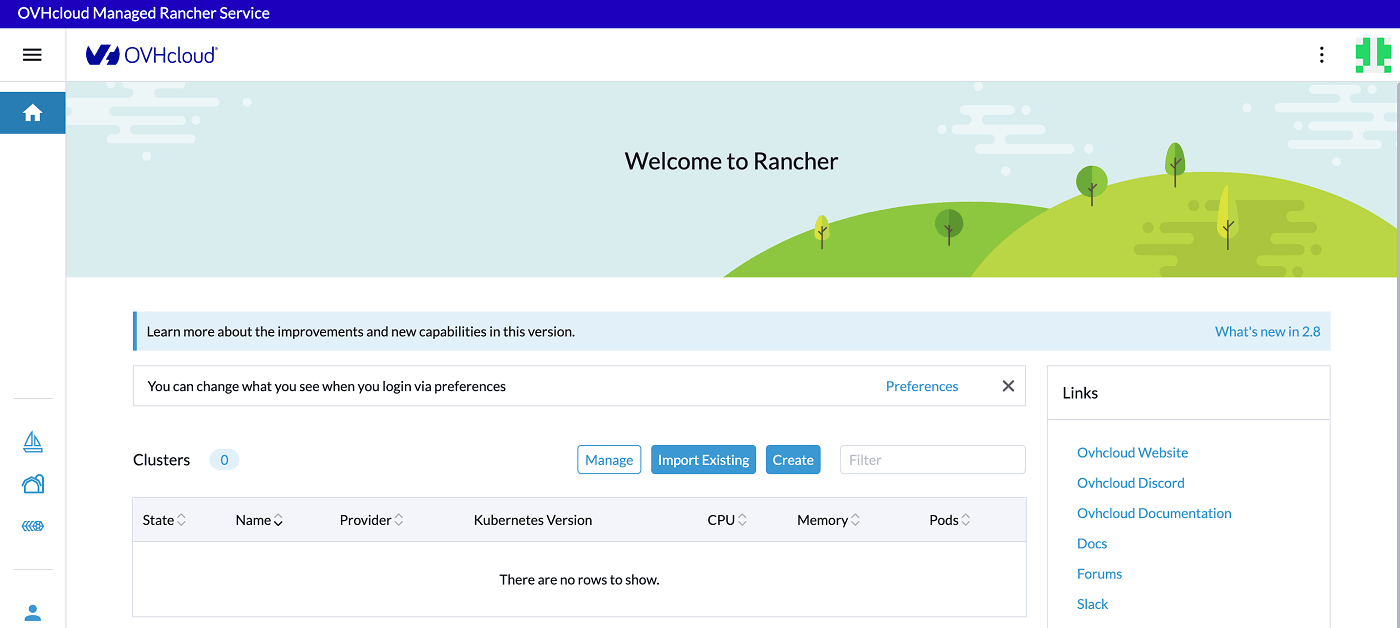
OVHcloud Managed ClickHouse, offered as “Analytics with ClickHouse” on OVHcloud Public Cloud, provides the official open source version of ClickHouse as a managed service for real-time analysis at petabyte scale. OVHcloud deploys, manages, maintains, and scales the service, and integrates it with more than 60 other Public Cloud services.
Billing is usage-based, with IOPS, backups, and traffic included. The service provides up to 99.99% availability through 3-AZ triple replication, and offers Discovery and Production plan tiers.
Key features include:
- Real-time analytical queries: Query thousands of columns in milliseconds across both real-time and historical data for dashboards, applications, and alerts.
- Ultra-fast scalability: Switch between plans in a single click to handle growing analytical query and data volumes.
- 3-AZ high availability: Triple replication across availability zones delivers up to 99.99% availability for analytical workloads.
- BI and data-lake connectors: Connect Apache Superset, Grafana, Looker, and Tableau, and read Parquet, JSON, Iceberg, Delta Lake, and Hudi files for analytics.
- Tiered storage: Optimize storage costs for large analytical datasets.
- Observability with Prometheus: Collect metrics to monitor analytical query performance.
- Terraform support and private networking: Automate deployment and connect over the private vRack network.
- Automatic backups: 14-day retention is included for analytical data protection.
Limitations (based on publicly available sources):
- Limited region availability: The ClickHouse analytics service is offered only in 3-AZ regions.
- No plan downgrade: Plans can be upgraded but not downgraded later.
- Read-only on full disk: When disk usage gets too high, the service enters a read-only state until you upgrade to more storage.
- Premium support cost: Higher-tier professional support carries an added cost.
6. Alibaba Cloud ApsaraDB for ClickHouse

Best for: Real-time analytics and BI at scale across APAC
Strengths: Vectorized engine, tiered storage, resource queues, lakehouse
Things to consider: Mainland-China focus; some open source engines disabled
ApsaraDB for ClickHouse is a first-party managed ClickHouse service on Alibaba Cloud, delivered through a partnership with ClickHouse, Inc. It is a distributed, column-oriented database service for real-time analysis, used for traffic and marketing analysis, behavior analysis, customer profiles, agile BI, data marts, and network monitoring.
The service uses SIMD instruction sets and a vectorized execution engine, with high column-level compression. It offers tiered hot and cold storage, data lakehouse integration, and resource queues for multi-tenant isolation, available in Single-Replica and High-Availability editions.
Key features include:
- Vectorized analytical engine: SIMD instruction sets and a vectorized execution engine speed up analytical queries by 100 to 1000 times versus traditional databases.
- Tiered hot and cold storage: Moves cold analytical data to low-cost storage using TTL-based policies, reducing storage costs by over 85%.
- Data lakehouse integration: Query OSS and MaxCompute external tables for low-cost analysis over data-lake datasets.
- Resource queues: Isolate analytical workloads by user and define query priorities with multi-tenant resource isolation.
- Real-time ingestion: Write data in real time from Flink, Spark, and Kafka for streaming analytics.
- Broad data integration: Synchronize from DataWorks, Data Transmission Service, MaterializeMySQL, and MySQL external tables to build an analytical warehouse.
- Auto scaling: Cluster auto scaling keeps data balanced as analytical demand changes.
- Monitoring and diagnostics: Track disk, CPU, memory, IOPS, connections, and slow SQL queries to tune analytical performance.
Limitations (based on publicly available sources):
- Mainland-China focus: As a first-party service it is offered primarily in China-centric regions.
- Disabled open source features: File and URL table engines and functions, custom user profiles, and remote_servers configuration are not supported.
- High availability requires specific setup: Single-replica instances do not provide high availability; resilience needs replicated table engines and master-replica instances.
- Version lag: New kernel versions are typically offered only after roughly three months of community stability.
7. Elestio Managed ClickHouse

Best for: Quick, low-cost managed ClickHouse on your chosen cloud
Strengths: Dedicated VMs, any-cloud deploy, predictable flat pricing
Things to consider: Smaller provider; costs less predictable for complex setups
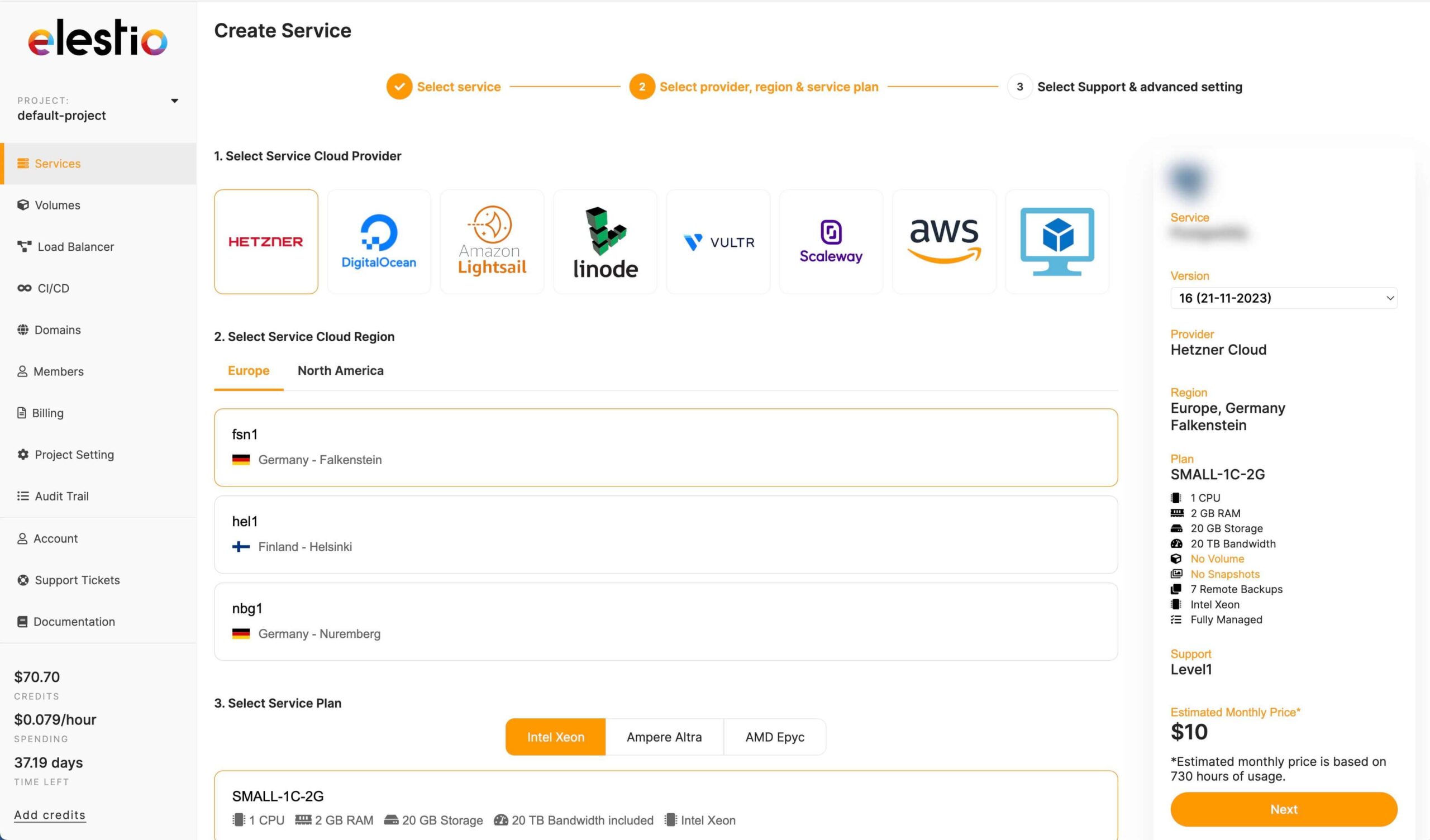
Elestio offers fully managed ClickHouse on dedicated virtual machines, starting at $11 per month. It deploys ClickHouse as a columnar OLAP database for real-time analytics, with automated backups, SSL, updates, and monitoring included, and gives full root SSH access to each instance.
Services can run on a range of cloud providers or your own infrastructure through a Bring Your Own VM option, with predictable all-inclusive pricing and no vendor lock-in. A database migration service helps move existing deployments across.
Key features include:
- Columnar OLAP analytics: Runs ClickHouse for real-time analytical queries with high compression and linear horizontal scalability.
- Dedicated VMs with full root access: Each service runs on its own virtual machine, giving full control for analytical configuration.
- Multi-cloud and BYOVM deployment: Deploy on several cloud providers or your own infrastructure to place analytics close to users.
- Automated operations: Handles installation, configuration, backups, updates, monitoring, and SSL for analytical workloads.
- High-availability clusters: Multi-node clustering for resilient analytical deployments.
- Database migration service: Move existing ClickHouse analytical databases over with minimal downtime.
- CI/CD and Terraform: Automate deployment of analytical services as code.
- Predictable all-inclusive pricing: A flat monthly price covers compute, storage, bandwidth, updates, and support.
Limitations (as reported by users on G2):
- Cost predictability for complex setups: Resource usage costs can be hard to estimate upfront for more complex deployments.
- Smaller provider scale: It is a smaller managed-hosting platform than the major cloud and database vendors.
- Interface polish: Some users note the interface is functional rather than flashy.
Conclusion
Managed ClickHouse services provide a powerful foundation for real-time analytics by offloading the operational burden of cluster maintenance and scalability. By selecting a provider that aligns with your specific infrastructure and performance needs, your team can prioritize data modeling and query optimization over database administration. This strategic approach ensures reliable, high-speed performance for demanding analytical workloads while driving faster time-to-value.
