What Are Managed OpenSearch Services and Why Do You Need Customizable Ingest Pipelines?
TL;DR: Managed OpenSearch services run and maintain clusters for you, and the flexible ones let you reshape data with ingest pipelines before it is indexed. NetApp Instaclustr is best for open source and hybrid deployments, Logz.io is best for hosted log analytics, and Amazon OpenSearch Service is best for AWS-native ingestion.
Managed OpenSearch services are hosted platforms that run and maintain OpenSearch clusters for you. The provider handles infrastructure tasks such as provisioning nodes, installing and updating OpenSearch, replacing failed hardware, and configuring storage and networking. This reduces the operational work required to run OpenSearch in production.
Most managed services also provide features for scaling, backups, monitoring, security, and high availability. Instead of configuring these components from scratch, teams can manage them through APIs, command-line tools, or a web console. The exact level of control varies by provider, especially for OpenSearch versions, plugins, cluster settings, and underlying infrastructure.
Why customizable ingest pipelines matter:
- Enrich events with additional context: Add metadata, derived fields, or parsed values so events are easier to search, aggregate, and correlate.
- Filter unnecessary data: Remove low-value fields or drop noisy events to reduce storage use and indexing overhead.
- Route data to the correct index: Send documents to the right index based on source, type, tenant, or event attributes.
- Protect sensitive information: Remove, mask, or hash sensitive values before data is stored in OpenSearch.
Key ingest pipeline features to look for in a managed OpenSearch service:
- Flexible pipeline configuration: Support common processors, conditional logic, routing, and practical ways to create and update pipelines.
- Support for multiple data sources: Integrate with applications, cloud services, Kafka, object storage, agents, and log collectors.
- Scalable ingestion architecture: Scale ingestion capacity for high-volume or processor-heavy workloads without affecting search performance.
- Pipeline monitoring and observability: Track throughput, latency, errors, dropped documents, and processor-level failures.
- Failure handling and dead-letter queues: Retry failed events, handle processor errors, and preserve bad records for later inspection or replay.
- Versioning and pipeline deployment: Validate, test, deploy, audit, and roll back pipeline changes using controlled workflows.
Editor’s note: Updated the article to cover recent market trends, updated product information to reflect features and capabilities in 2026, and added 1 new tool.
Managed OpenSearch Services at a Glance
The table below summarizes the main differences between the services covered in this guide. We explore each one in more detail in the sections that follow (scroll to see full table).
| Category | Solution | Best For | Key Strengths | Things to Consider |
|---|---|---|---|---|
| Independent and multicloud platforms | NetApp Instaclustr Managed OpenSearch | Open source OpenSearch across cloud, hybrid, or on-prem | Plugin framework, special purpose nodes, hourly backups, 99.999% SLA | Documentation depth and console optionsonboarding take time to learn |
| Independent and multicloud platforms | Bonsai Managed OpenSearch | Search teams wanting hands-on engineering support | BYOC deployment, staged clusters, search analytics, layer 7 proxy | Plan-based index, shard, and request limits |
| Independent and multicloud platforms | Logz.io Log Management | Teams wanting OpenSearch-based log analytics as SaaS | Self-service log parser, data filter hub, LogMetrics, tiered storage | Cost and daily volume caps at higher log volumes |
| Cloud provider services | Amazon OpenSearch Service | AWS-centric teams needing managed clusters or serverless | Ingest processor plugins, zero-ETL sources, tiered storage, Sigma rules | Index and shard tuning at scale needs expertise |
| Cloud provider services | OCI Search with OpenSearch | OCI users aggregating logs and building in-app search | Flex shapes, ML framework, hybrid search, endpoint-based migration | Collectors such as Logstash run outside the service |
| Cloud provider services | DigitalOcean Managed OpenSearch | DigitalOcean users centralizing platform logs | Built-in log forwarding, storage autoscaling, VPC isolation | Backup retention tops out at three days |
| Cloud provider services | OVHcloud Managed OpenSearch | European teams running OpenSearch alongside Kafka | REST API access, Terraform support, vRack private networking, backups | Entry plan is single-node with no SLA |
| Cloud provider services | Exoscale Managed OpenSearch | European teams needing GDPR-compliant search and log analytics | Terraform and API deploys, database forking, k-NN, 99.99% SLA | Entry plans are single-node with no replication |
What Is an OpenSearch Ingest Pipeline?
How Data Moves from Source to OpenSearch
Data typically reaches OpenSearch from applications, log collectors, agents, message queues, or data processing tools. A client sends each document to an OpenSearch index, either directly through an indexing API or through an integration such as Fluent Bit, Logstash, or Data Prepper. When an ingest pipeline is configured, OpenSearch processes the document before storing it.
The pipeline can be specified in the indexing request or configured as a default pipeline for an index. OpenSearch passes the incoming document through the pipeline’s processors in sequence. After processing succeeds, the resulting document is indexed and becomes available for search and analysis.
What Happens Inside an Ingest Pipeline?
An ingest pipeline contains one or more processors that modify or validate documents before indexing. A processor can rename or remove fields, convert data types, parse structured text, extract values, add metadata, or change field contents. Each processor receives the output produced by the previous processor.
Pipelines can also define how processing failures are handled. For example, a failed processor can trigger error-handling logic that adds information about the failure or routes processing through another set of processors. This lets teams normalize incoming data and handle common data-quality problems before documents are stored in an index.
Why Customizable Ingest Pipelines Matter
Enrich Events with Additional Context
Ingest pipelines can add context that is missing from the original event. For example, a pipeline can derive fields from an IP address, add environment or service metadata, or extract structured values from an unstructured log message. This produces documents with fields that are easier to search, aggregate, and correlate.
Enrichment also helps standardize data from different sources. Events from several applications can receive consistent fields such as service name, deployment environment, or event category before indexing.
Filter Unnecessary Data
Not every field or event needs to be stored in OpenSearch. Ingest pipelines can remove fields that have no search or analysis value, reducing document size and preventing unwanted data from reaching an index.
Filtering can also drop entire documents when they match defined conditions. For example, a pipeline can discard routine health checks or other high-volume events that provide little operational value. This can reduce storage requirements and indexing workload.
Route Data to the Correct Index
Incoming events often belong in different indexes based on their source, type, tenant, or other attributes. An ingest pipeline can inspect document fields and use that information to determine where the document should be indexed.
For example, application logs and security events can be routed to separate indexes with different mappings, retention policies, and access controls. Routing during ingestion keeps this logic centralized instead of requiring every data producer to select the correct destination.
Protect Sensitive Information
Events can contain passwords, tokens, personal information, or other sensitive values that should not be stored in their original form. Ingest pipelines can remove, replace, or transform sensitive fields before the document is indexed.
For example, a pipeline can delete an authorization header or replace a sensitive identifier with a hashed value. Applying these transformations during ingestion reduces the amount of sensitive data stored in OpenSearch and helps enforce data-handling requirements consistently.
Key Ingest Pipeline Features to Look for in a Managed OpenSearch Service
Flexible Pipeline Configuration
A managed service should let teams define processing logic that matches their data rather than forcing a fixed ingestion workflow. Look for support for common processors such as field removal, renaming, type conversion, parsing, enrichment, conditional processing, and routing.
It should also provide practical ways to create and update pipelines, such as APIs, configuration files, or a management interface. Check which OpenSearch ingest processors and plugins are supported because managed services can restrict features available in self-managed clusters.
Support for Multiple Data Sources
Production environments often ingest data from applications, infrastructure, cloud services, databases, and messaging systems. A managed OpenSearch service should integrate with the sources and collection tools used by the organization.
Support for systems such as Kafka, object storage, log collectors, and observability agents can reduce the need for custom connectors. The service should also handle common formats such as JSON and structured or semi-structured logs.
Scalable Ingestion Architecture
Ingestion capacity needs to scale as event volume and processing complexity increase. A managed service should support scaling ingest resources independently where possible, so processor-heavy workloads do not consume resources needed for search and indexing.
Evaluate throughput limits, concurrency, buffering, and scaling behavior. The architecture should also handle traffic spikes without immediately dropping events or overwhelming the OpenSearch cluster.
Pipeline Monitoring and Observability
Teams need visibility into pipeline behavior to identify slow processors, malformed events, and ingestion failures. Useful metrics include event throughput, processing latency, processor errors, queue depth, and rejected or dropped documents.
Logs and metrics should make it possible to trace failures to a specific pipeline or processing stage. Integration with alerting systems is also important so teams can detect ingestion problems before they create gaps in searchable data.
Failure Handling and Dead-Letter Queues
A malformed document or failed processor should not necessarily stop the entire ingestion flow. Look for configurable retry behavior, processor-level error handling, and options for redirecting failed events.
Dead-letter queues are particularly useful because they preserve events that could not be processed or indexed. Teams can inspect these records, correct the underlying problem, and replay the data instead of losing it permanently.
Versioning and Pipeline Deployment
Pipeline configurations should be treated as production code. A managed service should support controlled updates so teams can test changes, track configuration versions, and avoid introducing unverified processing logic directly into production.
Useful deployment capabilities include validation, staging environments, automated deployment through APIs or infrastructure-as-code tools, and straightforward rollback. These features make pipeline changes easier to audit and reduce the risk of data loss or incorrect transformations.
Notable Managed OpenSearch Services
How we selected these services: We shortlisted managed OpenSearch services based on the processors and plugins they expose for shaping documents before indexing, their integrations with common collectors and data sources, their scaling and storage controls, their monitoring and failure handling, and their security and deployment options.
Independent and multicloud managed OpenSearch platforms
1. NetApp Instaclustr

Best for: Open source OpenSearch across cloud, hybrid, or on-premises estates
Strengths: Plugin framework, special purpose nodes, hourly backups, 99.999% SLA
Things to consider: Documentation depth and console onboardingoptions take time to learn
NetApp Instaclustr runs fully managed OpenSearch clusters, currently on version 3.5, in Instaclustr’s cloud account, in a customer’s own cloud account, or on premises. Clusters are provisioned through a console, an API, or a Terraform provider, and configurations are tuned per cloud based on operating instance types across many sectors.
The service covers managed upgrades, patching, hourly backups, built-in redundancy, and automatic failover, with monitoring included. Plugins can be enabled at any point in a cluster’s life, and multiple dedicated node types can be configured to shape how a cluster handles its workload.
Key features include:
- Plugin framework: A range of OpenSearch plugins is included and can be enabled at any time through the console, the API, or the Terraform provider, without rebuilding the cluster.
- Provisioning through code: Clusters are created and modified through the console, an API, or the Instaclustr Terraform provider, so cluster definitions can sit alongside the rest of a team’s infrastructure code.
- Special purpose node types: Multiple dedicated node types can be configured within a cluster to optimize its configuration and increase performance.
- Searchable snapshots: Snapshot data stored in remote storage can be searched directly from the cluster without performing a full restore first.
- Hourly backups: All OpenSearch data in the cluster is backed up on an hourly schedule as part of the service.
- Flexible hosting: Clusters run in Instaclustr’s cloud, a customer’s own cloud account, or on premises, including hybrid arrangements.
- Vector and AI search: Pipelines can ingest and vectorize data to support semantic search, retrieval augmented generation, and chatbot workloads.
- Security and compliance controls: Encryption at rest and in transit, access controls, private network clusters, and coverage for PCI-DSS, SOC 2, ISO 27001, ISO 27018, GDPR, and HIPAA.
- Availability and latency SLAs: Up to 99.999% availability, plus latency SLAs of up to 99% for reads and writes against a maintained index.
- Dashboards node: An OpenSearch Dashboards node can be added to a cluster from the console for visualizing indexed data.
Limitations (as reported by users on G2):
- Documentation depth: Users have asked for more comprehensive documentation and tutorials to accompany the managed platform.
- Workload-based scaling: Some users would like scaling policies that adjust automatically to workload patterns such as peak hours.
- Interface learning curve: A few configuration options in the console take some time to understand before they become routine.
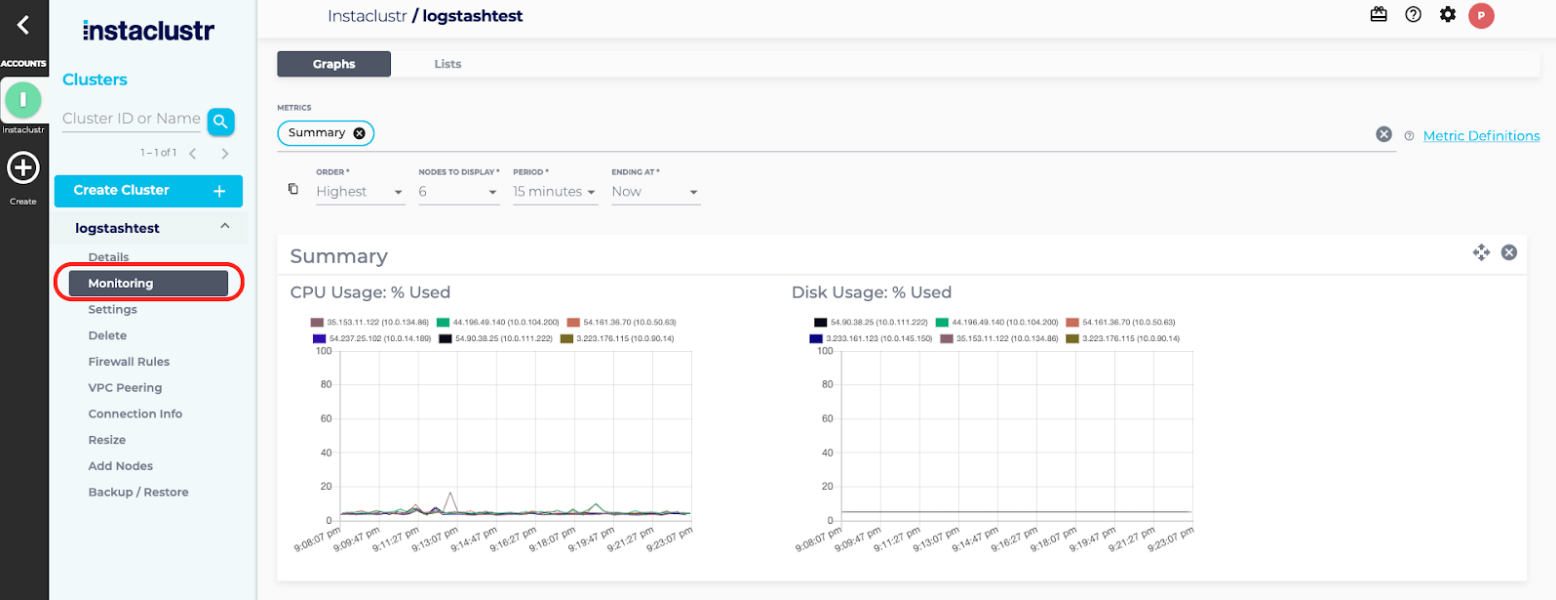
Source: NetApp Instaclustr
2. Bonsai Managed OpenSearch

Best for: Search teams that want hands-on engineering support with clusters
Strengths: BYOC deployment, staged clusters, search analytics, layer 7 proxy
Things to consider: Plan-based index, shard, and request limits need monitoring
Bonsai is a fully managed and hosted OpenSearch platform from One More Cloud, which has worked on search since 2009 and was the first official managed provider to support OpenSearch after its 2021 launch. Clusters can be hosted by Bonsai or deployed into a customer’s own AWS, Google Cloud, or Azure account.
Bonsai provisions separate clusters for production, staging, and development so version, security, and patch upgrades can be applied without downtime or breaking changes. Its team monitors clusters continuously and responds to automated cluster alerts around the clock.
Key features include:
- Bring your own cloud: Clusters can be deployed into a customer’s own AWS, Google Cloud, or Azure account, so compute is billed by the cloud provider and reserved instance discounts apply.
- Separate environment clusters: Production, staging, and development clusters are provisioned separately, which allows mapping and pipeline changes to be tested before they reach production.
- Search analytics: Analytics show how searches performed and integrate directly into a team’s stack, supporting query and index optimization and hardware sizing decisions.
- Proactive cluster management: Bonsai monitors clusters and resolves yellow and red states, handling optimization work on the customer’s behalf.
- Access controls: Every cluster is provisioned with a randomized URL and HTTP Basic Authentication enabled by default using generated credentials.
- Network protection: Clusters sit behind a custom layer 7 routing proxy and a controlled firewall, with IP allowlisting and VPC peering available for single tenant clusters.
- Encryption and snapshots: SSL/TLS protects data in transit, hardware is encrypted at rest, and paid clusters receive regular snapshots to an offsite encrypted S3 bucket in the same region.
- Dedicated support channels: Customers get a dedicated account manager and a Slack channel monitored during business hours, alongside 24/7 alert response.
- Terraform provider: Bonsai maintains a Terraform provider for creating and managing Elasticsearch and OpenSearch clusters as infrastructure code.
Limitations (based on publicly available sources):
- Plan-based index and shard limits: Index and shard counts are capped per plan as soft limits, and raising them requires contacting Bonsai to arrange a suitable plan.
- Request rate limits: Concurrent request limits vary by plan, and requests that exceed them fail with an HTTP 429 response until a plan change is arranged.
- Unsupported API endpoints: Some API endpoints are not exposed, and the Snapshots API is unavailable on lower plans, so migrations there rely on external tooling or custom scripts.
- Backups on non-production plans: Backups are not taken regularly on non-production plans such as Sandbox.
- Retention management: Old data is not deleted automatically, so index lifecycle planning is left to the customer, with a Trimmer feature available for pattern-based removal.
- Cloud and region coverage: Bonsai runs on AWS and Google Cloud, and single tenant clusters are available in a defined set of regions.
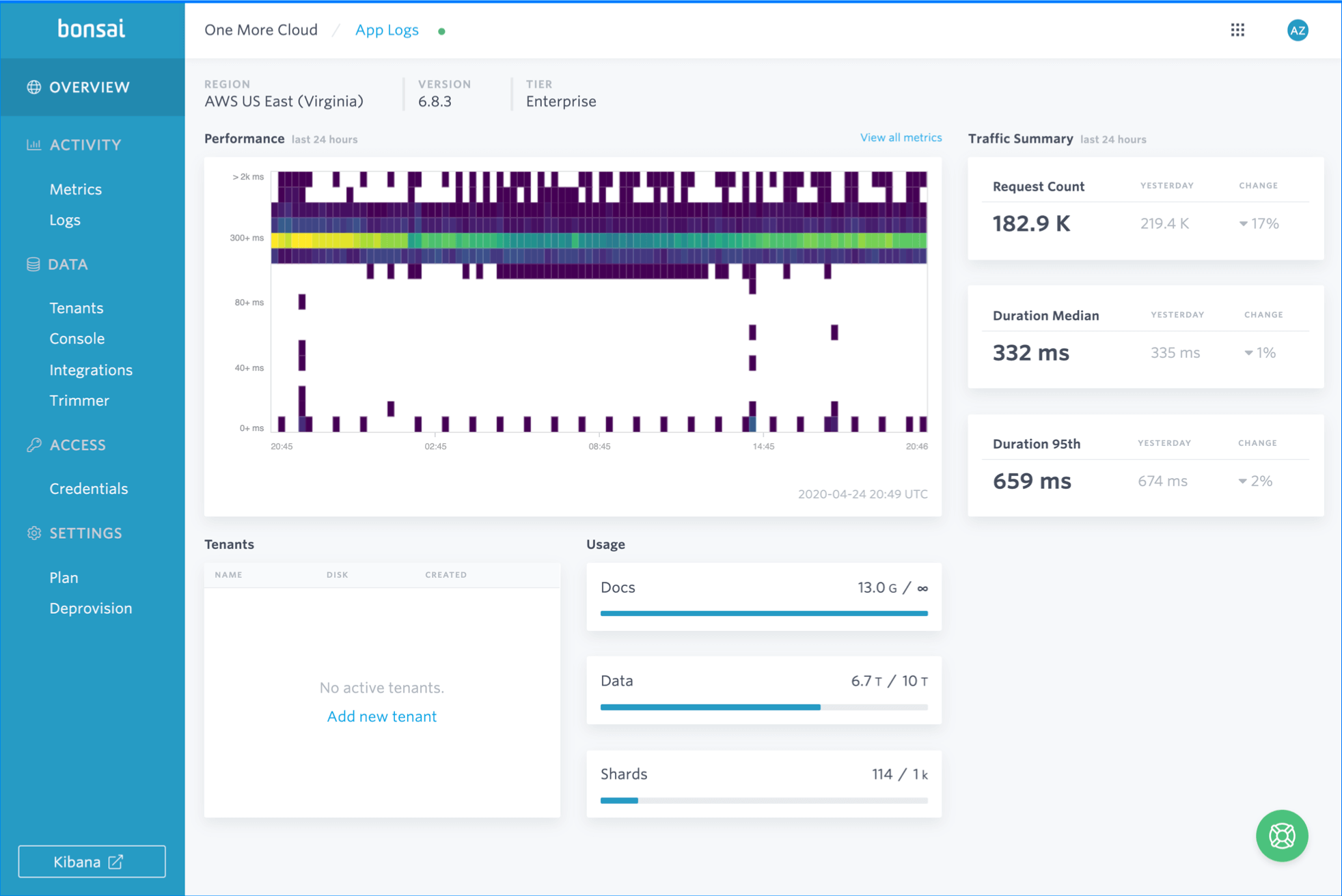
Source: Bonsai
3. Logz.io Log Management

Best for: Teams wanting OpenSearch-based log analytics delivered as SaaS
Strengths: Self-service log parser, data filter hub, LogMetrics, tiered storage
Things to consider: Costs and daily volume caps can bite at higher log volumes
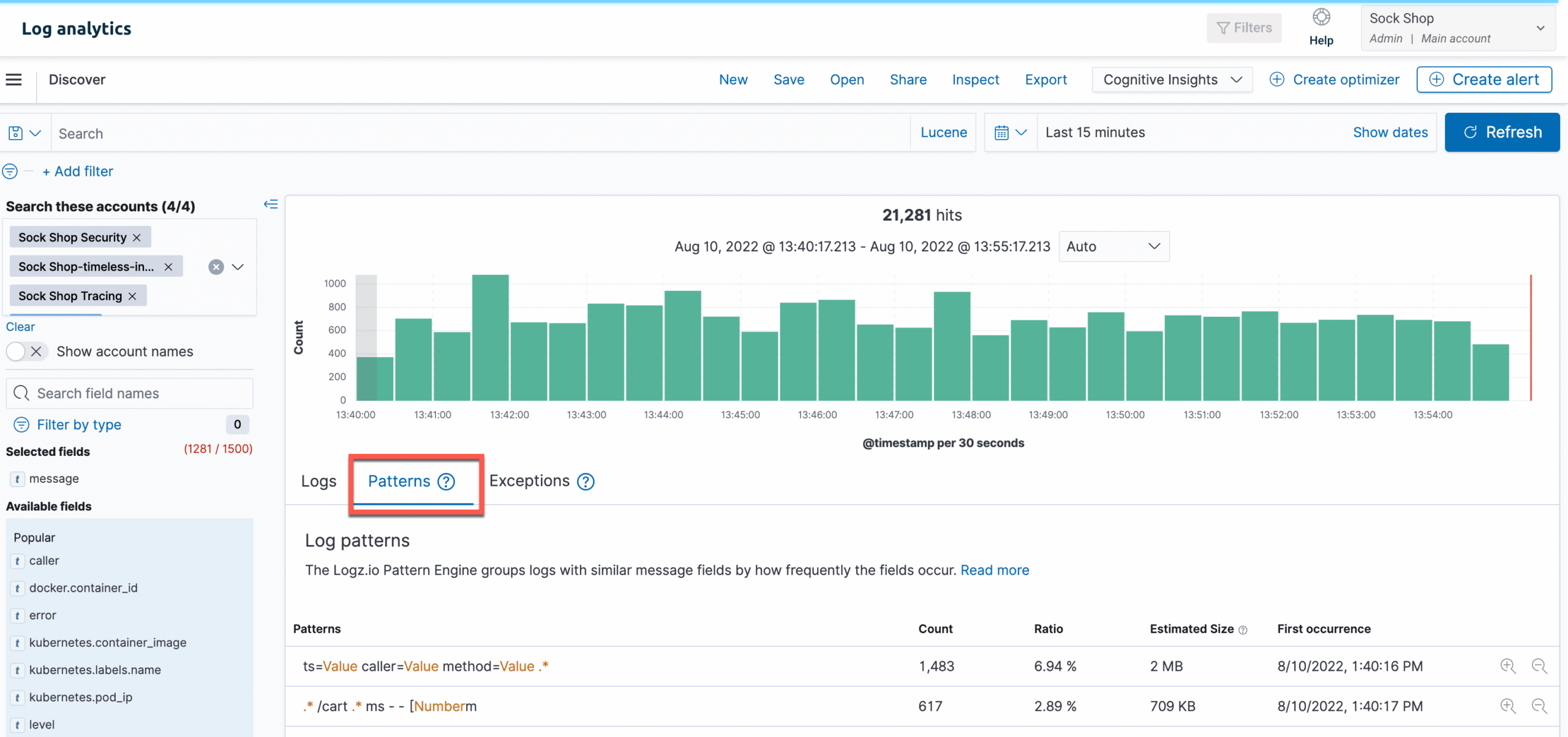
Logz.io Log Management is part of the Open 360 platform and is delivered as SaaS on Logz.io’s own AWS infrastructure. The platform handles ingestion, storage, scaling, and data security, and ships with more than 300 out of the box integrations for getting data in from different stacks.
Parsing can be handled by the Logz.io support team or configured through a self-service log parser. Once data is in, the Data Optimization Hub inventories incoming log data and filters out fields and events that are not being used, with filters that can be toggled on and off.
Key features include:
- Self-service log parser: Teams can define their own parsing rules through a self-service parser, or ask the support team to parse incoming logs for them.
- Data Optimization Hub: A single interface inventories all incoming log data, identifies unused or unnecessary data, and filters it out before it is indexed, with filters that can be switched on and off.
- LogMetrics: High-volume, low-value logs can be converted into time-series metrics rather than being indexed as documents, which reduces storage requirements.
- Multi-tiered storage: Hot, warm, and cold tiers hold data according to how it is accessed, with cold storage used for long-term retention and query access when needed.
- Integration library: More than 300 out of the box integrations connect applications, infrastructure, and cloud services to the platform.
- Alerting: Alerts can combine multiple queries and trigger conditions, with frequency controls, machine-learning-based alert recommendations, and delivery to Slack, Opsgenie, PagerDuty, and email.
- AI Agent analysis: An AI agent correlates logs, metrics, and traces after an issue is detected and returns summaries and suggested next steps, with natural language querying.
- Telemetry correlation: Logs can be correlated with metrics and traces, including trace context inside the Explore search interface.
- Compliance coverage: The platform is compliant with PCI Level 1, SOC 2 Type II, HIPAA, GDPR, and ISO 27001.
Limitations (as reported by users on G2):
- Pricing level: Reviewers describe the cost as high relative to competing tools, with one noting a roughly 20% premium.
- Volume caps and throttling: Users report daily processing limits that require a higher plan, and metrics ingestion throttling during data spikes.
- Integration setup: Some integrations are described as difficult to configure, and reviewers say integration documentation could be improved.
- Alert and report configuration: Setting up alerts and reports can require digging into the data structure to work out how to break it down.
- Interface changes: Frequent additions to the product occasionally move menu entries, which makes navigation harder for existing users.
Cloud provider managed OpenSearch services
4. Amazon OpenSearch Service

Best for: AWS-centric teams needing managed clusters plus a serverless option
Strengths: Ingest processor plugins, zero-ETL sources, tiered storage, Sigma rules
Things to consider: Index and shard tuning at scale needs in-house expertise
Amazon OpenSearch Service is a fully managed service covering search, observability, and log analytics workloads. It runs the latest OpenSearch versions plus 19 ALv2 Elasticsearch versions up to 7.10, and handles upgrades and patching, including in-place version upgrades without downtime.
The service integrates with Logstash and gives direct access to Elasticsearch APIs and plugins including Ingest Processor Attachment and Ingest User Agent Processor. Storage is split across hot, UltraWarm, and cold tiers, and a serverless deployment option scales resources automatically.
Key features include:
- Ingest processor plugins: Plugins such as Ingest Processor Attachment and Ingest User Agent Processor are available alongside Kuromoji, Phonetic Analysis, and Mapper Murmur3 through direct API access.
- Collector integration: The service integrates with Logstash and supports the OpenTelemetry standard for trace analytics, so existing collectors can send data without rework.
- Zero-ETL integrations: Data can be brought in from Amazon S3, DynamoDB, and DocumentDB through zero-ETL integrations rather than a separate pipeline.
- Storage tiering: Hot storage handles frequent access, UltraWarm holds up to 3 PB of primary data in S3 at a lower cost per GB, and cold storage detaches indices from compute for on-demand analysis.
- Security analytics rules: More than 2,200 Sigma rules ship for eight log types including NetFlow, DNS, Apache access, Windows, AD/LDAP, Linux system, CloudTrail, and S3 access, and custom Sigma rules can be imported.
- Alerting: The OpenSearch alerting plugin drives threshold-based notifications through custom webhooks, Slack, Amazon SNS, and Amazon Chime, with cluster metrics in CloudWatch.
- Query languages: SQL and Piped Processing Language are supported alongside the OpenSearch query DSL, with a workbench in OpenSearch Dashboards.
- Fine-grained security: The security plugin defines permissions at index, document, and field level, with VPC placement, IAM, Amazon Cognito, and encryption at rest and in transit.
- OR1 instances: The OpenSearch Optimized instance family uses physical replication to a remote S3 store, with automatic recovery of missing shards after a failure.
- Serverless option: Amazon OpenSearch Serverless provisions and adjusts capacity automatically as ingestion rates and demand change.
Limitations (as reported by users on G2):
- Cost escalation: Reviewers report that costs rise sharply with scale, particularly when indexing and retention policies are not carefully managed.
- Tuning expertise required: Basic setup is straightforward, but scaling clusters and optimizing index and shard strategies for production workloads is described as requiring experience.
- Collector management: One reviewer noted that instances hosting Logstash are not managed by the service, and asked for the ability to filter CloudWatch logs before they reach OpenSearch.
- Index-level visibility: Users find it harder to inspect what is happening inside a domain at index level compared with third-party tooling, and note limits on reaching indices from the AWS console.
- Customization limits: Reviewers describe fewer customization options than self-hosted deployments, along with limited flexibility on instance types.
- Ecosystem dependency: Several users raise vendor lock-in and the difficulty of migrating away to another provider or search engine.

Source: Amazon
5. OCI Search with OpenSearch

Best for: OCI users aggregating logs and building in-application search
Strengths: Flex shapes, ML framework, hybrid search, endpoint-based migration
Things to consider: Collectors such as Logstash run outside the managed service
OCI Search with OpenSearch is Oracle’s managed open source service for ingesting, searching, visualizing, and analyzing data. Oracle maintains the OpenSearch software and handles provisioning, patching, updating, backups, and resizing, with resizing performed without a service disruption.
Clusters run on flexible shapes, so compute cores, memory, and storage are configured to the workload rather than selected from fixed SKUs. Oracle publishes reference architectures for both in-application search and log aggregation, the latter using Filebeat and Logstash instances feeding the cluster.
Key features include:
- Flexible infrastructure shapes: OCPU count, memory, storage, backups, node count, and node type can be configured individually, including separate master, data, and Dashboards nodes.
- Log aggregation architecture: Oracle’s reference architecture routes logs from on-premises servers over a site-to-site VPN into Filebeat and Logstash instances in a private subnet, which then feed the cluster.
- Machine learning framework: A built-in framework manages models and integrates neural search models, including text and image multimodal search.
- Hybrid search: Keyword and semantic search are combined in a single query path across structured and unstructured content.
- Observability and security analytics: The service supports monitoring and analysis of log and application data, along with automated threat detection workflows.
- Migration by endpoint: Existing self-managed or hosted OpenSearch deployments can be moved by restoring a working backup configuration or pointing APIs at the OCI endpoint.
- Non-disruptive resizing: Cluster configuration and total data size can be modified without taking the service offline.
- Metrics integration: The service feeds OCI metrics with information about cluster state for monitoring and alerting.
- Availability domain distribution: Clusters with more than two nodes of a given type are provisioned across domains automatically.
Limitations (based on publicly available sources):
- Collectors are not managed: Logstash is not part of the managed service, so teams run and maintain their own collector instances and point them at the cluster endpoint.
- Plugin availability: Only plugins on Oracle’s supported list are available, and adding others requires a support request and a decision on inclusion.
- Scaling in one direction: Node counts and node configuration can be increased, but decreasing them is listed as a future consideration rather than a current capability.
- Capacity ceiling: Storage is supported up to 300 TB per cluster, with larger sizes available on request.
- Service level: The service is described with a 99.9% service-level objective, with SLAs to be published later.
- Manual migration steps: Migrating existing cluster data involves snapshotting, moving data to an Object Storage bucket, and restoring it through the console.
6. DigitalOcean Managed OpenSearch

Best for: DigitalOcean users centralizing platform logs in one cluster
Strengths: Built-in log forwarding, storage autoscaling, VPC isolation
Things to consider: Backup retention tops out at three days on offered plans
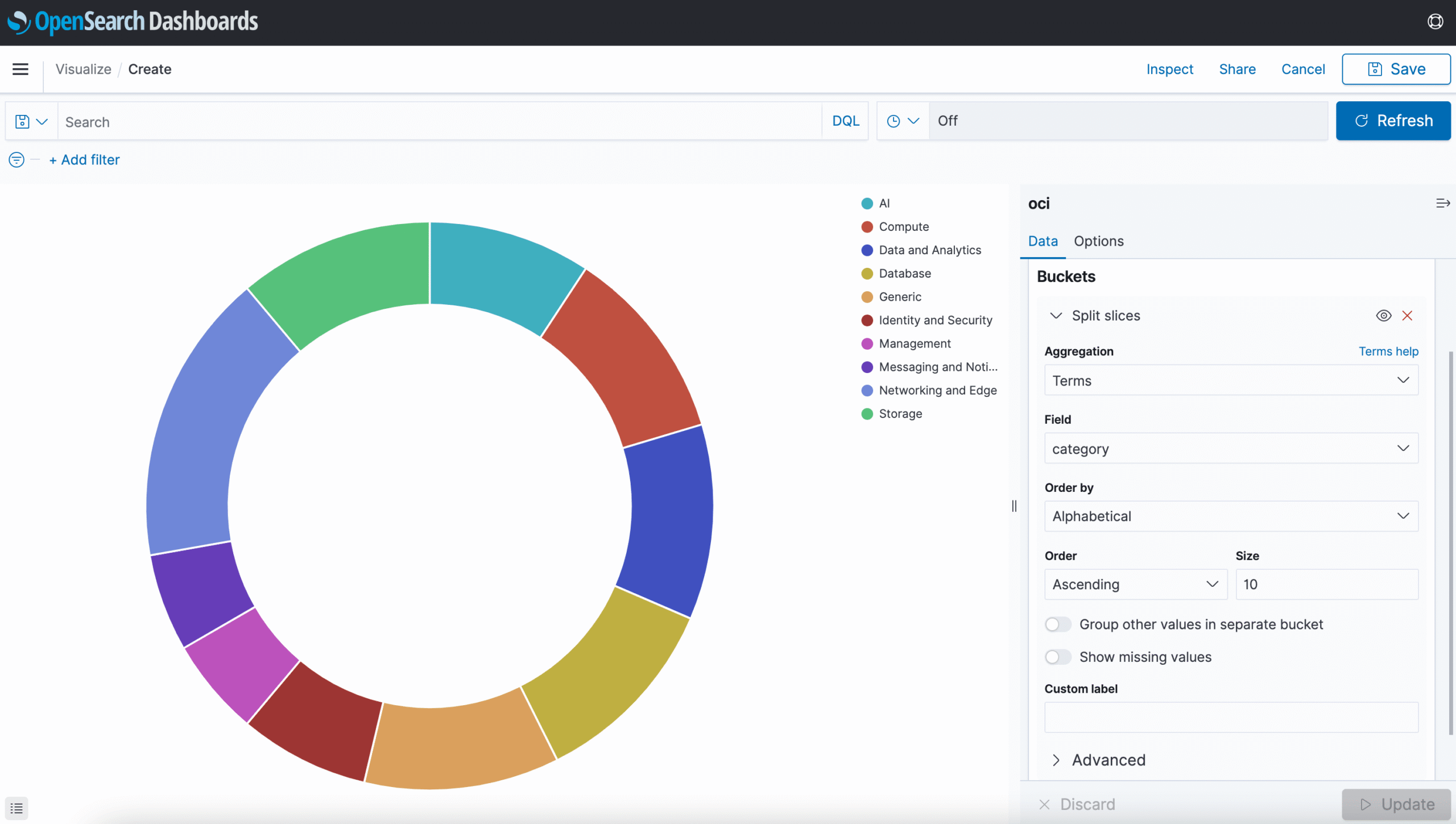
DigitalOcean Managed OpenSearch handles cluster provisioning, backups, and updates, with clusters created by selecting OpenSearch as the database engine and choosing a size and region. Provisioning takes minutes, and CPUs, RAM, and storage can be increased on existing clusters as workloads grow.
The service is aimed at log analytics, real-time application monitoring, and full-text search. Logs can be forwarded from other DigitalOcean sources, including Managed Databases, App Platform, and Kubernetes, in a few clicks, which removes the need to configure separate shippers for those sources.
Key features include:
- Built-in log forwarding: Logs from DigitalOcean Managed Databases, App Platform, and Kubernetes can be forwarded into a cluster in a few clicks, and Managed Database logs can also be sent to Datadog.
- Storage autoscaling: Storage scales automatically as cluster usage grows, and CPUs, RAM, and storage can be increased on a running cluster.
- Backup schedule: Backups run hourly for the first 24 hours, followed by up to three days of daily backups depending on the plan.
- High availability: Automated backup, monitoring, and failover features are used to limit downtime and preserve data integrity across clusters.
- Network isolation: Clusters can run inside a Virtual Private Cloud, with only allowlisted public internet requests permitted.
- Security controls: Data is encrypted in transit and at rest, with authentication, access control, audit logging, and IP allowlisting available.
- Analytics surfaces: The service supports log analytics, application analytics, metrics analytics, and security analytics for indexed data.
- Shared and dedicated plans: Clusters can run on shared or dedicated plans, with flat pricing and monthly caps applied consistently across data centers.
- Ingestion from platform sources: Large volumes of log data can be ingested and indexed from sources such as Droplets and Kubernetes clusters.
Limitations (as reported by users on G2, where reviews cover the wider DigitalOcean platform rather than the OpenSearch engine specifically):
- Managed database pricing steps: Users describe steep cost increases when adding storage or a standby node to managed databases.
- Enterprise feature depth: Reviewers note that advanced enterprise features, granular networking controls, and specialized compliance tooling are more limited than at larger hyperscalers.
- Cost at scale: Several users find the platform less cost-effective as infrastructure grows beyond small and mid-sized deployments.
- Console responsiveness: Users report the dashboard taking longer to load and respond when many resources are running.
- Debugging platform builds: Some reviewers find build and deployment logs on App Platform unhelpful when troubleshooting failures.
7. OVHcloud Managed OpenSearch

Best for: European teams pairing OpenSearch with Kafka on one public cloud
Strengths: REST API access, Terraform support, vRack private networking, backups
Things to consider: Entry plan carries no SLA and a single-node deployment
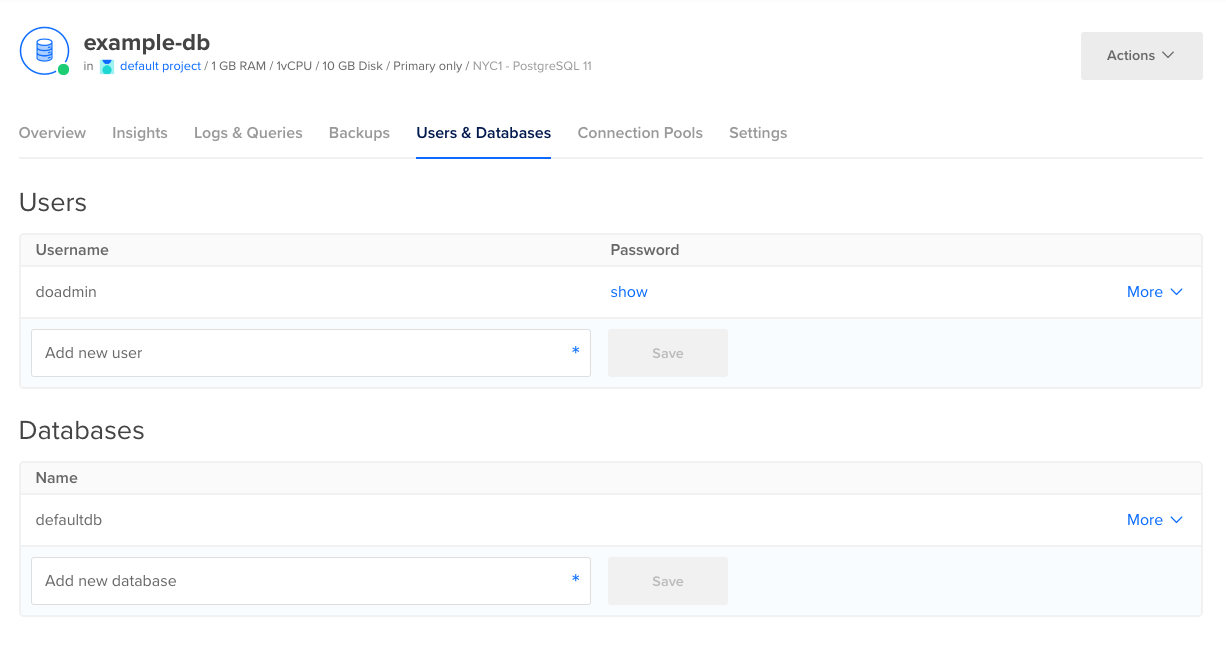
OVHcloud offers the official open source OpenSearch distribution as a managed Public Cloud service, with OVHcloud handling deployment, maintenance, and scaling. Billing is per use, and IOPS, backups, and traffic are included in the price rather than charged separately.
The service is positioned around indexing and search, log storage and indexing with alerting when a system misbehaves, and real-time performance monitoring. It sits in the same Analytics range as OVHcloud’s Kafka, Kafka Connect, Kafka MirrorMaker, and Logs Data Platform products.
Key features include:
- REST API access: The OpenSearch REST API is included, so indexing requests, pipeline definitions, and queries are issued through standard OpenSearch clients.
- Terraform support: Terraform support is included for provisioning and managing services as infrastructure code.
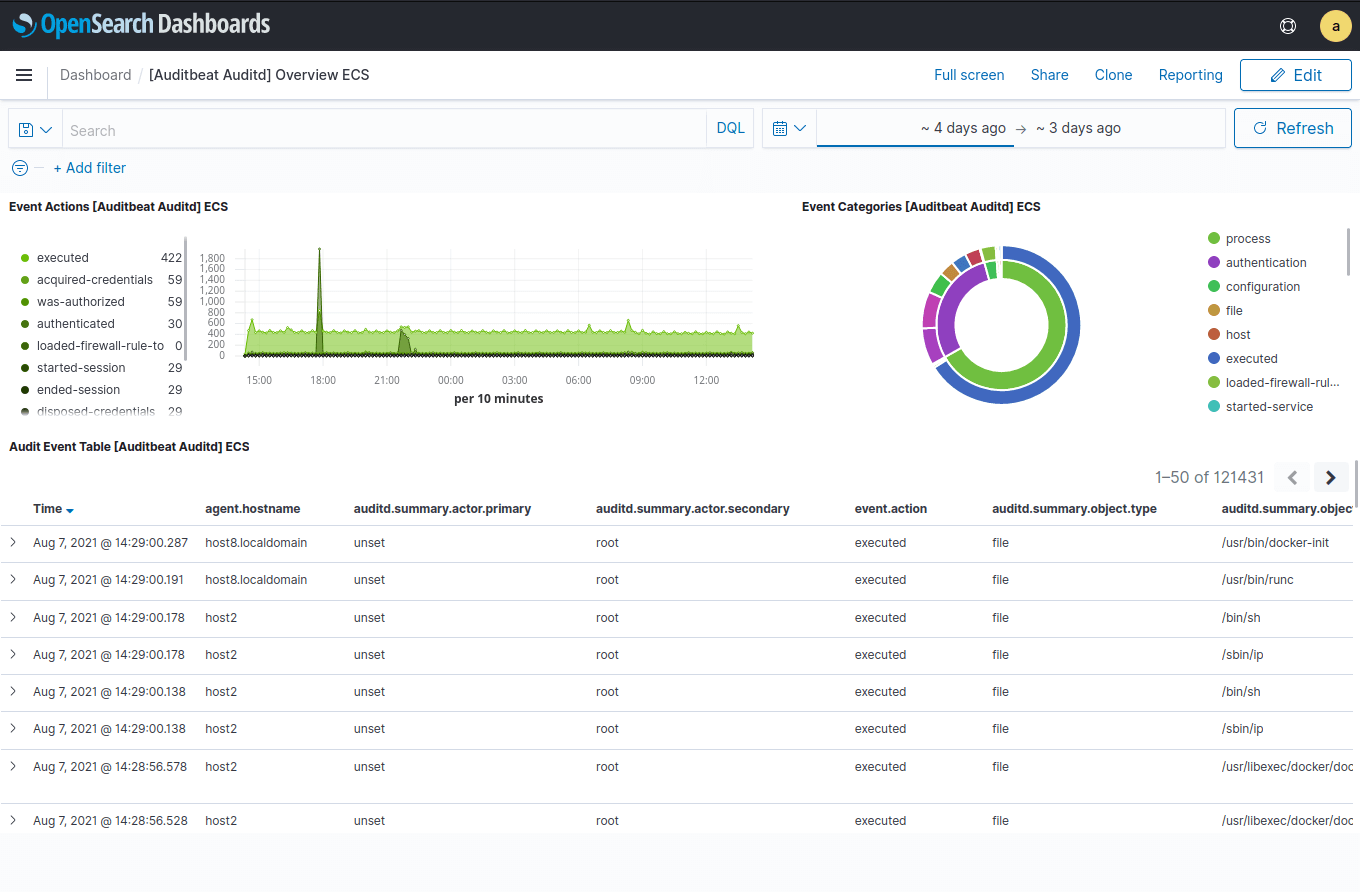
- OpenSearch Dashboards: Dashboards are bundled with the service for visualizing and navigating indexed data.
- Private networking: Services connect over the vRack private network, which is included in the offer.
- Encryption and restoration: Data is encrypted at rest and in transit with TLS/SSL, and data restoration is continuously verified.
- Automatic remote backups: Backups run automatically to a remote location, with 14-day retention on the Business plan.
- Plan-based availability: Essential runs a single node with no SLA, Business runs three nodes with automatic failover and a 99.90% SLA, and Enterprise runs six nodes with a 99.95% SLA.
- In-place scaling: Services move between plans in a few clicks as node counts, memory, and storage requirements change.
- Public Cloud integration: The service integrates with OVHcloud’s other IaaS and PaaS products, including Kafka, Kafka Connect, and the Logs Data Platform.
Limitations (as reported by users on G2, where reviews cover the wider OVHcloud platform rather than the OpenSearch service specifically):
- Control panel complexity: Users describe the interface as complex and, in some cases, disorganized when managing services.
- Support responsiveness: Reviewers frequently report slow support response times and difficulty getting issues resolved.
- Documentation gaps: Some users find documentation thin in specific areas, which slows configuration work.
- Advanced feature coverage: Reviewers note limited advanced features and customization options compared with larger providers.
- Regional availability: Users report that data center choice outside Europe is narrower than expected and that availability is not always clear upfront.
Source: OVHcloud
8. Exoscale Managed OpenSearch

Best for: European teams needing GDPR-compliant search and log analytics
Strengths: Terraform and API deploys, database forking, k-NN, 99.99% SLA
Things to consider: Entry plans are single-node with no replication factor
Exoscale Managed OpenSearch is a database-as-a-service offering from the Swiss provider Exoscale. Clusters are available in every European zone, and data is stored in the country of the zone selected. Instances are launched through the web portal, CLI, API, or Terraform, and OpenSearch Dashboards is included in every plan.
Exoscale handles provisioning, rolling upgrades, daily backups, monitoring, and scaling, and runs services on dedicated instances. Plans range from a single-node Hobbyist tier to Premium configurations of up to 30 nodes and 21 TB of cluster volume, with vertical and horizontal scaling applied without service interruption.
Key features include:
- Multiple deployment interfaces: Clusters are created and managed through the web portal, the CLI, the API, or Terraform, so cluster definitions can be held as infrastructure code.
- Database forking: A running OpenSearch database can be forked, which allows mapping, pipeline, or query changes to be tested against a copy without touching the production service.
- Automated lifecycle management: Provisioning, rolling upgrades, daily backups, monitoring, and scaling are handled by the service without downtime, with major version upgrades applied in one click.
- Elastic scaling: Services scale vertically with additional CPU and RAM, or horizontally with more nodes, at any time through the CLI or API and without interrupting the service.
- Plan-based backup retention: Hourly backups cover the last 24 hours, with daily backup retention of 3 days on Startup, 14 days on Business, and 30 days on Premium plans.
- Vector search: The k-NN plugin supports production-scale vector search for semantic search, retrieval augmented generation, and distributed machine learning pipelines.
- Dedicated instances: Every managed OpenSearch service runs on dedicated instances rather than shared capacity.
- Encryption and isolation: TLS protects data in transit, stored data and backups are encrypted automatically, and workloads run with data isolation in place.
- European data residency: All data stays in the country of the selected zone under GDPR-compliant hosting, across every Exoscale zone in Europe.
- Platform pairing: The service sits alongside Exoscale’s Managed Apache Kafka and Managed Grafana products, which can feed and visualize the same data.
Limitations (based on publicly available sources):
- European zones only: Zones are limited to Europe, so workloads that need capacity in other regions have to be served elsewhere.
- No replication on entry plans: The Hobbyist and Startup plans run a single node with a replication factor of zero, so automated failover starts at the three-node Business plan.
- Short retention on small plans: Hobbyist retains a single backup and Startup keeps three days of daily backups, which limits how far back a restore can reach.
- Fixed plan shapes: Memory, CPU, and volume come as predefined combinations that top out at 32 GB of memory and 8 CPUs per node, rather than fully custom sizing.
- Support response times: Guaranteed response times require a separate paid support plan rather than being part of the service itself.
- Third-party delivery: The DBaaS layer, including OpenSearch, is delivered through a partnership with Aiven rather than built entirely in-house.

Considerations for choosing a cloud-based OpenSearch service
Selecting the right cloud-based OpenSearch service involves more than comparing feature lists. Here are key factors that can influence your decision:
- Hosting region and data residency: Choose a provider with data centers in regions that align with your latency, compliance, or data sovereignty requirements.
- Deployment flexibility: Consider whether you need managed, serverless, or self-hosted cluster options, and how easily you can scale across environments.
- Performance requirements: Evaluate indexing and query throughput, response times, and ability to handle peak loads for each use case (e.g., log analytics vs. vector search).
- Cost transparency and pricing models: Review pricing details, including data storage, IOPS, data transfer, backups, and autoscaling charges to avoid unexpected costs.
- Security and compliance: Confirm support for encryption (at rest and in transit), role-based access control, audit logging, and compliance with standards like ISO, SOC 2, or GDPR.
- Support and SLAs: Assess availability of 24/7 support, escalation paths, uptime SLAs, and access to platform experts for troubleshooting and optimization.
- Ecosystem integration: Ensure compatibility with the existing observability stack (e.g., Prometheus, Grafana), log shippers (e.g., Fluentd, Logstash), and APIs.
- Vendor lock-in risk: Consider portability of the company’s data and configurations, and whether the platform enables easy migration between cloud environments or providers.
- Advanced capabilities: Look for features like vector search, AI integration, custom ranking, and dashboard extensibility if the application needs go beyond basic search.
Conclusion
Cloud-based OpenSearch services simplify the deployment and management of scalable search and analytics infrastructure. They eliminate operational overhead by offering managed environments with built-in features like security, high availability, and disaster recovery. This approach enables teams to focus on delivering data-driven applications while relying on the cloud provider to handle infrastructure complexity.