What is PostgreSQL management?
TL;DR: PostgreSQL management covers configuring, securing, tuning, and maintaining Postgres clusters. Best managed platform: NetApp Instaclustr; best turnkey cloud service: Amazon RDS; best free admin GUI: pgAdmin; best cross-engine IDE: DataGrip.
PostgreSQL management involves overseeing the configuration, optimization, security, and maintenance of database clusters. It requires managing users and roles, optimizing slow queries with commands like EXPLAIN ANALYZE, setting up backup and replication strategies, and maintaining server configuration files such as postgresql.conf and pg_hba.conf. These responsibilities are critical for keeping data secure, available, and performing well.
Effective PostgreSQL management directly impacts the reliability and performance of applications relying on the database. It also includes operations like database replication, backup strategies, and recovery processes. These are essential for minimizing downtime and data loss. By managing these aspects, organizations can ensure that their PostgreSQL databases remain efficient and secure.
Modern PostgreSQL management increasingly reaches beyond traditional administration. Teams now run AI and vector workloads directly inside the database, keep pace with a yearly major-version release cadence, and weigh self-managed deployments against fully managed cloud platforms. These shifts add new operational considerations on top of the core tasks below.
Core PostgreSQL management tasks include:
- Security: Managing permissions with GRANT and REVOKE, applying row-level security, and controlling connections through pg_hba.conf.
- Performance: Creating targeted indexes, running ANALYZE to refresh statistics, and using the pg_stat_statements extension to diagnose heavy queries.
- Disaster recovery: Setting up Write-Ahead Logging (WAL) for point-in-time recovery and configuring primary-replica streaming.
PostgreSQL management tools fall into two main categories:
- Managed platforms: Database-as-a-service options such as NetApp Instaclustr, and Amazon RDS that handle hosting, backups, and scaling.
- GUI and administration clients: Tools such as pgAdmin, DataGrip, and DBeaver for visualizing schemas, running queries, and editing data.
Editor’s note: Updated to cover PostgreSQL’s role in AI and vector workloads, current version-support guidance, and an expanded, re-categorized set of management tools as of 2026.
This is part of a series of articles about PostgreSQL
PostgreSQL management tools at a glance
The table below summarizes how the PostgreSQL management tools in this guide compare across their strengths and trade-offs. Each tool is explored in more detail in the sections that follow.
| Category | Solution | Best for | Key strengths | Things to consider |
|---|---|---|---|---|
| Managed platform | NetApp Instaclustr | Fully managed, hosted PostgreSQL on cloud or on-premises | 24×7 expert support, 99.99% SLA, multi-region HA, pgvector | Managed model gives less low-level server access |
| Managed platform | Amazon RDS for PostgreSQL | Turnkey managed PostgreSQL inside the AWS ecosystem | Automated backups, Multi-AZ, read replicas, AWS integration | Costs can climb; limited OS-level control and lock-in |
| GUI / admin client | pgAdmin | Free, official PostgreSQL administration and development GUI | Full PostgreSQL coverage, graphical EXPLAIN, desktop or web | Can be memory-heavy and slow on large databases |
| GUI / admin client | DataGrip | Cross-engine SQL IDE for developers across many databases | Schema-aware completion, quick-fixes, JetBrains AI, VCS | Memory-heavy; paid subscription for commercial use |
| GUI / admin client | TablePlus | Fast, native multi-database GUI with a clean interface | Lightweight native app, inline editing, safe mode, plugins | Restrictive free tier; feature gaps across platforms |
| GUI / admin client | DbVisualizer | Cross-platform universal SQL client for many databases | Broad database coverage, visual query tools, Git integration | Paid Pro tier; autocomplete can be inconsistent |
| GUI / admin client | DBeaver | Free, open source universal database tool for daily work | Wide JDBC support, ER diagrams, plugins, cross-platform | Heavier UI; advanced features need paid PRO |
| GUI / admin client | HeidiSQL | Lightweight, free client for MySQL, PostgreSQL, and more | Free and open source, lightweight, SSH/SSL connections | Historically Windows-first; stability can vary |
7 key PostgreSQL management tasks
Here are some of the main aspects that need to be managed in PostgreSQL databases.
1. User and role management
User and role management provides control over who can access the database and what actions they can perform. It involves creating user accounts, assigning roles, and setting permissions. This hierarchical permission system protects sensitive data by ensuring only authorized personnel can access or modify it.
In practice, access control is enforced through GRANT and REVOKE statements, optional row-level security policies, and host-based connection rules defined in the pg_hba.conf file.
PostgreSQL provides a flexible system where users can have various roles with differing permissions. Understanding and implementing effective user and role management strategies are vital for maintaining database integrity. Regular audits of roles and permissions are also important, ensuring that outdated or unnecessary access rights do not pose security risks.
2. Database creation and management
Database creation and management include the setup, configuration, and ongoing supervision of PostgreSQL databases. This involves designing schemas, setting parameters, and organizing data structures to optimize PostgreSQL performance and storage efficiency. A well-organized database reduces redundancy and improves data retrieval times.
Once databases are set up, constant monitoring and maintenance are crucial to ensure their reliability. Tasks include updating database configurations to cater to changing needs, implementing indexing strategies for performance enhancement, and maintaining data quality.
Learn more in our detailed guide to PostgreSQL performance
3. Performance tuning
Performance tuning in PostgreSQL involves optimizing the database to ensure efficient query processing and resource usage. It requires continuous adjustments to settings like memory allocation, query execution plans, and indexing strategies based on the database’s workload patterns. Fine-tuning these components can significantly enhance performance.
Common tuning practices include creating targeted indexes, running ANALYZE to refresh planner statistics, and inspecting execution plans with EXPLAIN ANALYZE to locate slow queries, while the pg_stat_statements extension helps track heavy query loads across the workload.
Proper performance tuning requires continuous monitoring of database metrics to identify bottlenecks and areas for improvement. It might also involve restructuring queries and employing caching mechanisms to minimize processing load.
Learn more in our detailed guide to Postgres tuning
4. Backup and recovery
Regular backups ensure that data can be restored in case of accidental deletion, corruption, or disasters. Implementing a backup strategy involves choosing appropriate tools and schedules, ensuring that backups are both regular and reliable, and capturing all necessary data without excessive resource consumption.
For point-in-time recovery, teams enable Write-Ahead Logging (WAL) archiving so the database can be restored to a specific moment, and configure primary-replica streaming for continuous data protection.
Recovery processes are plans for restoring databases from backups. These require testing to ensure effectiveness, with clear documentation and practiced procedures for minimizing downtime during incidents. Efficient backup and recovery methodologies mitigate data loss risks, securing business operations against potential disasters.
5. Replication and high availability
Replication and high availability in PostgreSQL are strategies to enhance database reliability and uptime. Replication involves copying data from one database to another, keeping them synchronized. This approach enables failover mechanisms, where a secondary database can rapidly take over if the primary fails.
Managed cloud platforms have made high availability more accessible, offering automated failover, multi-region read replicas, and point-in-time recovery without hands-on configuration.
Achieving high availability requires careful planning, choosing between methodologies like synchronous and asynchronous replication based on latency tolerance and consistency needs. Monitoring systems are essential to detect failures swiftly and automate failover processes.
6. Security management
Security management in PostgreSQL focuses on protecting data from unauthorized access and ensuring compliance with data policies and regulations. This includes the implementation of encryption, securing connections with SSL, and enforcing strict authentication measures. Regular updates and patches are also crucial for addressing vulnerabilities.
Keeping the server patched is now central to security management: PostgreSQL issues coordinated minor releases roughly every quarter, and running the latest minor version for a major release remains the baseline defense against disclosed vulnerabilities.
A thorough security management plan also includes regular audits of access logs and user activities, identifying potential security breaches or policy violations.
7. Monitoring and maintenance
Monitoring and maintenance involve keeping PostgreSQL databases running smoothly. Monitoring tools track metrics like query performance, index usage, and system resources, identifying potential issues before they escalate into serious problems. By analyzing these metrics, database administrators can make informed decisions about resource allocation, query optimization, and potential hardware upgrades.
Monitoring increasingly incorporates AI-assisted analysis, with several widely used management tools now able to interpret slow-query plans and surface tuning suggestions automatically.
Regular maintenance tasks, such as vacuuming, analyzing, and reindexing, are essential to maintain database health and performance over time. These tasks prevent data bloat and keep storage efficient.
Managing PostgreSQL for AI and vector workloads
A major shift in PostgreSQL management is the database’s expanding role in AI applications. With the pgvector extension, PostgreSQL can store and search high-dimensional vector embeddings alongside relational data, letting teams run semantic search, recommendation, and retrieval-augmented generation workloads without adding a separate vector database. Industry analyses through 2026 point to organizations increasingly consolidating AI data on PostgreSQL rather than operating a dedicated vector store.
This consolidation changes what administrators manage day to day. Vector indexes such as HNSW and IVFFlat need their own tuning, embeddings add meaningful storage and memory pressure, and query patterns differ from traditional workloads. Capacity planning, index maintenance, and monitoring all have to account for vector data, making these a growing part of routine PostgreSQL management.
Tips from the expert

Sharath Punreddy
Solution Architect
Sharath Punreddy is a Solutions Enginee with extensive experience in cloud engineering and a proven track record in optimizing infrastructure for enterprise clients
In my experience, here are some advanced tips that can help you get an edge in PostgreSQL database management:
- Tune autovacuum settings based on workload: Adjust the autovacuum thresholds and vacuum cost settings based on your database activity. This ensures that autovacuum runs frequently enough to prevent table bloat without negatively impacting performance during peak times.
- Monitor query plans regularly: Use the EXPLAIN and EXPLAIN ANALYZE commands to monitor query plans regularly. This allows you to identify inefficiencies in execution plans early and take action by adding indexes or rewriting queries.
- Implement WAL archiving for disaster recovery: Ensure you have Write-Ahead Logging (WAL) archiving in place for point-in-time recovery (PITR). By archiving WAL logs regularly, you can restore your database to a specific moment, minimizing data loss in case of failures.
- Regularly analyze slow queries with pg_stat_statements: Install and use the pg_stat_statements extension to track query performance across your system. Regularly analyze slow or frequently executed queries to pinpoint and fix bottlenecks.
- Embrace JSONB for unstructured data, but monitor bloat: PostgreSQL’s JSONB type is excellent for handling unstructured or semi-structured data, but it can lead to storage bloat. Regularly monitor JSONB columns and ensure you’re indexing them effectively to prevent slowdowns over time.
The need for PostgreSQL management tools
Managing PostgreSQL databases manually can become complex and time-consuming, especially as the size and workload of the database grow. PostgreSQL management tools simplify many of the repetitive and technical tasks involved, such as performance monitoring, query optimization, and backup scheduling.
These tools often provide intuitive interfaces, making it easier for database administrators to visualize performance metrics, manage roles, and monitor system health in real-time. Automated alerts and reporting capabilities further assist in identifying potential issues before they impact operations, improving database reliability and reducing the administrative burden.
Management tools also help standardize best practices across multiple database instances. Many organizations operate several PostgreSQL databases with different requirements. With the right tools, administrators can implement consistent backup strategies, security policies, and maintenance schedules across their environment.
Related content: Read our guide to Postgres support
Notable PostgreSQL management tools
How we selected these tools: We shortlisted PostgreSQL management tools based on their ability to configure, secure, monitor, and scale PostgreSQL databases, covering both fully managed platforms and graphical administration clients.
Managed PostgreSQL platforms
1. NetApp Instaclustr

Best for: Fully managed, hosted PostgreSQL on cloud or on-premises
Strengths: 24×7 expert support, 99.99% SLA, multi-region HA, pgvector
Things to consider: Managed model gives less low-level server access
NetApp Instaclustr provides PostgreSQL as a fully hosted and managed service that runs in the cloud or on-premises, in either Instaclustr’s account or the customer’s own. It provisions production-ready clusters through a management console, a REST API, or a Terraform provider, and handles configuration, monitoring, continuous maintenance, and version upgrades.
The service is backed by 24×7 support from PostgreSQL experts and industry-leading availability SLAs. Deployments can run across all major cloud providers and on-premises data centers, and the platform meets GDPR, SOC 2, ISO 27001, and ISO 27018 requirements, with PCI-compliant options available.
Key features include:
- High availability and replication: Deploys across multiple availability zones and can create read replicas in secondary regions to reduce latency and maximize uptime, with multi-region replication supporting failover.
- Connection pooling with PgBouncer: Includes PgBouncer, a lightweight connection pooler that manages database connections efficiently to improve scalability and resource use under load.
- Automated operations: Provisions clusters, applies configuration, runs continuous maintenance, and performs version upgrades automatically, with automated backups that support point-in-time recovery and cross-region replication.
- Monitoring and integration: Provides built-in monitoring, a Prometheus API, and REST-based integrations to common monitoring platforms, alongside provisioning via console, REST API, or Terraform.
- Security and compliance: Implements encryption at rest and in transit and meets GDPR, SOC 2, ISO 27001, and ISO 27018 requirements, with PCI-compliant solutions available.
- pgvector for AI workloads: Supports the pgvector extension so vector embeddings can be stored and searched inside PostgreSQL for RAG and other AI applications without a separate data store.
Limitations (based on publicly available sources):
- Support across time zones: Users of the managed platform have occasionally noted that support availability can vary across distant time zones.
- Scope of supported technologies: Coverage focuses on supported open source technologies and versions, so niche forks or uncommon extensions may still need self-management.
- Third-party monitoring setup: Connecting some external monitoring tools can require additional configuration effort.
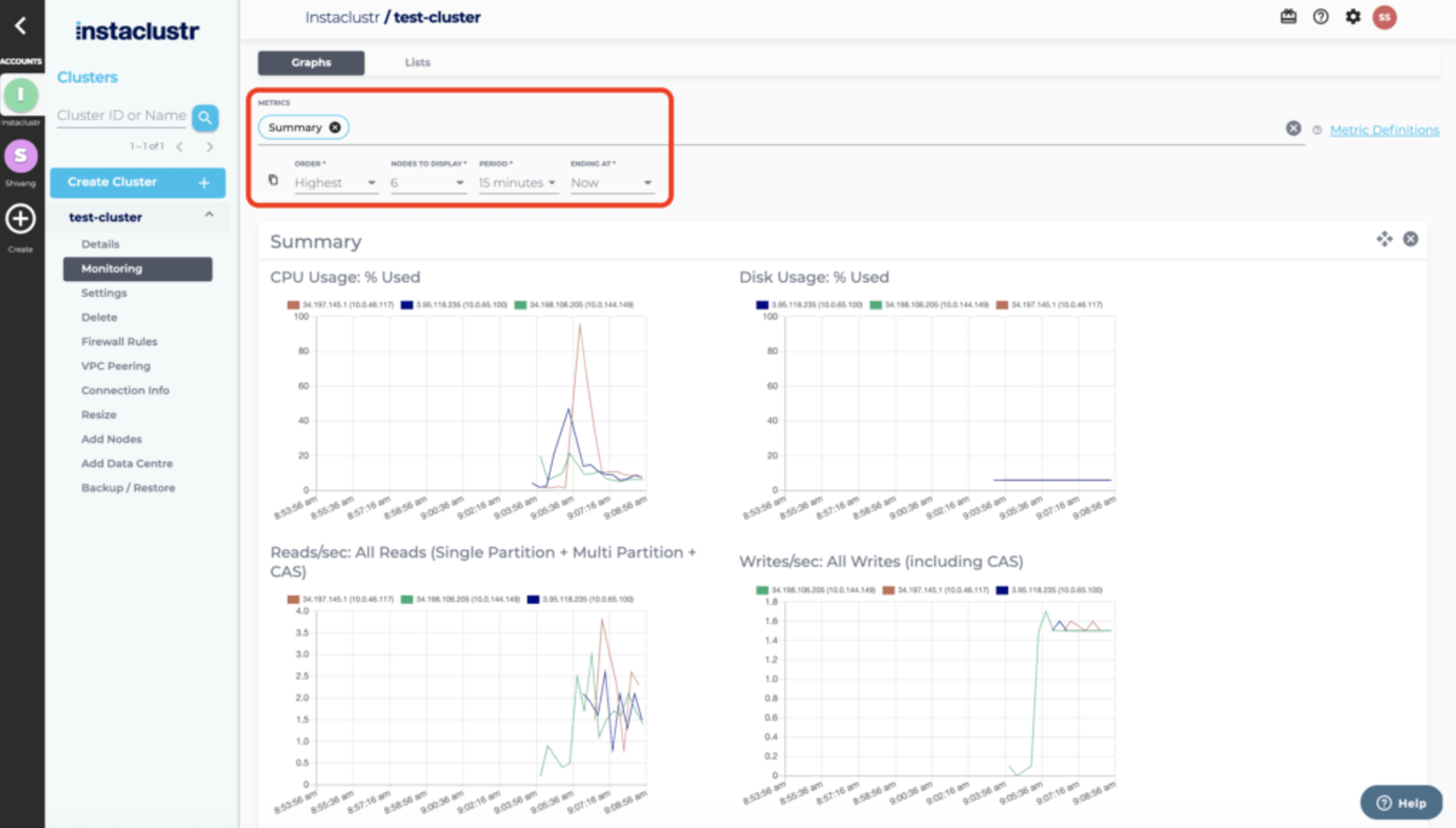
Click to learn more information on the Instaclustr Managed Platform for PostgreSQL.
2. Amazon RDS for PostgreSQL

Best for: Turnkey managed PostgreSQL inside the AWS ecosystem
Strengths: Automated backups, Multi-AZ, read replicas, AWS integration
Things to consider: Costs can climb; limited OS-level control and lock-in
Amazon RDS for PostgreSQL is a managed relational database service that runs PostgreSQL on AWS. It automates administrative tasks such as software installation, patching, storage management, replication, and backups, and can launch a production-ready instance from the AWS Management Console in a few steps.
It supports PostgreSQL versions 11 through 17 and exposes the standard PostgreSQL engine, so existing code, applications, and tools continue to work. Database parameter groups provide granular tuning, and Trusted Language Extensions let teams build and run extensions without AWS certifying the code.
Key features include:
- Managed deployments and updates: Launches preconfigured instances in minutes and uses Blue/Green Deployments to apply database updates in a safer, staged manner.
- Flexible storage: Offers SSD-backed General Purpose storage for typical workloads and Provisioned IOPS delivering consistent performance up to 40,000 IOPS, with storage that can grow with zero downtime.
- Backup and point-in-time recovery: Automated backups allow recovery to any point within a retention period of up to 35 days, and user-initiated snapshots persist until explicitly deleted.
- High availability and read replicas: Multi-AZ deployments add availability and durability, and read replicas scale out read-heavy workloads across zones or regions.
- Isolation and security: Provides network isolation with Amazon VPC, encryption at rest through AWS KMS, and encryption in transit using SSL.
- Trusted Language Extensions: Lets teams build high-performance extensions and run them safely on RDS using popular trusted languages without AWS certifying the code.
Limitations (as reported by users on G2):
- Cost escalation: Reviewers note that expenses can rise quickly as storage and instance sizes grow, with limited cost transparency.
- Limited low-level control: The managed model restricts operating-system access and root privileges, which can constrain deep customization.
- Operational latency: Some operations, such as creating read replicas, can introduce noticeable latency.
- Ecosystem lock-in: Migrating away from RDS can be complex, keeping workloads tied to the AWS ecosystem.
PostgreSQL GUI and administration clients
3. pgAdmin

Best for: Free, official PostgreSQL administration and development GUI
Strengths: Full PostgreSQL coverage, graphical EXPLAIN, desktop or web
Things to consider: Can be memory-heavy and slow on large databases
pgAdmin is the official open source administration and development platform for PostgreSQL, released under the PostgreSQL license. It runs as a desktop application on Windows, macOS, and Linux, or can be deployed as a web application accessible from any browser.
pgAdmin covers the full range of PostgreSQL objects, letting users create, manage, and query databases through a graphical interface, and it works with current and older PostgreSQL server versions as well as EDB Postgres Advanced Server. Recent releases add AI-assisted features for analyzing EXPLAIN plans, generating reports, and chat-based query help.
Key features include:
- Full database management: Creates, manages, and queries all PostgreSQL objects through a graphical interface covering administration, development, and maintenance tasks.
- Powerful query tool: Provides syntax highlighting, auto-complete, and a graphical EXPLAIN view for writing and optimizing queries.
- Flexible deployment: Runs in desktop mode or server mode and can be deployed as a container via Helm charts for shared, browser-based access.
- Cross-platform support: Operates on Windows, macOS, and Linux, and connects to all supported PostgreSQL versions and EDB Postgres Advanced Server.
- AI-assisted analysis: Recent versions integrate LLM-backed features, including AI Insights for EXPLAIN plans, an AI chat agent in the query tool, and AI reports for security, schema, and performance.
- Object and ERD tooling: Includes dialogs for managing tables, indexes, and materialized views, plus an ERD tool for modeling table relationships.
Limitations (as reported by users on G2):
- High resource use: Reviewers report high memory consumption that can slow other applications running alongside it.
- Performance on large databases: The tool can feel slow when working with large databases or complex queries.
- Dated, cluttered interface: Some users find the interface cluttered and navigation unintuitive, with common tasks needing extra steps.
- Community-based support: Support is mainly community-driven, which may not meet enterprise needs.
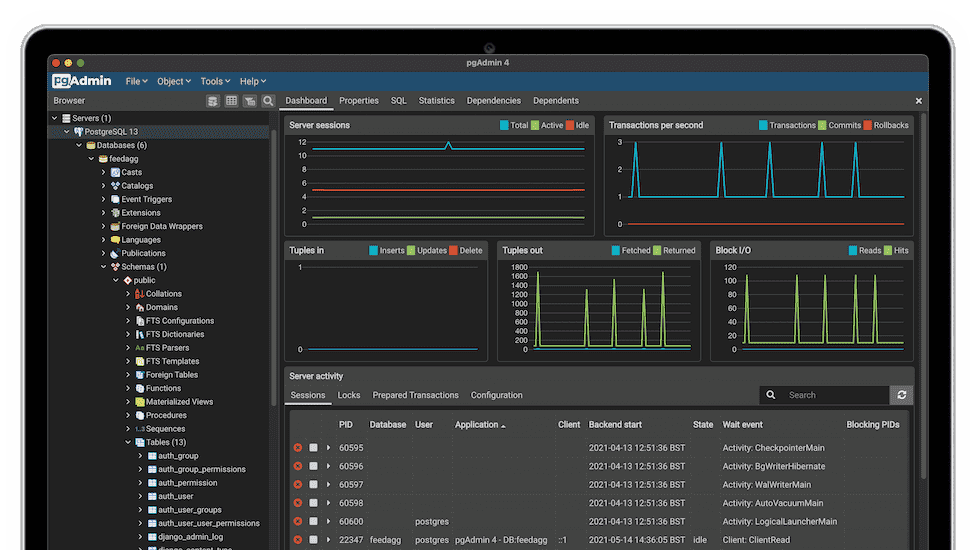
Source: pgAdmin
4. DataGrip

Best for: Cross-engine SQL IDE for developers across many databases
Strengths: Schema-aware completion, quick-fixes, JetBrains AI, VCS
Things to consider: Memory-heavy; paid subscription for commercial use
DataGrip is a cross-platform database IDE from JetBrains for working with relational and NoSQL databases. It connects to many engines, including PostgreSQL, MySQL, Oracle, Microsoft SQL Server, MongoDB, Redis, and cloud data sources, from a single interface.
DataGrip provides an intelligent query console with local history, context-aware code completion that understands table structure and foreign keys, and on-the-fly analysis that flags probable errors and suggests fixes. It is free for non-commercial use and integrates the same database tooling found in other JetBrains IDEs.
Key features include:
- Intelligent query console: Runs queries in multiple modes and keeps local history so work is preserved and previous statements can be revisited.
- Schema-aware code completion: Offers context-sensitive completion that accounts for table structure, foreign keys, and objects defined in the code being edited.
- On-the-fly analysis and quick-fixes: Detects likely bugs and unresolved objects as queries are written and proposes corrections before the query runs.
- Schema-aware AI assistance: Integrates JetBrains AI to write queries in natural language, fix and optimize SQL, and convert between SQL dialects, with support for multiple models.
- Import and export: Imports from CSV, TSV, and delimited files and exports to formats including CSV, JSON, HTML, Markdown, and Excel.
- Version control integration: Provides unified support for Git, SVN, Mercurial, and other version control systems.
Limitations (as reported by users on G2):
- High memory demand: Reviewers note DataGrip is heavy on memory and can use several gigabytes with large databases, requiring a well-specified machine.
- Subscription cost: The paid subscription is hard to justify for users who do not work with databases daily, especially given free alternatives.
- Occasional instability: Some users report periodic freezes tied to certain JetBrains release cycles.
- Learning curve: The tool can feel unintuitive for beginners or occasional users.
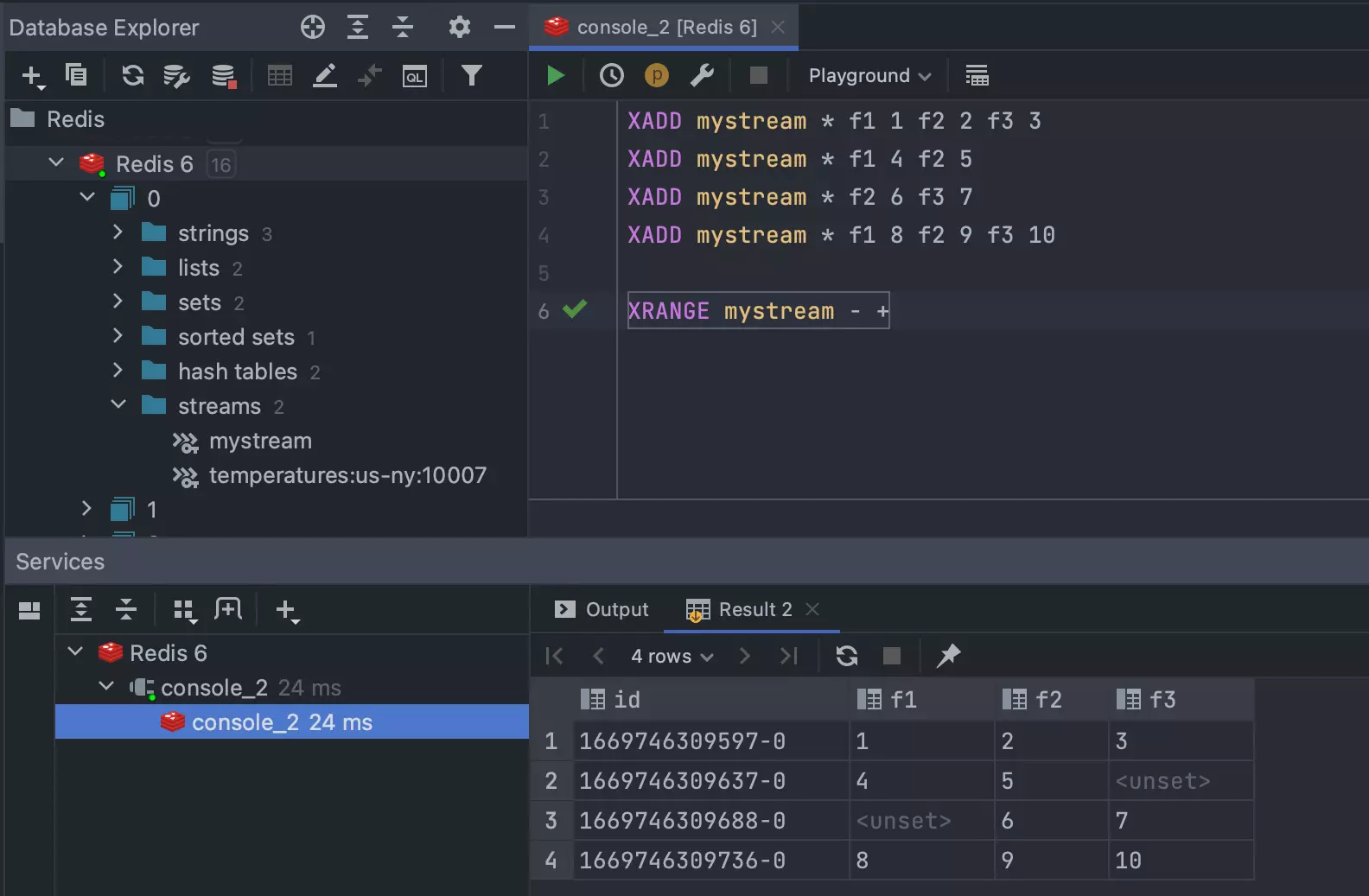
Source: JetBrains
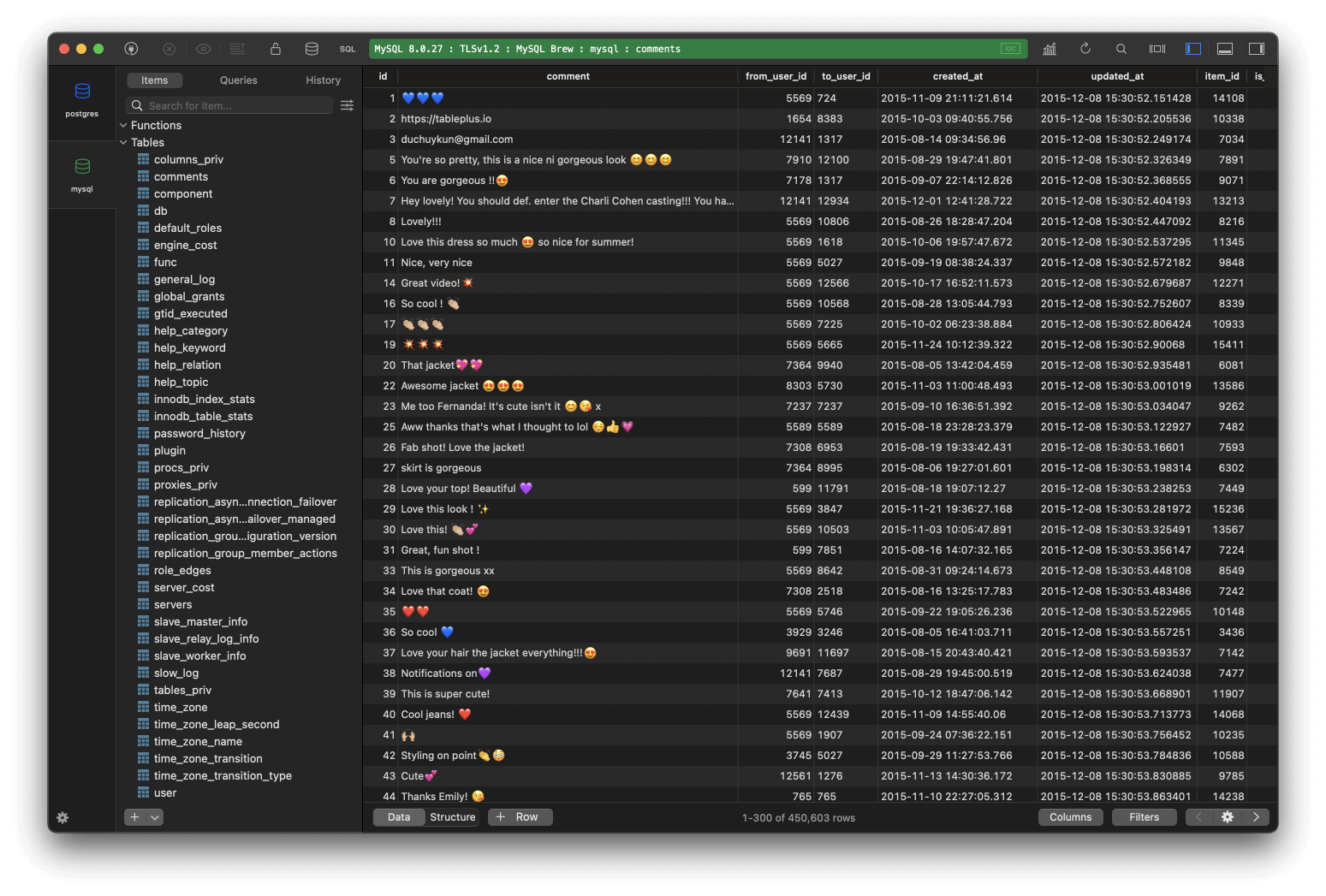
5. TablePlus

Best for: Fast, native multi-database GUI with a clean interface
Strengths: Lightweight native app, inline editing, safe mode, plugins
Things to consider: Restrictive free tier; feature gaps across platforms
TablePlus is a native database management tool that manages multiple databases through a single interface, including MySQL, PostgreSQL, SQLite, Microsoft SQL Server, and many others. It is built natively for macOS, Windows, and Linux, with an iOS version as well, which gives it high performance and a consistent experience across systems.
The interface supports inline editing of rows, structures, and query results, along with advanced filters and multiple tabs and windows for working across databases at once. A smart SQL editor adds autocomplete, syntax highlighting, split panes, and a query reformatter.
Key features include:
- Multi-database support: Connects to a wide range of databases, including MySQL, PostgreSQL, SQLite, SQL Server, Redshift, CockroachDB, Snowflake, Cassandra, and Redis.
- Inline editing: Edits data rows, table structures, and query results directly with a click, without writing SQL for every change.
- Safe mode and code review: Provides a safe mode to prevent accidental changes on production databases and a review step for tracking what has changed.
- Smart query editor: Includes instant autocomplete, syntax highlighting, split panes, a query reformatter, and saved query history.
- Import and export: Exports and imports SQL dumps to migrate databases between servers.
- Extensibility: Supports plugins written in JavaScript, with a growing set of community plugins, currently in beta.
Limitations (as reported by users on G2):
- Restrictive free tier: The free version limits open tabs, windows, and advanced filters, which constrains evaluation.
- Licensing cost: Reviewers consider the paid license relatively expensive compared with free alternatives.
- Feature gaps across platforms: Some capabilities and connections are limited to specific operating systems, so Windows users can see a more limited experience.
- Missing modeling features: Some users note the absence of features such as entity-relationship diagram creation.
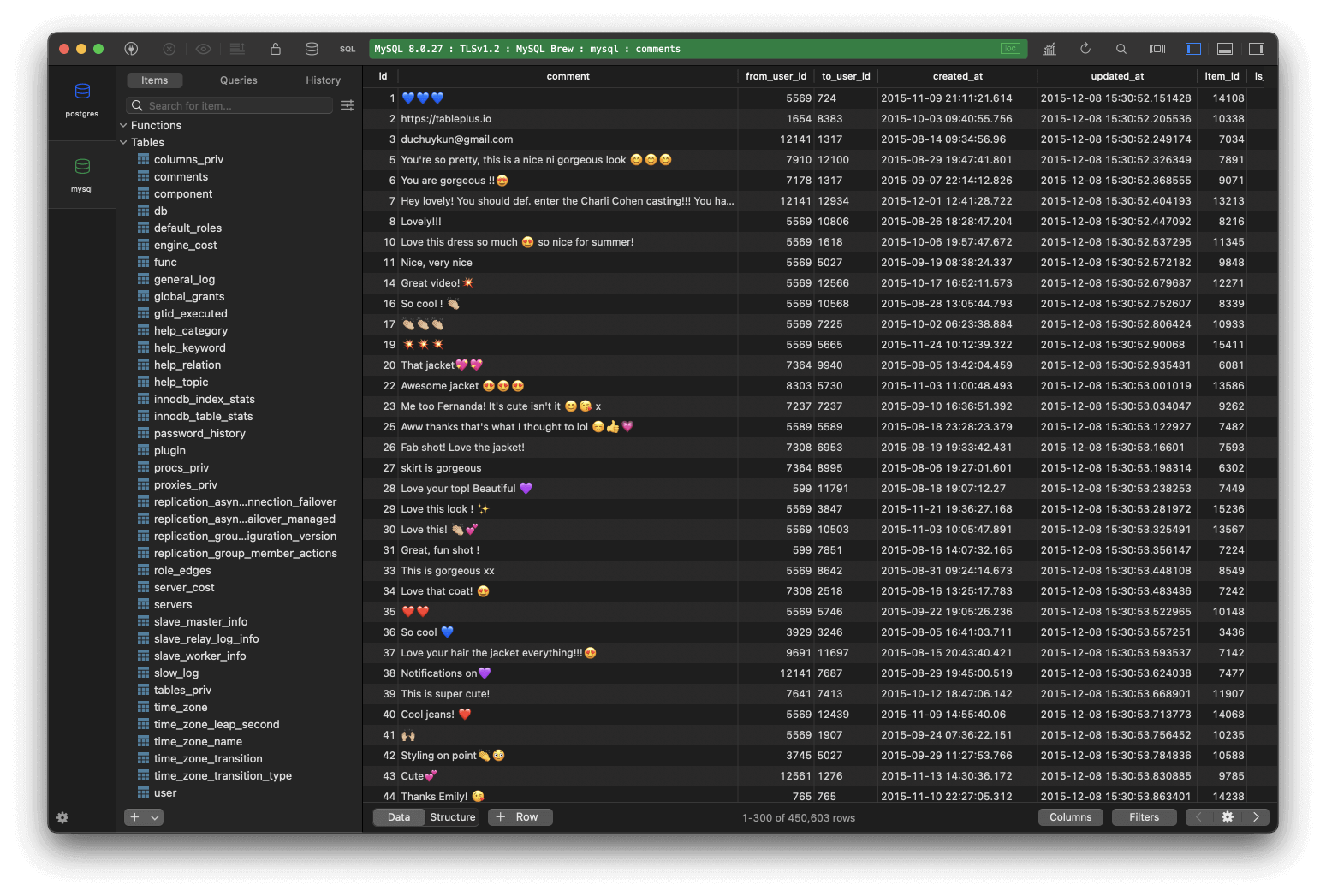
Source: TablePlus
6. DbVisualizer

Best for: Cross-platform universal SQL client for many databases
Strengths: Broad database coverage, visual query tools, Git integration
Things to consider: Paid Pro tier; autocomplete can be inconsistent
DbVisualizer is a cross-platform, universal database client that runs on Windows, macOS, and Linux through Java. It connects to a broad set of databases, including Oracle, MySQL, PostgreSQL, SQL Server, MongoDB, Snowflake, and Elasticsearch, across both on-premises and cloud environments.
The tool centers on an advanced SQL editor with automatic formatting, code suggestions, and reusable query variables, and it can present query results as tables or customizable graphs. Free and Pro editions share the same installer, with Pro features unlocked by a license key and an opt-in AI assistant available for query help.
Key features include:
- Broad database coverage: Connects to many popular databases across on-premises and cloud environments, with JDBC driver management handled through Maven.
- Advanced SQL editor: Provides automatic formatting, code suggestions, and query variables to write and reuse SQL efficiently.
- Data visualization: Presents query results from simple tables to customizable graphs for exploring output.
- Inline editing and export: Supports inline editing with local buffering until changes are committed, and exports result sets to many file formats.
- Git version control: Integrates Git for cloning repositories, switching branches, pushing changes, and viewing commit history.
- Security controls: Offers SSH-encrypted connections, master password protection, and per-user permissions.
Limitations (as reported by users on G2):
- Paid Pro tier: The most useful features sit behind a paid license, and reviewers cite cost as the main drawback.
- Inconsistent autocomplete: Some users report that intelligent suggestions do not reliably surface tables and columns.
- No shared connection sync: There is no built-in way to sync connections to the cloud for team collaboration.
- Upgrade friction: Occasional upgrades have caused saved connections to be lost without an automatic backup.
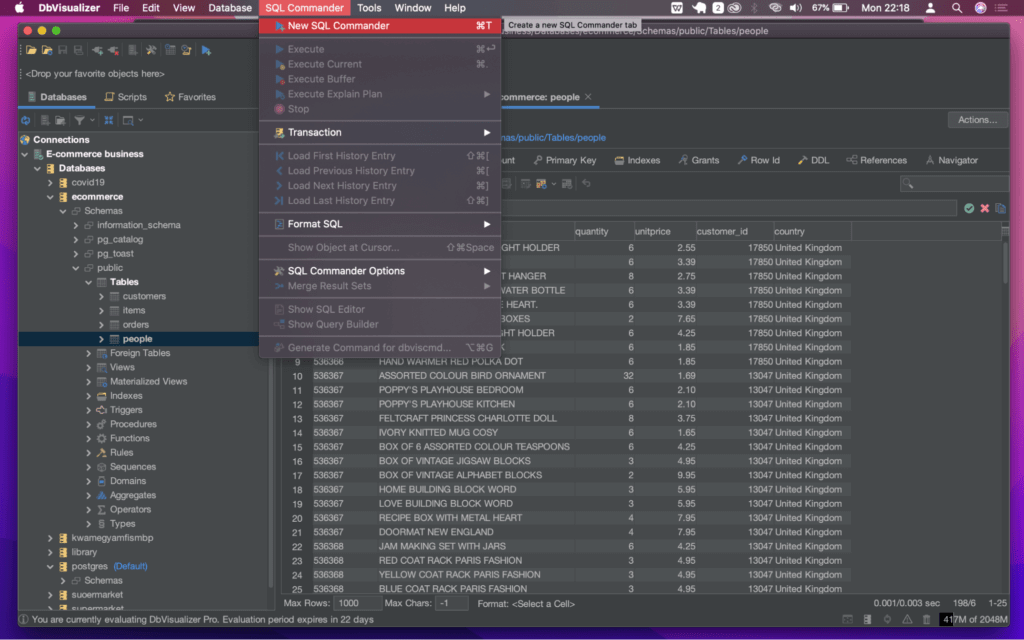
Source: DbVisualizer
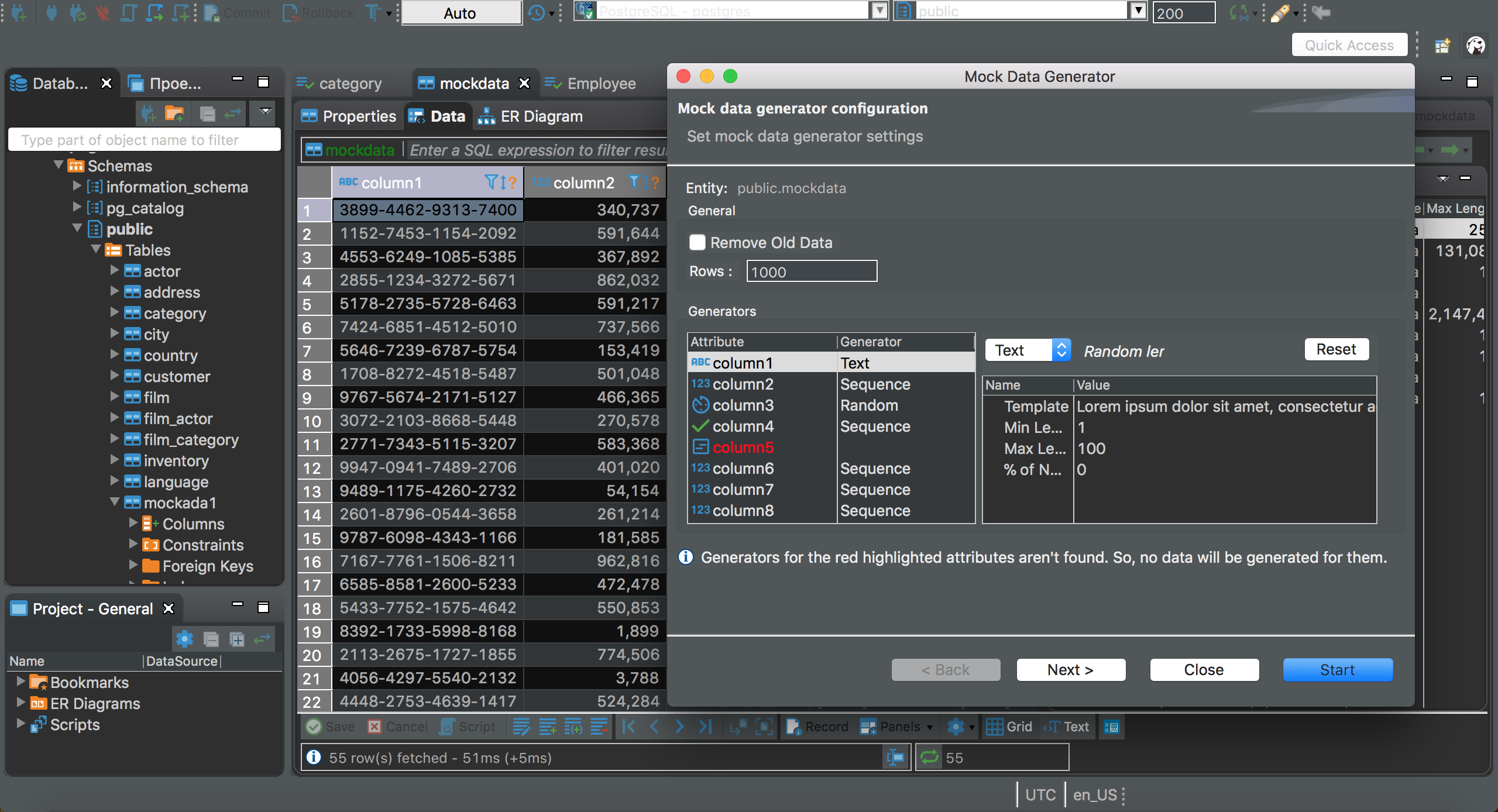
7. DBeaver

Best for: Free, open source universal database tool for daily work
Strengths: Wide JDBC support, ER diagrams, plugins, cross-platform
Things to consider: Heavier UI; advanced features need paid PRO
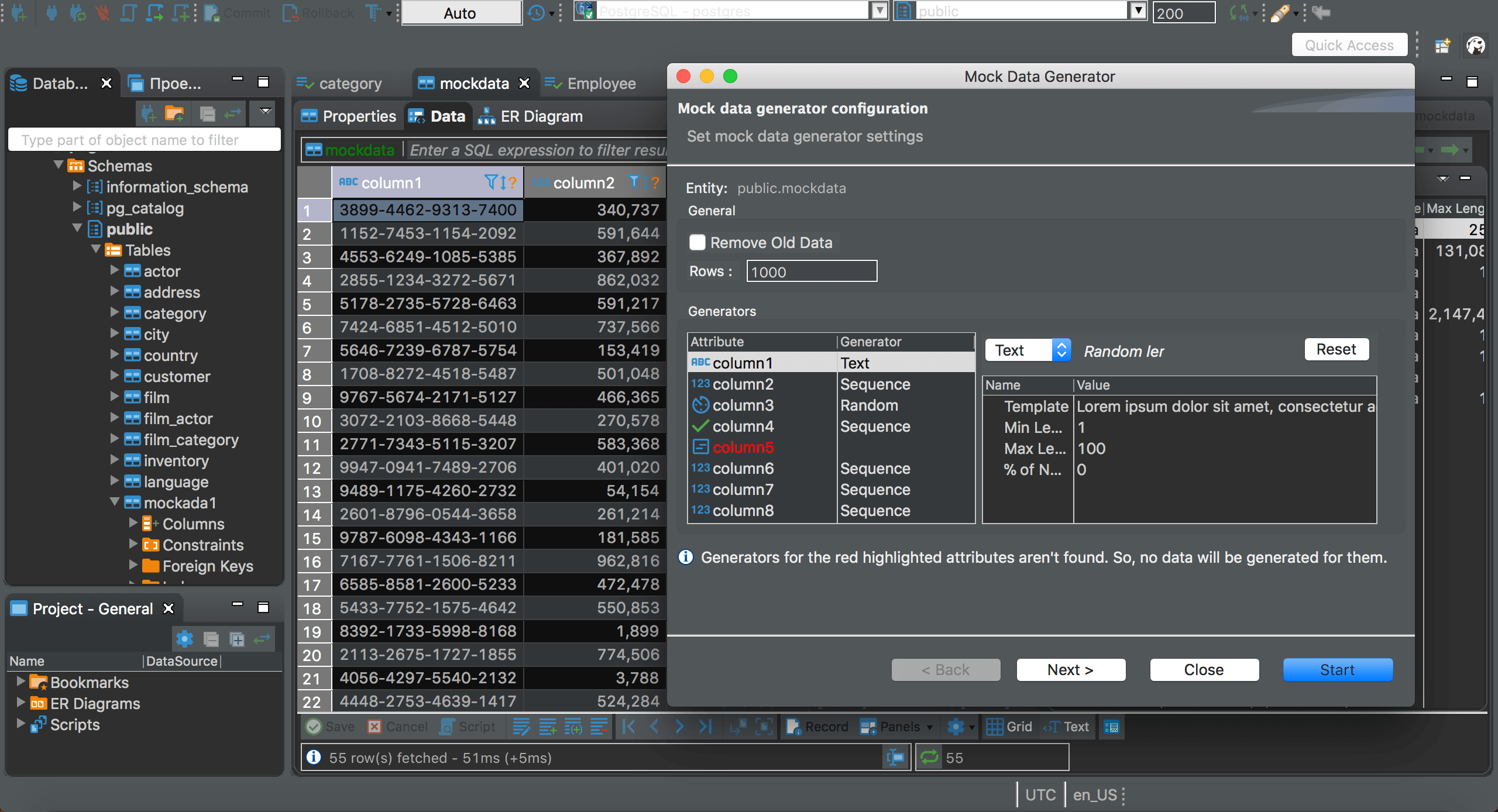
DBeaver is an open source, universal database management tool for developers and database administrators, with a free Community edition and a commercial PRO edition. The Community edition supports relational databases such as MySQL, MariaDB, PostgreSQL, SQLite, and SQL Server through JDBC drivers and provides a data editor, SQL editor, task management, and database maintenance tools.
It runs on Windows, macOS, and Linux, and its plugin architecture lets users extend functionality with tools for ER diagrams, data transfer, and schema comparison. The PRO edition adds NoSQL and cloud database support, advanced security, and an AI assistant.
Key features include:
- Extensive database support: Connects to any database with a JDBC driver, including MySQL, PostgreSQL, Oracle, and SQL Server, plus external data sources.
- Data and SQL editors: Provides a data editor and an SQL editor with autocompletion, along with task management for routine operations.
- Plugin architecture: Built on an open source framework that supports plugins for ER diagrams, data transfer, schema comparison, and more.
- Cross-platform operation: Runs on Windows, macOS, and Linux with a consistent interface across database types.
- Data management utilities: Includes data export and import, mock data generation, and general database maintenance tools.
- PRO capabilities: The commercial edition adds NoSQL and cloud database support, advanced security and authentication, a visual query builder, and an AI assistant.
Limitations (as reported by users on G2):
- Performance on large data: Reviewers report slowdowns and interface lag when working with very large datasets.
- Cluttered interface: The feature-dense interface can feel heavy and hard to navigate, especially for newcomers.
- Resource use: As a Java application, it can consume significant memory on lower-specification machines.
- Edition gaps: Some database engines and advanced features are reserved for the paid PRO subscription.
Source: DBeaver
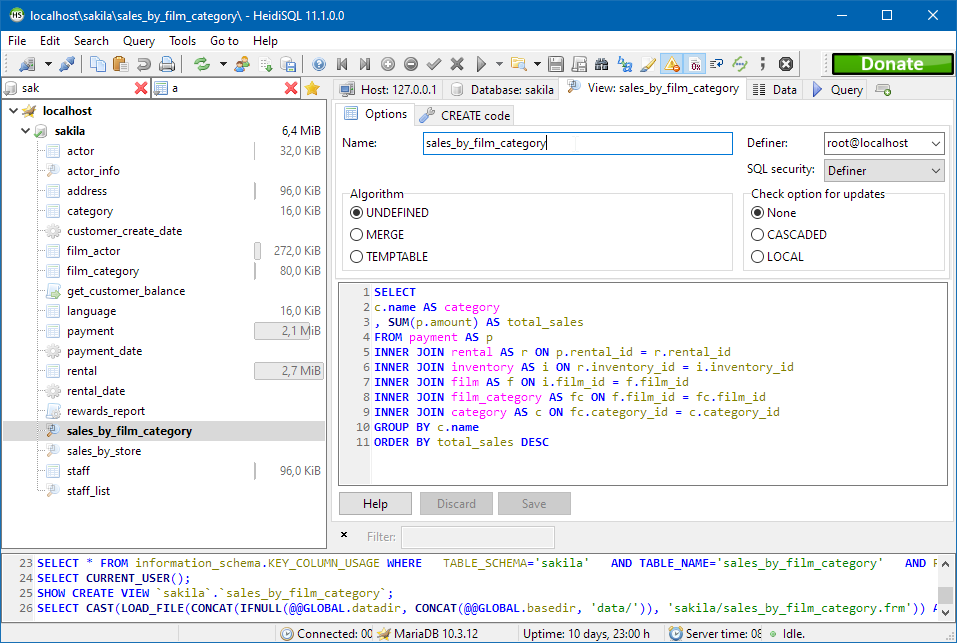
8. HeidiSQL

Best for: Lightweight, free client for MySQL, PostgreSQL, and more
Strengths: Free and open source, lightweight, SSH/SSL connections
Things to consider: Historically Windows-first; stability can vary
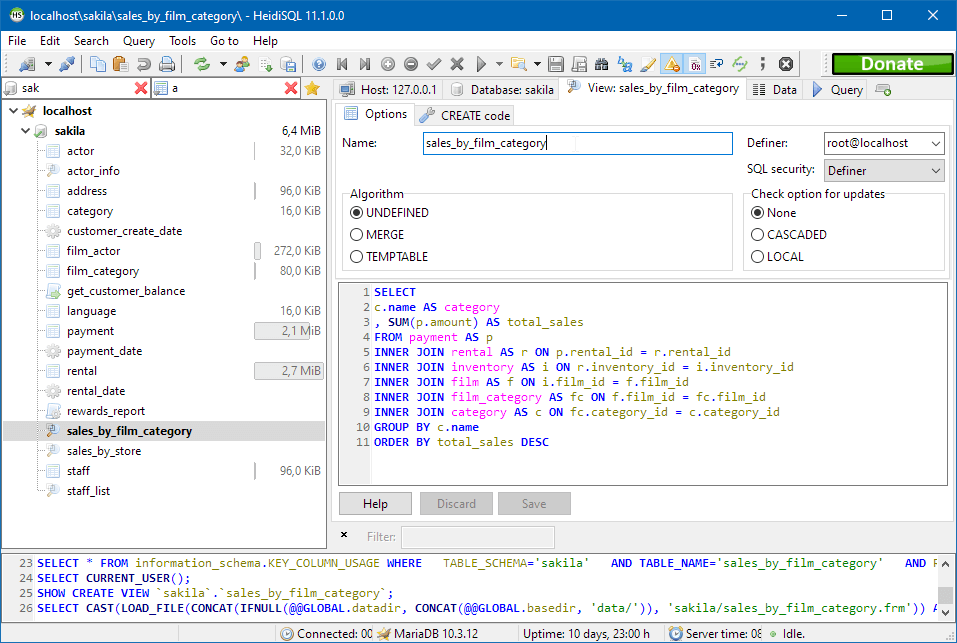
HeidiSQL is a free, open source database client for people who work with MariaDB, MySQL, Microsoft SQL Server, PostgreSQL, SQLite, Interbase, and Firebird. First created in 2002 by Ansgar Becker, it remains actively maintained and is popular among MariaDB and MySQL users while also supporting PostgreSQL.
HeidiSQL lets users connect to multiple servers in one window and edit both data and structures, including tables, views, stored routines, triggers, and scheduled events. Connections can be made over the command line, SSH tunnels, or SSL, and the Windows build is complemented by Linux and macOS releases compiled with Lazarus.
Key features include:
- Multi-database connections: Connects to MariaDB, MySQL, MS SQL, PostgreSQL, SQLite, Interbase, Firebird, ProxySQL, and Redshift, with multiple connections in one window.
- Flexible connectivity: Connects over the command line, through SSH tunnels, or with SSL settings for secure access to remote servers.
- Structure and data editing: Creates and edits tables, views, stored routines, triggers, and scheduled events, and browses and edits data in a grid.
- Import and export: Exports table rows to formats such as CSV, HTML, XML, SQL, LaTeX, and JSON, and transfers data directly between servers.
- User and process management: Manages user privileges with roles and authentication plugins and can monitor and terminate client processes.
- Query tooling: Provides syntax highlighting, code completion, and SQL reformatting to help write and tidy queries.
Limitations (based on publicly available sources):
- Stability variability: Users have historically reported occasional crashes, particularly when running complex scripts.
- Platform focus: The tool has long centered on Windows, and non-Windows builds have historically been less mature.
- Limited visualization: It offers limited data visualization compared with some other clients.
- Advanced feature gaps: Some advanced capabilities, such as graphical execution plans, are not available.
Source: HeidiSQL
Conclusion
Effective Postgres management is essential for ensuring the stability, security, and performance of PostgreSQL databases. By focusing on key areas such as user management, performance tuning, replication, and backup strategies, organizations can optimize their databases to support mission-critical applications. Proper management not only helps maintain data integrity and security but also minimizes downtime, enhancing overall system reliability.