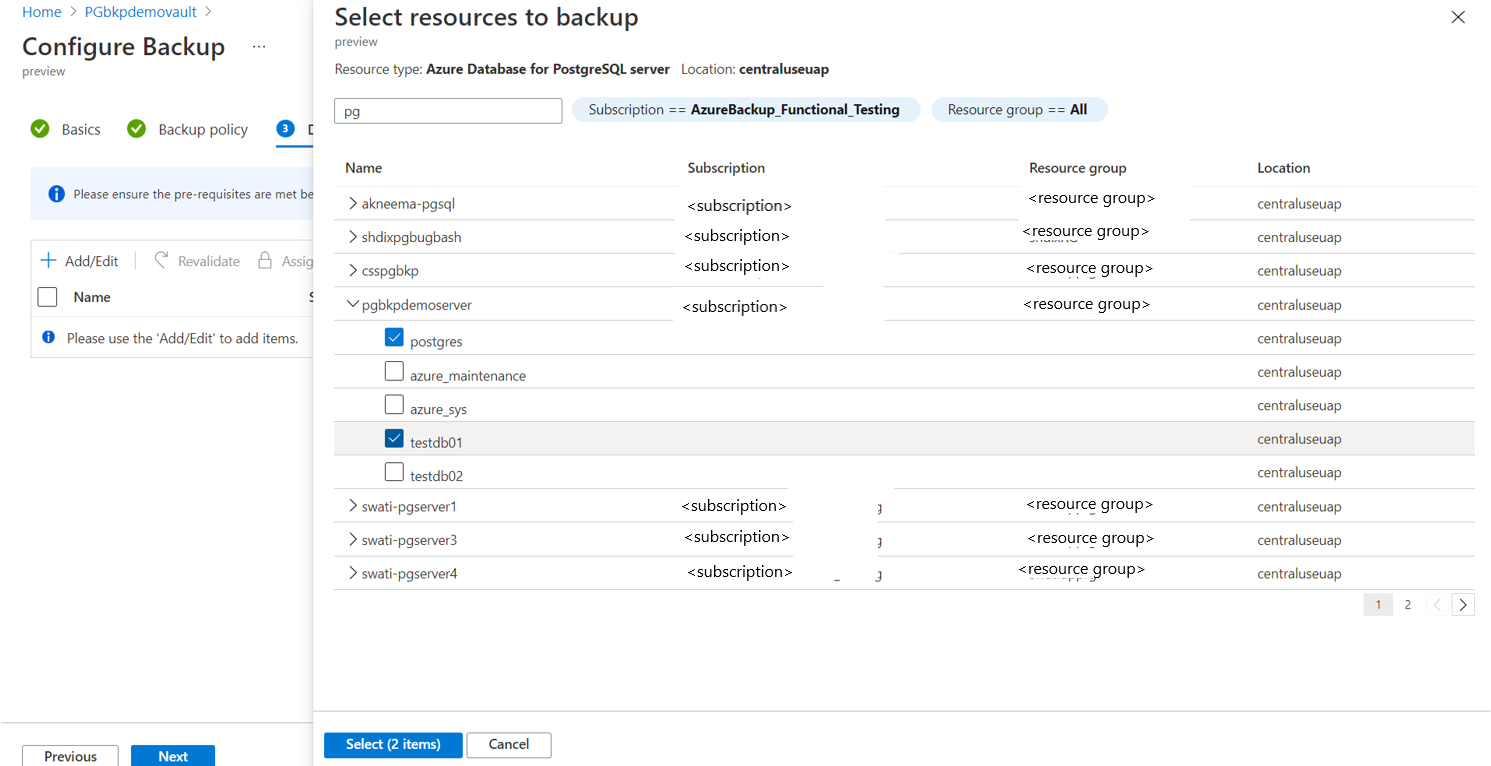
What Is managed PostgreSQL?
Managed PostgreSQL hosting providers offer built-in high availability (HA) with automatic, real-time failover by routing traffic to a synced standby node if the primary database fails.
Managed PostgreSQL options refer to cloud-based services that handle the administration and maintenance of PostgreSQL databases, freeing users from the complexities of database management. These services automate tasks like setup, backups, security, and scaling, allowing users to focus on their applications and business logic.
Disaster recovery (DR) features help managed PostgreSQL services maintain database availability when infrastructure, zones, or regions fail. Real-time failover is especially important because it can detect a failed primary, promote a synchronized standby, and redirect database traffic automatically. This reduces recovery time and limits the need for manual intervention. Effective DR also combines failover with replication, backups, point-in-time recovery, and tested recovery procedures to protect against both infrastructure failures and data loss.
Key features to look for in PostgreSQL with real-time failover:
- Automated failover: Look for automatic health checks, standby promotion, traffic redirection, split-brain protection, failover event visibility, and testable recovery behavior.
- Multi-zone and multi-region deployment: Choose providers that support zone-level HA and, when needed, regional disaster recovery with clear automatic or manual failover behavior.
- Replication architecture: Check whether replication is synchronous or asynchronous, how lag is monitored, and how the platform selects the best standby during failover.
- Connection management: Use services with a stable endpoint, proxy, or pooling layer, and ensure applications can reconnect and retry failed transactions after failover.
- Backup and recovery: Confirm automated backups, point-in-time recovery, encryption, retention controls, and practical restore testing options.
- Monitoring and observability: Look for replication lag, node health, resource usage, storage, logs, alerts, and clear failover start and completion events.
- Security and compliance: Evaluate encryption, private networking, access controls, audit logs, identity integration, and relevant compliance certifications.
Editor’s note: Updated information about managed PostgreSQL solutions to reflect features and capabilities in 2026, and added 2 new solutions.
Managed PostgreSQL Options at a Glance
The table below summarizes the key differences between the managed PostgreSQL options covered in this article. We explore each of them in more detail below (scroll to see full table).
| Category | Solution | Best For | Key Strengths | Things to Consider |
|---|---|---|---|---|
| Specialized managed PostgreSQL providers | NetApp Instaclustr | Enterprises running fully managed, 100% open source PostgreSQL | 24×7 support, 99.99% SLA, multi-region replication, pgvector | Focused on managed data infrastructure rather than app tooling |
| Specialized managed PostgreSQL providers | Crunchy Bridge | Teams wanting deep PostgreSQL expertise with true multi-cloud portability | Superuser access, PgBouncer built in, Postgres-core-team-level support | No published pricing tiers; PostgreSQL-only, no adjacent data platform |
| Specialized managed PostgreSQL providers | DigitalOcean Managed PostgreSQL | Developers wanting simple, predictably priced Postgres hosting | Daily backups, automated failover, predictable pricing, scaling | Fewer advanced controls than larger cloud providers |
| Cloud hyperscaler PostgreSQL services | Amazon RDS for PostgreSQL | AWS-based workloads needing managed Postgres with deep AWS integration | Multi-AZ, read replicas, provisioned IOPS, VPC and KMS security | Costs and tuning complexity can grow at scale |
| Cloud hyperscaler PostgreSQL services | Azure Database for PostgreSQL | Azure users wanting managed Postgres with built-in AI features | Up to 99.99% HA, pgvector, azure_ai extension, autonomous tuning | Setup and administration can feel complex to some users |
| Cloud hyperscaler PostgreSQL services | Google Cloud SQL for PostgreSQL | Google Cloud workloads needing managed Postgres with AI tooling | Automated maintenance, up to 99.99% availability, vector search | Billing and cost forecasting can be hard to predict |
| Serverless and developer-focused PostgreSQL platforms | Neon | Serverless and variable workloads needing branching and scale-to-zero | Scale-to-zero, instant branching, autoscaling, point-in-time recovery | Database-only service without built-in storage or app layers |
| Serverless and developer-focused PostgreSQL platforms | Supabase | Teams wanting Postgres plus auth, storage, and instant APIs | Dedicated Postgres, RLS, realtime, instant APIs, portability | Storage and auth may feel less mature for complex projects |
What Is PostgreSQL Real-Time Failover?
How PostgreSQL High Availability Works
PostgreSQL high availability typically uses a primary database and one or more standby nodes. The primary processes writes and streams changes to the standbys using PostgreSQL replication. Standbys continuously apply these changes so they can maintain an up-to-date copy of the database.
A monitoring system checks the health of the primary and replication status of the standbys. If the primary becomes unavailable, an HA controller can promote a healthy standby to become the new primary. Applications are then redirected to the promoted node through a proxy, virtual IP, DNS change, or managed database endpoint.
What Happens During a Failover
A failover starts when the HA system determines that the primary can no longer serve traffic reliably. Before promoting a standby, the system should confirm that the failure is genuine and prevent the old primary from continuing to accept writes. This fencing step reduces the risk of split-brain, where two nodes operate as primary simultaneously.
The selected standby is promoted and begins accepting writes. Connection routing is updated so applications reach the new primary, while clients may need to reconnect or retry interrupted transactions. When the failed node returns, it normally must be synchronized with the new primary before it can rejoin the cluster as a standby.
Automatic Failover vs. Manual Failover
Automatic failover uses health checks and predefined rules to detect failures and promote a standby without administrator intervention. It reduces recovery time and is useful for production systems that require high availability. However, detection thresholds must be configured carefully because network problems or temporary load spikes can otherwise trigger unnecessary failovers.
Manual failover requires an administrator to verify the problem and initiate promotion. This provides more control but increases recovery time and depends on operator availability. Planned maintenance may use a manual switchover instead, where roles are changed in a controlled way while both nodes are healthy.
Important Failover Metrics
Several metrics show whether PostgreSQL failover can meet an application’s availability and data protection requirements. Important metrics include:
- Recovery time objective (RTO): The maximum acceptable time required to restore database service after a failure.
- Recovery point objective (RPO): The maximum acceptable amount of data that can be lost during failover.
- Replication lag: The delay between changes committed on the primary and their application on a standby.
- Failover time: The actual time from detecting a primary failure until the standby is promoted and applications can reconnect.
- Connection recovery time: How long application connections take to resume after traffic moves to the new primary.
- Transaction error rate: The number or percentage of transactions that fail or require retries during a failover.
- Failover frequency: How often failovers occur, which can help identify infrastructure, network, or configuration problems.
What to Look for in PostgreSQL Hosting with Failover
Automated Failover
Automated failover should detect when the primary database is unavailable or unhealthy and promote a suitable standby without administrator intervention. Look for health checks that consider database availability, node status, and network connectivity rather than relying on a single signal.
Check the provider’s typical detection and promotion times, as well as safeguards against false failovers and split-brain conditions. The platform should also redirect traffic to the new primary automatically and rebuild or reintegrate the failed node when appropriate.
A useful service should expose failover events and allow teams to test the process. Regular testing helps confirm that applications reconnect correctly and that the provider’s stated recovery times are achievable under realistic conditions.
Multi-Zone and Multi-Region Deployment
Multi-zone deployment places database nodes in separate availability zones within the same cloud region. If one zone fails, a standby in another zone can take over. Because zones are relatively close, this design can often support synchronous replication without excessive latency.
Multi-region deployment protects against larger failures that affect an entire region. However, greater network distance increases replication latency, making asynchronous replication more common and potentially increasing the RPO.
Check whether failover across zones and regions is automatic or manual. Providers may offer automatic multi-zone failover but require an explicit disaster recovery process for cross-region promotion.
Replication Architecture
Review how the hosting service replicates PostgreSQL data between the primary and standby nodes. Synchronous replication waits for confirmation from a standby before completing selected transactions, reducing potential data loss at the cost of additional write latency.
Asynchronous replication allows the primary to commit without waiting for the standby. This improves write performance but creates a replication gap in which recently committed transactions could be lost if the primary fails.
Also consider replica count, replication lag monitoring, and standby selection during failover. The provider should avoid promoting a significantly delayed or unhealthy replica when a more current standby is available.
Connection Management
Applications should have a stable way to reach the writable PostgreSQL instance without tracking which physical node is currently primary. Managed services commonly provide a fixed database endpoint, proxy, or routing layer that directs connections to the active primary.
During failover, existing sessions may be terminated and in-flight transactions may fail. Applications therefore need suitable connection timeouts, retry logic, and transaction handling even when routing is fully automated.
Check whether the service provides built-in connection pooling and how quickly its endpoint reflects a role change. DNS caching, proxy behavior, and client configuration can all affect the outage duration experienced by applications.
Backup and Recovery
High availability protects against infrastructure failures, but it does not replace backups. Replication can copy accidental deletions, incorrect updates, and unwanted schema changes to every standby, leaving failover unable to recover the previous data.
Look for automated backups, configurable retention, point-in-time recovery, and encryption of backup data. Point-in-time recovery is especially useful when the database must be restored to a state immediately before an application or user error.
Review restore procedures as well as backup schedules. Providers should make it practical to perform recovery tests and measure restore times, since a backup is only useful if it can be restored within the required RTO.
Monitoring and Observability
A managed PostgreSQL service should expose enough information to determine whether the HA configuration is healthy before a failure occurs. Useful metrics include replication lag, node availability, connection counts, CPU and memory usage, storage capacity, and transaction activity.
Alerts should cover conditions that could weaken failover readiness, such as an unavailable standby, increasing replication lag, or storage exhaustion. Teams should also receive clear notifications when a failover starts and completes.
Database logs and platform event histories provide additional context for troubleshooting. They should help operators identify why a failover occurred, which standby was promoted, and how long each stage of recovery took.
Security and Compliance
Evaluate how the provider protects PostgreSQL instances, backups, replicas, and management interfaces. Important controls include encryption at rest and in transit, private networking, firewall rules, role-based access controls, and secure credential management.
The service should also record administrative and security-sensitive actions in audit logs. Integration with identity providers and centralized access management can make it easier to enforce authentication policies and remove access when roles change.
For regulated workloads, check which compliance standards and certifications the service supports and what they actually cover. Organizations remain responsible for application security, database permissions, data handling, and other controls that fall outside the provider’s responsibility.
Notable managed PostgreSQL options with real-time failover
How we selected these tools: We shortlisted managed PostgreSQL solutions based on their ability to automate provisioning, backups, high availability, scaling, security, monitoring, and extension support for production PostgreSQL databases.
Specialized managed PostgreSQL providers
1. NetApp Instaclustr

Best for: Enterprises running fully managed, 100% open source PostgreSQL
Strengths: 24×7 support, 99.99% SLA, multi-region replication, pgvector
Things to consider: Focused on managed data infrastructure rather than app tooling
Failover features: Multi-region replicas and HA failover for production clusters
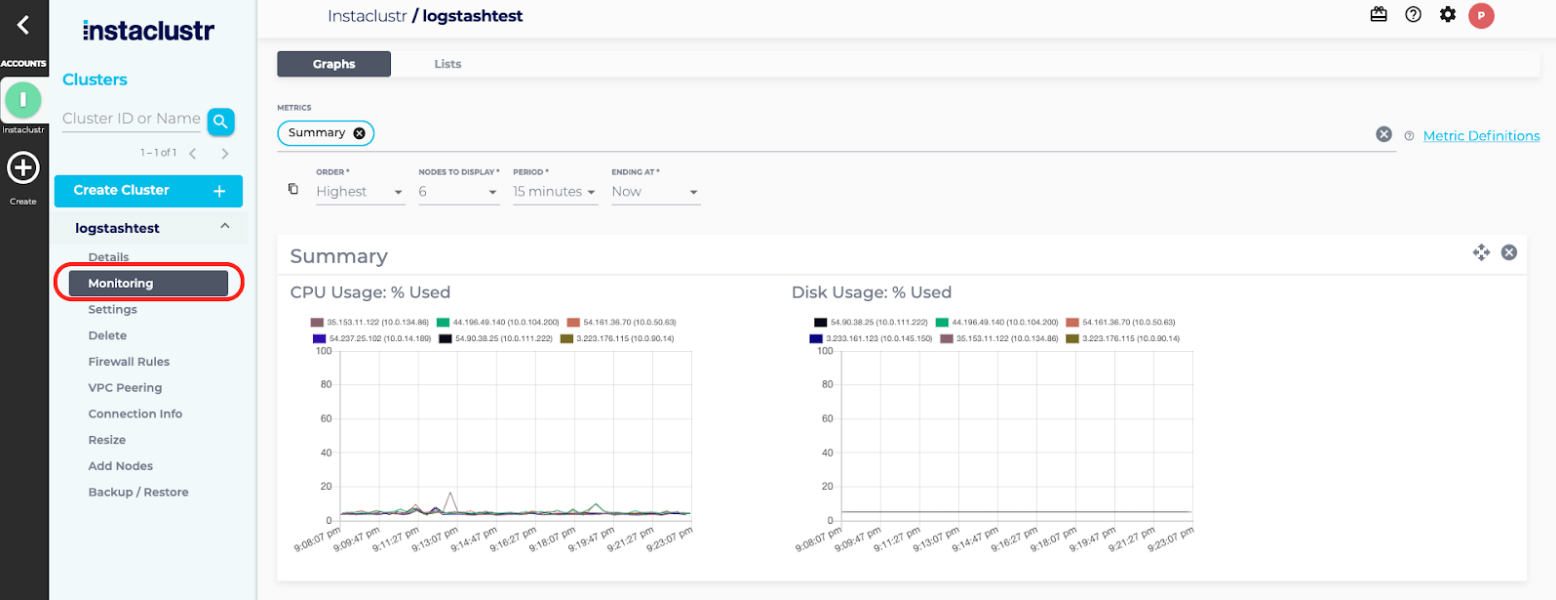
Instaclustr for PostgreSQL is a fully managed version of PostgreSQL released under PostgreSQL License. Clusters can run in your own cloud account or in an account managed by Instaclustr, and the service is 100% open source with no proprietary licensing. Provisioning and configuration are handled through a management console, a REST API, or a Terraform provider, with built-in monitoring included.
The service is backed by 24×7 support and industry-leading availability SLAs, and it holds SOC 2, ISO 27001, and ISO 27018 certifications along with GDPR and PCI-compliant options. Instaclustr customizes and optimizes each PostgreSQL configuration and handles continuous maintenance and version upgrades.
Key features include:
- High availability and replication: The service offers a 99.99% SLA and can create read replicas in secondary regions to reduce latency and maintain uptime. Multi-region replication supports availability for production workloads that span geographies.
- Connection pooling with PgBouncer: PgBouncer provides a lightweight connection pooler that manages database connections efficiently. This helps control resource usage and supports scaling of concurrent client connections against the database.
- Provisioning and automation options: Clusters can be provisioned through the management console, a REST API, or the Terraform provider. Monitoring is available through a Prometheus API or REST-based integrations to common monitoring platforms, supporting DevOps workflows.
- Extensibility and vector search: PostgreSQL functions let administrators create operators, data types, and conversions. The service supports pgvector, the extension for storing and running similarity search over high-dimensional vector data, so a single database can serve AI and retrieval workloads without a separate data store.
- Scalability and concurrency: PostgreSQL scales vertically with additional threads and memory and horizontally through replication across separate geographic locations for read availability. Multi-version concurrency control snapshots data at the start of each transaction, allowing reads without locking.
- Deployment flexibility: The service runs in the cloud or on-premises, in your account or Instaclustr’s. It is available on major cloud platforms, and performance testing on Azure NetApp Files supports fast forking of PostgreSQL instances for testing or backup.
Limitations (as reported by users):
- Documentation depth: Some users would like more comprehensive documentation and tutorials to support onboarding and day-to-day operations.
- Workload-based auto-scaling: Users have noted that scaling policies driven by workload patterns, such as automatic scaling during peak hours, would improve performance and cost efficiency.
- Scope of the platform: The platform centers on managed data infrastructure rather than application build and deployment tooling, so teams needing broader delivery features may require additional tools.
Source: NetApp Instaclustr
2. Crunchy Bridge

Best for: Teams wanting deep PostgreSQL expertise with true multi-cloud portability
Strengths: Superuser access, PgBouncer built in, Postgres-core-team-level support
Things to consider: No published pricing tiers; PostgreSQL-only, no adjacent data platform
Failover features: Automatic cross-AZ failover with replicated standby nodes
Crunchy Bridge is a fully managed PostgreSQL service from Crunchy Data, deployable on AWS, Google Cloud, and Azure (as well as through the Heroku add-on marketplace). Every database runs in its own isolated VPC, and the company positions itself as a PostgreSQL specialist rather than a general-purpose cloud database provider, with several Crunchy team members serving on the Postgres core team.
Unlike many managed database providers, Crunchy Bridge grants superuser access by default, giving teams direct control over roles, schemas, and permissions that other managed services often restrict. Support tickets are handled by Postgres experts rather than tiered general support, and pricing runs on a predictable pay-as-you-go model billed by the minute for compute and storage.
Key features include:
- Superuser access out of the box: Grants full superuser privileges by default, unlocking Postgres features and role/schema management that most managed providers lock away.
- Built-in connection pooling: Ships with PgBouncer alongside every database, removing the complexity of managing an external connection pooler for production workloads.
- High availability with one click: Replicates data automatically to a different availability zone with built-in failover management, enabled through the console or API.
- In-place version upgrades:Supports in-place upgrades to new minor and major PostgreSQL versions in seconds to minutes, avoiding the dump-and-restore downtime typical of version upgrades.
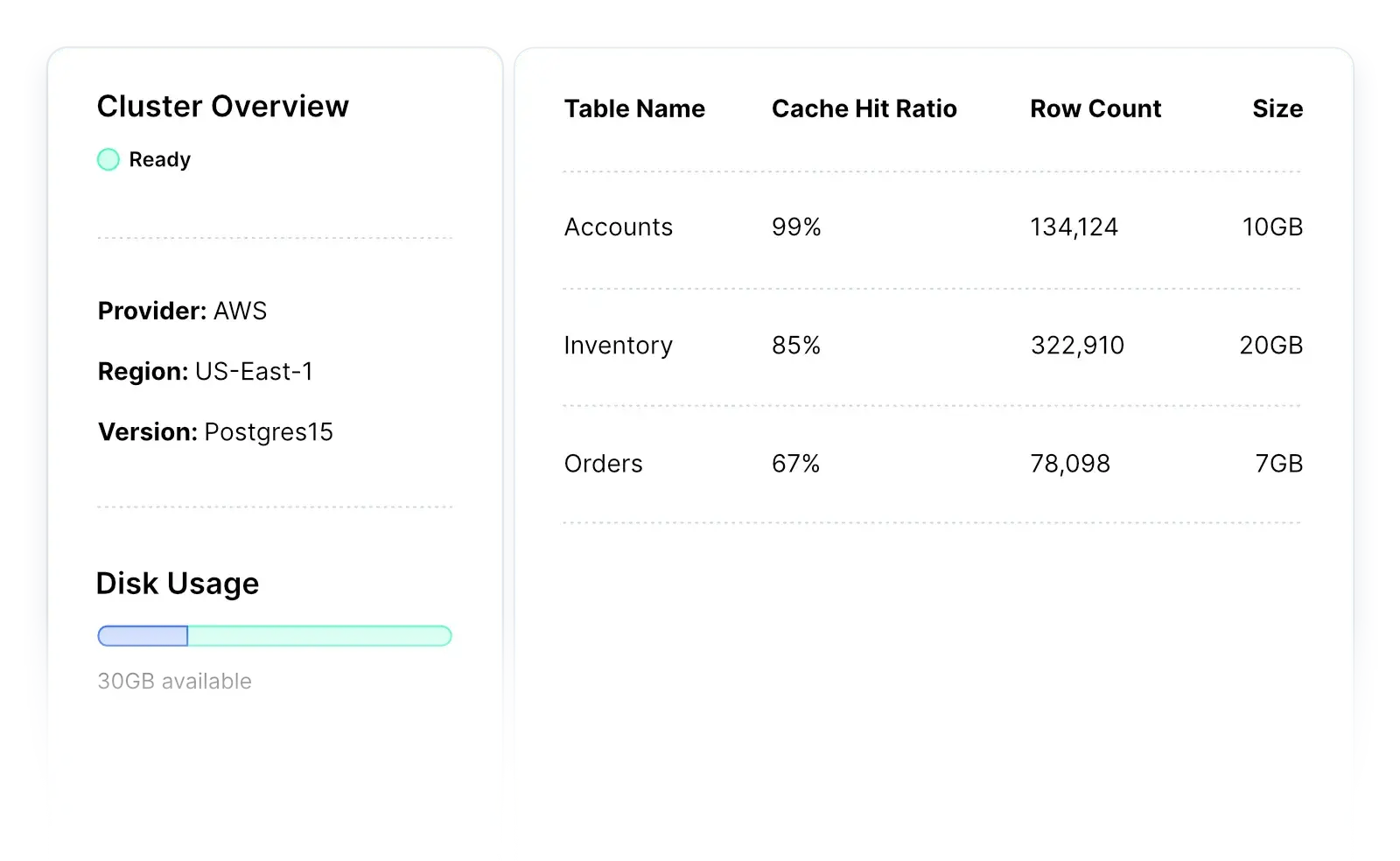
- Postgres Insights: Provides automated monitoring assistance covering cache hit ratio, index hits, and slow queries, alongside CLI and dashboard visibility into CPU, IOPS, connections, and storage.
- Broad extension catalog: Supports a wide range of PostgreSQL extensions, letting teams add geospatial, time-series, or other specialized capabilities without leaving the managed environment.
- Multi-cloud and platform flexibility: Runs on AWS, Google Cloud, Azure, or via Heroku, with a full-featured CLI, developer API, and user dashboard for provisioning and management.
Limitations (based on publicly available sources):
- Pricing transparency: Detailed pricing is not published publicly; prospective customers need to use Crunchy Bridge’s pricing calculator or contact the company directly for a quote.
- PostgreSQL-only scope: The service focuses exclusively on PostgreSQL, so teams wanting a bundled multi-engine data platform (streaming, caching, analytics) alongside their database need separate tools.
- Limited independent review volume: As a more specialized provider, third-party user reviews and ratings are sparser than for larger, more broadly reviewed managed database platforms.
Source: Crunchy Bridge
3. DigitalOcean Managed PostgreSQL

Best for: Developers wanting simple, predictably priced Postgres hosting
Strengths: Daily backups, automated failover, predictable pricing, scaling
Things to consider: Fewer advanced controls than larger cloud providers
Failover features: Automated failover to standby nodes when the primary degrades
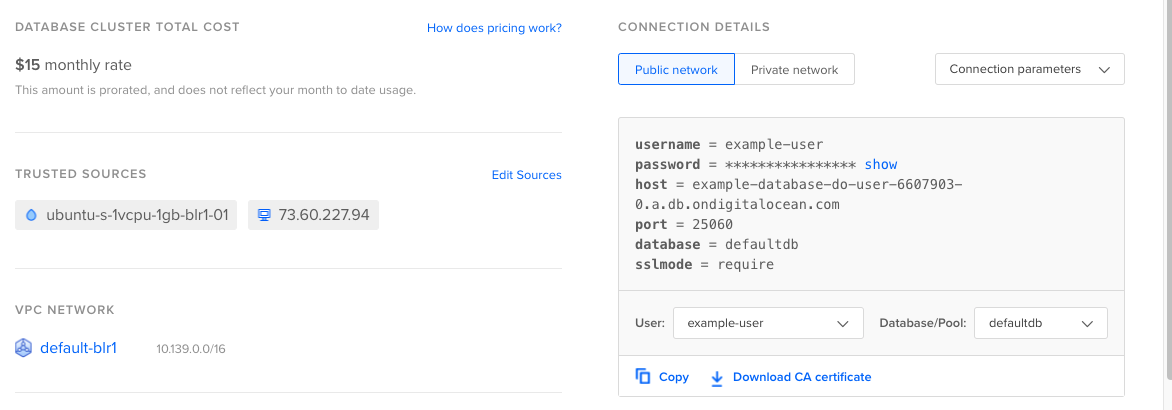
DigitalOcean Managed PostgreSQL is a fully managed database cluster service that handles provisioning, configuration, maintenance, and updates. Clusters can be launched from a simplified UI or API, and existing databases can be migrated in with minimal downtime through logical replication or dump-and-restore methods.
The service runs on enterprise-class hardware, supports PostgreSQL 17, and can scale storage up to 30TB. Clusters run on shared vCPU or fully dedicated vCPU options, and pricing is flat and predictable with monthly caps across all data centers.
Key features include:
- Backups and point-in-time recovery: Data is backed up automatically every day, and point-in-time recovery lets you restore to any point within the previous seven days.
- Automated failover and high availability: All clusters have automated failover that detects and replaces degraded or failing nodes. High availability requires at least one standby node, which provides redundancy for the primary and can also serve read traffic.
- Scalability: You can scale storage up to 30TB, dynamically increase CPU, RAM, and storage, and use autoscaling for storage. Read-only nodes can be added to scale read operations as demand grows.
- Metrics and monitoring: The service includes database-level metrics such as connections, cache hit ratio, sequential versus indexed scans, and throughput, along with cluster resource metrics for CPU, load, memory, and disk usage. Metrics can be scraped for external analysis.
- Security and network isolation: Databases run in your account’s private network within a VPC, and only whitelisted requests over the public internet can reach the database. Data is encrypted in transit and at rest with end-to-end SSL.
- Extension support: Supported extensions such as PostGIS, hstore, bloom, and h3 can be installed, upgraded, or disabled with SQL commands, and pgvector and pgvectorscale are available for vector similarity search.
Limitations (as reported by users on ):
- Managed database pricing: Some users find the cost increases steep when adding more storage or a standby node.
- Advanced features and controls: Users note that some advanced capabilities common at larger cloud providers, such as deeper networking controls or enterprise-level managed services, are limited or require extra setup.
- Deployment analytics: Some users report that more in-depth analytics into resource usage at the application or deployment level would be helpful, and the dashboard can slow down when many resources are running.
Source: DigitalOcean
Cloud hyperscaler PostgreSQL services
4. Amazon RDS for PostgreSQL

Best for: AWS-based workloads needing managed Postgres with deep AWS integration
Strengths: Multi-AZ, read replicas, provisioned IOPS, VPC and KMS security
Things to consider: Costs and tuning complexity can grow at scale
Failover features: Multi-AZ automatic failover to a synchronized standby instance
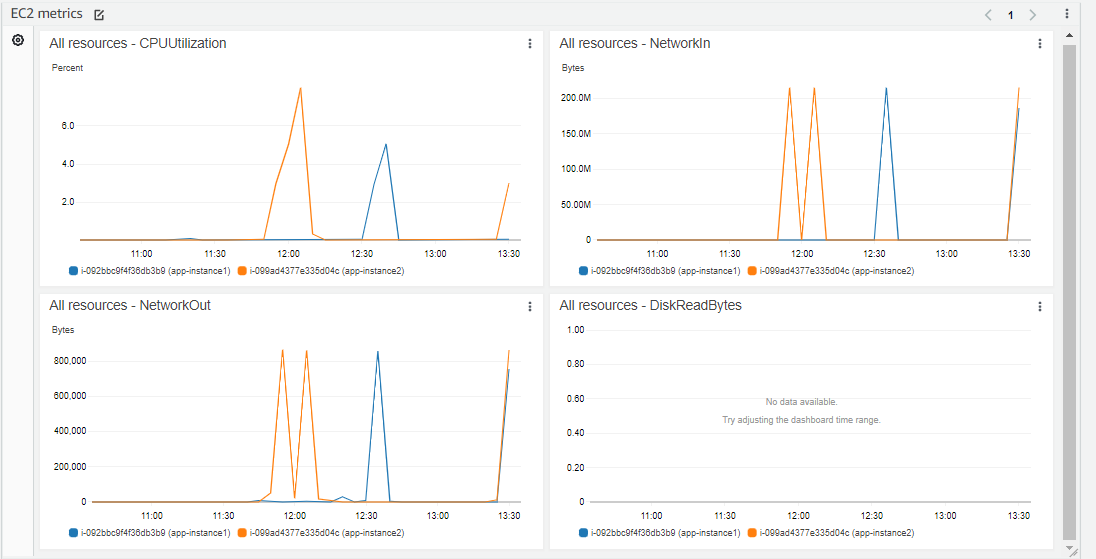
Amazon RDS for PostgreSQL is a managed relational database service that handles administrative tasks such as software installation and upgrades, storage management, replication, and backups. Databases can be launched in a few steps from the AWS Management Console and come preconfigured with parameters for the selected server type.
RDS gives access to the standard PostgreSQL engine, so existing code, applications, and tools work unchanged, and it supports multiple major PostgreSQL versions. Trusted Language Extensions let developers build and run custom extensions using trusted languages without AWS certifying the code.
Key features include:
- Managed deployments and parameter control: Instances are preconfigured for the selected server type, and database parameter groups provide granular fine-tuning. Blue/Green Deployments are provided to make database updates safer and faster.
- Storage options: Two SSD-backed storage options are available. General Purpose storage suits small to medium workloads, while Provisioned IOPS delivers consistent performance up to 40,000 IOs per second for high-performance OLTP applications, with storage expandable on the fly.
- Backup and recovery: Automated backups enable recovery to any point in time within a retention period of up to 35 days. User-initiated full database backups are retained until explicitly deleted.
- High availability and read replicas: Multi-AZ deployments provide enhanced availability and durability for production workloads. Read Replicas allow read-heavy workloads to scale out beyond the capacity of a single instance.
- Isolation and security: Security includes network isolation with Amazon VPC, encryption at rest using keys managed through AWS KMS, and encryption of data in transit using SSL.
- Extension support: Trusted Language Extensions let developers build high-performance extensions and run them safely using trusted languages, with a curated set of extensions supported under the AWS shared responsibility model.
Limitations (as reported by users on ):
- Cost management: Users report that costs can grow and that managing spend requires attention, particularly as instances scale.
- Operational tooling: Some users note that connecting to and managing instances would benefit from more built-in cloud-based management tooling rather than intermediate access methods.
- Tuning knowledge: Getting the most from the service still requires PostgreSQL tuning knowledge for parameters, indexes, and query planning.
Source: Amazon
5. Azure Database for PostgreSQL

Best for: Azure users wanting managed Postgres with built-in AI features
Strengths: Up to 99.99% HA, pgvector, azure_ai extension, autonomous tuning
Things to consider: Setup and administration can feel complex to some users
Failover features: Zone-redundant HA with automatic managed failover
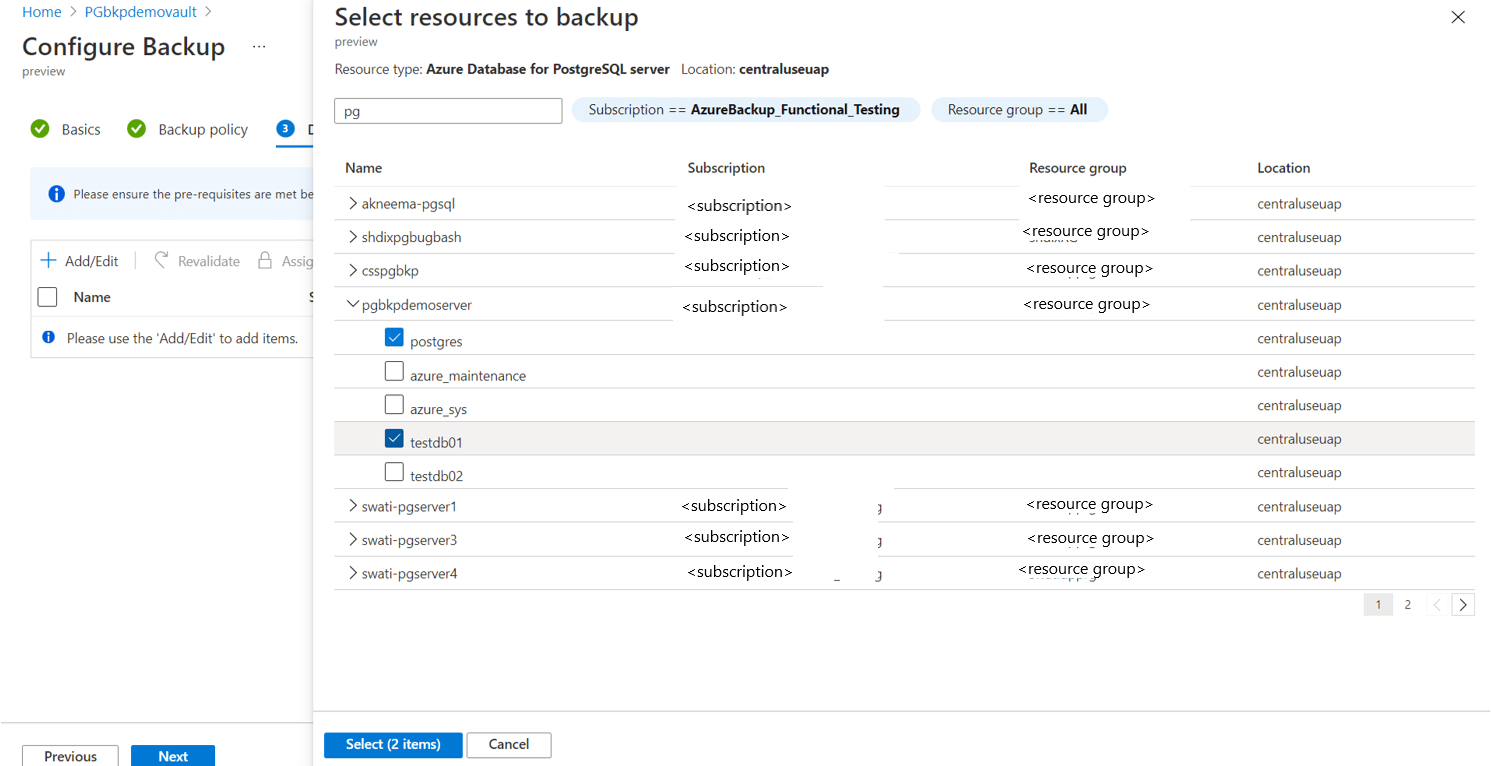
Azure Database for PostgreSQL flexible server is a fully managed service built on the open source PostgreSQL engine. Azure provisions the infrastructure and handles patching, backups, high availability, and scaling, while you connect using standard PostgreSQL tools. Compute and storage scale independently, and a burstable compute tier plus stop/start controls help manage cost.
The service maintains compatibility with PostgreSQL versions, extensions, drivers, and tools, and adds built-in AI capabilities. It is available in more than 60 Azure regions and supports online and offline migrations from on-premises environments, virtual machines, and other managed PostgreSQL services.
Key features include:
- Native AI capabilities: The azure_ai extension lets you call large language models directly from the database, and pgvector enables vector similarity search. DiskANN indexing supports high-performance vector search for retrieval-augmented generation and semantic search inside the database.
- High availability: Built-in, zone-redundant high availability provides up to 99.99% availability. Azure handles patching, backups, and failover automatically to keep applications resilient.
- Independent scaling: Compute and storage scale independently, with pay-as-you-go or reserved instance options. A burstable compute tier and the ability to stop and start the server support cost control for dev, test, and predictable workloads.
- Distributed PostgreSQL: Elastic clusters distribute PostgreSQL workloads to scale beyond single-node limits for high-throughput, data-intensive applications without rewriting applications.
- Autonomous tuning and maintenance: Built-in capabilities handle routine operations such as indexing recommendations, performance tuning, and maintenance to reduce manual intervention.
- Security and compliance: Security includes network controls, enterprise identity management and access control, and data encryption in transit, in use, and at rest, backed by a broad set of compliance certifications.
- Migration options: Online and offline migrations are supported from on-premises, virtual machines, and other managed PostgreSQL services, with assessment tooling and AI-assisted Oracle-to-PostgreSQL migration.
Limitations (as reported by users on ):
- Ease of use and setup: Some reviewers find the service more complex to set up and administer than comparable managed databases, which can require additional learning.
- Cost at scale: Users note potential cost increases at scale and less low-level control compared with self-managed options.
- Product support and roadmap: In comparisons, some reviewers preferred the support quality and roadmap direction of other Azure database options.
Source: Microsoft
6. Google Cloud SQL for PostgreSQL

Best for: Google Cloud workloads needing managed Postgres with AI tooling
Strengths: Automated maintenance, up to 99.99% availability, vector search
Things to consider: Billing and cost forecasting can be hard to predict
Failover features: Automatic HA failover with zero-data-loss recovery
Google Cloud SQL for PostgreSQL is a managed service that automates backups, failover, replication, encryption, patches, and storage capacity increases. It supports all major PostgreSQL versions, the most popular extensions, and over 100 database flags, and integrates with services such as GKE, BigQuery, and Cloud Run.
The service is Gemini-powered and offers near-zero downtime of less than ten seconds for planned maintenance, with all availability SLAs up to 99.99% inclusive of maintenance. Migrations from PostgreSQL or Oracle databases are supported through Database Migration Service.
Key features include:
- Fully managed operations: Cloud SQL automates backups, failover, replication, encryption, patches, and capacity increases while providing greater than 99.95% availability. Daily backups and binary logging support point-in-time recovery, with backups retained up to one year.
- Flexible scaling: Instance shapes let you scale compute, memory, and storage independently. Instances can scale up to 96 processor cores, 624 GB of RAM, and 60TB of storage, and read replicas handle increasing read traffic with automatic storage increases.
- Built-in high availability: High availability configuration recovers from incidents with zero data loss, and cross-region replicas plus global VPCs support disaster recovery and data residency controls.
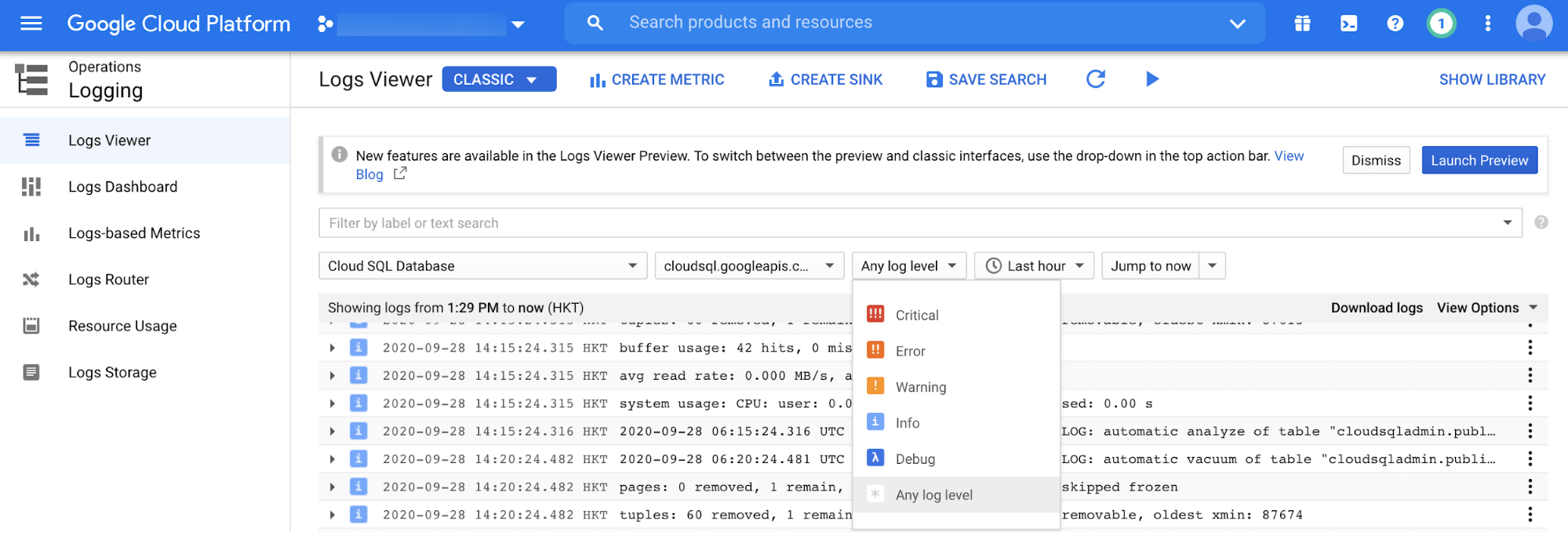
- Observability for DevOps: Cloud SQL Insights helps identify and resolve performance issues with pre-built dashboards and visual query plans. Metrics and traces are accessible through OpenTelemetry, and query tags let you view database activity through the lens of your applications.
- Security controls: Access uses IAM authentication and the Cloud SQL Proxy. Data is encrypted over Google’s network and at rest, with optional customer-managed encryption keys, VPC connectivity, an integrated firewall, and audit logging.
- Vector search and AI integration: Cloud SQL for PostgreSQL supports approximate and exact nearest neighbor vector search using pgvector, plus LangChain integrations for document loading, vector stores, and chat message memory to build generative AI applications.
- Maintenance controls: Planned maintenance runs with near-zero downtime, and notifications arrive a week in advance with controls such as week-long postponement or a deny period of up to 90 days.
Limitations (as reported by users on ):
- Billing transparency: Users find pricing and billing hard to understand and would like more granular, easier to forecast cost estimates and optimization tools.
- Default configuration cost: Some users note that default instance configurations can be expensive, requiring manual adjustment to reduce cost.
- Zone availability and backups: Some users mention limited zone availability and cases where backups were deactivated, along with charges for data downloads from Cloud Storage.
Source: Google
7. Neon

Best for: Serverless and variable workloads needing branching and scale-to-zero
Strengths: Scale-to-zero, instant branching, autoscaling, point-in-time recovery
Things to consider: Database-only service without built-in storage or app layers
Failover features: Managed compute recovery with storage separated from compute
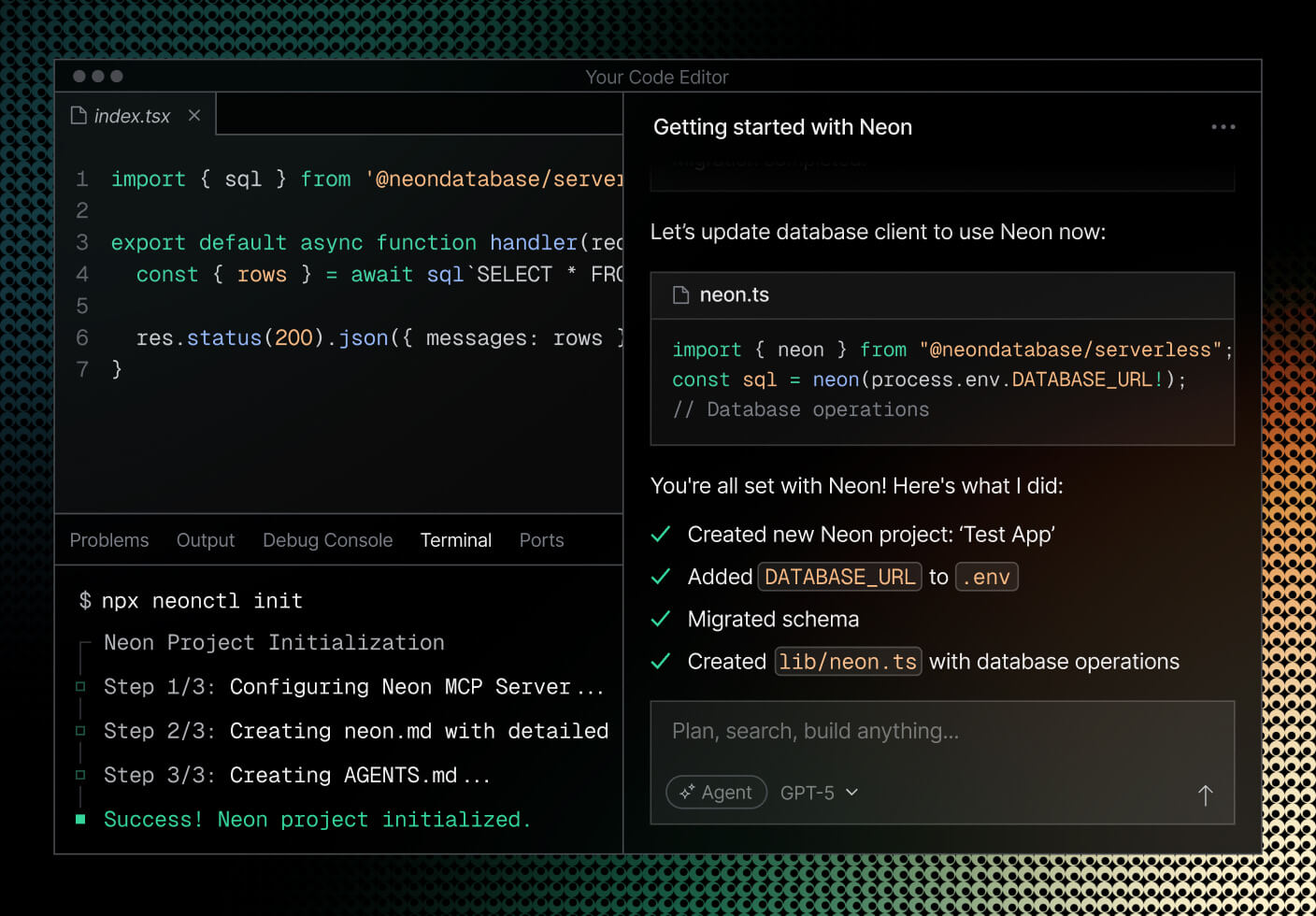
Neon is a serverless PostgreSQL platform that separates storage and compute using its lakebase architecture. This separation lets Neon scale CPU, memory, and storage automatically to fit a workload and scale down to zero when idle, so databases can be provisioned in seconds without manual capacity planning.
Neon has been a Databricks company since May 2025. Alongside the core Postgres database it now offers managed authentication, serverless functions, S3-compatible object storage, and an AI gateway, though the database itself remains a standard Postgres service accessible with any Postgres client.
Key features include:
- Advanced autoscaling: By separating compute and storage, Neon automatically scales CPU, memory, and storage to match the workload. This avoids paying for resources that are not in use and prevents performance degradations from fixed provisioning.
- Instant branching: Copy-on-write branching creates editable copies of a database instantly, similar to git branches, which saves space and time. Branches can be anonymized to mask sensitive data and delete themselves automatically when work is complete.
- Scale to zero: Compute scales down to zero when the database is idle and wakes when a query arrives, which reduces cost for development, staging, and variable-traffic workloads.
- Connection pooling: A PgBouncer-based pooler is built into the architecture, with every endpoint having connection pooling enabled and support for a large number of concurrent connections, which suits serverless functions.
- Point-in-time recovery and instant restore: Instant restore recovers a database to a previous moment in time, supporting recovery from mistakes without fixed monthly fees.
- Compliance and networking: Neon provides HIPAA and SOC 2 compliance, private networking through PrivateLink, single sign-on, uptime SLAs of 99.95% on the Scale plan, and logs and metrics export to observability tools.
Limitations (as reported by users on ):
- Post-acquisition uncertainty: Some users express concern about the product’s long-term direction following the Databricks acquisition.
- Free tier customization: Users note limited customization on the free tier, with only one database allowed per project.
- Infrastructure access: The service does not provide access to the underlying machine or file system, which rules out running custom processes or monitoring agents directly on the database host.
Source: Neon
8. Supabase

Best for: Teams wanting Postgres plus auth, storage, and instant APIs
Strengths: Dedicated Postgres, RLS, realtime, instant APIs, portability
Things to consider: Storage and auth may feel less mature for complex projects
Failover features: Read replicas add redundancy; failover depends on plan and setup
Supabase provides a dedicated Postgres database for every project, positioned as a Postgres development platform rather than a database abstraction. The database is portable, so you can bring an existing Postgres database or migrate away at any time using standard tools such as pg_dump and CSV files.
Around the database, Supabase adds authentication, object storage, realtime subscriptions, and auto-generated REST and GraphQL APIs, all built on the Postgres instance. Access control is enforced through Postgres Row Level Security tied to JWT authentication.
Key features include:
- Dedicated Postgres database: Each project is a full Postgres database that you connect to with any Postgres client and any SQL or ORM, with no proprietary query language. The database is portable and can be migrated in or out at any time.
- Row Level Security and auth: Access control is built on Postgres Row Level Security and integrated with JWT authentication, so database access rules are enforced per user directly in the database.
- Realtime subscriptions: Data-change listeners over websockets let applications subscribe and react to database inserts, updates, and deletes milliseconds after they happen.
- Instant APIs: Supabase introspects the database schema and generates REST APIs automatically, so CRUD operations are available without writing API code.
- Branching and read replicas: Project branching syncs with git branches and integrates with preview deployments, while read replicas serve data closer to users, provide redundancy, and distribute query load away from the primary database.
- Table and SQL editors: A spreadsheet-like table editor allows creating tables, setting up relationships, and exporting data without SQL, and a full SQL editor provides autocomplete, syntax highlighting, and saved queries.
- Extensions and backups: Postgres extensions such as pgvector, PostGIS, and pg_cron can be added from the dashboard, and daily backups are provided on every project with point-in-time recovery available on paid plans.
Limitations (as reported by users on ):
- Feature maturity for complex projects: Some users report that advanced functionality and the storage and authentication systems can feel less mature than dedicated alternatives as projects grow.
- Pricing at scale: Users note that Pro-level pricing can feel high and limits can be reached sooner than expected.
- Documentation and discoverability: Some users find parts of the documentation confusing, particularly around database functions, and note that some features are hard to locate in the interface.

Supabase
Conclusion
Managed PostgreSQL services offer a practical way to reduce operational complexity while ensuring scalability, reliability, and security for production databases. By offloading routine maintenance and infrastructure management to cloud providers, organizations can focus more on application development and innovation. Careful evaluation of performance, cost, compliance, and feature support is essential to align the chosen solution with specific technical and business requirements.