What Is an Open Source Vector Database-as-a-Service Platform?
TL;DR: Open source vector DBaaS platforms run open source vector engines as managed cloud services. Best for managed open source data infrastructure: Instaclustr; best for AWS-native hybrid retrieval: Amazon OpenSearch Service; best for large-scale Milvus: Zilliz Cloud; best for filter-heavy retrieval: Qdrant Cloud.
An open source vector database-as-a-service (DBaaS) platform is a managed service that lets teams deploy and operate an open source vector database without handling the underlying infrastructure. The service provider manages tasks such as provisioning, scaling, monitoring, upgrades, backups, and high availability. Developers can focus on building applications instead of maintaining database clusters.
These platforms combine the flexibility of open source software with the operational benefits of a managed cloud service. Organizations can often choose where to run the database, integrate it with existing AI pipelines, and avoid vendor lock-in by using software with an open source license. This makes them a practical choice for production AI workloads that require reliable vector search at scale.
Open source Vector Database-as-a-Service Platforms at a Glance
The table below summarizes the key differences between the platforms covered in this article. We explore each of them in more detail further down.
| Category | Solution | Best For | Key Strengths | Things to Consider |
|---|---|---|---|---|
| Managed platforms for open source databases with vector search | NetApp Instaclustr | Running open source vector stores as a fully managed service | Managed PostgreSQL, Cassandra, OpenSearch; multi-cloud; SOC 2 | Some technologies are offered through consulting only |
| Managed platforms for open source databases with vector search | Amazon OpenSearch Service | Vector, lexical and hybrid retrieval on managed OpenSearch | HNSW/IVF indexing, quantization, serverless, Bedrock integration | Costs climb without careful index and retention policies |
| Managed platforms for open source databases with vector search | Supabase | Storing embeddings beside application data in managed Postgres | pgvector indexing, SQL access, PITR backups, multi-region | Row Level Security policies take time to write and debug |
| Managed services for purpose-built open source vector databases | Zilliz Cloud | Managed Milvus for billion-scale embedding search | AutoIndex, hybrid search, tiered storage, BYOC deployment | Pricing can be high for small projects and single developers |
| Managed services for purpose-built open source vector databases | Qdrant Cloud | Filter-heavy vector retrieval on a managed Rust engine | Filterable HNSW, quantization, multi-AZ replication, SOC 2 | Bulk collection operations need code rather than the console |
| Managed services for purpose-built open source vector databases | Weaviate Cloud | AI-native storage of objects with vectors and hybrid search | Built-in vectorization, multi-tenancy, index compression, BYOC | Query latency can become less predictable at larger scale |
| Managed services for purpose-built open source vector databases | Chroma Cloud | Serverless search combining vector, full-text and regex queries | Object-storage tiering, collection forking, BYOC, Apache 2.0 | Cold-query latency is much higher than warm-cache queries |
Key Features of Reliable open source Vector Database-as-a-Service Platforms
High-Performance Vector Search
High-performance vector search is the core capability of a vector database platform. It should return the nearest matching vectors with low latency, even when the database contains millions or billions of embeddings. This is essential for applications such as retrieval-augmented generation (RAG), recommendation systems, semantic search, fraud detection, and image similarity search.
Reliable platforms use approximate nearest neighbor algorithms to reduce the number of comparisons required for each query. They also optimize memory use, parallelize query execution, and cache frequently accessed data. These techniques improve response times without requiring a full scan of the dataset.
The platform should also support metadata filtering alongside vector similarity search. For example, an application may need to find similar products only within a specific category or price range. Filtering should not cause a major drop in search performance.
Horizontal and Automatic Scaling
As data volumes and query traffic grow, the platform should scale by adding compute and storage resources without requiring major application changes. Horizontal scaling distributes data and requests across multiple nodes, allowing the system to process more queries and store larger datasets.
Sharding is commonly used to divide vectors across nodes. Each shard stores part of the dataset, while the platform coordinates queries across all relevant shards. A well-designed system balances shards evenly to prevent individual nodes from becoming bottlenecks.
Automatic scaling reduces the need for manual capacity planning. The platform can add or remove resources based on metrics such as CPU use, memory pressure, query rate, or storage growth. This helps maintain stable performance during traffic spikes.
High Availability and Fault Tolerance
Production AI applications require continuous access to vector data. A reliable platform should replicate data across multiple nodes or availability zones so that queries continue even if a server, disk, or network connection fails.
Replication creates multiple copies of the same data. If the primary copy becomes unavailable, another replica can serve requests. The platform should detect failures automatically and redirect traffic without requiring manual intervention.
Fault tolerance also depends on reliable cluster coordination. The system must manage leader election, membership changes, and recovery of failed nodes. These operations should preserve data consistency and avoid split-brain conditions, where multiple nodes act as the primary at the same time.
Data Durability and Disaster Recovery
Vector data often requires significant time and computing resources to generate. A managed platform should protect this data through persistent storage, replication, backups, and recovery procedures.
Durability means that acknowledged writes remain stored even after hardware or process failures. The platform should use write-ahead logs, replicated storage, or similar mechanisms to prevent committed data from being lost. It should also verify that stored data remains consistent over time.
Regular backups provide protection against accidental deletion, application errors, or corrupted data. Reliable platforms should support automated backup schedules, retention policies, and point-in-time recovery. Backups should be stored separately from the active database.
Real-Time Data Ingestion and Updates
Many AI applications require newly created or updated data to become searchable within seconds. The platform should support continuous ingestion without interrupting active queries or requiring a full index rebuild.
Efficient ingestion pipelines allow applications to insert vectors in batches or as individual records. Batch writes improve throughput, while single-record writes support use cases that depend on immediate updates. The platform should provide clear consistency guarantees for when new data becomes visible to searches.
Updates are equally important. Applications may need to replace embeddings, modify metadata, or remove outdated records. These operations should be processed with minimal delay while preserving index accuracy.
The platform should also handle backpressure when incoming data exceeds current processing capacity. Queuing, rate controls, and retry mechanisms help prevent dropped writes. Monitoring should expose ingestion lag, failed operations, and indexing progress.
Multiple Indexing Options
No single indexing algorithm is ideal for every workload. A reliable platform should support multiple index types so users can balance search accuracy, latency, memory use, storage cost, and indexing speed.
Graph-based indexes such as HNSW often provide fast queries and high recall, but they can consume significant memory. Inverted file indexes such as IVF reduce the search space by grouping vectors into clusters, which can lower resource use for large datasets.
Disk-based indexes such as DiskANN are useful when the dataset is too large to fit in memory. Exact search may also be appropriate for smaller datasets or workloads where complete accuracy is more important than speed.
Related content: Read our guide to vector database open source
Notable Open Source Vector Database-as-a-Service Platforms
How we selected these platforms: We shortlisted open source vector database-as-a-service platforms based on the strength of their managed vector search, indexing and filtering options, scaling and high availability behavior, security and compliance controls, and deployment flexibility.
Managed Platforms for Open Source Databases with Vector Search
1. NetApp Instaclustr

Best for: Running open source vector stores as a fully managed service
Strengths: Managed PostgreSQL, Cassandra, OpenSearch; multi-cloud; SOC 2
Things to consider: Some technologies are offered through consulting only
The Instaclustr Managed Platform deploys, manages and monitors the components of an open source data layer from a single provider. Vector stores are built on PostgreSQL, Apache Cassandra and OpenSearch, so teams use established open source engines rather than a proprietary vector store.
Clusters run on AWS, Azure and Google Cloud, as well as on-premises and hybrid environments, and can be hosted in Instaclustr’s cloud account or the customer’s own. The platform is certified against SOC 2 Type 2, ISO 27001, ISO 27018, GDPR and PCI DSS.
Key features include:
- Open source vector stores: Vector search runs on PostgreSQL, Cassandra and OpenSearch, with hybrid search supported across the same managed cluster.
- Provisioning: Production-ready clusters spin up within minutes, with configuration parameters set by Instaclustr rather than the user.
- Dynamic scaling: Cluster processing capacity is adjusted up or down in minutes rather than by adding or removing nodes over days, and the change can be reversed in the same window.
- Advanced monitoring: Thousands of metrics are collected from every managed node, and the application console exposes over 1,000 performance metrics per cluster.
- Backup and restore: Off-node backups are scheduled daily across all cluster data and are available for restoration after a significant failure.
- Multi-region and multi-cloud replication: Additional regions and data centers are added automatically, supporting hybrid and multi-cloud clusters for systemic redundancy.
- Networking and access control: Connections use public IP or VPC peering, secured with username and password authentication layered over TLS client certificate authentication and encryption.
- Continuous maintenance: Security patches and CVE assessments are applied, with backward compatibility maintained during version upgrades.
Limitations (as reported by users on G2):
- Documentation depth: Reviewers would like more comprehensive documentation and tutorials alongside the managed service.
- Workload-driven scaling: Users note that scaling policies keyed to workload patterns, such as automatic scaling during peak hours, are not currently available.
- Console learning curve: Some reviewers found parts of the interface complex, with certain configuration options taking time to understand.

2. Amazon OpenSearch Service

Best for: Vector, lexical and hybrid retrieval on managed OpenSearch
Strengths: HNSW/IVF indexing, quantization, serverless, Bedrock integration
Things to consider: Costs climb without careful index and retention policies
Amazon OpenSearch Service is a managed retrieval engine built on OpenSearch, combining vector, lexical, hybrid and agentic retrieval in one system at petabyte scale. Embedding generation, inference and agentic workflows run natively inside the service.
The underlying project is licensed under Apache License 2.0 and governed at the Linux Foundation, so teams can start locally and move to the managed service without changing engines. AWS handles backups, patching, monitoring and cluster maintenance.
Key features include:
- Unified retrieval: Lexical, vector and hybrid retrieval run on one search foundation, with explainable scoring exposing how ranking decisions were made.
- Vector indexing options: HNSW and IVF indexing strategies are supported, with vector quantization used to balance accuracy, latency and cost.
- Serverless operation: OpenSearch Serverless scales instantly and scales to zero with no infrastructure to manage and no idle costs.
- Accelerated indexing: ML-powered auto-optimization and Serverless GPU reduce manual tuning and speed up large-scale vector index builds.
- Agentic search and model connectors: Multi-step retrieval workflows adapt to queries, and model connectors, MCP server support and Bedrock and SageMaker integrations plug in models through configuration.
- Ingestion: Data arrives in real time or batch through Kinesis, AWS Glue, or zero-ETL integrations with Amazon S3 and DynamoDB, with built-in ingestion pipelines for enrichment.
- Storage tiering: Intelligent tiering moves data across storage tiers by access pattern, and vector search can be configured as memory-optimized or disk-optimized per workload.
- Multi-tenant security: Role-based access control provides fine-grained permissions and index-level encryption isolates tenant data.
- Availability: Multi-AZ with Standby deployments reach 99.99% availability with automatic failover and built-in redundancy.
Limitations (as reported by users on G2):
- Cost control: Reviewers report that costs rise significantly when indexing and retention policies are not carefully managed.
- Index and shard tuning: Basic setup is straightforward, but scaling clusters and optimizing index and shard strategies for production calls for experience.
- Node-level control: Because the service is fully managed, users report they cannot directly restart or replace an individual node when one has an issue.
- Customization and portability: Some users note fewer configuration options than self-hosted deployments, and describe migrating away from the service as difficult.
 Source: Amazon
3. Supabase

Best for: Storing embeddings beside application data in managed Postgres
Strengths: pgvector indexing, SQL access, PITR backups, multi-region
Things to consider: Row Level Security policies take time to write and debug
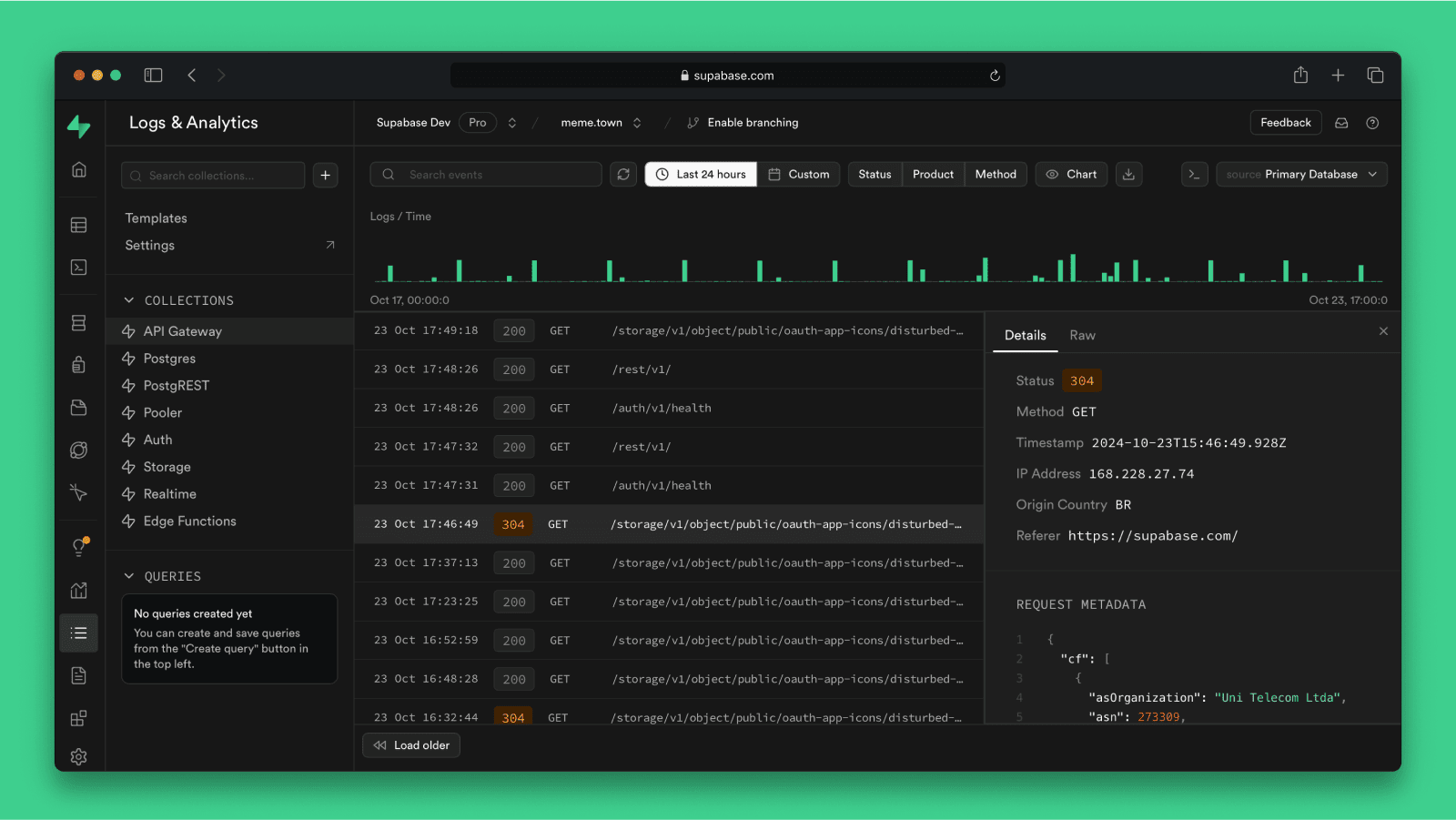
Supabase Vector is a Postgres vector database that uses the pgvector extension to store, index and query embeddings at scale. Embeddings sit in the same database as transactional data, so a single query can combine vector similarity with relational filters.
Client libraries create collections with a fixed dimension, upsert vectors with associated metadata, build indexes and run queries with metadata filters. The platform runs as a managed cloud service or self-hosted, and is SOC 2 Type 2 compliant with an advanced permissions system.
Key features include:
- pgvector storage and indexing: Vector embeddings are stored, queried and indexed at scale within a Postgres instance rather than a separate vector store.
- Distance measures: Indexes can be built on cosine distance, L2 distance or maximum inner product, with cosine distance as the default.
- Metadata filtering: Queries pass filters over stored metadata alongside the query vector, narrowing results within a similarity search.
- Embedding provider connections: The AI toolkit connects to LLM and embeddings APIs including Hugging Face, OpenAI and SageMaker.
- Deployment options: The database runs as a managed cloud service or self-hosted on the customer’s own infrastructure, with provisioning across multiple globally distributed regions to reduce read latency.
- Automatic backups: Backups run automatically with point-in-time recovery.
- Portability: The stack is built on open source tools, which keeps migration in and out of the platform straightforward.
Limitations (as reported by users on G2):
- Row Level Security: Writing and debugging policies is a common difficulty, and a blocked query returns an empty result rather than an error explaining the cause.
- Cost predictability: Users report bills that are hard to forecast as traffic grows or when separate projects are run for production and pre-production.
- Monitoring and analytics: Several reviewers want deeper built-in monitoring, performance analytics and debugging tooling for larger production workloads.
- Tier gating: Some enterprise capabilities and priority support sit on higher plans, and free-tier projects pause after a period of inactivity.
Source: Supabase
4. Zilliz Cloud
Best for: Managed Milvus for billion-scale embedding search
Strengths: AutoIndex, hybrid search, tiered storage, BYOC deployment
Things to consider: Pricing can be high for small projects and single developers
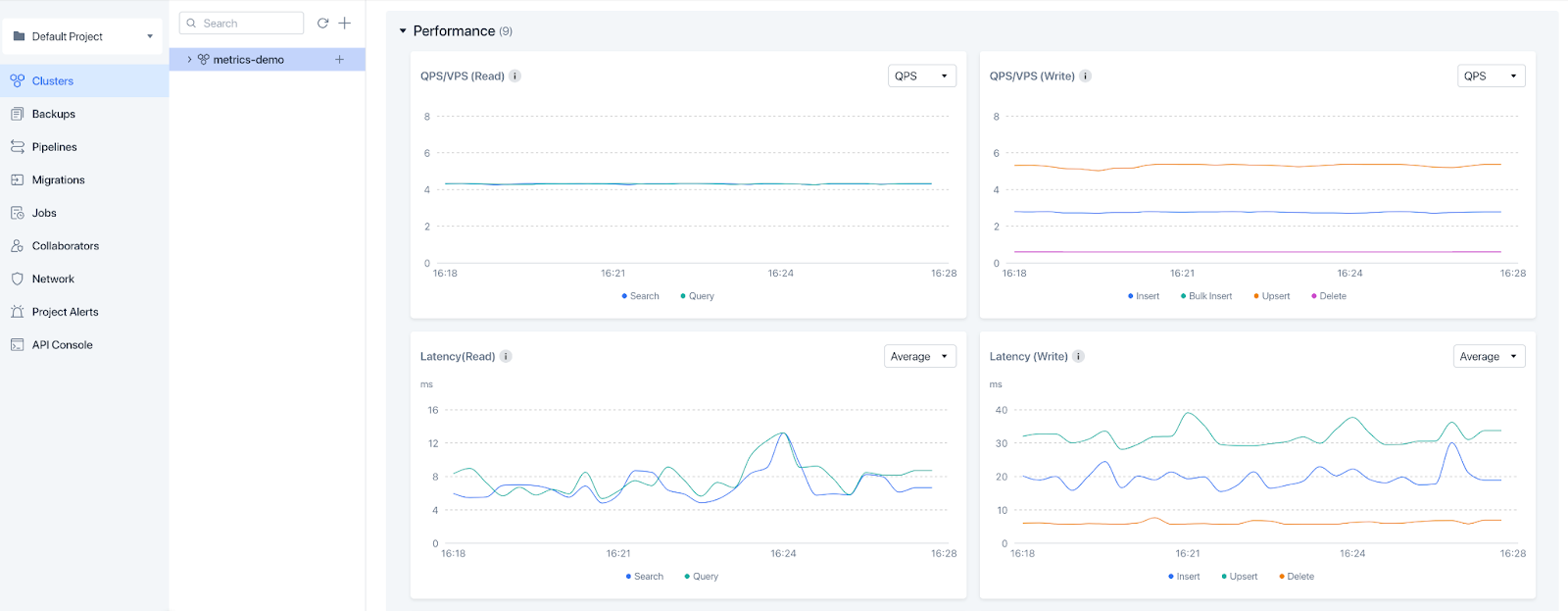
Zilliz Cloud is a fully managed vector database built on the open source Milvus engine. It stores, indexes and manages the embedding vectors produced by deep neural networks and other machine learning models, and provisions elastically scaling clusters without manual cluster administration.
Search strategy selection is automated through AutoIndex and the Cardinal search engine, which combine IVF and graph indexing techniques. Deployments run on AWS, Azure and Google Cloud regions, either fully managed or as bring your own cloud, and are also available through the three cloud marketplaces.
Key features include:
- AutoIndex and Cardinal engine: Indexing combines IVF and graph techniques, with a query optimizer selecting the algorithm per dataset instead of requiring manual tuning.
- Hybrid search: Queries span multiple vector fields, supporting multimodal, sparse-dense and dense-text combinations in a single request.
- Similarity metric choice: Cosine, Euclidean and inner product metrics are selectable to suit classification and clustering behavior.
- Tunable consistency: Multiple consistency levels let teams trade data accuracy against performance per application.
- Horizontal scaling: A component-based distributed architecture scales out as workload fluctuates, with automated upgrades, scaling and monitoring handled by the service.
- Tiered storage and tailored compute: Automated storage tiering works alongside use-case-optimized compute types to balance performance against cost.
- Deployment flexibility: Clusters run fully managed or through opt-in bring your own cloud for data security and compliance requirements.
Limitations (as reported by users on G2):
- Pricing at small scale: Multiple reviewers describe cloud pricing as expensive for smaller projects and individual developers.
- Vector column limits: Users report that the number of vector fields supported in a single collection is lower than they need for multi-dimensional search.
- Full-text search gaps: Reviewers note that full-text search is not fully developed, that highlighting is unavailable, and that sorting on scalar fields is unsupported.
- Schema changes: Modifying a collection schema requires a migration process that some users found complex and time-consuming.
- Documentation depth: Some users want more detailed guidance on advanced configuration and performance tuning for large-scale hybrid retrieval.
Source: Zilliz
5. Qdrant Cloud

Best for: Filter-heavy vector retrieval on a managed Rust engine
Strengths: Filterable HNSW, quantization, multi-AZ replication, SOC 2
Things to consider: Bulk collection operations need code rather than the console
Qdrant Cloud is the managed service for the open source Qdrant vector search engine, written in Rust. The engine, data format and APIs are identical across self-hosted, hybrid and managed deployments, so workloads move between them without code or data changes.
Upgrades, scaling, sharding, backups and monitoring run continuously without operator action. The service is certified under SOC 2 Type II, HIPAA and GDPR, with reports available under NDA and BAA and DPA available on request.
Key features include:
- Filterable HNSW: Metadata filters are integrated into graph traversal rather than applied before or after search, keeping latency predictable under complex or highly selective conditions.
- Native hybrid search: Dense and sparse vectors blend in one query, with BM25, SPLADE++ and miniCOIL running alongside dense retrieval.
- Quantization and disk offload: Scalar, TurboQuant and binary quantization cut memory by up to 32x, and cold vectors and payloads offload to disk to reduce RAM cost.
- Scaling: Vertical scaling adds resources to existing nodes while horizontal scaling adds nodes and rebalances shards automatically, with GPU indexing available for faster HNSW builds.
- Multitenancy: Payload-based separation serves many tenants per cluster, and noisy tenants are promoted to dedicated resources while traffic continues.
- High availability and recovery: Engine upgrades run while the cluster serves traffic, multi-AZ replication spans three zones with automatic failover, and scheduled incremental backups and on-demand snapshots restore to any cluster.
- Security controls: TLS 1.2+ protects every endpoint, AES-256 encrypts storage volumes, and Premium adds customer-managed keys, AWS PrivateLink, GCP Private Service Connect, IP allowlisting and SAML 2.0 SSO.
- Monitoring: OpenMetrics-compatible Prometheus endpoints, a reference Grafana dashboard, structured JSON audit logs and capacity alerts at 80% utilization are provided on every cluster.
- Tooling and migration: SDKs cover Python, TypeScript, Rust, Go, Java and .NET, alongside a qcloud CLI, a Terraform provider and a migration tool covering other vector stores.
Limitations (as reported by users on G2):
- Console operations: Bulk actions such as deleting multiple collections or matching by name pattern require writing code or queries rather than using the web UI.
- Built-in visualization: Reviewers note the absence of integrated visualization tooling for interpreting search results.
- Learning curve: Several users describe a steep initial ramp-up for teams new to vector databases, with some advanced features needing manual configuration.
- Resource consumption: One reviewer noted that high performance comes with high resource usage, which matters for smaller deployments.
6. Weaviate Cloud
Best for: AI-native storage of objects with vectors and hybrid search
Strengths: Built-in vectorization, multi-tenancy, index compression, BYOC
Things to consider: Query latency can become less predictable at larger scale
Weaviate is an open source AI database that stores, indexes and searches high-dimensional vectors alongside the data objects they describe. Vector and hybrid search are built in, and machine learning models connect through modules so teams can adopt or swap models as the ecosystem changes.
It runs as a self-hosted database, as a managed service, or as a Kubernetes package inside the customer’s own VPC. A collection is set up with a defined schema, data is imported from any source, and the platform handles embeddings, ranking and auto-scaling.
Key features include:
- Built-in hybrid search: Multiple search algorithms merge in one engine, combining vector similarity with BM25 keyword matching, and results are re-ranked.
- Vectorizer modules: Embeddings are generated on ingest through model integrations, or existing vectors can be supplied.
- Advanced filtering: Complex filters run across large datasets and return in milliseconds, constraining semantic search by structured conditions.
- Native multi-tenancy with tenant isolation: Clusters scale horizontally while consuming resources efficiently, with strict resource isolation between tenants.
- Vector index compression: Compression reduces the memory footprint of large datasets.
- Configurable backups: Backups run as often as needed with zero downtime.
- Out-of-the-box RAG: Proprietary data interacts securely with machine learning models without assembling a separate retrieval pipeline.
- Query Agent and Embeddings: Query Agent translates natural-language questions into optimized database queries, and Embeddings generates vectors from text and images without an external embedding pipeline.
Limitations (as reported by users on G2):
- Latency at scale: One reviewer reported that latency becomes unpredictable once load grows past small and medium datasets, with queries occasionally slower than expected on good hardware.
- Cloud pricing: Users note that cloud costs scale up quickly when handling large datasets.
- Console scope: The cloud management console is described as barebones, with some operations unavailable without writing code.
- Monitoring and visualization: Reviewers want more built-in visualization and monitoring so cluster performance can be tracked without third-party tools.
- Support consistency: Experiences are mixed, with some users praising responsiveness and others reporting slow replies during incidents.
7. Chroma Cloud

Best for: Serverless search combining vector, full-text and regex queries
Strengths: Object-storage tiering, collection forking, BYOC, Apache 2.0
Things to consider: Cold-query latency is much higher than warm-cache queries
Chroma Cloud is serverless search infrastructure supporting vector, full-text, regex and metadata search from one system, licensed under Apache 2.0. Indexes are built and optimized for object storage rather than memory, which is how the platform reports lower cost at large collection sizes.
Published figures for 384-dimension vectors at 100k records show warm query latency of 20ms at p50 and 57ms at p99, with cold queries at 650ms and 1.5s respectively. Per-collection specifications list 30 MB/s write throughput, 5M records and recall between 90% and 100%.
Key features include:
- Multiple search types: Semantic vector search, sparse lexical search with BM25 and SPLADE, trigram and regex full-text search, and faceted metadata filtering all run against the same collections.
- Object-storage architecture: Vectors, metadata and indexes are stored on S3 or GCS with query-aware tiering and caching across memory, SSD and cold storage.
- Serverless scaling: The service auto-scales with usage without manual tuning and searches across large numbers of multi-tenant indexes, with dedicated clusters available for specific workloads.
- Collection forking: Copy-on-write duplication of collections supports dataset versioning, A/B testing and roll-outs without copying full datasets.
- Read consistency control: Read level settings switch between index-only and full read modes, and indexing status reports real-time progress per collection.
- Enterprise deployment: Bring your own cloud runs the data plane inside a customer VPC, with multi-region replication, AWS PrivateLink private networking, point-in-time recovery and customer-managed encryption keys.
- Ingestion: Chroma Sync handles serverless data ingestion and repository indexing, while Web Sync crawls, scrapes, chunks and embeds web pages.
- Developer tooling: Installation is a single pip or npm command, with Python, TypeScript and Rust clients, command-line tools, GroupBy aggregation and metadata arrays.
Limitations (as reported by users on G2):
- Production readiness: One reviewer reported a memory leak and described the database as not fully production-ready.
- Scope: Users note the focus on vector and search use cases, which may not cover general-purpose database needs.
- Documentation: Reviewers report limited advanced documentation and a learning curve for newcomers.
- Index visibility and integrations: Created indexes are not displayed as clearly as some alternatives, and framework integration has been inconsistent for some users.
- Scoring accuracy: One user reported that similarity score parameters did not always return accurate scores.
Considerations for Choosing Reliable Open Source Vector Database-as-a-Service Platforms
Choosing a platform requires more than comparing search speed. Teams should evaluate how well the service supports their data volume, traffic patterns, security requirements, deployment model, and operational constraints. The right option should provide predictable performance while reducing the work needed to run the database in production.
- Open source license: Check whether the license allows commercial use, modification, redistribution, and self-hosting. Some source-available products impose restrictions that differ from standard open source licenses.
- Deployment flexibility: Confirm whether the platform can run in the required cloud, region, virtual private cloud, or on-premises environment. This is important for data residency, latency, and compliance.
- Scalability: Evaluate how the system handles growth in vector count, metadata size, ingestion rate, and concurrent queries. Scaling should not require long service interruptions or major application changes.
- Search performance: Test latency, throughput, and recall using representative data and filters. Published benchmarks may not reflect the structure or query patterns of a specific workload.
- Index support: Review the available index types and tuning options. The platform should support an index that matches the required balance between accuracy, memory use, build time, and query speed.
- Availability and recovery: Examine replication, automatic failover, backup frequency, point-in-time recovery, and regional disaster recovery. Service-level commitments should match the application’s uptime requirements.
- Data consistency: Understand when inserted, updated, or deleted records become visible to queries. Applications that require immediate results may need stronger consistency guarantees.
- Security controls: Look for encryption in transit and at rest, role-based access control, private networking, audit logs, and secure credential management. These controls should integrate with existing identity systems.
- API and ecosystem compatibility: Confirm support for required programming languages, embedding frameworks, data pipelines, and orchestration tools. Stable APIs reduce integration and migration effort.
- Observability: The service should expose metrics, logs, alerts, and query diagnostics. Teams need visibility into latency, resource use, ingestion lag, index health, and failed operations.
- Operational ownership: Clarify which tasks the provider manages and which remain the customer’s responsibility. This may include upgrades, capacity planning, index tuning, backups, and incident response.
- Cost structure: Compare charges for storage, compute, replicas, backups, data transfer, and idle capacity. A low entry price may become expensive as the dataset and query volume grow.
- Migration and portability: Check whether data, indexes, and configurations can be exported in standard formats. Portability reduces vendor lock-in and makes it easier to move between managed and self-hosted deployments.
- Community and project maturity: Review release frequency, issue resolution, documentation, contributor activity, and production adoption. An active project is more likely to receive security fixes and support new use cases.
Conclusion
Open source vector database platforms combine proven storage engines with specialized indexing and search capabilities for AI workloads. Managed offerings reduce operational overhead while preserving compatibility with open ecosystems. When selecting a platform, organizations should evaluate scalability, integration requirements, operational complexity, and total cost of ownership to ensure the solution aligns with long-term data and AI strategies.