What Is Hosted OpenSearch and What Makes It Cost-Effective?
TL;DR: Hosted OpenSearch services run and scale clusters for you, so spend shifts from operations staff to capacity. When comparing cost effective hosting options, Instaclustr is best for multi-cloud and on-premises deployments, Amazon OpenSearch Service is best for AWS-native and serverless workloads, and DigitalOcean is best for small flat-rate clusters.
Hosted OpenSearch is a managed service that provides organizations with an OpenSearch cluster deployed, maintained, and scaled by a third-party provider. Instead of installing and managing OpenSearch infrastructure manually, users can access a ready-to-use environment through the cloud. Hosted OpenSearch solutions often come with features like automated backups, monitoring, and integrated security, allowing teams to focus on data ingestion, search, and analytics rather than operational overhead.
What makes a hosted OpenSearch service cost-effective?
- Infrastructure costs: Compare compute, storage, and networking costs, and look for elastic scaling so you avoid paying for idle capacity.
- Operational costs: Choose providers that handle upgrades, patching, backups, monitoring, and support to reduce internal engineering effort.
- Scaling efficiency: Favor services with autoscaling or easy resizing so clusters can adjust to changing ingest, storage, and query demands.
- Reliability and support: Evaluate SLAs, backup durability, failover, and expert support because downtime and slow incident response increase total cost.
How to reduce your OpenSearch hosting costs:
- Right-size your nodes: Match node size and count to actual index size, query load, and growth instead of over-provisioning.
- Use appropriate storage tiers: Keep frequently queried data on hot storage and move older or rarely used data to warm, cold, or object storage.
- Implement index lifecycle management: Use ILM policies to automate rollover, tier transitions, retention, archiving, and deletion.
- Delete or archive old data: Remove data that no longer has business value and archive rarely accessed data outside the active cluster.
- Optimize shard sizes and counts: Avoid too many small shards or oversized shards to reduce memory, CPU, and recovery overhead.
- Use reserved or committed infrastructure when appropriate: Commit to baseline capacity for predictable workloads while keeping burst capacity on demand.
- Monitor expensive queries: Identify high-CPU, high-memory, or high-I/O queries and tune them before they force unnecessary scaling.
- Avoid unnecessary replicas in non-production environments: Reduce replica counts in dev, test, and staging clusters where high availability is not required.
Hosted OpenSearch Services at a Glance
The table below summarizes the main differences between the services covered in this guide, including who each one fits, what it does well, and where the trade-offs sit. We explore each service in more detail in the sections that follow.
| Category | Solution | Best For | Cost Saving Features | Pricing |
|---|---|---|---|---|
| Fully managed OpenSearch platforms | Instaclustr Managed OpenSearch | Running OpenSearch on any cloud or on-premises | No licensing fees; Run In Your Own Account (RIYOA) lets you apply existing cloud reserved-instance discounts; annual commit pricing available | Custom, quote-based; leverage pricing tool for estimated rates — Instaclustr bills only for its management layer, with underlying cloud infrastructure billed separately by the provider |
| Fully managed OpenSearch platforms | Bonsai Managed OpenSearch | Search-heavy applications needing engineering support | Right-sizes cluster hardware to actual usage; helps customers access cloud-provider reserved instances and preferential billing; BYOC lets you pay your cloud provider directly | Tiered plans from a free Hobby tier up through paid plans, with narrower jumps between tiers since the 2024 pricing overhaul; flat monthly management fee on Enterprise |
| Fully managed OpenSearch platforms | Logit.io Hosted OpenSearch | Log analytics teams wanting per-node pricing | All-in-one fixed-rate pricing bundles storage and data transfer to avoid AWS-style surprise fees; annual billing discount; up to 30% off when bundling logs, metrics, and APM | Plans start around $49/month for a basic cluster (1GB storage, 5GB transfer); standalone log management from $25/month with annual billing; custom Enterprise pricing |
| Cloud provider OpenSearch services | Amazon OpenSearch Service | AWS-native workloads, serverless and vector search | UltraWarm/cold storage tiers cut long-term retention cost; GP3 volumes ~10% cheaper than GP2; Reserved Instances/Savings Plans cut 30–50%; Graviton (ARM) instances ~20% cheaper; Multi-AZ with Standby avoids running 3 full data copies | Consumption-based: pay per instance-hour plus EBS storage plus data transfer (e.g., c6g.large ~$0.113/hr); free tier available for new users |
| Cloud provider OpenSearch services | DigitalOcean Managed OpenSearch | Small teams wanting flat-rate managed clusters | Flat, predictable pricing with monthly caps; simple per-GiB storage increments; database traffic doesn’t count against bandwidth billing | Starts at $19/month for a single-node, 2GiB RAM cluster; additional storage $0.21/GiB/month in 10GB increments |
| Cloud provider OpenSearch services | OVHcloud Managed OpenSearch | European deployments with IOPS and traffic bundled | IOPS, backups, and traffic bundled into the per-use price with no separate line items; one-click plan upgrades to right-size; Discovery tier available for dev/test at lower cost | Billed per use across Discovery/Production/Advanced tiers on Gen 3 instances; comparable entry-level Public Cloud instances run roughly $8.50–$25/month, with exact OpenSearch rates confirmed via the OVHcloud pricing calculator |
| Cloud provider OpenSearch services | UpCloud Managed OpenSearch | Fixed monthly pricing with zero-cost egress | Zero-cost egress on all plans; hourly billing so you pay only for uptime; flat pricing across every region | Charged hourly per node based on the selected plan (CPU/RAM/storage); available as single-node or 3/6/9/12/15-node clusters, with Managed Database pricing starting around $8/month per node |
Related content: Read our guide to the best managed OpenSearch platforms
What Makes a Hosted OpenSearch Service Cost-Effective?
Infrastructure Costs
Infrastructure costs form the foundation of any hosted OpenSearch deployment. These costs include compute, storage, and networking resources required to run the cluster. Managed service providers leverage economies of scale, often passing on savings to customers compared to what they would pay if they provisioned equivalent hardware themselves. Providers can also optimize resource allocation across multiple customers, ensuring that physical servers are efficiently utilized and reducing wasted capacity.
Additionally, hosted OpenSearch services offer granular resource scaling, allowing customers to pay only for the resources they use. Instead of over-provisioning for peak loads, organizations can scale clusters up or down based on demand. This elasticity reduces the risk of overpaying for idle infrastructure, making the cost model more predictable and efficient compared to traditional on-premises or self-managed cloud deployments.
Related content: Read our guide to OpenSearch pricing
Operational Costs
Operational costs cover the ongoing management, monitoring, and maintenance of OpenSearch clusters. In a self-managed environment, organizations must allocate staff time for tasks such as software updates, patching, troubleshooting, and maintaining cluster health. These activities are time-consuming and require specialized expertise, which can drive up labor costs and introduce operational risk if not managed properly.
With hosted OpenSearch, these operational tasks are handled by the provider. Automation and expert support reduce manual intervention, leading to fewer outages and quicker issue resolution. This not only lowers the total cost of ownership but also frees up internal teams to focus on higher-value activities, such as optimizing queries or developing new features, instead of routine maintenance.
Scaling Efficiency
Scaling efficiency is crucial for keeping costs under control as data volumes and query loads fluctuate. Hosted OpenSearch services typically offer automated scaling, which dynamically adjusts cluster resources in response to changes in workload. This means organizations can handle traffic spikes without maintaining excess capacity during quieter periods, leading to direct cost savings.
The ability to scale efficiently also ensures that performance remains consistent, avoiding the need for costly over-provisioning. Service providers often supply advanced monitoring and autoscaling tools, allowing customers to set thresholds and policies that further optimize resource usage. This adaptability is key to maintaining both performance and cost-effectiveness as requirements change over time.
Reliability and Support
Reliability directly impacts cost-effectiveness by reducing downtime and minimizing the risk of data loss or service interruptions. Hosted OpenSearch providers typically offer service level agreements (SLAs) that guarantee high availability and data durability. These assurances reduce the risk of costly outages, which can have significant financial and reputational consequences for organizations.
Comprehensive support is another factor in cost-effectiveness. Managed service providers offer expert assistance for troubleshooting, performance tuning, and incident response. This support minimizes the need for in-house search expertise and accelerates problem resolution, ensuring that operational issues do not translate into extended downtime or lost productivity. The combination of reliability and responsive support ultimately leads to a more predictable and lower total cost of ownership.
How to Reduce Your OpenSearch Hosting Costs
Right-Size Your Nodes
Right-sizing nodes is a critical step in controlling hosting costs. Over-provisioning nodes leads to unnecessary expenses, while under-provisioning can result in poor performance and instability. Start by analyzing your workload requirements—such as index size, query volume, and expected growth—to choose node types and sizes that meet your current needs without excessive headroom. Regularly review performance metrics to ensure resources are utilized efficiently, and adjust node sizes as usage patterns evolve.
Automated scaling features offered by many hosted OpenSearch providers can help dynamically adjust node count and size based on real-time demand. However, automation is only as effective as its configuration, so set thresholds and scaling policies carefully. Periodic audits of your cluster’s resource utilization can uncover underused nodes, enabling you to downsize or consolidate, which directly reduces your infrastructure spend.
Use Appropriate Storage Tiers
Selecting the right storage tier for your data is essential to balance performance and cost. OpenSearch clusters typically support multiple storage options, such as high-speed SSDs for frequently accessed (“hot”) data and lower-cost HDDs or cloud object storage for less frequently accessed (“warm” or “cold”) data. By segmenting data according to access patterns, you ensure that only the most critical data incurs premium storage costs.
Implementing a tiered storage strategy not only reduces expenses but also maintains query performance for active datasets. As your data ages or its access frequency drops, migrating it to cheaper storage tiers frees up high-performance storage for new or time-sensitive data. Regularly review your storage usage and adjust data placement policies to ensure you are leveraging the most cost-effective mix of storage options for your specific workload.
Implement Index Lifecycle Management
Index Lifecycle Management (ILM) automates the process of transitioning data through different stages based on age or usage. By defining policies that move indices from “hot” to “warm” and eventually to “cold” storage, ILM helps ensure that storage resources are allocated efficiently. This automation reduces manual intervention and minimizes the risk of leaving stale or low-value data on expensive storage.
Adopting ILM also supports data retention and compliance requirements, allowing organizations to systematically archive or delete indices after a specified period. This proactive data management approach keeps storage costs predictable and prevents the accumulation of obsolete data that can bloat your cluster and drive up expenses. Regularly review and update your ILM policies to align with business needs and evolving data usage patterns.
Delete or Archive Old Data
Retaining unnecessary data in your OpenSearch cluster directly increases storage costs and can impact query performance. Establish clear data retention policies that define how long different types of data need to be kept for operational, analytical, or compliance reasons. Automate the deletion of data that no longer serves a business purpose, ensuring that only valuable information consumes cluster resources.
For data that must be preserved but is rarely accessed, consider archiving it outside of your primary OpenSearch cluster. Cloud-based archival storage solutions provide a cost-effective way to retain historical data without incurring the high costs associated with active cluster storage. Regular audits of your data footprint will help identify and remove obsolete datasets, keeping storage costs in check and improving overall cluster efficiency.
Optimize Shard Sizes and Counts
Improper shard sizing can lead to inefficient resource usage and higher costs. Too many small shards increase overhead on cluster management and consume unnecessary memory and CPU, while overly large shards can cause performance bottlenecks and slow recovery times. Analyze your data distribution and query patterns to determine optimal shard sizes, aiming for a balance that maximizes resource utilization without degrading performance.
Regularly review and adjust shard allocation as your dataset grows or usage patterns shift. Hosted OpenSearch services often provide tools to help visualize and manage shard health, enabling proactive tuning. By maintaining the right number of appropriately sized shards, you can reduce operational overhead, improve cluster stability, and avoid unnecessary infrastructure costs.
Use Reserved or Committed Infrastructure When Appropriate
Many hosted OpenSearch providers offer reserved or committed use pricing models that provide significant discounts in exchange for longer-term commitments. If your workload is predictable and stable, taking advantage of these pricing options can yield substantial savings compared to pay-as-you-go rates. Analyze your historical usage patterns to identify portions of your infrastructure that can be reliably reserved.
However, committing to reserved infrastructure requires careful planning. Overcommitting can lead to wasted spend if your needs decrease, while undercommitting forfeits potential savings. Use a hybrid approach when appropriate—reserve baseline capacity to cover steady-state usage, and use on-demand resources to handle peak loads. This strategy balances cost efficiency with the flexibility to adapt to changing requirements.
Monitor Expensive Queries
Inefficient or poorly designed queries can significantly increase resource consumption and drive up hosting costs. Regularly monitor your OpenSearch query logs to identify queries that consume excessive CPU, memory, or disk I/O. Tools integrated into most hosted OpenSearch platforms allow you to analyze query performance, spot bottlenecks, and prioritize optimization efforts for the most resource-intensive operations.
Optimizing expensive queries not only reduces infrastructure costs but also improves user experience by delivering faster results. Work with development and analytics teams to rewrite slow queries, add appropriate filters, or leverage aggregations more efficiently. Continuous query monitoring and tuning should be an ongoing practice to ensure that your cluster remains cost-effective as workloads evolve.
Avoid Unnecessary Replicas in Non-Production Environments
Non-production clusters often do not need the same level of redundancy as production systems. Replica shards improve availability and read capacity, but each replica creates another copy of the data and consumes additional storage, memory, and compute resources. Development, testing, and staging clusters with low availability requirements can often use fewer replicas or, where acceptable, no replicas at all.
Set replica counts according to the purpose and recovery requirements of each environment rather than copying production settings by default. Keep replicas where testing requires production-like behavior or where losing an index would be costly. For disposable datasets that can be recreated easily, reducing replicas can lower hosting costs without affecting the production environment.
Cost-Effective Hosted OpenSearch Services Compared
How we selected these services: We shortlisted hosted OpenSearch services based on cluster provisioning and scaling, storage tiering and backup handling, security and compliance controls, availability SLAs, and pricing transparency.
Fully Managed OpenSearch Platforms
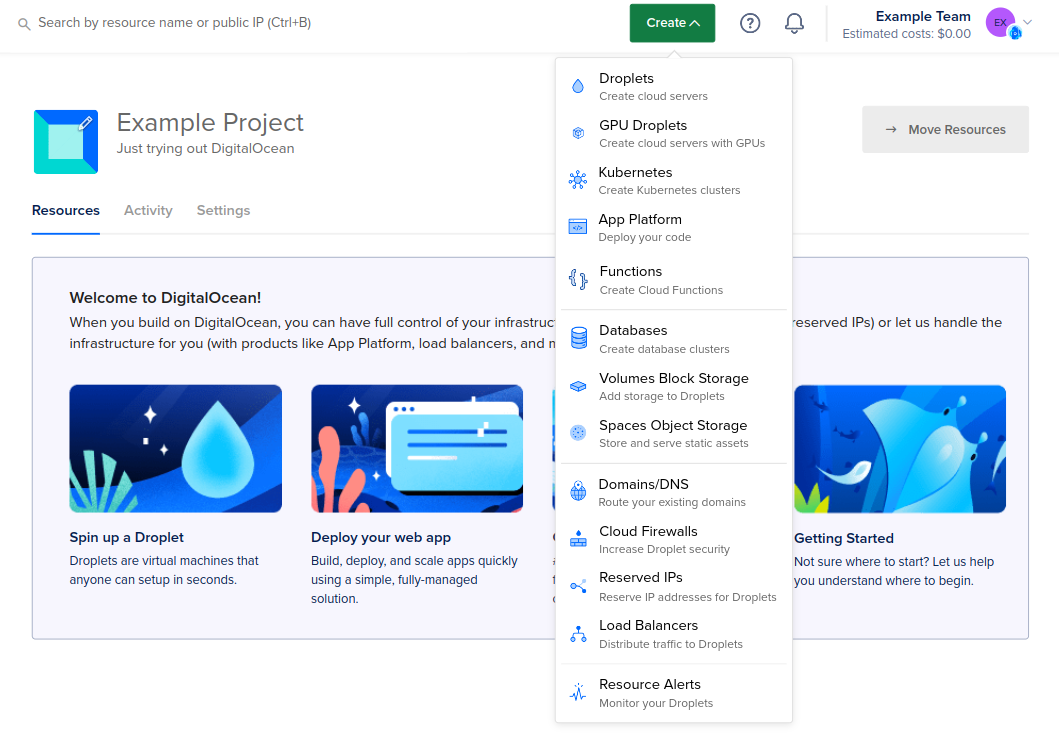
1. NetApp Instaclustr

Best for: Running OpenSearch on any cloud or on-premises
Strengths: Up to 99.999% SLA, BYOC hosting, searchable snapshots
Things to consider: Console configuration options take time to learn
Instaclustr, part of NetApp, runs managed OpenSearch clusters currently on version 3.5. Clusters can be provisioned through a console, an API, or a Terraform provider, and can run in Instaclustr’s cloud account, the customer’s own cloud account, on-premises, or across hybrid environments.
The service covers upgrades, patching, maintenance, and monitoring, with 24/7 support from OpenSearch specialists. Configurations are tuned per cloud based on instance types the vendor has operated at scale, and clusters can combine multiple dedicated node types to separate workloads within a single deployment.
Pricing:
- Bring Your Own Cloud: The per-node monthly fee covers Instaclustr management, while cloud infrastructure such as VMs, storage, and firewalls is billed directly by the cloud provider.
- Run In Instaclustr Account: Pricing includes the fully provisioned infrastructure and managed OpenSearch service.
- Annual commitments: Discounts are available based on the size of the annual commitment.
- Hourly billing: Partial node uptime hours are billed as full hours.
- Add-ons: Enterprise features and services such as PrivateLink increase the final cost.
- Taxes: Prices are quoted in US dollars and exclude sales tax, VAT, and GST.
Key features include:
- Multi-environment hosting: Clusters run in AWS, Microsoft Azure, Google Cloud, the customer’s own cloud account, or on-premises, with hybrid deployments supported from the same platform.
- Availability and latency SLAs: Enterprise clusters carry an availability SLA of up to 99.999%, alongside SLAs of up to 99% for read and write transactions against a maintained index within a specified latency threshold.
- Searchable snapshots: Snapshot data held in remote storage can be queried directly from the cluster without performing a full restore first.
- Hourly backups: All OpenSearch data is backed up on an hourly schedule as part of the managed service.
- Special purpose node types: Multiple dedicated node types can be configured within one cluster to separate roles and adjust the cluster layout.
- Plugin framework: A set of OpenSearch plugins can be switched on at any time through the console, API, or Terraform, including plugins that reduce storage consumption and affect result accuracy.
- OpenSearch Dashboards node: A Dashboards node can be added to a cluster from the console for histograms, pie charts, line graphs, geospatial views, graph exploration, and time series.
- Vector and AI pipelines: Clusters support pipelines that ingest, vectorize, and search data for semantic search, retrieval-augmented generation, and chatbot workloads.
- Security and compliance: Encryption covers data at rest and in transit, with access controls, private network clusters, built-in monitoring, and SOC 2, ISO 27001, ISO 27018, GDPR, PCI-DSS, and HIPAA coverage.
Limitations (as reported by users on G2):
- Console learning curve: Some configuration screens take time to work through before the available options and their effects are clear.
- Scaling policy depth: Users have asked for scaling policies driven by workload patterns, such as automatic adjustment during peak hours.
- Documentation coverage: Reviewers have suggested that more extensive documentation and tutorials would shorten onboarding.
3. Bonsai Managed OpenSearch

Best for: Search-heavy applications needing engineering support
Strengths: 3-node multi-AZ clusters, hourly snapshots, BYOC on higher plans
Things to consider: Cluster settings are preconfigured and not adjustable
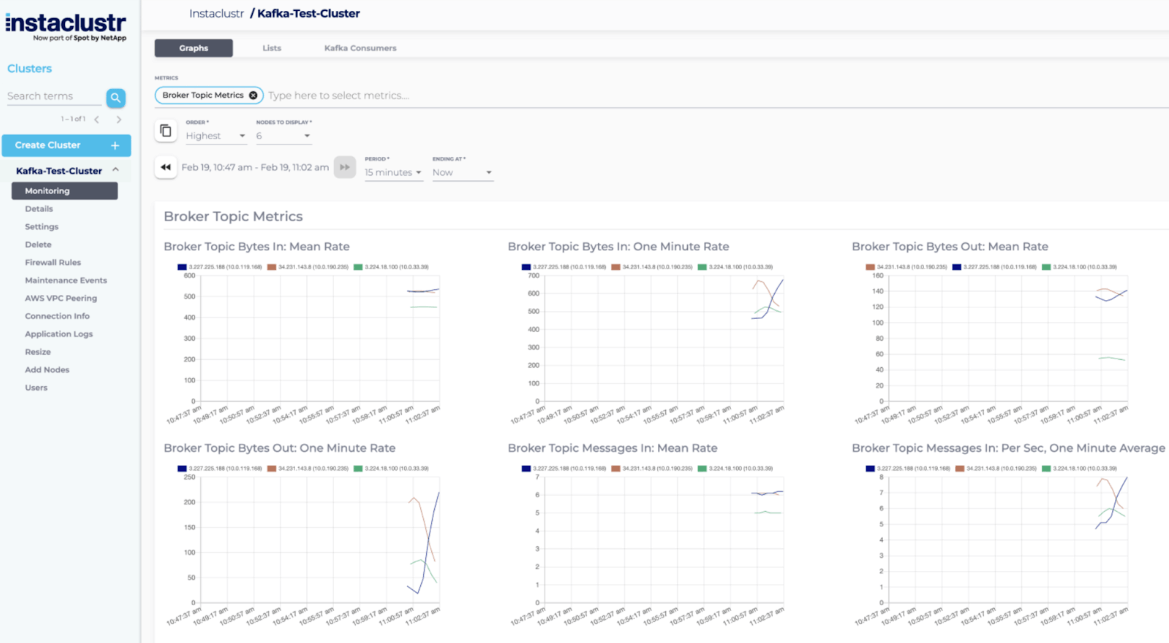
Bonsai has run hosted search since 2009 and added OpenSearch support in 2021. Clusters run on AWS and Google Cloud, with Azure available as a deployment target for OpenSearch. Every dedicated cluster runs on raw cloud compute rather than inside a container layer.
Higher plans include a bring-your-own-cloud option where clusters are deployed into the customer’s own AWS or Google Cloud organization. In that arrangement, Bonsai is paid to run search while compute is billed by the cloud provider, allowing existing reserved instances and commitment discounts to apply.
Pricing:
- Staging: $15 per month with 1 GB storage and support for up to 100,000 documents.
- Standard plans: Range from $25 to $400 per month.
- Elm: $50 per month with 20 GB storage and support for up to 15 million documents.
- Oak: $400 per month with 100 GB storage and support for up to 30 million documents.
- Business: $600 to $2,500 per month, starting at 354 GB storage and scaling to 1.4 TB, with unlimited documents and concurrency.
- Enterprise: Starts at $5,500 per month.
- Support: Standard includes email support with a 24-hour SEV-1 SLA, Business adds a one-hour business-hours response SLA, and Enterprise adds 24/7/365 support.
- BYOC: Available on higher plans and included by default on Enterprise.
Key features include:
- Dedicated multi-AZ clusters: Dedicated infrastructure provides three search nodes spread across three availability zones, with high-availability deployment as the default on paid plans.
- Snapshot backups: All paid clusters receive hourly snapshots stored in an offsite encrypted S3 bucket in the same region as the cluster.
- Access controls and networking: Clusters are provisioned with a randomized URL and HTTP basic authentication using generated credentials, sit behind a firewall and a layer 7 routing proxy, and support IP whitelisting and VPC peering on single-tenant clusters.
- Encryption: SSL/TLS protects data in transit and cluster hardware is encrypted at rest by default.
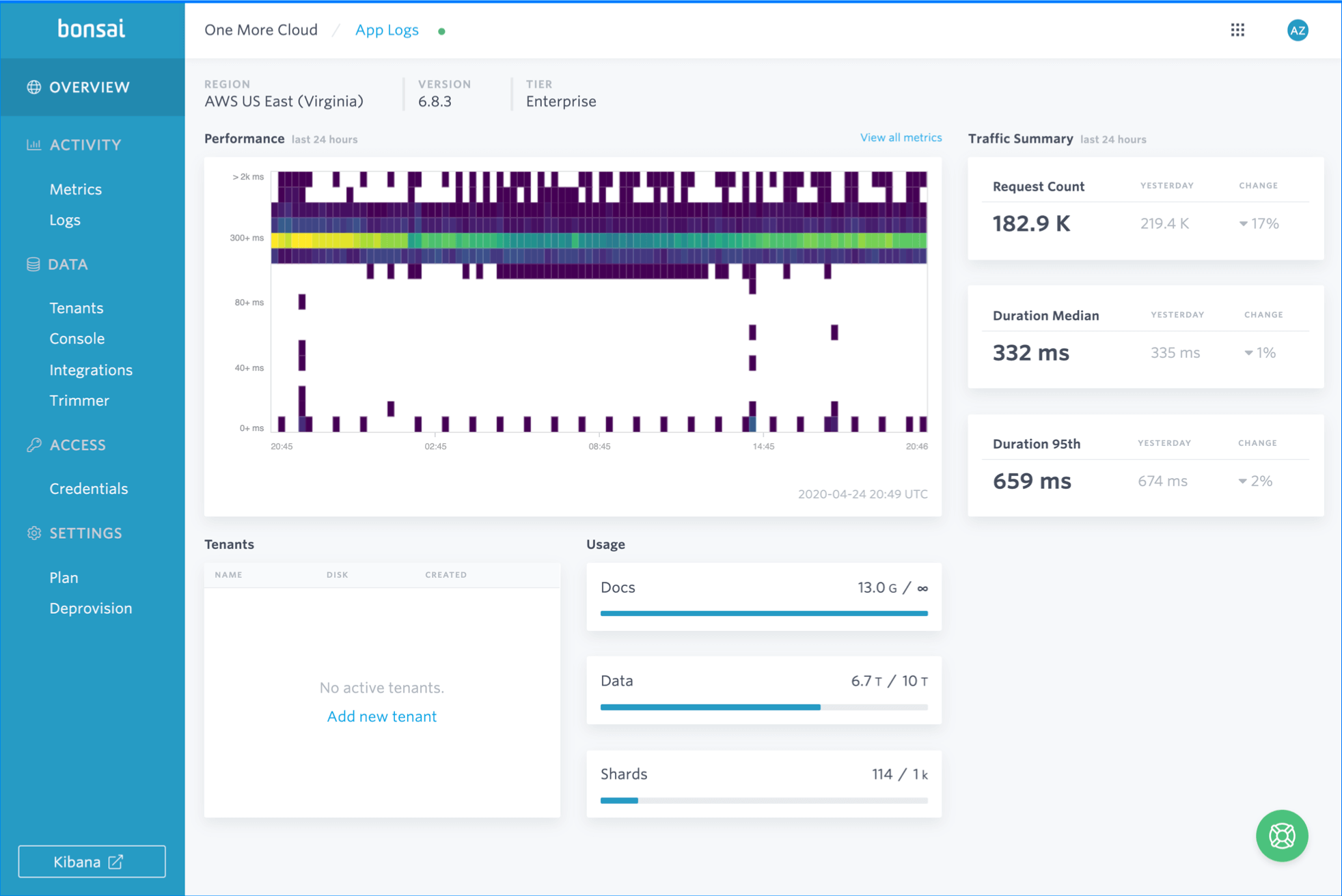
- Metrics and query logging: A monitoring suite, usage dashboard, and query logs ship on all plans, with an advanced dashboard exposing more than 30 real-time metrics on higher tiers.
- Multitenancy: Customers can be added as separate tenants to maintain isolation between them within a deployment.
- Version upgrade handling: Separate production, staging, and development clusters support version upgrades, with zero-downtime major version upgrades and cluster right-sizing included twice per year on higher plans.
- Vector and hybrid search: Vector, semantic, and hybrid search capabilities are available across all plan tiers.
- Compliance tiers: GDPR and CCPA apply on all plans, with SOC-2, HIPAA and BAA on Business, and FIPS-140-2 and PICA available at Enterprise level.
Limitations (as reported by users on G2):
- Preconfigured cluster settings: More experienced users report that certain performance settings are fixed and cannot be adjusted, limiting hands-on tuning.
- Cluster provisioning time: Some reviewers describe long load times and slower cluster spin-up compared with other data platforms they have used.
- Version upgrade paths: Users note that rolling upgrades cannot skip versions, which adds steps when moving across several releases.
- Plan selection: Reviewers suggest the plan tiers require careful sizing up front, as it is possible to buy more capacity than the workload needs.
- Beginner accessibility: Several users describe a learning curve and note that AI-assisted query suggestions are not part of the platform.
Source: Bonsai
Logit.io Hosted OpenSearch

Best for: Log analytics teams wanting per-node pricing
Strengths: Full OpenSearch REST API, ElastAlert 2 alerting, US/UK/EU regions
Things to consider: Several features are gated to higher plan tiers
Logit.io runs managed OpenSearch stacks alongside managed Grafana, Prometheus, and Jaeger, aimed at log analytics, container monitoring, APM, and business analytics. Administration, hosting, upgrades, and security are handled by the platform, and clusters can be deployed in the United States, United Kingdom, or Europe.
Clusters run on NVMe-backed dedicated infrastructure with zero-downtime upgrades and maintenance, ISO 27001 certification, and a 99.9% uptime SLA. The platform lists more than 245 documented integrations for shipping data in, and provides a control-plane API for automating stacks, Logstash pipelines, alerting, and ingestion statistics.
Pricing:
- Pricing model: Charged per node, with total cluster cost based on the selected node size multiplied by the number of nodes.
- Entry price: Starts at $45.52 per node per month.
- Developer plans: Range from $45.52 per node for DEV-1-1-10 to $77.08 per node for DEV-2-2-80.
- Production plans: Range from $155.71 per node for PRD-2-8-225 to $1,297.55 per node for PRD-12-64-3000.
- Annual commitments: Discounted pricing is available.
- Bundling: Combining logs, metrics, and APM on one stack can reduce costs by up to 30%.
- Trial: A 14-day free trial is available without a credit card.
- Taxes: Prices are quoted in US dollars and exclude tax.
Key features include:
- OpenSearch REST API access: The full REST API, covering search, index, and cluster operations, is available on every plan at a per-stack endpoint, with role-scoped user credentials following Teams RBAC roles available on Business and Custom plans.
- Managed alerting: Alerting is built on ElastAlert 2 with 12 rule types and more than 40 destinations including Slack, Microsoft Teams, PagerDuty, ServiceNow, Jira, email, SMS, and webhooks, and OpenSearch Alerting monitors can also be used from Dashboards.
- Dashboards multi-tenancy: OpenSearch Dashboards is included, with tenants that hold index patterns, dashboards, visualisations, and reports and can be restricted to specific roles or configured as entirely private.
- Query language support: Data can be queried using Query DSL, OpenSearch SQL, and Piped Processing Language.
- Hosted MCP endpoint: A hosted, read-only MCP endpoint lets OpenSearch data be queried from Cursor or Claude Desktop without running a local process, available on Log Management and Custom plans.
- Security controls: Node-to-node encryption, fine-grained security, RBAC, and SSO are provided, along with audit trails and access controls.
- Multi-region deployment: Stacks can be provisioned in US, UK, and EU regions according to data residency requirements.
Limitations (based on publicly available sources):
- Alert responsiveness: A reviewer reported delays in CPU and memory alerts reaching them.
- Dashboard link handling: Direct links to a dashboard require signing in first, and switching between multiple stacks was described as cumbersome.
- Plan-gated capabilities: RBAC user credentials for the OpenSearch API are limited to Business and Custom plans, and the hosted MCP endpoint is limited to Log Management and Custom plans.
- Uptime commitment: The published OpenSearch uptime SLA is 99.9%, lower than the 99.99% offered by several other providers in this list.

Cloud Provider OpenSearch Services
4. Amazon OpenSearch Service

Best for: AWS-native workloads, serverless and vector search
Strengths: Scale-to-zero serverless, zero-ETL ingestion, UltraWarm and cold tiers
Things to consider: Consumption-based bills climb quickly at scale
Amazon OpenSearch Service is AWS’s managed retrieval engine built on OpenSearch, combining vector, lexical, hybrid, and agentic retrieval in one system. It is offered in two deployment models: managed clusters, where instances and storage are provisioned directly, and serverless collections, which scale without capacity planning.
The service handles backups, patching, monitoring, and cluster maintenance, and Cluster Insights surfaces issues with prescriptive recommendations. Native AI and ML capabilities cover embedding generation, inference, and agentic workflows inside the service itself.
Pricing:
- Managed clusters: Charged for instance hours, storage, and data transfer, with no minimum fee.
- On-demand pricing: Available without upfront commitments.
- Reserved Instances: One- or three-year commitments provide discounts depending on payment structure.
- No Upfront reservations: Discounts of approximately 31% for one year and 48% for three years.
- Partial Upfront reservations: Discounts of approximately 33% for one year and 50% for three years.
- All Upfront reservations: Discounts of approximately 35% for one year and 52% for three years.
- Database Savings Plans: Apply to managed clusters and serverless in exchange for a one-year hourly usage commitment.
- Serverless: Billed in OpenSearch Compute Units plus storage.
- NextGen Serverless: Has no minimum OCU and can scale to zero after 10 minutes of inactivity.
- Classic Serverless: Bills a minimum of two OCUs for the first collection, or one OCU in dev-test mode.
- Storage tiers: UltraWarm and cold storage cost less than hot storage.
- Extended Support: Adds a per-Normalized Instance Hour fee for older supported versions.
Key features include:
- Combined retrieval methods: Lexical, vector, and hybrid retrieval run in a single system, with HNSW and IVF indexing strategies and vector quantization to trade off accuracy, latency, and cost.
- Serverless deployment: Serverless collections scale up instantly and scale to zero with no infrastructure to manage and no idle compute charges.
- Storage tiering: Intelligent tiering moves data between storage tiers based on access patterns, and UltraWarm and cold storage tiers hold less frequently accessed data at lower cost, with cold data detached into Amazon S3 and compute paid only on access.
- Zero-ETL and ingestion pipelines: Data can be ingested in real time or batch through Amazon Kinesis and AWS Glue, or through zero-ETL integrations with Amazon S3 and Amazon DynamoDB, with built-in ingestion pipelines for enrichment.
- Direct query: Logs held in Amazon S3, Amazon CloudWatch Logs, and Amazon Security Lake can be queried in place, without moving the data into the cluster.
- Model and agent integrations: Model connectors, MCP server support, and integrations with Amazon Bedrock and Amazon SageMaker connect external models through configuration, and OpenSearch Agent Skills work from agentic IDEs including Kiro, Claude, and Cursor.
- Observability tooling: Logs, traces, and metrics are analyzed through unified dashboards with built-in anomaly detection and automated alerting.
- Security and availability: Role-based access control provides fine-grained permissions, index-level encryption isolates tenant data, and Multi-AZ with Standby deployments target 99.99% availability with automatic failover.
Limitations (as reported by users on G2):
- Cost escalation at scale: Reviewers across enterprise, mid-market, and small business segments report that costs rise quickly with scale, particularly where indexing and retention policies are not carefully managed.
- Setup complexity: A recurring theme is that setup and configuration are complex for newcomers, with a lot to work through across the integrated components.
- Support quality: Quality of support scores lower than several competing services, and some reviewers describe support as adequate but not extensive.
- Ecosystem coupling: Users note that adopting the service ties the workload to the AWS ecosystem over the longer term.
- Query responsiveness: Some reviewers report occasional slow query responses or service interruptions.

Source: Amazon
5. DigitalOcean Managed OpenSearch

Best for: Small teams wanting flat-rate managed clusters
Strengths: Entry plans from $19.60/mo, log forwarding, storage autoscaling
Things to consider: Storage and standby nodes raise cost in steps
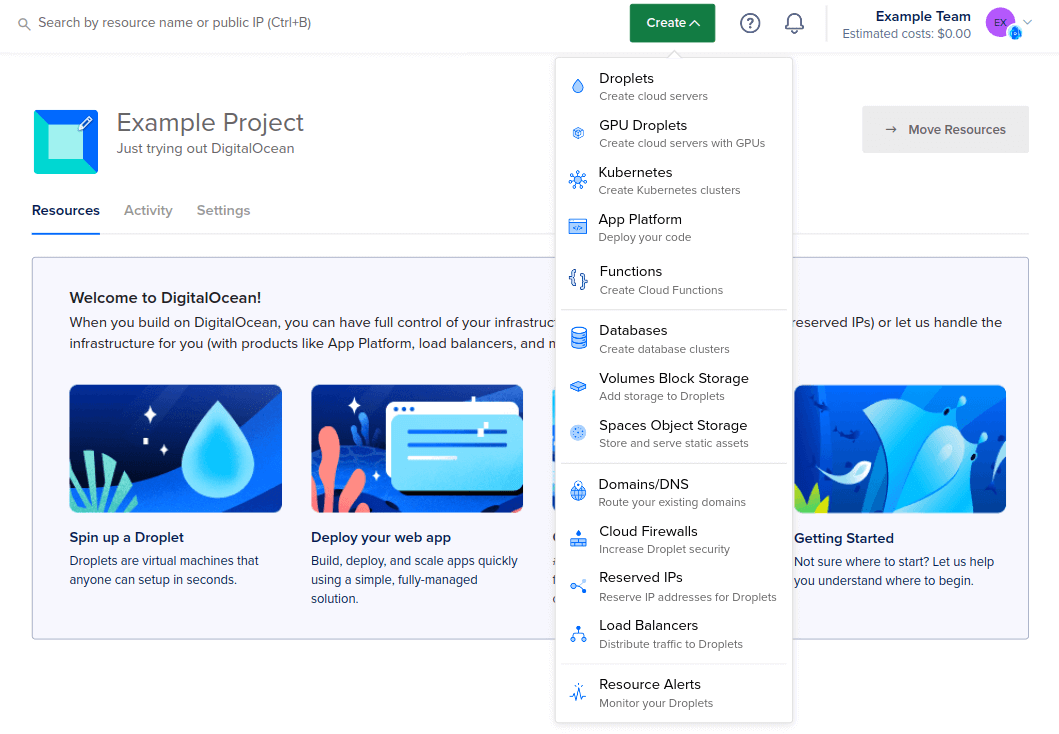
DigitalOcean Managed Databases for OpenSearch handles cluster provisioning, backups, and updates, with clusters set up in minutes at a chosen node count and storage size. It is positioned around log analytics, real-time application monitoring, and full-text search.
Clusters can be placed inside a Virtual Private Cloud so that only whitelisted public requests reach them, with data encrypted in transit and at rest. Logs from other DigitalOcean sources can be forwarded into a cluster with a few clicks.
Pricing:
- Pricing model: Flat pricing across all data centers with monthly caps.
- Entry plan: Starts at about $0.02917 per hour for 2 GiB memory, 1 vCPU, and 40–200 GiB storage.
- 4 GiB plan: $37.05 per month with 2 vCPUs.
- 8 GiB plan: $76.25 per month with 4 vCPUs.
- Additional storage: $0.215 per GiB per month in 10 GiB increments.
- Dedicated plans: Start at $97.60 per month.
- Three-node cluster: Starts at $111.15 per month on shared vCPUs.
- CPU options: General Purpose and Memory Optimized plans are also available.
Key features include:
- Backup schedule: Clusters take hourly backups for the first 24 hours, followed by up to three days of daily backups depending on plan, which differs from the backup strategy used for other database engines on the platform.
- Resource scaling: CPUs, RAM, and storage can be increased on existing clusters, nodes can be added, and storage autoscaling handles growth automatically.
- Log forwarding: Logs can be forwarded from DigitalOcean Managed Databases, App Platform, and Kubernetes into a cluster, and Managed Database logs can also be sent directly to a Datadog account.
- Network isolation: Clusters operate within a private network, with public internet access restricted to whitelisted requests and IP whitelisting available.
- Security controls: Encryption covers data in transit and at rest, alongside authentication, access control, audit logging, and compliance controls.
- High availability: Automated backup, monitoring, and failover features are provided to limit downtime and maintain data integrity across clusters.
- Analytics surfaces: The service provides real-time log analytics, application analytics, metrics analytics, and security analytics with visualization for monitoring application health, performance, and security.
- Plan flexibility: Shared and dedicated plans are available, and clusters can be upgraded to a different plan entirely.
Limitations (as reported by users on G2):
Note that the G2 profile covers the DigitalOcean platform as a whole rather than the OpenSearch service specifically; the points below are drawn from reviews discussing managed databases and general platform scope.
- Cost steps on managed databases: Reviewers describe the jump in cost when adding storage or a standby node as steep, and some find managed database entry pricing high for small projects.
- Enterprise feature depth: Users note that advanced enterprise features, granular networking controls, and specialized compliance tooling are more limited than at larger hyperscale providers.
- Console responsiveness: Some reviewers report the dashboard slowing when many resources are running at once.
- Pace of feature development: Comparison reviews note a slower rate of new feature delivery relative to competing managed database services.
Source: DigitalOcean
6. OVHcloud Managed OpenSearch

Best for: European deployments with IOPS and traffic bundled
Strengths: Backups, traffic, vRack and Terraform included in the price
Things to consider: Control panel and support draw mixed user feedback
OVHcloud offers the official open source OpenSearch suite as a managed Public Cloud service, handling deployment, management, maintenance, and scaling. It runs on OVHcloud Public Cloud instances, each with its own storage space, and can be managed from the Control Panel as part of a wider Public Cloud project.
The service is billed per use with IOPS, backups, and traffic included in the price rather than metered separately. Clusters can be connected to bare metal servers over a public or private network.
Pricing:
- Essential: Starts at $70.08 per month per node for one node with 4 GB RAM and 40 GB storage. No SLA is included.
- Business: Starts at $151.84 per month per node with three nodes, 7 GB RAM per node, 50 GB storage, a 99.90% SLA, automatic failover, and 14-day backups.
- Enterprise: Starts at $153.154 per month per node with six nodes, 7 GB RAM per node, 480 GB storage, and a 99.95% SLA.
- Billing model: Usage-based pricing with IOPS, backups, and traffic included.
- New-customer credits: Eligible US customers can receive up to $300 in Public Cloud credits.
- Credit breakdown: $200 for creating a first Public Cloud project and $100 for purchasing a first Managed Databases service.
Key features include:
- Included resources: IOPS, backups, and traffic are covered by the per-use price rather than billed as separate line items.
- Automatic remote backups: Backups are written to a remote location automatically, with continuous verification applied to data restoration.
- Encryption: Data is encrypted at rest and in transit using TLS/SSL.
- Private networking: Private network connectivity through the OVHcloud vRack is included with the service.
- Terraform and API access: Terraform support and the OpenSearch REST API are both included.
- OpenSearch Dashboard: The Dashboard component is included for viewing indexed content and rendering analytics over large data volumes.
- Plan scaling: Clusters move from one plan to another in a few clicks, changing cluster size, node count, networking, and high availability characteristics.
- Public Cloud integration: The service integrates with OVHcloud IaaS and PaaS services and can be used as a standalone resource or as part of a wider Public Cloud project, with data remaining under customer control on dedicated instances.
Limitations (as reported by users on G2):
Note that the G2 profile covers OVHcloud as a whole rather than the Managed OpenSearch service specifically.
- Control panel usability: Reviewers describe the interface as complex and, at times, disorganized when managing services across the account.
- Support responsiveness: Slow support response is a recurring theme, and quality of support scores below several competing providers in comparison data.
- Customization scope: Comparison data shows customization rated lower than at other platforms, and reviewers looking for tailored configurations note the constraint.
- Documentation gaps: Some users report that documentation is thinner in certain product areas than in the core ranges.
- Regional coverage: Users report that data center choice outside Europe is more limited than expected.
7. UpCloud Managed OpenSearch

Best for: Fixed monthly pricing with zero-cost egress
Strengths: NVMe storage, 99.999% SLA, PITR backups, global regions
Things to consider: Narrower service catalog than hyperscale clouds
UpCloud offers Managed Databases for OpenSearch across data centers in Europe, the USA, Australia, and Asia. Clusters deploy in minutes and run on the provider’s high-performance infrastructure, with UpCloud handling infrastructure, maintenance, and updates.
The infrastructure carries a 99.999% SLA, uses low-latency NVMe storage, and includes zero-cost egress for outbound data transfer. Support is provided 24/7 by a human support team.
Pricing:
- Development: Starts at €100 per month, or €0.1389 per hour, for one node with 4 GB memory, 2 cores, 80 GB storage, and one day of backup retention.
- Larger Development plan: €150 per month for 8 GB memory and 160 GB storage.
- Business: Starts at €280 per month for three nodes with 4 GB memory and 120 GB storage.
- Business upper range: Scales to €2,890 per month for 15 nodes with 2,100 GB storage.
- Premium: Starts at €580 per month for three nodes with 600 GB storage.
- Premium upper range: Reaches €8,100 per month for 15 nodes with 10,500 GB storage.
- Backup retention: Development includes one day, Business includes three days, and Premium includes seven days of point-in-time recovery.
- Billing: Resources are charged hourly, with monthly figures based on a 30-day estimate.
- Regional pricing: Prices are consistent across UpCloud data centers.
Key features include:
- Point-in-time recovery: Backups allow restoration to any minute within the retention period, set at one day on Development plans, three days on Business, and seven days on Premium.
- Automatic failover: Multi-node high-availability clusters promote a replica when the management system detects a master node failure, with failover available on clusters of two or more nodes.
- Storage performance: Clusters run on low-latency NVMe storage, with UpCloud’s MaxIOPS architecture applied to random I/O workloads.
- Resource scaling: Storage, RAM, and CPU can be increased on running clusters, and deployments can be expanded across multiple regions.
- Private networking and firewalling: Software Defined Networking provides private connectivity, alongside end-to-end encryption and custom firewall rules.
- Zero-downtime upgrades: Updates and patches are applied without interrupting workloads.
- Built-in extensions: SQL support, anomaly detection, and alerting extensions are available alongside OpenSearch dashboards for aggregations and visualisation.
- Monitoring integrations: Clusters connect to monitoring tools including Grafana and Prometheus, and to the UpCloud API for automation.
Limitations (as reported by users on G2):
Note that the G2 profile covers the UpCloud platform as a whole rather than the Managed OpenSearch service specifically.
- Account organization: Reviewers report the absence of team or project grouping that would let multiple accounts manage shared resources and shared funds.
- Service catalog breadth: Users note the managed service catalog is narrower than at hyperscale clouds, with container-as-a-service options absent outside Kubernetes.
- Template currency: Some server templates are described as out of date relative to the underlying distributions.
- Storage add-on pricing: Custom image storage is reported as expensive relative to equivalent capacity bundled with a server plan.
- Resizing workflow: Reviewers have asked for a smoother disk resizing and partitioning process.
Conclusion
Selecting the right hosted OpenSearch service requires balancing your performance needs with operational complexity and budget. By aligning features like automated scaling and tiered storage with your specific deployment environment, you can significantly reduce long-term infrastructure overhead. Focus on providers that simplify cluster maintenance while allowing you to scale effectively as your data requirements grow. Making an informed choice ensures your search capabilities remain efficient, performant, and cost-effective.