What are managed PostgreSQL platforms?
TL;DR: Managed PostgreSQL platforms run and scale PostgreSQL for you. Best for: NetApp Instaclustr for open source flexibility, Amazon RDS for AWS workloads, Azure Database for Microsoft stacks, and Neon for serverless apps.
Managed PostgreSQL platforms are cloud-based database services that handle administrative tasks like setup, backups, security, and scaling, allowing users to focus on application development rather than database management.
Key providers include specialized providers like Instaclustr and cloud vendors such as Amazon Web Services (AWS), Google Cloud, and Digital Ocean. These platforms offer features such as automated patching, high availability, performance monitoring, and flexible pricing models, with options for different levels of complexity and scalability.
How they work:
- Automation: The platform automates routine database operations, such as provisioning, patching, backups, and failovers.
- Scalability: Users can easily scale their database resources up or down to meet changing demands.
- Maintenance: Providers handle infrastructure maintenance, security updates, and PostgreSQL performance tuning.
By reducing the manual management burden, managed platforms help teams with limited database expertise to deploy production-grade PostgreSQL instances. This allows organizations to accelerate deployment and scale operations without investing heavily in database administration skills.
Editor’s note: Updated the article to reflect features and capabilities of PostgreSQL platforms in 2026, and added one new platform.
Learn more in our detailed guide to PostgreSQL tuning
Managed PostgreSQL Platforms at a Glance
The table below summarizes the key differences between these managed PostgreSQL platforms. We explore each of them in more detail in the sections that follow.
| Category | Solution | Best For | Key Strengths | Things to Consider |
|---|---|---|---|---|
| Independent and specialized managed PostgreSQL providers | 1. NetApp Instaclustr for PostgreSQL | Enterprises running open source PostgreSQL in the cloud or on-prem | Fully managed clusters, 24×7 support, multi-region replication | Broad open source platform, so setup depends on configuration |
| Independent and specialized managed PostgreSQL providers | 2. Crunchy Bridge2. Aiven for PostgreSQL | Teams wanting deep PostgreSQL expertise with true multi-cloud portabilityTeams needing multi-cloud PostgreSQL with automated operations | Superuser access, PgBouncer built in, Postgres-core-team-level supportAutomated administration, 50+ extensions, multi-cloud deployment | No published pricing tiers; PostgreSQL-only, no adjacent data platformStorage and higher tiers can add cost as usage grows |
| Independent and specialized managed PostgreSQL providers | 3. DigitalOcean Managed Databases for PostgreSQL | Developers wanting simple PostgreSQL hosting with predictable pricing | Quick setup, daily backups, automated failover, flat pricing | Cost can rise when adding storage or standby nodes |
| Independent and specialized managed PostgreSQL providers | 4. Neon | Serverless PostgreSQL for variable workloads and dev/test | Scale-to-zero autoscaling, instant branching, instant restore | Scale-to-zero can add cold-start latency after idle periods |
| Cloud provider managed PostgreSQL services | 5. Amazon RDS for PostgreSQL | AWS-native workloads needing managed PostgreSQL | Managed deployments, Multi-AZ availability, read replicas | Low-level tuning is more limited than self-managed PostgreSQL |
| Cloud provider managed PostgreSQL services | 6. Google Cloud SQL for PostgreSQL | PostgreSQL workloads integrated with Google Cloud services | Full version compatibility, observability tools, easy scaling | Billing can be hard to forecast for smaller projects |
| Cloud provider managed PostgreSQL services | 7. Azure Database for PostgreSQL | PostgreSQL workloads in the Microsoft Azure ecosystem | Zone-redundant HA, in-database AI features, autonomous tuning | Support can feel generic without a direct expert contact |
How managed PostgreSQL platforms work
Managed PostgreSQL platforms abstract away the complexity of infrastructure and database administration by combining automation, orchestration, and monitoring. They sit on top of cloud or virtualized infrastructure and use standardized workflows to provision, configure, and maintain PostgreSQL clusters.
When a user requests a database instance, the platform automatically allocates compute, storage, and networking resources, then installs and configures PostgreSQL according to best practices. Most providers offer multiple deployment modes, such as single-node, high-availability clusters, or read-replica setups, which are provisioned without manual intervention.
Automation
Ongoing maintenance tasks are handled through automation pipelines. This includes applying security patches, performing upgrades, rotating certificates, and scheduling backups. The platform continuously monitors performance and health metrics, triggering alerts or automated recovery actions if issues are detected. In the event of failure, systems like automated failover and replication ensure continuity with minimal downtime.
Scalability
Scaling is managed through orchestration tools that allow instances to increase capacity vertically (adding more CPU, memory, or storage) or horizontally (adding replicas or shards). Most platforms enable these changes with zero or minimal downtime, reducing operational risk during traffic spikes. Logging, query insights, and integrated monitoring provide visibility into database performance without requiring additional tools.
Maintenance
Managed PostgreSQL platforms handle essential maintenance tasks that keep databases secure and performant without requiring manual intervention. This includes applying security patches, upgrading minor versions, rebalancing storage, and performing routine health checks. Maintenance is typically scheduled to minimize disruption and may include rolling updates to preserve uptime.
Common use cases for managed PostgreSQL platforms
Web and mobile applications
Managed PostgreSQL platforms are widely used for transactional backends in web and mobile apps. They provide high availability, automated backups, and easy scaling, which are critical for apps with unpredictable or spiky workloads. Developers can provision databases in minutes and rely on built-in failover to reduce downtime during outages.
These platforms also simplify connection management, logging, and performance monitoring. This makes it easier to diagnose slow queries or bottlenecks without adding external tools. Features like read replicas help distribute read traffic, improving responsiveness for user-facing applications. As traffic grows, teams can scale resources without redesigning the database layer.
SaaS and cloud-native applications
For SaaS workloads, managed PostgreSQL platforms support multi-tenant architectures, where a single database cluster serves multiple customers. Providers offer flexible configuration options, allowing teams to isolate tenants by schema or database depending on requirements. This helps balance cost, performance, and data isolation.
Cloud-native teams benefit from integration with deployment pipelines and infrastructure-as-code tools. Databases can be created, updated, and destroyed automatically as part of application workflows. Built-in features such as automated backups, encryption at rest and in transit, and role-based access control reduce the effort required to meet security and compliance standards.
Data analytics and warehousing
Managed PostgreSQL platforms are often used for operational analytics and lightweight reporting. While not a full replacement for dedicated data warehouses, PostgreSQL supports many analytical features such as indexing strategies, parallel queries, and materialized views. These capabilities allow teams to run complex queries on production or replicated data.
Many platforms provide read replicas or follower nodes that can handle analytical workloads without impacting primary database performance. PostgreSQL also integrates well with ETL pipelines and data ingestion tools, making it a practical choice for staging and transforming data before loading it into larger analytics systems.
Generative AI applications
PostgreSQL is increasingly used as a backend for generative AI systems, especially for storing embeddings and supporting semantic search. Extensions like pgvector enable similarity search directly within the database, removing the need for a separate vector database in many cases. This simplifies architecture and reduces operational overhead.
Managed platforms enhance this use case by handling scaling, replication, and performance tuning automatically. Applications can store conversation history, user context, and metadata alongside embeddings in a single system. This is useful for retrieval-augmented generation (RAG), where low-latency access to structured and vector data is required to generate accurate responses.
Notable managed PostgreSQL platforms
How we selected these tools: We shortlisted managed PostgreSQL platforms based on automated provisioning and maintenance, high availability and backups, scaling, security and compliance, extension and version support, and integration with cloud and AI workloads.
Independent and specialized managed PostgreSQL providers
1. NetApp Instaclustr

Best for: Enterprises running open source PostgreSQL in the cloud or on-prem
Strengths: Fully managed clusters, 24×7 support, multi-region replication
Things to consider: Broad open source platform, so setup depends on configuration
Instaclustr for PostgreSQL is a fully managed version of PostgreSQL released under PostgreSQL License. It provisions production-ready clusters and handles ongoing operations, so teams work with the database rather than the underlying infrastructure. The service keeps 100% open source PostgreSQL and can run in the customer’s own cloud account or in an Instaclustr-operated account.
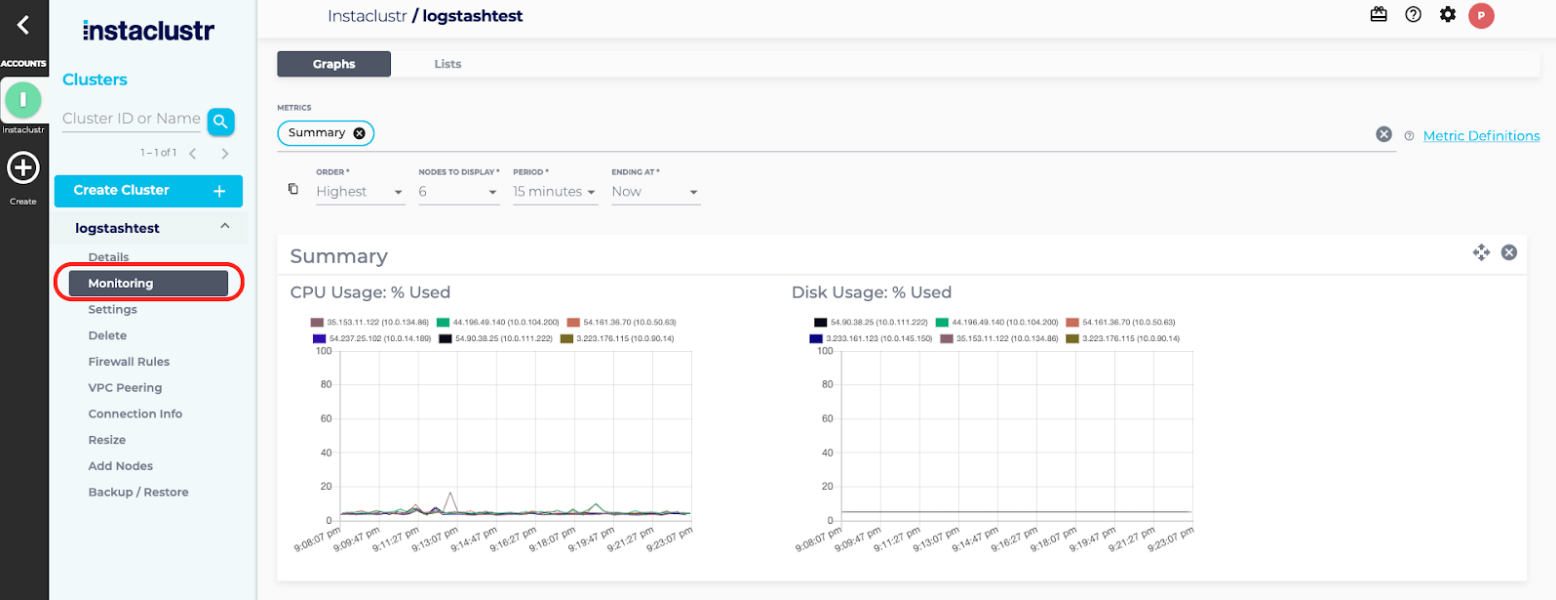
The platform provides a management console with automated provisioning, configuration, and built-in monitoring, plus API access for provisioning through REST or Terraform and monitoring through a Prometheus API. Clusters are backed by 24×7 support, continuous maintenance and version upgrades, and an availability SLA.
Key features include:
- Fully managed and hosted clusters: Instaclustr handles provisioning, configuration, monitoring, maintenance, and version upgrades for PostgreSQL clusters. Deployments can run in the customer’s own cloud provider account or in an account operated by Instaclustr, and clusters can also run on-premises.
- Multi-region replication: For high availability, read replicas can be created in secondary regions to reduce latency and maintain uptime. The service is offered with a 99.99% availability SLA.
- Connection pooling with PGBouncer: PGBouncer provides lightweight connection pooling for PostgreSQL, managing connections and reusing them to support larger numbers of clients against the database.
- Provisioning and monitoring integrations: Clusters can be provisioned through a management console, a REST API, or a Terraform provider. Monitoring is available through a Prometheus API and REST-based integrations with common monitoring platforms.
- Vector search with pgvector: The service supports pgvector, the PostgreSQL extension for storing high-dimensional vector data and running similarity search. This keeps vector data inside PostgreSQL for AI applications such as retrieval-augmented generation, without a separate data store.
- Security and compliance certifications: The platform is certified against SOC 2, ISO 27001, and ISO 27018, meets GDPR requirements, and offers PCI-compliant options. Data management runs on a platform built for enterprise workloads with built-in monitoring.
- PostgreSQL on NetApp storage: PostgreSQL can run on NetApp storage such as Azure NetApp Files, which the vendor positions for high transaction-per-second workloads. The database instance itself is unchanged while using this storage option.
Limitations (based on publicly available sources):
- Configuration-dependent setup: Because the platform supports a broad set of open source technologies and multiple deployment models across clouds and on-premises, initial setup and sizing depend on the specific configuration chosen.
- Tooling and documentation gaps: Publicly available user feedback has pointed to occasional bugs in platform utilities and areas where documentation and tooling could be more complete.
- Usage-based pricing planning: Pricing is usage-based and varies with cluster size, node type, storage, and support level, so cost estimation requires planning around the intended deployment.
Source: NetApp Instaclustr
2. Crunchy Bridge

Best for: Teams wanting deep PostgreSQL expertise with true multi-cloud portability
Strengths: Superuser access, PgBouncer built in, Postgres-core-team-level support
Things to consider: No published pricing tiers; PostgreSQL-only, no adjacent data platform
Crunchy Bridge is a fully managed PostgreSQL service from Crunchy Data, deployable on AWS, Google Cloud, and Azure, as well as through the Heroku add-on marketplace. Every database runs in its own isolated VPC, and the company positions itself as a PostgreSQL specialist rather than a general-purpose cloud database provider, with several Crunchy team members serving on the Postgres core team.
Unlike many managed database providers, Crunchy Bridge grants superuser access by default, giving teams direct control over roles, schemas, and permissions that other managed services often restrict. Support tickets are handled by Postgres experts rather than tiered general support, and pricing runs on a predictable pay-as-you-go model billed by the minute for compute and storage.
Key features include:
- Superuser access out of the box: Grants full superuser privileges by default, unlocking Postgres features and role/schema management that most managed providers lock away.
- Built-in connection pooling: Ships with PgBouncer alongside every database, removing the complexity of managing an external connection pooler for production workloads.
- High availability with one click: Replicates data automatically to a different availability zone with built-in failover management, enabled through the console or API.
- In-place version upgrades: Supports in-place upgrades to new minor and major PostgreSQL versions in seconds to minutes, avoiding the dump-and-restore downtime typical of version upgrades elsewhere.
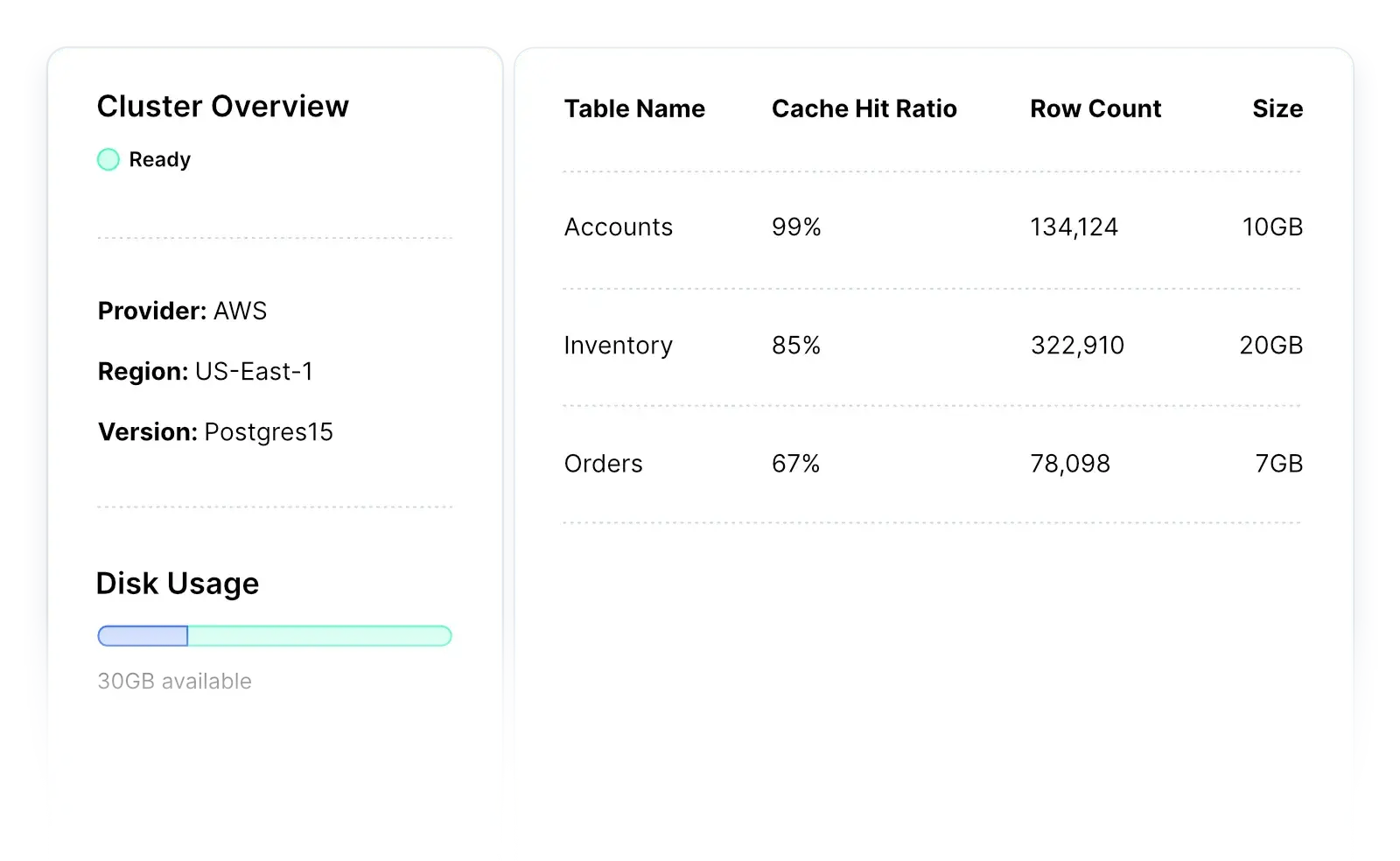
- Postgres Insights: Provides automated monitoring assistance covering cache hit ratio, index hits, and slow queries, alongside CLI and dashboard visibility into CPU, IOPS, connections, and storage.
- Broad extension catalog: Supports a wide range of PostgreSQL extensions, letting teams add geospatial, time-series, or other specialized capabilities without leaving the managed environment.
- Multi-cloud and platform flexibility: Runs on AWS, Google Cloud, Azure, or via Heroku, with a full-featured CLI, developer API, and user dashboard for provisioning and management.
Limitations (based on publicly available sources):
- Pricing transparency: Detailed pricing is not published publicly; prospective customers need to use Crunchy Bridge’s pricing calculator or contact the company directly for a quote.
- PostgreSQL-only scope: The service focuses exclusively on PostgreSQL, so teams wanting a bundled multi-engine data platform (streaming, caching, analytics) alongside their database need separate tools.
- Limited independent review volume: As a more specialized provider, third-party user reviews and ratings are sparser than for larger, more broadly reviewed managed database platforms.
Source: Crunchy Bridge
3. DigitalOcean Managed Databases for PostgreSQL

Best for: Developers wanting simple PostgreSQL hosting with predictable pricing
Strengths: Quick setup, daily backups, automated failover, flat pricing
Things to consider: Cost can rise when adding storage or standby nodes
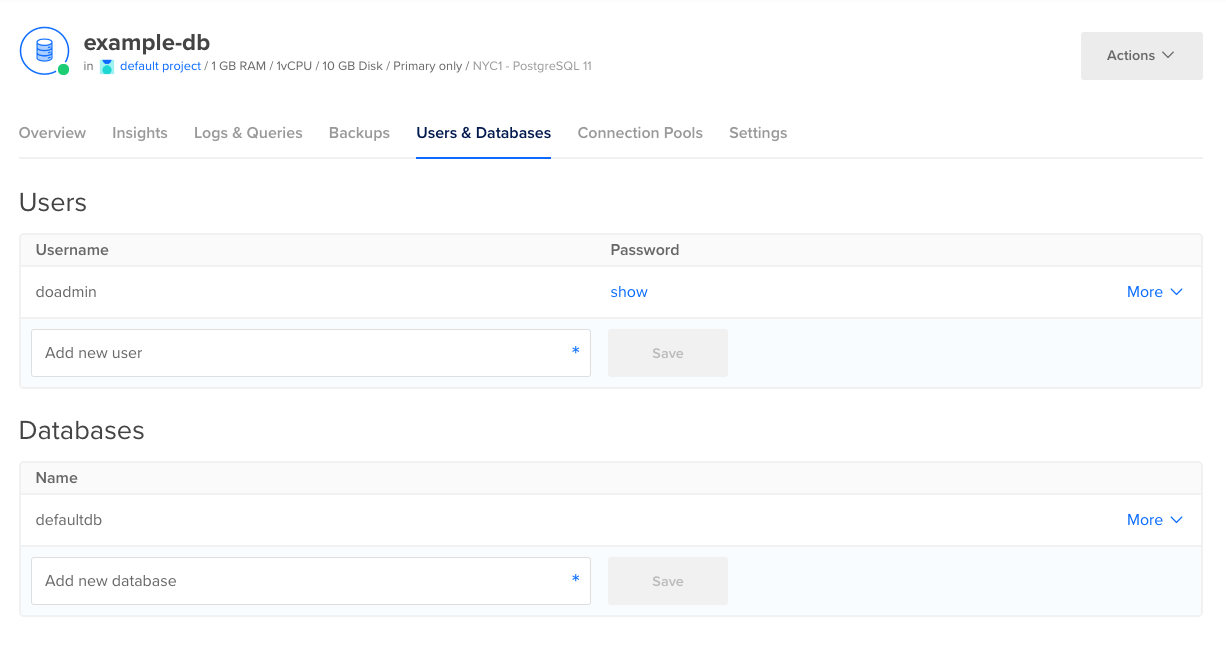
DigitalOcean Managed Databases for PostgreSQL is a fully managed cluster service that handles provisioning, configuration, maintenance, and updates. Users launch a cluster in a few clicks through a web UI or API and can migrate an existing database with minimal downtime.
Clusters run on enterprise-class hardware, support PostgreSQL v17, and can use shared or fully dedicated vCPUs. Storage scales up to 30TB, and the service uses flat, predictable pricing across data centers.
Key features include:
- Simple deployment and migration: A cluster can be created in a few clicks through the control panel or API. Existing databases can be moved in through continuous logical replication for live sources, or through a dump-and-restore process using pg_dump and pg_restore.
- Scaling and read-only nodes: Clusters scale storage up to 30TB, with autoscaling for storage and the ability to increase CPU, RAM, and storage on existing clusters. Read-only nodes can be added to distribute read traffic and redirect reads away from the primary.
- Daily backups and point-in-time recovery: Backups run automatically every day, and point-in-time recovery allows restoring the database to any point within the previous seven days.
- Automated failover and high availability: All clusters include automated failover that detects and replaces degraded or failing nodes. High availability requires at least one standby node to provide redundancy for the primary.
- Metrics and query insights: The service includes database-level metrics such as connections, cache hit ratio, sequential versus indexed scans, throughput, and disk usage, plus cluster resource metrics that can be scraped for monitoring.
- Network security and extensions: Clusters run inside the account’s private network with trusted-source rules and end-to-end SSL encryption for data in transit and at rest. Supported extensions such as PostGIS, hstore, bloom, and h3 can be installed through SQL commands.
Limitations (as reported by users on G2):
- Pricing steps for scaling: Users report that the cost increase when adding more storage or a standby node to managed databases can feel steep.
- Debugging deployment issues: Some users note that platform build and deployment logs are not always detailed enough, which can make troubleshooting harder.
- Feature breadth: Compared with larger cloud providers, some users find the overall feature set narrower for more complex requirements.
Source: DigitalOcean
4. Neon
Best for: Serverless PostgreSQL for variable workloads and dev/test
Strengths: Scale-to-zero autoscaling, instant branching, instant restore
Things to consider: Scale-to-zero can add cold-start latency after idle periods
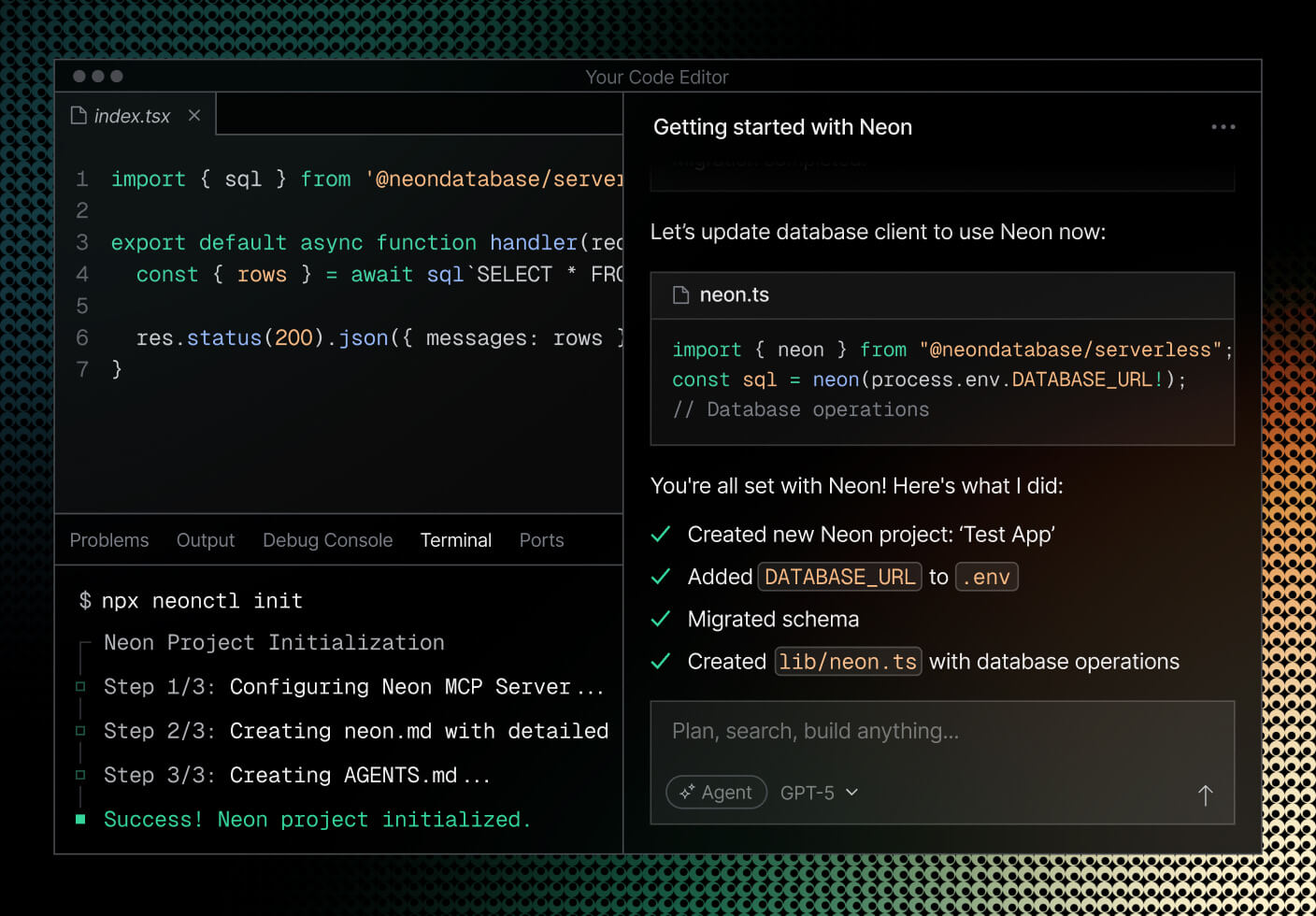
Neon is a serverless PostgreSQL service that separates storage and compute so the two scale independently. Compute scales up and down with workload and can scale to zero when idle, while a separate storage layer holds the data. Neon became a Databricks company in 2025.
The architecture supports git-like branching, where editable copies of a database are created almost instantly using copy-on-write. Neon also offers additional backend primitives, including managed authentication, functions, object storage, and an AI gateway.
Key features include:
- Storage and compute separation: Neon splits the storage layer from the compute layer. This allows compute to scale independently of stored data and underlies the autoscaling and branching behavior.
- Autoscaling and scale-to-zero: Compute automatically scales CPU and memory to match the workload and can scale to zero during idle periods, so resources are not provisioned continuously for inactive databases.
- Instant branching: Copy-on-write branching creates editable copies of a database instantly, similar to git branches. Branches can be anonymized to mask sensitive data, and obsolete branches can delete themselves after work completes.
- Instant restore and point-in-time recovery: Neon supports instant recovery, restoring a database to an earlier moment in time without fixed monthly fees for the capability.
- Managed authentication and connection pooling: Neon includes managed Better Auth, storing users and sessions in Postgres. Connection pooling is available through a separate pooled connection string for serverless environments that open many short-lived connections.
- Production features and compliance: Neon provides a 99.95% uptime SLA on its Scale plan, private networking through PrivateLink, logs and metrics export to OpenTelemetry-compatible services, single sign-on, and compliance including SOC 2 and HIPAA.
Limitations (as reported by users on publicly available sources):
- Cold-start latency: Scale-to-zero introduces a delay when compute wakes after inactivity, which can affect latency-sensitive applications unless compute is kept always on.
- Free tier constraints: Users report that the free tier compute allowance is not enough to run an always-on database continuously, and the free tier allows only limited customization.
- Vendor and roadmap uncertainty: Some users cite reliability incidents affecting production and raise questions about product direction following the Databricks acquisition.
Source: Neon
Cloud provider managed PostgreSQL services
5. Amazon RDS for PostgreSQL

Best for: AWS-native workloads needing managed PostgreSQL
Strengths: Managed deployments, Multi-AZ availability, read replicas
Things to consider: Low-level tuning is more limited than self-managed PostgreSQL
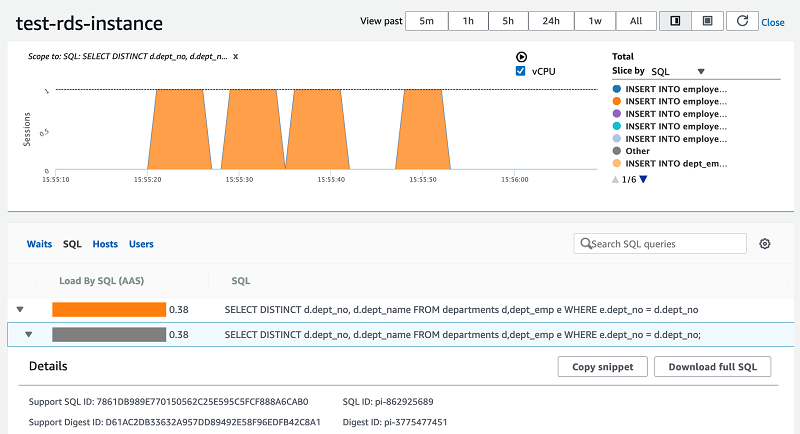
Amazon RDS for PostgreSQL is a managed database service that deploys PostgreSQL in minutes and handles administrative tasks such as software installation, upgrades, storage management, replication, and backups. It runs community PostgreSQL and supports the code, applications, and tools that already work with existing PostgreSQL databases.
The service currently supports PostgreSQL versions 11 through 17 and includes Trusted Language Extensions, which let teams build and run extensions in trusted languages without AWS certifying the code. Instances are preconfigured with parameters for the selected server type, and parameter groups provide fine-tuning.
Key features include:
- Managed deployment and maintenance: RDS launches a production-ready PostgreSQL database in a few steps and preconfigures instances with parameters for the selected server type. Blue/Green Deployments create a staging environment to apply engine upgrades and other changes before switching over.
- SSD-backed storage options: RDS offers General Purpose SSD storage for small to medium workloads and Provisioned IOPS for high-performance OLTP applications, delivering consistent I/O. Storage can be added on the fly with zero downtime.
- Automated backup and recovery: Automated backups allow recovery to any point in time within a retention period of up to 35 days. Users can also take manual DB snapshots that are retained until explicitly deleted.
- Multi-AZ high availability: Multi-AZ deployments provide enhanced availability and durability by maintaining a standby in a separate Availability Zone, making them suited to production workloads.
- Read replicas: Read replicas scale out read-heavy workloads beyond the capacity of a single database instance.
- Isolation and security: RDS provides network isolation with Amazon VPC, encryption at rest through AWS KMS keys, and encryption in transit using SSL. It is compliant with standards including HIPAA and FedRAMP.
Limitations (as reported by users on G2):
- Limited low-level customization: Users report that certain low-level database optimization and customization options are limited compared with a self-managed PostgreSQL installation.
- No host-level access: As a managed service, RDS does not provide direct host access such as SSH, and restricts access to some system procedures and tables that require elevated privileges.
- Cost management: Users note that costs can be harder to control because features such as Multi-AZ, replicas, and additional storage are billed separately.
Source: Amazon
6. Google Cloud SQL for PostgreSQL

Best for: PostgreSQL workloads integrated with Google Cloud services
Strengths: Full version compatibility, observability tools, easy scaling
Things to consider: Billing can be hard to forecast for smaller projects
Google Cloud SQL for PostgreSQL is a managed relational database service that automates backups, replication, encryption patches, and capacity increases while providing more than 99.95% availability. It offers full compatibility with major PostgreSQL versions, support for popular extensions, and access to over 100 database flags for tuning.
The service integrates with Google Cloud products including Google Kubernetes Engine, BigQuery, and Cloud Run, and supports migrations from PostgreSQL or Oracle through Database Migration Service. It is offered in Enterprise and Enterprise Plus editions for different workload needs.
Key features include:
- Fully managed operations: Cloud SQL automates backups, failover, replication, encryption patches, and capacity increases, and provides greater than 99.95% availability. Planned maintenance is designed for near-zero downtime of less than ten seconds.
- Compatibility and tooling: The service supports all major PostgreSQL versions, popular extensions, and over 100 configuration flags. Familiar tools such as pgAdmin continue to work, and migrations run through Database Migration Service.
- Flexible scaling: Compute, storage, and memory scale independently. Instances can grow to 96 processor cores, 624GB of RAM, and 60TB of storage, and automatic storage increases remove the need to pre-provision capacity. Read replicas handle increasing read traffic.
- High availability and recovery: High availability configurations recover from incidents with automated backups and point-in-time recovery. Cross-region replicas and global VPCs support disaster recovery and data residency.
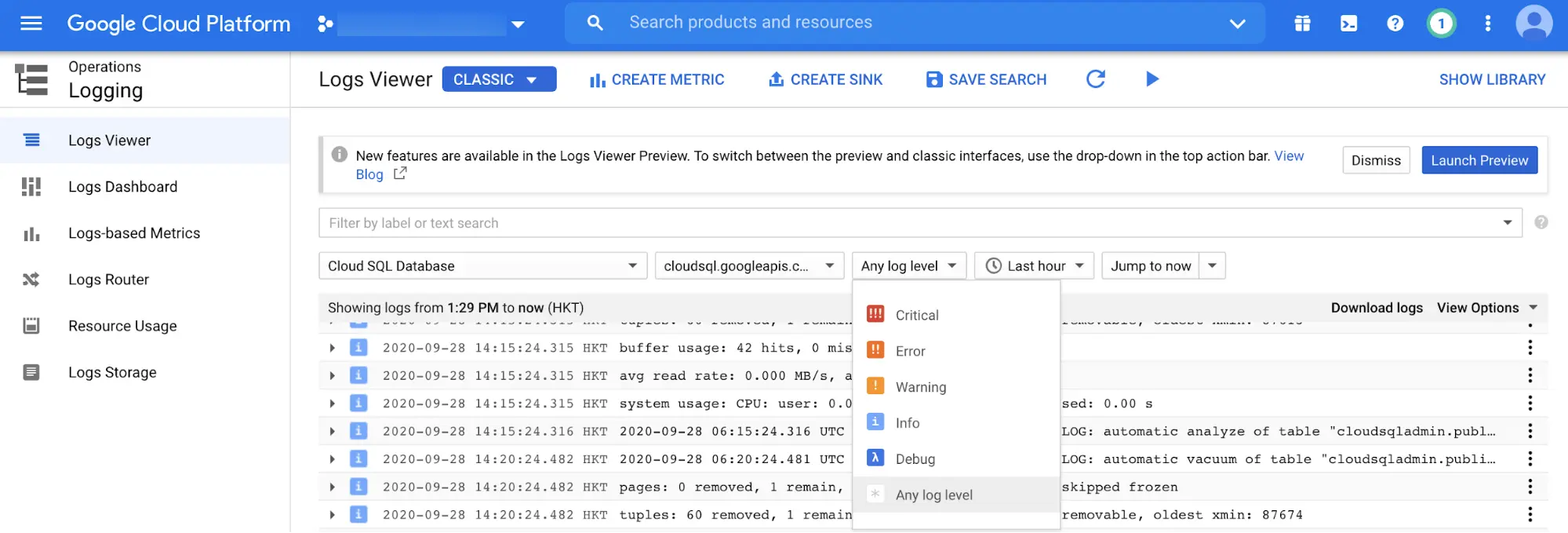
- Observability: Cloud SQL Insights helps identify and resolve performance issues using pre-built dashboards and visual query plans. Metrics and traces are available through OpenTelemetry, and query tags let teams monitor databases through the application.
- Security and vector search: Data is encrypted at rest and in transit with optional customer-managed encryption keys, IAM database authentication, VPC controls, and firewall protection. The pgvector extension supports approximate and exact nearest-neighbor vector search inside the database.
Limitations (as reported by users on G2):
- Billing transparency: Users report that pricing can be difficult to understand and forecast, and that cost optimization tools could be more granular.
- Cost for small projects: Some users find the price relatively high for smaller projects or personal use compared with other options.
- Learning curve: Users note a learning curve when working with the Google Cloud console and configuration, particularly for those new to the platform.
Source: Google Cloud
7. Azure Database for PostgreSQL
Best for: PostgreSQL workloads in the Microsoft Azure ecosystem
Strengths: Zone-redundant HA, in-database AI features, autonomous tuning
Things to consider: Support can feel generic without a direct expert contact
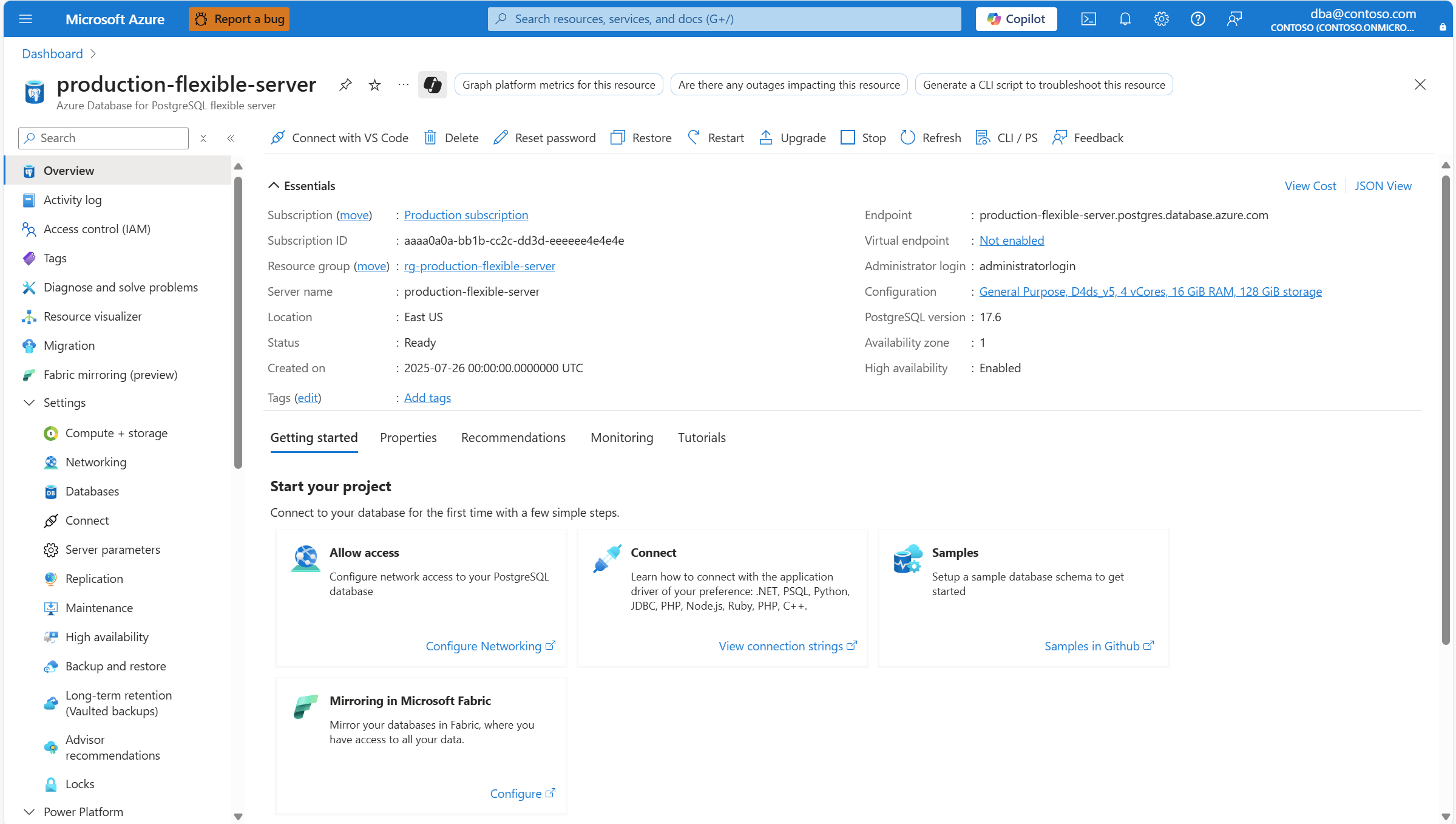
Azure Database for PostgreSQL is a fully managed service built on the open source PostgreSQL engine. Azure provisions the infrastructure and automatically handles patching, backups, high availability, and scaling, while users connect with standard PostgreSQL tools. It maintains compatibility with PostgreSQL versions, extensions, drivers, and tools.
The service provides up to 99.99% availability with built-in, zone-redundant high availability, and includes AI-oriented capabilities in the database. It supports online and offline migrations from on-premises environments, virtual machines, and other managed PostgreSQL services.
Key features include:
- In-database AI capabilities: The service supports pgvector for native vector search and an Azure AI extension that calls large language models directly from PostgreSQL, enabling scenarios such as semantic search and retrieval-augmented generation. DiskANN provides high-performance vector indexing.
- Zone-redundant high availability: Built-in, zone-redundant high availability provides up to 99.99% availability, and Azure automatically handles patching, backups, and failover.
- Autonomous tuning: Built-in capabilities use machine learning to provide indexing recommendations and performance tuning, reducing manual intervention for routine operations.
- Distributed PostgreSQL: Elastic clusters distribute PostgreSQL workloads across nodes for high-throughput, data-intensive applications, scaling beyond single-node limits without rewriting applications.
- Migration tooling: Online and offline migration options move workloads from on-premises, virtual machines, and other managed PostgreSQL services. AI-assisted assessments support Oracle-to-PostgreSQL migrations.
- Fabric integration and security: Data can be replicated into Microsoft Fabric in near real time for analytics. Security includes network controls, enterprise identity management and access control, and encryption in transit, in use, and at rest, with more than 100 compliance certifications.
Limitations (as reported by users on Gartner Peer Insights):
- Generic support experience: Users report that support can be generic and that reaching the right expert without a direct contact can be frustrating.
- Migration between server types: Users note that the earlier transition from Single Server to Flexible Server required additional migration effort in their organizations.
- Performance under high concurrency: Some users report that performance can degrade in very high concurrency environments, and that IPv6 capabilities are limited.
Source: Microsoft
How to choose managed PostgreSQL platforms
Here are some major considerations when comparing different managed PostgreSQL platforms.
1. Workload and performance needs
Choosing the right managed PostgreSQL platform starts with understanding your application’s workload and performance demands. Assess resource requirements such as CPU, memory, storage, and IOPS based on current and anticipated data volume. The platform should offer flexibility in instance sizes and underlying hardware choices, allowing you to scale performance as needed without downtime or complex migrations.
Evaluate the provider’s performance optimization features, such as configurable IOPS, query caching, and indexing support. Some platforms also offer tailored solutions for analytics-heavy workloads or read/write-intensive applications. Conduct benchmarking if possible, and consider how well the provider’s SLA matches your application’s tolerance for latency or outage.
2. Scaling
Scalability is critical as workloads grow or fluctuate. Managed PostgreSQL platforms should offer both vertical scaling (increasing resources on a single instance) and horizontal scaling (adding replicas or sharding). Look for capabilities like zero-downtime resizing, automated replication, and read replicas to support load distribution and failover requirements.
Consider whether the platform supports seamless scaling in response to traffic spikes, either through auto-scaling or by making it easy to add capacity. Assess any limits or restrictions on maximum database size, connections, or replication lag. Future-proof your deployment by ensuring the platform supports not just your initial scale but also long-term growth projections.
3. High availability and reliability
A managed PostgreSQL platform must deliver high availability and consistent reliability. Examine the provider’s architecture for features like multi-zone or multi-region deployment, automated failover, and redundancy at every layer. High availability is crucial for mission-critical applications that require minimal downtime and rapid recovery in case of failures.
Reliability extends to regular backups, point-in-time recovery, and detailed status monitoring. Ensure that backup processes are automated, frequent, and come with guarantees for retention and restore times. Check the SLA and historical uptime reports: platforms with proven uptime records and transparent incident reporting lend greater confidence in their operational maturity.
4. Data security and compliance
Protecting sensitive data is essential. Managed PostgreSQL platforms should provide security features, including network isolation, encryption at rest and in transit, access control, and auditing. Integration with identity management systems (such as IAM, Active Directory, or LDAP) allows granular control over user permissions and database access.
For regulated industries or organizations with strict compliance requirements, verify that the platform meets relevant certifications, such as SOC 2, HIPAA, or GDPR. Examine support for features like data masking, auditing, and logging, which are integral to maintaining compliance. Security measures should be proactive, regularly updated, and accompanied by monitoring for potential vulnerabilities.
5. Extension and version support
Extension and version support are important factors for applications that rely on specific PostgreSQL features or require customization. Managed platforms often restrict or curate available extensions for stability and security reasons. Review which extensions (like PostGIS, pgcrypto, or logical replication) are supported out-of-the-box and assess whether custom extension installation is possible.
Platform support for recent PostgreSQL versions ensures access to the latest features, performance improvements, and security patches. Consider the vendor’s track record for timely updates and availability of upgrade paths. Understand the process and impact of version upgrades: automated, in-place upgrades are preferable and reduce migration complexity.
Conclusion
Managed PostgreSQL platforms allow organizations to leverage the full power of PostgreSQL while avoiding the complexity of day-to-day database administration. By automating provisioning, scaling, maintenance, and recovery, they provide a reliable foundation for modern applications that need to scale quickly and securely. For teams with limited database expertise or those seeking to optimize developer productivity, these platforms deliver consistency, resilience, and operational efficiency across diverse workloads.