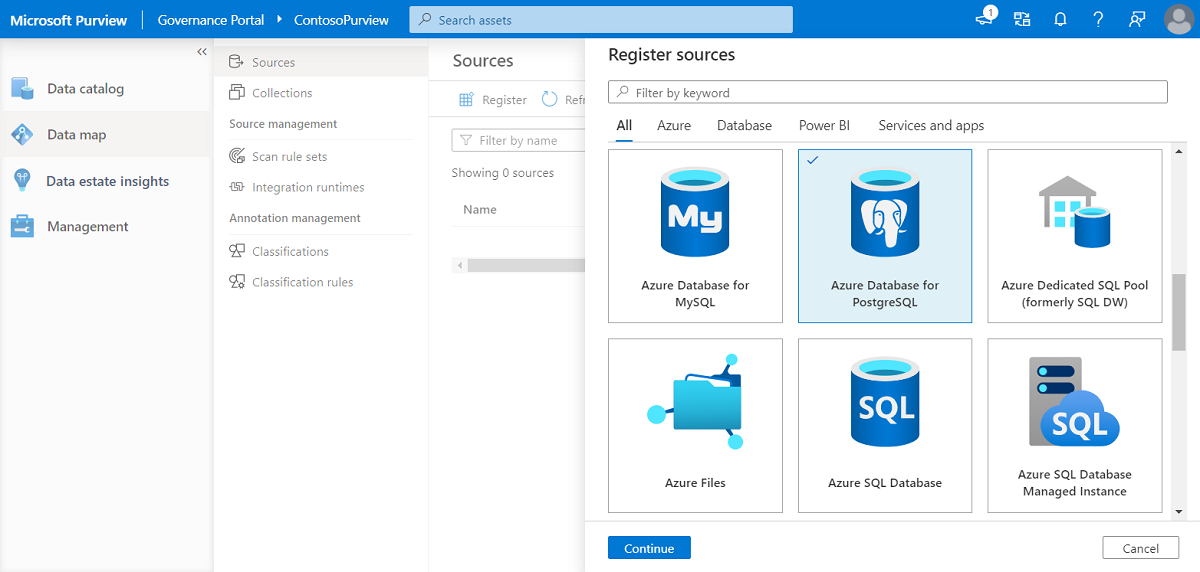
What are managed PostgreSQL solutions?
TL;DR: Managed PostgreSQL solutions run and maintain Postgres databases for developers so teams avoid manual administration. Best overall for open source flexibility: NetApp Instaclustr; best all-in-one backend: Supabase; best serverless workflow: Neon; best AWS-native option: Amazon RDS.
Managed PostgreSQL solutions offer developers a way to use PostgreSQL without the overhead of database administration. These cloud-based services handle tasks like installation, configuration, updates, backups, scaling, and security, allowing developers to focus on application development.
A typical managed PostgreSQL offering includes automated backups, patch management, monitoring, scaling, and security hardening. These services often provide a user interface or API for provisioning databases with required resources and configurations. The underlying hardware, software updates, network setup, and disaster recovery are handled by the provider, reducing the need for specialized in-house database expertise.
Editor’s note: Updated the article to cover recent market trends, updated information about managed PostgreSQL solutions to reflect features and capabilities in 2026.
Managed PostgreSQL Solutions for Developers at a Glance
The table below summarizes the key differences between the managed PostgreSQL solutions covered in this article. We explore each solution in more detail in the sections that follow.
| Category | Solution | Best For | Key Strengths | Things to Consider |
|---|---|---|---|---|
| Developer-focused managed PostgreSQL platforms | NetApp Instaclustr for PostgreSQL | Managed open source PostgreSQL in your cloud or on-premises | 24×7 support, 99.99% SLA, API and Terraform provisioning | Focused on managed open source data infrastructure |
| Developer-focused managed PostgreSQL platforms | Supabase | Managed Postgres with an included application backend | Auto-generated APIs, dashboard tools, extension ecosystem | Some production features are paid add-ons |
| Developer-focused managed PostgreSQL platforms | Neon | Serverless Postgres with branching for dev and test | Autoscaling, scale-to-zero, instant database branching | No filesystem or superuser access to the host |
| Cloud provider managed PostgreSQL services | Amazon RDS for PostgreSQL | Managed PostgreSQL for teams already on AWS | Multi-AZ availability, read replicas, VPC and KMS security | No superuser or host access; costs can grow at scale |
| Cloud provider managed PostgreSQL services | Google Cloud SQL for PostgreSQL | Managed PostgreSQL integrated with Google Cloud | Automated ops, 99.95%+ availability, GCP integrations | Billing can be hard to forecast |
| Cloud provider managed PostgreSQL services | Microsoft Azure Database for PostgreSQL | Managed PostgreSQL for Azure and AI-ready apps | Zone-redundant HA, native AI extensions, Azure integrations | Setup and administration seen as more complex |
Why developers choose managed PostgreSQL
Managed PostgreSQL appeals to developers because it offers the following advantages:
- Offloads complex and time-consuming operational tasks: Instead of spending time on system setup, tuning, and ongoing maintenance, teams can focus on building application logic and shipping features. This shift leads to faster development cycles, fewer production issues, and reduced reliance on specialized database administrators.
- Enables scalability: Managed services allow databases to grow with the application, vertically or horizontally, often with minimal changes to the codebase. Resources can be adjusted dynamically, and high availability setups can be enabled without custom infrastructure work, helping developers meet PostgreSQL performance demands during peak usage or product growth.
- Improves security: Managed PostgreSQL platforms typically include out-of-the-box encryption, access controls, audit logs, and compliance certifications. This makes it easier for teams to meet internal or regulatory security requirements without deep infrastructure expertise.
- Increases operational transparency: Built-in monitoring tools offered by these platforms help developers diagnose issues faster. With built-in metrics, alerting, and logging, troubleshooting becomes more efficient, reducing time-to-resolution for incidents and improving system reliability.
Related content: Read our guide to Postgres management
Managed PostgreSQL market trends
The managed PostgreSQL market is experiencing rapid growth, driven by the broader shift toward cloud-native infrastructure and the increasing adoption of open-source databases. Organizations are moving away from self-managed database setups in favor of fully managed services that reduce operational overhead while improving scalability, reliability, and security.
From a growth perspective, the managed PostgreSQL services market is scaling, with estimates projecting it to grow from around $1.68 billion to over $7 billion by 2033, reflecting strong demand across industries.
Significant growth trends include:
- Acceleration of cloud adoption. As companies migrate workloads to the cloud, managed PostgreSQL services are becoming a default choice due to their ability to provide automated provisioning, high availability, and seamless scaling. This shift enables teams to focus on building applications rather than managing infrastructure.
- Growing demand for automation and AI-driven optimization. Modern managed PostgreSQL platforms increasingly incorporate machine learning for performance tuning, anomaly detection, and predictive maintenance. These capabilities help improve database efficiency while reducing the need for manual intervention.
- Rising security and compliance requirements. Organizations operating in regulated industries are adopting managed solutions that offer built-in encryption, access controls, automated backups, and compliance support (e.g., GDPR, HIPAA). This reduces risk while simplifying governance.
The ecosystem is evolving toward vendor-managed and cloud-integrated offerings, with major cloud providers and startups building differentiated solutions around PostgreSQL. This includes specialized platforms optimized for high performance, developer experience, and emerging workloads like AI applications.
Sources:
Key features of managed PostgreSQL solutions for developers
Automated backups and point-in-time recovery
Automated backup features ensure that a database’s state is preserved at routine intervals without manual intervention. Managed PostgreSQL solutions typically implement daily or even more frequent backups, storing them securely in redundant locations. If data loss or corruption occurs, developers can quickly revert to a backup from a specific point in time. This mechanism is critical for disaster recovery and when rolling back from accidental operations.
Point-in-time recovery takes backup convenience further by allowing restoration to an exact timestamp. This minimizes downtime and data loss after unintentional changes, bad migrations, or other incidents. Such tools would require considerable scripting and monitoring for self-hosted databases but come out-of-the-box with managed solutions. Developers can trust that their data is both recoverable and consistent.
High availability and automated failover
High availability is a standard in managed PostgreSQL platforms, using techniques like streaming replication, redundant hardware, and geographic distribution of nodes. If a primary node fails due to hardware, network, or software issues, the system automatically promotes a standby replica to primary with minimal disruption. This process is monitored and managed by the provider, reducing the risk of prolonged outages and ensuring that applications remain accessible.
Automated failover complements high availability by making recovery seamless and predictable, without reliance on manual intervention during critical incidents. These systems are regularly tested by providers, ensuring they function correctly under real-world failure scenarios. Developers benefit from improved uptime SLAs and peace of mind, knowing that infrastructure will self-heal without their active involvement during emergencies.
Support for popular PostgreSQL extensions
PostgreSQL’s extensibility is a significant strength, and managed solutions reflect this by supporting a variety of popular extensions. Common needs like full text search (with pg_trgm), time-series data handling (timescaledb), and advanced indexing (btree_gin, btree_gist) are often just a few clicks or commands away. This simplifies the process of enabling advanced database features, lowering barriers for experimentation and adoption of best-in-class tooling.
Managed offerings also keep extensions up to date, mitigating compatibility or security issues that can arise from outdated packages. Since extension support and upgrading are incorporated into the service layer, developers can leverage new features or bug fixes promptly.
Easy provisioning
Managed PostgreSQL platforms are valued for simplified provisioning workflows. Developers can spin up new database instances or clusters in minutes, specifying compute, storage, and region with simple configuration steps. This agility supports modern development practices, such as spinning up short-lived environments for feature development, experimentation, or testing without going through prolonged infrastructure procurement cycles.
Additionally, APIs or command line tools are often available for automated provisioning in CI/CD pipelines, enabling repeatable and versioned environment setups. Provisioning also typically encompasses best practices by default, such as secure network access, encryption, and logging, minimizing the risk of misconfiguration during manual setup.
Environments for staging / dev with similar configuration to production
Managed PostgreSQL solutions enable developers to create staging and development environments that closely replicate the production setup. They can easily clone configurations including extensions, instance size, network rules, and security policies. This minimizes the risk of environment-specific bugs and ensures more reliable testing and QA processes, as developers interact with realistic data models, permissions, and performance characteristics.
Having matched environments across development, staging, and production also makes debugging easier, as issues are more likely to surface before deployment. Additionally, managed services often provide cost controls and safe defaults for non-production environments, reducing resource consumption while maintaining fidelity.
Automation of routine maintenance
Routine maintenance, including software patches, minor upgrades, security enhancements, and performance tuning, is automatically handled by managed PostgreSQL services. Providers schedule and deploy updates with minimal disruption, ensuring that databases remain secure and efficient without developer oversight. This automation eliminates human error associated with manual patch management and protects against emerging threats.
Beyond security patches, maintenance automation encompasses health checks, log management, and performance monitoring. Some platforms even proactively resolve issues before they cause service degradation. By delegating these essential but repetitive tasks, development teams can minimize operational overhead.
Related content: Read our PostgreSQL tutorial
Notable managed PostgreSQL solutions for developers
How we selected these tools: We shortlisted managed PostgreSQL solutions for developers based on automated provisioning and maintenance, high availability and backups, PostgreSQL extension and version support, developer tooling and APIs, and scaling and security controls.
1. NetApp Instaclustr

Best for: Managed open source PostgreSQL in your cloud or on-premises
Strengths: 24×7 support, 99.99% SLA, API and Terraform provisioning
Things to consider: Focused on managed open source data infrastructure
Instaclustr for PostgreSQL is a fully managed version of PostgreSQL released under PostgreSQL LicenseNetApp Instaclustr for PostgreSQL is a fully hosted and managed service that runs PostgreSQL on all major cloud providers and in on-premises data centers. The service configures and optimizes PostgreSQL instances and delivers a production-ready cluster backed by round-the-clock support. It runs 100% open source PostgreSQL and can operate in the customer’s own cloud provider account or in an Instaclustr account.
The platform includes built-in monitoring and provisioning through a management console, a REST API, or a Terraform provider. It is certified for SOC 2, ISO 27001, and ISO 27018, meets GDPR requirements, and offers PCI-compliant options.
Key features include:
- Managed deployment options: The service runs PostgreSQL in the cloud or on-premises, in the customer’s account or in an Instaclustr account. This covers cloud, on-premises, hybrid, and migration scenarios under a single managed platform.
- Multi-region replication: Read replicas can be created in secondary regions for high availability. This is used to reduce latency for distributed users and maintain uptime if a primary region has an issue.
- Connection pooling with PGBouncer: PGBouncer is included as a lightweight connection pooler for PostgreSQL. It manages and shares database connections to support scaling and more efficient use of database resources.
- Provisioning and monitoring interfaces: Clusters can be provisioned through a management console, a REST API, or a Terraform provider. Monitoring is available through a Prometheus API or REST-based integrations to common monitoring platforms, with automated provisioning, configuration, and built-in monitoring.
- Continuous maintenance and upgrades: The platform handles ongoing maintenance and version upgrades, including support for current PostgreSQL versions. This removes the need for the customer to manage patching and upgrade cycles directly.
- pgvector extension support: The service supports pgvector, the PostgreSQL extension for storing and running similarity search over high-dimensional vector data. This allows vector search to run inside PostgreSQL without a separate data store.
- Azure NetApp Files storage option: PostgreSQL can run on Azure NetApp Files storage node sizes. This storage option is offered as part of the managed platform for demanding read and write workloads.
Limitations (based on publicly available sources):
- Scope centered on data infrastructure: The product is focused on managed open source data infrastructure rather than application build, test, and release workflows, so teams need separate tooling for those pipelines.
- Technology coverage boundaries: Coverage is limited to the specific open source data technologies the platform supports, which may require additional evaluation for niche requirements.
- Pricing requires direct engagement: Public pricing is presented per node and per cluster and varies by cloud provider and node size, so buyers typically need to model costs for their specific configuration.

Source: NetApp Instaclustr
2. Supabase

Best for: Managed Postgres with an included application backend
Strengths: Auto-generated APIs, dashboard tools, extension ecosystem
Things to consider: Some production features are paid add-ons
Supabase provides a managed PostgreSQL database as the core of every project and adds tooling that developers would otherwise build or buy. Each project gets a dedicated Postgres instance that Supabase provisions, patches, and keeps online, and it can be reached with psql, pgAdmin, or any standard client. The database supports native extensions and Row Level Security.
Beyond the database, every project ships with a dashboard, a SQL editor, a table editor, logs, performance and security advisors, and auto-generated REST and GraphQL APIs. The same platform also offers authentication, storage, edge functions, realtime, and vector search when a team chooses to use them.
Key features include:
- Dedicated managed Postgres: Each project runs on its own dedicated PostgreSQL instance, provisioned in seconds and kept patched and online. It includes full SQL access with CTEs, triggers, foreign keys, JSONB, full-text search, stored procedures, and PL/pgSQL.
- Auto-generated REST and GraphQL APIs: PostgREST turns the database schema into a REST API, and pg_graphql reflects a GraphQL API from the same schema. These are generated from the schema rather than written by hand.
- Dashboard, SQL editor, and table editor: A Studio dashboard allows browsing data, inspecting schema, and running queries. The table editor provides a spreadsheet-style view for creating and editing tables, and the SQL editor saves and shares queries.
- Backups, PITR, and read replicas: Daily backups with retention are included, point-in-time recovery restores to a specific moment, and read replicas can be added in other regions. High availability with automatic failover is available when needed.
- Connection pooling and branching: Supavisor pools and shares database connections so applications scale past Postgres connection limits. Database branching creates isolated branches for development and preview before merging.
- Extension ecosystem and in-database tooling: The platform supports pgvector, PostGIS, pg_cron, pg_stat_statements, and other extensions. It also includes pg_cron scheduling, a pgmq-based queue, a Vault for secrets, and foreign data wrappers to query external systems.
Limitations (as reported by users on G2):
- Learning curve for security settings: Some reviewers report that Row Level Security and other advanced security settings take time to understand and require reading the documentation before configuring them correctly.
- Backups gated on free tier: Reviewers note that a built-in backup solution is not available to free-tier users, who must set up their own backup approach.
- Some features reserved for paid plans: Reviewers mention that certain active services and production features are available only to paid users, and free projects can pause during inactivity.
- Cost at the Pro level: Reviewers indicate that pricing can feel high at the Pro tier and that usage limits can be reached sooner than expected.

Source: Supabase
3. Neon

Best for: Serverless Postgres with branching for dev and test
Strengths: Autoscaling, scale-to-zero, instant database branching
Things to consider: No filesystem or superuser access to the host
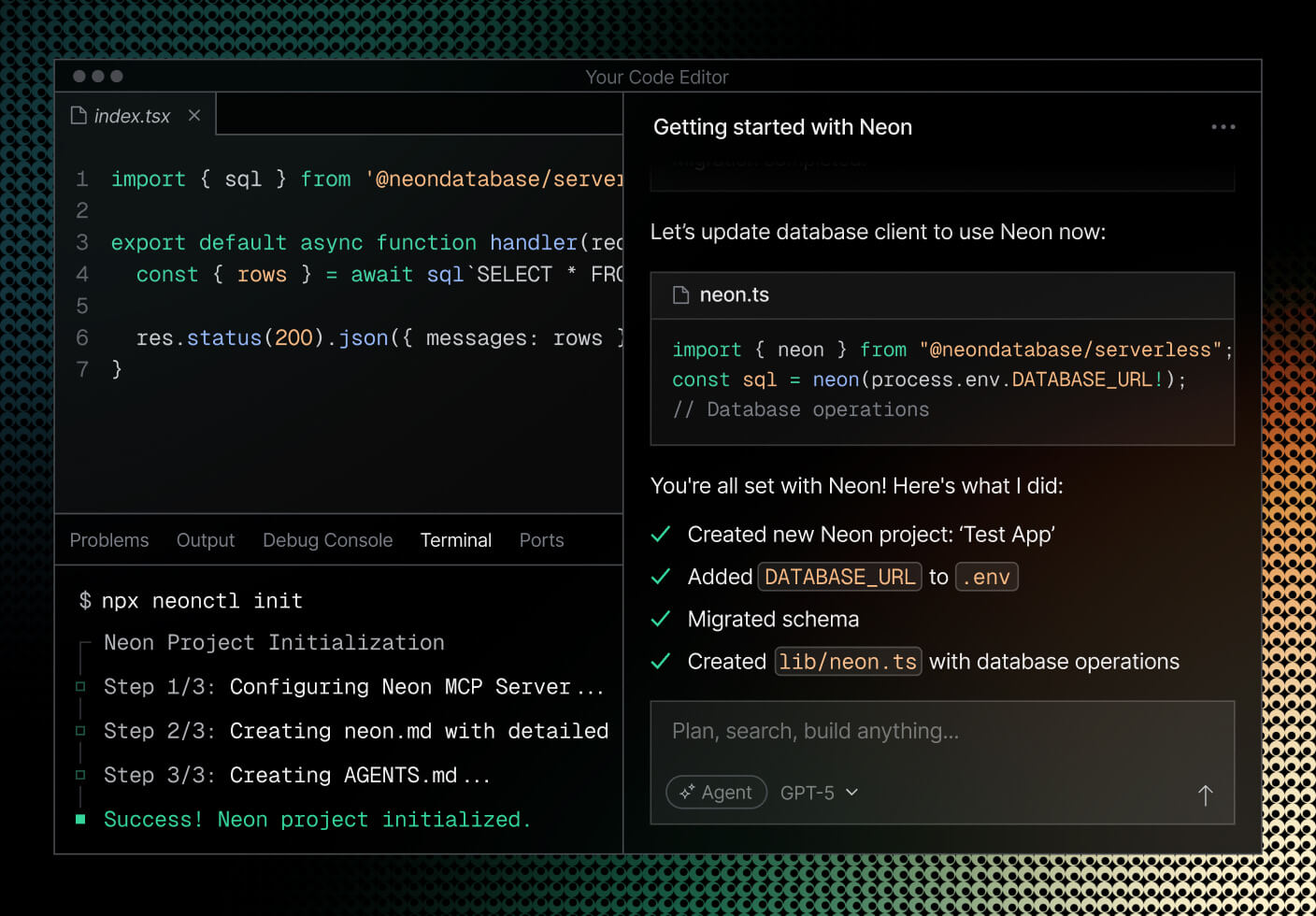
Neon is a serverless PostgreSQL platform that separates compute from storage so CPU, memory, and storage scale to fit a workload. It scales down when idle and scales back up automatically when demand returns. Neon was founded by Postgres committers and became a Databricks company in 2025.
The platform adds developer workflow features on top of the database, including git-like branching, point-in-time recovery, and managed authentication. It also offers production features such as private networking, logs and metrics export, single sign-on, and an uptime SLA on its higher tiers.
Key features include:
- Storage and compute separation: Neon separates the storage and compute layers, which lets the service scale CPU, memory, and storage independently to match a workload rather than provisioning a fixed instance size.
- Advanced autoscaling: Compute scales automatically with database load and can scale to zero when there is no activity. This means resources are not held at a fixed size when the database is idle.
- Instant branching: Branching creates editable copies of a database instantly using copy-on-write, similar to branching code. Branches can be anonymized with fake values for safe testing and delete themselves automatically when work is complete.
- Instant point-in-time restore: The service restores a database to an earlier moment in time. This is used for recovery from mistakes or for testing against a previous state without a full restore process.
- Managed authentication: Neon includes managed Better Auth, which stores users and sessions in Postgres. Authentication and user management are built into the database rather than added as a separate system.
- Compliance and networking controls: The platform provides HIPAA and SOC 2 compliance, PrivateLink private networking to keep traffic off the public internet, single sign-on for team access, and log and metric export to OpenTelemetry-compatible services.
Limitations (as reported by users on G2):
- Uncertainty after acquisition: Some reviewers express concern that the service could change direction following the Databricks acquisition.
- Free tier constraints: Reviewers note limited customization on the free tier, including a single database allowed, which is adequate for personal use but restrictive for larger needs.
- No host-level access: Publicly available sources note that users cannot access the underlying machine or filesystem, which rules out running custom agents or backup scripts directly on the database host.
- Cold start variability: Publicly available sources note that wake-up time after idle can vary with region and database size, which is a consideration for latency-sensitive first requests.
Source: Neon
Cloud provider managed PostgreSQL services
4. Amazon RDS for PostgreSQL

Best for: Managed PostgreSQL for teams already on AWS
Strengths: Multi-AZ availability, read replicas, VPC and KMS security
Things to consider: No superuser or host access; costs can grow at scale
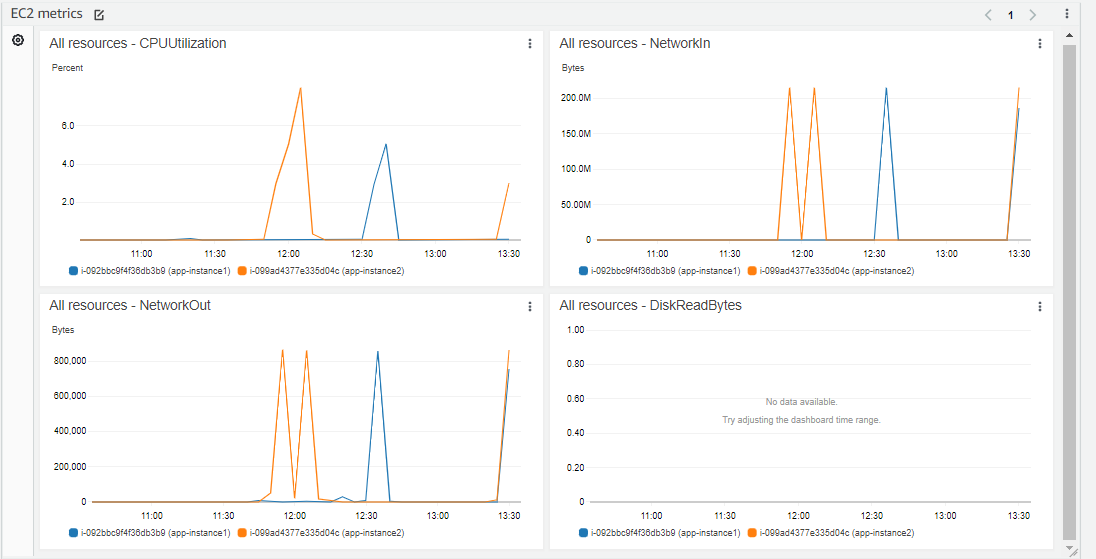
Amazon RDS for PostgreSQL is a managed service that deploys PostgreSQL databases on AWS and handles administrative tasks such as software installation and upgrades, storage management, replication, and backups. It gives access to the standard PostgreSQL engine, so existing code, applications, and tools continue to work. It currently supports PostgreSQL 11 through 17.
Databases are launched from the AWS Management Console and come preconfigured with parameters for the selected server type, with parameter groups for tuning. Blue/Green Deployments are available for applying database updates.
Key features include:
- Managed deployment and configuration: Databases launch from the AWS Management Console preconfigured for the selected server type, with database parameter groups for fine-tuning. Blue/Green Deployments are provided for applying updates with a staging environment.
- SSD-backed storage options: RDS offers General Purpose SSD storage for small to medium workloads and Provisioned IOPS for high-performance OLTP applications, delivering up to 40,000 IOPS. Storage can be increased with zero downtime as requirements grow.
- Automated backup and recovery: Automated backups support recovery to any point in time within a retention period of up to 35 days. Users can also take manual backups of a DB instance that are retained until explicitly deleted.
- Multi-AZ high availability: Multi-AZ deployments provide enhanced availability and durability by maintaining a standby, making them suited to production workloads. Failover is handled within the AWS infrastructure.
- Read replicas: Read Replicas scale read-heavy workloads beyond a single instance and can be created in a different zone or a different region. They are used to spread read traffic across multiple databases.
- Isolation and security: Security includes network isolation with Amazon VPC, encryption at rest using keys managed through AWS KMS, and encryption of data in transit using SSL. Trusted Language Extensions allow custom extensions to run without AWS certifying the code.
Limitations (as reported by users on G2):
- Costs rise with scale: Reviewers note that expenses can escalate as storage and instance sizes grow, and some ask for more pricing transparency for larger databases.
- Latency during some operations: Reviewers report latency during operations such as creating read replicas.
- Steep for newcomers: Reviewers mention that the service is well suited to experts but can be difficult for beginners, requiring time to learn.
- Limited low-level control: Publicly available sources note there is no shell, filesystem, or true superuser access, and configuration is done through parameter groups rather than direct edits.
Source: Amazon RDS
5. Google Cloud SQL for PostgreSQL

Best for: Managed PostgreSQL integrated with Google Cloud
Strengths: Automated ops, 99.95%+ availability, GCP integrations
Things to consider: Billing can be hard to forecast
Google Cloud SQL for PostgreSQL is a managed service that runs PostgreSQL and automates backups, failover, replication, encryption, patches, and capacity increases. It supports all major PostgreSQL versions, popular extensions, and over 100 configuration flags, and it works with familiar tools such as pgAdmin.
The service integrates with Google Cloud products including Google Kubernetes Engine, BigQuery, and Cloud Run, and supports migrations from PostgreSQL or Oracle through Database Migration Service. It provides greater than 99.95% availability, with up to 99.99% available on higher tiers.
Key features include:
- Fully managed operations: Cloud SQL automates backups, failover, replication, encryption patches, and capacity increases while maintaining greater than 99.95% availability. Planned maintenance is designed for near-zero downtime of under ten seconds.
- Flexible instance shapes and scaling: Compute, storage, and memory scale independently. Instances can scale up to 96 processor cores, 624 GB of RAM, and 60 TB of storage, with read replicas for read traffic and automatic storage increases.
- Automated backups and PITR: Daily automated backups and binary logging allow restoring an instance to an earlier point in time, with backups retained for up to one year. Cross-region replicas and global VPCs support disaster recovery.
- Database observability: Cloud SQL Insights helps identify and resolve performance issues using pre-built dashboards and visual query plans. Metrics and traces are accessible through OpenTelemetry, and query tags tie database activity back to applications.
- Security and compliance controls: Data is encrypted in transit and at rest with optional customer-managed encryption keys, and access uses IAM authentication and the Cloud SQL Auth Proxy. VPC and firewall controls govern network access, with audit logging and cross-region data residency controls.
- Vector search and AI integrations: The service supports approximate and exact nearest neighbor vector search using pgvector, and integrates with LangChain for document loading, vector stores, and chat message memory to build AI applications.
Limitations (as reported by users on G2):
- Pricing hard to forecast: Reviewers report that billing is difficult to understand and ask for more granular, predictable pricing and better cost forecasting tools.
- Cost for smaller projects: Reviewers note that pricing can feel high relative to alternatives for small or personal projects.
- Learning curve on the console: Reviewers mention a learning curve when starting with Google Cloud, particularly for those with limited experience with the console and configuration.
- Occasional latency: Reviewers report occasional latency that can affect real-time applications, which they mitigate with resource planning.
Source: Google Cloud
6. Microsoft Azure Database for PostgreSQL

Best for: Managed PostgreSQL for Azure and AI-ready apps
Strengths: Zone-redundant HA, native AI extensions, Azure integrations
Things to consider: Setup and administration seen as more complex
Microsoft Azure Database for PostgreSQL is a managed service built on the open source PostgreSQL engine that handles patching, backups, high availability, and scaling. It maintains compatibility with PostgreSQL versions, extensions, drivers, and tools, so existing applications can migrate without schema changes. It is available in more than 60 Azure regions.
The service adds in-database AI features, including pgvector for vector search and an AI extension for calling large language models from SQL. It provides up to 99.99% availability with zone-redundant high availability and offers online and offline migration paths to Azure.
Key features include:
- Fully managed operations: Azure provisions the infrastructure and automatically handles patching, backups, high availability, and scaling. Users connect with standard PostgreSQL tools while Azure manages the underlying service.
- Zone-redundant high availability: Built-in high availability supports up to 99.99% availability within a single zone or across availability zones. Azure handles patching, backups, and failover to keep applications running.
- In-database AI capabilities: The azure_ai extension calls large language models from within the database, and pgvector with DiskANN indexing supports vector similarity search. This keeps transactional and AI data in one managed database.
- Independent compute and storage scaling: Compute and storage scale independently on a pay-as-you-go basis, with reserved instances available. A burstable compute tier and the ability to stop and start the server support development and time-bound workloads.
- Elastic clusters for distributed Postgres: Elastic clusters distribute PostgreSQL workloads beyond single-node limits for high-throughput and data-intensive applications without rewriting applications.
- Migration tooling: Azure supports online and offline migrations from on-premises environments, virtual machines, and other managed PostgreSQL services, with assessment tools such as Azure Migrate and AI-assisted Oracle-to-PostgreSQL conversion.
- Security and compliance: Security includes network controls, enterprise identity management and access control, and encryption of data in transit, in use, and at rest. The service carries a broad set of compliance certifications.
Limitations (as reported by users on G2):
- Setup and administration complexity: Reviewers rate ease of setup and administration lower than some alternatives, indicating a steeper learning curve for new users.
- Ease of use: Reviewers give the service a lower ease-of-use score than several competing managed databases, suggesting more effort for routine tasks.
- Cost at scale: Reviewers across the Azure database portfolio note that costs can spike at scale and that some services can be expensive.

Source: Microsoft
Conclusion
Managed PostgreSQL solutions give developers the ability to focus on building applications rather than maintaining infrastructure. By automating backups, scaling, failover, and security tasks, these platforms reduce operational complexity and increase reliability. They also provide easy access to PostgreSQL’s extensibility and advanced features, while ensuring consistent performance across development, staging, and production environments. For teams building modern, cloud-native applications, managed PostgreSQL services provide a balance of flexibility, scalability, and reduced administrative overhead.