What Is High-Performance PostgreSQL Hosting and Why Is It Important for Analytics Workloads?
TL;DR: High-performance PostgreSQL hosting for analytics combines fast compute, large memory, and NVMe storage with tuning for big scans and aggregations. Instaclustr is best for open source clusters across clouds and on-prem, Aurora PostgreSQL for read-heavy scaling, AlloyDB for in-database reporting, and Tiger Cloud for time-series analytics.
For analytics, performance also depends on how resources scale under sustained demand. Features such as read replicas, connection pooling, query monitoring, and configurable PostgreSQL parameters can help prevent large analytical queries from competing with other database operations.
Why analytics workloads put more pressure on PostgreSQL:
- Large table scans: Analytics queries may read millions or billions of rows, putting heavy pressure on storage bandwidth, memory, and CPU.
- Complex aggregations: GROUP BY, joins, sorting, and window functions require significant CPU and memory, and may spill to disk if work_mem is insufficient.
- High query concurrency: Multiple dashboards, reports, and users can compete for CPU, memory, I/O, and connections, reducing overall throughput.
Key features of PostgreSQL hosting for analytics workloads:
- High-performance CPU: Strong per-core performance and enough CPU cores help PostgreSQL process joins, filters, aggregations, and parallel queries faster.
- Large memory capacity: More memory improves caching and helps keep sorts, hashes, and aggregations in memory instead of spilling to disk.
- Fast NVMe storage: Low-latency NVMe storage improves performance for large reads and temporary files when workloads exceed available memory.
- High storage throughput: Strong sustained throughput helps PostgreSQL complete large scans and concurrent data-intensive operations faster.
- Low-latency networking: Fast, predictable networking improves query responsiveness, replication performance, and large result-set transfers.
Editor’s note: Updated the article to cover recent market trends, updated product information to reflect features and capabilities in 2026, and added 2 new tools.
PostgreSQL Analytics Platforms at a Glance
The table below summarizes the key differences between the platforms covered in this guide. We explore each one in more detail in the sections that follow (scroll to see full table).
| Category | Solution | Best For | Key Strengths | Things to Consider |
|---|---|---|---|---|
| Managed PostgreSQL hosting platforms | Instaclustr for PostgreSQL | 100% open source PostgreSQL on cloud or on-prem | Read replicas, PgBouncer pooling, Prometheus metrics, 24×7 support | Documentation depth and console configuration options |
| Managed PostgreSQL hosting platforms | Amazon Aurora PostgreSQL | Read-heavy workloads with datasets larger than memory | Optimized Reads on NVMe, 15 read replicas, zero-ETL to Redshift | Costs at scale and limited infrastructure visibility |
| Managed PostgreSQL hosting platforms | Azure Database for PostgreSQL | Azure-based teams needing scale-out and Fabric analytics | Elastic clusters, autonomous tuning, Fabric mirroring | Scaling blips and CDC or mirroring performance |
| Managed PostgreSQL hosting platforms | DigitalOcean Managed Databases for PostgreSQL | Straightforward clusters with predictable, flat pricing | Read-only nodes, storage autoscaling to 30TB, database metrics | Pricing steps for storage and standby nodes |
| Analytics-optimized PostgreSQL platforms | Google AlloyDB for PostgreSQL | Running reports directly on operational PostgreSQL data | Columnar engine, vectorized joins, autoscaling read pools | Data type limits and refresh needs of the column store |
| Analytics-optimized PostgreSQL platforms | Tiger Cloud | Time-series and event data queried over long histories | Hypercore row-columnar storage, compression, continuous aggregates | Console slowness with many tables and pricing model |
| Analytics-optimized PostgreSQL platforms | Crunchy Data Warehouse | Postgres-native analytics over Iceberg and data lake files | Vectorized engine, Iceberg tables, raw file querying | Managed service tied to AWS via Crunchy Bridge |
| Analytics-optimized PostgreSQL platforms | EDB Postgres AI Analytics Accelerator | Enterprises unifying Postgres, warehouse, and lakehouse | Vectorized PGAA engine, zero-ETL Iceberg sync, GPU offload | Licensing costs and large-scale performance tuning |
Why Analytics Workloads Put More Pressure on PostgreSQL
Large Table Scans
Analytics queries often read millions or billions of rows to calculate trends, compare time periods, or filter large datasets. When indexes cannot narrow the search effectively, PostgreSQL may use sequential scans that read most or all of a table.
These scans consume storage bandwidth, memory, and CPU resources. Slow disks or limited I/O throughput can therefore become a bottleneck even when enough compute capacity is available. Partitioning, appropriate indexes, and sufficient cache memory can reduce the amount of data PostgreSQL must read.
Complex Aggregations
Analytical queries commonly use operations such as GROUP BY, COUNT, SUM, window functions, joins, and sorting across large datasets. These operations require CPU and working memory, especially when PostgreSQL must process many rows before producing a small result set.
If an operation exceeds the available work_mem, PostgreSQL may write temporary data to disk, increasing query latency and storage I/O. Adequate memory, fast temporary storage, parallel query execution, and careful query design can improve aggregation performance.
High Query Concurrency
Analytics systems may need to run many expensive queries at the same time, particularly when multiple dashboards, reports, and users share one PostgreSQL instance. Concurrent queries compete for CPU, memory, disk I/O, and database connections.
As concurrency increases, adding more connections can reduce rather than improve throughput. Connection pooling, workload limits, read replicas, and query timeouts can control resource use. Monitoring active queries and wait events also helps identify whether CPU, I/O, locks, or connection capacity is limiting performance.
Key Features of PostgreSQL Hosting for Analytics Workloads
High-Performance CPU
Analytics queries can spend significant CPU time on joins, filtering, sorting, aggregation, and expression evaluation. PostgreSQL can also use parallel query execution for some operations, allowing multiple CPU cores to process parts of a query simultaneously.
Hosting with modern processors, strong per-core performance, and enough CPU cores helps reduce execution time. Consistent CPU availability is also important because shared or heavily oversubscribed compute can cause unpredictable query latency.
Large Memory Capacity
PostgreSQL uses memory to cache frequently accessed data and perform operations such as sorting, hashing, and aggregation. More memory can reduce repeated storage reads and allow larger intermediate results to remain in memory instead of spilling to disk.
Memory requirements depend on database size and query concurrency. Settings such as shared_buffers and work_mem must be configured carefully because multiple concurrent queries can allocate working memory at the same time.
Fast NVMe Storage
NVMe storage provides low latency and high I/O performance, which is useful when analytical queries need to read large datasets or access temporary files. It can also improve performance for workloads that cannot keep their active data entirely in memory.
Fast storage becomes especially important when sorts, hashes, or materialized operations spill to disk. NVMe can reduce the penalty of these operations compared with slower storage, although query design and sufficient memory remain important.
High Storage Throughput
Large table scans can move substantial amounts of data from storage into memory. High storage throughput allows PostgreSQL to read that data faster, reducing the time spent waiting for I/O during sequential scans and other data-intensive operations.
Throughput should also remain stable under concurrent load. Analytics workloads may run several scans or temporary-file operations simultaneously, so advertised peak throughput is less useful if performance drops significantly during sustained activity.
Low-Latency Networking
Network latency affects communication between PostgreSQL and applications, analytics tools, read replicas, and other services. Low-latency networking is particularly useful when workloads issue many queries or transfer large result sets between systems.
Network bandwidth also matters for replication and data-intensive analytics. Hosting infrastructure with fast, predictable network connections can reduce transfer bottlenecks and help replicas stay current when the primary database processes a high volume of changes.
Notable High-Performance PostgreSQL Platforms for Analytics Workloads
How we selected these platforms: We shortlisted managed PostgreSQL hosting platforms and PostgreSQL-based analytics engines based on their compute and storage architecture, read scaling and replication options, columnar or vectorized query execution, partitioning and materialized view support, extension availability, and monitoring capabilities.
Managed PostgreSQL hosting platforms
1. NetApp Instaclustr

Best for: Running 100% open source PostgreSQL on cloud or on-premises
Strengths: Read replicas, PgBouncer pooling, Prometheus metrics, 24×7 support
Things to consider: Documentation depth and console configuration options
Instaclustr runs PostgreSQL as a fully hosted and managed service on all major cloud providers and in on-premises data centers, with clusters deployed either in the customer’s own cloud account or in an Instaclustr-operated account. The service keeps PostgreSQL fully open source and covers provisioning, configuration, ongoing maintenance, and version upgrades.
Clusters are provisioned and operated from a management console with built-in monitoring, and are backed by a 99.99% availability SLA and 24×7×365 expert support. The platform meets GDPR, SOC 2, ISO 27001, and ISO 27018 requirements and offers PCI-compliant deployments.
Key features include:
- Multi-region read replicas: Read replicas can be created in secondary regions to minimize latency and maximize uptime, which lets analytical reads be served away from the primary instance.
- PgBouncer connection pooling: A lightweight connection pooler for PostgreSQL handles connection management and resource optimization, which matters when many concurrent dashboard and reporting sessions open connections.
- API and Terraform provisioning: Clusters can be provisioned through the console, a REST API, or the Terraform provider, so analytics environments can be created and rebuilt as code.
- Prometheus monitoring integration: Monitoring is exposed through a Prometheus API and REST-based integrations with common monitoring platforms, giving access to cluster metrics alongside existing observability tooling.
- Vertical and horizontal scaling: PostgreSQL clusters scale vertically for more threads and memory, and horizontally through replication and separate geo-locations for read availability.
- Storage performance options: Instaclustr publishes performance testing for PostgreSQL on Azure NetApp Files, reporting TPS speeds up to 325% faster and 70% cheaper on a dollars-per-TPS basis.
- pgvector support: The platform supports the pgvector extension for storing and searching high-dimensional vector data inside PostgreSQL rather than in a separate data store.
Limitations (as reported by users on G2):
- Documentation coverage: Reviewers noted that more comprehensive documentation and tutorials would help users get more from the platform.
- Workload-based scaling policies: One reviewer asked for scaling policies driven by workload patterns, such as automatic scaling during peak hours.
- Console option complexity: A reviewer found some interface options complex to understand and configure at first, though it became easier with use.

Source: NetApp Instaclustr
2. Amazon Aurora PostgreSQL-Compatible Edition

Best for: Read-heavy workloads with datasets larger than instance memory
Strengths: NVMe Optimized Reads, 15 read replicas, zero-ETL to Redshift
Things to consider: Costs at scale and limited infrastructure visibility
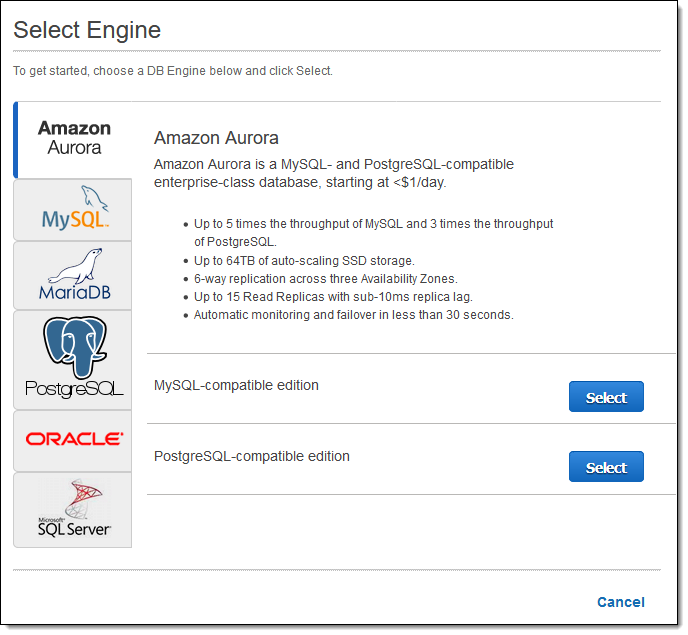
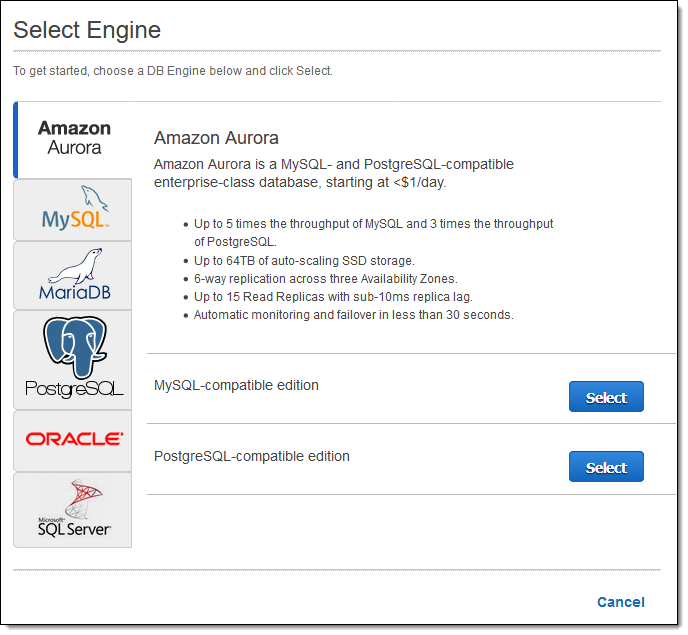
Aurora is a managed relational database service with a distributed, fault-tolerant storage system decoupled from compute. AWS reports up to 6x the throughput of stock PostgreSQL, achieved by integrating the engine with an SSD-based virtualized storage layer that reduces writes, lock contention, and process delays.
Storage grows automatically up to 256 TiB in 10 GiB increments with no advance provisioning, and each cluster supports up to 15 low-latency read replicas across three Availability Zones. Aurora PostgreSQL Limitless Database adds horizontal sharding for workloads that exceed a single writer instance.
Key features include:
- Optimized Reads with local NVMe: Instances with local NVMe SSD storage place temporary tables on local disk, improving queries that involve sorts, hash aggregations, high-load joins, and other data-intensive operations.
- Tiered caching: With the I/O-Optimized configuration, pages evicted from the in-memory buffer cache are stored on local NVMe, which AWS reports delivers up to 8x improved query latency for read-heavy, I/O-intensive applications such as operational dashboards.
- Aurora I/O-Optimized configuration: This cluster configuration removes per-request I/O charges and is aimed at workloads requiring high write throughput or running analytical queries over large amounts of data.
- Read replica scaling: Aurora Replicas share the same storage volume as the primary, with lag typically in the tens of milliseconds, and a reader endpoint plus auto-scaling distributes read traffic automatically.
- Zero-ETL integrations: Aurora PostgreSQL 16.4 and higher can replicate into Amazon Redshift or the SageMaker lakehouse without building data pipelines, for near real-time analytics on operational data.
- Serverless capacity scaling: Aurora serverless adjusts capacity per second within a defined range and scales down to zero when idle, supporting bursty analytical query patterns.
- Performance monitoring: CloudWatch Database Insights and Performance Insights collect metrics, logs, and traces, and DevOps Guru for RDS flags issues such as CPU and I/O contention, lock pile-ups, and SQL regressions.
Limitations (as reported by users on G2):
- Cost at scale: Reviewers described pricing as expensive for larger deployments compared with self-managed databases.
- Cost predictability: Serverless configurations were described as difficult to forecast, with reviewers asking for better cost visibility.
- Feature gaps versus native PostgreSQL: Some advanced capabilities available in community PostgreSQL were reported as unavailable or limited.
- Cross-region replication setup: Reviewers found configuring replication across regions complex.
- Limited infrastructure visibility: As a managed service, debugging some issues was reported to require AWS support due to limited visibility into the underlying infrastructure.
Source: Amazon
3. Azure Database for PostgreSQL

Best for: Azure teams needing scale-out plus analytics in Microsoft Fabric
Strengths: Elastic clusters, autonomous tuning, near real-time Fabric mirroring
Things to consider: Scaling blips and mirroring or CDC performance
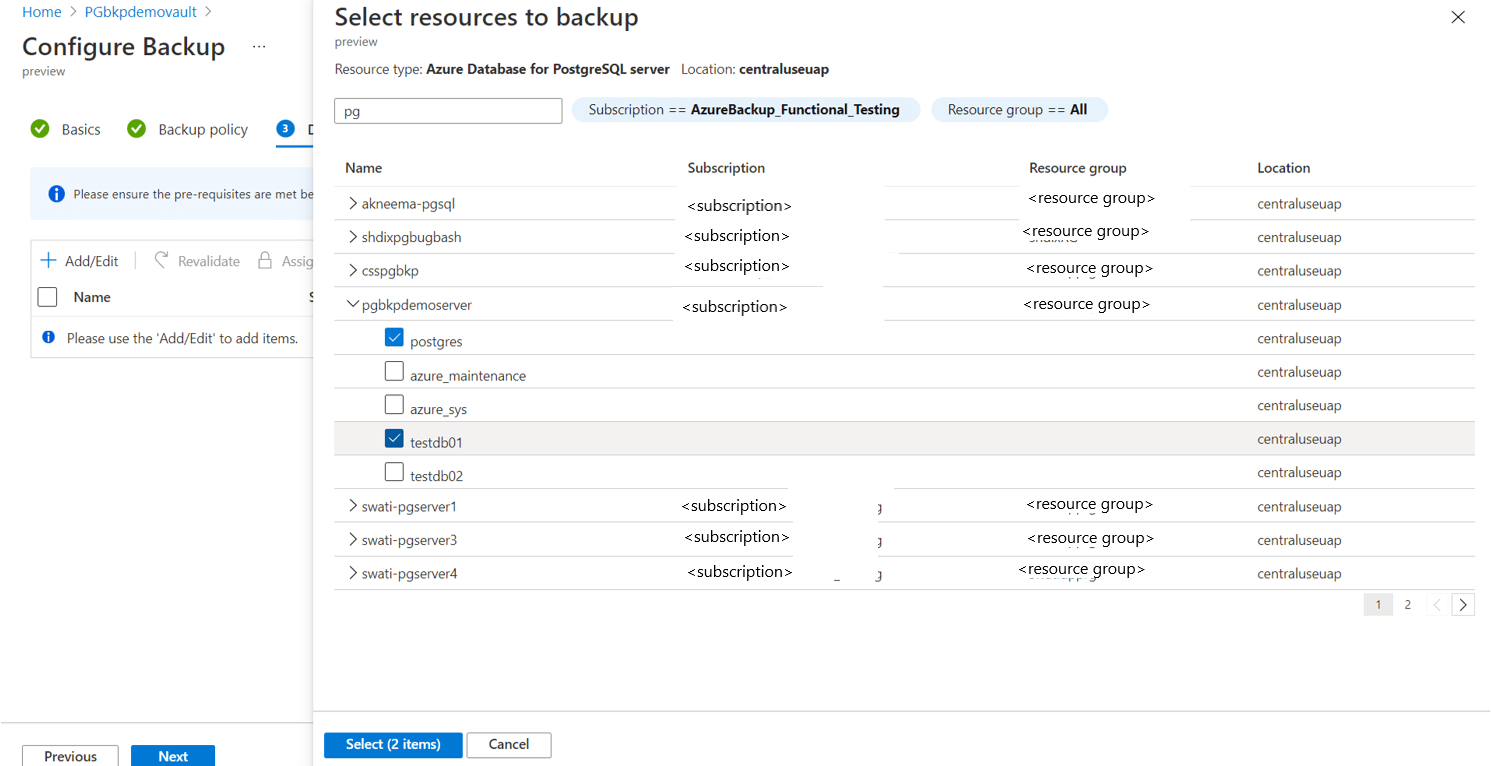
Azure Database for PostgreSQL is a fully managed service built on the open source PostgreSQL engine, where Azure provisions infrastructure and handles patching, backups, high availability, and scaling. It maintains compatibility with PostgreSQL versions, extensions, drivers, and tools, so existing applications can migrate without schema changes.
Compute and storage scale independently under pay-as-you-go or reserved pricing, and the service offers up to 99.99% availability with built-in zone-redundant high availability. It is available in more than 60 Azure regions.
Key features include:
- Elastic clusters: Workloads can scale beyond single-node limits by distributing PostgreSQL across nodes for high-throughput and data-intensive applications, without rewriting applications.
- Mirroring in Microsoft Fabric: Data replicates into Microsoft Fabric in near real time, so analytical queries can run against a Fabric copy rather than competing with the operational database.
- Autonomous tuning: Machine learning algorithms handle routine operations including index recommendations and performance tuning, reducing manual intervention on query performance work.
- Independent compute and storage scaling: Compute and storage are scaled separately, letting memory-heavy analytical instances be sized without over-provisioning storage.
- Zone-redundant high availability: Built-in high availability with automatic failover, patching, and backups supports up to a 99.99% SLA for workloads that must stay available during maintenance.
- Extension and tooling compatibility: The service supports PostgreSQL extensions, drivers, and standard tooling, plus a Microsoft PostgreSQL extension for Visual Studio Code for querying and management.
- Migration service: Online and offline migration options move workloads from on-premises servers, virtual machines, and other managed PostgreSQL services including AWS RDS.
Limitations (as reported by users on PeerSpot):
- Behavior under sudden load peaks: Users reported that rapid peaks in database usage can cause crashes requiring manual intervention, with no auto-heal capability.
- Scaling interruptions: Reviewers asked for quicker scaling without service blips when adjusting capacity.
- Mirroring and CDC performance: Performance of mirroring and change data capture was identified as an area needing improvement.
- Monitoring and indexing tools: Users requested better indexing tools and monitoring capabilities, and noted the cost of associated monitoring tooling.
- Support consistency: Support experiences were described as inconsistent, with some reviewers rating responsiveness as average.
Source: Microsoft
4. DigitalOcean Managed Databases for PostgreSQL

Best for: Straightforward PostgreSQL clusters with predictable flat pricing
Strengths: Read-only nodes, storage autoscaling to 30TB, database-level metrics
Things to consider: Pricing steps for added storage and standby nodes
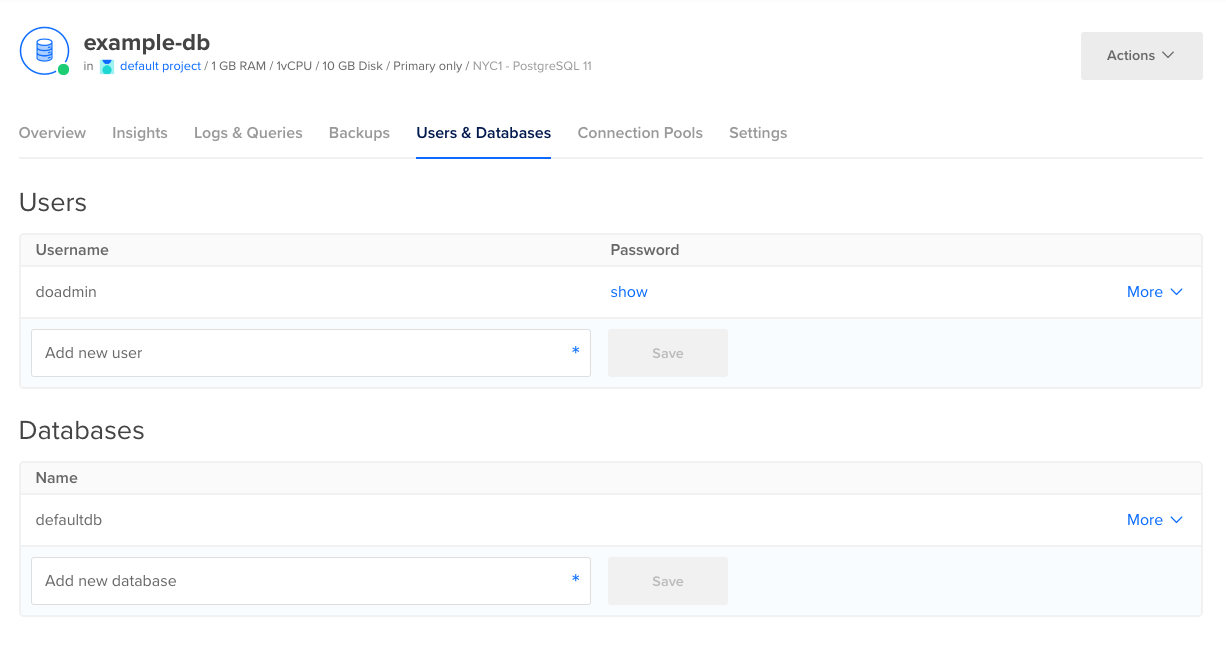
DigitalOcean Managed Databases for PostgreSQL is a fully managed cluster service that handles provisioning, configuration, maintenance, and updates. Clusters run on enterprise-class hardware and support PostgreSQL 17, with a choice of shared vCPU Droplets or 100% dedicated vCPUs for workloads that need consistent compute.
In select regions, cluster storage scales independently of CPU and memory up to 30TB for PostgreSQL, which suits analytical datasets that grow faster than compute requirements. Pricing is flat across all data centers with monthly caps, starting at $15.15 per month.
Key features include:
- Read-only nodes: Read-only nodes scale read operations as demand increases, and standby nodes can also take reads to remove load from the primary instance, which keeps reporting queries away from write traffic.
- Independent storage scaling with autoscaling: Storage scales up to 30TB at any time, with autoscaling to handle growing data automatically, while CPU and RAM on existing clusters can be increased dynamically.
- Database-level performance metrics: Integrated metrics cover connections, cache hit ratio, sequential versus indexed scans, and throughput, alongside cluster resource metrics for CPU, load average, memory usage, and disk usage.
- Scrapable metrics: Real-time performance metrics can be extracted directly from PostgreSQL databases through scraping, so they can be pulled into an existing monitoring stack.
- Automated failover and backups: Clusters detect and replace degraded nodes automatically, switching to a standby node, with free daily backups and point-in-time recovery to any moment within the previous seven days.
- Extension support: Supported extensions including postgis, hstore, bloom, and h3 can be installed, upgraded, or disabled through SQL commands, though some require elevated privileges.
- Migration options: Existing databases move in through continuous migration using logical replication for active sources, or through dump-and-restore with pg_dump and pg_restore.
- Private networking: Databases run inside the account’s private network with trusted-source allowlisting, and data is encrypted in transit and at rest.
Limitations (as reported by users on G2): Reviews cover the DigitalOcean platform as a whole, and the points below reference managed databases specifically.
- Pricing steps for storage and standby nodes: One reviewer described the cost increase when adding storage or a standby node as steep, and several noted database pricing feels high for smaller projects.
- Enterprise feature depth: Reviewers reported that advanced enterprise features, granular networking controls, and specialized compliance tooling are limited compared with larger cloud providers.
- Analytics and metrics depth: Users noted that beyond basic metrics, more detailed insight into CPU, memory, and bandwidth usage at the application or deployment level is missing.
- Console responsiveness: One reviewer reported the dashboard taking longer to load when managing many servers and resources at once.
- Update reliability: A reviewer described a managed database update that caused data loss, and recommended maintaining independent backups.
- Support responsiveness: Several reviewers reported slow support response times, particularly on lower support tiers.
Source: DigitalOcean
Analytics-optimized PostgreSQL platforms
5. Google AlloyDB for PostgreSQL
Best for: Running analytics directly on operational PostgreSQL data
Strengths: Columnar engine, vectorized joins, autoscaling read pools
Things to consider: Data type limits and column store refresh requirements
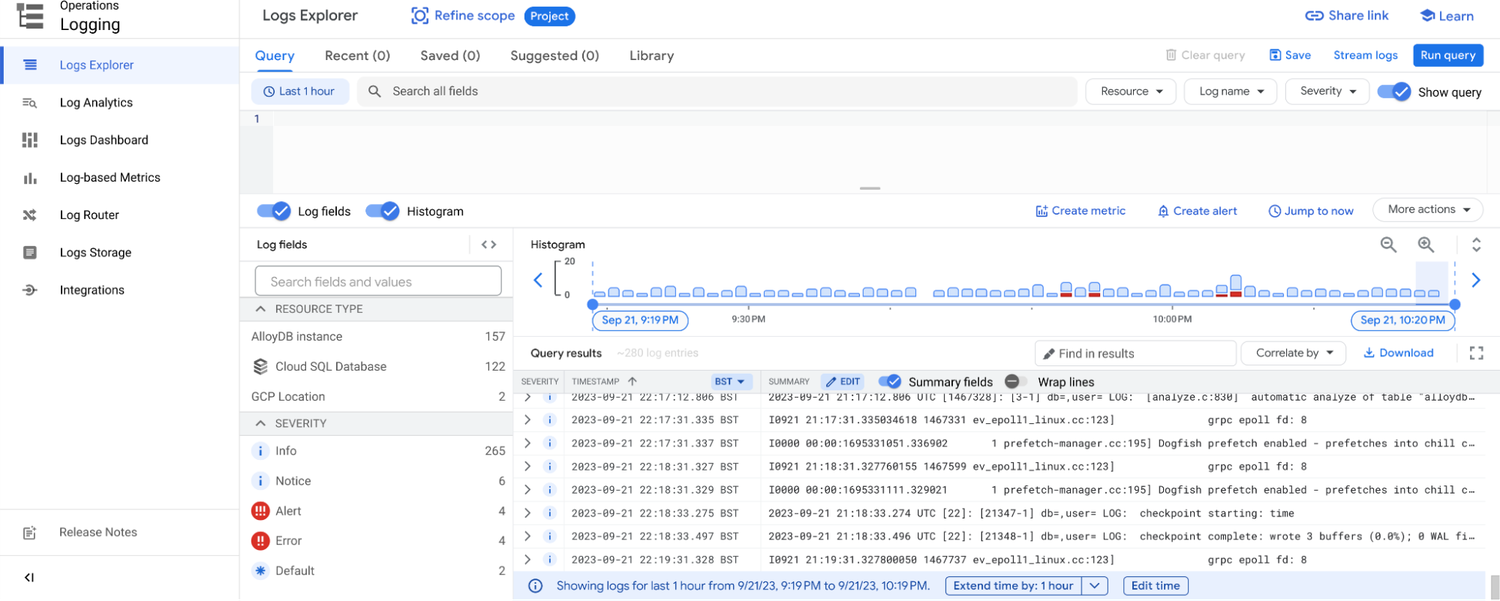
AlloyDB is a fully managed, PostgreSQL-compatible database that separates compute from storage and adds an ultra-fast cache layer. Google reports it is more than 4x faster than self-managed PostgreSQL for transactional workloads and offers a 99.99% availability SLA inclusive of maintenance.
Its main analytical capability is a built-in columnar engine that Google reports makes analytical queries up to 100x faster than standard PostgreSQL, with the intent of supporting business intelligence, reporting, and hybrid transactional and analytical processing on the operational database.
Key features include:
- Columnar engine: A column store holds table and materialized view data in column-oriented format alongside a columnar query planner and execution engine, accelerating scans, joins, and aggregates.
- Auto-columnarization: The engine analyzes the workload and populates the column store automatically with the columns expected to deliver the largest performance gain, and can run on the primary instance, read pool instances, or both.
- Vectorized join: A vectorized join operator can replace the standard PostgreSQL hash join when the planner determines it is cheaper, with thread counts configurable per instance.
- Autoscaling read pools: Up to 20 read replicas can be deployed in an autoscaling read pool, and cross-region secondary clusters replicate with more than 25x lower replication lag than standard PostgreSQL.
- Lakehouse federation: Queries can access live Apache Iceberg and BigQuery tables directly from PostgreSQL, with reverse ETL to serve results back into AlloyDB.
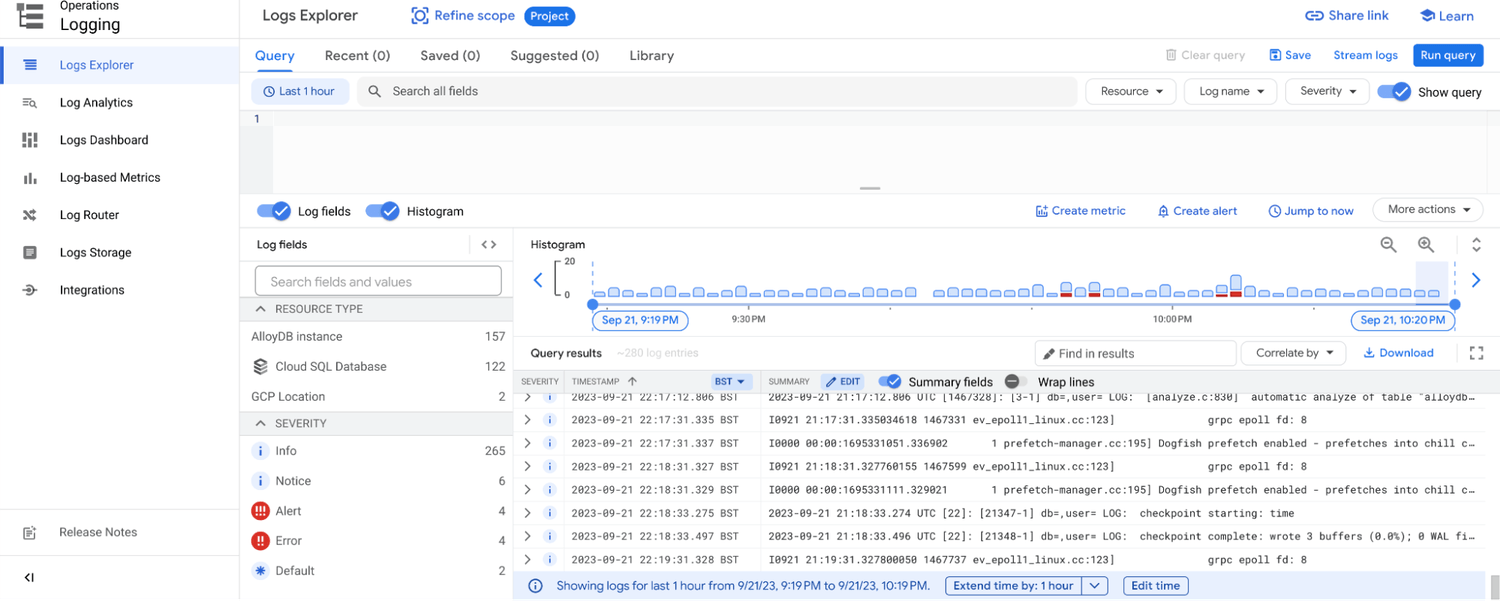
- Adaptive resource management: Machine learning drives vacuum management, memory and storage management, data tiering, and analytics acceleration, alongside an index advisor for schema improvements.
- Portable deployment: AlloyDB Omni is a downloadable edition running the same engine on-premises, at the edge, or in other clouds.
Limitations (based on publicly available sources):
- Unsupported data types: Google’s documentation notes that not all PostgreSQL data types are supported by the columnar engine.
- Invalidation from frequent updates: Frequent row updates invalidate columnar data, requiring either less frequent updates or more frequent column store refreshes.
- Interaction with indexes: When an analytical query runs against an indexed column, the optimizer may choose the row store instead of the column store.
- Manual column management: Columns added to the column store manually are not removed automatically and must be dropped explicitly.
- Cross-region write constraints: A Gartner Peer Insights reviewer cited a lack of distributed transaction support, low export performance for large databases, and limits on read pool nodes.
Source: Google
6. Tiger Cloud
Best for: Time-series and event data queried across long histories
Strengths: Row-columnar hypercore, 95% compression, continuous aggregates
Things to consider: Console slowness with many tables and pricing changes
Tiger Cloud is a managed PostgreSQL service from the creators of TimescaleDB, covering ingest, storage, backups, upgrades, and scaling. It reports 110,000+ IOPS single-volume read throughput at 1.4 GB/s bandwidth, a 99.9% uptime SLA for high-availability replicated services, and point-in-time recovery of up to 14 days via pgBackRest.
The platform targets high-ingest workloads where recent and historical data are queried together, and keeps standard SQL as the query interface rather than introducing a separate query language.
Key features include:
- Automatic partitioning: Hypertables partition any PostgreSQL table by time or id automatically, with partition skipping applied at query planning time and support for skip-scan patterns on composite indexes.
- Row-columnar hybrid storage: Row storage handles writes while columnar storage handles analytical scans, with automatic conversion as data ages, vectorized operators using SIMD acceleration, and chunk skipping via sparse indexes.
- Compression up to 95%: Columnar encodings such as delta, dictionary, and run-length encoding are time-order aware, and filters and aggregates are applied directly on compressed data with only the needed portions decompressed.
- Incremental materialized views: Continuous aggregates provide incrementally refreshed rollups, handle late-arriving data and updates, support hierarchical aggregates, and offer a real-time mode that includes the latest changes.
- Tiered storage: Automated policies move older or less frequently accessed data to low-cost object storage while keeping it queryable, with scheduled compression jobs and alerts.
- Time-series functions: Around 200 native SQL hyperfunctions cover statistical rollups, time-weighted averages, approximations, and interpolation, with partial aggregations to avoid reprocessing.
- Lakehouse and stream connectors: Tiger Lake and connectors keep the database, lakehouse, and Kafka or S3 streams in sync using SQL rather than separate pipelines.
Limitations (as reported by users on G2):
- Pricing and licensing: Several reviewers described pricing as high and inflexible, particularly for smaller projects, and one noted a recent pricing model change was not ideal.
- Console performance: Users reported the interface loading slowly when managing many tables or large data volumes.
- Updating compressed data: Reviewers described backfilling and updating already-compressed chunks as difficult and requiring custom application code.
- Compression learning curve: The nuances and limitations of compression were described as hard to grasp initially and not always well explained.
- Restricted superuser access: Managed services do not provide direct superuser access, which reviewers said blocks some extensions and user-defined functions.
- Feature parity across services: One reviewer noted that managed and cloud offerings do not expose the same functionality in every region.

Source: Tiger Data
7. Crunchy Data Warehouse
Best for: Postgres-native analytics over Iceberg tables and data lake files
Strengths: Vectorized engine, transactional Iceberg tables, raw file querying
Things to consider: Managed service delivered on AWS through Crunchy Bridge
Crunchy Data Warehouse is an analytics database built into unmodified PostgreSQL, combining regular heap tables with Iceberg tables backed by object storage. It extends PostgreSQL for analytical workloads through a vectorized query engine, parallel processing, and data lake-backed transactional tables while retaining full PostgreSQL syntax and ecosystem compatibility.
It is available as a managed service on Crunchy Bridge and can also run through Crunchy Postgres for Kubernetes. Crunchy publishes ClickBench results showing analytics times of 165 seconds, or 61 seconds cached, versus 4,104 seconds for PostgreSQL on the same class of machine.
Key features include:
- Managed Iceberg tables: Iceberg tables in S3 are created, managed, queried, and updated as easily as PostgreSQL tables, with transactions spanning both operational tables and data lake tables.
- Vectorized execution: The query engine applies vectorized execution and parallel processing to analytical queries, operating on columnar data within the same PostgreSQL environment.
- Data lake file querying: Raw CSV, JSON, Parquet, and various geospatial files stored in S3 or reachable by URL can be queried directly without loading them first.
- Columnar storage with compression: Data is stored in a columnar format with compression, described as offering local disk speeds at cloud storage costs through caching.
- Flexible import and export: Data loads directly from S3 into Iceberg or regular PostgreSQL tables, and query results can be written back to S3 for downstream pipelines.
- Extension compatibility: Standard extensions including pg_cron and pg_stat_statements remain available, so scheduled refreshes and query statistics work as they do in PostgreSQL.
- Existing tooling integration: The Iceberg format allows other engines and tools to read the same tables in S3, and standard PostgreSQL clients and dbt connect without changes.
Limitations (based on publicly available sources):
- Managed service availability: Crunchy’s documentation states the managed Crunchy Data Warehouse service runs on AWS via Crunchy Bridge, so other clouds require self-managed Kubernetes deployment.
- Cross-region data transfer costs: Crunchy notes that loading data from a different region can incur higher AWS data transfer expenses, partly offset by local caching.
- Caching coverage: Some remote sources, including Hugging Face URLs, are documented as not using caching, with frequently accessed data recommended to be moved to S3 or loaded into PostgreSQL tables.
- Migration from earlier product: Crunchy Data Warehouse replaces Crunchy Bridge for Analytics, and existing users must resize their cluster to the new cluster type.
8. EDB Postgres AI Analytics Accelerator

Best for: Enterprises unifying Postgres, warehouse, and lakehouse queries
Strengths: Vectorized PGAA engine, zero-ETL Iceberg sync, GPU offload option
Things to consider: Licensing costs and tuning for large-scale operations
EDB Postgres AI Analytics Accelerator adds analytical capability to PostgreSQL through the PGAA extension, which provides a vectorized query engine that processes columnar data. EDB reports 30x faster single-node queries compared with standard PostgreSQL and 52% more consistent concurrency performance than leading cloud data warehouses, based on its own report and a McKnight Consulting Group study.
The architecture separates compute from storage, with analytical data held in open table formats. It is deployed on infrastructure the customer controls, which EDB positions around data sovereignty requirements.
Key features include:
- Vectorized analytics engine: PGAA runs a vectorized engine optimized for querying columnar data in Apache Iceberg and Delta Lake formats from PostgreSQL, scaling independently from storage.
- Zero-ETL lakehouse sync: Live PostgreSQL transactions replicate continuously into open Iceberg format, so analytical data stays current without building or maintaining pipelines.
- Multi-engine catalog access: PostgreSQL, ClickHouse, and WarehousePG query the same Iceberg catalog through standard SQL, avoiding duplication and separate ingestion per engine.
- Real-time and petabyte-scale engines: EDB Postgres AI for ClickHouse serves millisecond-latency queries for dashboards and log analytics, while WarehousePG applies massively parallel processing to historical analytics and large aggregations.
- Cold data offload: Cold transactional data is automatically moved to lakehouse tables in lower-cost storage, which EDB reports delivers 18x cost savings while keeping the data queryable.
- GPU-accelerated execution: Analytical workloads can optionally be offloaded to NVIDIA Spark RAPIDS, which EDB reports delivers up to 99x the performance of standard PostgreSQL execution for workloads such as ML feature generation.
- Inherited governance: Governance policies applied in PostgreSQL carry through to the analytical engines, and AI agents access the estate through MCP without custom integration.
Limitations (as reported by users on PeerSpot): Reviews cover the broader EDB Postgres platform rather than the Analytics Accelerator specifically.
- Large-scale performance tuning: Reviewers identified performance optimization for large-scale operations as an area needing improvement.
- JSONB querying and indexing: Users cited JSONB query support and indexing as areas where the platform could improve.
- Licensing costs at volume: Reviewers noted that large enterprises handling significant data volumes can face cost challenges under processor-based and user-based licensing.
- Cloud integration and analytics tooling: Some users asked for stronger cloud integration and improved analytic tooling for insights.
- Setup and resource footprint: Reviewers mentioned ease of setup and the platform’s resource footprint as areas for improvement.
Conclusion
Managed PostgreSQL tools simplify database operations by combining automation, scalability, and integrated security into accessible platforms. They help organizations reduce administrative overhead, ensure high availability, and maintain compliance while giving developers more time to focus on building applications. By abstracting infrastructure complexity and offering modern features like CI/CD integration, extension support, and monitoring, these tools enable teams to run PostgreSQL at scale with greater reliability and efficiency.