What is Kafka monitoring?
TL;DR: Kafka monitoring tracks cluster health, throughput, latency, and consumer lag to keep streaming pipelines reliable. Best for: NetApp Instaclustr (managed), Datadog (correlation), Prometheus (metrics), and Grafana (dashboards).
Kafka monitoring involves continuously tracking cluster health, throughput, and latency to prevent data loss, broker overloads, and pipeline bottlenecks. Key metrics are exposed natively via JMX, and the standard observability stack combines the Prometheus JMX Exporter with Grafana for visualization, alongside dedicated tools for tracking consumer lag. In production environments, monitoring is crucial for identifying and resolving issues promptly, preventing downtime, and maintaining data integrity and security.
Effective Kafka observability focuses on a few core areas of cluster operations:
- Consumer lag: The difference between the latest produced offset and the consumed offset. High lag means downstream systems are falling behind.
- Under-replicated partitions: The number of partition replicas not in sync with the leader. A non-zero value often indicates broker failure.
- Request handler and network idle time: The percentage of time broker threads sit idle. Low idle time points to an overloaded cluster.
- Offline partitions: The number of partitions without an active leader, which renders that data inaccessible.
Common monitoring setups include:
- NetApp Instaclustr: A fully managed service with built-in dashboards and automated alerts across brokers, producers, consumers, KRaft, and Kafka Connect.
- Prometheus and Grafana: The open-source standard, using exporters to pull JMX metrics and community dashboards to visualize them.
- CMAK: A web-based manager for inspecting cluster health and managing topics, partitions, and brokers across multiple clusters.
- Burrow by LinkedIn: A dedicated, open-source consumer lag checker that evaluates consumer health without hardcoded offset thresholds.
- Datadog: A commercial platform with prebuilt Kafka dashboards, alerting, and tracing across brokers, producers, and consumers.
Editor’s note: Updated the article to cover SLO reporting, updated information for Kafka monitoring solutions to reflect features and capabilities in 2026.
This is part of a series of articles about Apache Kafka
Kafka Monitoring Tools at a Glance
The table below summarizes the key differences between the Kafka monitoring tools covered in this article. We explore each of them in more detail below.
| Category | Solution | Best For | Key Strengths | Things to Consider |
|---|---|---|---|---|
| Managed and platform monitoring solutions | NetApp Instaclustr for Apache Kafka | Teams running fully managed Kafka with built-in monitoring | Managed platform, proactive alerts, SLAs, 24×7 support | Monitoring is tied to the managed platform, not standalone |
| Managed and platform monitoring solutions | Datadog Data Streams Monitoring | Correlating Kafka pipeline health with wider observability data | End-to-end pipeline mapping, lag metrics, telemetry correlation | Commercial pricing can rise with data volume and hosts |
| Managed and platform monitoring solutions | Confluent Control Center | GUI-based management and monitoring of Confluent Platform | Cluster dashboards, consumer lag, connector and schema views | Tied to Confluent Platform and resource intensive to run |
| Open source monitoring and consumer lag tools | Prometheus | Collecting and querying Kafka metrics as time series | Multi-dimensional data model, PromQL, autonomous servers | Not designed for 100% accurate or billing-grade data |
| Open source monitoring and consumer lag tools | Grafana | Visualizing Kafka metrics and building dashboards and alerts | Unified dashboards, many data sources, alerting | Relies on separate data sources and can be complex to set up |
| Open source monitoring and consumer lag tools | Burrow | Threshold-free consumer lag checking as a service | Automatic consumer monitoring, sliding-window evaluation | No user interface and focused only on consumer lag |
Why is monitoring Kafka important?
Monitoring Kafka is essential for maintaining system stability, performance, and security. It enables teams to detect issues before they escalate and ensures the platform runs efficiently under varying loads.
- Capacity planning: Tracking metrics like storage usage, message throughput, and consumer lag helps forecast future resource needs. With these insights, teams can plan infrastructure growth, scale Kafka clusters appropriately, and avoid disruptions due to resource exhaustion.
- Performance optimization: Monitoring provides visibility into system-level metrics such as CPU load, disk I/O, and network traffic. This data is key to identifying bottlenecks and tuning configurations. For example, analyzing consumer lag allows teams to spot slow consumers and adjust consumer group settings to maintain real-time processing.
- Efficient troubleshooting: Kafka’s distributed nature makes debugging difficult without continuous monitoring. By correlating logs and metrics, teams can pinpoint issues quickly. For instance, simultaneous drops in response rate and increased timeouts in logs may indicate a broker problem, enabling targeted investigation and faster resolution.
- Security and compliance: Monitoring also aids in detecting abnormal activity, such as unauthorized access or unusual data flows. It helps enforce compliance by tracking data access, retention policies, and audit logs, ensuring the Kafka environment meets security and regulatory requirements.
Related content: Read our guide to Kafka management
Key Kafka metrics explained
JMX Monitoring
JMX (Java Management Extensions) is the primary interface Kafka uses to expose metrics from brokers and clients. Kafka brokers use Yammer Metrics for internal metrics, while Java clients use Kafka Metrics, both of which support JMX. These metrics can be visualized with tools like jconsole or exported to external monitoring platforms.
Key metrics:
MessagesInPerSec: Incoming message rate per topic or cluster-wideBytesInPerSec: Bytes received from clients per topic or overallBytesOutPerSec: Bytes sent to clients per topic or overallRequestMetrics.RequestsPerSec: Request rate per request type and versionRequestMetrics.ErrorsPerSec: Error rate per request type and error codeBrokerTopicMetrics.FailedProduceRequestsPerSec: Failed produce request rateBrokerTopicMetrics.FailedFetchRequestsPerSec: Failed fetch request rateRequestQueueSize: Size of the request queueLogFlushRateAndTimeMs: Log flush rate and timeUnderReplicatedPartitions: Number of under-replicated partitionsIsrShrinksPerSec/IsrExpandsPerSec: ISR shrink and expansion ratesrecords-lag-max: Max consumer lag (from client JMX)
Tiered storage monitoring
Tiered storage allows Kafka to offload older log segments to external storage, reducing local disk usage. Monitoring this feature ensures timely data movement and highlights any issues with fetch or copy operations between local and remote tiers.
Key metrics:
RemoteFetchBytesPerSec: Bytes fetched from remote storage per topicRemoteCopyBytesPerSec: Bytes written to remote storage per topicRemoteFetchRequestsPerSec: Read request rate to remote storageRemoteCopyRequestsPerSec: Write request rate to remote storageRemoteCopyLagBytes: Bytes not yet tiered to remote storageRemoteDeleteLagBytes: Tiered bytes pending deletionRemoteLogSizeBytes: Total size of remote logRemoteLogMetadataCount: Count of metadata entries for remote storageRemoteLogReaderTaskQueueSize: Queue size of remote read tasksRemoteLogManagerTasksAvgIdlePercent: Idle time of tiering thread pool
KRaft monitoring
KRaft (Kafka Raft Metadata Mode) replaces ZooKeeper in newer Kafka versions. Monitoring KRaft helps track metadata replication, controller state, quorum health, and election behavior.
Key metrics:
raft-metrics.CurrentState: Role of the node (e.g., leader, follower)raft-metrics.CurrentLeader: ID of the current quorum leaderraft-metrics.HighWatermark: Quorum high watermark offsetraft-metrics.AppendRecordsRate: Record append rateMetadataLoader.CurrentMetadataVersion: Active metadata versionSnapshotEmitter.LatestSnapshotGeneratedBytes: Size of latest metadata snapshotKafkaController.ActiveControllerCount: Number of active controllersKafkaController.FencedBrokerCount: Number of fenced brokersKafkaController.MetadataErrorCount: Count of metadata processing errors
Selector monitoring
Selector metrics help monitor I/O activity in Kafka clients and workers. These include network readiness checks and time spent in I/O operations.
Key metrics:
select-rate: Number of I/O select calls per secondselect-total: Total I/O select callsio-wait-time-ns-avg: Average time waiting for I/O readinessio-wait-ratio: Fraction of time spent waiting for I/Oio-time-ns-avg: Average I/O time per select callio-ratio: Fraction of time spent on actual I/O workconnection-count: Current number of active connections
Common node monitoring
Node-level metrics track client interactions with specific Kafka broker nodes. These metrics offer insight into per-node request volume, data transfer, and latency.
Key metrics:
outgoing-byte-rate: Average outgoing bytes per second for a nodeincoming-byte-rate: Average incoming bytes per second for a noderequest-rate: Request rate per noderequest-size-avg: Average request size per noderequest-latency-avg: Average latency of requests per noderesponse-rate: Response rate per nodeconnection-close-rate: Rate of connection closures
Producer monitoring
Producer monitoring tracks how clients produce data, including buffering behavior, error rates, retries, and request latencies. These metrics help identify issues like buffer exhaustion or high retry volumes.
Key metrics:
record-send-rate: Records sent per secondrecord-error-rate: Error rate of record sendsrecord-retry-rate: Retry rate of record sendsrequests-in-flight: In-flight produce requestsbuffer-available-bytes: Available buffer memorybatch-size-avg: Average batch size in bytesproduce-throttle-time-avg: Average broker throttle time for producersrecord-queue-time-avg: Time records wait in the send buffer
Consumer monitoring
Consumer metrics track how data is fetched and committed by clients. They include polling behavior, fetch rates, consumer lag, and group coordination performance.
Key metrics:
records-consumed-rate: Number of records consumed per secondrecords-lag-max: Maximum lag in recordsfetch-latency-avg: Average latency for fetch requestsfetch-size-avg: Average fetch sizecommit-rate: Rate of offset commitsrebalance-latency-avg: Time taken to rebalanceassigned-partitions: Number of partitions currently assignedheartbeat-rate:Heartbeats per second sent to the group coordinator
Connect monitoring
Kafka Connect exposes metrics for worker-level operations, connectors, and individual tasks. These help monitor task lifecycle, rebalance events, and error handling.
Key metrics:
connector-count: Number of active connectorstask-count: Number of active tasksrebalance-avg-time-ms: Average rebalance timeoffset-commit-avg-time-ms: Average time to commit offsetssink-record-lag-max: Max lag between consumer position and sink processingsink-record-read-rate: Rate of records read from Kafkasource-record-write-rate: Rate of records written to Kafka by source connectorsdeadletterqueue-produce-failures: Failed writes to dead-letter queuetotal-record-errors: Number of record-level processing errors
Alerting and SLO-based monitoring
Setting up alerts and service level objectives (SLOs) ensures that issues in Kafka are detected early and resolved before they impact users or downstream systems. Instead of monitoring every metric, focus on those that indicate degraded service, data loss risk, or resource exhaustion.
Key areas to alert on:
- Availability: Alert if
UnderReplicatedPartitionsis greater than 0 or ifIsrShrinksPerSecspikes. These indicate replication issues that can lead to data unavailability. Also alert if OfflinePartitionsCount is greater than 0, which means partitions have no active leader and are not readable or writable. - Durability: Track
LogFlushRateAndTimeMsandRemoteCopyLagBytes. Long delays in flushing logs or tiering data can risk data loss. - Throughput: Watch
BytesInPerSec,BytesOutPerSec, and request rates. Sudden drops may signal client issues or bottlenecks. - Latency: Use metrics like
request-latency-avgandfetch-latency-avgto catch rising response times. High latency often precedes timeouts or client failures. - Errors: Alert on
ErrorsPerSec,FailedProduceRequestsPerSec, andrecord-error-rate. Persistent errors suggest broken producers, client misconfigurations, or broker instability. - Consumer Lag:
records-lag-maxis critical for detecting slow consumers. Alert if lag grows continuously without reduction. - Saturation: Watch
RequestHandlerAvgIdlePercentandNetworkProcessorAvgIdlePercent. Sustained low idle time indicates broker or network saturation. OfflinePartitionsCount: Number of partitions without an active leader, meaning that data is not readable or writable (alert if greater than 0)RequestHandlerAvgIdlePercent: Fraction of time request handler (I/O) threads are idle; low values signal an overloaded brokerNetworkProcessorAvgIdlePercent: Fraction of time network threads are idle; low values signal a network bottleneck
Learn more in our detailed guide to Apache Kafka cluster
Tips from the expert

Andrew Mills
Senior Solution Architect
Andrew Mills is an industry leader with extensive experience in open source data solutions and a proven track record in integrating and managing Apache Kafka and other event-driven architectures
In my experience, here are tips that can help you better monitor Apache Kafka:
- Monitor key broker metrics for cluster health: Keep a close eye on broker-level metrics such as CPU usage, disk I/O, and network throughput. Pay special attention to under-replicated partitions and offline partitions, as they indicate potential issues with data replication and availability.
- Track consumer lag for performance insights: Consumer lag is a critical metric that hows the delay between message production and consumption. High lag can indicate slow consumers or bottlenecks in processing. Use Kafaka’s built in tools or a managed service like Instaclustr for monitoring solutions to track consumer group offsets and ensure they are keeping up with the producers.
- Track network-level congestion and TCP retransmissions: Kafka is sensitive to network performance. Monitoring packet drops, retransmissions, and interface queue lengths helps identify issues like overloaded NICs or faulty firewalls that impair broker communication.
- Leverage end-to-end monitoring for data flow visibility: Monitor the entire data pipeline, from producers to brokers to consumers, to identify bottlenecks or failures at any stage. Use tools like Kafka Connect to track the performance of connectors.
Notable Kafka monitoring tools
How we selected these tools: We shortlisted Kafka monitoring tools based on their ability to track cluster and broker health, throughput and latency, consumer lag, and alerting across producers, brokers, and consumers.
1. NetApp Instaclustr

Best for: Teams running fully managed Kafka with built-in monitoring
Strengths: Managed platform, proactive alerts, SLAs, 24×7 support
Things to consider: Monitoring is tied to the managed platform, not standalone
Instaclustr for Apache Kafka is a fully managed version of the Apache 2.0-licensed open source Kafka. It Instaclustr for Apache Kafka is a fully managed and hosted service that runs Kafka in the cloud or on-premises and includes monitoring as part of the platform. It provisions production-ready clusters through a console, API, or Terraform provider, and the operations team monitors cluster health so that action can be taken when investigation is needed.
The service optimizes Kafka configuration for the managed environment and covers provisioning, scaling, patching, and incident response. Monitoring works alongside dedicated or co-located ZooKeeper and KRaft nodes, and the platform offers availability SLAs up to 99.999% for enterprise deployments and 99.99% for standard deployments.
Key features include:
- Built-in monitoring: The platform includes monitoring of Kafka clusters, with the technical operations team alerted whenever action or investigation is required. This provides continuous oversight of cluster state without the customer having to assemble a separate monitoring stack.
- Automated health checks: The system monitors clusters and runs checks so that the 24×7 team of Kafka engineers can respond to issues. Health checks track whether the cluster is operating correctly and flag conditions that need attention.
- Scaling with monitored capacity: Clusters can be scaled horizontally or vertically to handle bursting workloads or reduce costs, with the managed service tracking capacity as it changes. Scaling can be performed through the console, API, or Terraform.
- Managed mirroring: Managed mirroring through MirrorMaker 2 replicates data between geographic regions and supports active/active topologies and failover clusters, with the operations team taking responsibility for the availability of the mirroring service.
- Kafka Connect integration: Kafka Connect can be added from the console to move data between products in the data layer using enterprise connectors, with the connectors running under the same managed and monitored platform.
- Provisioning and access controls: Provisioning is available through console, API, or Terraform, and the platform carries security and compliance certifications including SOC 2, ISO 27001, ISO 27018, PCI-DSS, and HIPAA for regulated deployments.
Limitations (based on publicly available sources):
- Coupled to the managed platform: Monitoring is delivered as part of the managed Kafka service rather than as a standalone tool, so it is intended for clusters running on the Instaclustr platform.
- Some technologies via consulting only: A few open source technologies are offered through consulting engagements rather than as part of the automated managed platform, according to user feedback.
- Managed model trade-offs: Using a managed service creates a dependency on the provider, so teams that require full low-level control of their own tooling may find the managed approach less flexible.

2. Datadog Data Streams Monitoring

Best for: Correlating Kafka pipeline health with wider observability data
Strengths: End-to-end pipeline mapping, lag metrics, telemetry correlation
Things to consider: Commercial pricing can rise with data volume and hosts
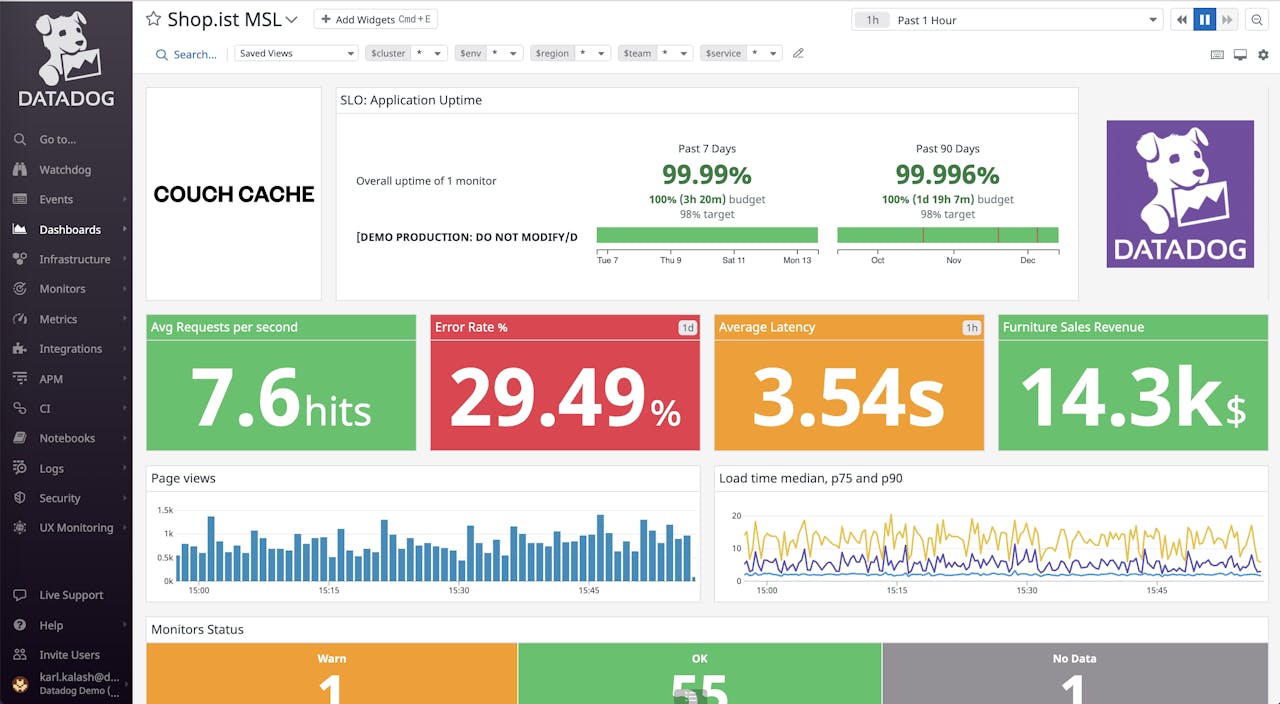
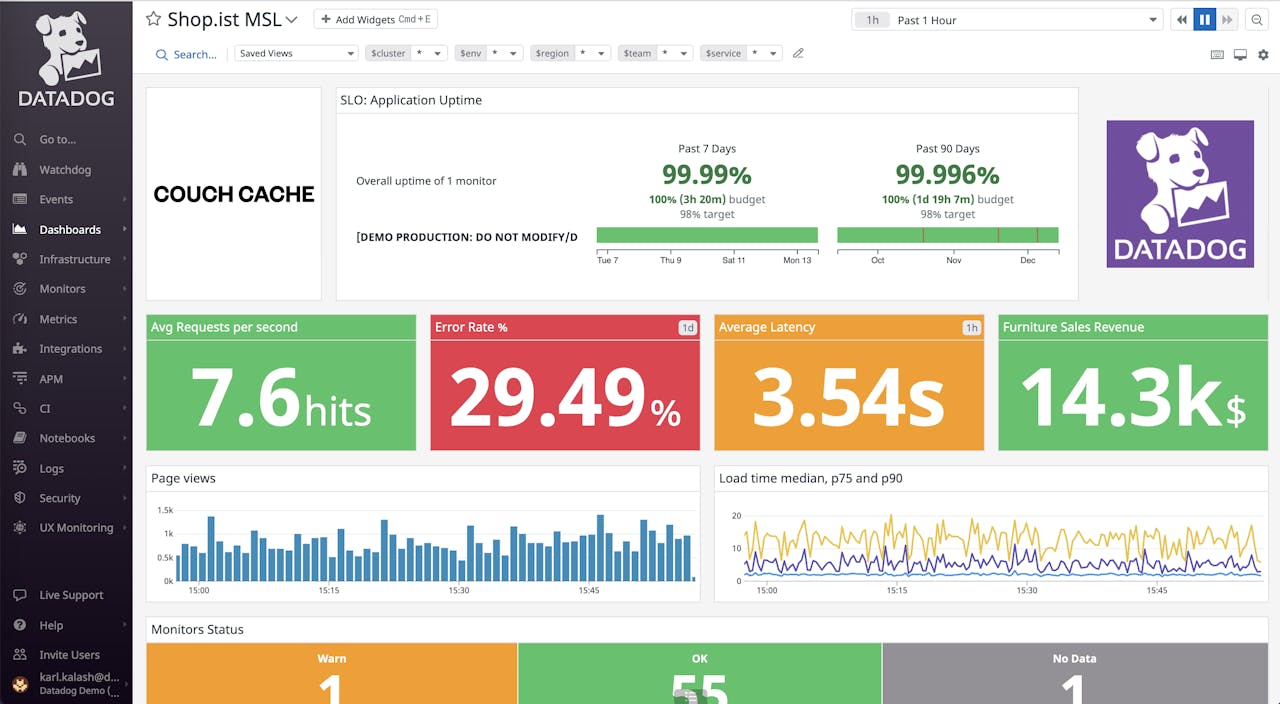
Datadog Data Streams Monitoring tracks the performance of event-driven applications that use Kafka and RabbitMQ. A Datadog Agent check connects to the Kafka cluster and collects health and performance metrics, and the product maps dependencies between services and queues automatically.
It measures end-to-end latency across a pipeline, surfaces lag metrics in both seconds and message offset, and lets teams pivot from streaming metrics to distributed traces, infrastructure metrics, and logs within the wider Datadog platform.
Key features include:
- Cluster and topic health: Kafka Monitoring shows cluster, broker, topic, and partition health with throughput, lag, and replication metrics, including partition counts, under-replicated and offline partitions, and message throughput per topic.
- End-to-end pipeline mapping: The product automatically maps the topology of producers, queues, and consumers and highlights failing dependencies between them, so delays can be traced to a specific service or queue and its owning team.
- Consumer lag tracking: Lag is reported both in seconds and in offset, and automated consumer lag notifications flag where message backups build up upstream so that floods of backed-up messages can be addressed.
- Change correlation: Configuration and schema changes are overlaid directly on throughput and lag graphs, so a degradation can be linked to the exact configuration or schema change that coincided with it.
- Monitors, SLOs, and dashboards: From any metric, teams can create Datadog monitors, SLOs, and dashboards, including threshold, anomaly, and outlier monitors on latency and throughput across streaming pipelines.
- Correlation across telemetry: Streaming metrics can be viewed alongside distributed traces, infrastructure metrics, and logs, and incident response is supported through access to service owners and on-call engineers via the Software Catalog.
Limitations (as reported by users on G2):
- Cost escalates with usage: Users report that pricing is usage-based and that costs can rise quickly and unpredictably as log volume, custom metrics, and monitored hosts grow, requiring ongoing governance.
- Steep learning curve: Because the platform spans many products, users note the interface can feel cluttered and there is a learning curve for new team members building advanced queries and dashboards.
- Setup complexity: Some users describe agent-based setup, particularly in container environments, as more involved than expected and note that documentation can be spread across many locations.
- Log retention trade-offs: Users point to a gap between ingesting logs and indexing them for search, which forces decisions about what data to retain in order to control spend.
Source: Datadog
3. Confluent Control Center

Best for: GUI-based management and monitoring of Confluent Platform
Strengths: Cluster dashboards, consumer lag, connector and schema views
Things to consider: Tied to Confluent Platform and resource intensive to run
Confluent Control Center is a self-hosted GUI for managing and monitoring Apache Kafka within Confluent Platform. It provides dashboards for clusters, brokers, schemas, topics, messages, connectors, ksqlDB queries, security, and replication from a single interface.
The tool tracks key performance indicators for Kafka and can raise alerts based on expert-tested rules. For teams that prefer a hosted option, Confluent also offers Health+, a cloud-based monitoring and alerting service built on the same operational knowledge.
Key features include:
- Cluster health dashboards: Control Center provides expert-designed dashboards that show broker and ZooKeeper uptime, under-replicated partitions, out-of-sync replicas, and disk usage and distribution over time.
- Production and consumption metrics: The interface tracks production and consumption metrics, throughput, request latency, failed requests, and consumer lag, with intuitive charts and alerts for these indicators.
- Message, topic, and schema management: Users can browse messages and search offsets or timestamps by partition, create, edit, delete, and view topics, and manage topic schemas and compare schema versions through Schema Registry integration.
- Connector and ksqlDB management: Kafka Connect clusters can be viewed, searched, added, edited, and deleted from a single place, and ksqlDB clusters can be managed with queries developed and run from the GUI.
- Multi-site monitoring: Replication tasks can be monitored directly from the GUI through integration with Multi-Region Clusters and Replicator, tracking metrics such as throughput and lag across sites.
- Alerting and access control: Intelligent alerts based on tested rules identify potential problems before they occur, and security management integrates with role-based access control to view and manage permissions.
Limitations (based on publicly available sources):
- Tied to Confluent Platform: Control Center is installed as part of Confluent Platform, so it is intended for Confluent deployments rather than as a standalone monitoring tool for arbitrary Kafka clusters.
- Resource intensive: Stream monitoring is implemented as a Kafka Streams application and Confluent’s own documentation recommends substantial resources, including at least 32 GB of RAM and 8 cores for the monitoring machine.
- Reported memory growth issues: Practitioners have reported continuous RAM growth on some legacy versions until available memory was exhausted, leading some teams to route production alerting through external Prometheus and Grafana pipelines.
- Learning curve and licensing: The platform presents a notable learning curve for new users, and its commercial features introduce licensing considerations beyond open source Apache Kafka.
Open source monitoring and consumer lag tools
2. Prometheus

Best for: Collecting and querying Kafka metrics as time series
Strengths: Multi-dimensional data model, PromQL, autonomous servers
Things to consider: Not designed for 100% accurate or billing-grade data
Prometheus is an open-source systems monitoring and alerting toolkit that collects and stores metrics as time series, recording each value with a timestamp alongside optional key-value labels. It is a Cloud Native Computing Foundation project maintained independently of any single company.
For Kafka, metrics exposed through JMX are scraped by Prometheus over HTTP and stored locally on autonomous server nodes. It fits both machine-centric monitoring and dynamic service-oriented architectures, and is built to remain available for diagnosis even when other infrastructure is degraded.
Key features include:
- Multi-dimensional data model: Time series are identified by metric name and key/value pairs, which supports collecting Kafka metrics such as message and byte rates broken down by topic, broker, or other labels.
- PromQL query language: PromQL is a flexible query language that leverages the label dimensions to aggregate and slice metrics, and is used to build recording rules and alerting conditions on Kafka signals.
- Pull-based collection: Time series collection happens through a pull model over HTTP, with scrape targets discovered via service discovery or static configuration, and a push gateway available for short-lived jobs.
- Autonomous server nodes: Each Prometheus server is standalone and does not rely on distributed storage or remote services, so it can be used to diagnose problems during an outage without additional infrastructure.
- Alerting through Alertmanager: Prometheus runs rules over collected data to generate alerts, which are handled by a separate Alertmanager component that manages routing and notification of those alerts.
- Ecosystem components: The ecosystem includes client libraries for instrumentation, special-purpose exporters for services, and support tools, and collected data can be visualized in Grafana or other API consumers.
Limitations (as reported by users on G2):
- PromQL learning curve: Users note that the learning curve can be challenging for new users, particularly around PromQL and understanding how metrics are structured.
- Performance at high cardinality: In very large environments with metric data that has many dimensions, users report that performance can sometimes fall short.
- Setup of advanced features: Setting up advanced features and alerting is described as tricky, especially for those without deep technical expertise.
- No accuracy guarantee for billing: The project itself notes that Prometheus is not a good fit where 100% accuracy is required, such as per-request billing, because collected data may not be complete enough.

Source: Prometheus
5. Grafana
Best for: Visualizing Kafka metrics and building dashboards and alerts
Strengths: Unified dashboards, many data sources, alerting
Things to consider: Relies on separate data sources and can be complex to set up
Grafana is an open-source data visualization and monitoring tool used to collect, correlate, and visualize data through dashboards. For Kafka, it is commonly paired with Prometheus to display metrics collected from brokers, producers, and consumers.
With more than 150 plugins, Grafana can unify multiple data sources into a single dashboard and offers a range of visualizations from time series graphs to heatmaps. Dashboards and alerts can be managed as code and deployed alongside the services they monitor.
Key features include:
- Unified dashboards: Grafana brings data from multiple sources into a single pane of glass, so Kafka metrics stored in Prometheus and data from other systems can be viewed together in one dashboard.
- Broad visualization suite: The tool provides a range of visualizations, including time series graphs, heatmaps, and other chart types, to represent Kafka throughput, lag, and broker metrics over time.
- Data source plugins: With over 150 plugins, Grafana connects to Prometheus, Kubernetes, and other data sources, allowing metrics from different systems to be correlated in a single view.
- Alerting: Alerts can be defined on metric thresholds so teams are notified when Kafka conditions cross defined limits, and alerting rules are managed within the same platform as dashboards.
- Observability as code: Dashboards and alerts can be deployed within a software pipeline, so monitoring ships together with the service it covers, and dashboards can be version controlled.
- Drilldown and exploration: Grafana provides tools to explore and break down metrics and logs, including features to scan and filter logs and to navigate metrics without writing queries.
Limitations (as reported by users on G2):
- Setup and configuration complexity: Users report that initial setup and dashboard configuration can be confusing, with many options for data sources and queries that take time to learn.
- Advanced alerting requires query skills: Crafting advanced alert logic often requires proficiency in PromQL or custom queries, which can be difficult for users without a developer background.
- Performance with large datasets: Some users note that visualizations can lag with large datasets when dashboards are not well optimized.
- Cost of advanced tiers: Advanced and enterprise capabilities can become expensive as usage scales, particularly in larger environments with high data volumes.
6. Burrow

Best for: Threshold-free consumer lag checking as a service
Strengths: Automatic consumer monitoring, sliding-window evaluation
Things to consider: No user interface and focused only on consumer lag
Burrow is an open-source monitoring companion for Apache Kafka, built by LinkedIn, that provides consumer lag checking as a service without requiring manually defined thresholds. It monitors committed offsets for all consumers and calculates the status of each consumer group on demand.
Rather than alerting on a fixed lag number, Burrow evaluates each consumer group over a sliding window and reports a status. It exposes an HTTP endpoint for requesting status and other cluster information, and can send notifications through email or HTTP calls to another system.
Key features include:
- Threshold-free lag evaluation: Consumer groups are evaluated over a sliding window rather than against a fixed threshold, so status is based on observed behavior across the window instead of a single lag figure.
- Automatic consumer monitoring: Burrow automatically monitors all consumers using Kafka-committed offsets, with configurable support for ZooKeeper-committed and Storm-committed offsets as well.
- Per-partition coverage: It monitors every consumer group committing offsets and every topic and partition those groups consume, providing a view of consumer status across the whole group.
- HTTP status API: An HTTP endpoint returns consumer group status on demand along with broker and consumer information, which can be used to build applications that assist with managing Kafka clusters.
- Configurable notifiers: A configurable emailer can send alerts for specific groups, and a configurable HTTP client can send alerts to another system for all groups when configured criteria are met.
- Multi-cluster support: Burrow supports monitoring multiple Kafka clusters and is written in Go, distributed under the Apache 2.0 license with a Docker image and Docker Compose setup available.
Limitations (based on publicly available sources):
- No built-in user interface: The official project does not provide a user interface and exposes data only through HTTP endpoints, so visualization depends on separate third-party or community dashboards.
- Narrow scope: Burrow is a single-purpose tool for consumer lag evaluation and does not offer topic browsing, message inspection, offset reset, or connector management.
- Configuration effort: It requires configuration to connect to clusters and offset stores, and large deployments call for tuning of concurrent connections and include or exclude patterns to remain stable under load.
- Requires additional tooling: Because it outputs status through an API, teams typically pair Burrow with other systems for dashboards and long-term visualization.
Best practices for effective Kafka monitoring
Here are some monitoring best practices to consider when using Apache Kafka.
1. Define an essential metrics set aligned with SLOs/SLAs
Kafka emits hundreds of metrics, but not all are critical. Begin by identifying a core set that directly maps to business goals and operational commitments. For example, if the SLO guarantees delivery within five seconds, then consumer lag, end-to-end latency, and throughput metrics are essential.
Include indicators of health for key components—such as under-replicated partitions (brokers), error rate (producers), and commit rate (consumers). Use dimensioned metrics (tagged by topic, partition, or client ID) to allow granular filtering. Custom metrics, like event processing latency from consumer applications, can also be added to align monitoring with application-level objectives.
This targeted approach prevents data overload and ensures monitoring efforts remain focused on what matters most to system reliability and customer impact.
2. Set meaningful alert thresholds
Alerts must be both timely and actionable. Set thresholds based on the service behavior under normal and degraded conditions. For instance, trigger an alert only if consumer lag exceeds a predefined threshold for more than 5 minutes, rather than on every spike.
Use dynamic thresholds where possible, such as those based on statistical baselines (e.g., 95th percentile latency) or moving averages. Prioritize alert severity based on business impact: use warnings for early detection and critical alerts when SLAs are at risk.
Group alerts by component to reduce noise. For example, if multiple brokers report errors, consolidate them into a single incident. Regularly review and tune thresholds to prevent alert fatigue and ensure incidents are meaningful.
3. Use historical baselines for anomaly detection and capacity planning
Establish historical baselines by collecting time-series data over weeks or months. This allows admins to define what “normal” looks like for metrics such as throughput, lag, and broker CPU usage. Use this baseline to detect anomalies—like a sudden drop in consumer fetch rate—which might not breach static thresholds but still indicate issues.
For capacity planning, track trends in disk usage, topic growth, and message rates. Analyze peak loads and growth curves to predict when infrastructure will need to scale. This approach supports proactive planning and helps avoid last-minute outages due to resource exhaustion.
Baselines are also useful in evaluating the impact of application deployments or configuration changes, enabling safer rollouts and performance tuning.
4. Implement real-time alerting
Kafka systems often require quick responses to prevent data loss or processing delays. Implement real-time alerting using stream-based metric collectors (e.g., Prometheus scraping JMX exporters). Configure alerts to trigger within seconds of detecting anomalies.
Integrate these alerts with on-call systems like PagerDuty or Slack, ensuring that critical information—such as broker ID, topic name, and exact metric value—is included. Real-time dashboards should support drill-down from high-level alerts to detailed metrics and logs for fast diagnosis.
Run synthetic checks (e.g., produce-consume tests) at regular intervals and alert on failures to detect issues not captured by native Kafka metrics.
5. Automate periodic health checks
In addition to reactive alerting, automate regular health checks that validate Kafka’s operational integrity. These can include:
- Verifying that all partitions have leaders and replicas are in sync
- Checking that consumer groups are committing offsets regularly
- Ensuring no broker is overwhelmed or isolated
- Running produce-consume tests to validate end-to-end message flow
Schedule these checks using cron jobs, monitoring frameworks, or CI/CD tools. Surface the results in dashboards and integrate failures with ticketing systems to enable tracking and resolution.
Automated health checks provide an added layer of defense, catching slow-developing problems before they impact production workflows.
Conclusion
Effective Kafka monitoring is critical for maintaining the performance, reliability, and security of streaming data pipelines. A well-designed monitoring strategy ensures early detection of issues, supports capacity planning, and helps maintain service-level objectives by providing real-time visibility into system behavior. By focusing on key metrics, implementing meaningful alerts, leveraging historical baselines, and automating health checks, organizations can proactively manage Kafka infrastructure and deliver robust, scalable data processing systems.