What are managed PostgreSQL services?
TL;DR: Managed PostgreSQL services run and scale Postgres for you. Encryption and security controls are essential when running PostgreSQL in mission critical production environments. Best secure PostgreSQL solution for multi-cloud: NetApp Instaclustr; for AWS-native apps: Amazon RDS; for serverless dev workflows: Neon; for a full backend: Supabase.
Managed PostgreSQL services, also called PostgreSQL database-as-a-service, are cloud-hosted solutions where a third-party provider handles the infrastructure, maintenance, and administrative tasks of your database. This lets developers focus on application logic and data modeling instead of managing servers, with automated maintenance, high availability, disaster recovery, seamless scaling, and enhanced security provided as standard.
Encryption and security controls protect managed PostgreSQL data against unauthorized access, exposure, and modification. Encryption at rest limits the impact of compromised storage, snapshots, or backups, while TLS protects credentials and database traffic in transit. Access controls, private networking, patching, and audit logging add further layers of protection.
These controls are especially important because using a managed service does not transfer all security responsibility to the provider. Customers still need to configure roles, restrict network access, protect credentials, enforce encrypted connections, and monitor database activity. Strong built-in security features make these tasks easier to apply consistently across production environments.
Built-in encryption features in managed PostgreSQL:
- Encryption at rest: Protects stored database files, backups, snapshots, logs, replicas, and temporary storage from unauthorized access.
- Encryption in transit: Uses TLS to protect queries, credentials, and data moving between clients, applications, and PostgreSQL.
- Customer-managed encryption keys: Gives organizations more control over key access, rotation, auditing, and revocation.
Built-in security features in a managed PostgreSQL services:
- Identity and access management: Controls database access through least-privilege PostgreSQL roles, IAM integration, and secure credential handling.
- Network security: Limits database connectivity using private networks, firewalls, security groups, and restricted IP allowlists.
- Automated security updates: Helps reduce exposure to known vulnerabilities through provider-managed patching and maintenance.
- Monitoring and audit logging: Detects suspicious activity, authentication failures, privilege changes, and unusual database behavior.
- Backup, recovery, and data protection: Protects against data loss using encrypted backups, point-in-time recovery, retention policies, and restore testing.
This is part of a series of articles about PostgreSQL
Editor’s note: Updated the article to cover recent market trends, updated product information to reflect features and capabilities in 2026.
Managed PostgreSQL services at a glance
The table below summarizes the key differences between the managed PostgreSQL services covered in this article. We explore each of them in more detail in the sections that follow.
| Category | Solution | Best For | Key Strengths | Things to Consider |
|---|---|---|---|---|
| Independent and multi-cloud | NetApp Instaclustr | Open source, multi-cloud or on-prem Postgres | 99.99% SLA, run-in-your-account option, PGBouncer | Console learning curve; some ops via support |
| Independent and multi-cloud | DigitalOcean Managed PostgreSQL | Predictable, low-cost Postgres for SMBs | Flat pricing, simple UI/API, storage to 30TB | 7-day PITR; selected extensions; no alerting |
| Hyperscaler | Azure Database for PostgreSQL | AI-ready Postgres in the Azure ecosystem | Zone-redundant HA, azure_ai, Fabric mirroring | Setup learning curve; monitoring depth |
| Hyperscaler | Amazon RDS for PostgreSQL | Production Postgres in the AWS ecosystem | Multi-AZ HA, read replicas, 35-day PITR | Limited OS/root control; cost at scale |
| Hyperscaler | Google Cloud SQL for PostgreSQL | Managed Postgres with Google Cloud and Gemini | Near-zero-downtime maintenance, vector search | Cost climbs at scale; limited granular tuning |
| Serverless and developer-first | Neon | Serverless Postgres with branching for dev work | Branching, autoscaling, scale-to-zero | Cold starts; cloud-only; driver latency |
| Serverless and developer-first | Supabase | Full Postgres backend with auth and APIs | RLS, realtime, instant REST APIs | Docs gaps; email rate limits; maturity |
| Serverless and developer-first | Heroku Postgres | Simple managed Postgres on the Heroku platform | Forks, followers, continuous protection, HA | Heroku-centric; cost at scale; no free tier |
Why Security Matters for Managed PostgreSQL
Managed PostgreSQL reduces infrastructure work, but databases remain a high-value target because they often contain sensitive and business-critical data. Weak security controls can create several risks:
- Unauthorized access: Weak passwords, exposed credentials, or poor authentication controls can allow attackers to connect to the database and access sensitive data.
- Data breaches: Excessive permissions or publicly accessible database instances can expose customer records, financial information, credentials, and other confidential data.
- Data loss or modification: Compromised accounts can be used to delete records, change data, or intentionally damage database structures.
- Network exposure: Incorrect firewall rules, public endpoints, or overly broad IP allowlists can make PostgreSQL reachable from untrusted networks.
- Privilege escalation: Excessive role permissions can allow a compromised user or application account to perform operations beyond its intended scope.
- Credential leakage: Database passwords and connection strings stored in source code, logs, or unprotected configuration files can be stolen and reused.
- Unprotected data: Missing encryption can expose data or credentials if network traffic, storage, snapshots, or backups are accessed by an unauthorized party.
- Insufficient monitoring: Without logs, auditing, and alerts, suspicious logins, privilege changes, and unusual database activity may remain undetected.
- Recovery failures: Missing, unprotected, or untested backups can make recovery difficult after accidental deletion, corruption, ransomware, or another security incident.
Managed PostgreSQL vs. Self-Hosted PostgreSQL Security
The main security difference between managed and self-hosted PostgreSQL is responsibility. In a self-hosted environment, the organization is responsible for securing almost every layer. This includes the physical or virtual server, operating system, PostgreSQL installation, network configuration, patches, encryption, backups, monitoring, and database access controls.
Managed PostgreSQL moves many infrastructure responsibilities to the provider. The provider usually maintains the underlying hosts, applies operating system and database patches, replaces failed hardware, manages storage, and provides built-in backup and encryption features. This can reduce the risk of vulnerabilities caused by outdated software or inconsistent maintenance.
However, managed PostgreSQL follows a shared responsibility model. The provider secures the platform, while the customer secures how the database is accessed and used. Customers still need to create appropriate roles, restrict privileges, control network exposure, rotate credentials, configure TLS, and review service-specific security settings.
Managed PostgreSQL therefore reduces the amount of security infrastructure a team must operate, but it does not remove security responsibility. The main shift is from securing the server and database platform itself to securely configuring identities, permissions, networks, credentials, data access, and provider-level controls.
Built-In Encryption for Managed PostgreSQL
Encryption at Rest
Encryption at rest protects PostgreSQL data stored on physical media. Managed providers commonly encrypt storage automatically, reducing the risk of data exposure if disks, snapshots, or other storage resources are accessed outside normal database controls.
Encryption usually covers more than the main database files. Depending on the provider, it can also protect automated backups, snapshots, transaction logs, replicas, and temporary storage. Providers commonly use AES-256 or another strong encryption standard and manage the encryption process without requiring changes to PostgreSQL applications.
Encryption in Transit
Encryption in transit protects data while it moves between clients and the PostgreSQL server. Managed PostgreSQL services typically support TLS for database connections, which encrypts queries, returned records, authentication information, and other traffic.
Clients should be configured to require TLS rather than merely prefer it. When supported, certificate verification should also be enabled to confirm the identity of the database server. Without these controls, unencrypted or improperly verified connections can expose data to interception or man-in-the-middle attacks.
Encryption should also cover connections between application servers, administrative tools, replicas, and other services that communicate with PostgreSQL. The exact TLS versions, certificate options, and enforcement settings depend on the managed provider.
Customer-Managed Encryption Keys
Managed PostgreSQL services commonly use provider-managed keys for encryption at rest. Some services also support customer-managed encryption keys, which give organizations more control over key creation, permissions, rotation, and revocation.
Customer-managed keys are typically stored in the provider’s key management service rather than directly in PostgreSQL. Access policies can restrict who or what can use a key, while audit logs can record key-management operations. This is useful for organizations with compliance requirements that require tighter control over encryption keys.
Customer-managed keys also introduce operational risks. Disabling, deleting, or incorrectly changing permissions on a key can make encrypted database resources unavailable. Teams should therefore protect keys from accidental deletion, define recovery procedures, restrict administrative access, and understand how key rotation affects existing databases, backups, snapshots, and replicas.
Key Security Features in a Managed PostgreSQL Service
Identity and Access Management
Identity and access management controls who can access PostgreSQL and what each identity can do. Managed services usually combine native PostgreSQL roles with the cloud provider’s identity and access management (IAM) system.
PostgreSQL roles should follow the principle of least privilege. Applications should receive only the permissions they need, while administrative privileges should be limited to authorized users. Separate accounts for applications, administrators, and automated processes also make permissions easier to manage and audit.
Some providers support IAM-based database authentication, short-lived authentication tokens, or integration with centralized identity providers. These features reduce dependence on long-lived passwords. Where passwords are required, they should be stored in a secrets manager and rotated regularly.
Network Security
Network security determines which systems can connect to a managed PostgreSQL instance. A database exposed to the public internet has a larger attack surface, even when authentication is enabled.
Managed services commonly provide private networking through virtual private clouds (VPCs), private endpoints, or similar mechanisms. Security groups, firewall rules, and IP allowlists can further restrict access to approved application servers, administrative networks, or other trusted resources.
Public access should be disabled when it is not required. When external connections are necessary, teams should restrict source addresses and require TLS. Network controls should complement database authentication rather than replace it.
Automated Security Updates
Managed PostgreSQL providers handle many operating system and database security updates that would otherwise require manual administration. This reduces the time that known vulnerabilities remain unpatched and helps maintain a consistent security baseline.
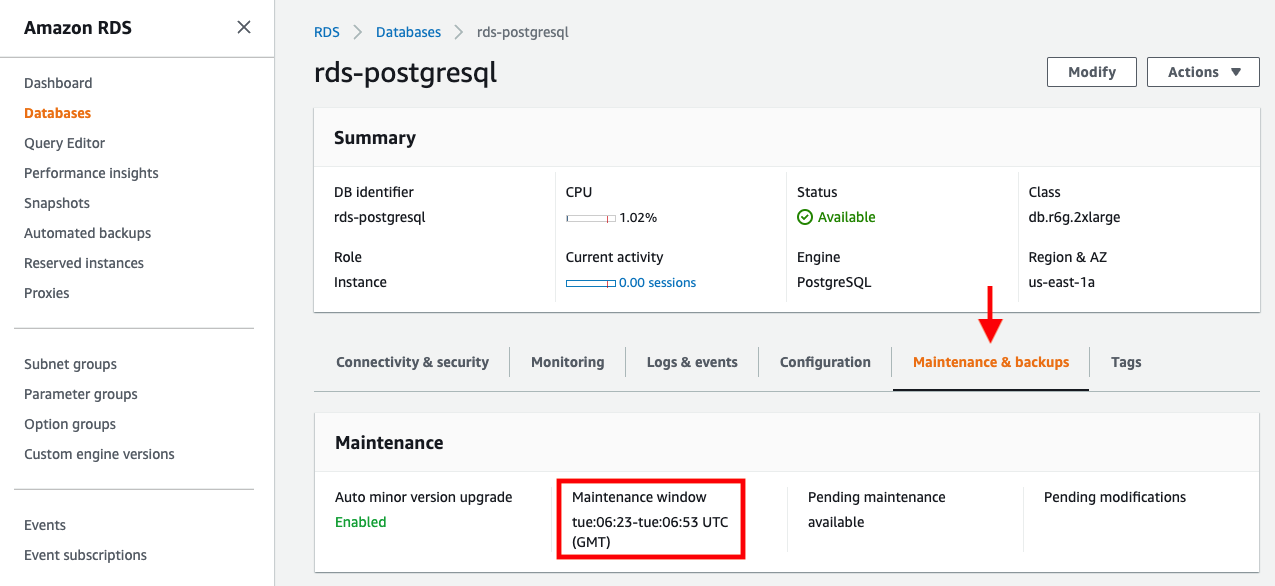
Providers may apply some patches automatically, while major PostgreSQL upgrades or disruptive maintenance can require customer approval. Maintenance windows often allow teams to control when these changes occur and reduce their effect on production workloads.
Teams should still monitor provider security notices and understand the service’s patching policy. They also remain responsible for updating database extensions, client libraries, application dependencies, and other components outside the provider’s responsibility.
Monitoring and Audit Logging
Monitoring helps identify suspicious activity and configuration problems before they develop into larger incidents. Managed services commonly collect metrics for connections, resource usage, database availability, and other operational events. Alerts can notify administrators about unusual connection volumes, repeated authentication failures, or unexpected changes.
PostgreSQL logs can provide more detailed information about database activity. Depending on the configuration and provider, teams can record connections, disconnections, errors, data definition language (DDL) operations, and selected queries. Extensions such as pgaudit may provide more detailed audit records when supported.
Logs should be exported to centralized monitoring or security systems where possible. Retention policies should preserve them for investigation and compliance requirements, while access controls should prevent unauthorized users from altering or deleting audit records.
Backup, Recovery, and Data Protection
Managed PostgreSQL services typically automate backups and provide recovery features such as scheduled snapshots and point-in-time recovery. Point-in-time recovery uses backups and PostgreSQL write-ahead logs (WAL) to restore a database to a specific time before accidental deletion, corruption, or another incident.
Backup security is as important as database security. Backups and snapshots should be encrypted, access should be restricted, and retention periods should match business and compliance requirements. Cross-region or geographically separate copies can provide additional protection against regional failures.
Recovery procedures should be tested regularly rather than assuming that a successful backup means the database can be restored correctly. Teams should verify restore times, data integrity, application connectivity, and recovery point objectives (RPOs) and recovery time objectives (RTOs). Where supported, deletion protection and protected backup retention can also reduce the risk of accidental or malicious data removal.
Related content: Read our guide to Postgres management
Notable managed PostgreSQL services with built-in security and encryption
How we selected these tools: We shortlisted managed PostgreSQL services based on the breadth of managed operations they cover, including automated backups and disaster recovery, high availability, scaling, security and compliance, extension support, and the range of clouds and deployment models they support.
Independent and multi-cloud managed services
1. NetApp Instaclustr

Best for: Open source, multi-cloud or on-prem Postgres with 24×7 support.
Strengths: 99.99% SLA, run-in-your-account option, and PGBouncer pooling.
Things to consider: Console has a learning curve and some operations involve support.
Instaclustr for PostgreSQL is a fully hosted and managed, 100% open source PostgreSQL service that runs on all major cloud providers or on-premises, in your own cloud account or in Instaclustr’s. It delivers production-ready clusters with automated provisioning, configuration, and built-in monitoring, backed by 24×7 support and a 99.99% availability SLA.
NetApp Instaclustr customizes and optimizes PostgreSQL configuration and adds capabilities such as multi-region read replicas for high availability and PGBouncer connection pooling. It meets GDPR, SOC 2, ISO 27001, and ISO 27018 requirements and offers PCI-compliant options.
Key features include:
- Security and compliance controls: Provides encryption in transit and at rest with fine-grained access controls. The platform meets GDPR, SOC 2, ISO 27001, and ISO 27018 requirements and offers PCI-compliant configurations for regulated workloads.
- Fully managed open source deployment: Runs 100% open source PostgreSQL with no proprietary extensions or forks, so teams avoid vendor lock-in. Instaclustr handles setup, configuration, maintenance, and version upgrades, and deployments can run in a customer’s own cloud account or in Instaclustr’s on AWS, GCP, Azure, or on-premises.
- Multi-region high availability: Creates read replicas in secondary regions to reduce latency and maximize uptime. Combined with automated provisioning, continuous maintenance, and built-in monitoring, this supports availability targets backed by a 99.99% SLA.
- PGBouncer connection pooling: Provides PGBouncer, a lightweight connection pooler that manages large numbers of client connections efficiently. This improves resource utilization and helps applications scale their connection load without exhausting database resources.
- DevOps-friendly provisioning and monitoring: Clusters can be provisioned through a management console, REST API, or Terraform provider. Monitoring is available through a Prometheus API or REST-based integrations to common monitoring platforms, fitting existing DevOps workflows.
- pgvector for AI workloads: Supports the pgvector extension, which stores and runs similarity search over high-dimensional vector data directly in PostgreSQL. This lets teams power retrieval-augmented generation and other AI use cases without adding a separate vector store.
Limitations (based on publicly available sources):
- Console familiarity: Teams new to the platform may need time to learn the management console and provisioning workflow before operating clusters independently.
- Support-assisted operations: Certain advanced database operations can involve coordinating with the support team rather than being fully self-service.
- Plan scoping: Matching the right plan and region options to a workload can require an initial conversation with the Instaclustr team.
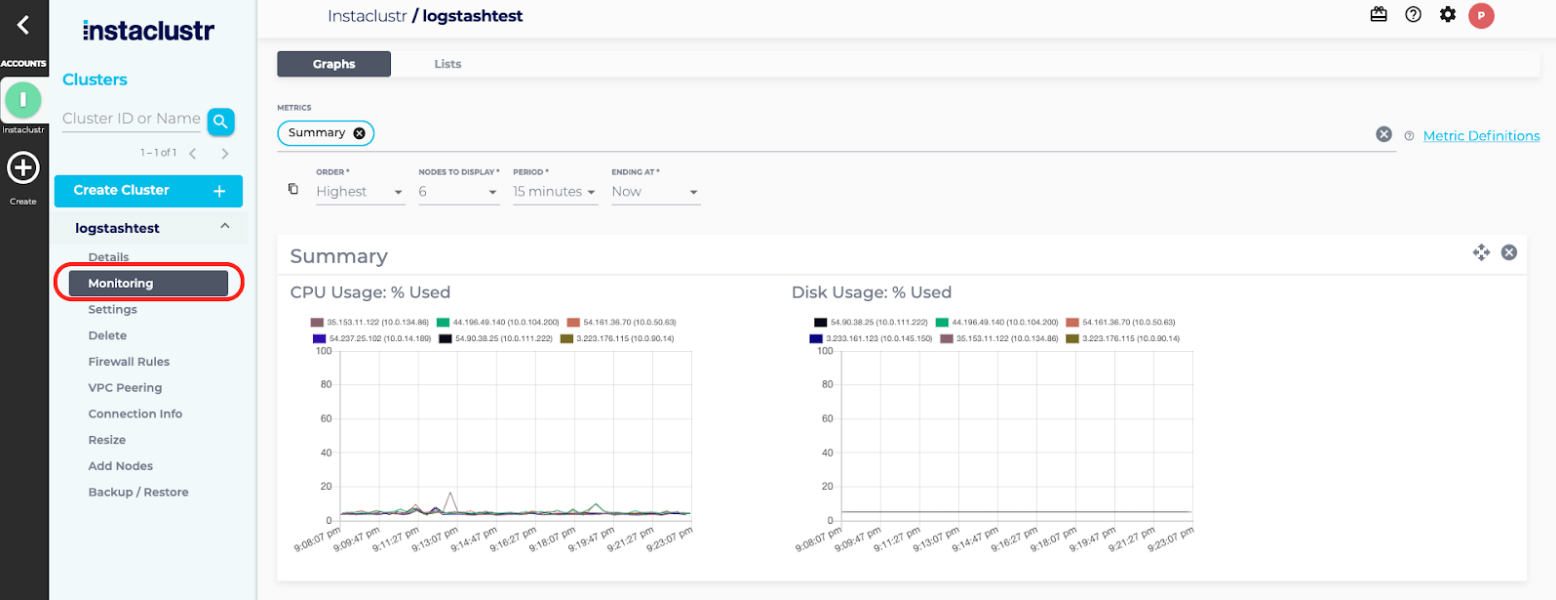
Source: NetApp Instaclustr
Learn more in our detailed guide to postgres tuning
2. DigitalOcean Managed PostgreSQL

Best for: Predictable, low-cost managed Postgres for SMBs and startups.
Strengths: Flat pricing, simple UI and API, and storage autoscaling to 30TB.
Things to consider: 7-day PITR cap, selected extensions only, and no metric alerting.
DigitalOcean Managed Databases for PostgreSQL is a fully managed cluster service that handles provisioning, configuration, maintenance, and updates. Clusters launch in a few clicks through a simplified UI or API, with migration from other sources supported through logical replication or dump-and-restore.
It runs on enterprise-class hardware and supports PostgreSQL 17, with storage that scales up to 30TB independently of CPU and memory. Pricing is flat and predictable across data centers, starting around $15 per month.
Key features include:
- Network security controls: Runs databases inside the account’s private network using a VPC, accepting only allow-listed requests over the public internet, with encryption in transit and at rest.
- Automated failover and daily backups: Automatically fails over to a standby node when a primary degrades or fails. Free daily backups are taken automatically, with point-in-time recovery to any moment within the previous seven days.
- One-click provisioning and migration: Launches a database cluster in a few clicks via UI or API. Existing databases can be migrated with minimal downtime using continuous logical replication, or through pg_dump and pg_restore for snapshot-style imports.
- Storage autoscaling and read scaling: Scales storage up to 30TB and can increase CPU, RAM, and storage on existing clusters, with autoscaling for storage. Read-only nodes can be added to distribute read traffic and maintain performance as demand grows.
- Integrated metrics and monitoring: Exposes database-level metrics such as connections, cache hit ratio, sequential versus indexed scans, throughput, and cluster resource utilization, which can be scraped and analyzed to size, scale, and tune the database.
- Predictable pricing: Uses flat, capped monthly pricing that is consistent across all data centers, so costs stay predictable as usage grows.
Limitations (based on publicly available sources):
- Point-in-time recovery window: Point-in-time recovery is limited to the previous seven days, shorter than the retention some other managed services allow.
- Extension coverage: Only a selected set of PostgreSQL extensions is supported, so applications depending on less common extensions need to confirm availability.
- Firewall and alerting gaps: DigitalOcean Cloud Firewalls cannot be used with managed databases, and alerting on PostgreSQL-specific metrics is not yet available.
- Cluster count default: Accounts are limited to ten clusters by default and must request an increase, and added storage can slightly degrade cluster performance.
Hyperscaler managed services
3. Azure Database for PostgreSQL
Best for: AI-ready Postgres tightly integrated with the Azure ecosystem.
Strengths: 99.99% zone-redundant HA, azure_ai and pgvector, Fabric mirroring.
Things to consider: Setup learning curve, with support and monitoring gaps noted.
Azure Database for PostgreSQL is a fully managed, AI-ready service built on the open source PostgreSQL engine. It provisions infrastructure and automatically handles patching, backups, high availability, and scaling, with flexible server instances that allow custom tuning and independent scaling of compute and storage.
The service offers up to 99.99% availability with built-in zone-redundant high availability, and integrates AI capabilities directly in the database through pgvector, DiskANN indexing, and the azure_ai extension for calling models from SQL.
Key features include:
- Security and compliance: Delivers network security, enterprise identity and access management, and encryption in transit, in use, and at rest, backed by more than 100 compliance certifications.
- Zone-redundant high availability: Provides built-in high availability with up to 99.99% availability, automatically handling patching, backups, and failover. Zone-redundant configurations replicate across availability zones to keep applications resilient.
- Native AI capabilities: Supports pgvector for vector search, DiskANN for high-performance vector indexing, and the azure_ai extension to call large language models directly from the database, enabling retrieval-augmented generation and semantic search where the data lives.
- Flexible compute and independent scaling: Offers flexible server instances with burstable, general purpose, and memory-optimized tiers, and scales compute and storage independently. Servers can be stopped and started to save cost on idle development and test environments.
- Autonomous tuning and maintenance: Uses built-in intelligence to recommend indexes and optimize query execution, and automates routine operations to reduce manual maintenance and operational risk as workloads grow.
- Migration and ecosystem integration: Provides online and offline migration paths from on-premises, virtual machines, and other managed PostgreSQL services, plus near real-time replication into Microsoft Fabric and integration with the broader Azure toolchain.
Limitations (as reported by users on G2):
- Setup learning curve: Reviewers describe the service as more complex to set up and navigate than some alternatives, which can require additional ramp-up for new users.
- Support experience: Some users report limited support options outside of online channels.
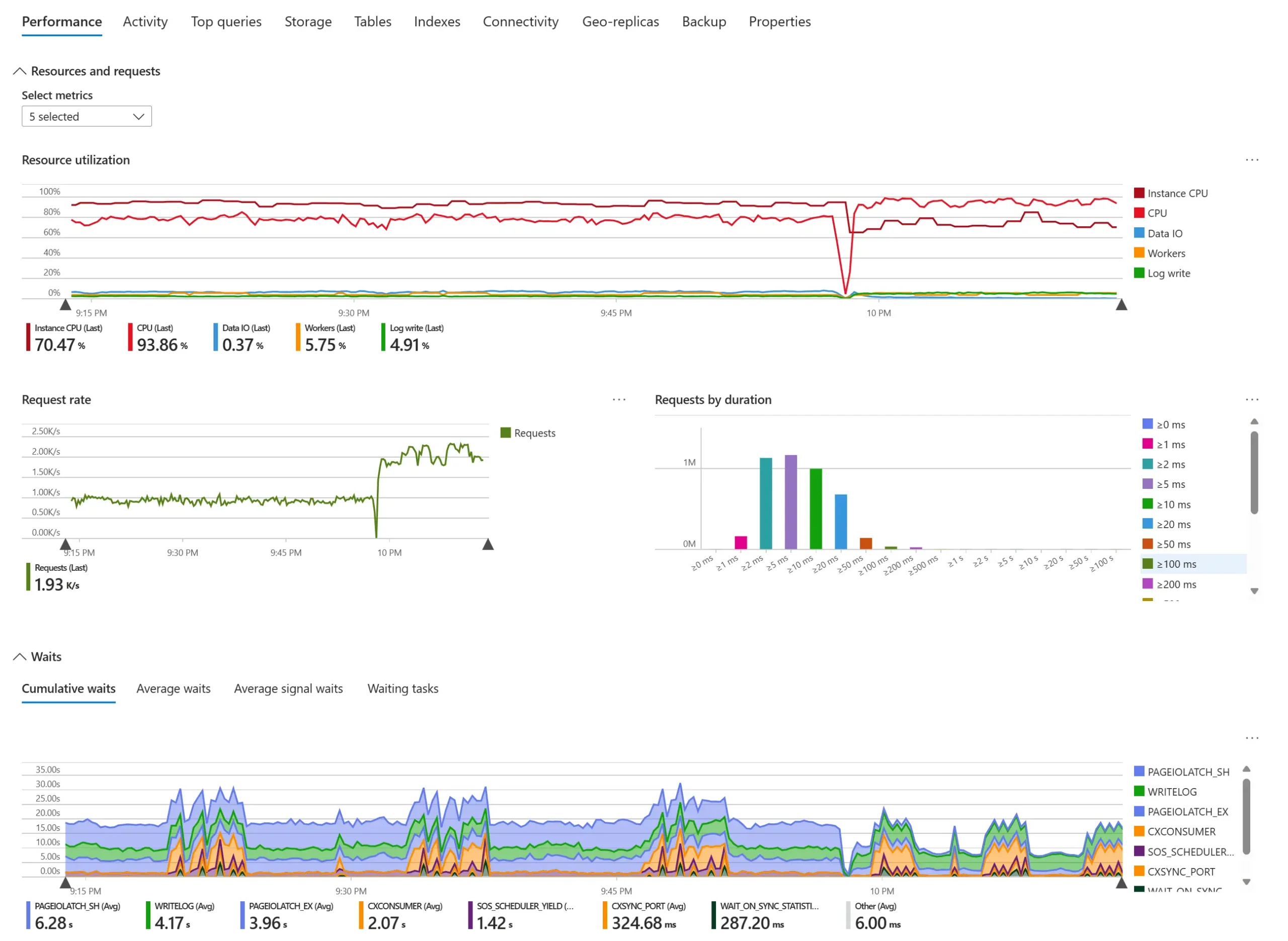
- Monitoring depth: Performance monitoring tooling is seen by some reviewers as less robust than competing options.
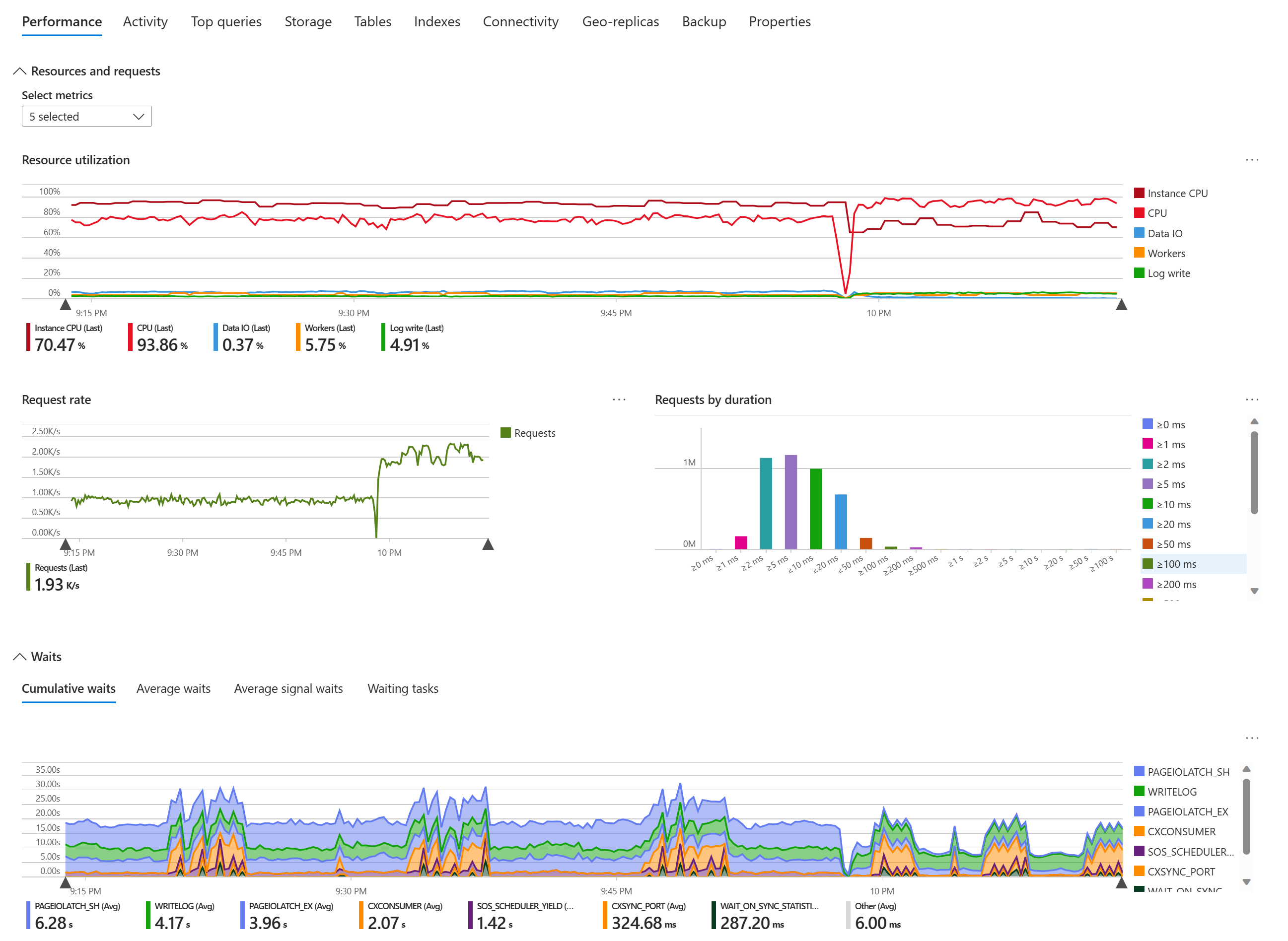
Source: Microsoft Azure Database for PostgreSQL
4. Amazon RDS for PostgreSQL

Best for: Production Postgres deeply integrated with the AWS ecosystem.
Strengths: Multi-AZ HA, read replicas, Blue/Green deploys, and 35-day PITR.
Things to consider: Limited OS and root control, storage ceilings, and cost at scale.
Amazon RDS for PostgreSQL is a managed relational database service that simplifies deploying, operating, and scaling PostgreSQL on AWS. It handles software installation, patching, backups, replication, and storage management, and supports the current major PostgreSQL versions along with existing PostgreSQL tools and code.
RDS instances launch preconfigured with parameter groups for fine-grained tuning, and Blue/Green Deployments make updates safer and faster. Trusted Language Extensions let teams build and run custom extensions without AWS certifying the code.
Key features include:
- Isolation and security: Provides network isolation with Amazon VPC, encryption at rest through AWS KMS with customer-controlled keys, and encryption of data in transit using SSL.
- SSD-backed scalable storage: Offers General Purpose SSD storage for cost efficiency and Provisioned IOPS delivering consistent performance up to 40,000 IOPS for high-performance OLTP. Storage can be scaled up on the fly with zero downtime.
- Managed deployments with Blue/Green updates: Launches production-ready PostgreSQL instances in minutes with preconfigured parameters and parameter groups for tuning. Blue/Green Deployments create a synchronized staging environment to make database updates safer and faster.
- Automated backups and point-in-time recovery: Automates backups with point-in-time recovery to any moment within a retention window of up to 35 days. User-initiated snapshots persist until explicitly deleted.
- Multi-AZ availability and read replicas: Multi-AZ deployments add availability and durability for production workloads, while read replicas scale read-heavy workloads beyond a single instance’s capacity.
- PostgreSQL compatibility and extensions: Supports multiple PostgreSQL major versions and reuse of existing applications, tools, and extensions, including Trusted Language Extensions for building and safely running custom extensions.
Limitations (as reported by users on G2):
- Limited OS and root access: As a managed service, RDS restricts operating-system and root-level control, which can constrain teams that need deep host customization.
- Storage and scaling friction: Fixed block-storage limits can create issues during storage migration or other critical operations.
- Maintenance downtime: Certain operations can require downtime, and the service does not provide built-in auto-tuning or performance guarantees.
- Cost at scale: Reviewers cite pricing as a drawback as workloads and instance sizes grow.
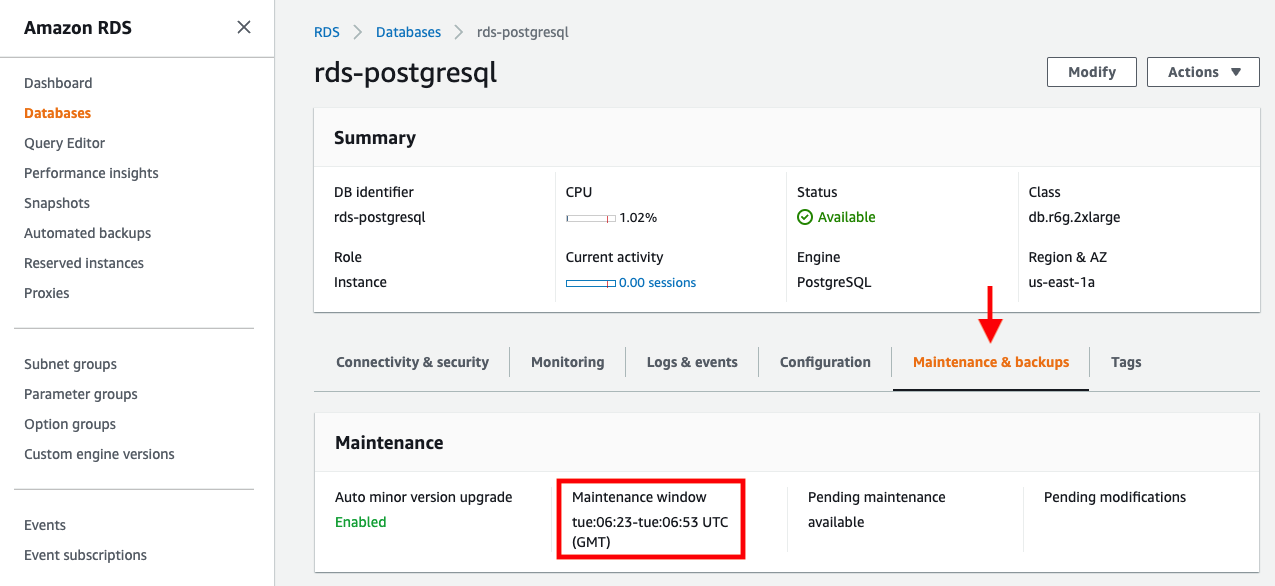
Source: Amazon
5. Google Cloud SQL for PostgreSQL

Best for: Managed Postgres integrated with Google Cloud and Gemini AI.
Strengths: Near-zero-downtime maintenance, 99.95%+ uptime, and vector search.
Things to consider: Cost climbs at scale, limited granular tuning, and a GCP learning curve.
Cloud SQL for PostgreSQL is a fully managed relational database service from Google Cloud that automates backups, failover, replication, encryption, patching, and storage increases while providing greater than 99.95% availability. It offers full compatibility with major PostgreSQL versions, popular extensions, and over 100 configuration flags.
The service is gen-AI enabled and Gemini-powered, integrates with Google Kubernetes Engine, BigQuery, and Cloud Run, and runs on C4 instances based on Google’s Axion processors for higher transactional throughput.
Key features include:
- Security and compliance: Encrypts data at rest and in transit with support for customer-managed encryption keys, IAM database authentication, VPC network isolation, and firewall controls, with compliance including ISO 27001, PCI DSS, and HIPAA.
- High availability and disaster recovery: Uses high availability with automated failover, automated backups, and point-in-time recovery, plus cross-region replicas and global VPCs to protect data against zonal or regional incidents.
- Maximum PostgreSQL compatibility: Supports all major PostgreSQL versions, the most popular extensions, and over 100 database flags, and works with familiar tools such as pgAdmin, pgwatch2, and Percona Monitoring and Management, plus serverless migrations via Database Migration Service.
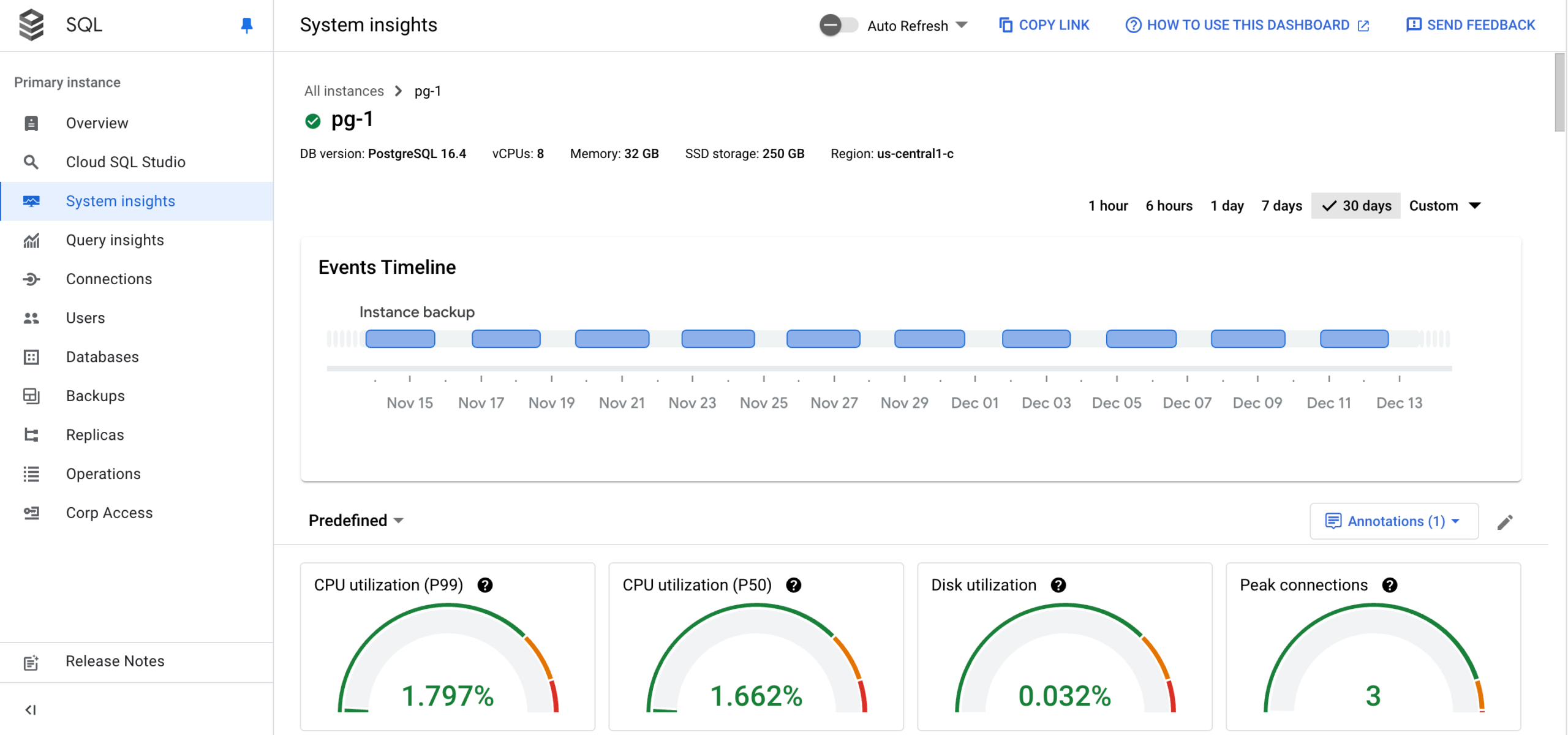
- Database observability for DevOps: Cloud SQL Insights surfaces slow queries and root causes through pre-built dashboards and visual query plans, exposes metrics and traces via OpenTelemetry, and supports query tags to monitor databases through the lens of applications.
- Near-zero-downtime maintenance: Automated maintenance keeps instances patched with planned downtime under ten seconds. Users receive advance notice and can postpone updates for a week or set deny periods of up to 90 days.
- Vector search and AI integration: Supports approximate and exact nearest-neighbor vector search directly in the database and integrates with pgvector, LangChain, and large language models to build AI-powered features without a separate vector system.
Limitations (as reported by users on G2):
- Cost escalation at scale: Reviewers note that costs can climb quickly as storage and instance sizes grow, and that pricing transparency could be clearer.
- Limited granular tuning: Some users want finer control over performance parameters and deeper monitoring insight without workarounds or downtime.
- Scaling support: Vertical scaling has been reported to involve slower support responses in some cases.
- Platform learning curve: Teams new to Google Cloud can face a learning curve with the console and configuration.
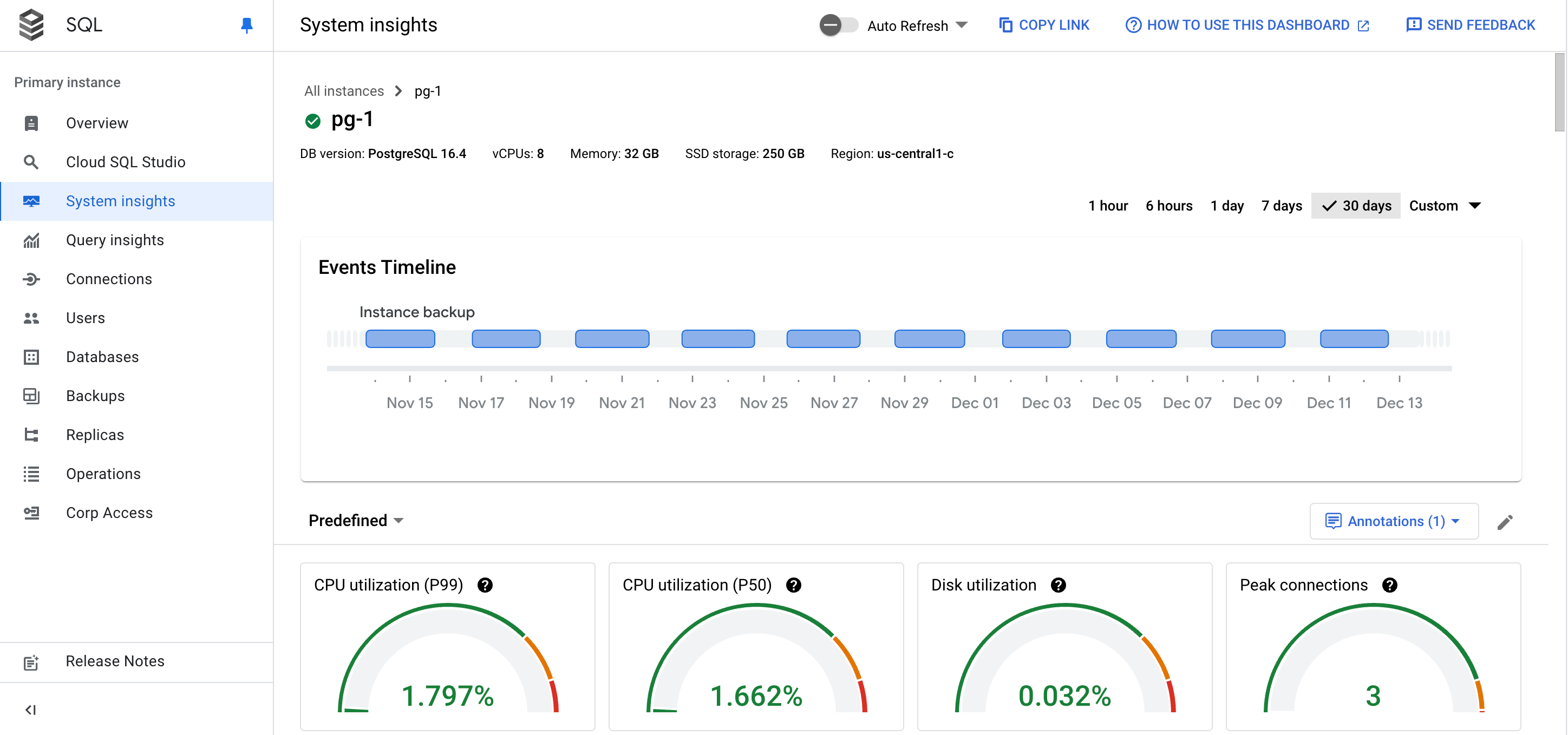
Source: CloudSQL
Serverless and developer-first platforms
6. Neon

Best for: Serverless Postgres with branching and scale-to-zero for dev work.
Strengths: Instant branching, autoscaling, scale-to-zero, and Databricks backing.
Things to consider: Cold starts after idle, cloud-only, and a serverless driver latency hop.
Neon is a fully managed, serverless PostgreSQL platform that separates storage from compute, allowing it to autoscale, provision instantly, and scale to zero when idle. It supports modern developer workflows such as database branching, point-in-time recovery, and CI/CD integration.
Now a Databricks company, Neon presents itself as a Postgres backend for applications and AI agents, offering managed authentication, serverless functions, S3-compatible object storage, and an AI gateway alongside the core database, with HIPAA and SOC 2 compliance and private networking.
Key features include:
- Storage-compute separation and autoscaling: A lakebase architecture decouples storage from compute so CPU, memory, and storage scale automatically to fit the workload. Compute can suspend when idle and resume on demand, avoiding payment for unused capacity.
- Instant database branching: Copy-on-write storage creates editable copies of a database instantly, git-style, for development, testing, CI/CD, or schema changes. Obsolete branches can delete themselves automatically after work completes.
- Scale to zero: Compute suspends entirely after a period of inactivity and resumes when the next query arrives, so idle databases incur no compute cost, while larger computes can be kept always on when needed.
- Instant restore and point-in-time recovery: Restores a database to a previous moment in time without fixed monthly fees, giving fast, granular recovery from mistakes or data loss.
- Production-grade features without platform fees: Provides HIPAA and SOC 2 compliance, private networking via PrivateLink, single sign-on, logs and metrics export to OpenTelemetry-compatible services, and 99.95% uptime SLAs, without fixed platform fees or monthly minimums.
- Developer and agent integrations: Integrates with tools and frameworks through a single command and MCP, enabling automated creation and management of many databases via API or CLI for database-per-tenant and agent-driven workflows.
Limitations (based on publicly available sources):
- Cold starts after idle: Scaling to zero introduces a cold-start delay when a suspended database wakes, which can affect latency-sensitive applications unless compute is kept always on.
- Serverless driver latency: The WebSocket and HTTP query drivers can add latency compared with a direct PostgreSQL connection for performance-critical paths.
- Extra storage hop: The separated storage layer adds a network hop that can increase latency relative to local-disk or traditional managed PostgreSQL.
- Cloud-only deployment: Neon is cloud-only with no on-premises or bring-your-own-cloud option, which limits data-sovereignty and deep infrastructure control for some enterprises.
7. Supabase

Best for: Full Postgres backend with auth, storage, and instant APIs.
Strengths: Dedicated Postgres, Row Level Security, realtime, and auto REST APIs.
Things to consider: Docs gaps, unexpected email rate limits, and maturity of some services.
Supabase provides a dedicated PostgreSQL database for every project, packaged with authentication, storage, realtime subscriptions, edge functions, and auto-generated APIs. It is fully portable, letting teams bring an existing Postgres database or migrate away at any time, with no vendor lock-in.
The platform builds on native PostgreSQL capabilities such as Row Level Security for access control and pgvector for AI, and pairs them with a Table Editor and full SQL Editor in the dashboard for managing data directly.
Key features include:
- Row Level Security access control: Uses PostgreSQL Row Level Security together with JWT-based authentication to control exactly which rows each user can access, handling most authorization directly in the database.
- Dedicated portable Postgres: Every project is a full PostgreSQL database that remains fully portable, so teams can import an existing database or move away without lock-in, while getting realtime features and access controls out of the box.
- Realtime data changes: Streams database changes over websockets so applications can subscribe and react to inserts, updates, and deletes milliseconds after they happen, supporting live collaboration and custom workflows.
- Instant auto-generated APIs: Introspects the database schema and provides instant REST APIs for fetching, inserting, updating, filtering, and paginating records, reducing boilerplate CRUD code across client languages.
- Branching and read replicas: Supports project branching synced with git branches and previews, and read replicas to serve data closer to users, add redundancy, and distribute query load away from the primary database.
- Built-in data management tools: Includes a spreadsheet-like Table Editor for creating tables and relationships and a full SQL Editor with autocomplete and syntax highlighting, plus vector support for AI use cases.
Limitations (as reported by users on G2):
- Documentation gaps: Reviewers describe the documentation as sometimes confusing or tedious, particularly around database functions.
- Unexpected service limits: Certain limits, such as email sending rate limits, can catch developers off guard during build-out.
- Feature maturity: As projects grow, some advanced functionality and third-party integrations, along with parts of the storage and authentication systems, are seen as less mature than in some alternatives.
8. Heroku Postgres

Best for: Simple managed Postgres for applications on the Heroku platform.
Strengths: Forks, followers, continuous protection, rollback, and HA plans.
Things to consider: Heroku-centric design, cost that climbs at scale, and no free tier.
Heroku Postgres is a fully managed PostgreSQL database service that delivers PostgreSQL as a trusted, secure, and scalable service optimized for developers. It handles patching, failover, and backups and integrates tightly with the Heroku platform, drawing on more than a decade of operating Postgres in the cloud with 24×7 support.
The service scales up and down with changing traffic and turns data into an agile resource through database forks and read-only followers, plus Dataclips for sharing SQL query results through a secure URL.
Key features include:
- Security and compliance options: Maintains PCI, HIPAA, ISO, and SOC compliance, with Heroku Shield Postgres adding isolation, strict SSL enforcement, and customer-managed encryption keys for regulated workloads.
- Continuous protection and rollback: Continuous protection replicates every write to durable storage across multiple data centers, so a live database can be rebuilt in minutes, and a rollback command restores a new instance to a point before a problem occurred.
- Forks and followers: Database forks clone a database with a single command for testing migrations or load testing, while followers are read-only replicas that stay current and provide horizontal read scaling without manual replication setup.
- High availability with automatic standby: Premium, Private, and Shield plans provision a standby replica in a separate availability zone and automatically fail over if the primary becomes unavailable, keeping applications online.
- Salesforce and multi-cloud integration: Heroku Connect provides bidirectional, near real-time synchronization with Salesforce without custom ETL, and mutual TLS and PrivateLink connect Postgres securely to resources in public clouds and private data centers.
- Extension and AI support: Supports extensions such as PostGIS, pg_stat_statements, pgcrypto, and pgvector, enabling geospatial data, performance monitoring, encryption, and vector search for AI applications directly in the database.
Limitations (based on publicly available sources):
- Platform-centric design: The service is oriented around Heroku’s ecosystem, so teams needing multi-cloud portability or deep infrastructure customization may find it less flexible and subject to lock-in.
- Cost at scale: Costs can rise quickly as storage, performance, high availability, and add-ons grow, and some add-on pricing is considered opaque.
- Limited low-level control: As a managed service it abstracts host-level configuration and server tuning, which can constrain custom extensions, OS-level settings, or bespoke replication topologies.
- Connection and tier limits: Plan-based limits, including maximum connection counts, can require upgrades as usage expands, and the free tier was removed in 2022.
General Considerations for Choosing Managed PostgreSQL Services
Beyond security and encryption features, selecting the right managed PostgreSQL service involves evaluating several technical, operational, and business factors. While most providers offer similar core features, differences in implementation, flexibility, and ecosystem integration can significantly impact long-term success. Below are key considerations to guide the selection process:
- Performance and workload requirements: Assess how well the service supports your workload type—transactional (OLTP), analytical (OLAP), or mixed. Check for support for IOPS tuning, parallel query execution, and read replicas to optimize performance under high load.
- Scalability options: Evaluate how the service handles scaling. Look for support for both vertical (CPU/memory/storage) and horizontal (read replicas, sharding) scaling. Consider if scaling operations require downtime or can be done online.
- High availability and disaster recovery: Determine the provider’s HA architecture—synchronous vs. asynchronous replication, automatic failover time, cross-region replication, and recovery time objectives (RTO) and recovery point objectives (RPO).
- Extension and feature compatibility: Review the list of supported PostgreSQL extensions and versions. If your application relies on specific extensions (e.g., PostGIS,
pg_partman), ensure they are available and regularly updated. - Security and compliance needs: Ensure the service meets your organization’s security policies and regulatory requirements. Look for features like encryption, private networking (VPC), audit logging, IAM integration, and certifications (SOC 2, HIPAA, GDPR, etc.).
- Backup and restore capabilities: Understand the backup frequency, retention period, and restore mechanisms. Ensure point-in-time recovery is supported and validate how backups impact performance and cost.
- Operational control and customization: Some services offer more configurability than others. Check for access to configuration parameters (e.g.,
work_mem,shared_buffers), custom maintenance windows, and support for advanced monitoring tools. - Pricing model and cost transparency: Compare cost structures, including compute, storage, backups, and data transfer. Look for flexible pricing options (e.g., serverless, burstable instances) and cost optimization features like auto-pausing idle instances.
- Vendor lock-in and portability: Consider how easy it is to migrate data in and out of the service. Favor providers that offer standard PostgreSQL compatibility, tooling support, and export/import flexibility to avoid lock-in.
- Ecosystem integration: Evaluate how well the service integrates with your existing cloud provider, CI/CD pipelines, observability stack, and development tools.
Conclusion
Managed PostgreSQL services offer a simpler approach to deploying, operating, and scaling PostgreSQL databases by offloading infrastructure management, maintenance, and security responsibilities to specialized providers. These services enable teams to focus on development and innovation, rather than database administration, while ensuring availability, resilience, and compliance. With built-in automation, scalability, and observability, managed PostgreSQL platforms are well-suited for modern application architectures and evolving workload demands. Choosing the right solution requires aligning service capabilities with technical requirements, operational expectations, and long-term scalability goals.