Creating a PCI Compliant Apache Kafka Cluster
Overview
The PCI compliance standards relate to the security of user data and transactional information. Customers who require their application to be PCI compliant, or would like to take advantage of its additional security features, can choose to create a PCI Mode Apache Kafka Cluster. You can read more about PCI and our support for it here.
Note: Enabling PCI Mode causes extra logging to occur, for example, to track every action taken by any user. It also activates some OS level security features. Both of these end up having an impact on the performance of the cluster. This should be insignificant in most cases; however, it is recommended you test the performance of your cluster in a non-production environment to ensure any impacts from enabling PCI Mode are acceptable.
Table of Contents
Enable PCI Mode - Account Security Settings
Before creating a PCI Mode cluster, we need to enable PCI Mode on the account. Navigate to Account Settings under the Settings Cog in the top right of Console. Then select the Security tab.
Select the checkbox under PCI Mode to make your account PCI compliant. This allows you to access the requirements for using PCI Mode with a cluster.
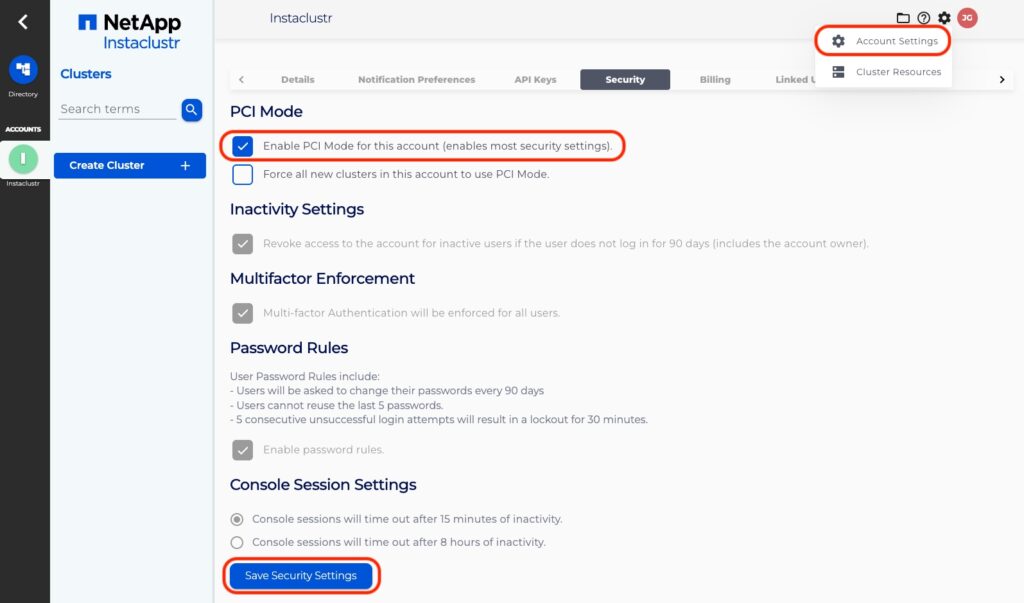
Note: PCI Mode relies on multi-user access, so we require having 2 account owners in case of loss of access for one person. This satisfies the first section of the PCI requirements.
Creating a Cluster
You can continue with the Console Interface to provision a PCI Mode cluster or alternatively you can use the Instaclustr Provisioning API.
Navigate to the Create Cluster wizard and create a cluster according to your requirements but be sure to enable the PCI Mode checkbox under Enterprise features. You can refer to our support article on Creating an Apache Kafka Cluster for more information.
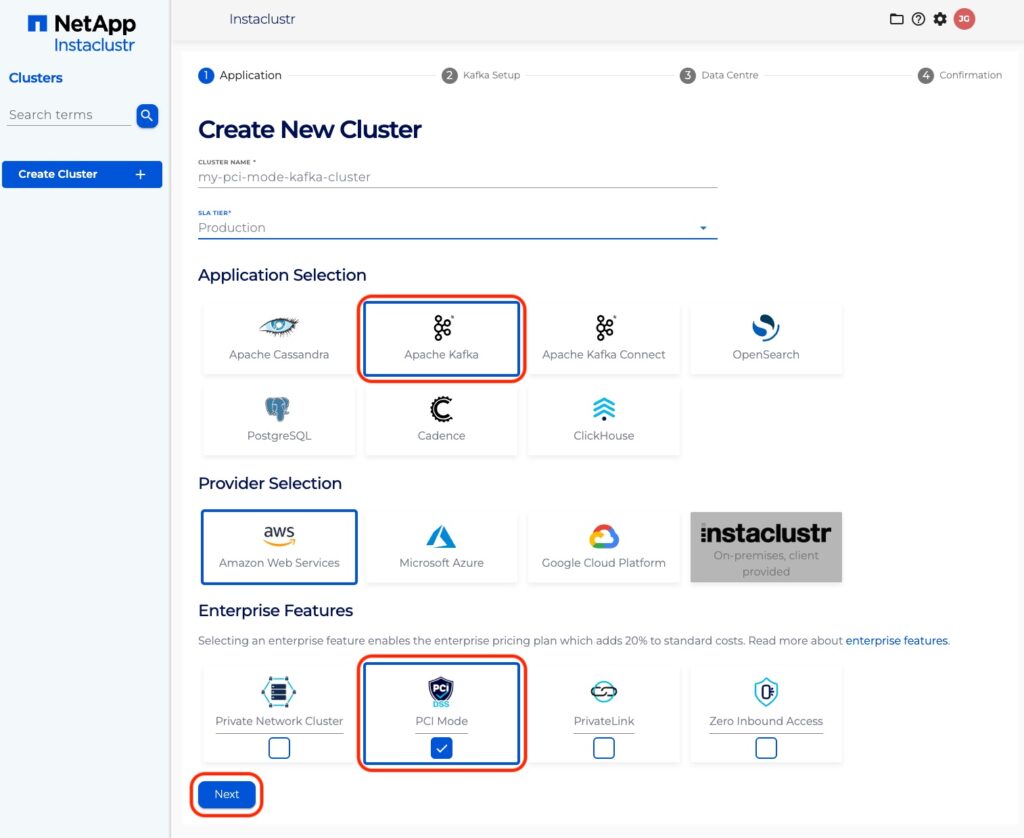
Currently, PCI Mode for Apache Kafka is only available for Amazon Web Services or Google Cloud Platform as the infrastructure provider.
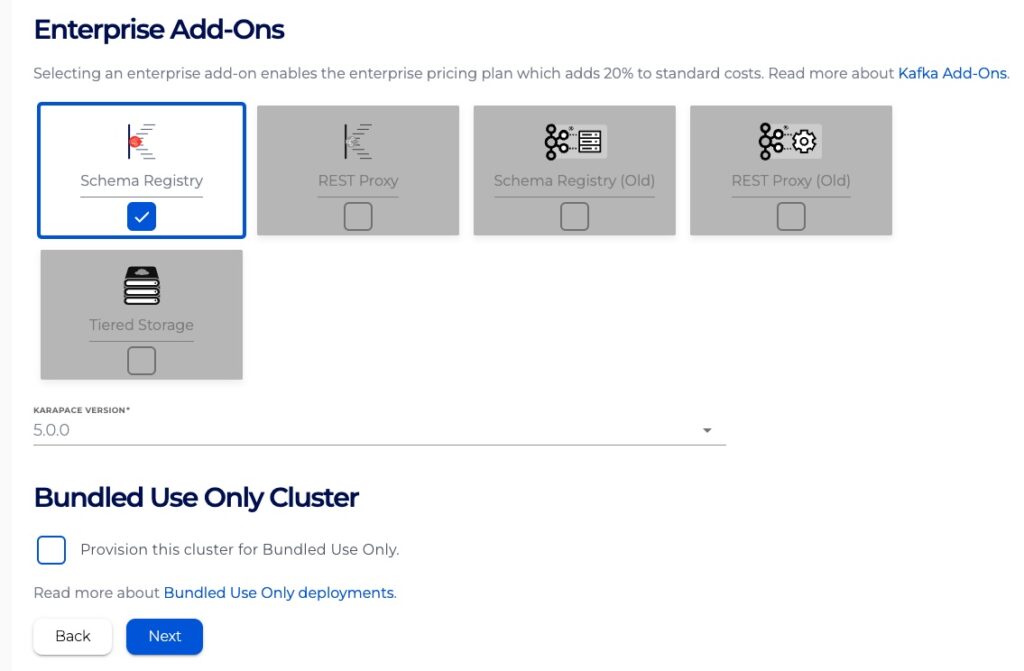
Enable Karapace Schema Registry on Kafka PCI clusters
You can enable the Karapace Schema Registry add-on on a Kafka cluster with PCI Mode enabled.
Transitioning an Existing Cluster
If you are looking to transition an existing cluster to a PCI Mode cluster, or have additional questions around our PCI Mode clusters, please contact the Instaclustr Support Team.
Limitations
- PCI Mode Kafka clusters can not use the PLAINTEXT listener connection method. This method does not have any authentication or encryption, therefore it is not PCI Compliant.
