


Using AWS Load Balancer
Load Balancer for a PostgreSQL cluster is a Network Load Balancer that has the following key features
- The load balancer provides a single endpoint for connecting to the PostgreSQL Cluster. Thus, making switchover much easier to handle.
- The load balancer performs regular health checks against nodes to ensure client connectivity.
Limitations
- PgBouncer Add-On is not supported with PostgreSQL PrivateLink service on the Instaclustr platform.
- AWS Load Balancer is not designed for cross-data centre connectivity, so multi-data centres are not supported.
- There must be a minimum of 2 nodes in the PostgreSQL Load Balancer cluster.
Creating a new Cluster
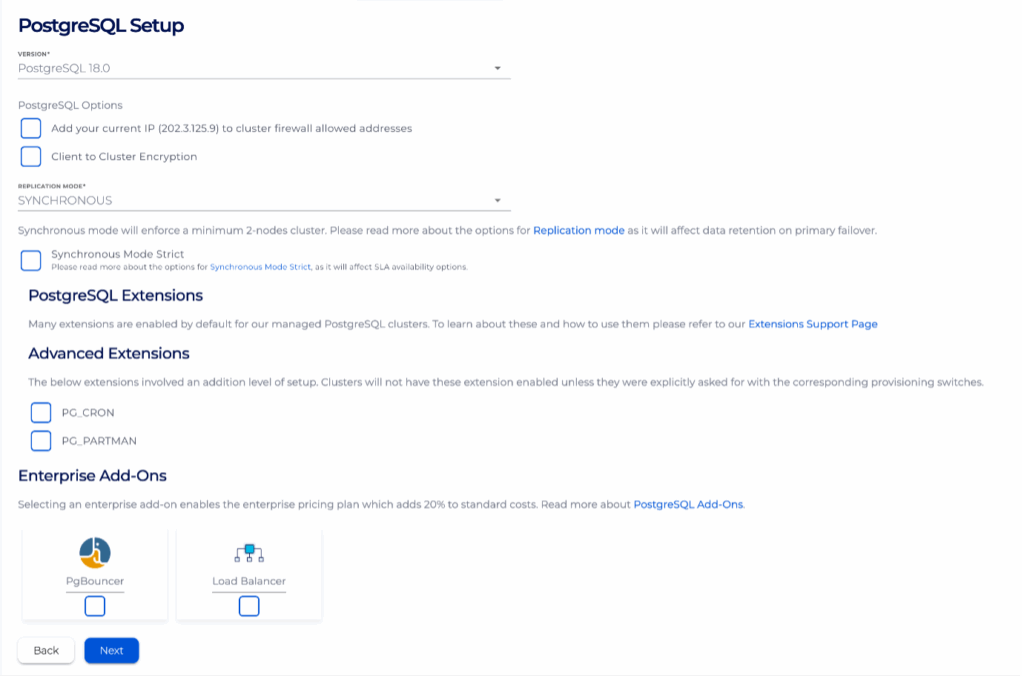
For a complete step-by-step guide on how to create a new PostgreSQL cluster, please refer to this article. When creating a PostgreSQL cluster, Load Balancer can be enabled on the ‘PostgreSQL Setup’ page in the ‘Enterprise Add-Ons sections’, as can be seen below.
Connecting to Load Balancer
Connecting to Load Balancer is handled in exactly the same way as connecting to PostgreSQL directly. The key difference to be aware of is that Load Balancer listens on port 5432 for writes and 5433 for reads.
- Log into the console, click the created cluster and enter the Firewall Rules page.
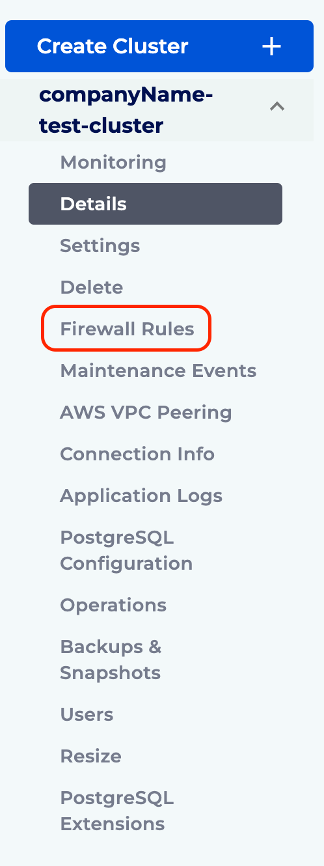
- Add client’s IP address to the Firewall Rules.
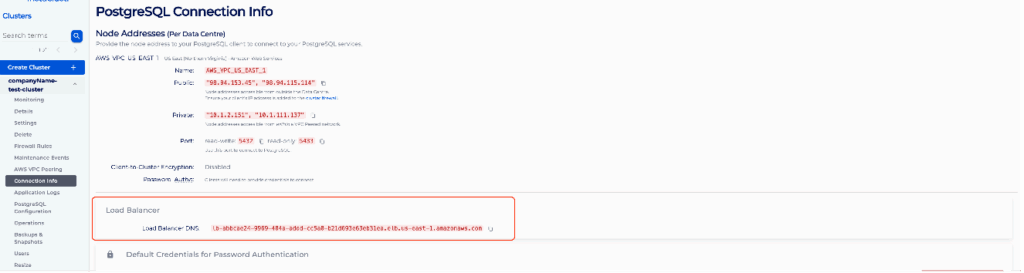
- Head to the Connection Info page.
- Clients can connect to the Load Balancer-enabled PostgreSQL cluster using the example provided on the Connection Info page. Please refer to Connect to a PostgreSQL Cluster about the general steps required. The key difference is that the host should be set to the Load Balancer DNS name.
Note: Clients must be able to retry and establish new connections if existing connections were disconnected.
