


Connect to an OpenSearch Cluster
Now that you’ve created a cluster, it’s time to connect your application to your new OpenSearch cluster. Aside from setting your firewall rules, Instaclustr provides a few examples (customized to your cluster) for the wide selection of client libraries OpenSearch supports to help you through this process. Additionally, we describe the advantages and disadvantages of the different methods to connect to your cluster.
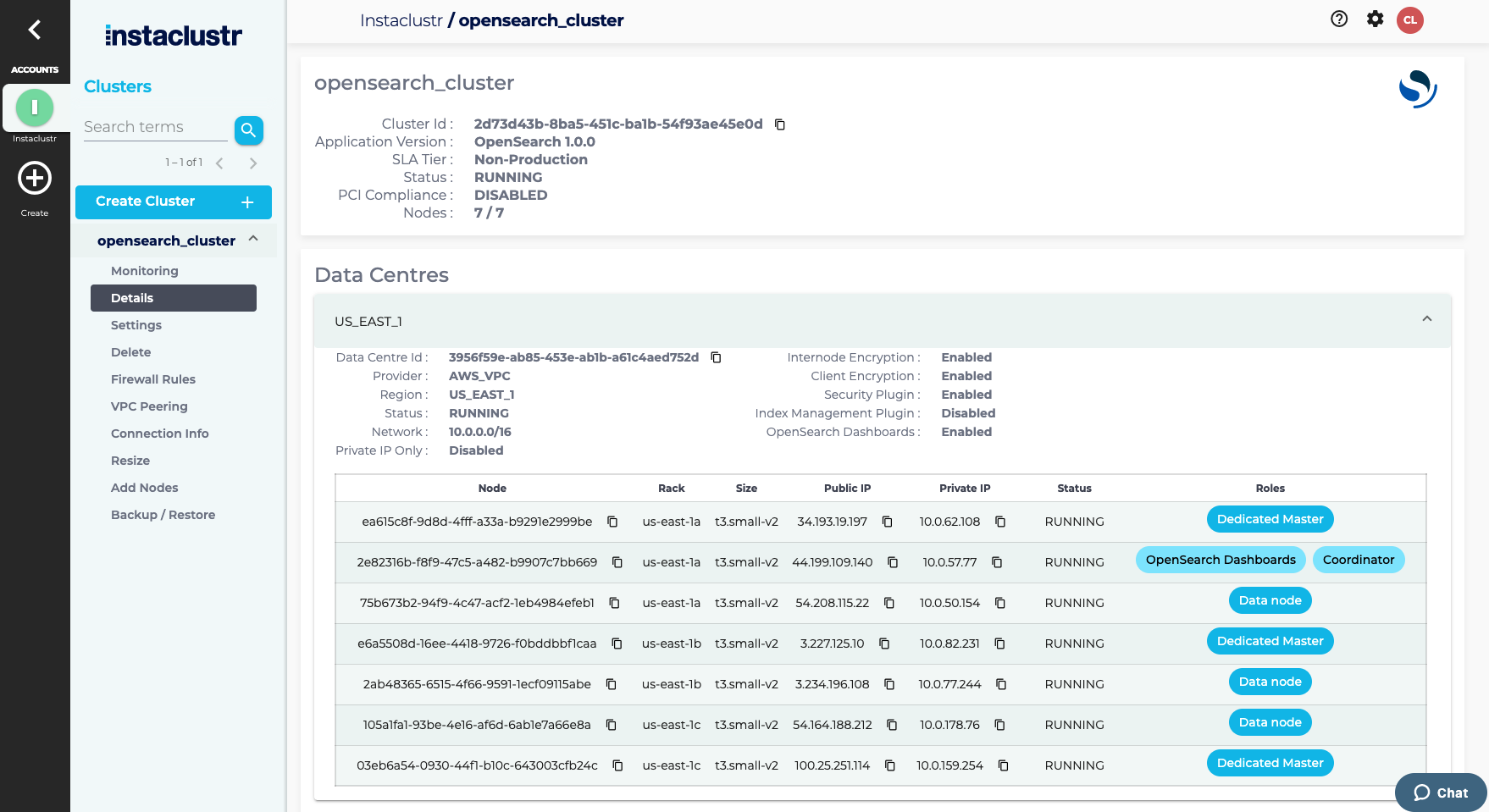
- After your Cluster has finished provisioning, navigate to your Cluster Details page. All your nodes should be in a Running state with no errors listed. Some infrastructure providers allocate both public and private (data centre local) IP addresses to cluster nodes. If both are available, they will be listed with their respective nodes on this page. We suggest that if your application is running within the same data centre as your cluster, you investigate configuring your client to connect to the private addresses. Please refer to your provider’s pricing documentation.
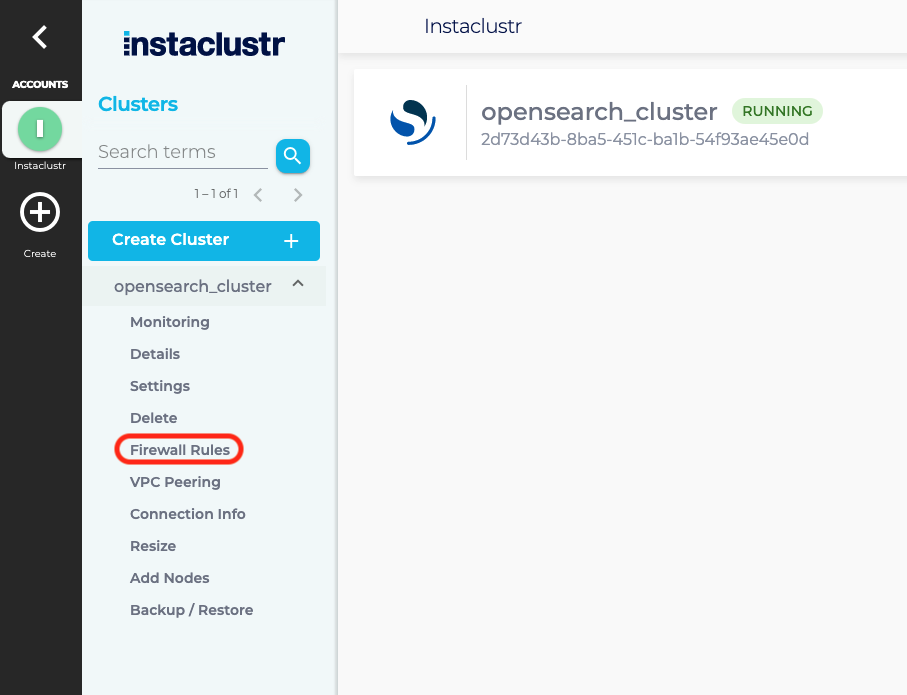
- Instaclustr manages the firewall permissions for the nodes in your cluster. Each cluster node only allows connections from one or more trusted IP addresses and, on AWS, security group IDs. On AWS BYOC cluster data centres, you may also use prefix list IDs. You can add these to the cluster firewall by clicking Firewall Rules from the side bar.
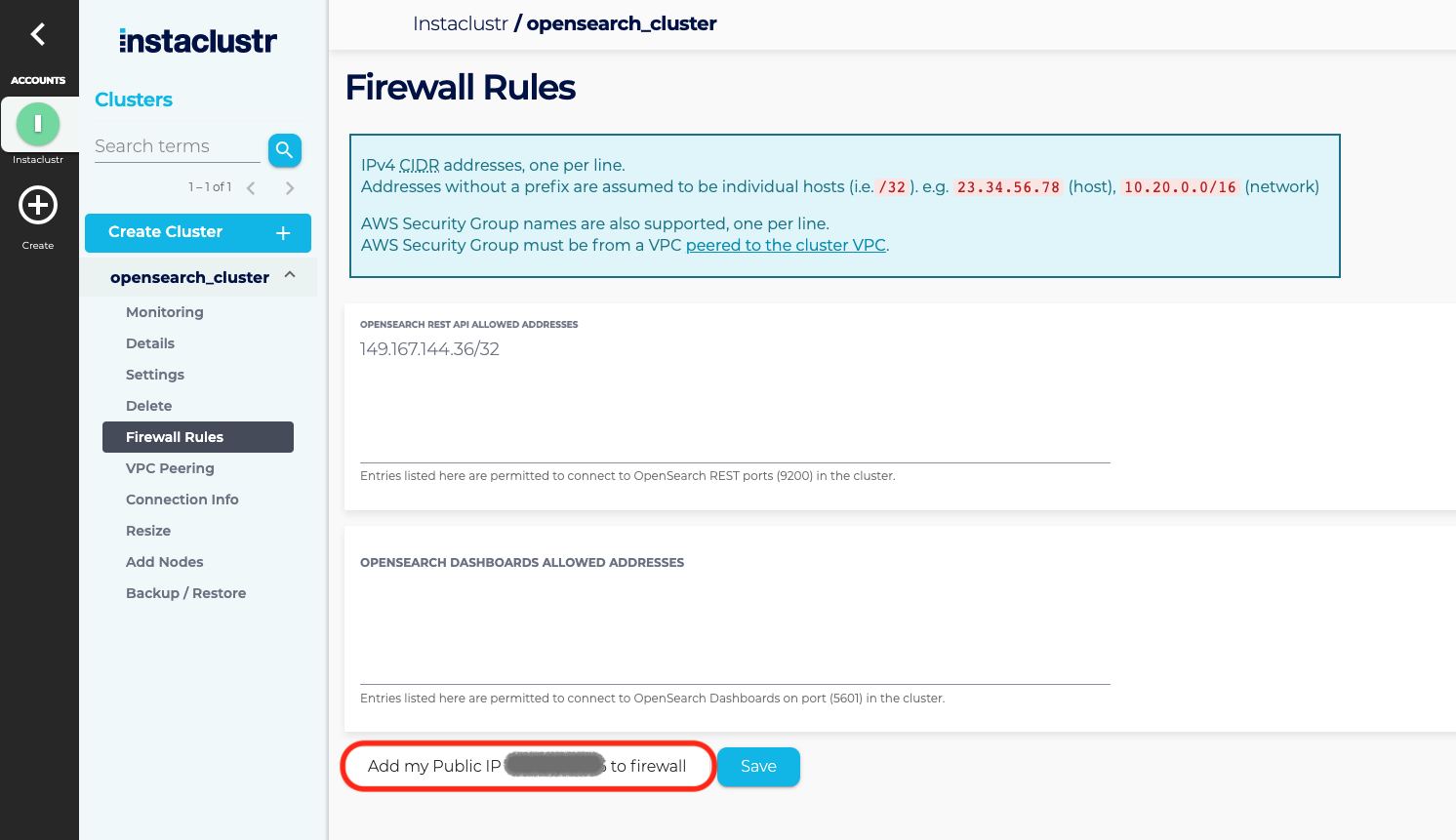
- Under the Firewall Rules section, enter any additional IP addresses you wish to trust to the OpenSearch Allowed Addresses list. If your cluster is running on AWS and clients are connecting using VPC peering, then you may also add one or more AWS security groups or customer-managed prefix list IDs (pl-…) to the list. A prefix list is supported only on AWS BYOC cluster data centres and must exist in the same AWS region as that data centre. Do not add an overly permissive CIDR, such as 0.0.0.0/0, and do not include one in a prefix list. Click the Save button when you are finished. Click Add my Public IP to the firewall to add your public IP address to the cluster firewall and then Save to save your changes.
- The Connection Info page contains a list of your node addresses, authentication credentials to connect to your cluster, and a few connection examples for popular clients that OpenSearch supports.
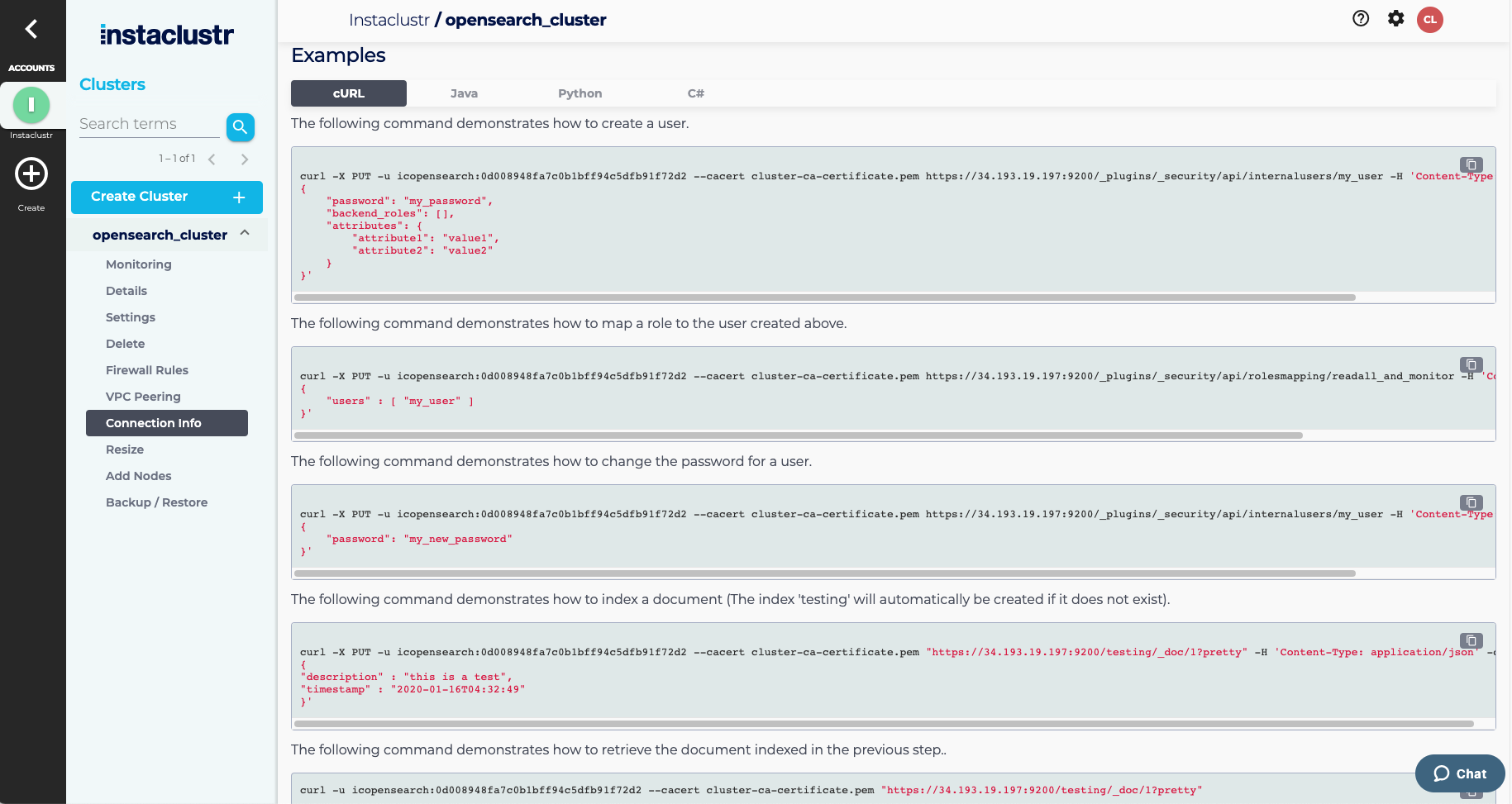
At this point, we provide custom examples for:
OpenSearch provides clients for several popular programming languages, with more coming.
- Go
- Python
- Node.js
opensearch.org maintains a comprehensive list of clients for your language of choice.
Different Connection Methods
There are several ways to connect to an OpenSearch cluster in the Instaclustr managed service:
- Load balancer
- Cluster endpoint
- Node endpoints
This section outlines the advantages and disadvantages of each method and when you might choose one over another.
Regardless of the connection method, you must ensure your client’s IP address is allowed through your cluster’s firewall. Instructions for configuring firewall rules are available in the Connecting to a Cluster page.
If you are connecting via private IPs, your application client must have network connectivity to the nodes’ private IPs (for example, by using VPC peering on AWS). This setup for private IPs involves extra steps but can reduce traffic costs and improve performance.
Load Balancer
If your cluster is configured with a load balancer, connecting is straightforward. The Connection Info tab in the Instaclustr console provides a single cluster endpoint. Supply this endpoint to your application client to begin sending requests.
A load balancer is optional and can be selected at cluster creation time. Note that it adds to the overall cost of the cluster. If you want to migrate an existing cluster to use a load balancer, please contact Instaclustr Support.
To use the load balancer with private IPs, ensure you select the Private Network Cluster feature during cluster creation.
Cluster Endpoint
For clusters without a load balancer, Instaclustr still provides a cluster endpoint for client connections. In this configuration, the endpoint uses DNS to return a list of IP addresses of the nodes in the cluster, in random order.
When connecting via DNS, it is important to enable sniffing in your application client. Sniffing allows the client to automatically discover all nodes in the cluster and maintain connectivity during node restarts (e.g., OS patching or node resizing).
Examples showing how to enable sniffing for various OpenSearch clients are available in the Connection Info tab for your cluster.
There are separate endpoints for public and private IPs. If using private IPs, please contact Instaclustr Support to ensure cluster sniffing configuration is configured appropriately.
If your application client is unable to perform sniffing, consider using the list of nodes method below.
Node Endpoints
If your application client does not support sniffing, you can still create a robust connection to the cluster by entering a list of node endpoints in your application client. Instaclustr provides a list of node endpoints, each resolving to a single IP address (required for certificate validation). Node endpoints are available for both public and private IPs.
When using this method, you must update the node list in your client whenever nodes are added or removed from the cluster. Otherwise, the application client may attempt to connect to nodes that no longer exist and cause an error.
You do not need to update the node list when nodes are replaced or resized, as node IPs remain consistent during these operations.
Please contact Instaclustr Support for any assistance or further inquiries.
