Cluster Managing Principal ARNs of a PrivateLink ClickHouse Cluster
This article describes how to manage AWS Endpoint Service Principals for PrivateLink clusters using the Instaclustr Console. ARN stands for Amazon Resource Name which uniquely identifies AWS resources. You can read more about ARNs here. AWS principals, such as AWS accounts, IAM users, and IAM roles can be used to allow connections to your cluster to be established over PrivateLink only from selected AWS principals. You can read more about PrivateLink and our support for it here. Our interface for the AWS Endpoint Service Principals provides the following functions:
- List allowed Principal ARNs
- Add Principal ARN
- Remove Principal ARN
To learn how to create an AWS PrivateLink ClickHouse cluster, see this article.
Manage Principal ARNs
- Once yourPrivateLink ClickHouse cluster has been provisioned, you can manage Principal ARNs through the Instaclustr Console.
Principal ARNs can also be managed via the Instaclustr API or Terraform. For more information, refer to the API and Terraform documentation.
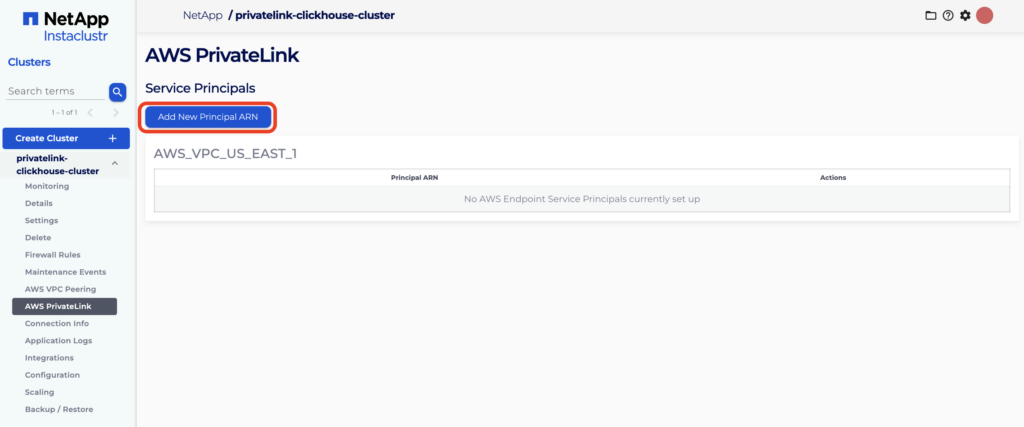
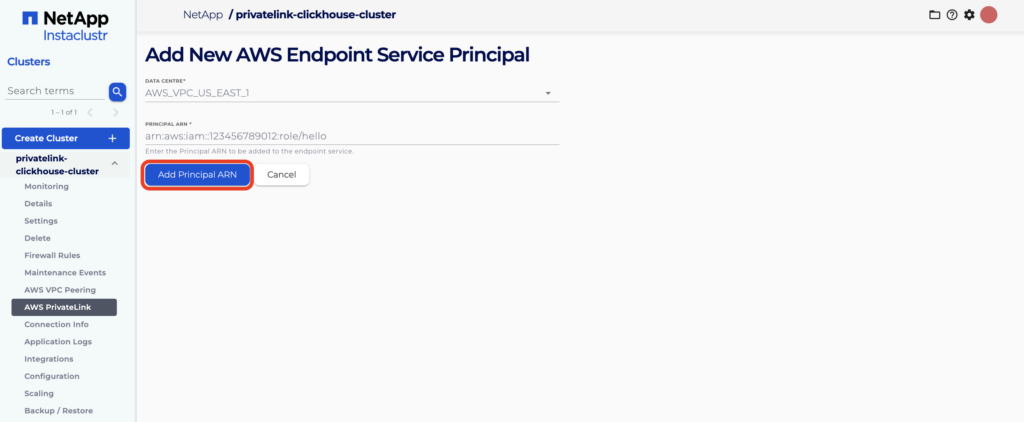
- Navigate to the AWS PrivateLink tab for your cluster and then click Add New Principal ARN. Fill in the required information and click Add Principal ARN.
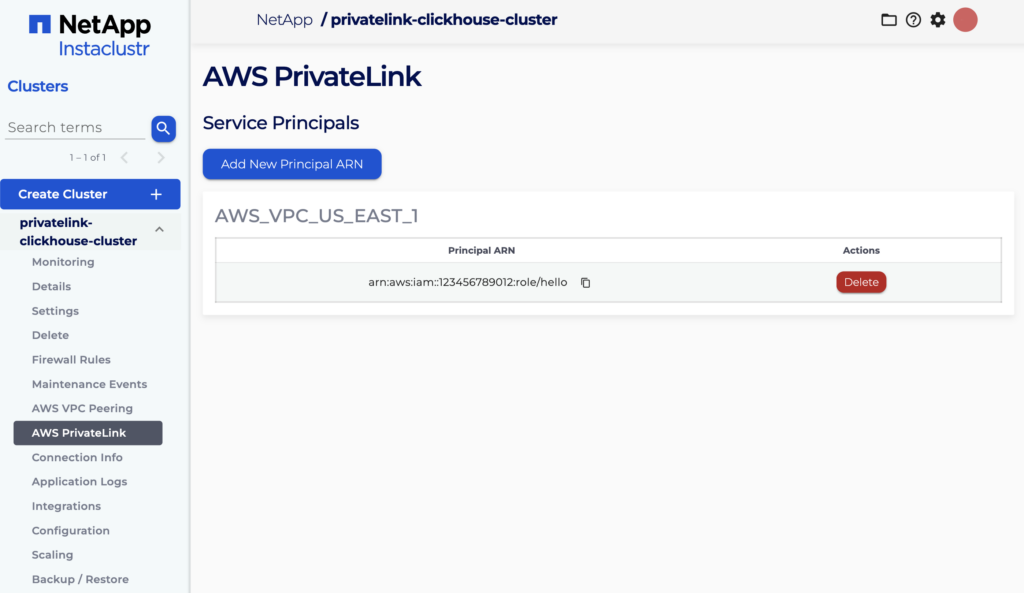
- If the Principal ARN is added successfully, it will appear as a new entry in the table for the associated Region. In case of failure, an appropriate error message explaining the cause of failure will be displayed.
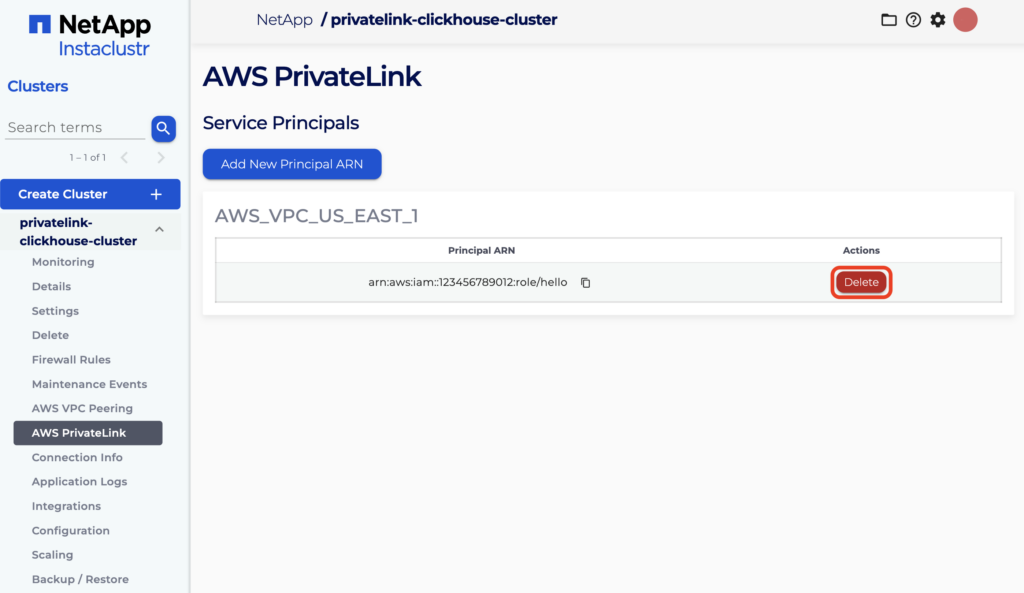
- To remove an existing Principal ARN, locate it in the displayed table and click Delete in the Actions column alongside it. Click Proceed on the confirmation dialog to remove the Principal ARN.
Questions
Please contact Instaclustr Support for any further inquiries.
