Use VPC Peering (AWS) to Connect to NetApp Instaclustr-Managed ClickHouse
Overview
VPC Peering is a networking connection between two AWS VPCs that enables private routing using internal IP addresses. This guide describes how to create, modify, and delete a peering connection between your own AWS VPC and a NetApp Instaclustr-managed ClickHouse cluster for private access. Instructions are provided for the NetApp Instaclustr Console, API, and Terraform Provider.
For an overview on VPC Peering, see the AWS VPC Peering Official Guide.
Before, proceeding, please note the following:
Limitations
- Ensure that the two VPCs use their own unique CIDR range. The CIDR ranges must not overlap.
Setting Up VPC Peering
Using the NetApp Instaclustr Console
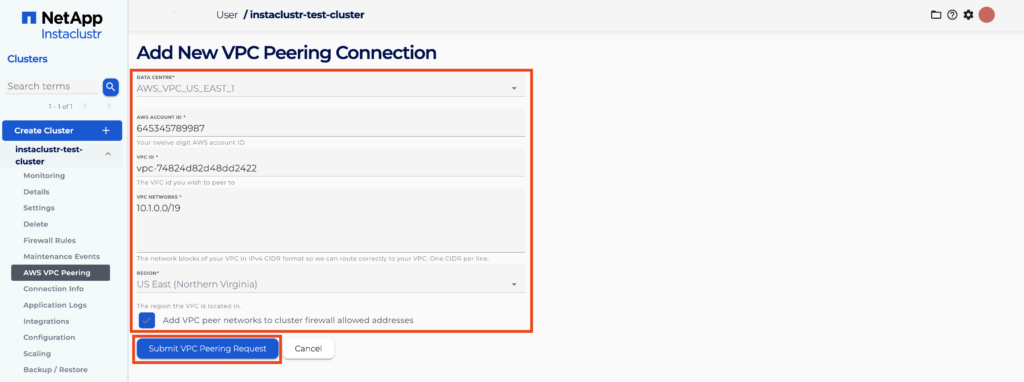
- Once you have logged into the NetApp Instaclustr Console and selected the cluster, navigate to the AWS VPC Peering tab and click Add a New VPC Connection.

- You will need to fill in the required VPC Peering Connection information as shown in the image below. Then click the Submit VPC Peering Request button.
- If the request is successfully submitted, the Peering Connection will appear as a new entry in a table with a status of Pending Acceptance.
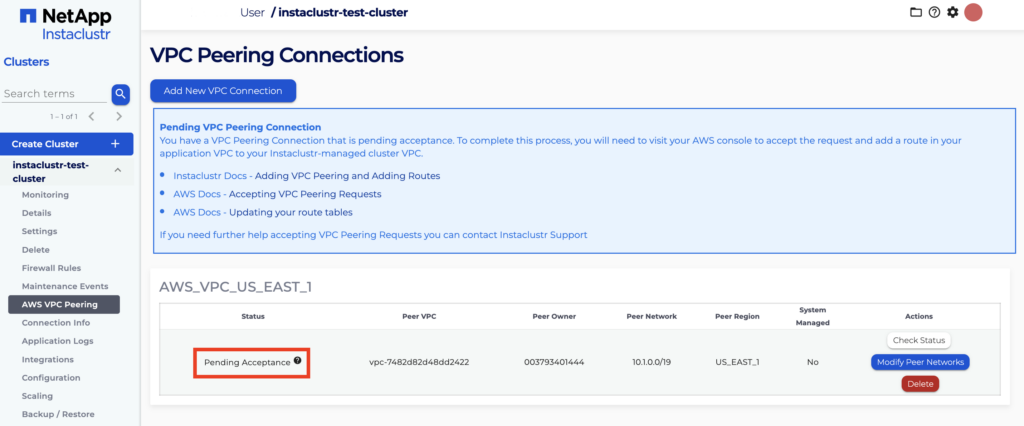
If the request fails and Status is Failed or does not progress as expected, refer to the Troubleshooting section below for common causes and resolution steps.
Accepting the VPC Peering Request
- Log in to the AWS account that contains the VPC you want to peer with.
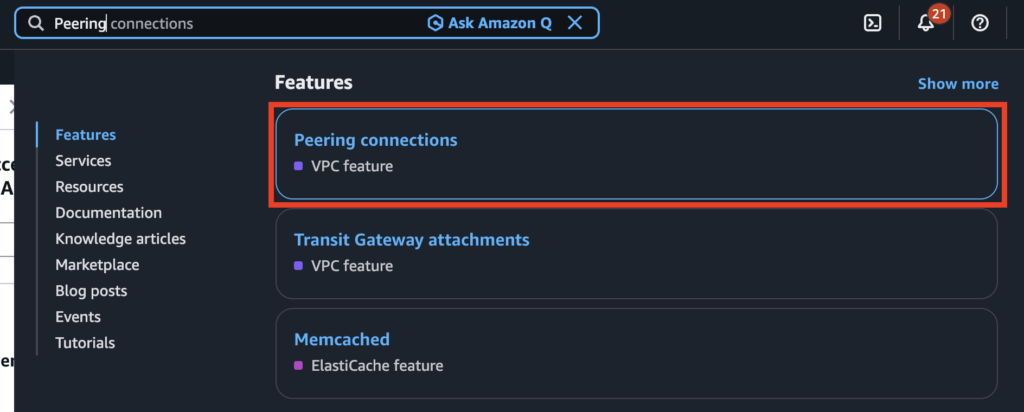
- In the AWS console, search for Peering Connections and open it.
- In the search bar, enter the name of the VPC you want to peer with.

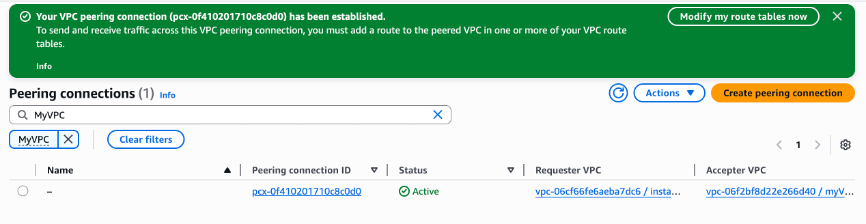
- Select the pending VPC peering connection, then choose Actions → Accept request.

- After you accept the peering request, a confirmation message should appear.
Adding a Route in Your VPC to the Cluster’s VPC
- In the AWS console, search for Route table and open it.
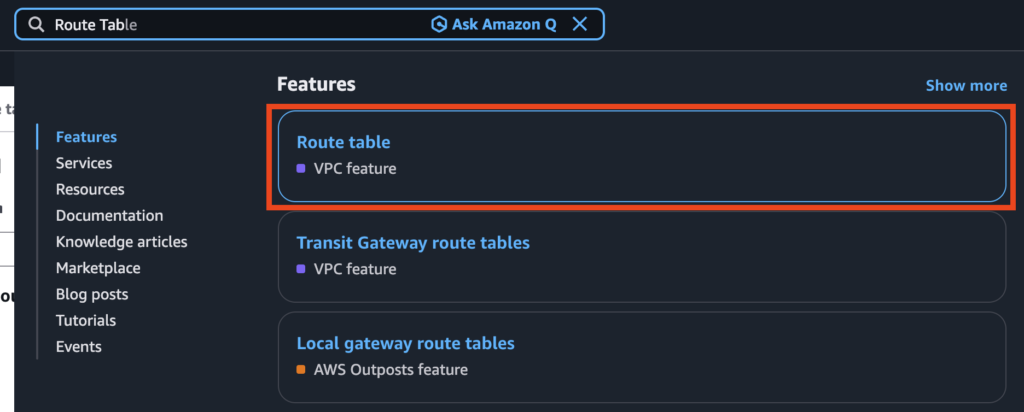
- In the search bar, enter the name of your VPC and select the corresponding route table.

- In the route table, select Edit routes.
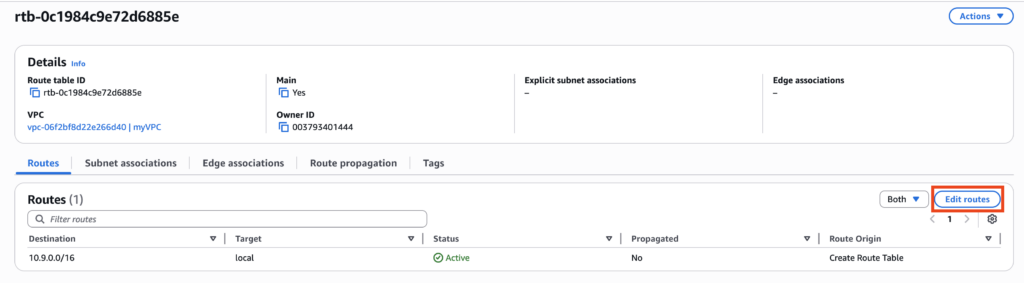
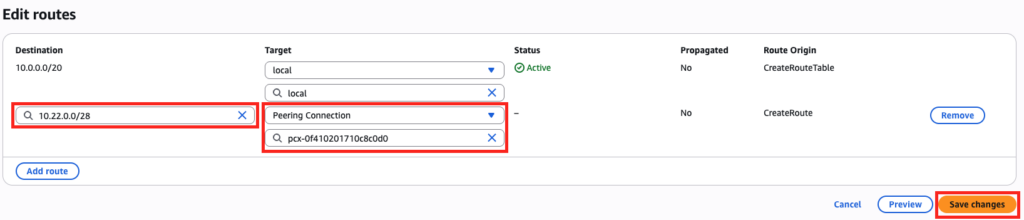
- Press Add route.

- Enter the Destination network, and under Target select the Peering connection created in the previous section. Click Save changes.
The route will then be added to the route table.
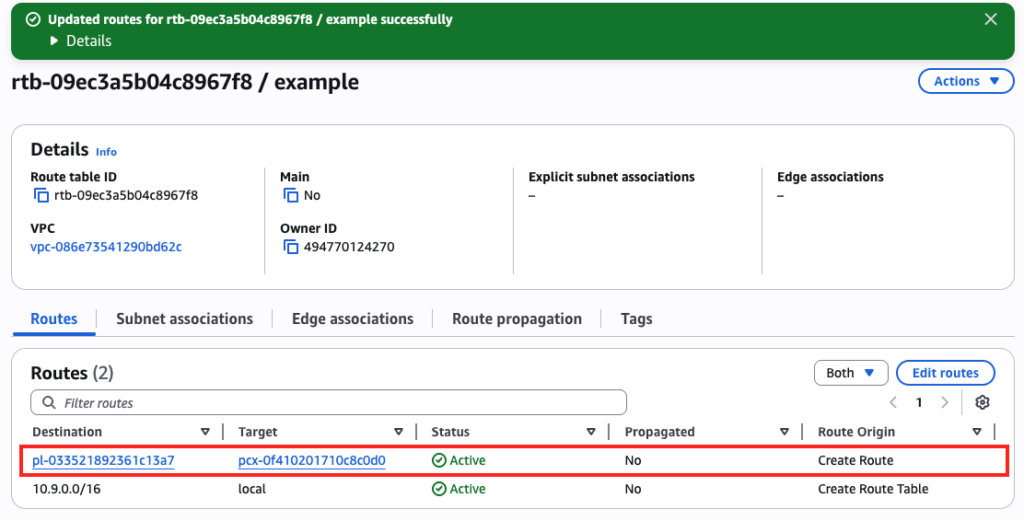
- The required routes will be automatically added so that traffic can flow correctly to and from your VPC. After you accept the peering request in AWS (as described above), the VPC peering connection status will update to Active in the NetApp Instaclustr Console.

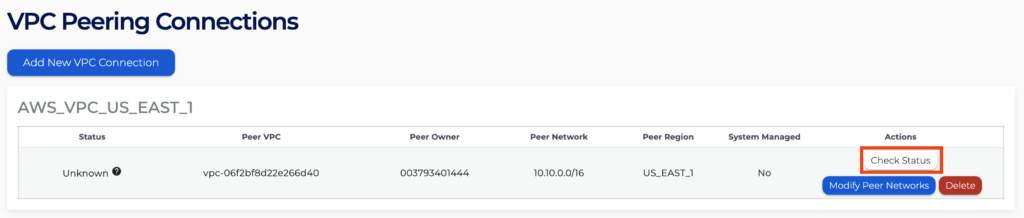
If the VPC status does not update, you can refresh it manually by clicking the Check Status button.
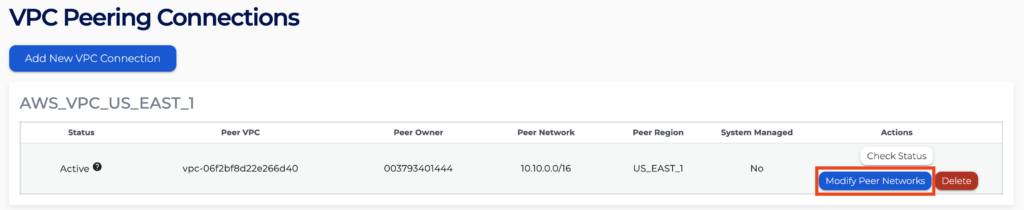
You can modify peer networks via the NetApp Instaclustr Console.
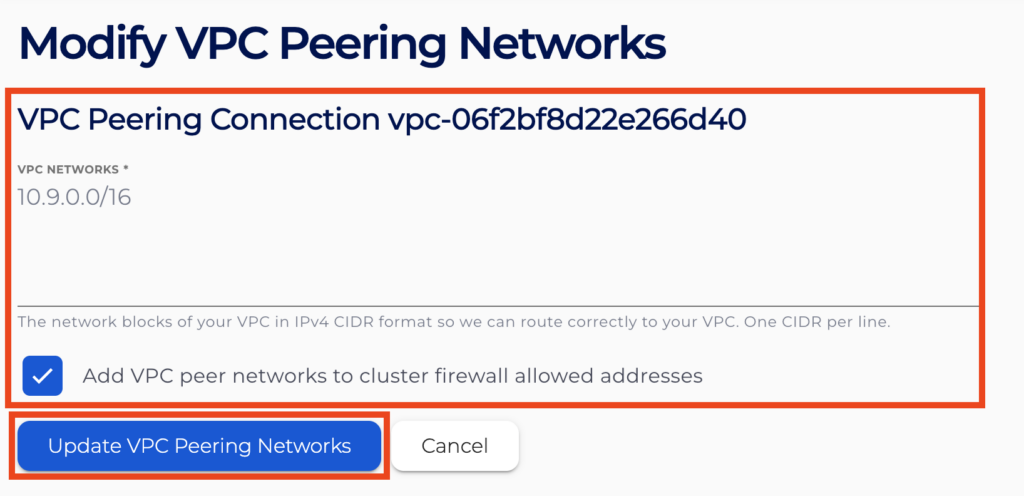
- Navigate to the AWS VPC Peering tab of your cluster, then click Modify Peer Network.
- Update the VPC network information as required, then click Update VPC Peering Networks.
You can delete peering networks via the NetApp Instaclustr Console.
- Navigate to the AWS VPC Peering tab of your cluster, then click Delete for the peering connection you want to remove.

- Confirm the deletion. The VPC peering connection is deleted.
Using the NetApp Instaclustr API
You can create, modify and delete an AWS VPC peering request for your NetApp Instaclustr-managed ClickHouse cluster using the NetApp Instaclustr API. A sample request payload for the POST endpoint is shown below.
Please refer to the NetApp Instaclustr endpoint documentation page for further details on all configurable parameters.
Endpoint:
|
1 |
https://api.instaclustr.com/cluster-management/v2/resources/providers/aws/vpc-peers/v2 |
Payload:
|
1 2 3 4 5 6 7 8 9 |
{ cdcId: '<CLUSTER DATA CENTER ID>', peerAwsAccountId: '<AWS ACCOUNT ID>', peerRegion: '<REGION OF PEER VPC>', peerSubnets: [ '<PEER SUBNETS>' ], peerVpcId: '<PEER VPC ID>' } |
After sending the API requests, refer to the steps outlined in the Accepting the VPC Peering Request and Adding a Route in Your VPC to the Cluster’s VPC sections above.
Using the NetApp Instaclustr Terraform Provider
You can create an AWS VPC peering request for your NetApp Instaclustr-managed ClickHouse cluster using Terraform. The steps are as follows:
- Follow this support document to set up your NetApp Instaclustr Terraform Provider V2.
- Follow the resource template below for guidance on cluster details required for AWS VPC Peering. Refer to the resource documentation page for details on all configurable parameters.
1234567resource "instaclustr_aws_vpc_peer_v2" "example" {peer_aws_account_id = '<AWS ACCOUNT ID>',peer_subnets = '<PEER SUBNETS>',peer_vpc_id = '<PEER VPC ID>',peer_region = '<REGION OF PEER VPC>',cdc_id = '<CLUSTER DATA CENTER ID>'} - Follow the Terraform init, plan and apply cycle to provision the cluster.
- Refer to the steps outlined in the Accepting the VPC Peering Request and Adding a Route in Your VPC to the Cluster’s VPC section above.
Troubleshooting
Use the steps below to investigate and resolve common problems. These checks are designed to help you quickly identify known issues and appropriate next actions.
Console error message: “A duplicate request for this VPC Peering Connection already exists.”
A peering request for this AWS account, VPC, and network combination already exists. Check the Peering Connection table at the bottom of the page to confirm whether the existing request is still pending or already active.
If you still cannot connect to the cluster over the peered VPC connection, make sure you have accepted the peering request in the AWS Console.
Peering request status: “Failed”
Common reasons a peering request might fail include:
- The VPC ID or AWS account ID is incorrect
- The CIDR ranges of the 2 VPCs overlap
Example: your cluster network is 10.0.0.0/16 and you try to peer it with a VPC in the range 10.0.0.0/18. AWS would need to route traffic for 10.0.0.0/18 to the peered VPC, but those IP addresses overlap with the cluster network, so the request is rejected.
- The cluster VPC and the client VPC are in different AWS regions
Example: your cluster is in us-east-1 and you attempt to peer it with a VPC in us-west-2. AWS VPC peering does not support cross-region connections, so the request will fail.
For more information, refer to the AWS documentation for VPC peering.
Questions
Please contact NetApp Instaclustr Support for any further inquiries.
