


Configure MCP Virtual Server
A virtual server is defined by a name and endpoint URL, with an optional specification of OIDC OAuth2 provider for authentication. 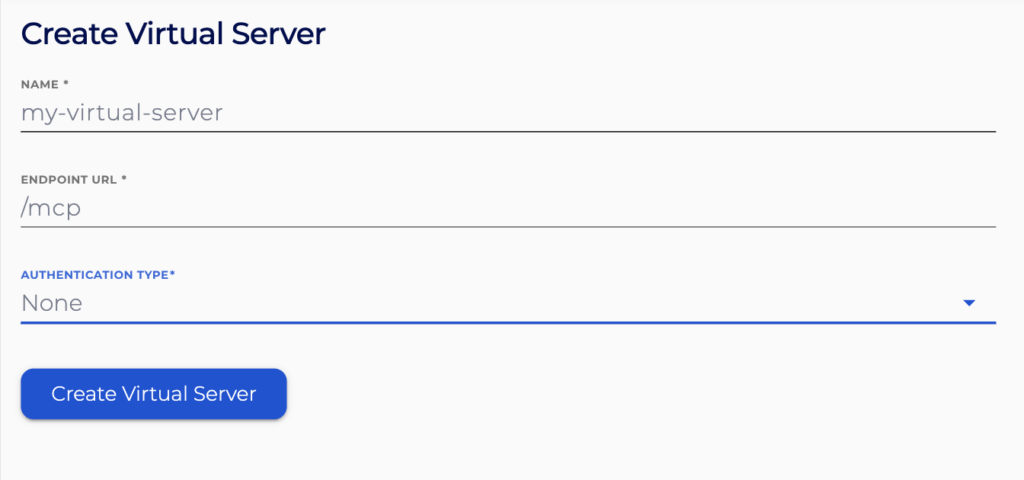
The name consists of numbers, letters, hyphens, and underscores only, beginning with a letter or number. This is a unique identifier for the server and must not conflict with any others.
The endpoint URL is a relative URL against the MCP Gateway URI (i.e https://mcp-gateway.<ID>.cnodes.io/<ENDPOINT URL>). This must be unique for the virtual server and not conflict with any others. It must be only in path format and cannot contain any special characters used in URL arguments or references.
You can optionally include details for OIDC OAuth2 identity provider for client authentication to the MCP server.
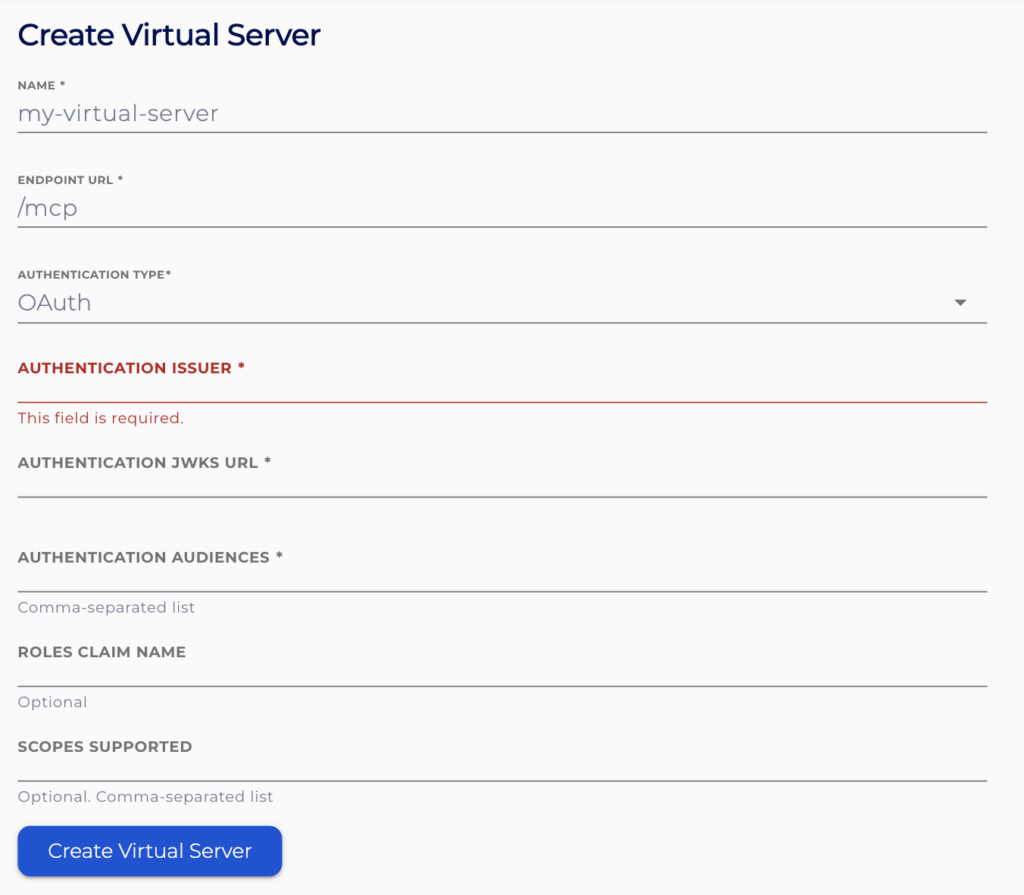
Authentication Issuer URL and JWKS URL should come from your identity provider (See below on how to configure most common identity providers).
Audiences used to specify a comma-separated list of audiences the MCP Gateway will accept.
Roles Claim Name specifies a JWT token claim that will be providing the roles of the authenticated user. This is used for MCP Tool Access.
Supported Scopes specifies the scopes the MCP Gateway will request from the identity provider.
We recommend reviewing the following support articles as a next step:
