Configure HTTP Server MCP Backend and Tools
HTTP Server MCP Backend
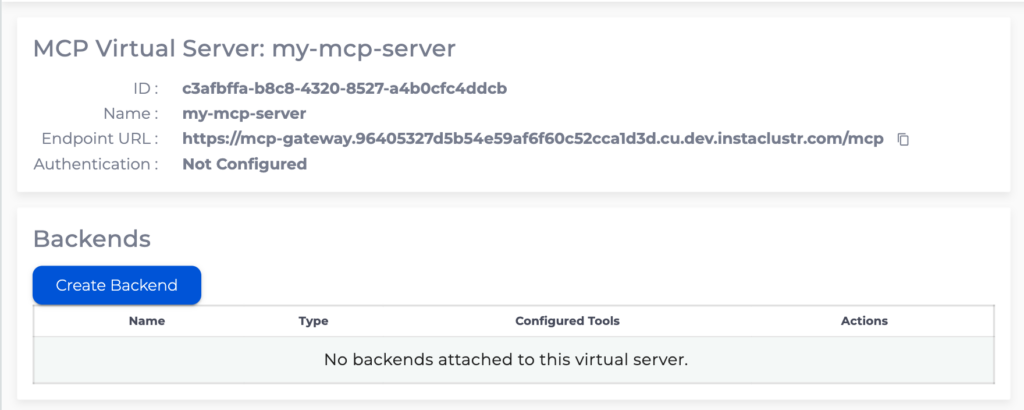
To create a Backend for MCP Virtual Server go to MCP Virtual Server details page and click “Create Backend”
HTTP Server backend allows configuration of MCP tools operating “proxying” HTTP operation on an HTTP Server.
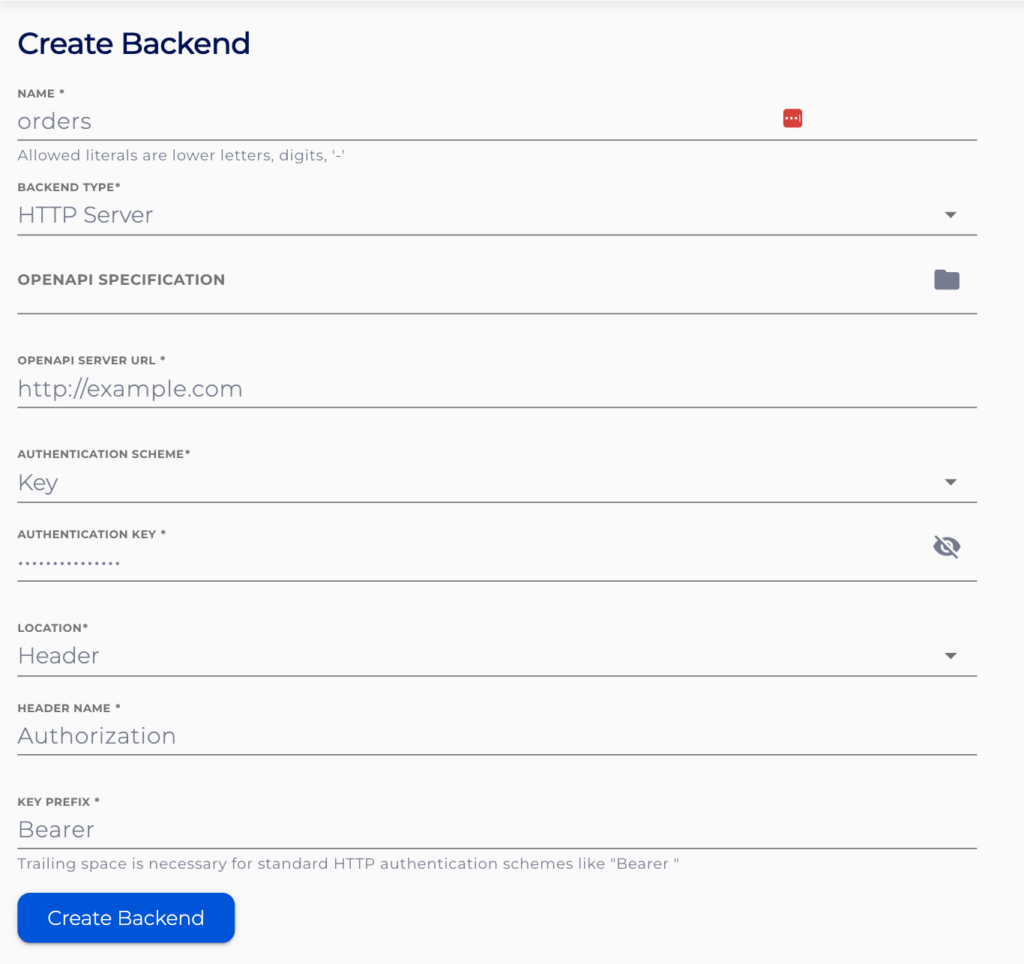
Specify the name for the backend, note that this name will be prepended to all the tools configured for this backend.
Optionally, provide an OpenAPI specification file (in JSON format) to populate the server URL create tools.
Specify the HTTP Server URL.
Specify the Authentication scheme to the HTTP Server. For the “Key” authentication scheme the authentication key will need to be provided, the “Passthrough” authentication scheme will pass through the authentication token used to authenticate to the MCP Gateway through to the HTTP Server. Additionally, the location of the where the backend server expects the key can be configured.
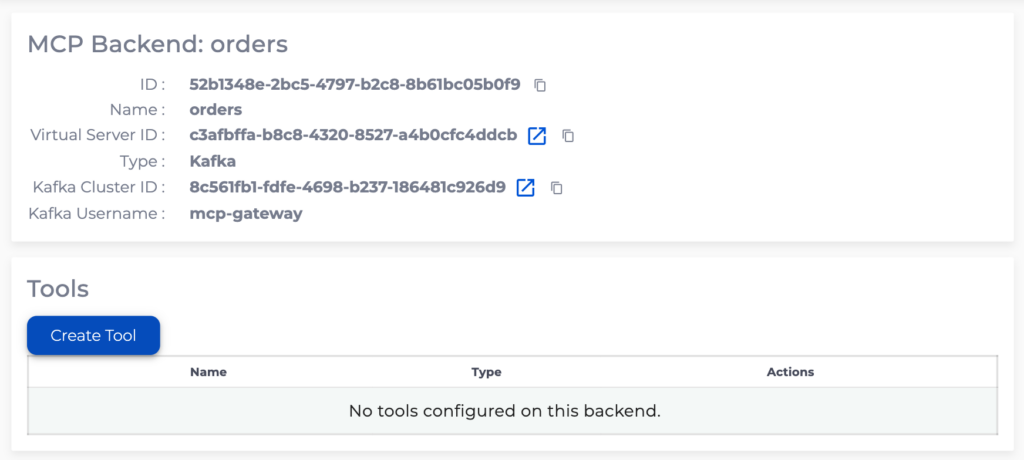
To create MCP tools go to the backend details page and click “Create Tool”
HTTP Operation Tool
HTTP Operation Tool will perform a pre-configured HTTP operation on the HTTP Server.
Specify the name and description for the tool. These should provide information about the tools indented use and effects.
Specify the path relative to the HTTP Server URL for the tool to operate on.
Specify the HTTP operation for the tool to perform.
Optionally specify the request body schema using JSON schema and provide a description of what the request body represent.
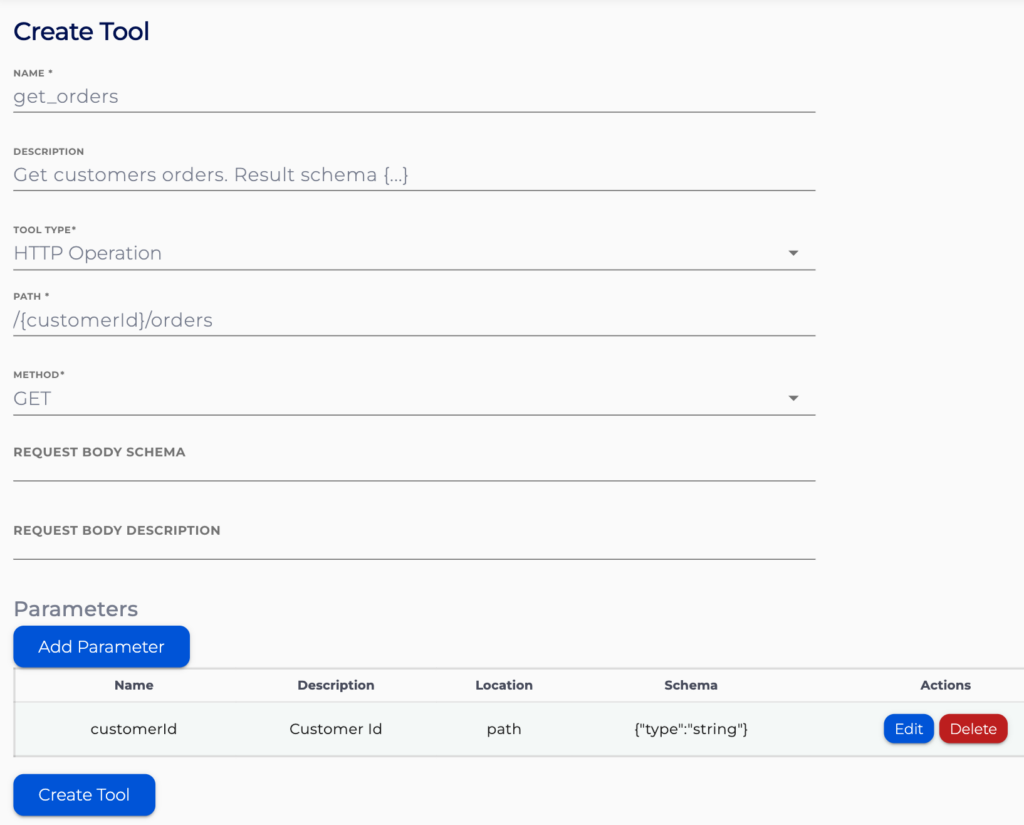
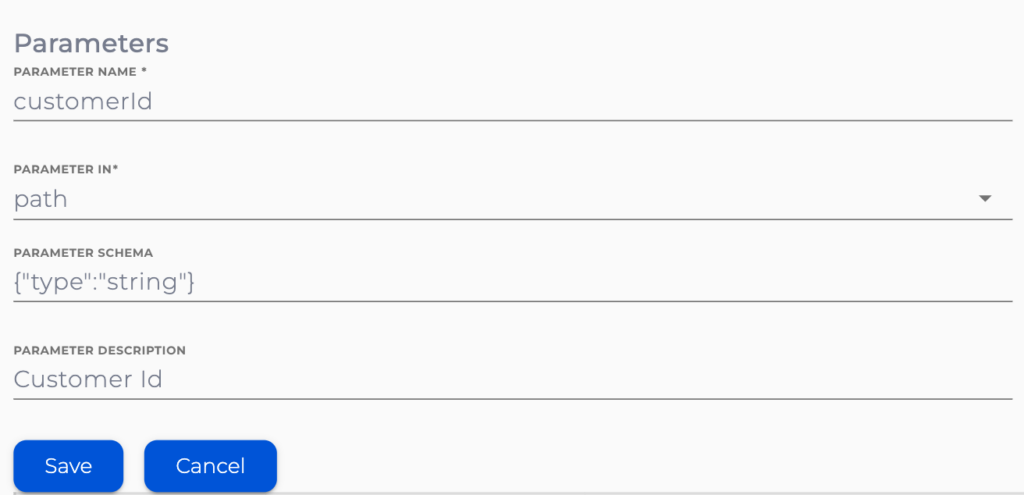
Multiple request parameters can be configured with “Add Parameter” button.
Specify how the parameter is passed to the http server, the schema of the parameter and the description.