Sharing BYOC Provider Accounts
Once a BYOC provider account has been validated after its creation, it can be shared with other member accounts linked to the Instaclustr organization. This enables multiple teams or accounts to create clusters using the same connected AWS account without needing to repeat the setup process.
Prerequisites
- You must be an Organization Owner
- You must be an Account Owner of the member account you’d like to share the BYOC Provider Account with.
- The existing BYOC provider account must be in Validated status
- The member accounts you want to share with must already exist within your organisation
Sharing a Provider Account via Console
- Go to Organisation Settings → BYOC
- Click Share Provider Account
- Select the provider account you want to share
- Select the member account to share it with
- Click Share
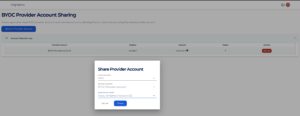
The member accounts can now select this provider account when creating clusters.
A shared provider account can be revoked at any time by clicking the Revoke button next to the member account. Revoking access does not terminate existing clusters — it only prevents the member account from creating new clusters using this provider account.
