AWS FSx for NetApp ONTAP Snapshotting
This article describes AWS FSx for NetApp ONTAP volume snapshots for Instaclustr-managed PostgreSQL clusters. Volume snapshots provide fast, point-in-time copies of your cluster data on FSx storage. They are separate from the pgBackRest backups described in the Backup article, which upload data to cloud object storage.
Prerequisites
To use FSx ONTAP volume snapshots, you need:
-
A PostgreSQL cluster provisioned on AWS with an FSx for NetApp ONTAP backed node size.
-
The FSx snapshot feature enabled for your account.
-
Access to the Backups & Snapshots page for your cluster in the Instaclustr Console.
On eligible clusters, the Backups & Snapshots page includes Snapshot and Snapshot Settings tabs in addition to the standard backup tabs. Standard (non-FSx) PostgreSQL clusters do not show these tabs.
What is an FSx ONTAP Snapshot?
An AWS FSx for NetApp ONTAP snapshot is a point-in-time image of an ONTAP volume. Snapshots are created using ONTAP pointer-based copy-on-write technology, so they are near-instantaneous regardless of volume size and store only the blocks that differ from the active volume.
Low-overhead snapshots are ideal for online backup and for creating new clusters quickly from an existing snapshot. For more information, see How AWS FSx for NetApp ONTAP snapshots work.
Note: FSx ONTAP volume snapshots are not the same as pgBackRest backups. pgBackRest backups upload PostgreSQL data to external object storage for disaster recovery. FSx ONTAP snapshots remain on your FSx storage and are used for fast local recovery workflows such as forking a cluster from a snapshot.
User-Triggered Snapshots
You can create an FSx ONTAP volume snapshot on demand at any time. These instructions assume you have already provisioned a PostgreSQL cluster in accordance with the steps in Creating a PostgreSQL Cluster.
-
After signing into the Instaclustr Console, open the PostgreSQL cluster you want to snapshot.
-
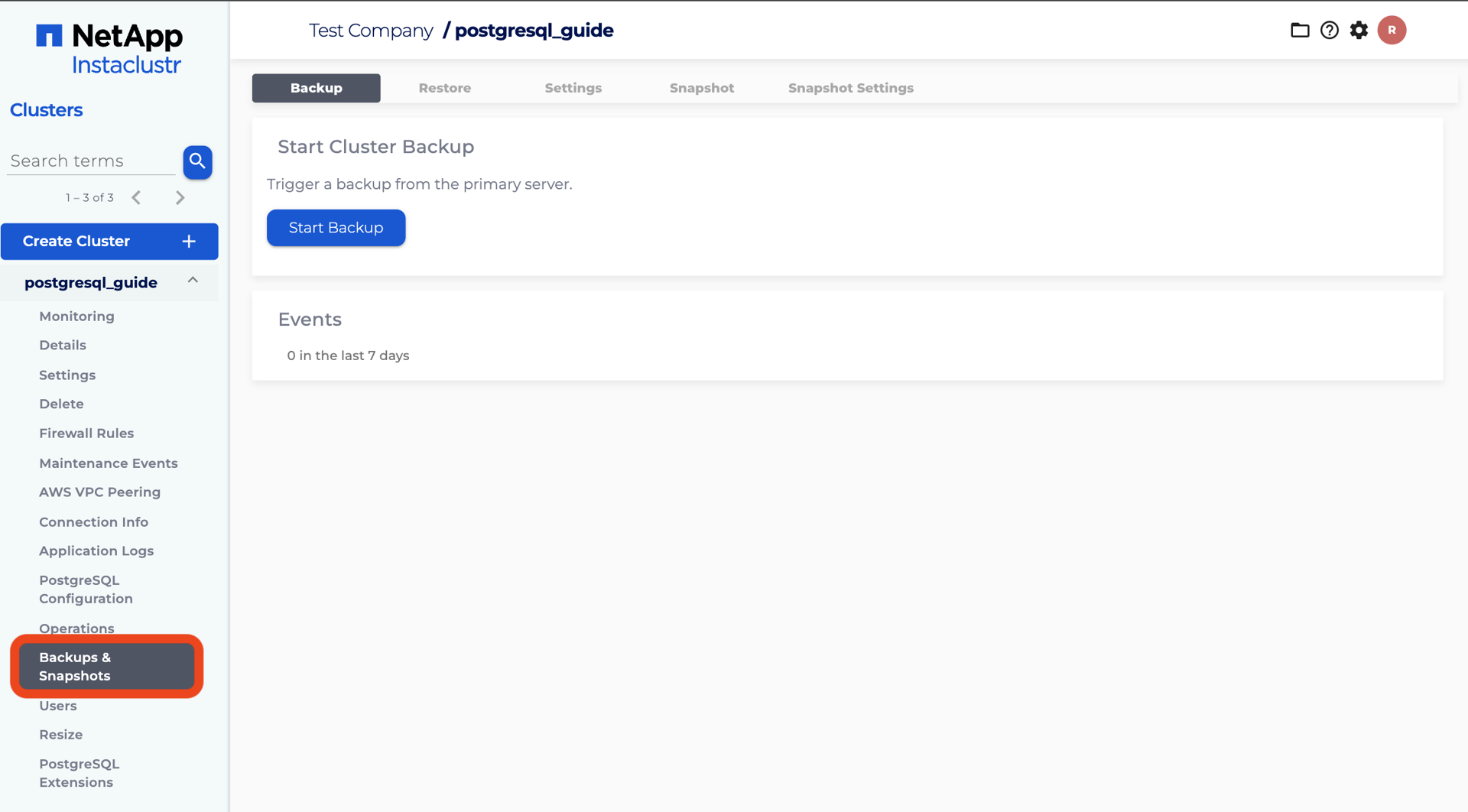
Click Backups & Snapshots in the cluster navigation menu.
-
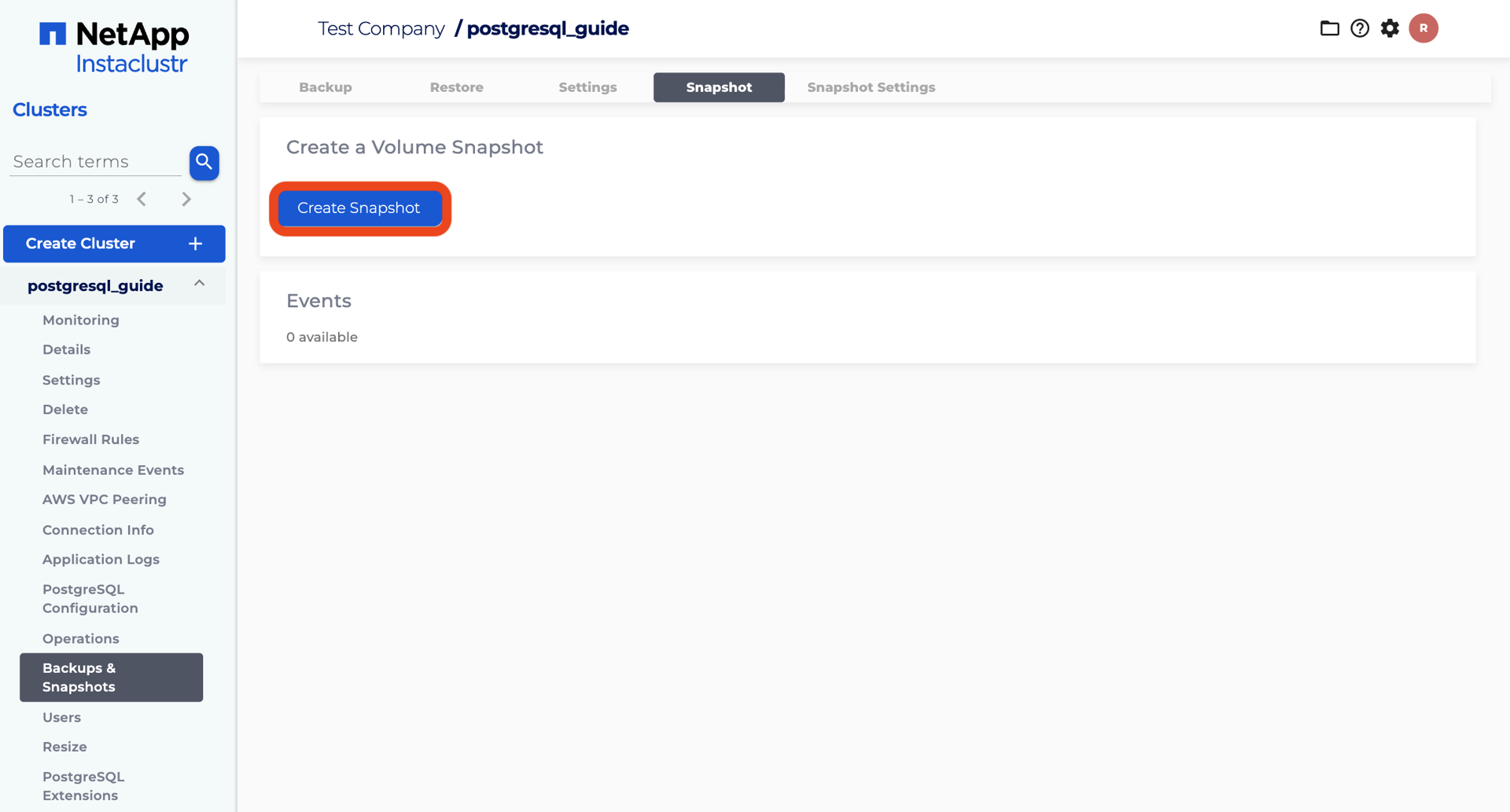
Click the Snapshot tab.
-
Click Create Snapshot to trigger a cluster-wide FSx ONTAP volume snapshot.
-
A message appears stating “Snapshot triggered across cluster.” When the snapshot completes, a new entry appears in the Events table with columns for Snapshot Identifier, Date, and State.
The Snapshot Identifier is the cluster snapshot ID you use when deleting a snapshot or forking a cluster. While a snapshot is in progress, the State column shows a progress indicator. When the snapshot completes, the state changes to completed.
Please note that snapshot functionality is also available via the Instaclustr Cluster Management API within the provisioning section for PostgreSQL.
Configurable Snapshot Schedules
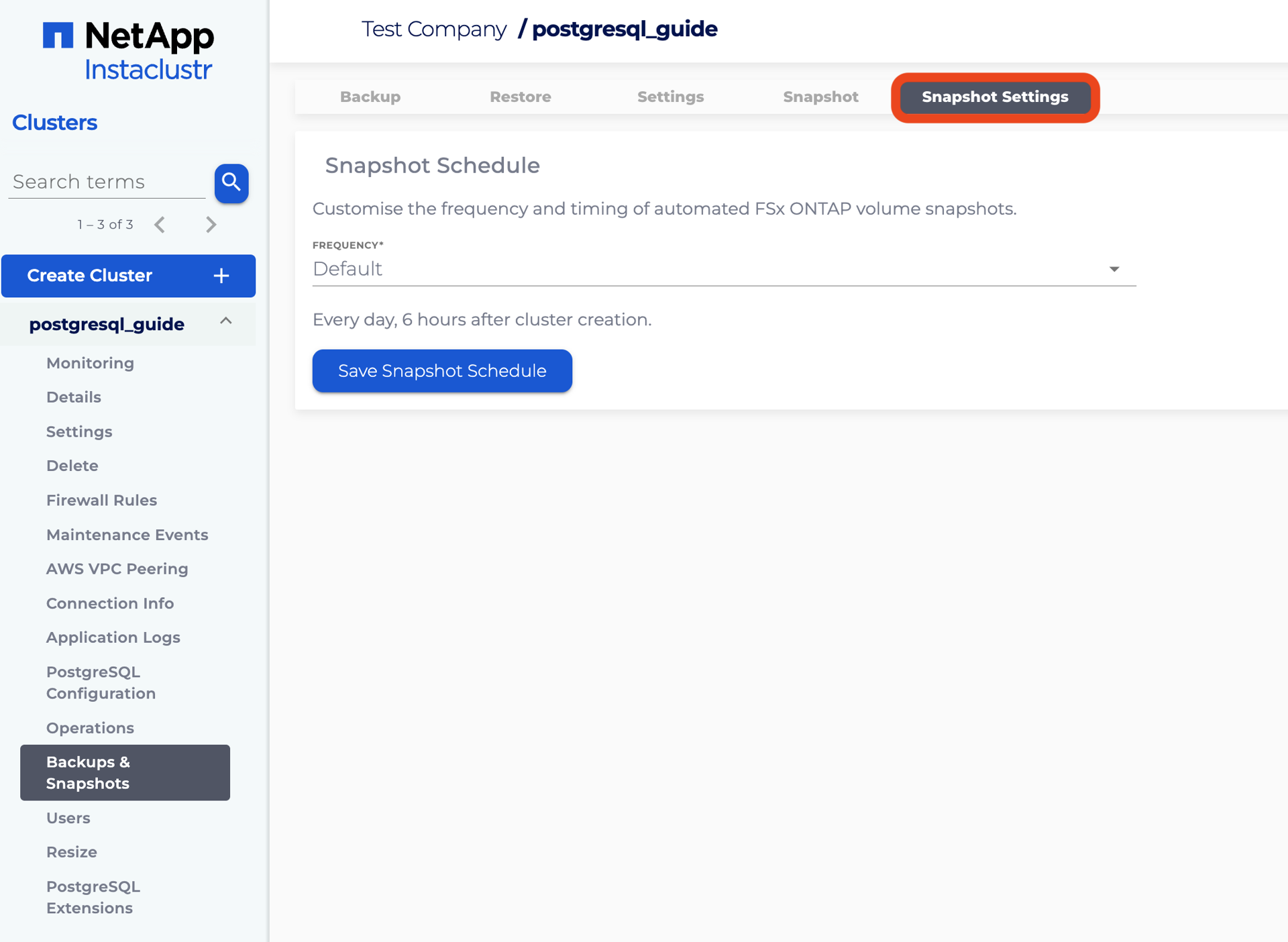
In addition to on-demand snapshots, you can configure an automated snapshot schedule for your FSx ONTAP PostgreSQL cluster. To configure a custom snapshot schedule, go to Backups & Snapshots → Snapshot Settings.
The Snapshot Settings tab is separate from the Settings tab on the same page. The Settings tab configures pgBackRest backup schedules only. The Snapshot Settings tab configures FSx ONTAP volume snapshot schedules only.
The Snapshot Schedule form on this tab lets you customise the frequency and timing of automated FSx ONTAP volume snapshots.
On the Snapshot Settings tab:
-
Select a Frequency from the available options:
-
Default — Instaclustr takes a snapshot every day, 6 hours after cluster creation.
-
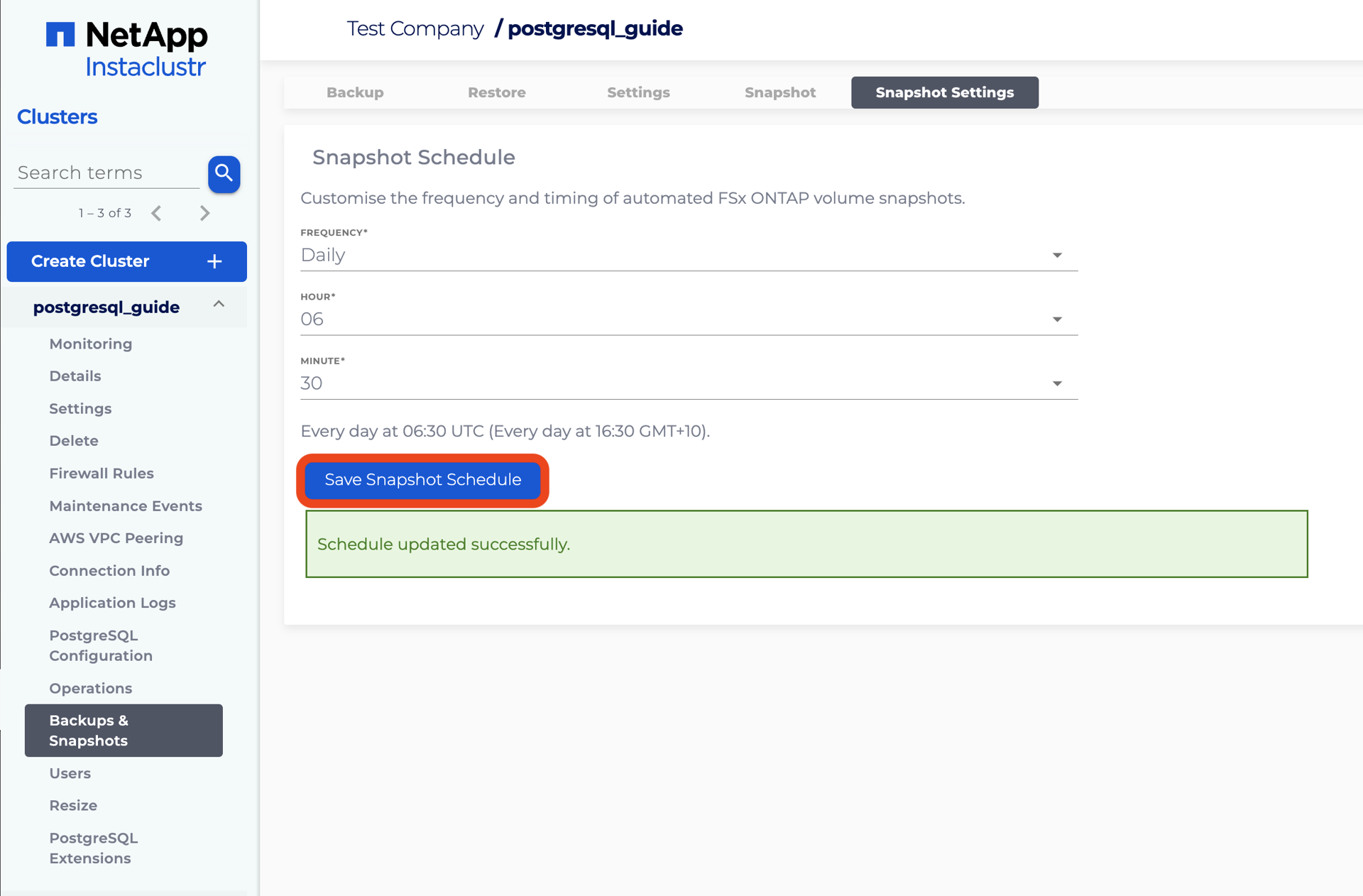
Daily — Specify an Hour and Minute in UTC for the snapshot to run. Your local time is also displayed for convenience, but the schedule runs to UTC time so it is not affected by changes such as daylight saving.
-
Hourly — Select an Interval of 1, 6, or 12 hours.
-
-
Review the schedule description shown below the form fields to confirm when snapshots will run.
-
Click Save Snapshot Schedule.
To revert to the Instaclustr default schedule, set Frequency to Default and save. This removes your custom schedule and restores the default behaviour of one snapshot per day, 6 hours after cluster creation.
Please note that snapshot schedule functionality is also available via the Instaclustr Provisioning API using backup schedules with backup type POSTGRESQL_LOCAL_SNAPSHOT.
Snapshot Retention and Reserve Space
Configuring a snapshot schedule controls when snapshots are created. It does not guarantee how long individual snapshots are retained.
FSx ONTAP snapshots consume space from the ONTAP volume snapshot reserve. When the snapshot reserve fills, ONTAP can automatically delete older snapshots to make room for new ones. This means snapshots may be deleted earlier than you expect, even if you have configured a regular snapshot schedule.
For FSx ONTAP Gen 2 (NVMe/TCP) node sizes, Instaclustr configures each ONTAP volume with a 20% snapshot reserve and automatic snapshot deletion enabled when the volume is provisioned. This reserve protects active data from being exhausted by snapshot growth, but it also means older snapshots are removed when the reserve is full.
Important: Do not treat your snapshot schedule as a fixed retention period. If you need snapshots to remain available for a minimum length of time, ensure your snapshot frequency and data change rate leave sufficient reserve space, or contact Instaclustr Support for guidance.
Factors that affect how long snapshots remain available include:
-
How frequently snapshots are taken (on-demand and scheduled).
-
How much data changes on the volume between snapshots.
-
The size of the ONTAP snapshot reserve relative to your data and snapshot count.
Deleting Snapshots
You can permanently delete an ad-hoc snapshot from the Snapshot tab when you no longer need it.
-
Scroll to the Delete Snapshot section on the Snapshot tab.
-
Enter the Cluster Snapshot ID to delete for the ad-hoc snapshot you want to remove.
-
Read the warning notice. Deleting a snapshot permanently destroys the data contained within it. This operation cannot be undone. Snapshots that have clusters forked from them cannot be deleted.
-
Click Delete Snapshot.
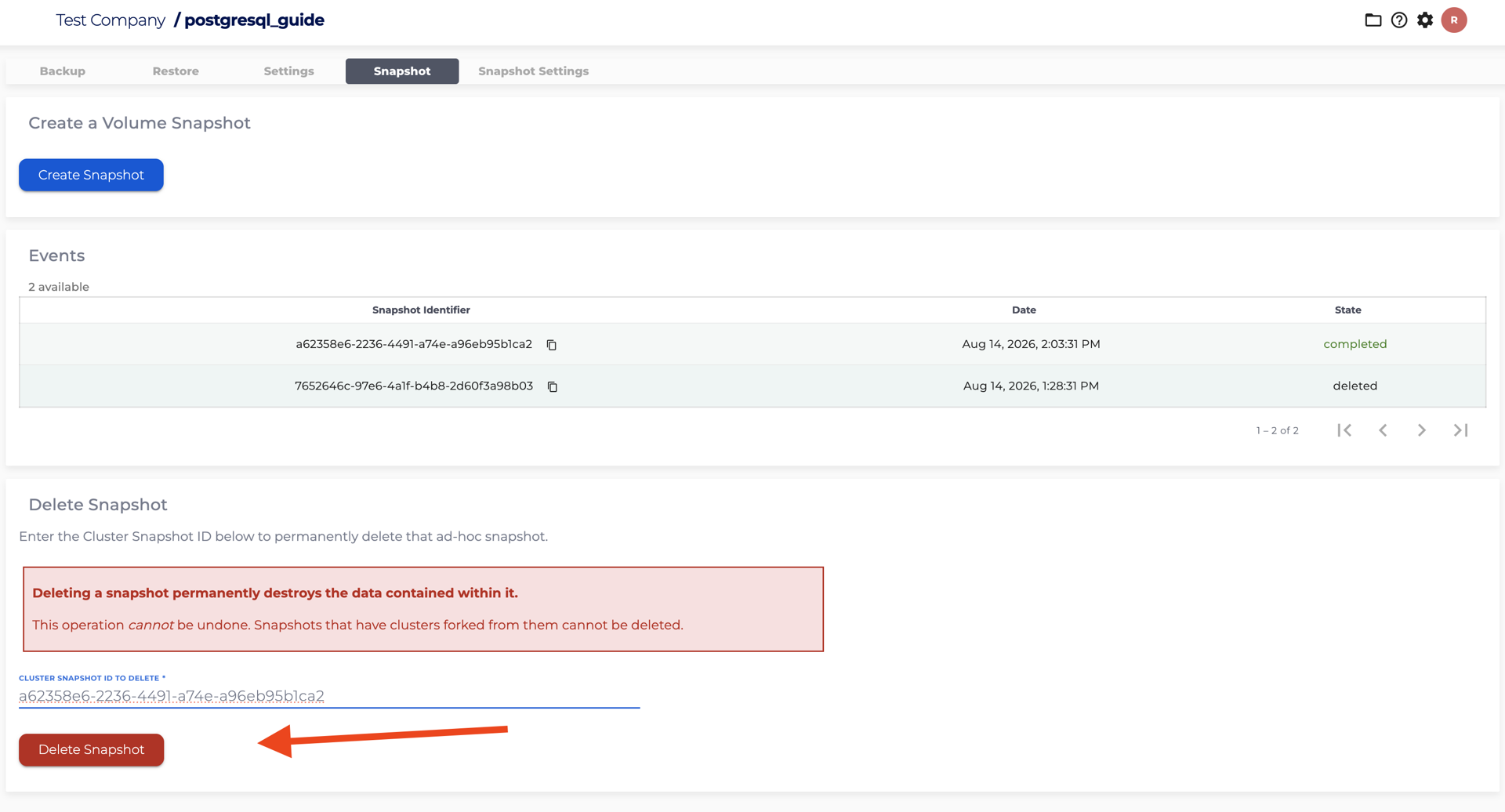
A message appears when snapshot deletion is requested. When deletion completes, the snapshot state in the Events table updates accordingly.
Relationship to Backups and Forking
Instaclustr provides two complementary data protection mechanisms for PostgreSQL clusters:
-
pgBackRest backups — Daily full backups and WAL archiving to cloud object storage, as described in the Backup article. Use these for disaster recovery and point-in-time restore via the Restore article.
-
FSx ONTAP volume snapshots — Fast, local point-in-time copies on FSx storage. Use these to fork a new PostgreSQL cluster from an existing snapshot.
To fork a new cluster from a completed FSx ONTAP snapshot, use the Fork tab on the Backups & Snapshots page. We recommend reviewing AWS FSx for NetApp ONTAP Fast Forking as a next step.
API Access
Snapshot and snapshot schedule functionality is available via the Instaclustr APIs:
-
Trigger a snapshot — POST to the PostgreSQL cluster trigger-backup endpoint with
|
1 |
{ "type": "snapshot" } |
-
List snapshots — GET the PostgreSQL cluster list-backups endpoint.
-
Manage snapshot schedules — Use the backup schedules API with backup type POSTGRESQL_LOCAL_SNAPSHOT:
-
List schedules:
-
|
1 |
GET /provisioning/v1/{clusterId}/backup-schedules?backupType=POSTGRESQL_LOCAL_SNAPSHOT |
-
-
Create a schedule:
-
|
1 |
POST /provisioning/v1/{clusterId}/backup-schedules |
-
-
Delete a schedule:
-
|
1 |
DELETE /provisioning/v1/{clusterId}/backup-schedules/{scheduleId} |
Refer to the Instaclustr Provisioning API documentation for full request and response details.
Please contact [email protected] for any further inquiries.
