


Creating a PostgreSQL Cluster with AWS FSx for NetApp ONTAP
Instaclustr supports AWS FSx for NetApp ONTAP by introducing node sizes that use AWS FSx for NetApp ONTAP as their storage. You can follow this page Creating a PostgreSQL Cluster to create a PostgreSQL cluster using Amazon Web Services as the cloud provider until you see the following Data Centre page.
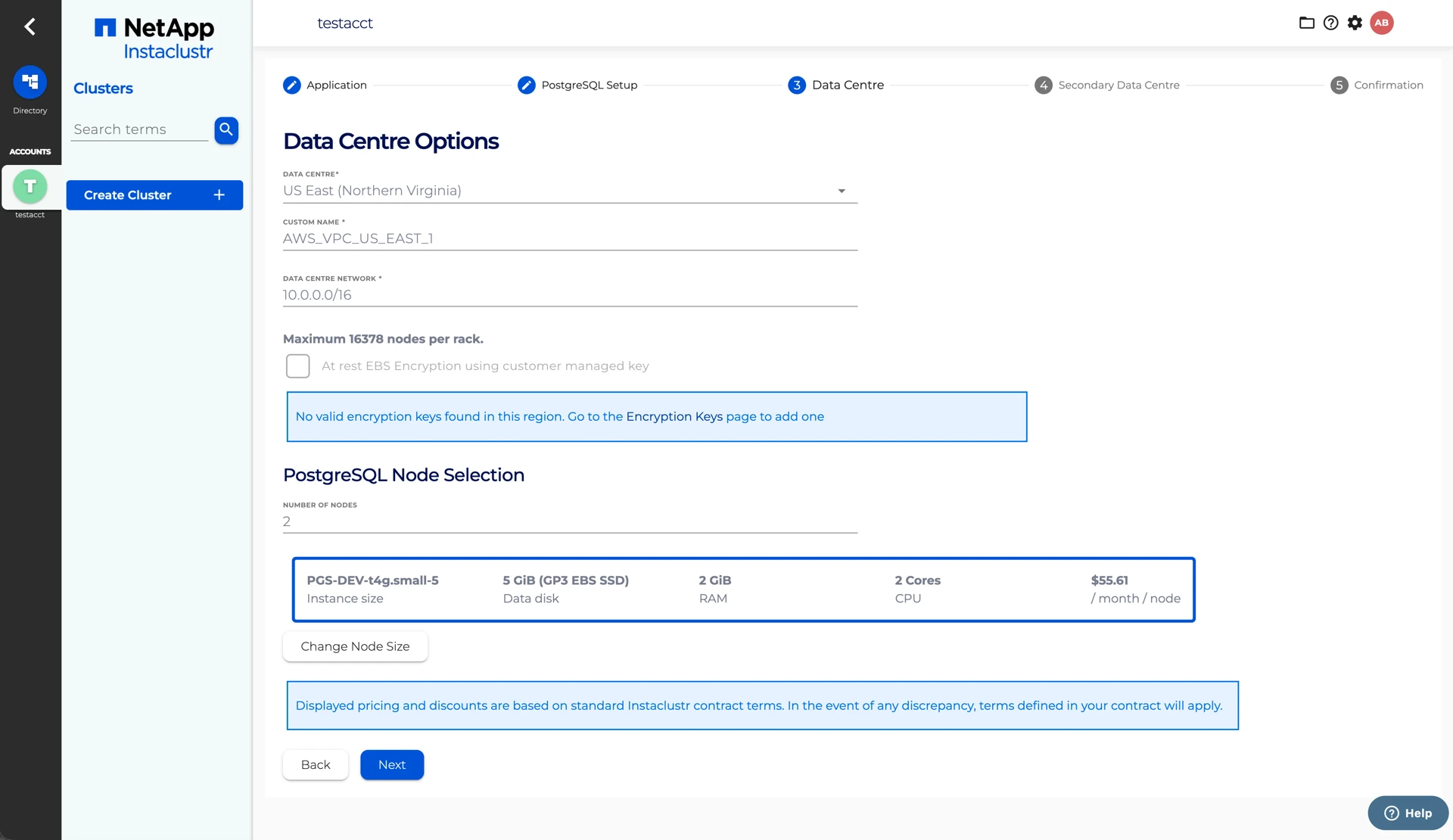
You can specify the AWS FSx for NetApp ONTAP backed node sizes for your cluster by clicking on the Change Node Size button, which will show you a list of available options. If you choose to provision a multi-node cluster, there will be one primary node and the remaining nodes will be used for data replication. All the AWS FSx for NetApp ONTAP backed node sizes are annotated with FSx ONTAP Gen2.
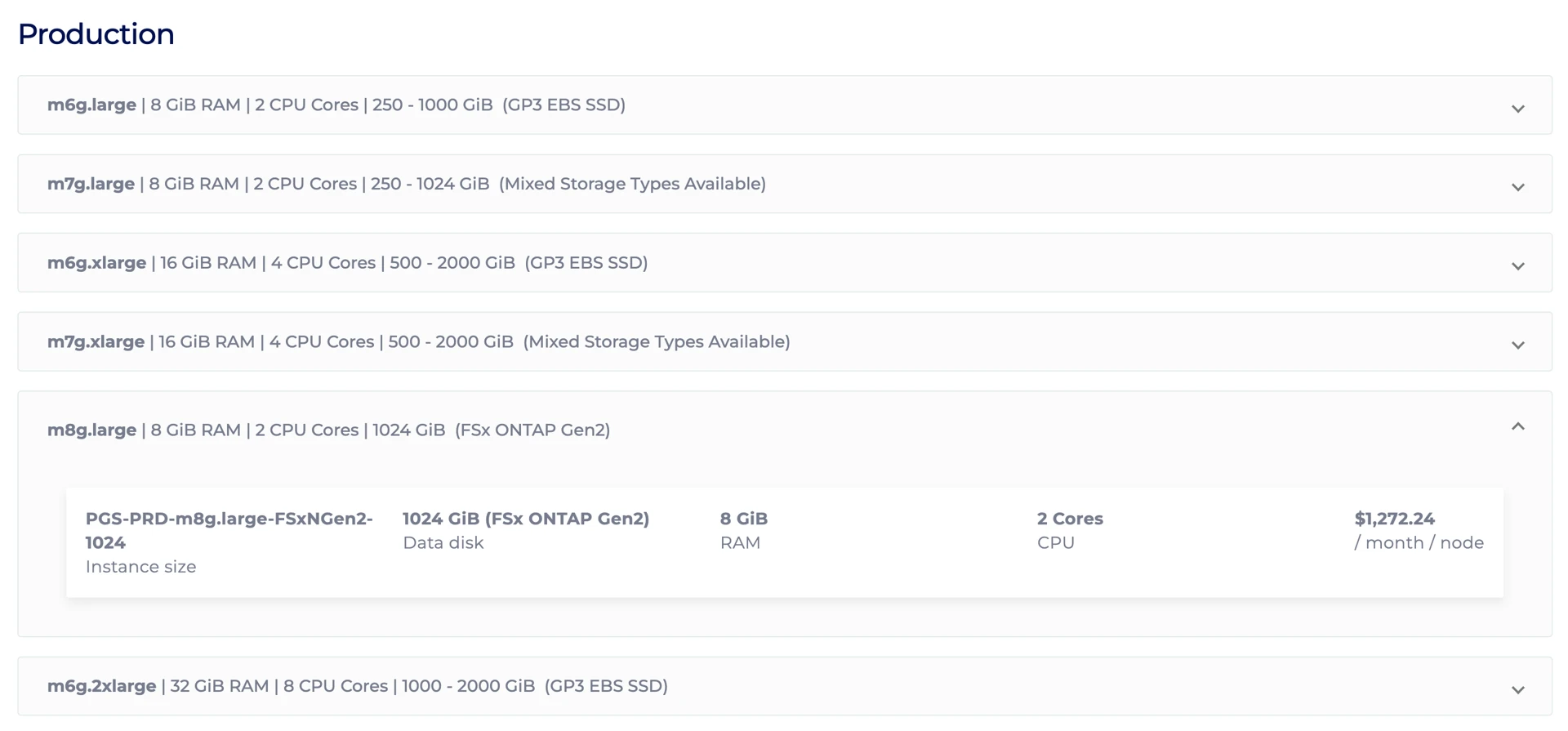
When provisioning AWS FSx for NetApp ONTAP node sizes, a Storage Subnet must be specified in addition to the Data Centre Network. The Storage Subnet must not intersect with the Data Centre Network. This Storage Subnet is the delegated subnet used by AWS FSx for NetApp ONTAP within the AWS VPC. The default value of the Storage Subnet is a CIDR range next to your Data Centre Network, which always works if you are creating a cluster using Instaclustr’s account. If you are creating a cluster using Bring Your Own Cloud (BYOC) with a custom VPC, you need to specify a CIDR range that does not already exist in your VPC.
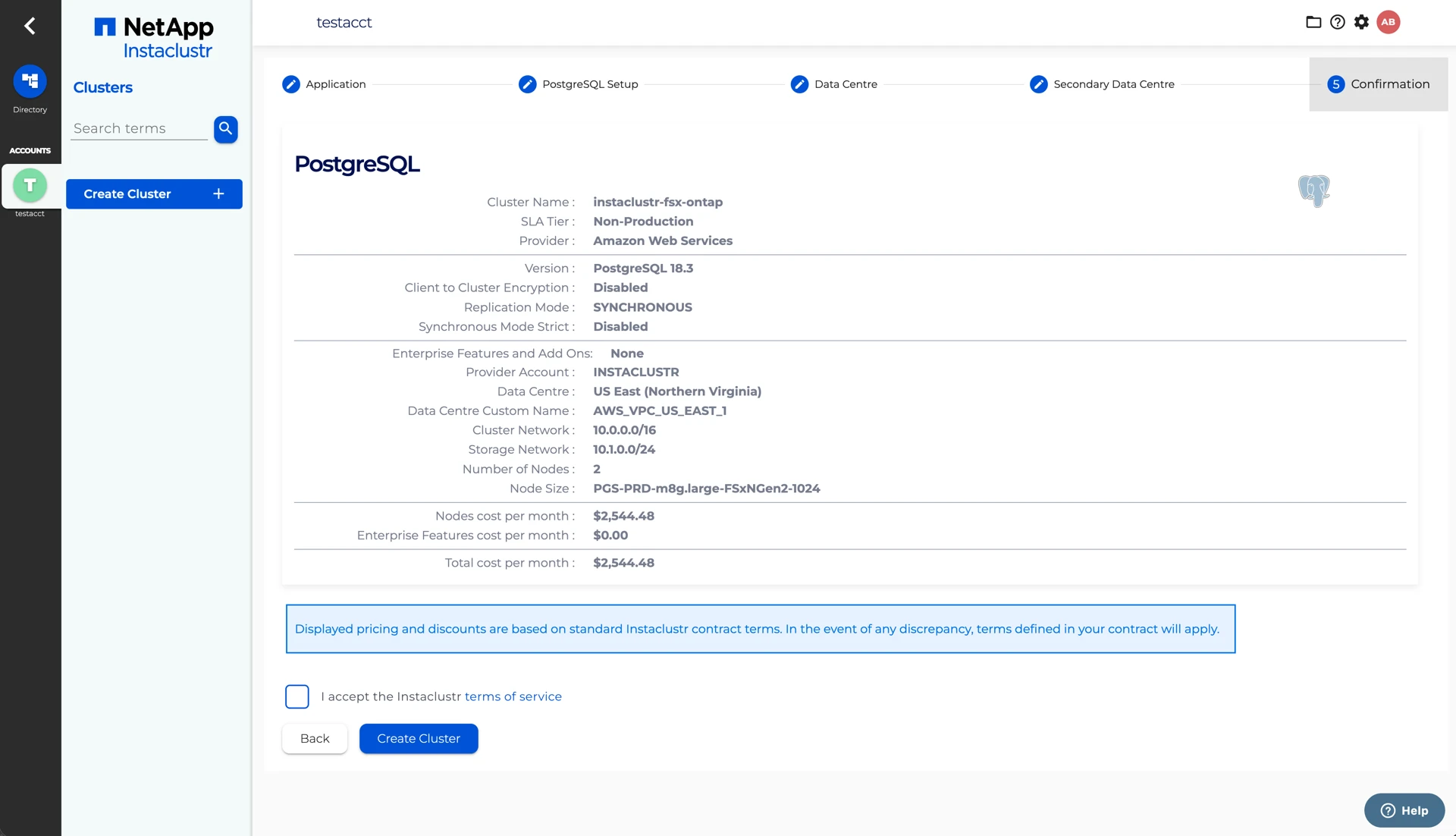
The Confirmation page displays a brief summary of your cluster configurations and pricing details. Ensure the Node Size on the Confirmation page has FSxN in it. Click the Terms of service link to open the Instaclustr terms of service. After reading the document, select the checkbox to accept the terms of service. Once you are happy with the cluster configuration and have accepted the terms of service, click the Create Cluster button to start provisioning the cluster.
Volume Recovery Queue
By default, AWS FSx for NetApp ONTAP retains deleted volumes in a recovery queue for up to 24 hours before permanently removing them, rather than destroying them immediately.
Instaclustr disables this recovery queue, so deleted volumes are destroyed immediately rather than held for the 24-hour retention period. We do this so that we may fulfil your provisioning requests in a prompt manner. Contact support if you’d like to know more.
