


AWS FSx for NetApp ONTAP Fast Forking
Prerequisites
You need a PostgreSQL cluster with AWS FSx for NetApp ONTAP backed node sizes to use the AWS FSx for NetApp ONTAP Fast Forking feature. Please read Creating a PostgreSQL Cluster with AWS FSx for NetApp ONTAP for further information.
AWS FSx for NetApp ONTAP is only available on AWS (Bring Your Own Cloud and Instaclustr-managed accounts), so this feature is limited to PostgreSQL clusters provisioned on AWS with FSx for NetApp ONTAP storage. The Fast Forking feature is limited to Bring Your Own Cloud (BYOC) clusters only.
AWS FSx for NetApp ONTAP Snapshots
An AWS FSx for NetApp ONTAP snapshot is a point-in-time file system (volume) image. It is ideal to serve as an online backup. You can use a snapshot to create a new volume (clone), restore a file, or fork a cluster.
This process allows an almost instant duplication of the data, meaning you can fork a cluster in only the time it takes to provision a new PostgreSQL cluster.
Low-overhead snapshots are made possible by the unique features of the underlying NetApp ONTAP volume virtualization technology that powers FSx for NetApp ONTAP. Like a database, this layer uses pointers to the actual data blocks on disk. But, unlike a database, it doesn’t rewrite existing blocks; it writes updated data to new blocks and changes the pointers, thus maintaining the new and the old data. An ONTAP snapshot simply manipulates block pointers, creating a “frozen”, read-only view of a volume that lets applications access older versions of files and directory hierarchies without special programming. Actual data blocks aren’t copied. As such, snapshots are efficient in the time needed to create them; they are near-instantaneous, regardless of volume size. Snapshots are also efficient in storage space; only the delta blocks between snapshots and the active volume are kept.
When forking a cluster, Instaclustr uses the NetApp ONTAP FlexClone capability to create a new, writable volume from a snapshot for each node in the cluster. A FlexClone volume initially shares its data blocks with the snapshot it was created from, so it consumes almost no additional space at creation and only stores the blocks that change after the fork. This is why forking a cluster is near-instantaneous regardless of the size of your data.
For more information, you can read How AWS FSx for NetApp ONTAP snapshots work.
Taking Snapshots
To create snapshots of your PostgreSQL cluster, click the Backups & Snapshots option on the left and then click the Snapshot tab on top.
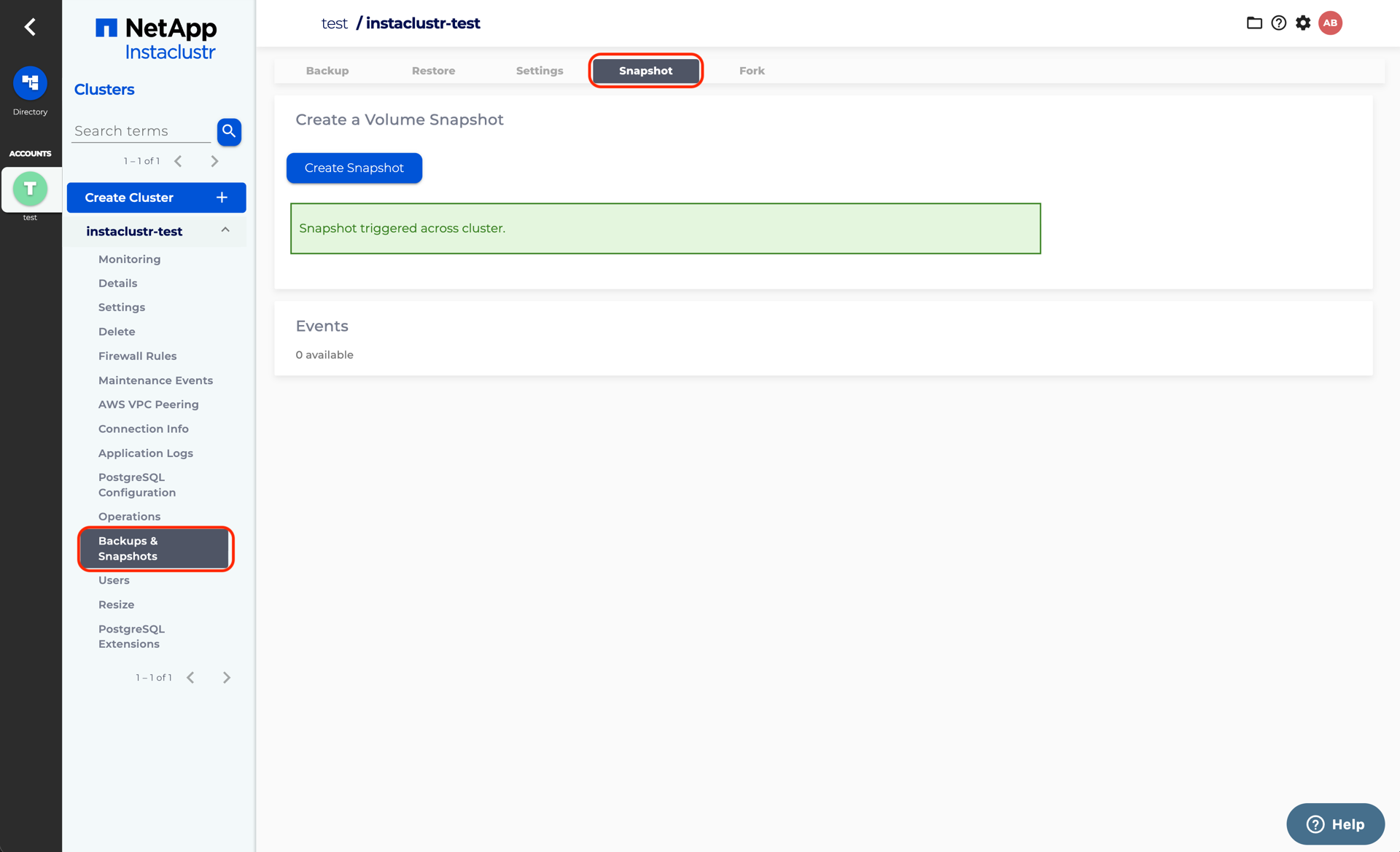
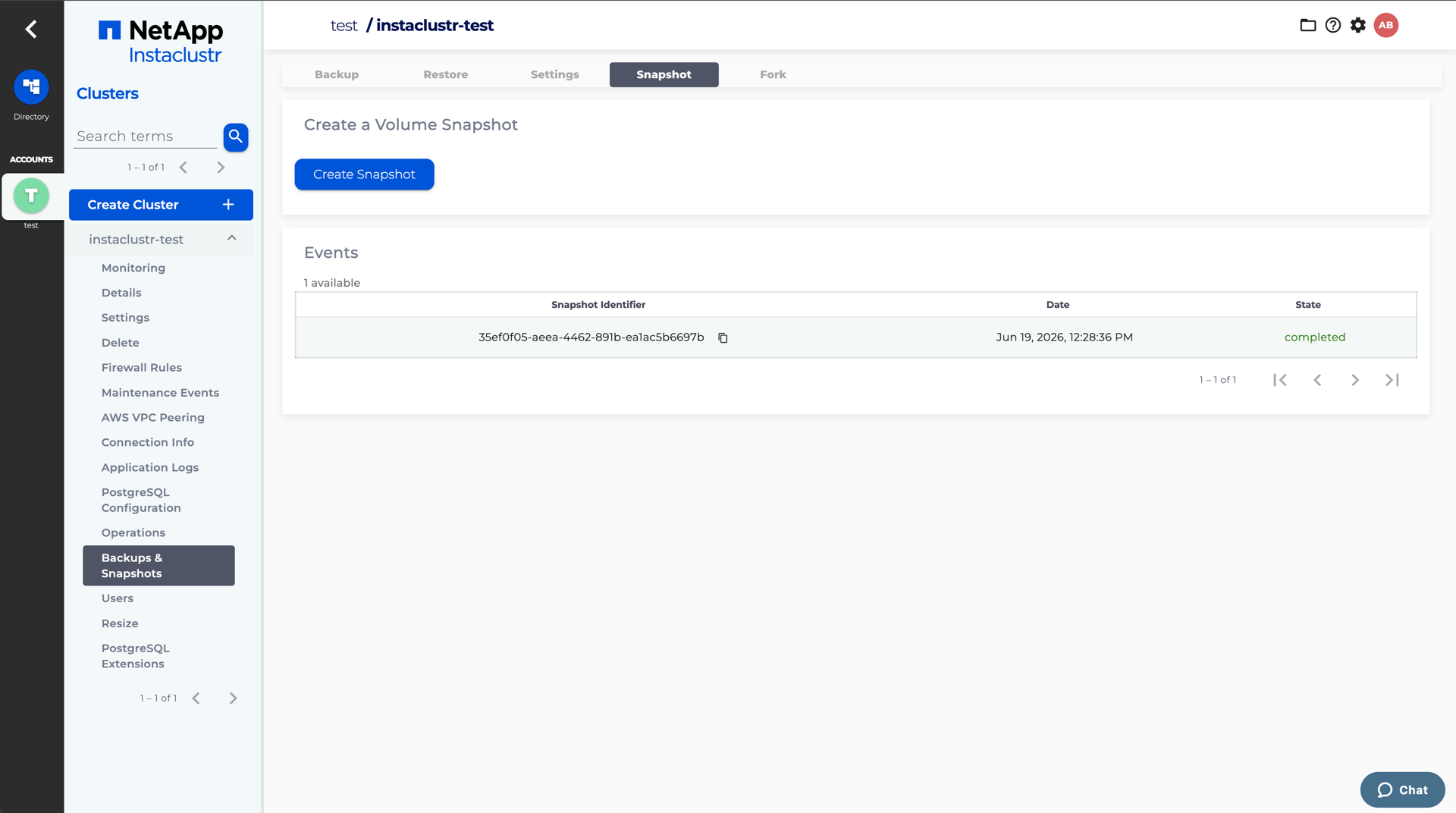
Click the Create Snapshot button to create AWS FSx for NetApp ONTAP snapshots, you should see “Snapshot triggered across cluster.” Wait for a while, you should see an Events table that lists the snapshots you created so far.
Forking a New Cluster Using the Snapshots
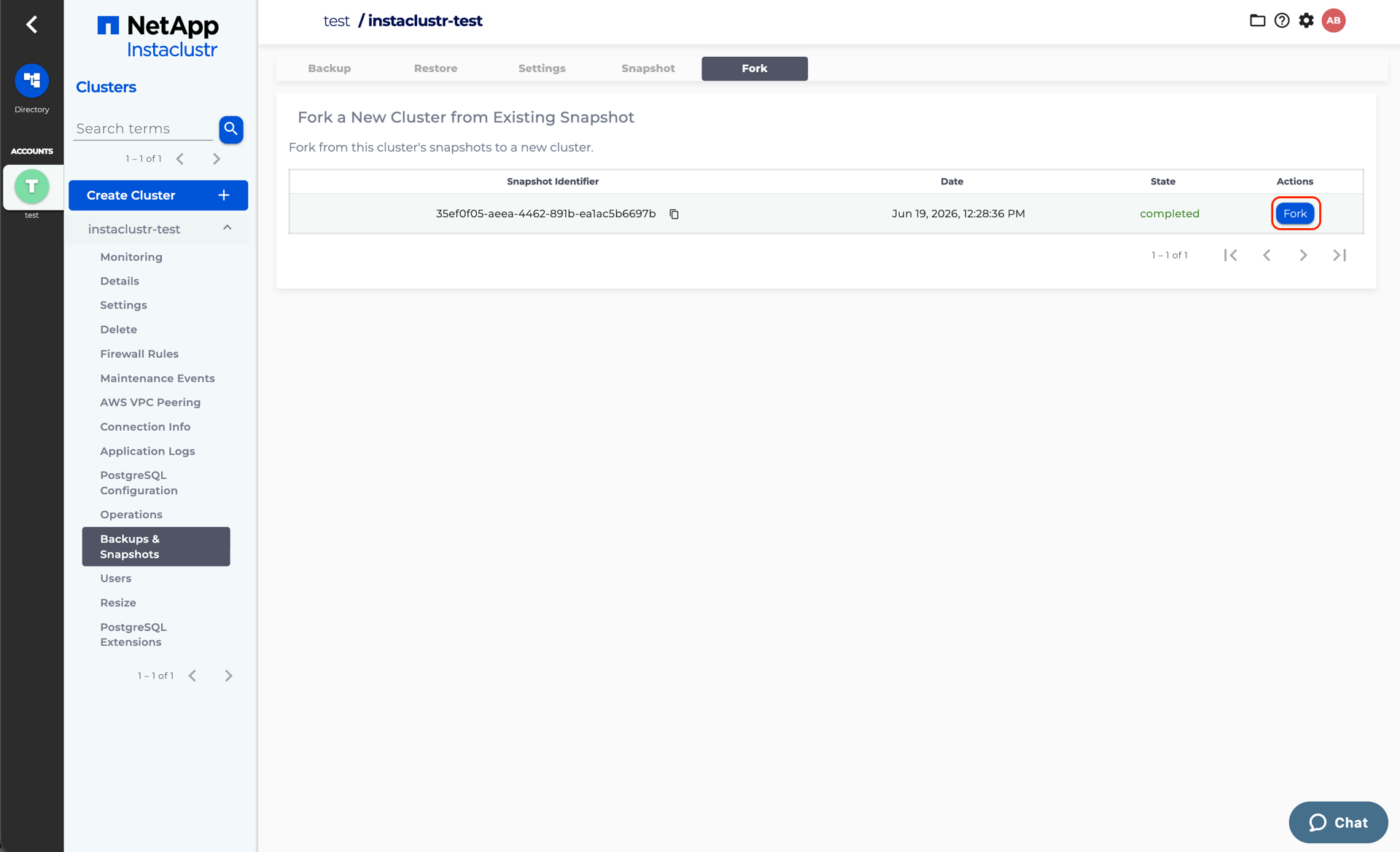
To fork a PostgreSQL cluster with AWS FSx for NetApp ONTAP from your snapshots, go to the Fork tab on top. Choose the snapshot you want and click the Fork button.
You need to specify a Primary Data Centre Network which is used for your new forked cluster. The default value of the Primary Data Centre Network is a CIDR range next to your Cluster Network & Storage Network, which always works if you are creating a cluster using an Instaclustr’s account. If you are creating a cluster using a Bring Your Own Cloud (BYOC) with a custom VPC, you need to specify a CIDR range that does not overlap with any existing subnet in your VPC.
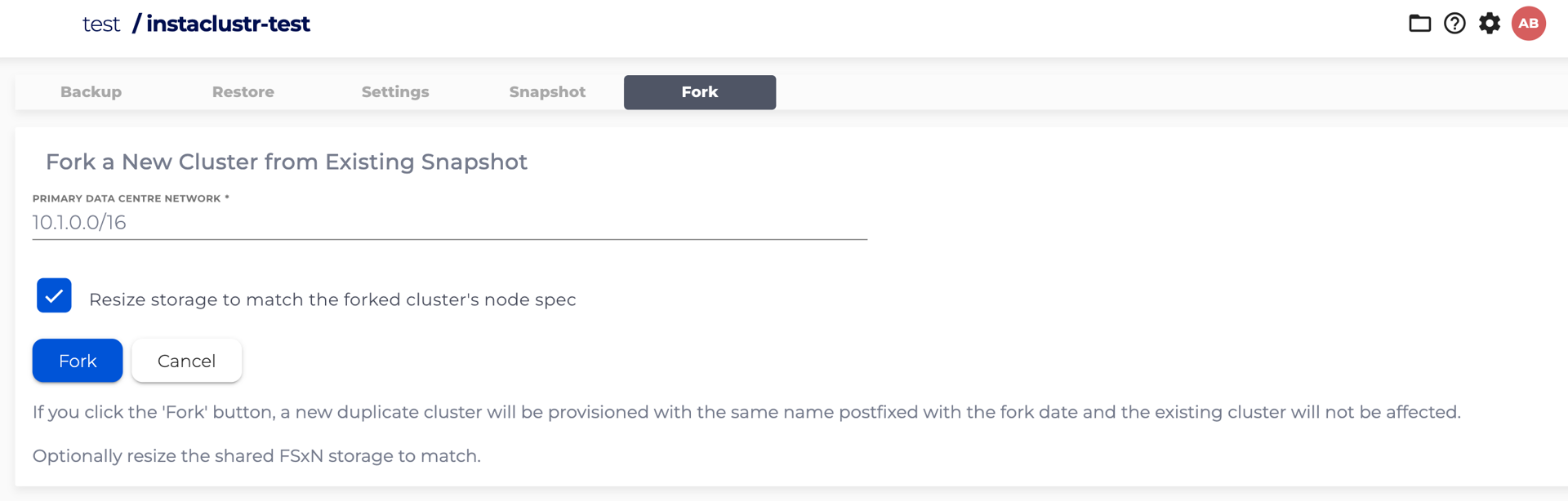
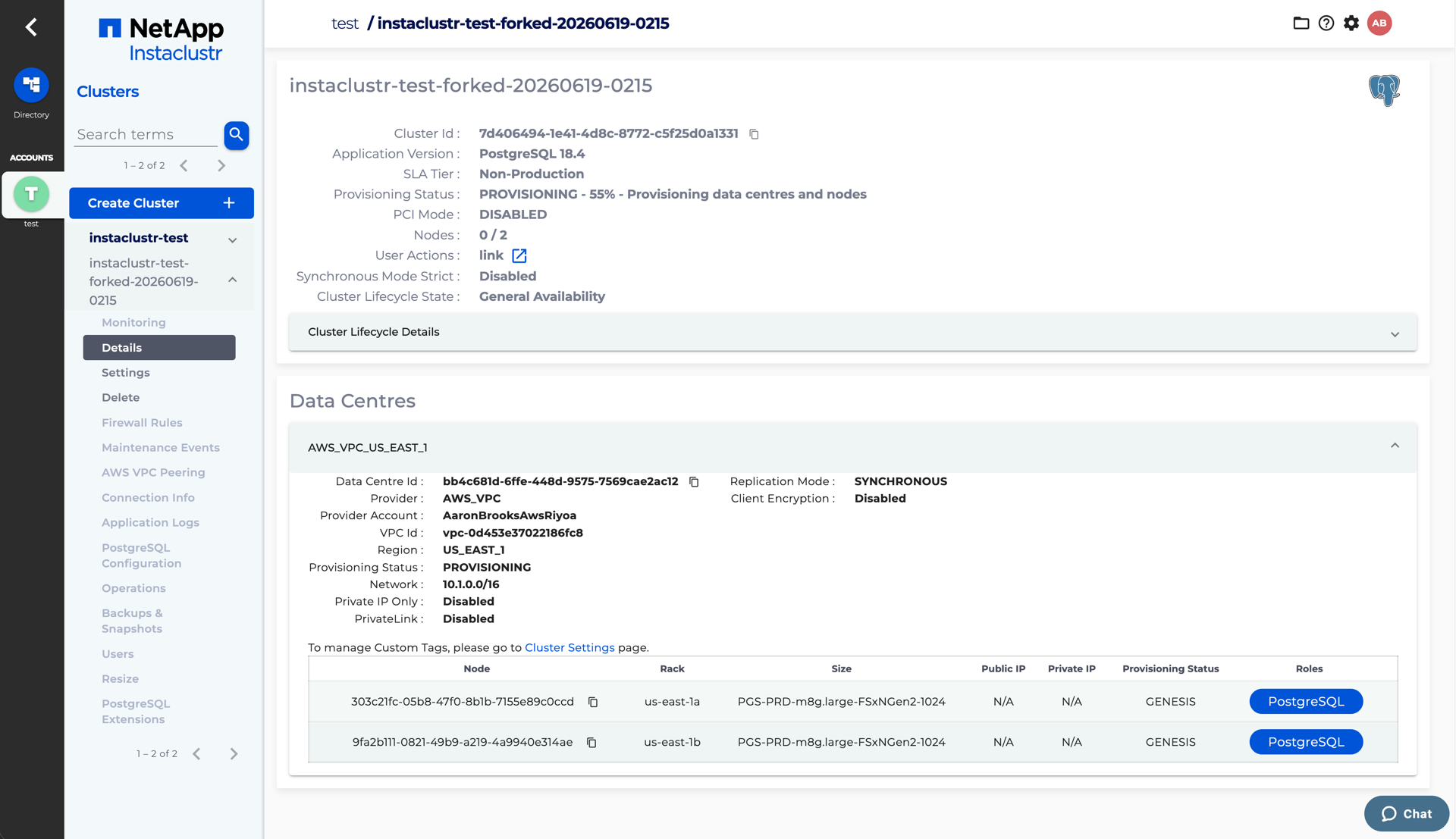
After you click the Fork button, the forked cluster will be created.
Optional Resizing When Forking
You cannot change the node size of a cluster as part of a fork. Resizing in the context of a fork refers specifically to resizing the storage of the forked cluster’s FSx for NetApp ONTAP file system.
When multiple nodes share the same FSx for NetApp ONTAP file system, the file system must be large enough to hold the storage of every node on it. With resizing enabled, the forked file system is provisioned so that its storage size is the sum of the storage of all nodes that share that file system, rather than the size of a single node.
This is an optional behaviour that you can choose when forking:
-
Without resizing – the forked file system keeps the same storage size as the origin file system it was cloned from.
-
With resizing – after the clones are created, Instaclustr resizes each forked file system so that its storage capacity equals the combined storage of all the forked nodes that share it.
A few things to keep in mind:
-
Resizing does not change the CPU or memory allocation of the forked cluster. The throughput and IOPS of the forked file system are adjusted to match its resized storage capacity.
-
The resize is applied to each forked file system and must complete before the corresponding forked node finishes provisioning, so a fork that resizes will generally take longer to come online than a fork without resizing.
-
Resizing changes the FSx for NetApp ONTAP file system capacity; it does not alter the data captured in the snapshot the fork was created from.
Limitations
-
Delay to forked cluster creation – Resizing during a fork adds approximately 30 minutes to the creation time of the forked cluster, because the FSx for NetApp ONTAP file systems must be resized before the forked nodes finish provisioning.
-
Resize frequency – AWS FSx for NetApp ONTAP file systems can only be resized once every 6 hours. As a result, a file system that has been resized (whether by a fork or otherwise) cannot be resized again until that 6 hour window has elapsed.
If you expect to use the forking feature heavily, it is recommended to resize the FSx for NetApp ONTAP file system to its desired final size directly from the AWS console. Because a file system can only be resized once every 6 hours, repeated forks that rely on resizing can quickly hit this limit and block subsequent forks. Resizing the file system up-front to the size you ultimately need lets you fork without resizing each time, avoiding both the 6 hour resize limit and the approximately 30 minute delay that resizing adds to each forked cluster’s creation.
