Horizontal Scaling – Scaling Down
You can reduce the size of your Apache Kafka cluster by removing brokers from it. The brokers to remove are chosen automatically. Existing partitions are moved onto the brokers that remain, and the chosen brokers are deleted only after that move has finished.
Note that throughout this document we will use the terms “Downsizing”, “Downscaling”, “Scaling down” and “Remove nodes” interchangeably. All these terms are used to describe the exercise of removing brokers from your Kafka cluster.
Automated pre-scale checks
Before any brokers are removed, our system checks a specific set of health and capacity metrics to confirm the state of your cluster and its brokers at that point in time. By design, we have no visibility into your workloads. It is your responsibility to make sure that the load on the cluster when you start the operation reflects what you expect it to handle over the coming days. This avoids situations such as needing to add brokers again soon after the downsize has been completed. If you are unsure, please contact Instaclustr Support before removing nodes.
Our system checks that:
- the cluster has no under-replicated partitions, and every broker is running
- the new broker count is a multiple of the cluster’s default replication factor
- no topic has a replication factor higher than the number of brokers that will remain
- the data already on the cluster fits on the remaining brokers, leaving free disk on each
- all Kafka brokers are the same node size
It also looks at recent usage on your brokers and estimates what the remaining brokers would have to carry:
- CPU usage
- Disk usage
- I/O wait
- Network throughput, compared with what the remaining brokers’ disks can sustain
If any check fails, no brokers will be removed. The scaling page names the check that failed, and Instaclustr Support is notified automatically and will investigate.
For example, if you remove 3 of 6 brokers, the remaining 3 carry all the traffic and data, so each is roughly twice as busy as it is today. If a broker is already busy enough that CPU on the remaining brokers would be too high, the operation stops and the Scaling page reports that the projected CPU usage check failed. Disk usage, I/O wait and network throughput work the same way.
Once the checks pass, partitions are moved off the brokers being removed. On large clusters, this can take several hours, depending on partition count and data volume. Brokers are deleted only after this has finished. You can read more about our partition reassignment tool here: Partition Reassignment
Limitations
- Customer-initiated horizontal downscaling is currently supported for clusters with at most 30 Kafka brokers. If your cluster is larger than this, please contact Instaclustr Support.
- Customer-initiated horizontal downscaling currently only supports removing at most 3 brokers at a time. You could, however, trigger another operation after the first one finishes if you do want more than 3 brokers removed. Please contact Instaclustr support if you want more than 3 brokers removed in a single operation.
- Removing nodes isn’t supported for data centres with AWS PrivateLink, Azure Private Link or GCP Private Service Connect. Please contact Instaclustr Support if you wish to remove brokers from such clusters.
How to trigger a Horizontal Scaling Remove Nodes Operation
- To remove nodes from your Kafka cluster, first log in to the Instaclustr Console.
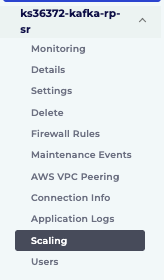
- Click the Scaling button in the menu for the cluster you wish to remove the nodes from.
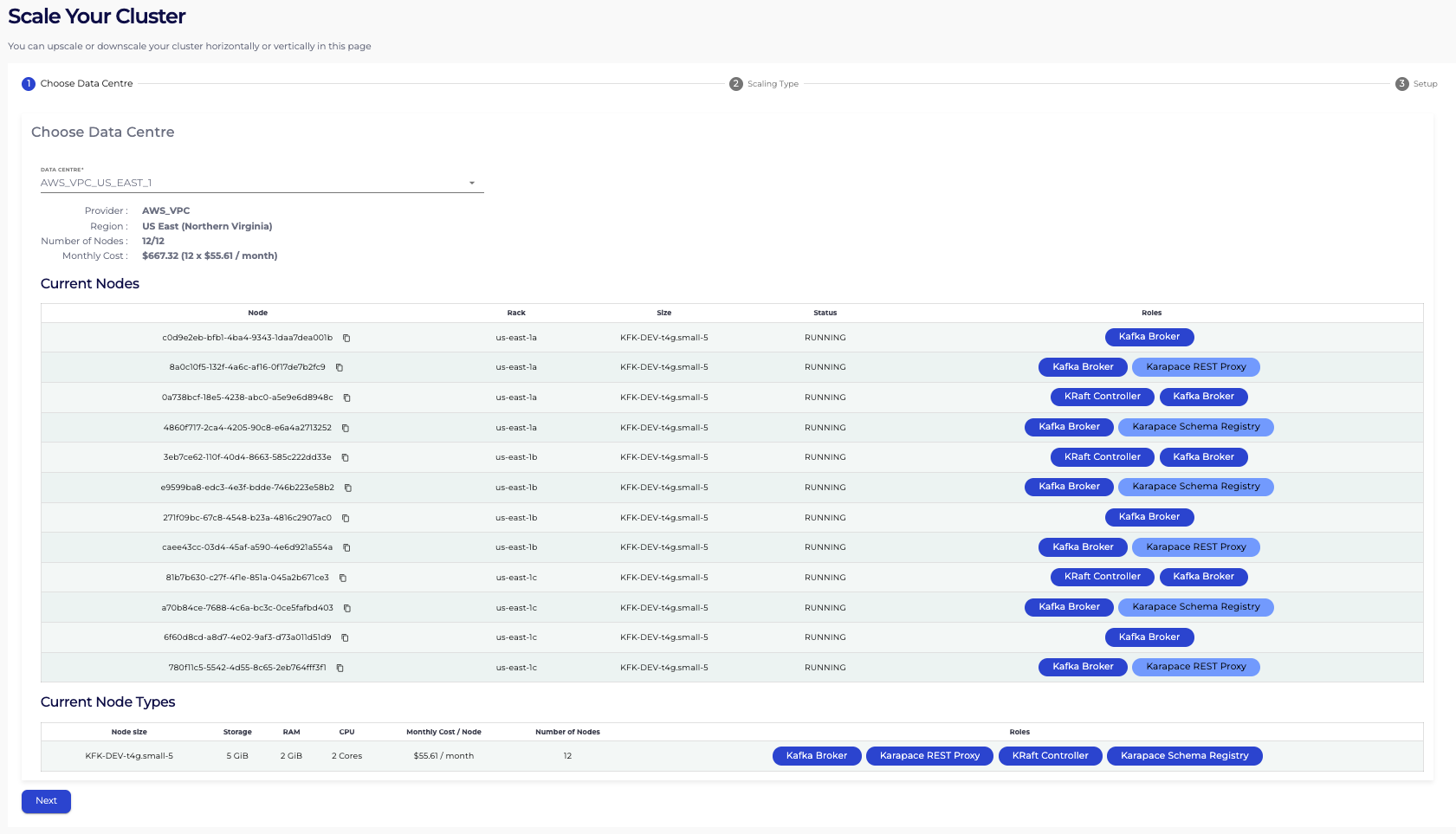
- Now select the Data Centre and hit Next.
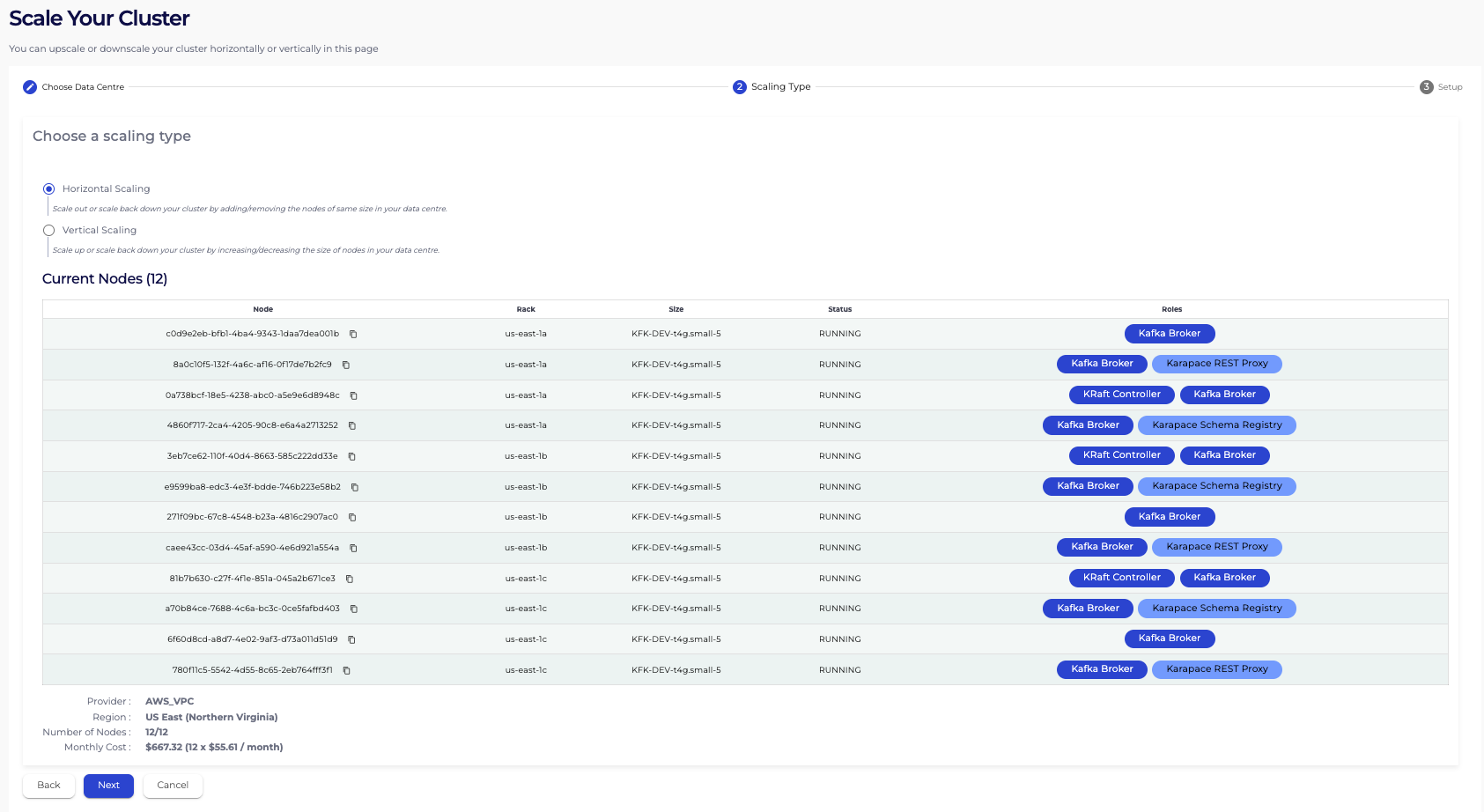
- On the Scaling Type page, select Horizontal Scaling and hit Next.
- Now on the Setup page, update the number of nodes to your target value and hit Resize. The target must be lower than the current number of nodes. The summary shows how many nodes will be removed. The brokers themselves are chosen for you.
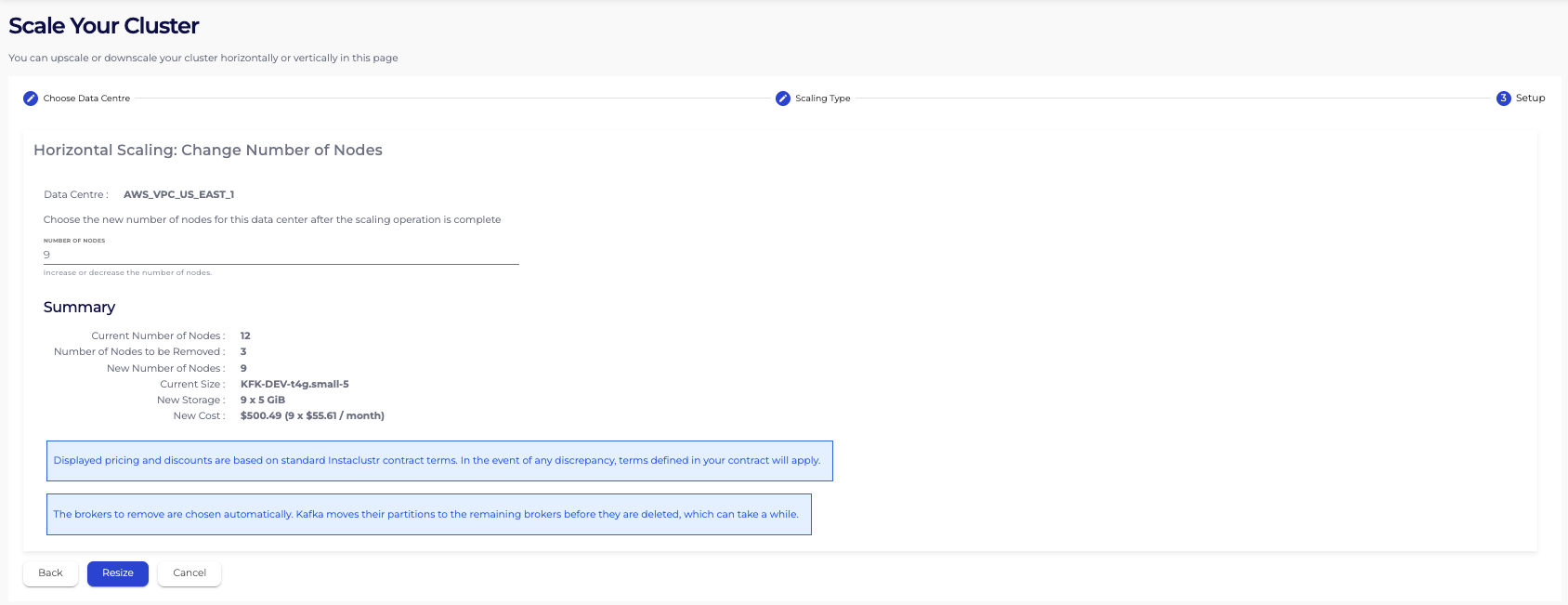
Also note, as mentioned previously, the automated horizontal scaling operation is limited to Kafka clusters which have at most 30 Kafka brokers and when you are trying to remove at most 3 brokers. If your request falls outside of these bounds, please contact Instaclustr Support.
Tracking the progress of a Horizontal Scaling Remove Nodes operation you kicked off
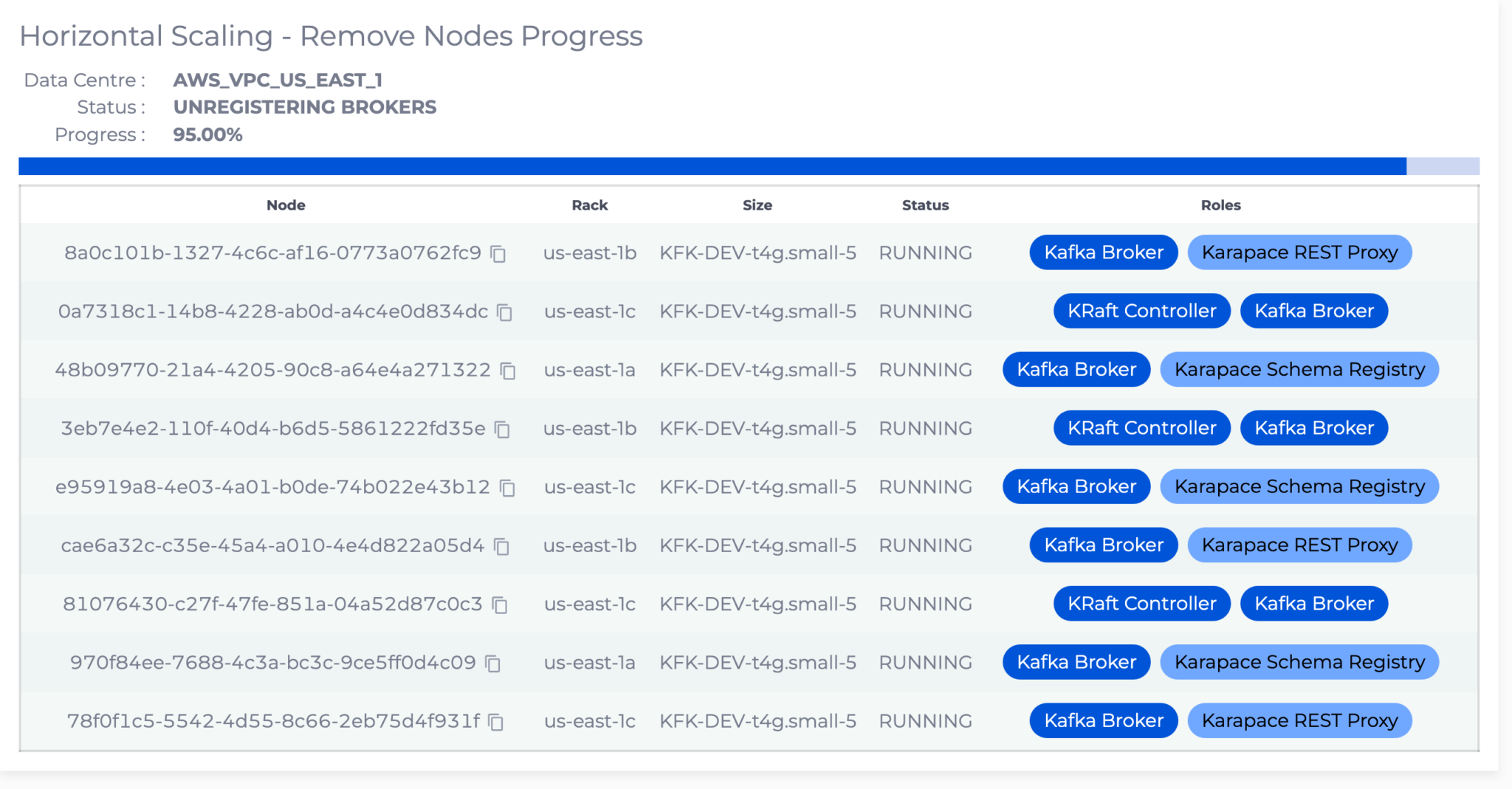
Once you hit Resize, you will be able to see the progress of the horizontal scaling operation that you just started. You can always navigate away from this Scaling page and come back to check the progress of the operation. You will be able to see the operation progress through the following states:
- PRE SCALE CHECKS: Our system evaluates the health of your cluster, and whether the brokers that remain can take the load, before any broker is removed.
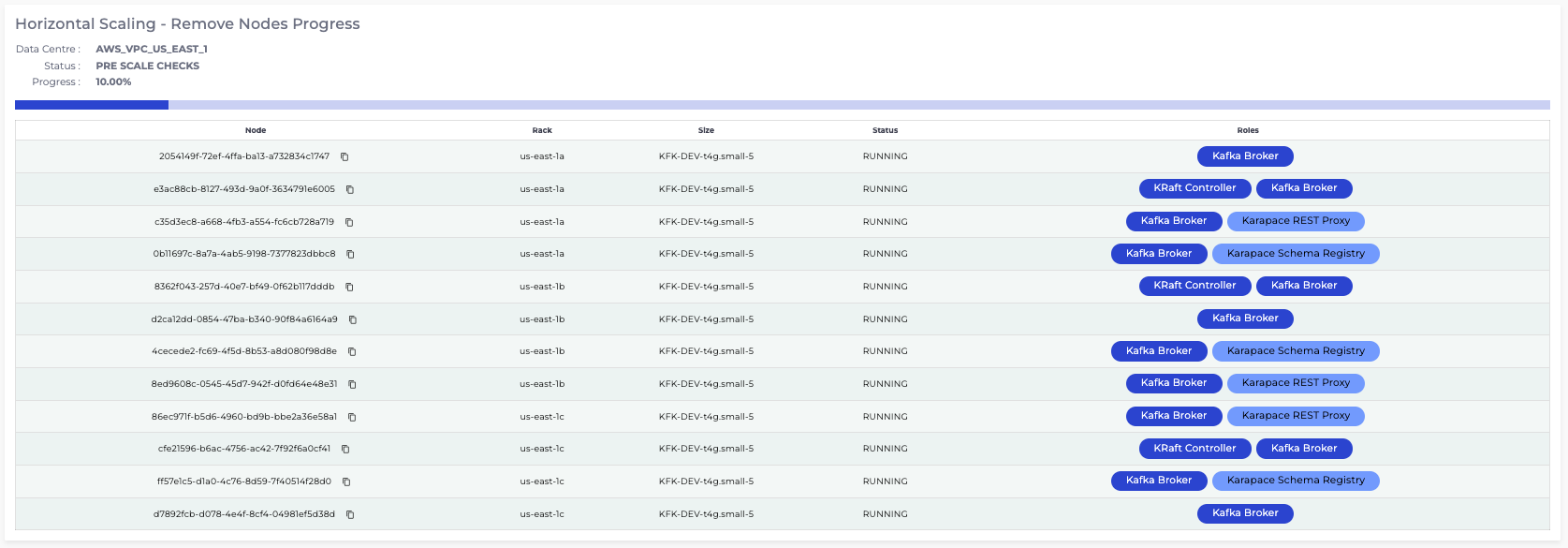
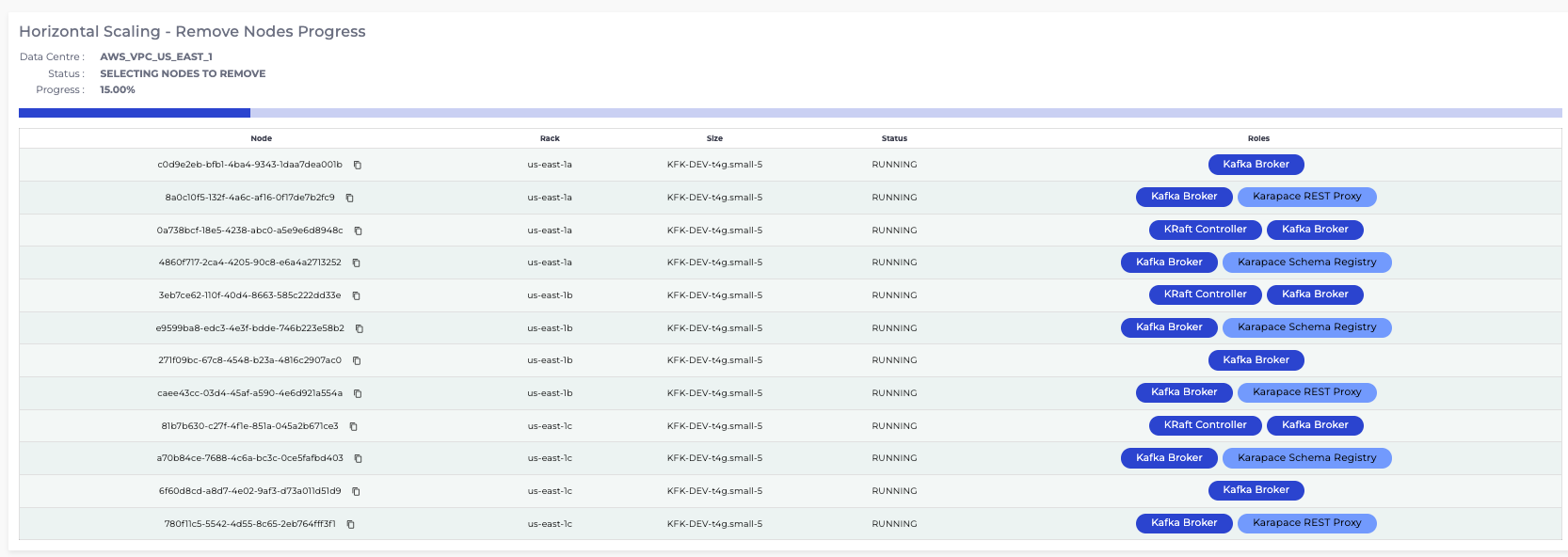
- SELECTING NODES TO REMOVE: Our system chooses which brokers to remove. The same number is taken from each rack. Brokers that also run ZooKeeper, a KRaft controller, Schema Registry or the REST Proxy are left in place.
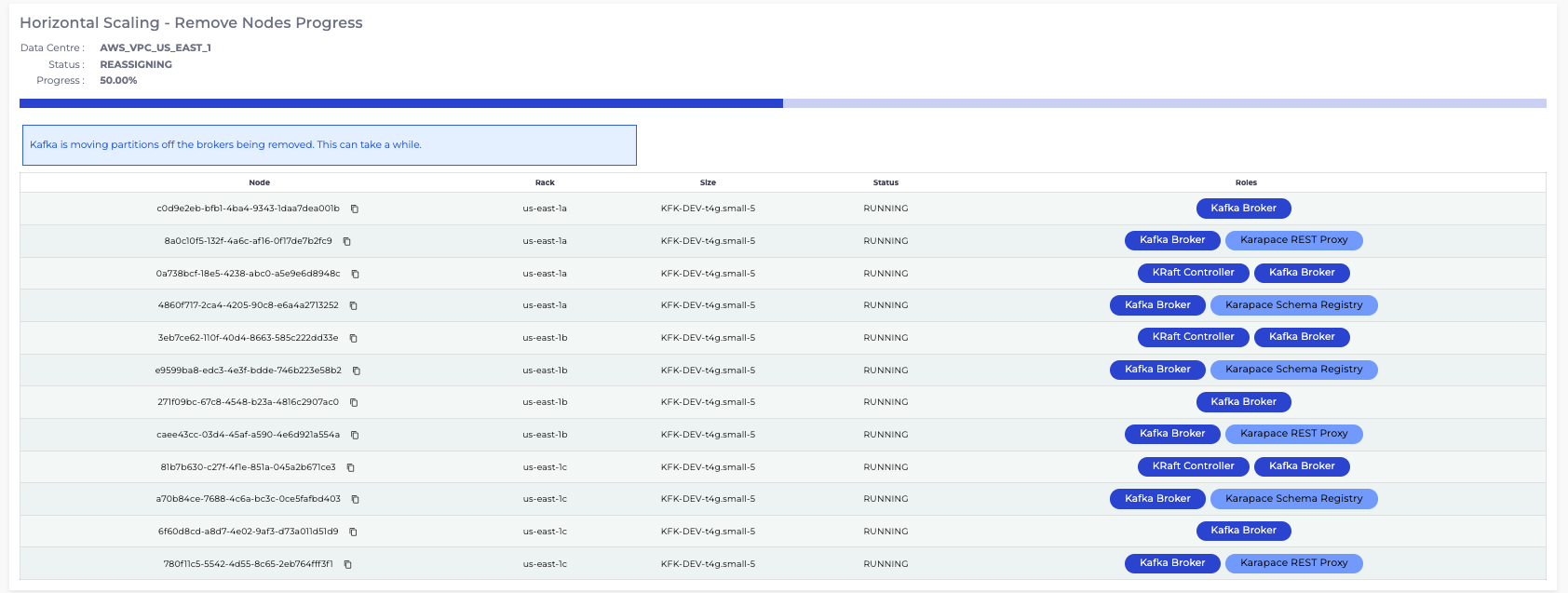
- PLANNING REASSIGNMENT and REASSIGNING: Our system builds a plan for moving partition replicas off the brokers being removed onto the brokers that remain and then carries that plan out. We ensure that the disk use on the brokers that remain, stays within safe limits while this is in progress. On large clusters, depending on partition count and data volume, reassignment can take several hours to complete. You can read more about our partition reassignment tool here: Partition Reassignment.
- VERIFYING DRAINED: Our system confirms the brokers being removed no longer host any partition replicas.
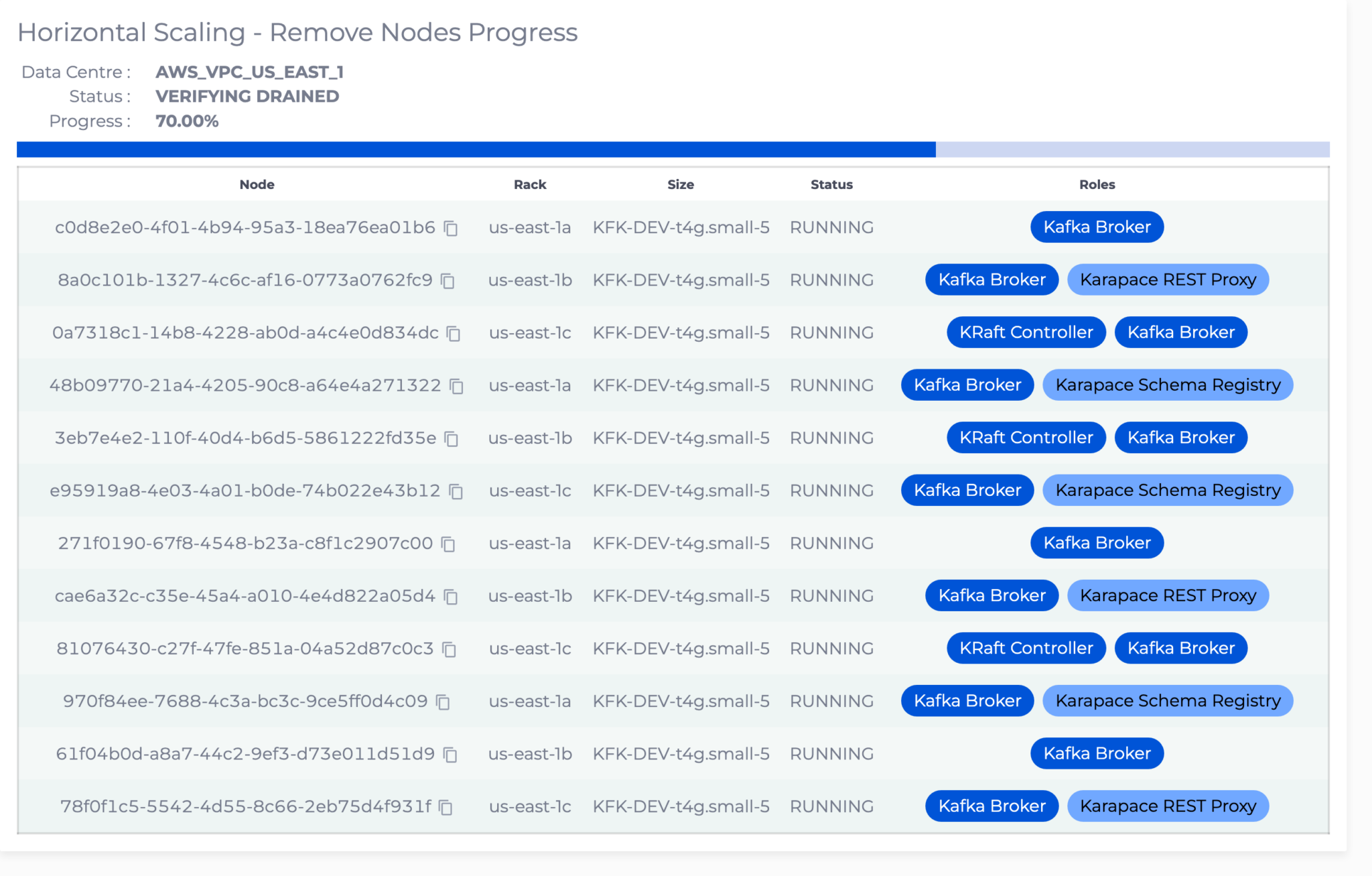
- DELETING NODES and WAITING FOR NODES DELETED: The chosen brokers are deleted. You will gradually see nodes being removed from the nodes table on this page.
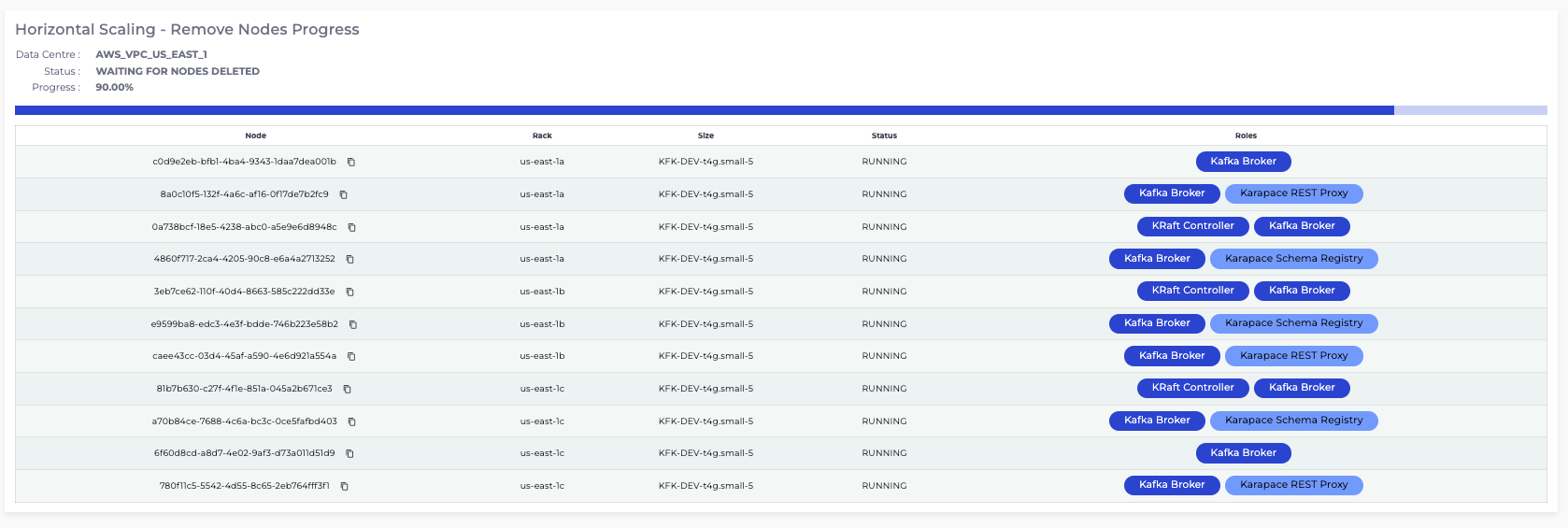
- UNREGISTERING BROKERS: On a cluster that uses KRaft, the removed brokers are unregistered from the cluster. Clusters that use ZooKeeper do not show this state.