MCP Gateway Load Balancer
This article describes the Network Load Balancer (NLB) that Instaclustr provisions with every MCP Gateway cluster. The load balancer is required so that client traffic is shared fairly across the MCP Gateway nodes in a data centre.
The load balancer has the following properties:
- It distributes MCP client connections across the MCP Gateway nodes in the data centre so that traffic is balanced fairly between those nodes.
- It provides a single endpoint for MCP clients. You connect using the Data Centre Domain shown on the cluster Connection Info page. You do not connect to individual node addresses.
- It performs regular health checks against the MCP Gateway nodes and sends client traffic only to nodes that are healthy.
- It simplifies firewall configuration. Allow client addresses to the MCP Gateway client port (443). Additional nodes added to the data centre are included behind the same endpoint.
How It Is Set Up
The load balancer is provisioned automatically when you create an MCP Gateway cluster. On the MCP Gateway Setup page of the create cluster wizard, Load Balancer is selected under Enterprise Add-Ons and cannot be cleared. The load balancer cannot be removed after the cluster is provisioned either.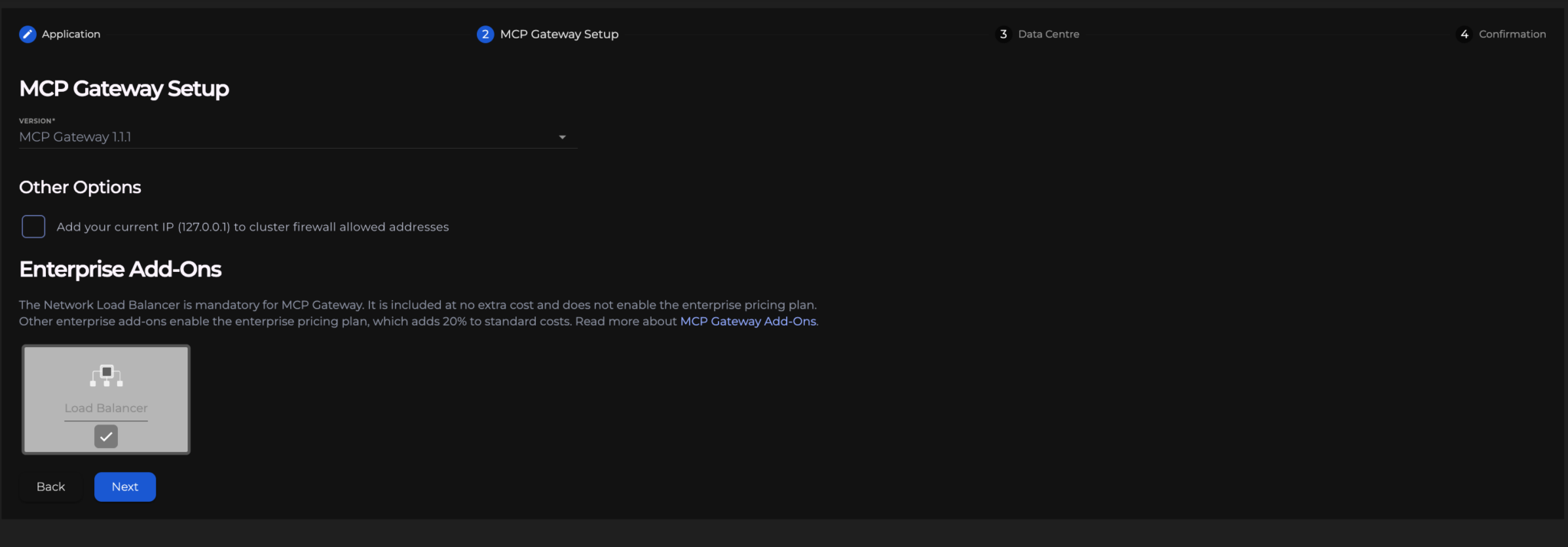
The load balancer is included at no additional charge. It does not enable the enterprise pricing plan. Other enterprise add-ons enable that plan, which adds 20% to standard costs.
Connecting
After the cluster is running, refer to Connecting to an MCP Gateway Virtual Server for details.