Configure Instaclustr API Server MCP Backend and Tools
Instaclustr API Server MCP Backend
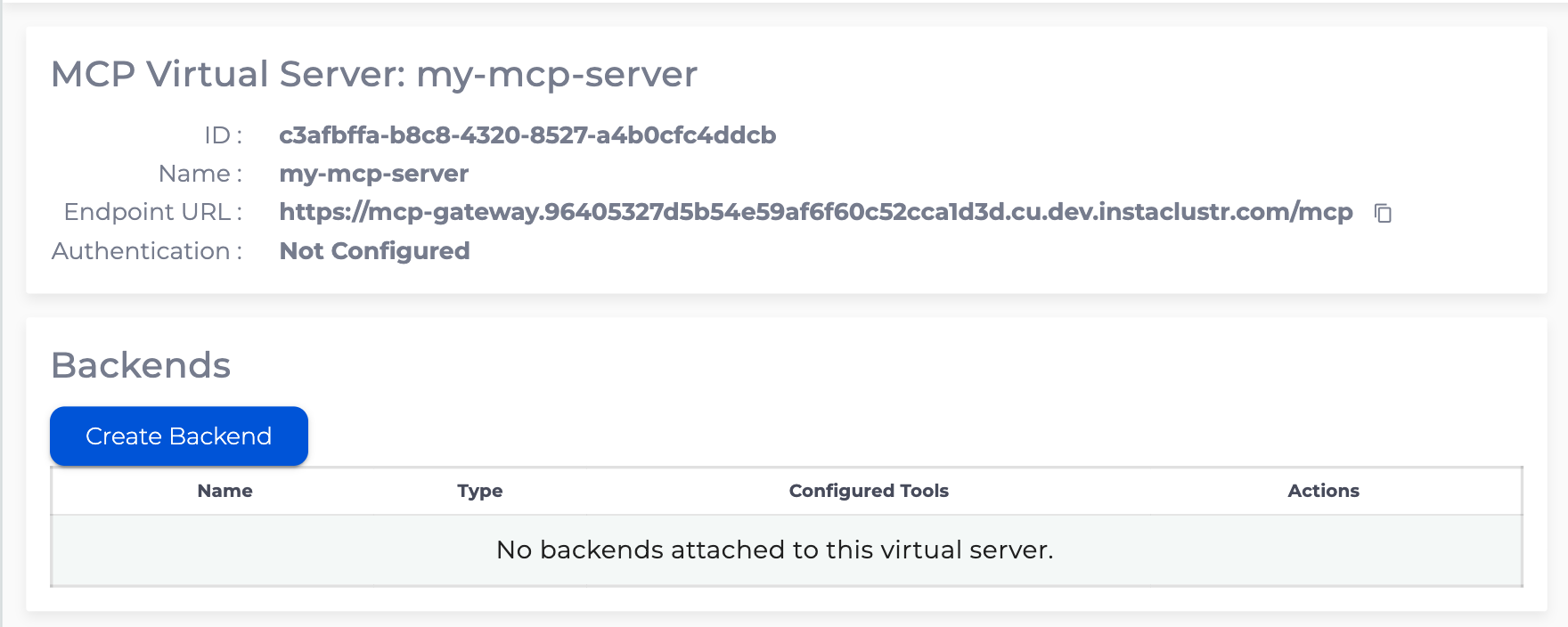
To create a Backend for MCP Virtual Server go to MCP Virtual Server details page and click “Create Backend”
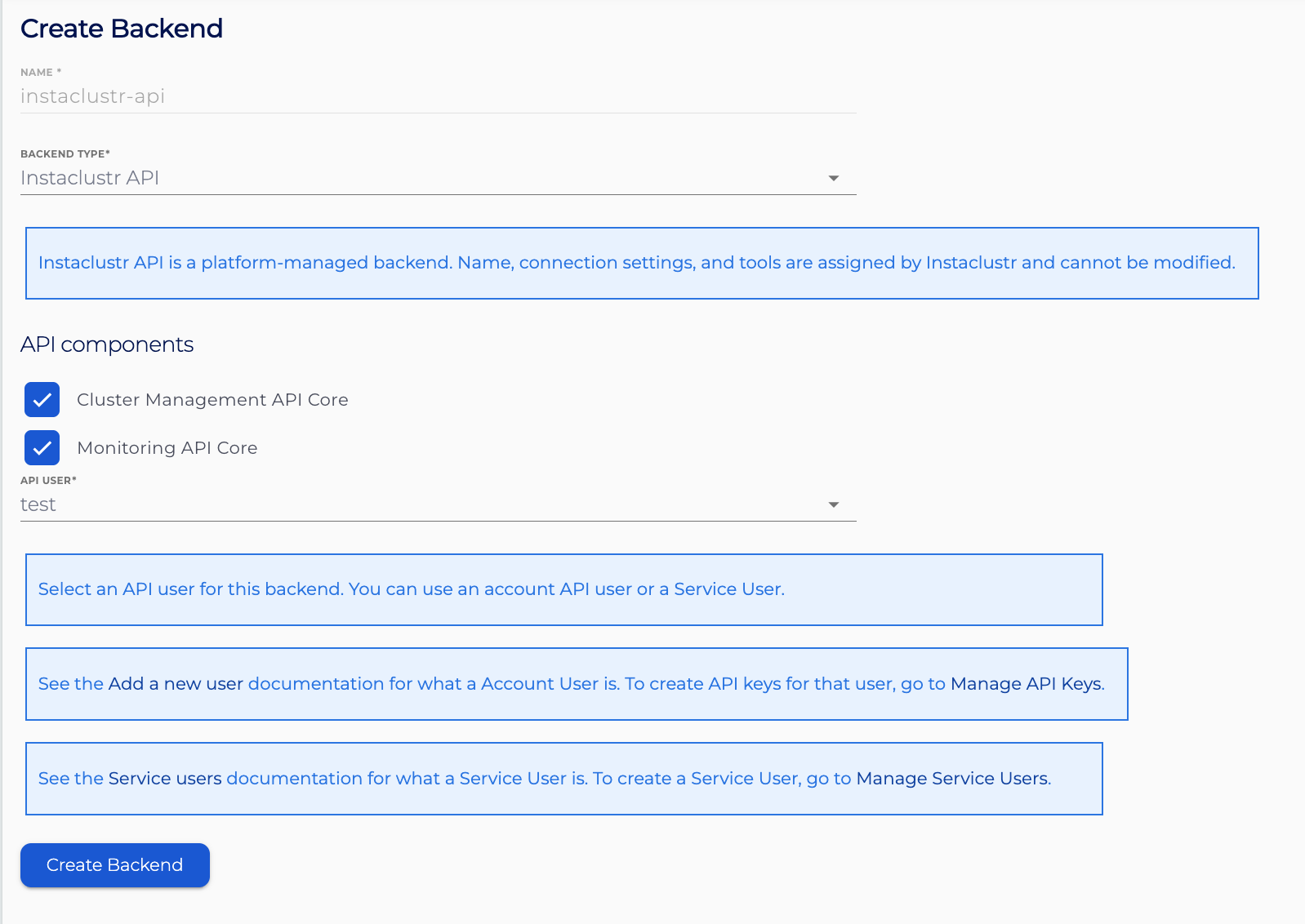
The Instaclustr API backend is a platform-managed backend. MCP tools on this backend proxy HTTP operations to the Instaclustr API. Name, connection settings, and tools are assigned by Instaclustr and cannot be modified. Currently, all MCP tools are configured Read-only API operations,
Select Backend Type “Instaclustr API”. The backend name is set to
instaclustr-api.Select one or both API components to attach to the backend. MCP tools are created automatically from the selected components:
- Cluster Management API Core: covers cluster details and operational state.
- Monitoring API Core: covers metrics.
See Appendix section for tools detail.
Select the API user that MCP Gateway will use to call the Instaclustr API. You can use an account user or a Service User. See Add a new user for account users, and Service Users for Service Users. Create the required API keys for that user before you create the backend; otherwise the request will fail. See API Keys.
- Cluster Management API related operation requires a Read Only Provisioning API key.
- Monitoring API related requires a Monitoring API key.
Instaclustr APIs are subject to rate limits, and requests that exceed a throttling limit fail. See Instaclustr API Rate Limits.
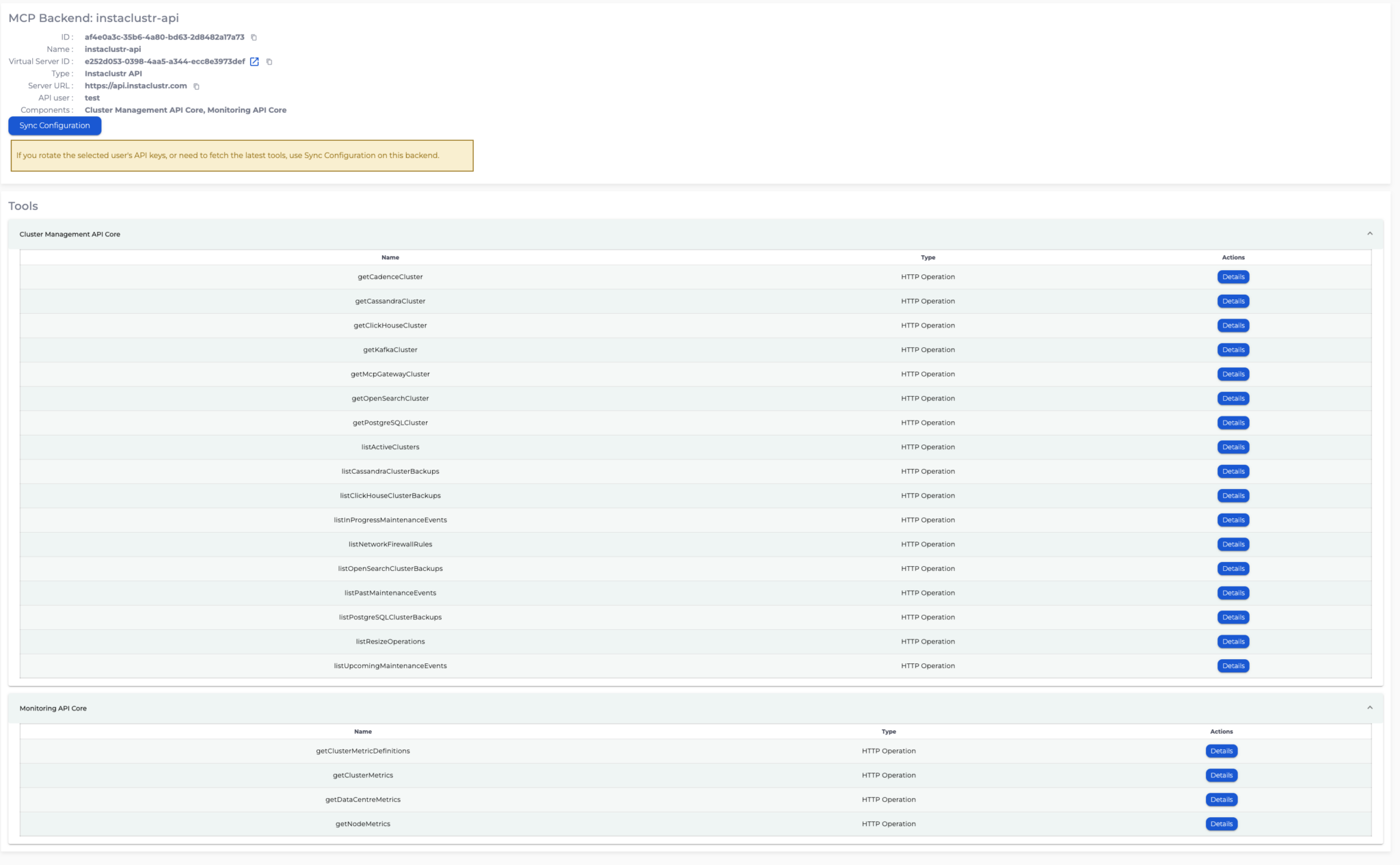
After the backend is created, the backend details page lists the generated tools grouped by component. You cannot add, edit, or delete individual tools. To change which tools are available, edit the backend and change the selected components.
If you rotate the selected user’s API keys, or need to refresh the generated tools, go to the backend details page and click “Sync Configuration”.
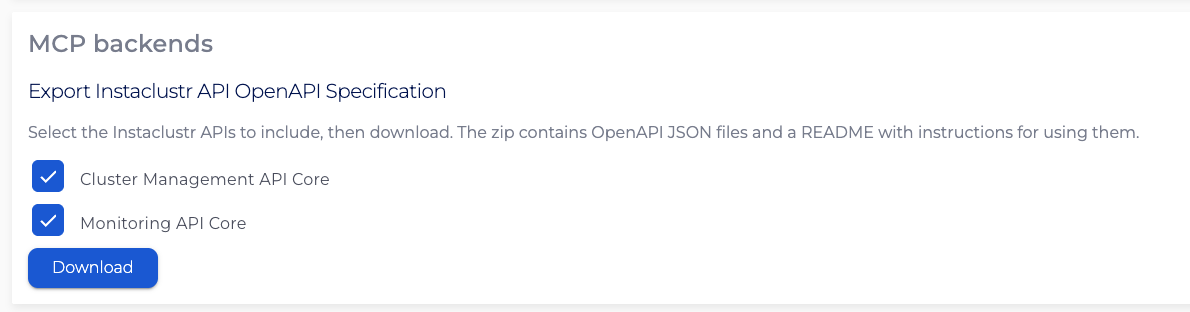
Export Instaclustr API OpenAPI Specifications
You can download the OpenAPI specification for the Instaclustr API tools from the MCP Gateway Connection Info page. Select components wanted to be downloaded. The zip contains one OpenAPI JSON file per selected API and a README. Use the JSON files to create a custom HTTP Server backend with tools populated from the specification. See Configure HTTP Server MCP Backend and Tools for details.