


Scale Your Cluster
Horizontal Scaling
You can expand your cluster by adding new nodes to it.
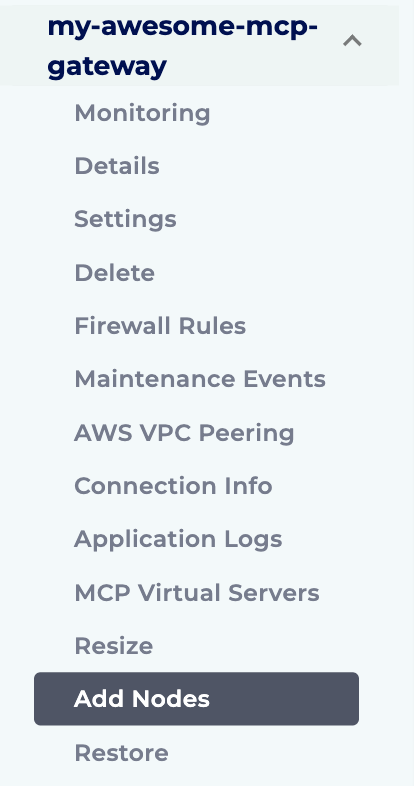
- To add nodes to your existing cluster, first login to the Instaclustr Console.
- Click the Add Nodes button in the menu for the cluster you wish to add the nodes to.
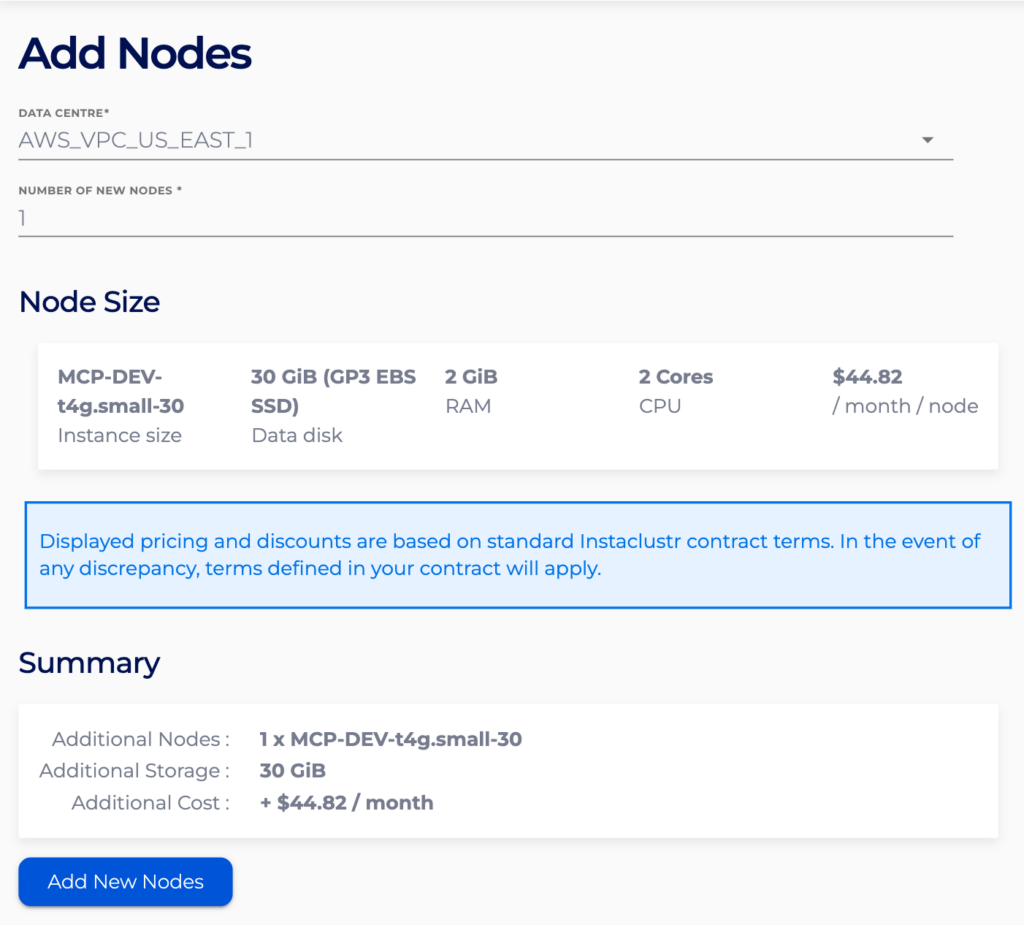
- On the Add Nodes page choose the number of new nodes you want to add to your cluster. To begin the provisioning process, press the Add New Nodes button.
Vertical Scaling
You can expand your cluster by increasing the sizes of all nodes.
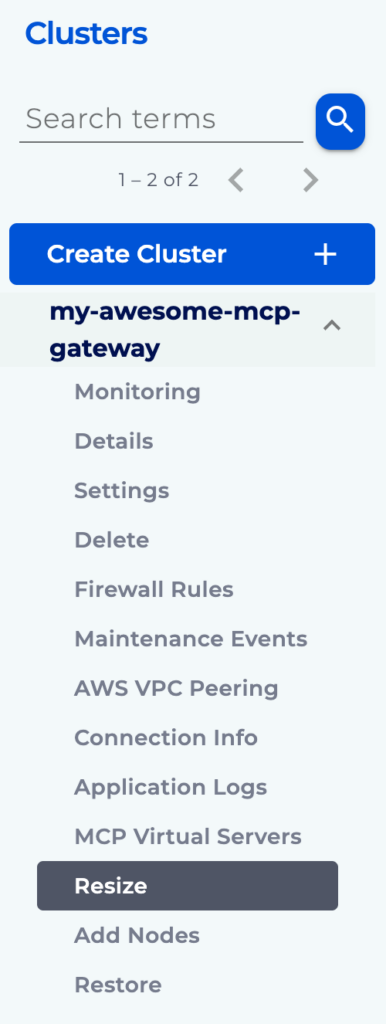
- To resize to your existing cluster, first login to the Instaclustr Console.
- Click the Resize button in the menu for the cluster you wish to resize.
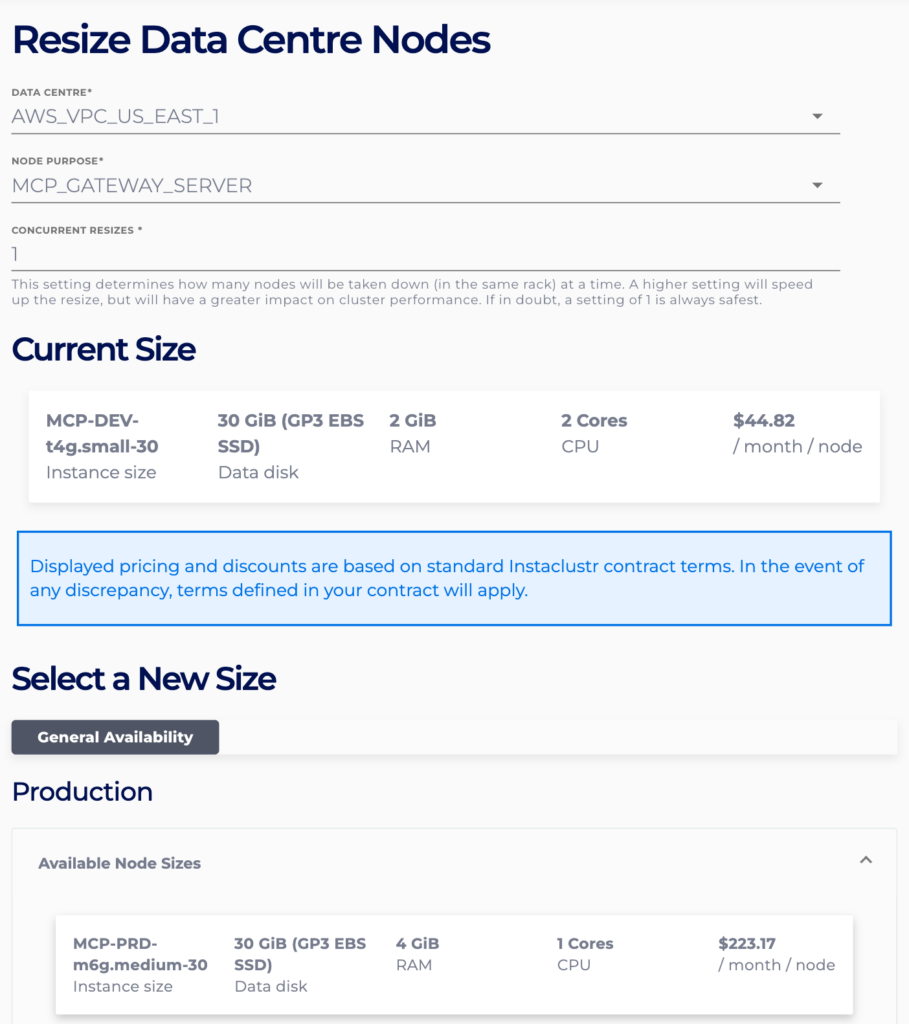
- On the Resize page choose the new node size
- Review the Resize Summary
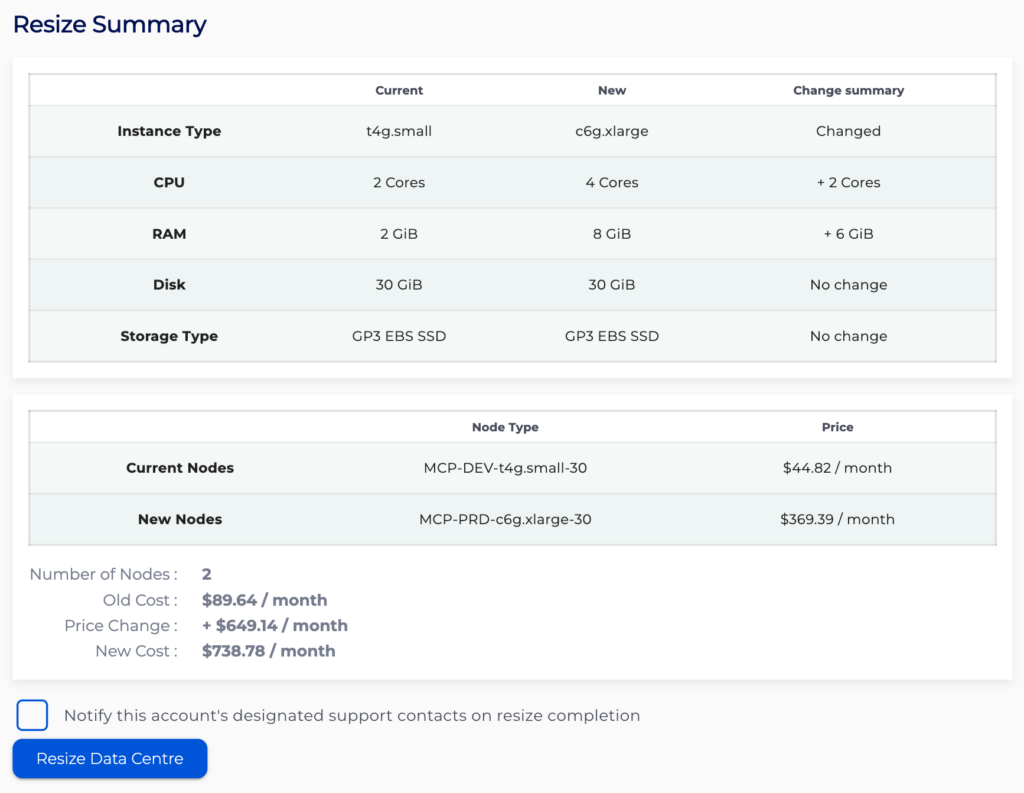
- Click Resize Data Centre
