Creating a PrivateLink OpenSearch Cluster
Overview
This article describes how to provision an OpenSearch cluster with PrivateLink using the Instaclustr Console. PrivateLink is a networking feature provided by Amazon Web Services (AWS) that provides direct and secure connectivity between AWS VPCs. You can read more about PrivateLink and our support for it here.
Creating a Cluster
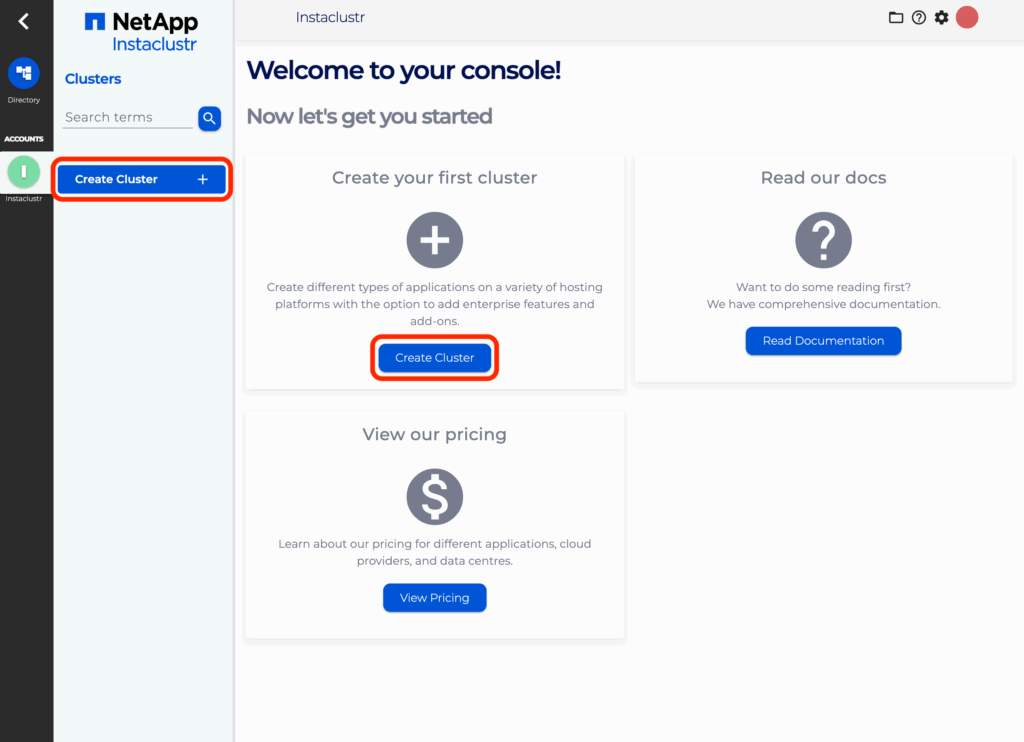
- Log in to the console and click the Create Cluster button.
- Under the Applications page, select OpenSearch as the application and AWS as the provider. Click the checkbox in the Enterprise Features called PrivateLink thn click Next.
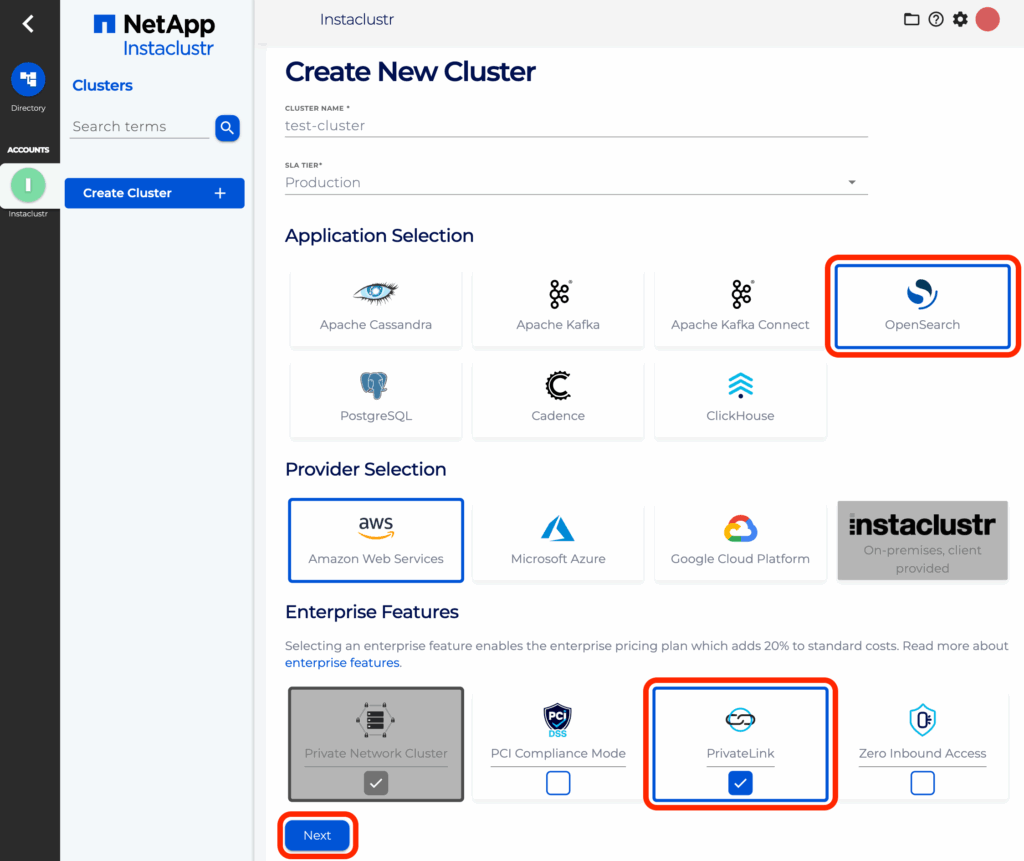
Note: As PrivateLink is currently only supported for AWS, selecting any other provider will cause the PrivateLink option on this page to not be selectable. - Under the OpenSearch Setup page, there should be a section called PrivateLink Configuration Settings. In this section, there is one optional field: IAM Principal ARNs
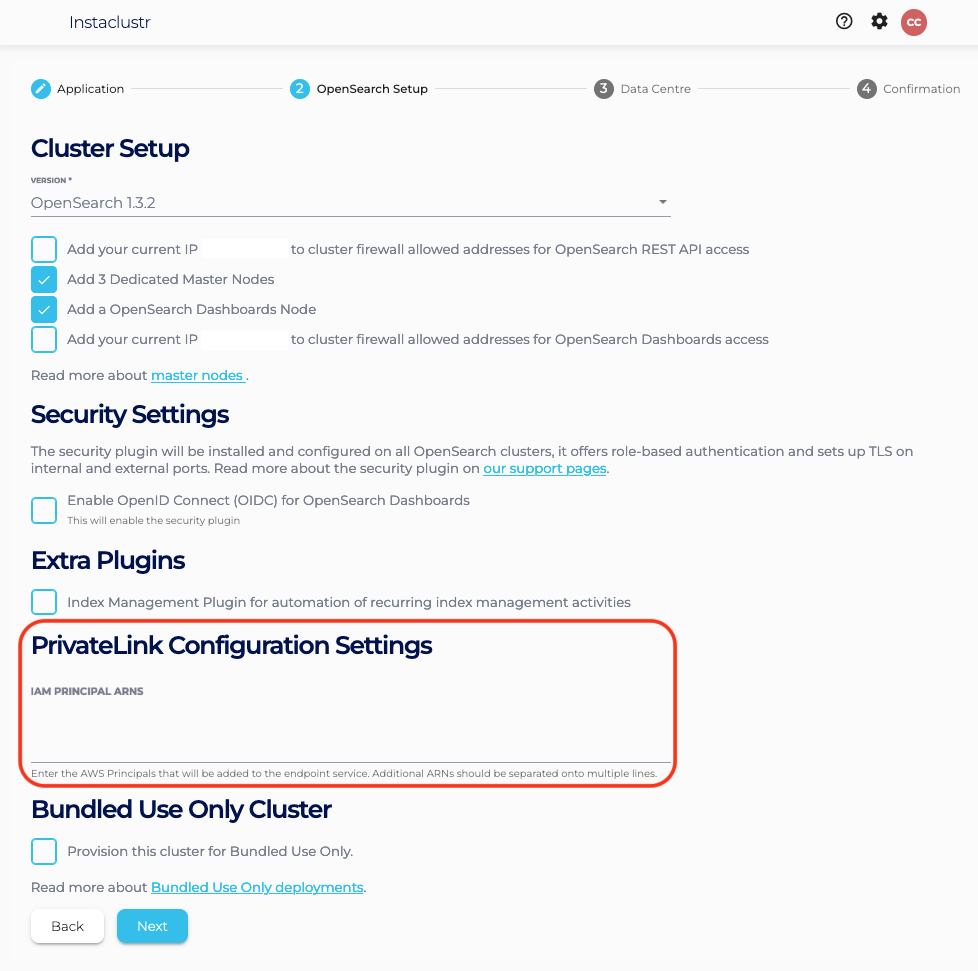
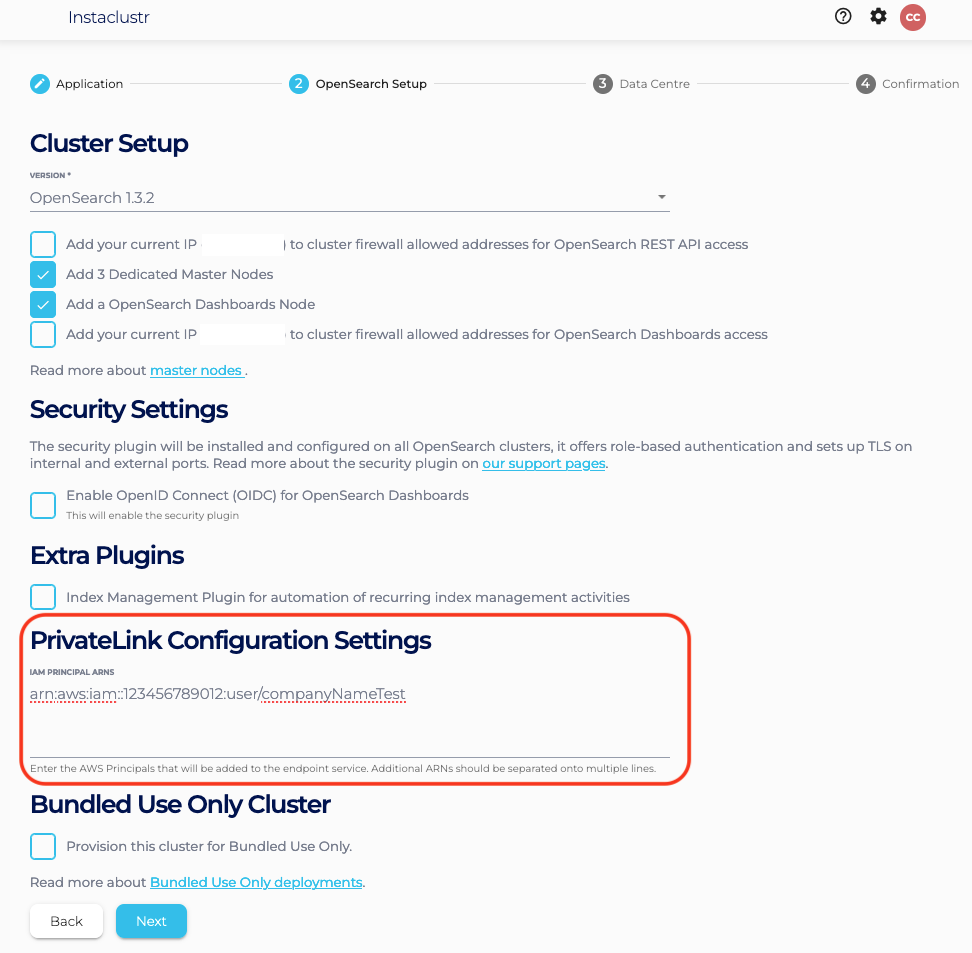
IAM Principal ARNs can be adjusted later by following the managing Principal ARNs. IAM Principal ARNs are used to allow connection from your endpoint to the created cluster’s endpoint service. For instance, ifarn:aws:iam::123456789012:user/companyNameTestis a real AWS Principal ARN, and is added to this field, you will be able to create an endpoint with the provided endpoint service name. Fill those fields and click Next.
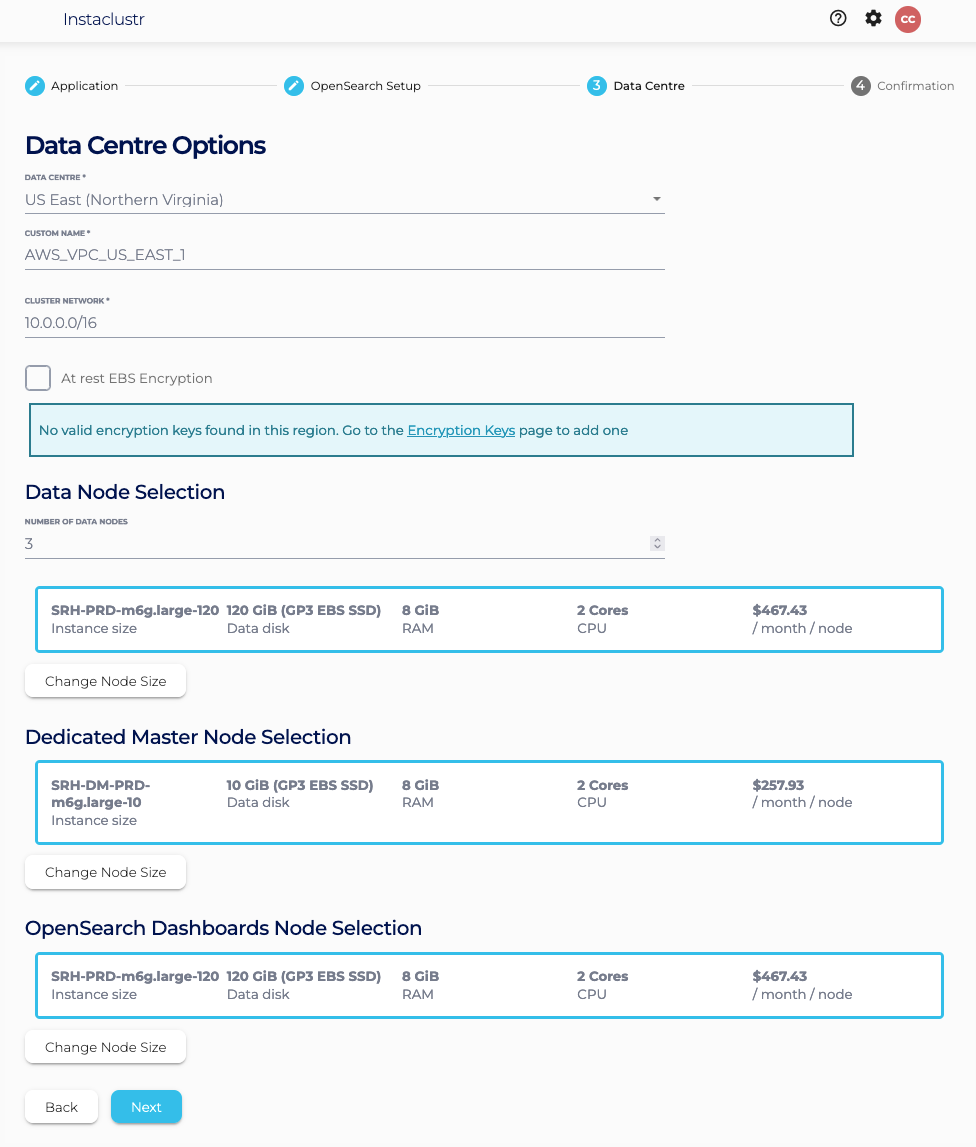
- Under the Data Centre page, confirm the selected Data Centre is correct. Click Next.
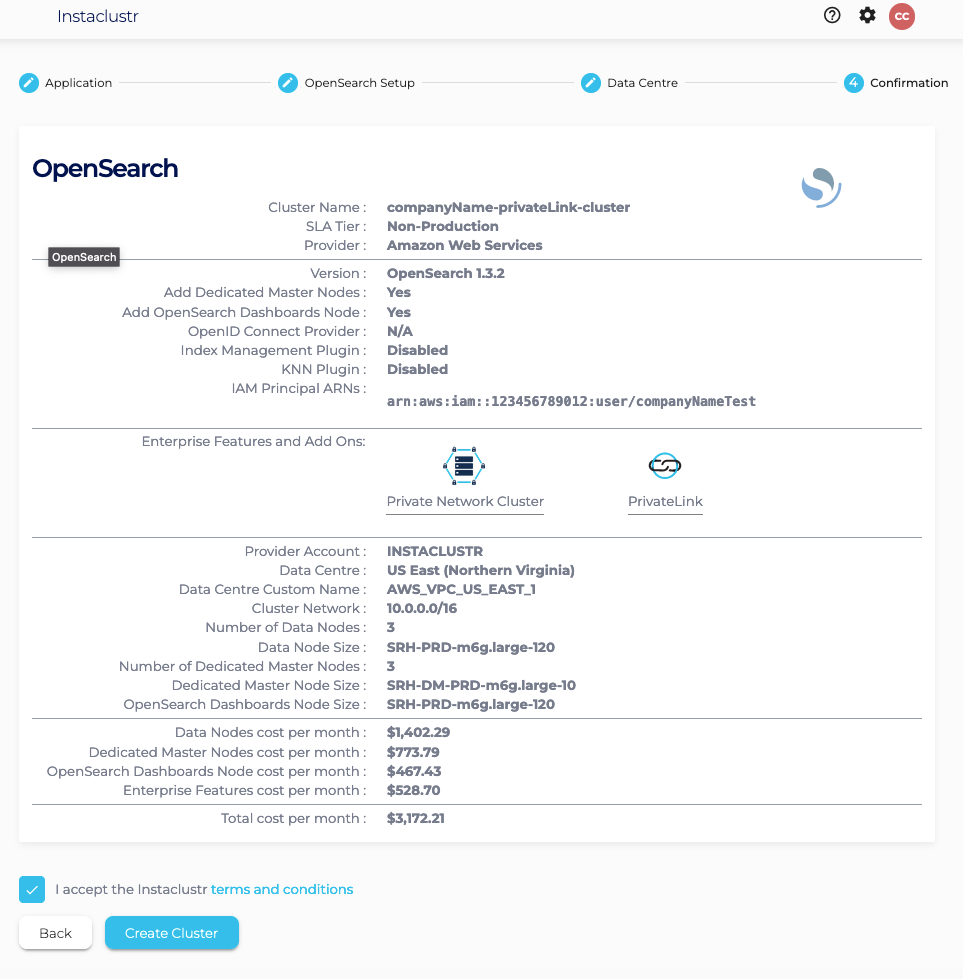
- Under the Confirmation page, check that the configurations such as IAM Principal ARNs is properly configured, accept Instaclustr terms and conditions, and click Create Cluster.
Once your cluster is running, further steps will still be required to connect to it. Please refer to our support article on Connecting to a PrivateLink OpenSearch Cluster for a guide through this process.
Please contact Instaclustr Support for any further inquiries.
