AWS Targeted Capacity Reservations
This article describes how to launch AWS based nodes on the Instaclustr platform into targeted On-Demand Capacity Reservations. You can set the capacity reservation mappings in the Instaclustr Console, with the Instaclustr Provisioning API, or with the Instaclustr Terraform Provider.
An On-Demand Capacity Reservation holds EC2 capacity for one instance type in one Availability Zone. Instaclustr stores each capacity reservation mapping against the cluster, Availability Zone, and instance type, and applies it when a matching node is launched.
See On-Demand Capacity Reservations in the AWS documentation for how reservations work in AWS, and Create a Capacity Reservation for how to create one.
Prerequisites
- The cluster is provisioned on AWS in your own account (Bring Your Own Cloud, or BYOC).
- The capacity reservation needs to be active in AWS before you add it to the cluster configuration.
Your Responsibilities
Instaclustr does not create, modify, or cancel the capacity reservation in AWS. A targeted capacity reservation needs to be active in your AWS account before you can use this feature.
Create a targeted reservation (InstanceMatchCriteria set to targeted). An open reservation is consumed by any matching instance in the account, so it does not need a capacity reservation mapping.
Make sure the reservation has available capacity for each node being launched. If it does not, that node is launched on demand.
The reservation must be:
- Active.
- In the same Availability Zone as the capacity reservation mapping.
- For the same instance type as the capacity reservation mapping.
- Linux/UNIX.
- Default tenancy.
Add one capacity reservation mapping for each Availability Zone and instance type whose nodes should use reserved capacity. A cluster that runs more than one instance type, for example application nodes and a smaller management node, needs a separate capacity reservation mapping for each type in each zone. Only one capacity reservation mapping can be added for a given zone and instance type.
How To Configure
Using the Console
You can add capacity reservation mappings while you create a cluster, and you can view and change them later from the cluster’s Settings tab.
Create a cluster with AWS capacity reservations
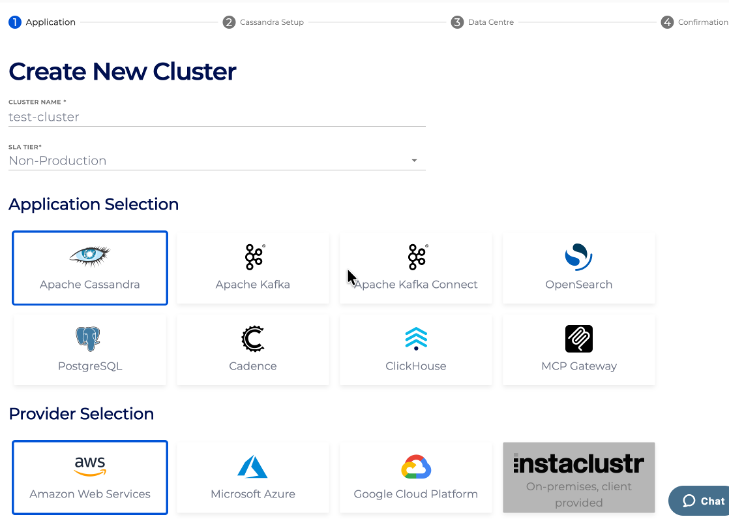
- In the Instaclustr Console, start creating a cluster and select Amazon Web Services. In the example below, we provision an Apache Cassandra cluster, but all Instaclustr applications support AWS Capacity Reservations.
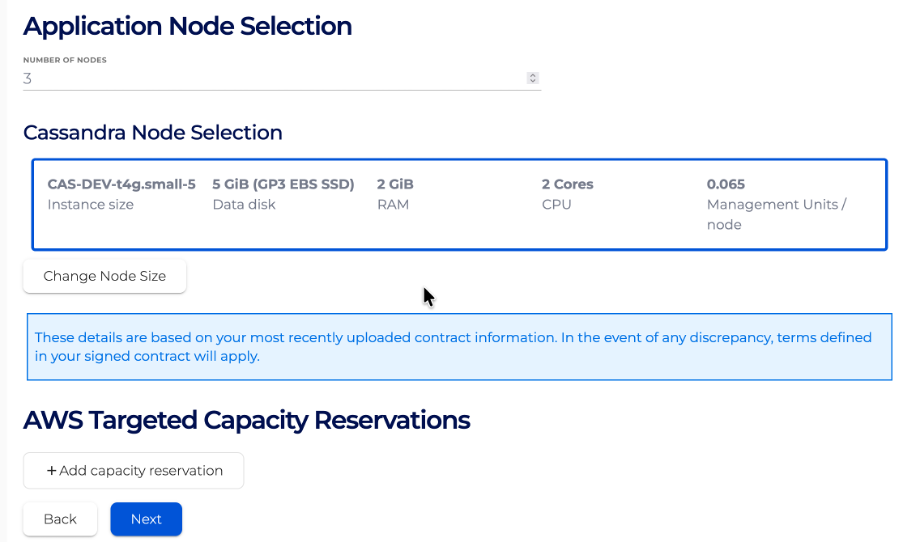
- On the Data Centre step, make sure to select a BYOC provider. There will be an AWS Targeted Capacity Reservations section at the bottom of that step. Select “Add capacity reservation”.
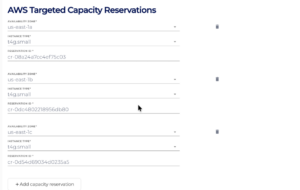
- Choose the Availability Zone and the instance type, and enter the reservation ID.
- Finish creating the cluster. The first nodes in a zone and instance type that has a capacity reservation mapping are launched into that reservation. Nodes in a zone or instance type with no capacity reservation mapping are launched as on-demand instances.
View, update, or remove capacity reservation mappings
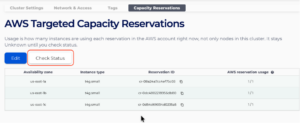
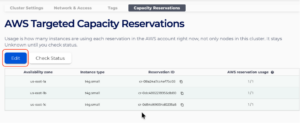
- Select the cluster in Console, then click on Settings and select the Capacity Reservations tab. This tab will list the capacity mappings in this cluster.
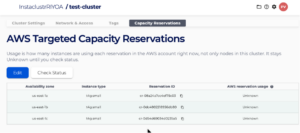
- You can select the “Check Status” button to check the current AWS reservation usage. This count might include instances outside this cluster that use the same reservation.
- If you want to update the capacity reservation mappings, you can click on the “Edit” button.
Using API
To provision a cluster with an AWS capacity reservation, set awsCapacityReservations on the provisioning request. For the full documentation, see the Instaclustr Cluster Management API. For example, to provision an Apache Cassandra cluster, set awsCapacityReservations on the create Cassandra cluster request.
Using the Terraform Provider
To provision a cluster with an AWS capacity reservation, set aws_capacity_reservations on the cluster resource. For the full documentation, see the Instaclustr Terraform Provider. For example, to provision an Apache Cassandra cluster, set aws_capacity_reservations on the Cassandra cluster resource.
Frequently Asked Questions
Q: Do I need a capacity reservation mapping for an open capacity reservation?
A: No. An open reservation is used automatically by a matching instance. Add a capacity reservation mapping when the reservation is targeted.
Q: I added a capacity reservation mapping and the running nodes are still on demand. Is that expected?
A: Yes. The capacity reservation mapping only applies the next time a node in that zone and instance type is launched. The currently running nodes will not be automatically moved to the capacity reservation.
Q: What happens if the reservation is full when a node is launched?
A: The node will be launched as an on-demand instance.
Please contact [email protected] for any further inquiries.