Configure Remote MCP Server Backend and Tools
Remote MCP Server Backend
To create a Backend for MCP Virtual Server go to MCP Virtual Server details page and click “Create Backend”.
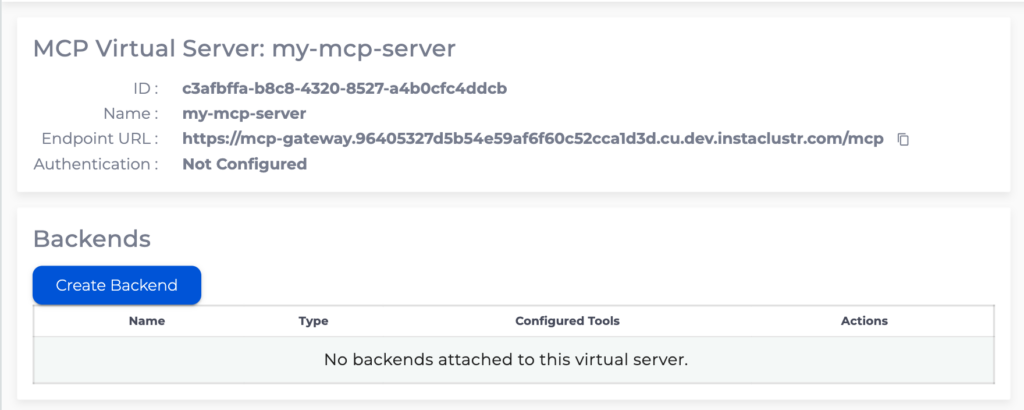
Remote MCP Server backend allows MCP Gateway to proxy tool calls to an existing MCP server that supports the Streamable HTTP transport.
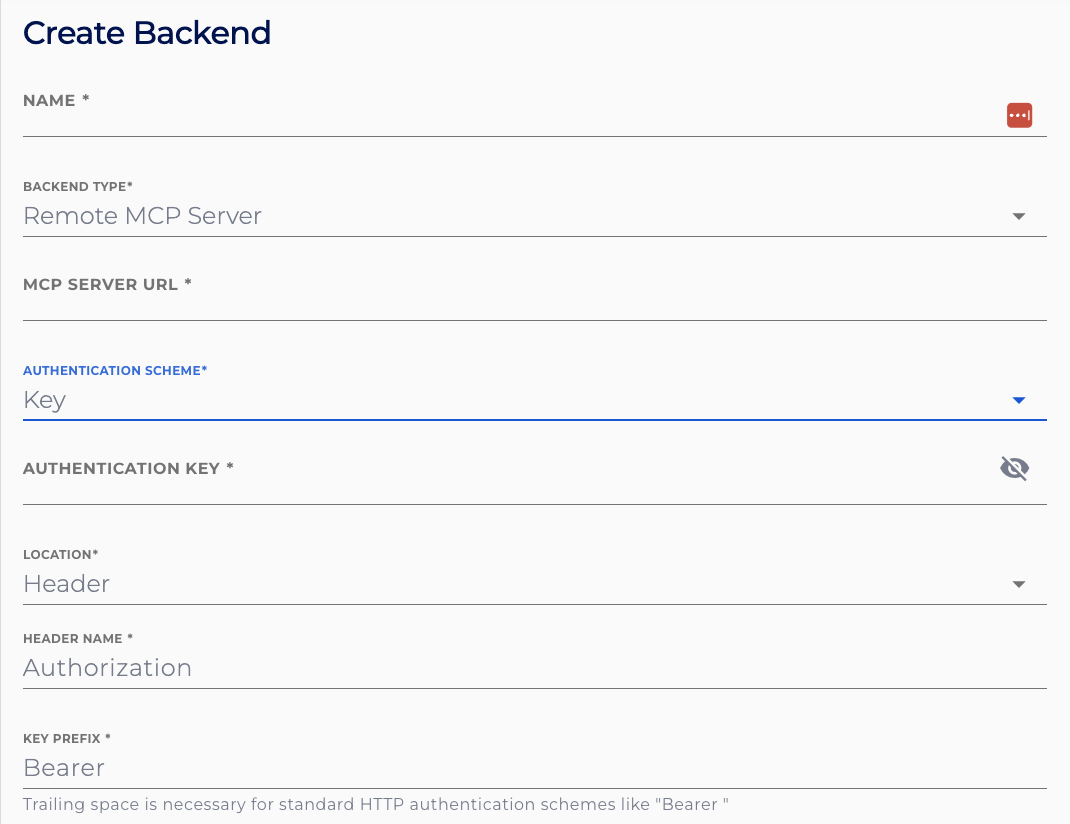
Specify the name for the backend, note that this name will be prepended to all the tools configured for this backend. Select Backend Type “Remote MCP Server”. Specify the MCP Server URL. This is the HTTPS URL of the remote MCP server’s Streamable HTTP endpoint.
Specify the Authentication scheme to the remote MCP server. For the “Key” authentication scheme the authentication key will need to be provided. The “Passthrough” authentication scheme will pass through the authentication token used to authenticate to the MCP Gateway through to the remote MCP server. Select “None” if the remote MCP server does not require authentication. Additionally, the location where the remote MCP server expects the key can be configured as a header, a query parameter, or a cookie. For a header, set the header name and key prefix.
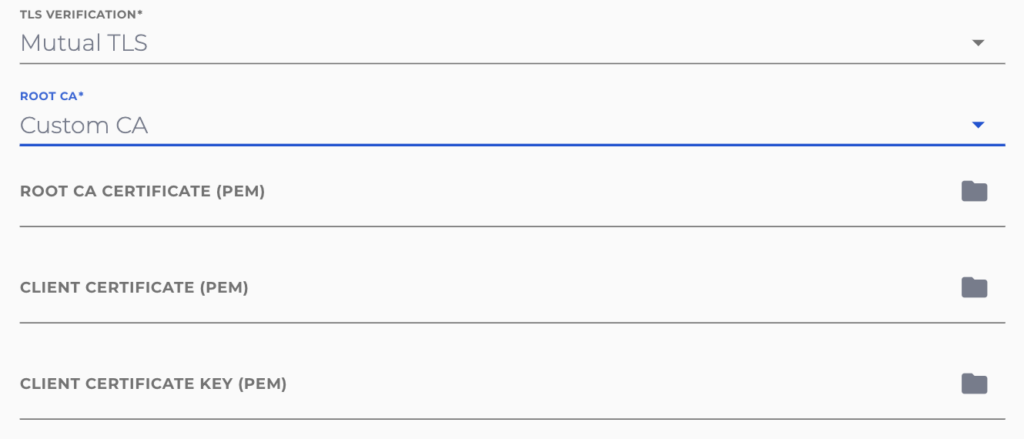
Use TLS configuration to specify custom root CA and/or configure mutual TLS.
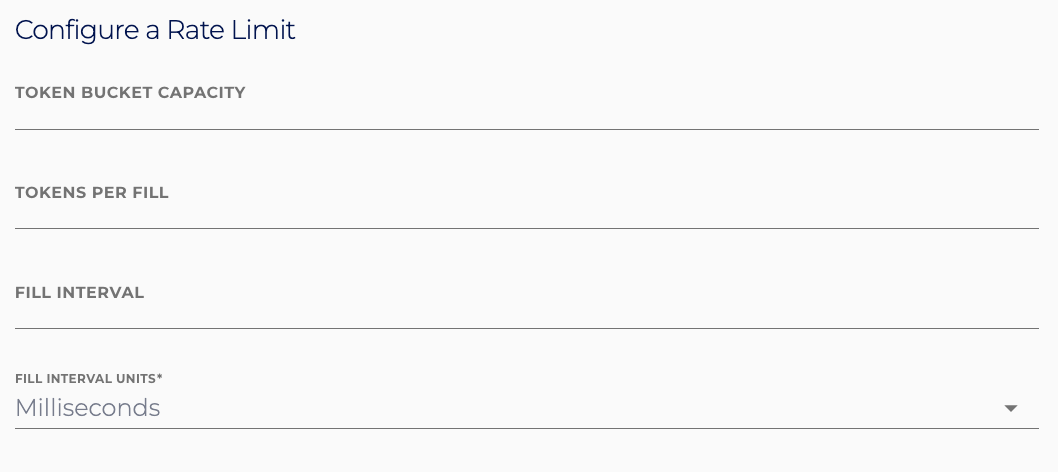
Rate limits can also be set on the backend during and after creation. Configuration is specified for a token-bucket approach using a throughput of requests per time unit and a maximum burst size. We strongly recommend setting a rate limit on your backend, however it is not required. Leaving the form fields blank will not set any rate limit.
To create MCP tools go to the backend details page and click “Create Tool”
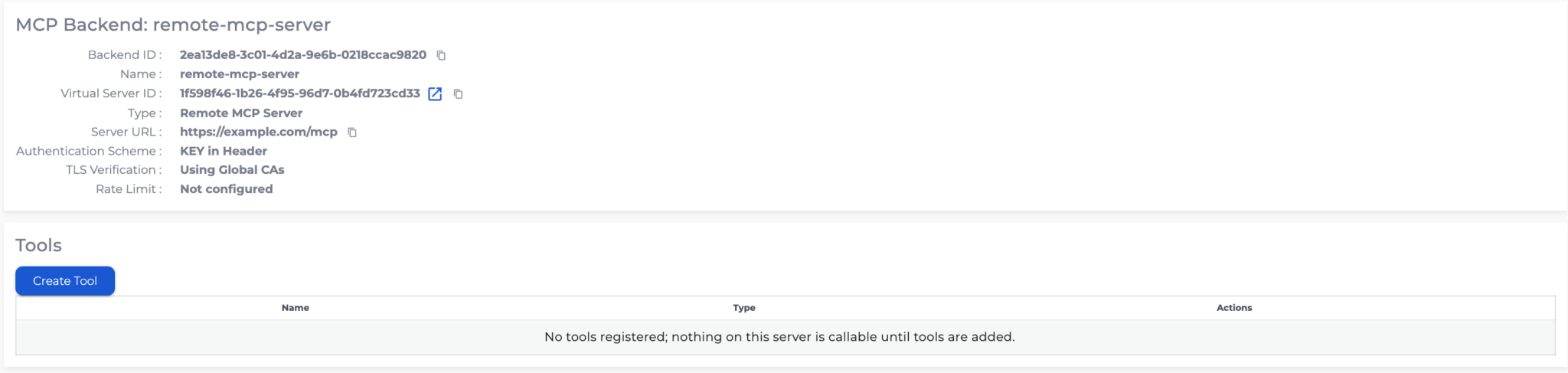
Remote MCP Tool
Remote MCP Tool exposes a tool that is implemented by the remote MCP server. Only tools registered on the backend can be listed or called through the gateway. Tools that exist on the remote MCP server but are not registered are not available to MCP clients.
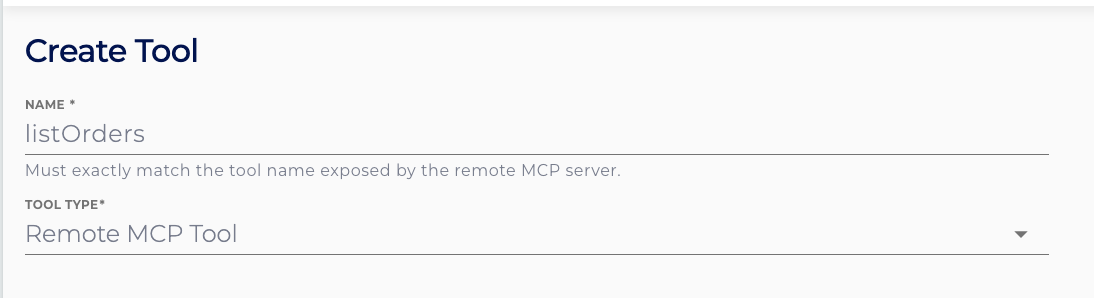
Specify the name for the tool. The name must exactly match the tool name exposed by the remote MCP server. Select Tool Type “Remote MCP Tool”. The remote MCP server provides the tool description and input schema.
You can optionally specify a rate limit for the tool configured as a token-bucket using a throughput of requests per time unit and a maximum burst size. Leaving the form fields blank will not set any rate limit. Tool rate limits override backend rate limits and tools with their own rate limits are excluded from contributing to backend rate limits.