Scaling your cluster horizontally
You can expand your cluster by adding new nodes to it. New nodes will serve new topics and new partitions, and existing partitions will be automatically rebalanced to use the new nodes.
Preparation
Before starting an automated horizontal scaling operation, our system will ensure that your cluster is healthy and ready to get brokers added. The new broker count must remain a multiple of the cluster’s default replication factor, so new brokers can be distributed evenly across racks in the data centre.
Please also note that partition reassignment (more details about the process are detailed in sections further down this document), for large clusters, depending on the partition count and volume of data in the cluster, can take several hours to complete.
Limitations
- We do not currently support horizontal downscaling, i.e., remove nodes via the console or our API, but are working on adding by November 2026. In the mean time, please contact support if you want to downscale your cluster.
- Currently, in the initial phases of rollout of this new feature, automated horizontal scaling is only supported for clusters with at most 30 Kafka brokers. It is currently also limited to adding at most 3 brokers at a time. If your request falls outside these bounds, you can still follow the instructions in the next section about how to trigger a scaling operation which will raise a support ticket for our TechOps team to review your request and initiate the operation.
How to trigger a Horizontal Scaling Operation
-
- To add nodes to your Kafka cluster, first login to the Instaclustr Console.
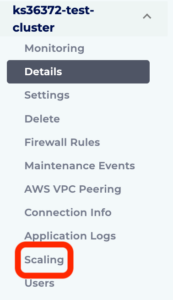
- Click the Scaling button in the menu for the cluster you wish to add the nodes to.
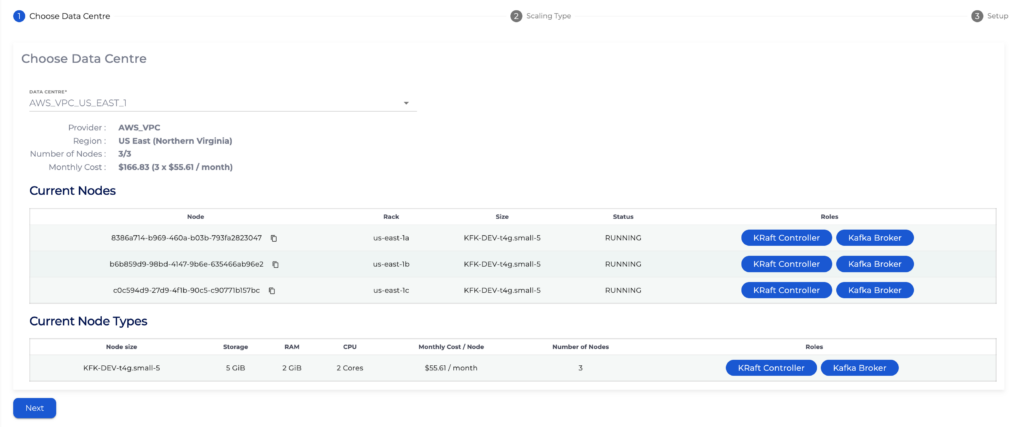
- Now select the Data Centre and hit next.
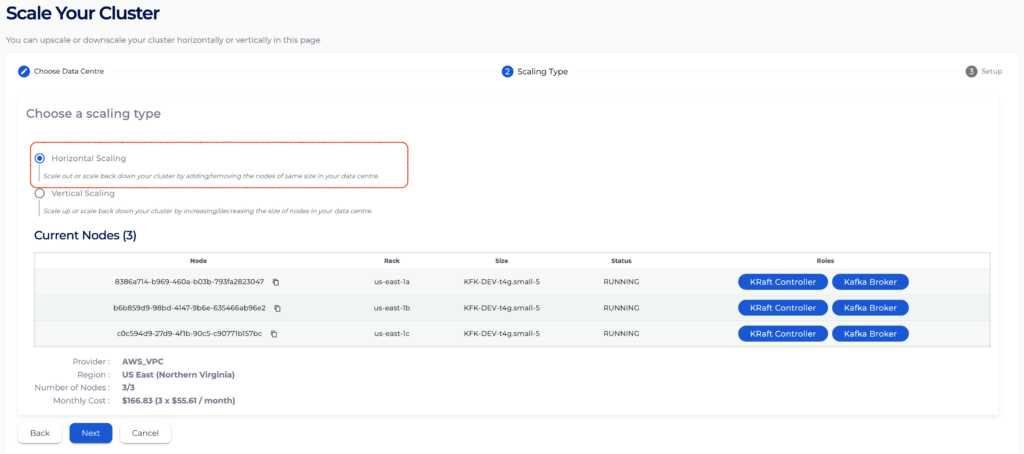
- On the Scaling Type page, select Horizontal Scaling and hit Next.
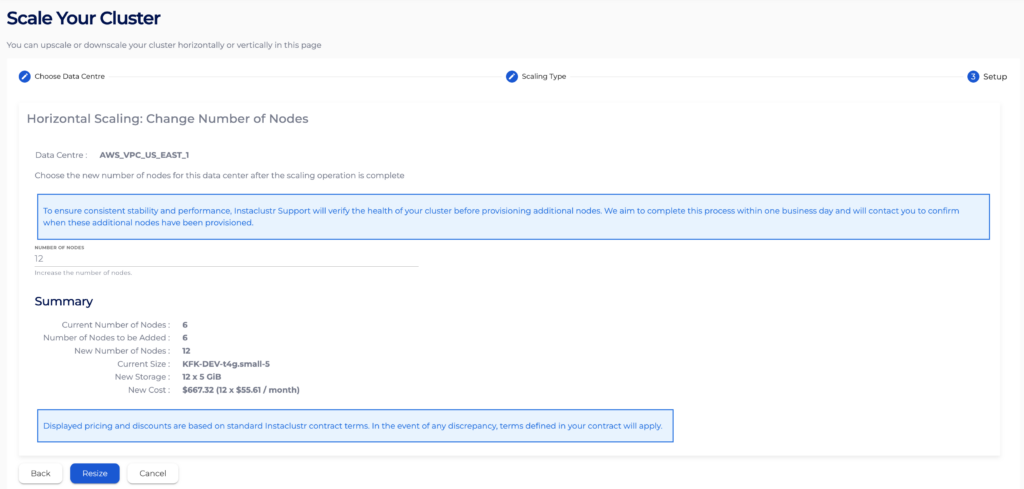
- Now on the Setup page, update the number of nodes to your target value and hit Resize.
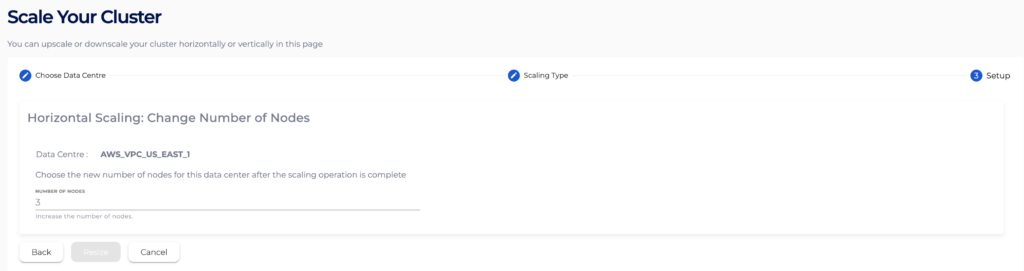
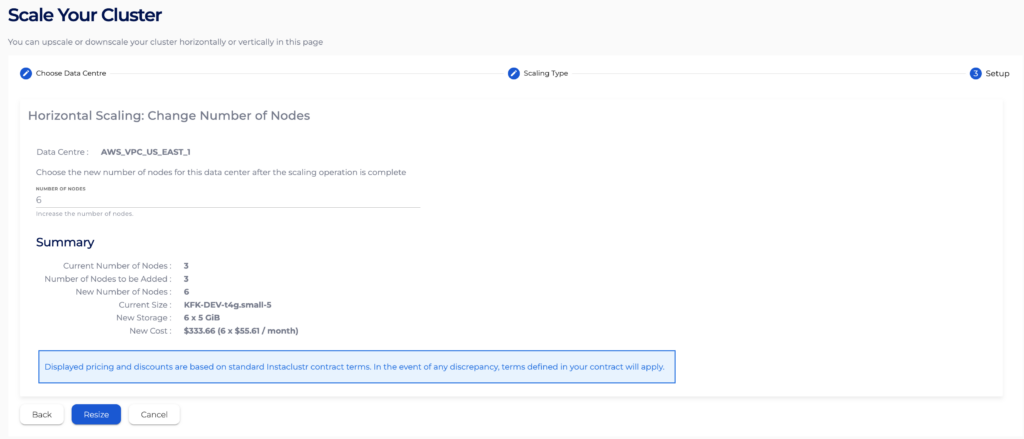
- To add nodes to your Kafka cluster, first login to the Instaclustr Console.
Tracking the progress of a Horizontal Scaling operation you kicked off
Once you hit resize, you will be able to see the progress of the horizontal scaling operation that you just started. You can always navigate away from this Scaling page and come back to check the progress of the operation. You’d be able to see the operation progress through the following states:
- PRE SCALE CHECKS: Our system will evaluate the health of your cluster before a horizontal scaling operation is initiated.
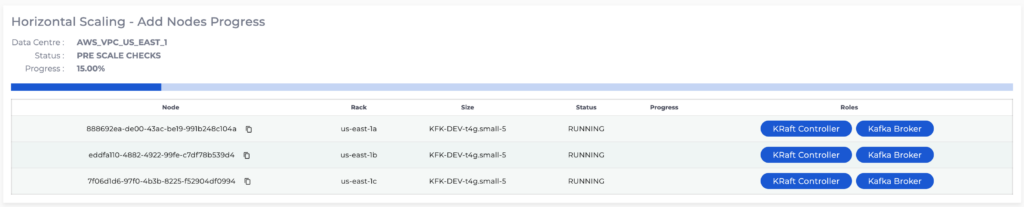
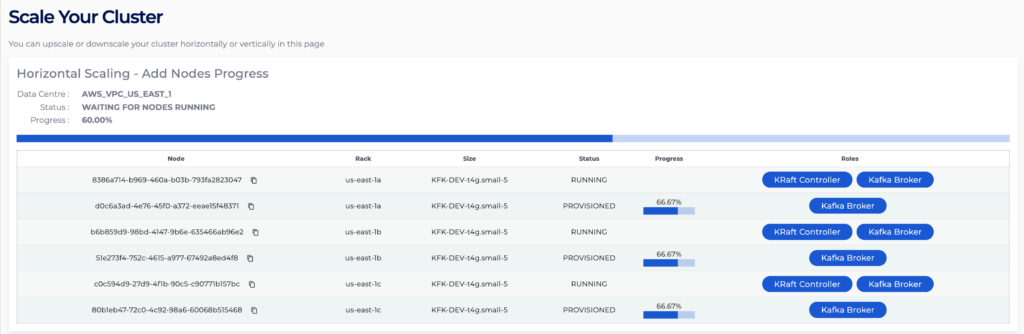
- PROVISIONING NODES and WAITING FOR NODES RUNNING: At this point, Kafka brokers are being added to your cluster. Here you can see the nodes you just added move through the typical Instaclustr provisioning lifecycle.
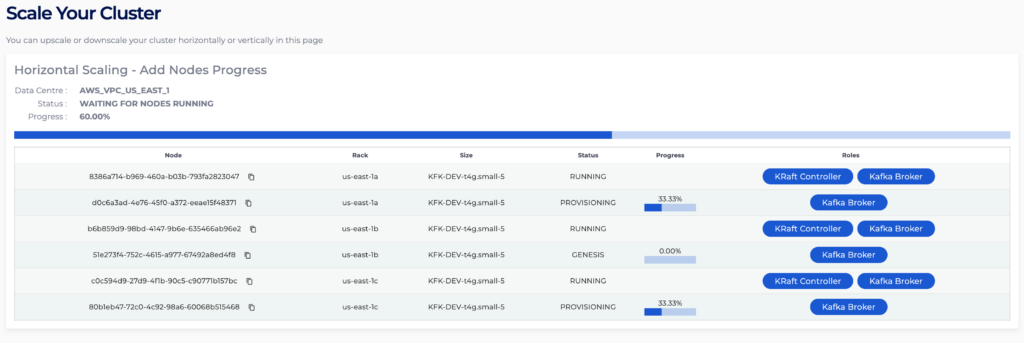
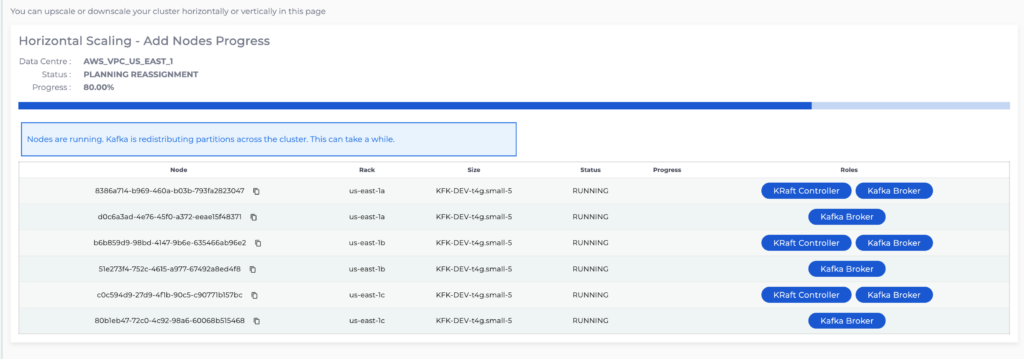
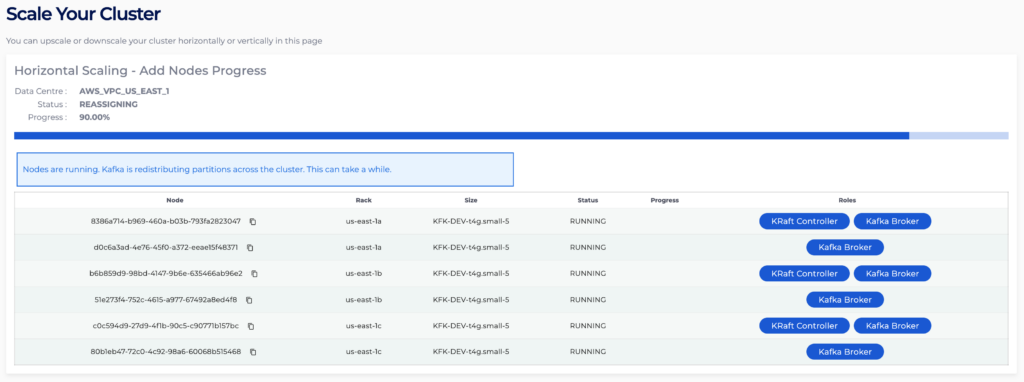
- PLANNING REASSIGNMENT and REASSIGNING: At this stage Kafka is up and running on all the newly added brokers and now partitions are going to start moving from old brokers to new brokers. To do so, our system will now generate a plan detailing which partition replicas should move to the new brokers and in which order, so data is spread across the expanded cluster, and broker disk use stays within safe limits while process is in progress. This plan is then executed from a random healthy broker in your cluster using Kafka’s partition reassignment process.
Note here: On large clusters, depending on partition count and data volume, reassignment can take several hours to complete.
Please note here, that in case partition reassignment fails for any reason, you will see the following message persist on the console scaling page for about 2 hours, or until the next scaling operation succeeds:

Be assured that support will be notified automatically and will proceed with the investigation, and you do not need to contact them.
Also note, as mentioned previously, the automated horizontal scaling operation is limited to Kafka clusters which have less than or equal to 30 Kafka brokers and when you are trying to add less than or equal to 3 brokers. If you are trying to add more than 3 brokers or if you are trying to add brokers to a cluster with more than 30 brokers, you should still follow the same “How to trigger a Horizontal Scaling Operation”. Once you hit resize, the provisioning of the nodes will be deferred; support will be notified automatically and will initiate the operation accordingly.