


Scaling your cluster vertically
Nodes in a Kafka cluster can be resized in-place via the Console or by issuing a request to our Cluster Management API. A larger node size increases CPU and memory. Disk can be increased as part of the same operation, but it cannot be decreased.
You resize nodes with one node purpose at a time: brokers, dedicated Apache ZooKeeper nodes, or dedicated KRaft controllers. To change more than one purpose, run a separate resize for each.
Preparation
During a cluster resize operation one or more nodes will temporarily become unavailable as they are resized (for resizing involving more than a disk resize). Kafka, as a whole, will handle these transient outages, but client applications need to be programmed with certain considerations in mind as described in the Requirements below.
Instaclustr will only concurrently resize nodes within the same rack, to ensure that replicas stored in other racks remain available during the resize.
Requirements
- Every topic should use a replication factor greater than 1, and the replication factor must be greater than min.insync.replicas. During resize, a broker is temporarily unavailable. RF greater than 1 keeps another replica online. RF greater than min.insync.replicas keeps enough in-sync replicas for producers using acks=all to continue writing.
- Produce with acks=all. Combined with RF greater than min.insync.replicas, that keeps writes accepted while the node being resized is down.
- Configure your clients with every broker in the cluster in
bootstrap.servers(the full node address list is on the Connection Info page in the Console). Because a resize takes one broker down at a time, a client configured with a single broker will be unable to connect while that node is being resized.
Other Constraints
Self-service vertical scaling is limited to the cases below. For any other resize, contact Instaclustr Support.
- Disks can be increased in size but not decreased.
- All nodes in the resize must currently be the same size. If a previous resize left the data center with mixed sizes, contact Instaclustr Support before retrying.
AWS:
- Current in place resizing is only supported on AWS Nodes which are EBS backed.
- Resizing where the disk is modified can only be done four times in any rolling 24 hour window, due to AWS limitations: https://aws.amazon.com/about-aws/whats-new/2026/01/amazon-ebs-up-to-four-volume-modifications/
GCP:
- Current in place resizing is only supported on a GCP Node which has a persistent disk. (Persistent disks are referred to as ‘Zonal PD SSD’ on our console, an abbreviation for ‘Zonal Persistent Disk SSD’)
AZURE:
- In-place resizing is supported on AZURE nodes with a managed disk(Premium SSD or Premium SSD v2). Nodes that use local SSD are not supported.
Resizing
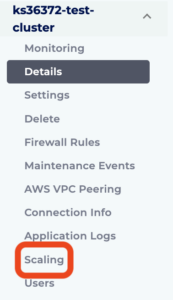
To resize data center nodes, navigate to the Scaling page for your Kafka cluster.
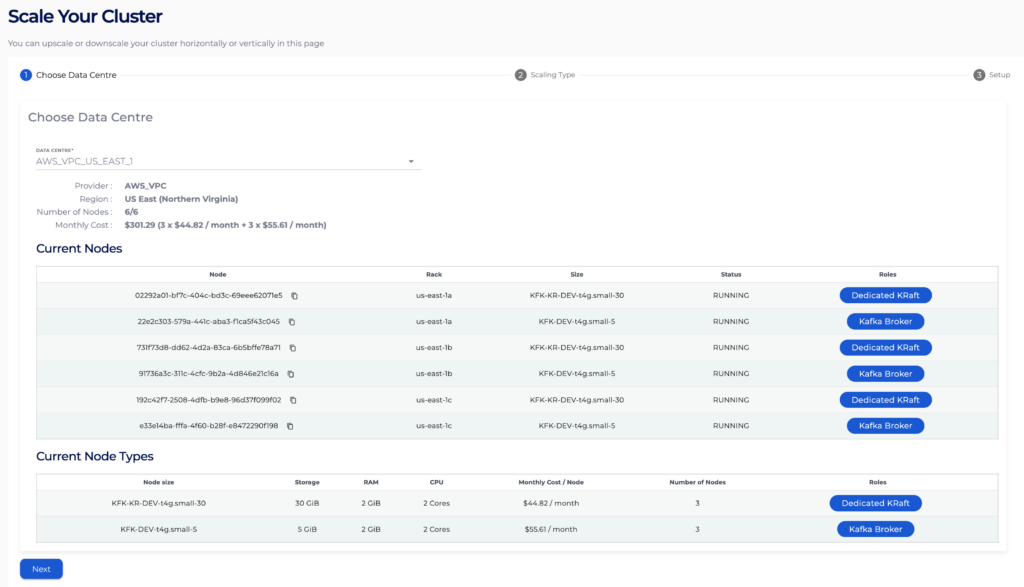
Now select the data center and hit Next.
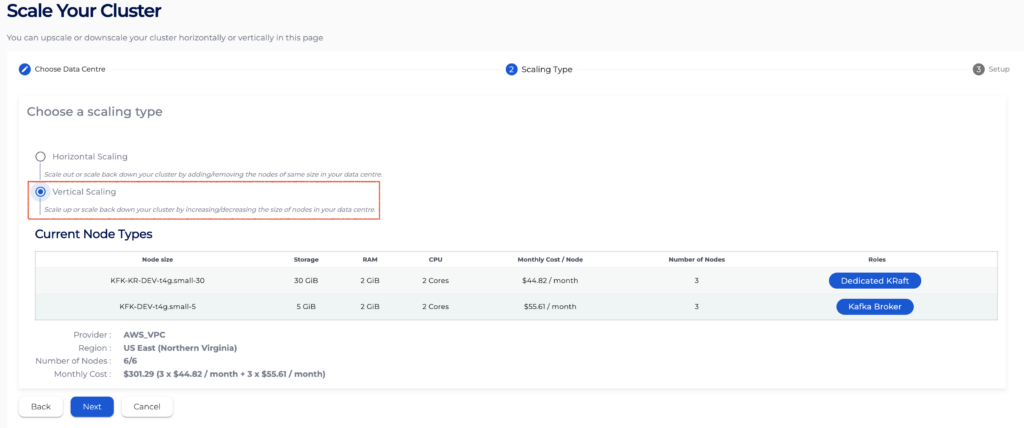
On the Scaling Type page, select Vertical scaling and hit Next.
On the Setup page, you will be able to select which nodes you want to resize by selecting the Node Purpose from those available to your cluster. You can resize Broker, Dedicated ZooKeeper, or Dedicated KRaft Controller nodes. You may only resize one node purpose at a time and will need to perform multiple resize operations to resize multiple node purposes.
To ensure the data availability within the cluster, Kafka cluster data centers allow only one node at a time to be resized.
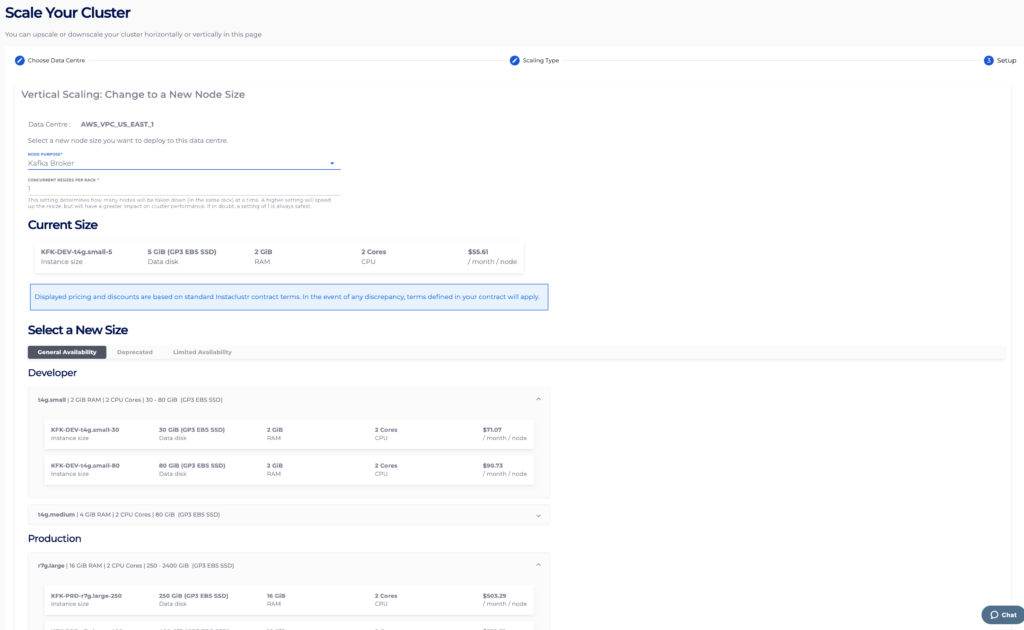
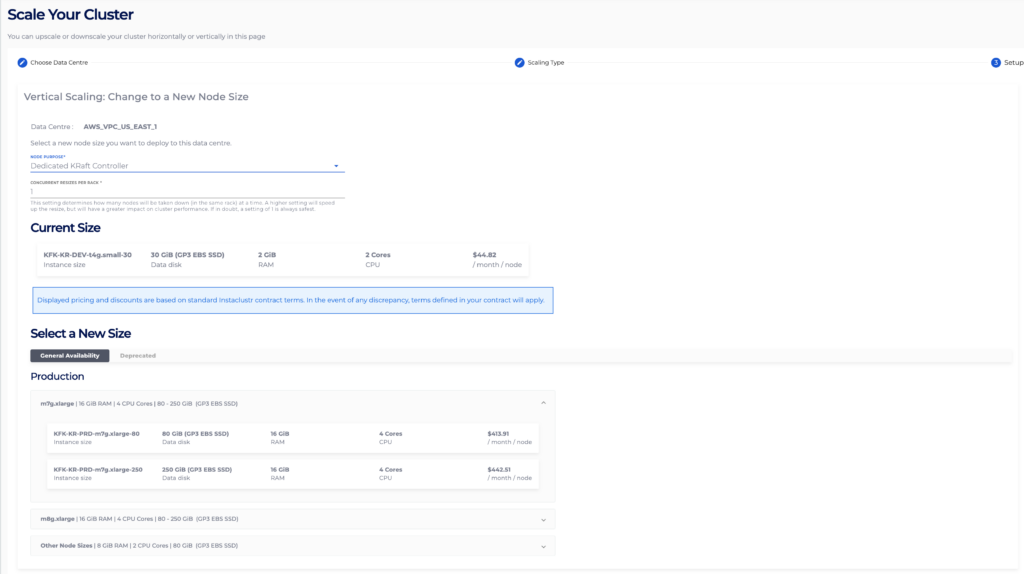
Finally, select a desired target node size that you wish to resize to and hit Resize.
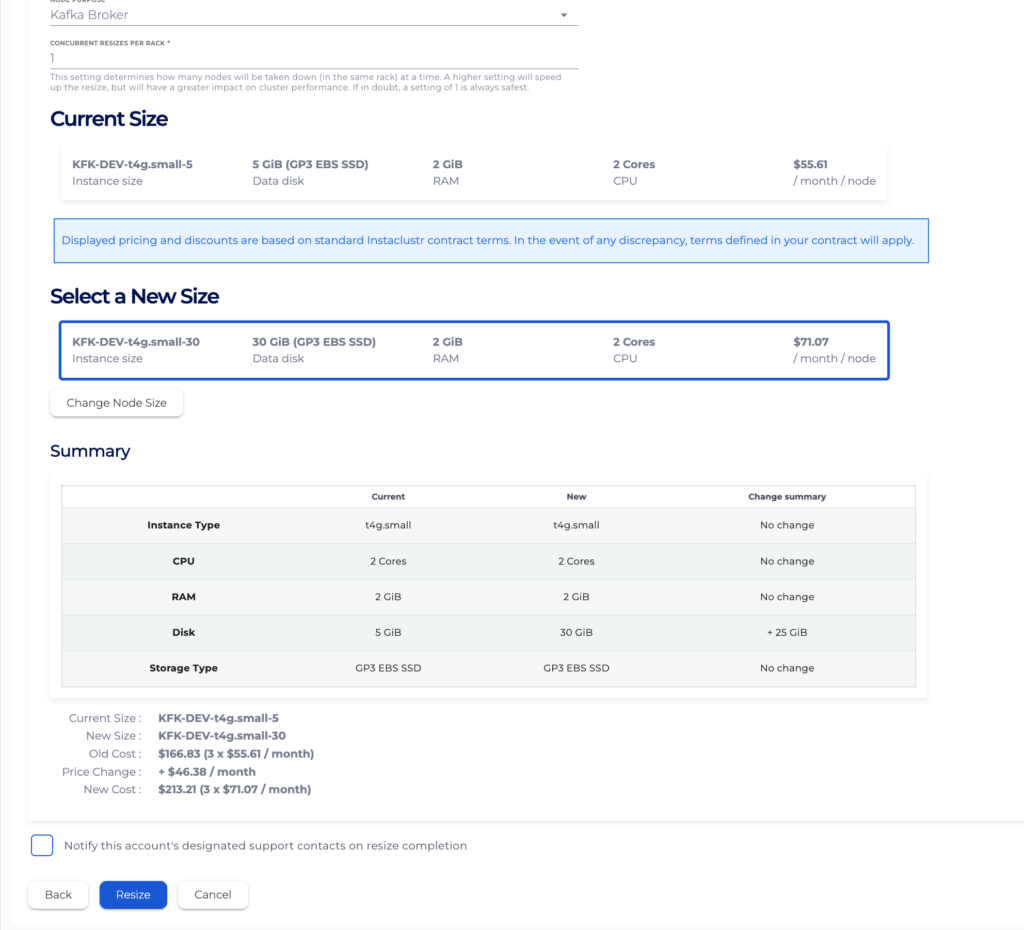
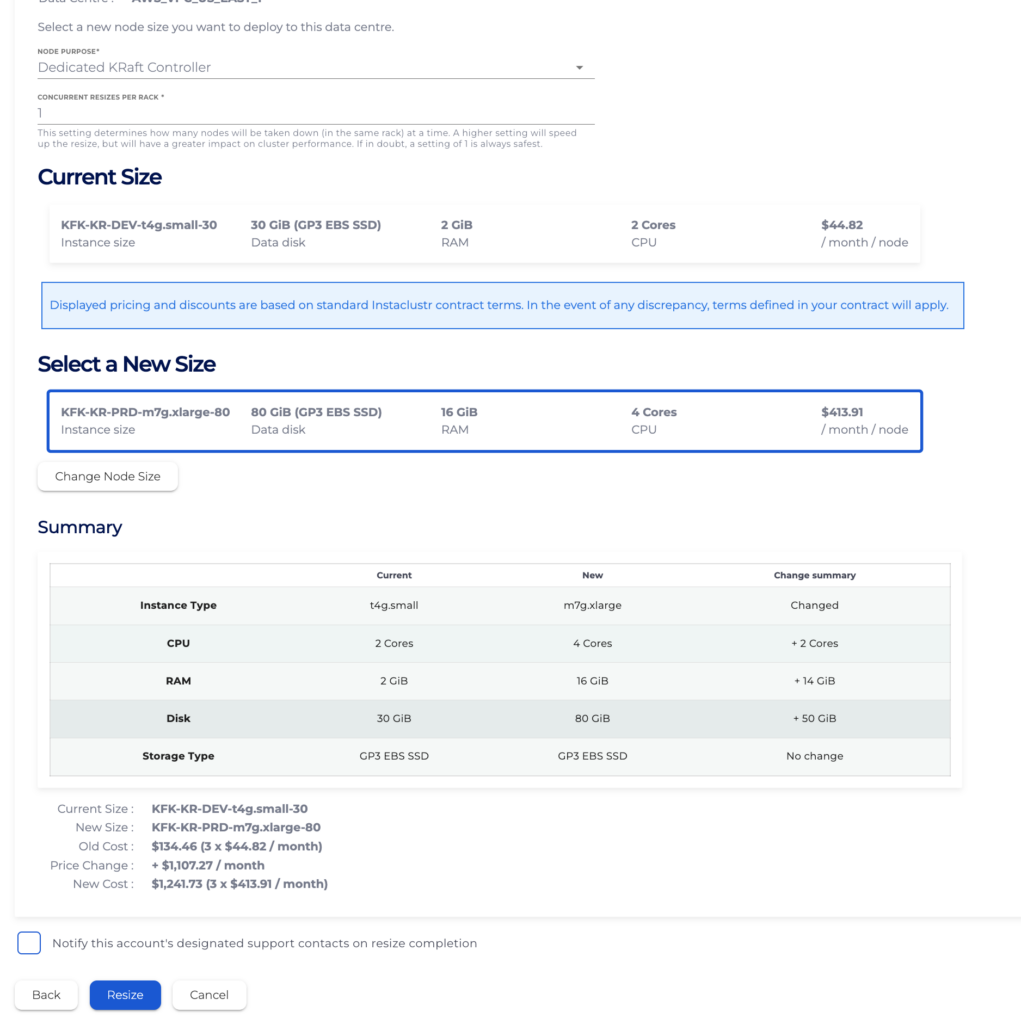
If the selected data center isn’t resizable, then an explanation will be displayed on the Resize Data Centre page. For example, an error message will appear, preventing attempts to resize an AWS cluster more than 4 times in a rolling 24-hour window. This error message outlines the issue, and a reason for the issue (due to EBS limitations).
While a resize is in progress, the Scaling page will display the progress of the resize operation.
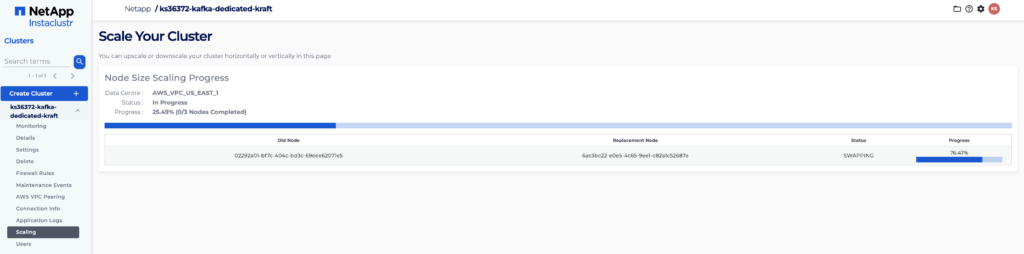
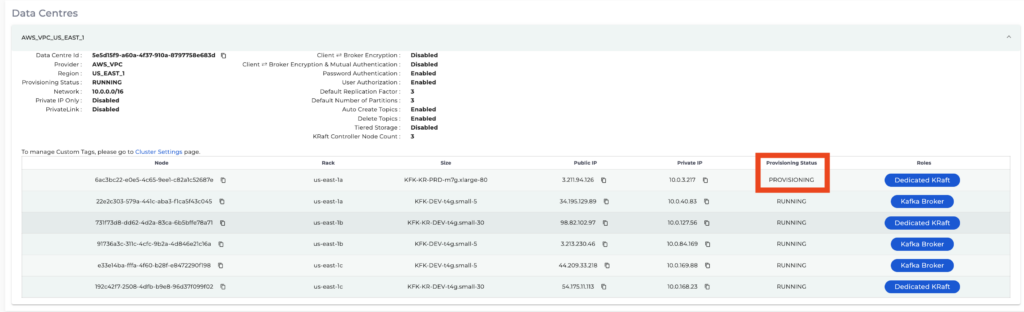
You will also see the nodes on the Cluster Details page go through the Instaclustr Provisioning Lifecycle.
Please contact Instaclustr Support if you need assistance.
